How to Add Realistic Lifestyle Figures to Listing Photos With Seedream 4.5
Adding relatable lifestyle figures to listing photos helps potential buyers connect emotionally with a property, but AI-generated people often look distorted or out of place with the scene. This guide teaches real estate marketers how to use Seedream 4.5 to add seamless, believable people and pets to listing photos, including persona matching, masking tips, reusable prompt templates, and troubleshooting for common rendering issues. It also covers ethical best practices to ensure listing marketing remains transparent and compliant with industry standards.
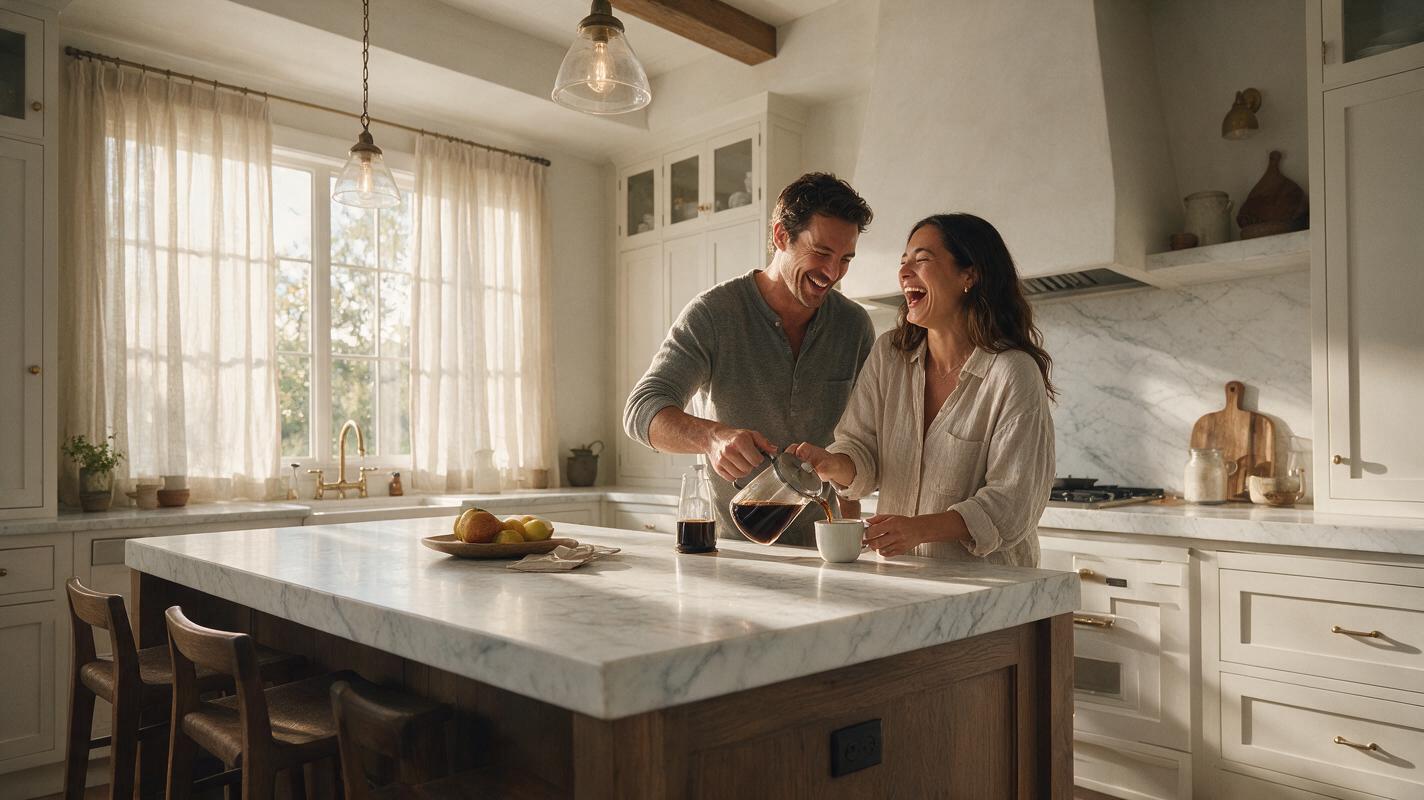
Table of contents
The value of realistic lifestyle figures in listing photos
Adding relatable lifestyle figures to listing photos helps potential buyers visualize themselves living in a space, turning a generic house tour into an emotional connection. But AI-generated people often fall into the uncanny valley: distorted limbs, wrong scale, mismatched lighting, or clothing that feels out of place for the property.
Seedream 4.5, a photorealistic ai image generator, excels at matching existing photo context to add seamless, believable figures without the cost of hiring models or reshooting. This guide walks through how to choose the right photos, mask properly, write effective prompts, and fix common issues for listing-ready results that feel authentic, not artificial.
Choose the right photos and target buyer persona
Not every listing photo benefits from a lifestyle figure. Focus on wide, action-oriented spaces where people naturally gather: kitchens, backyards, home offices, living rooms, or home gyms. Avoid tight bathroom shots, small closets, or spaces where a person would feel cramped or distracting from the property’s key features.
Start by defining your target buyer persona for the listing. A suburban family home will resonate more with a family of four playing in the backyard, while a downtown luxury condo will feel more relatable with a young professional working from a sleek home office. Matching the figure’s age, style, and activity to your target audience ensures the addition feels intentional rather than generic.
A few good photo candidates to start with:
- Backyard patios with seating, where people can gather or grill
- Kitchen islands with bar stools, perfect for casual meals or coffee
- Home offices with desks, ideal for remote worker visuals
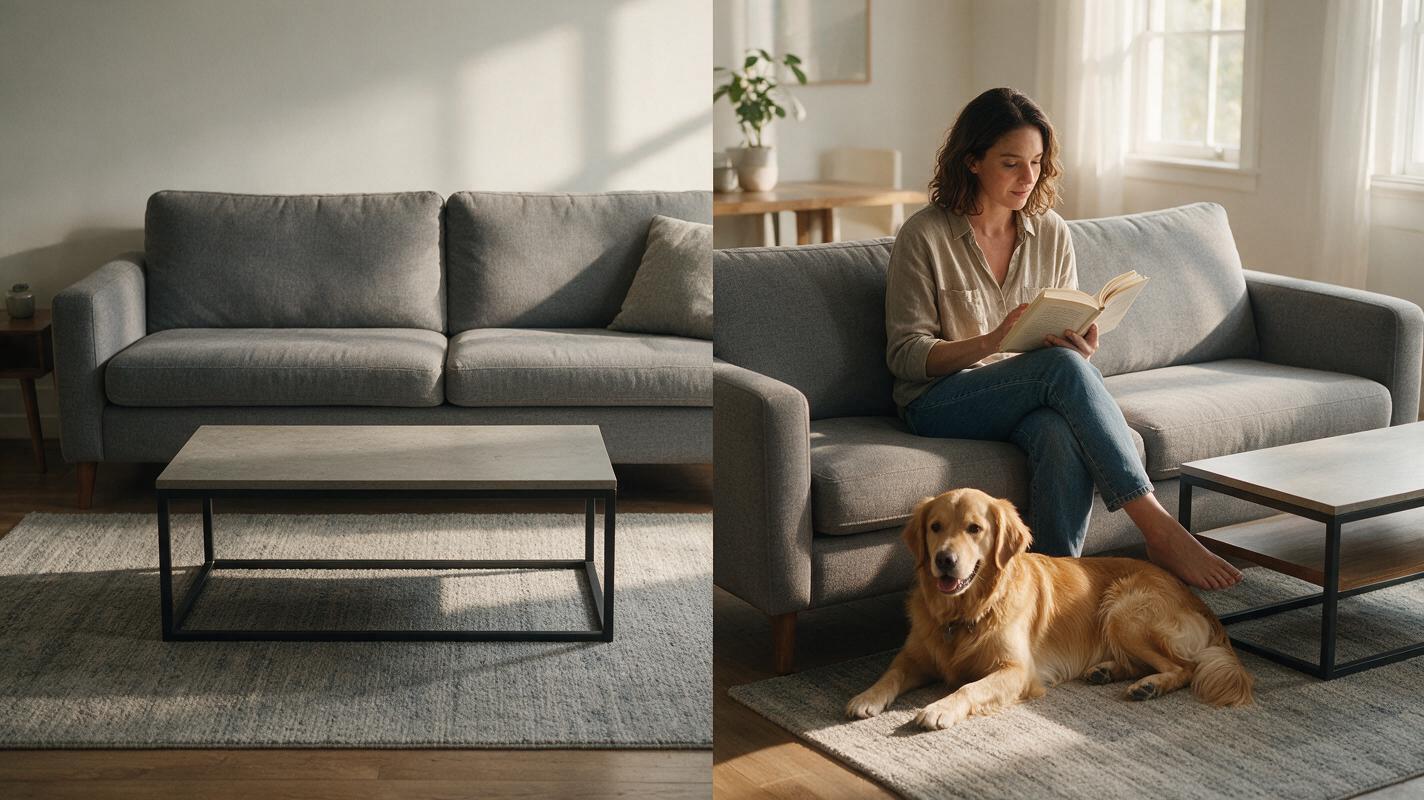
- Living rooms with couches, great for relaxed, cozy scenes
Prepare your mask for clean, natural integration
The quality of your mask directly impacts how natural the final figure looks. A sloppy mask that cuts into furniture or ignores perspective lines will make the added person look like a sticker, not part of the scene.
When masking the area where your figure will go, follow these guidelines:
- Leave 10-15% extra space around the figure’s planned position to account for hair, clothing movement, and shadows
- Align the figure’s feet with the floor or ground plane to avoid floating effects
- Avoid masking over fixed architectural elements like countertops, door frames, or light fixtures
- Match the perspective: if the photo is taken from a standing eye level, your figure should be sized to fit that perspective, not a bird’s eye view
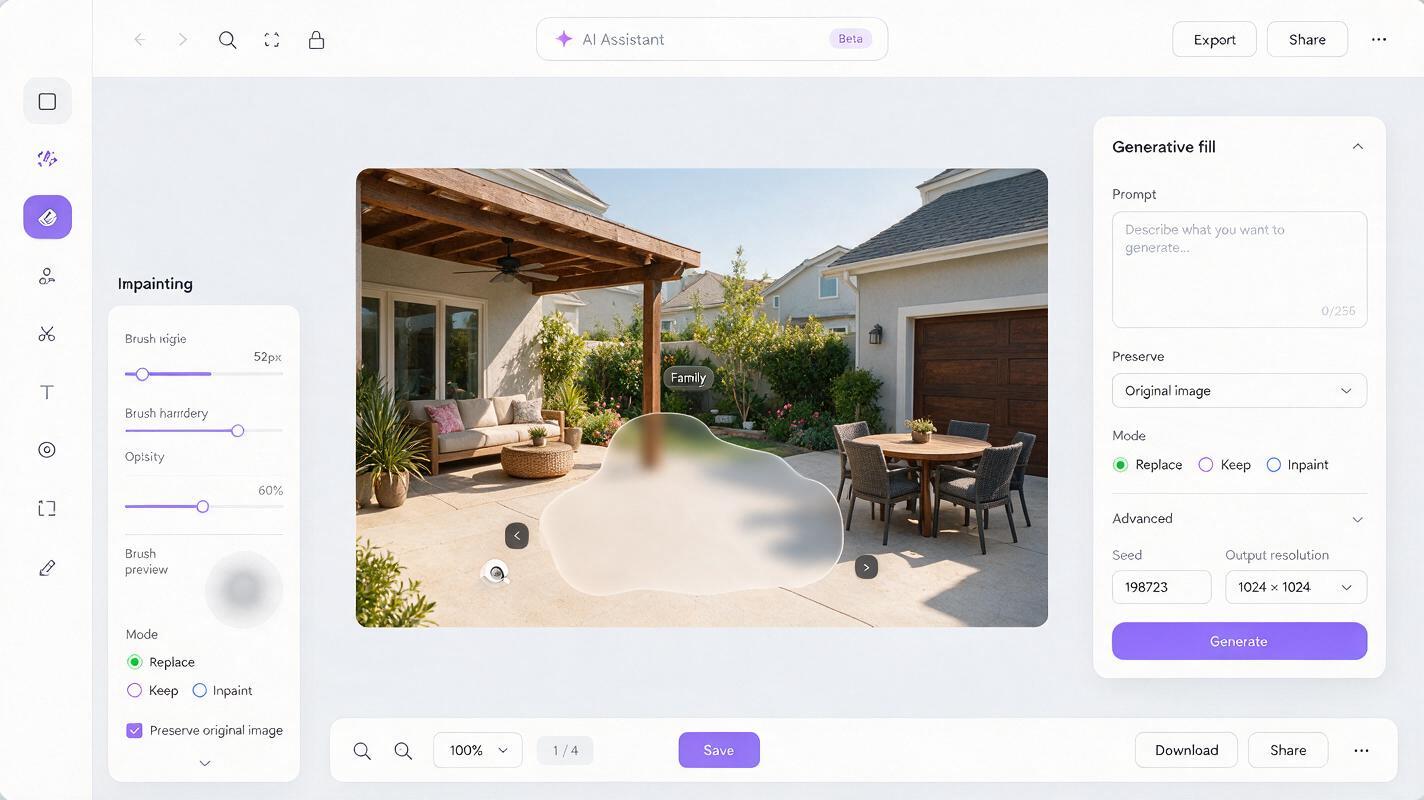
For best results, use a soft brush edge (10-20% feather) on the mask so the figure blends smoothly into the existing background, especially around floors and walls where shadows fall. A hard-edged mask will create a sharp, unnatural outline around the figure that stands out immediately.
Seedream 4.5 prompts for realistic lifestyle figures
The key to believable AI figures is specificity: you need to describe not just the person, but how they fit into the existing photo’s lighting, style, and mood. Reference the photo’s time of day, light direction, color tone, and photography style in your prompt to ensure consistency with the original image.
Below are reusable prompt templates for common listing scenarios, designed to work with Seedream 4.5’s inpainting mode. Replace the bracketed details to match your specific photo:
- Backyard family scene: Realistic family of three (mother, father, 7-year-old daughter) playing with a golden retriever on a green grass backyard patio, casual summer clothing, bare feet on warm stone pavers, soft golden hour sunlight from the left, long soft shadows on the ground, matching the photo’s warm neutral color palette, professional real estate photography, sharp focus, no distorted limbs
- Kitchen couple scene: Realistic young couple in their 30s laughing while pouring coffee at a white marble kitchen island, casual neutral clothing (linen shirt, jeans), soft morning natural light from windows behind them, subtle shadows under the island, matching the photo’s bright airy tone, professional real estate photography, natural poses, no unrealistic features
- Home office professional scene: Realistic woman in her 40s working on a laptop at a wooden home office desk, smart casual clothing, soft overcast natural light from a side window, gentle shadow of the desk lamp on the wall, matching the photo’s cool modern color scheme, professional real estate photography, relaxed focused pose, no distorted hands
- Living room pet scene: Realistic tabby cat curled up on a gray linen couch next to a stack of books, soft afternoon light from a nearby window, subtle shadow of the cat on the couch cushion, matching the photo’s cozy warm tone, professional real estate photography, natural animal proportions
Always end your prompt with quality guardrails like "professional real estate photography, sharp focus, no distorted features" to reduce common AI rendering errors and ensure the output matches your listing’s visual standard.
Test this prompt yourself to generate a custom lifestyle figure for your next listing.
Troubleshoot common AI figure issues
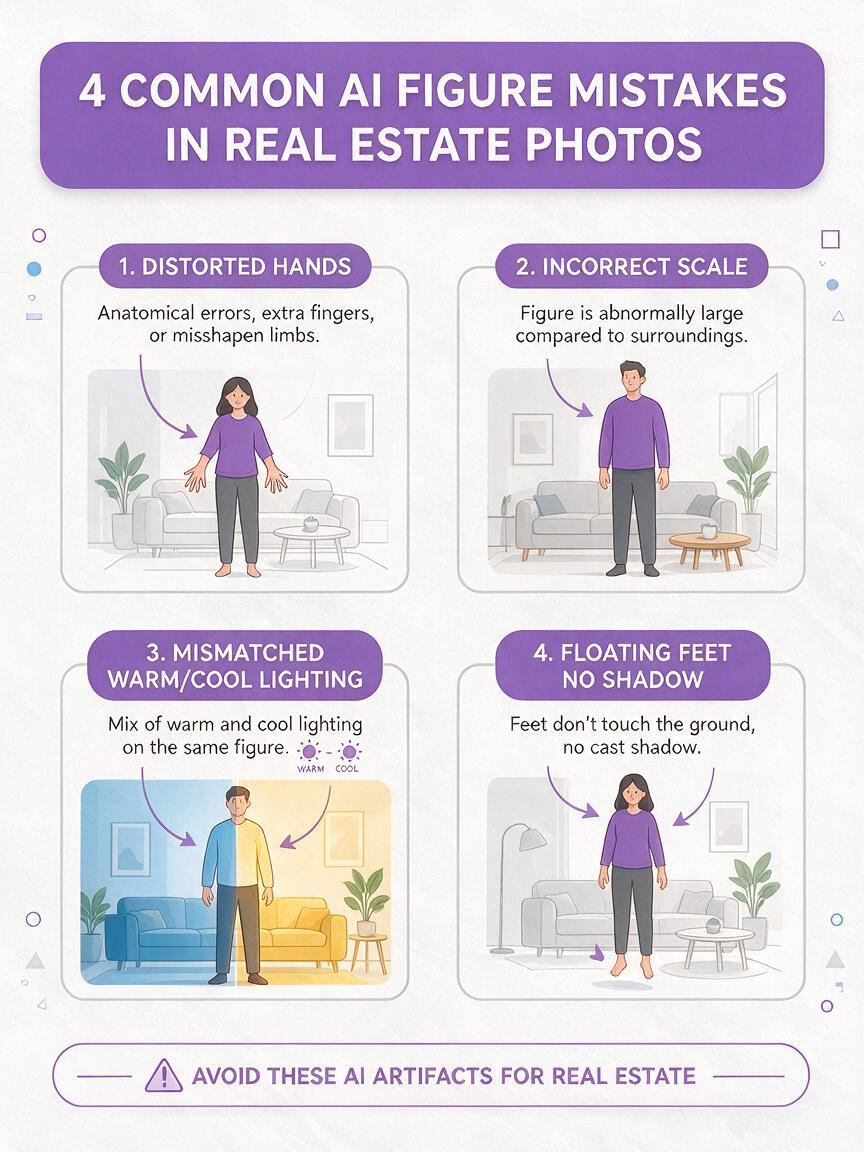
Even with good prompts and masks, you may run into issues with AI-generated figures. Here are the most common problems and how to fix them quickly:
- Distorted hands or limbs: This is the most frequent AI figure error. Fix it by adding "perfect hands, natural limbs, no distortion" to your prompt, or reduce the inpainting strength slightly to preserve more of the background context. If the issue persists, mask a smaller area around just the distorted limb and re-generate that section only.
- Wrong scale or size: If the figure is too tall or too short for the space, adjust your prompt to specify a realistic height relative to nearby objects (e.g., "person standing next to a 3-foot kitchen counter, correct proportions"). You can also resize the mask area to match the desired scale before generating.
- Mismatched lighting or color: If the figure’s lighting doesn’t match the photo, add specific light details to your prompt: "warm golden hour light from the left," "cool overcast north-facing window light," or "matching the photo’s warm beige color palette." You can also adjust the inpainting’s color matching setting to prioritize the original image’s tones.
- Floating feet or no shadow: This happens when the mask doesn’t extend to the ground, or the prompt doesn’t mention shadows. Fix it by extending the mask to cover the floor area under the figure’s feet, and add "soft natural shadow on the ground under feet" to your prompt.
Ethical best practices for real estate listings
When using AI-generated figures in listing materials, it’s important to stay transparent and avoid misleading buyers. Follow these guidelines to keep your marketing ethical and compliant with industry standards:
- Never use figures to misrepresent the size of a space. For example, don’t add a full-sized adult to a tiny bedroom to make it look larger — the figure’s scale should accurately reflect the room’s actual dimensions.
- Avoid using figures that could be exclusionary. Choose diverse, relatable figures that reflect the broader community, not just a single demographic.
- If asked directly by a buyer or cooperating agent, disclose that some figures in the listing photos are AI-generated for illustrative purposes.
- Reserve lifestyle figures for marketing assets like social media posts, listing websites, and brochures. For official MLS photos that need to be strictly factual, you may want to skip AI figures to avoid any confusion about the property’s actual condition.
Key takeaways
- Focus lifestyle figure additions on high-traffic, emotionally resonant spaces like kitchens, backyards, and home offices, and match the figure to your target buyer persona for maximum impact.
- Use a soft, well-sized mask that aligns with the photo’s perspective and leaves room for natural shadows to ensure the figure blends seamlessly into the scene.
- Write specific prompts that reference the photo’s lighting, color palette, and photography style, and add quality guardrails to reduce distortion and rendering errors.
- Troubleshoot common issues like distorted limbs, wrong scale, or mismatched lighting by adjusting your prompt, mask, or inpainting strength.
- Follow ethical guidelines to avoid misleading buyers and keep your listing marketing transparent and professional.
Keywords
lifestyle real estate photos, listing photo editing, seedream 4.5, ai image generator, real estate marketing assets, ai inpainting, virtual lifestyle rendering