AI Ad Background Prompts for Product Creatives With Copy Space
Use these AI ad background prompts to create product scenes with deliberate copy space, clear visual hierarchy, and testable campaign angles. The collection includes reusable prompts for offer ads, product benefits, seasonal campaigns, and premium positioning, plus a framework for evaluating each variation.
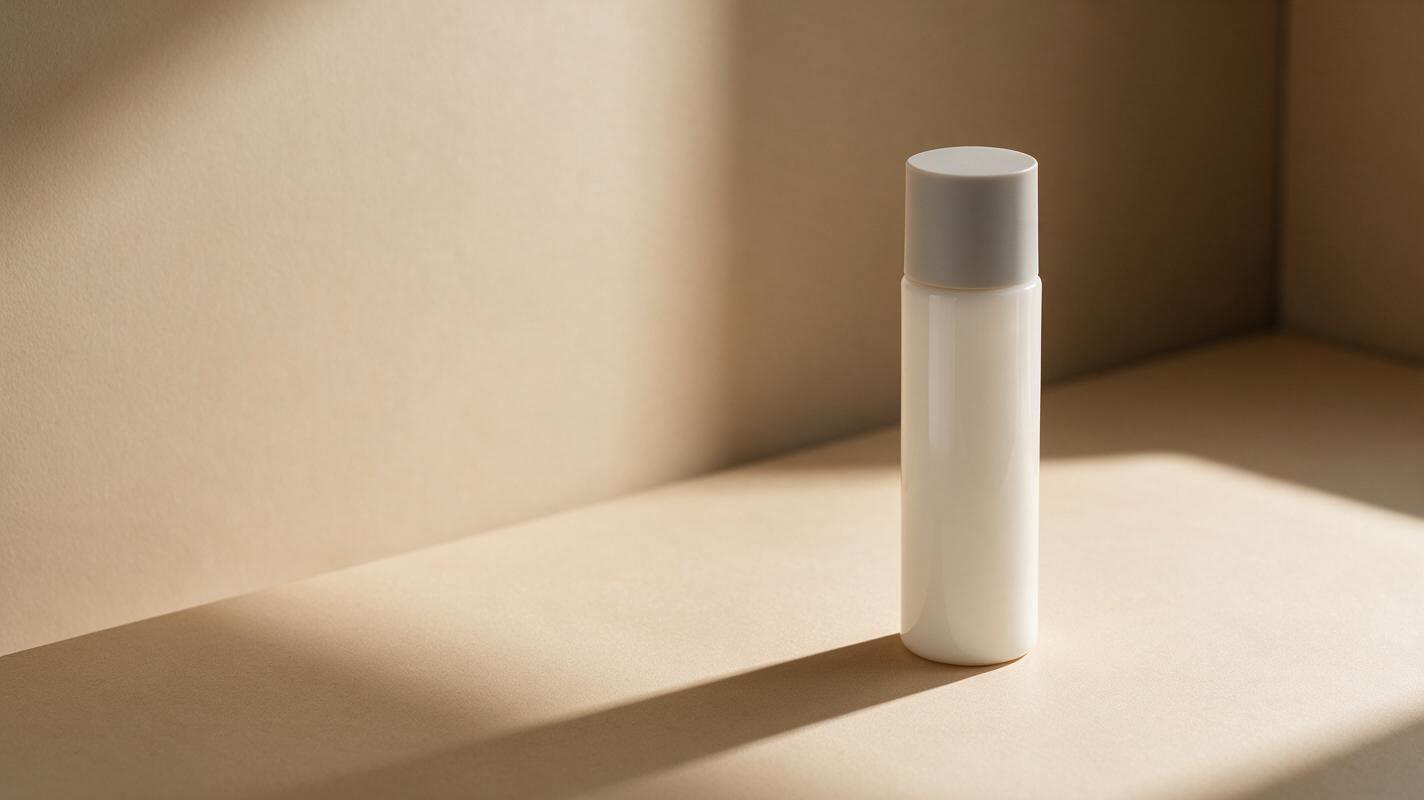
Table of contents
Design the background around the ad, not just the product
A polished product image can still fail as an ad when the background leaves nowhere for a headline, competes with the offer, or makes the call to action difficult to read. The prompts below are designed for a more practical result: campaign-ready product scenes with controlled copy space and a clear visual hierarchy.
You can use Imagen or another capable ai image generator to explore these compositions. Start with one approved product cutout or reference image, choose the prompt that matches your message, and change only one creative variable per test.
Why attractive AI backgrounds often make weak ads
Image models tend to reward visual richness. Performance creative often needs the opposite: restraint, predictable empty space, and enough contrast for mobile copy. A prompt such as premium skincare product on a beautiful bathroom counter describes a scene, but it does not define where the marketing message belongs.
Three common problems follow:
- No usable copy zone: props, highlights, or architectural lines fill the area intended for the headline.
- Weak product hierarchy: the background becomes more visually important than the item being advertised.
- Invalid creative tests: lighting, camera angle, palette, props, and product scale all change together, making the performance result difficult to interpret.
A campaign background has a job: support the message, preserve product recognition, and reserve space for the final layout.
Build copy space into the composition
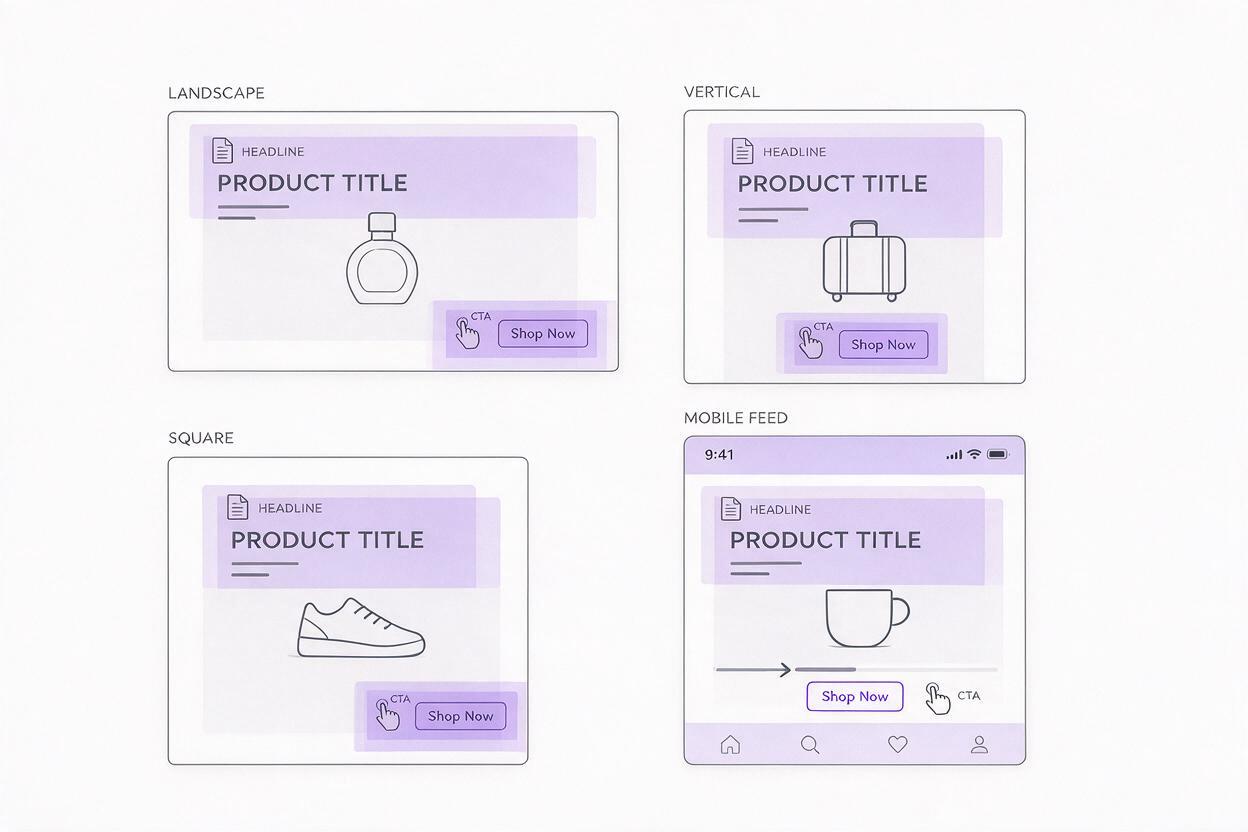
Do not ask the model for generic “negative space.” Describe the location, size, tone, and cleanliness of the intended copy area. This turns an aesthetic request into a layout instruction.
| Layout need | Useful prompt language | Best suited to |
|---|---|---|
| Headline on the left | Product in the right third; uncluttered matte surface across the left half | Landing-page heroes and landscape ads |
| Offer above the product | Product in the lower third; smooth low-detail background in the upper 40 percent | Stories, Reels, and vertical placements |
| Centered product with supporting copy | Centered product; quiet symmetrical margins; no props near either edge | Square social ads |
| Bottom call to action | Product elevated above the lower quarter; clean contrasting foreground below | Mobile feed ads |
Copy space should be structurally quiet, not merely blurred. A bright reflection, shelf edge, plant leaf, or hard shadow can still interfere with typography even when it is out of focus.
Use a prompt structure that protects the campaign message
A reliable product-background prompt can be organized around six decisions: product placement, environment, copy zone, lighting, supporting props, and exclusions. Keep product identity separate from the background description when a reference image is available.
[PRODUCT] positioned in [FRAME LOCATION], photographed in [ENVIRONMENT].
Reserve [COPY-ZONE LOCATION AND SIZE] as a clean, low-detail area for advertising copy.
Use [LIGHTING] and a [COLOR PALETTE] that creates clear separation around the product.
Include only [LIMITED SUPPORTING PROPS].
Commercial product photography, realistic materials, crisp product silhouette.
Exclude text, logos in the environment, duplicate products, busy patterns,
objects crossing the copy zone, and misleading product features.
This structure does not guarantee that generated lettering will be accurate. Treat the output as a product scene, then add approved headlines, prices, disclaimers, and calls to action in your design tool.
Product scene prompts for high-intent ads
Offer-led product launch
Use the supplied product reference unchanged. Place the product in the right third on a simple studio pedestal, with a warm off-white seamless background. Reserve the entire left half as clean low-detail space for a launch headline and offer. Soft directional daylight from the upper left, subtle grounding shadow, restrained premium styling, realistic commercial product photography. Include no environmental text, no extra products, no confetti, no props crossing the left half, and no changes to packaging.Limited-time promotion
Use the supplied product as the only featured item, positioned in the lower center of a vertical composition. Create an energetic coral-to-red studio backdrop with a restrained radial light effect behind the product. Keep the upper 40 percent smooth and empty for promotional copy. Strong product separation, crisp edges, realistic shadow, mobile advertising composition. No generated words, price tags, floating objects, duplicate packaging, or altered label details.Bundle-value creative
Arrange the supplied bundle references in a compact group within the right 45 percent of the frame, preserving the relative scale and packaging of every item. Use a pale neutral tabletop and softly lit background. Leave the left half visually quiet for a value proposition and bundle price. Natural commercial lighting, subtle depth, no decorative objects between products, no invented items, and no text.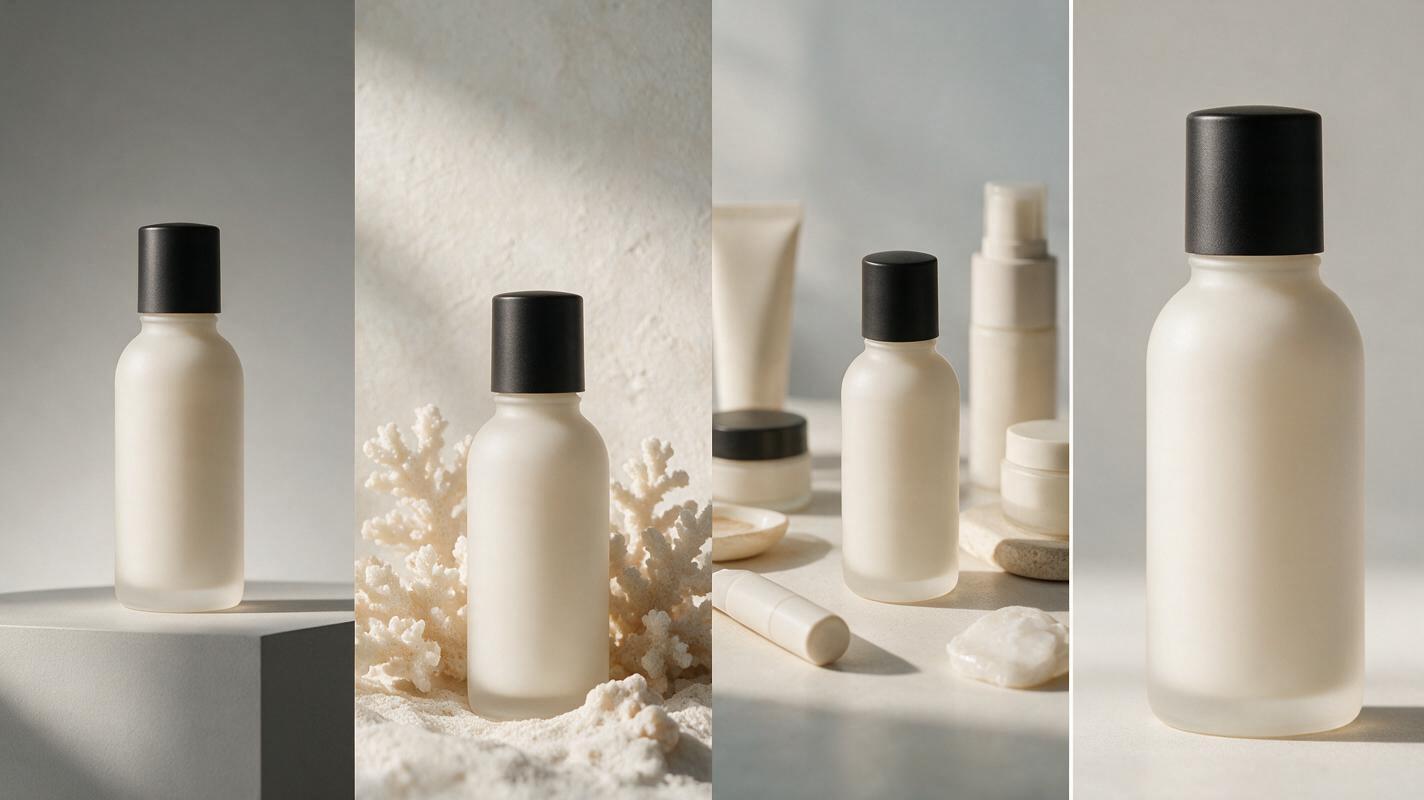
Benefit-focused prompts that show context without clutter
Morning routine
Place the referenced product on the left side of a bright bathroom shelf during a calm morning routine. Use soft window light, pale stone, and one folded towel as the only supporting prop. Reserve the right half as an evenly lit, low-detail wall for benefit copy. Keep the product sharp and recognizable while the environment remains secondary. No person, mirror reflections, generated text, additional containers, or props entering the copy area.Portable convenience
Show the referenced product upright in the right third beside an open everyday travel bag, clearly visible and not hidden by other objects. Use a clean airport-lounge-inspired surface with natural daylight. Reserve the left half as smooth negative space for a portability message. Realistic product scale, limited neutral props, believable materials, no brand substitutions, no crowds, no signage, and no object overlap on the product.Simple ingredients or materials
Place the referenced product in the center-right on a matte cream surface. Add no more than three relevant raw ingredients or material cues near the product base, arranged sparsely. Preserve a clean upper-left quadrant for a concise benefit headline. Soft side lighting, natural colors, editorial product photography, realistic texture. No ingredient explosion, no floating particles, no generated labels, and no claim-like symbols.Seasonal prompts that avoid disposable campaign clichés
Holiday gifting
Present the referenced product as a refined gift on the right side of a deep green studio set. Add one folded ribbon and a small warm light reflection, but no wrapped box covering the product. Reserve the left half as uncluttered dark-green space with consistent contrast for holiday copy. Elegant directional lighting, realistic materials, premium restraint. No snow, ornaments, generated text, duplicate products, or changes to packaging.Summer campaign
Place the referenced product on a sunlit pale-stone surface in the lower-left third. Use a soft aqua background and one restrained water-shadow pattern outside the copy zone. Keep the upper-right half smooth and quiet for summer campaign copy. Bright natural light, fresh color separation, realistic product photography. No beach crowds, palm leaves across the frame, splashes covering the product, or invented text.Back-to-work refresh
Position the referenced product in the right third on a tidy desk with only a closed notebook and one neutral pen. Use gentle morning office light and a warm gray background. Leave the left half empty for a productivity-oriented headline and offer. Realistic scale, crisp silhouette, minimal contemporary styling. No laptop screens, visible documents, generated writing, extra products, or busy desk accessories.Premium-positioning prompts for higher perceived value
Minimal luxury
Place the referenced product slightly right of center on a dark charcoal stone pedestal. Use a controlled soft spotlight and a subtle gradient background. Reserve the upper-left area as clean dark space for a premium headline. High-end commercial photography, precise silhouette, realistic reflections, understated composition. No gold particles, smoke, gemstones, generated text, extra products, or modifications to the original package.Natural premium
Place the referenced product in the left third on pale limestone with soft daylight and one small botanical element near the base. Keep the entire right half as a smooth warm-beige wall for brand messaging. Natural material texture, quiet editorial styling, realistic shadow, strong product recognition. No dense foliage, flowers behind the copy, floating leaves, duplicate products, or altered label artwork.Technical precision
Position the referenced product in the lower-right third on a precise light-gray studio surface. Use cool directional lighting and one subtle geometric shadow outside the copy zone. Reserve the upper-left half as uniform low-detail space for a proof point. Clean technical product photography, sharp edges, accurate proportions, restrained palette. No interface graphics, fake certifications, generated numbers, exploded components, or packaging changes.Use the prompts as a controlled testing matrix
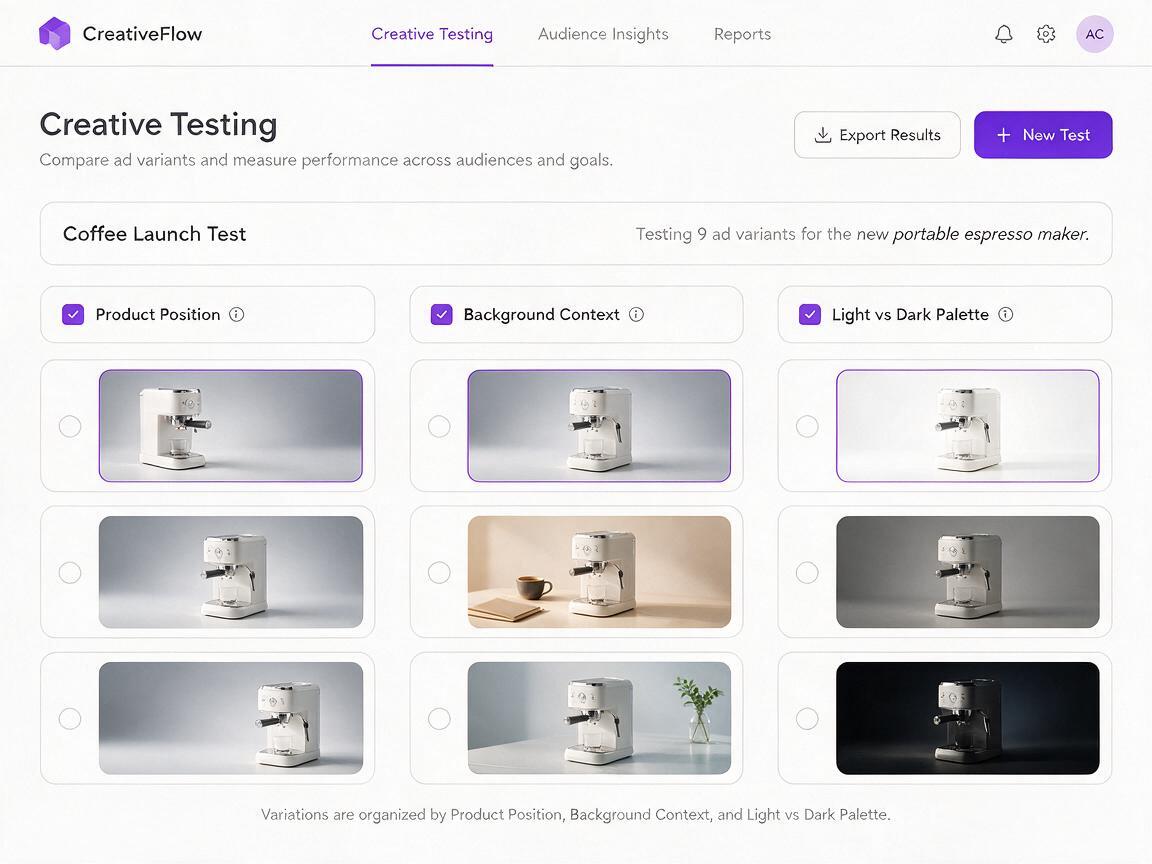
Do not generate all twelve scenes and call the result a test. Choose one message and vary one compositional factor at a time. For example, keep the offer, product, palette, and copy unchanged while testing product placement on the left, right, and lower center.
| Test round | Keep fixed | Change | Question answered |
|---|---|---|---|
| Composition | Message, product, palette, offer | Product position | Which layout earns attention without reducing copy clarity? |
| Context | Layout, message, product scale | Studio versus realistic setting | Does context improve relevance? |
| Visual tone | Layout, copy, product, props | Light versus dark palette | Which tone creates stronger product separation? |
| Prop density | Layout, lighting, message | Zero, one, or three props | How much context helps before distraction rises? |
Save the prompt, generation settings, reference asset, and final layout with each variant. That record helps the team reproduce a winner without relying on visual guesswork.
Fix backgrounds that ignore the layout
The copy zone keeps filling with objects
Replace vague wording such as space for text with a measurable region: the left 50 percent is an uninterrupted matte wall with no props, shadows, highlights, or architectural lines. Remove unnecessary scene details before adding more exclusions.
The product is too small
State the desired frame coverage and location, such as the product occupies approximately 35 percent of the image height in the right third. Check that enough room remains for legal copy and mobile cropping.
The scene changes the packaging
Use a clean product reference and explicitly preserve package geometry, label placement, cap shape, colors, and proportions. If identity still drifts, generate the background separately and composite the approved product asset afterward.
The output looks decorative rather than persuasive
Return to the message. A convenience claim needs a context that demonstrates portability; a premium claim needs restraint and material quality. Remove props that do not support the selected benefit.
Final checklist
- Choose one campaign message before selecting a background style.
- Define the exact location and size of the copy zone.
- Keep the product larger and sharper than supporting props.
- Add approved copy in a design tool rather than relying on generated lettering.
- Change one meaningful variable per creative-testing round.
- Review every crop at its actual mobile placement size.
- Confirm that packaging, claims, prices, and product features remain accurate.
When you have a product reference and message ready, create your own version and begin with three controlled compositions rather than dozens of unrelated scenes.
Keywords
ai ad background prompts, ai advertising images, product ad creative, ad creative variations, performance ad creative, Imagen prompts, creative testing