Why AI Anime Blinks Look Broken—and How to Fix Them
AI-generated anime blinks often distort the iris, redraw the eyelashes, or move the entire face. This guide explains how to create a clean blink from one illustration with Luma by choosing a stable source frame, defining the key poses, restricting motion, and repairing imperfect results.
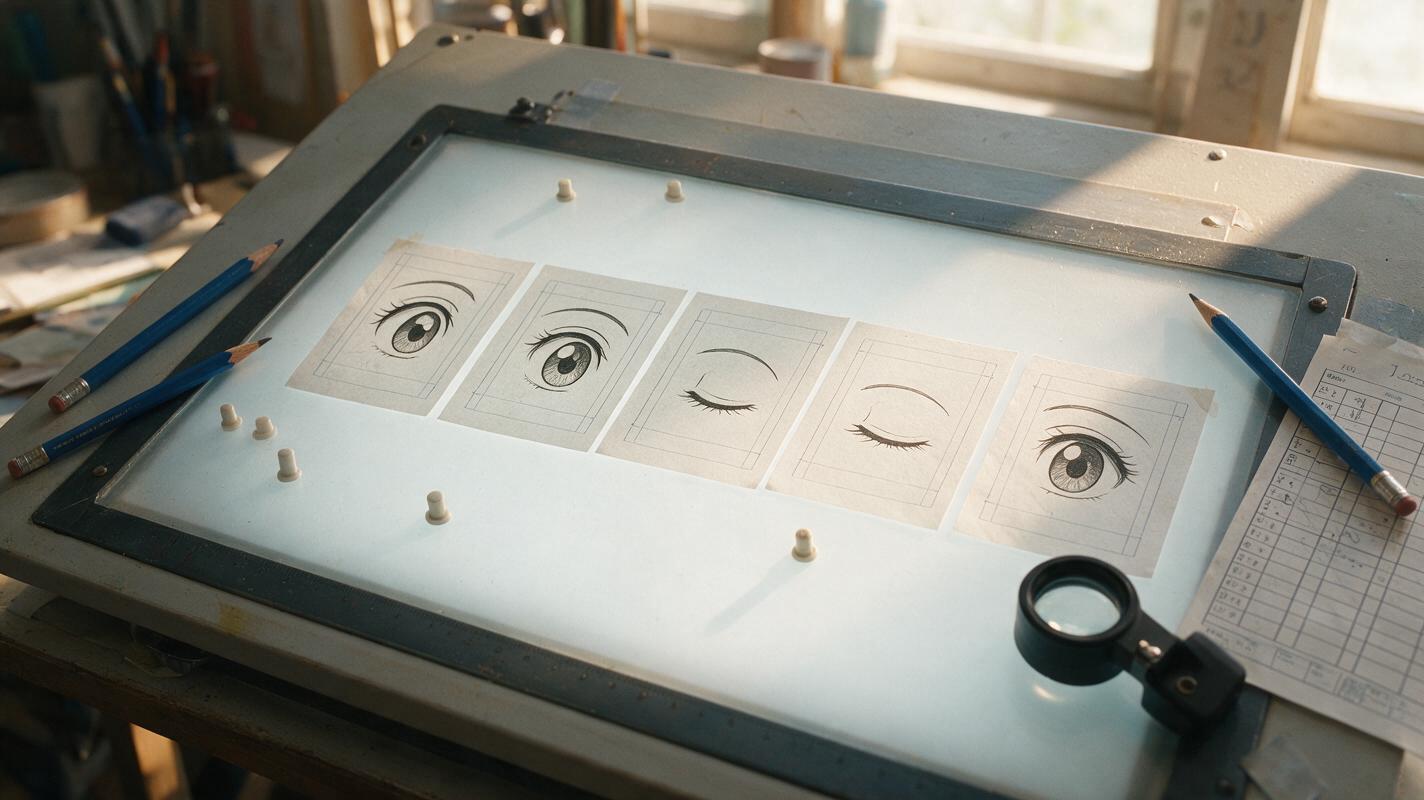
Table of contents
Create a Blink Without Redrawing the Character
A convincing anime blink should last only a moment, but AI can use that moment to change the character’s eye shape, iris color, eyelashes, or entire face. The solution is not a longer prompt. It is a tightly controlled source image, a simple pose sequence, and motion instructions that leave no room for extra acting.
This workflow uses Luma to animate a finished anime portrait. It is designed for reaction shots, visual novels, motion comics, dialogue scenes, and idle character loops where identity matters more than dramatic movement.
The goal is not to ask the model to invent facial animation. The goal is to preserve the original drawing while moving only the upper eyelids through a short, readable action.
Why AI Anime Blinks Break
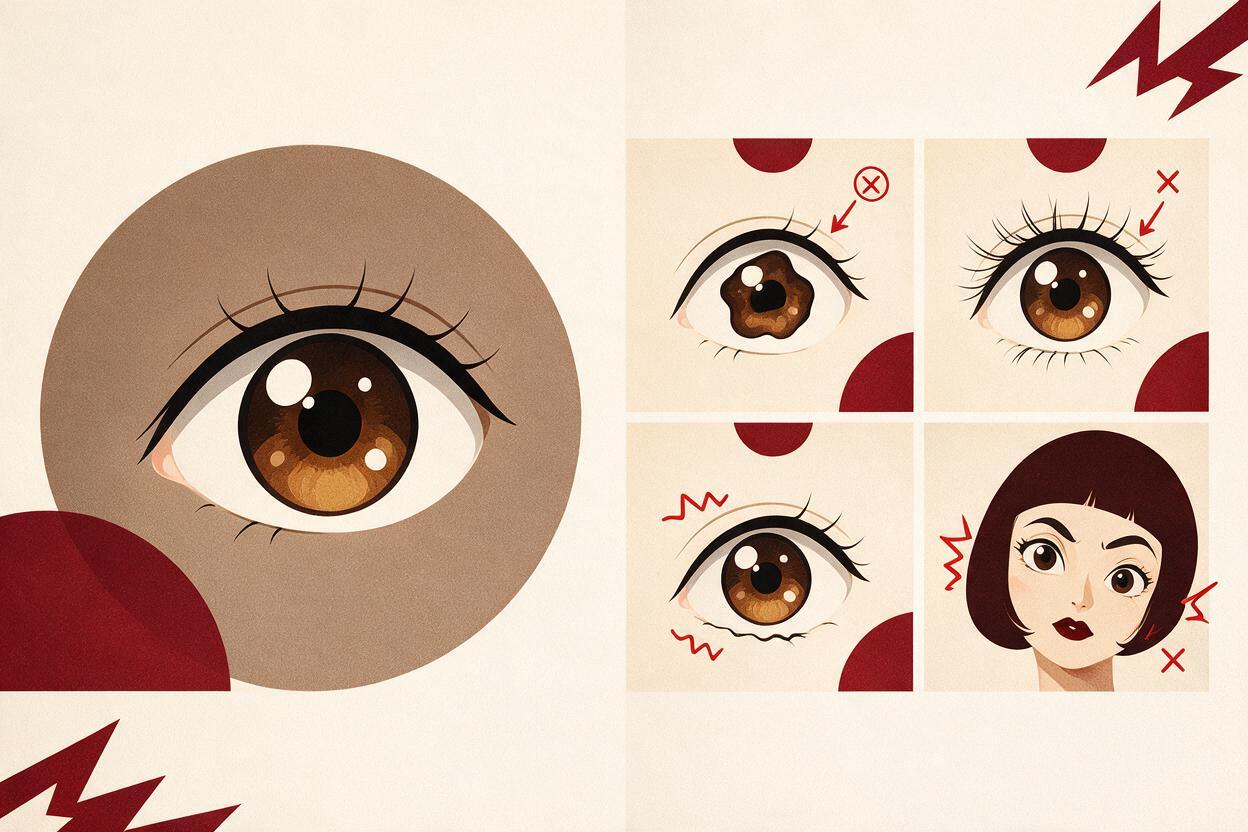
A blink looks simple because the movement is small. Generatively, however, the model must temporarily hide the character’s most recognizable facial details and then reconstruct them. That creates several common failure modes.
| Visible problem | Likely cause | Best correction |
|---|---|---|
| Iris changes color or size | The model redraws the eye after closure | Specify unchanged irises before and after the blink |
| Eyelashes multiply | Closed-eye lines are interpreted as new lashes | Use clean, simple lash shapes in the source image |
| One eye closes late | The face is angled or partly obscured | Describe a synchronized blink and reduce head motion |
| Cheeks or jaw pulse | The prompt requests broad facial animation | Restrict movement to the upper eyelids |
| Hair and camera drift | The model tries to make the shot more dynamic | Request a locked camera and motionless hair |
Prompts such as the character blinks naturally are too open-ended. “Naturally” may invite breathing, head tilting, eye tracking, hair movement, or a change in expression. For a reusable production asset, define exactly what closes, what remains still, and what the final frame must restore.
Choose a Source Frame That Can Survive Motion
Start with a portrait where both eyes are clearly drawn. A front-facing or mild three-quarter angle is more reliable than a strong profile because the model can see the complete eyelid and iris structure.
The source frame should have:
- Separated upper eyelids and eyebrows with no heavy shadow merging them together.
- Matching eye detail so one eye is not dramatically sharper than the other.
- A relaxed mouth unless the shot also requires dialogue.
- Stable hair shapes that do not cross both eyes.
- Enough resolution for the eyelashes and iris highlights to remain distinct.
Remove temporary captions, watermarks, selection edges, and speech balloons before animation. If an eyelid line is broken or the pupils point in different directions, repair the still image first. Motion generation tends to amplify unresolved drawing errors rather than conceal them.
Build the Blink Around Clear Poses
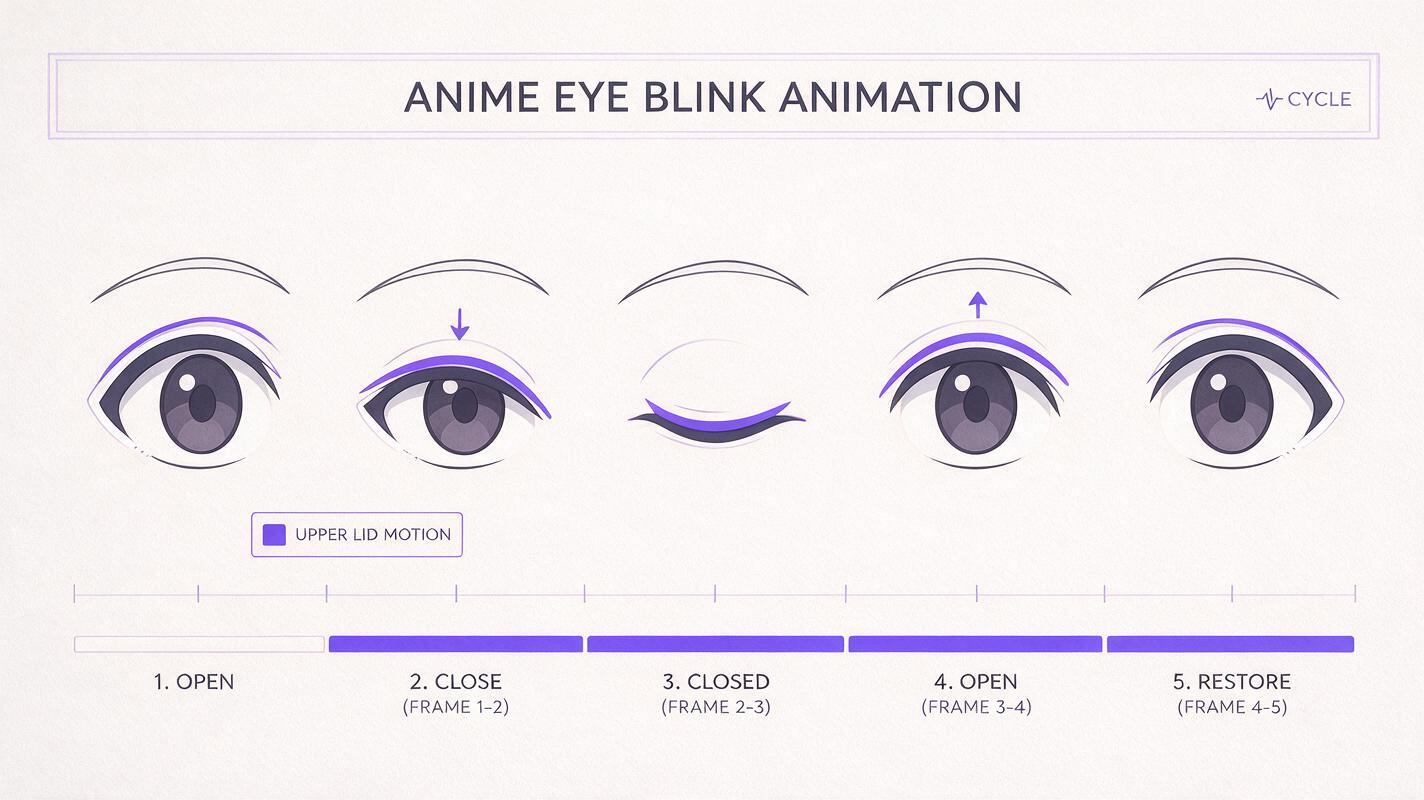
Traditional character animation treats a blink as a short progression of readable poses: open eyes, descending lids, closed eyes, rising lids, and the original open-eye expression. Use the same logic in the motion prompt.
Locked anime portrait, static camera.
The character holds the original neutral expression.
Both upper eyelids lower together in one quick, soft blink.
The eyes close completely for a brief instant.
Both eyelids reopen together to the exact original eye shape.
Preserve the irises, highlights, eyelashes, eyebrows, face shape,
hair, costume, lighting, line art, and background.
No head movement, no mouth movement, no camera movement.
This wording gives Luma an action with a beginning and an end. The phrase exact original eye shape is especially important because it tells the model that reopening is restoration, not an opportunity to design a new expression.
If the interface provides a separate negative prompt field, use a short constraint list. If it does not, append the constraints to the main prompt.
uneven blinking, winking, iris deformation, changing eye color,
extra eyelashes, eyebrow movement, face morphing, head bobbing,
hair motion, mouth motion, camera shake, zoom, expression change
Avoid contradictory instructions. Asking for a “completely motionless face” and a blink in the same prompt can suppress the desired action. Name the moving feature first, then lock every surrounding feature.
Keep Luma Motion Local
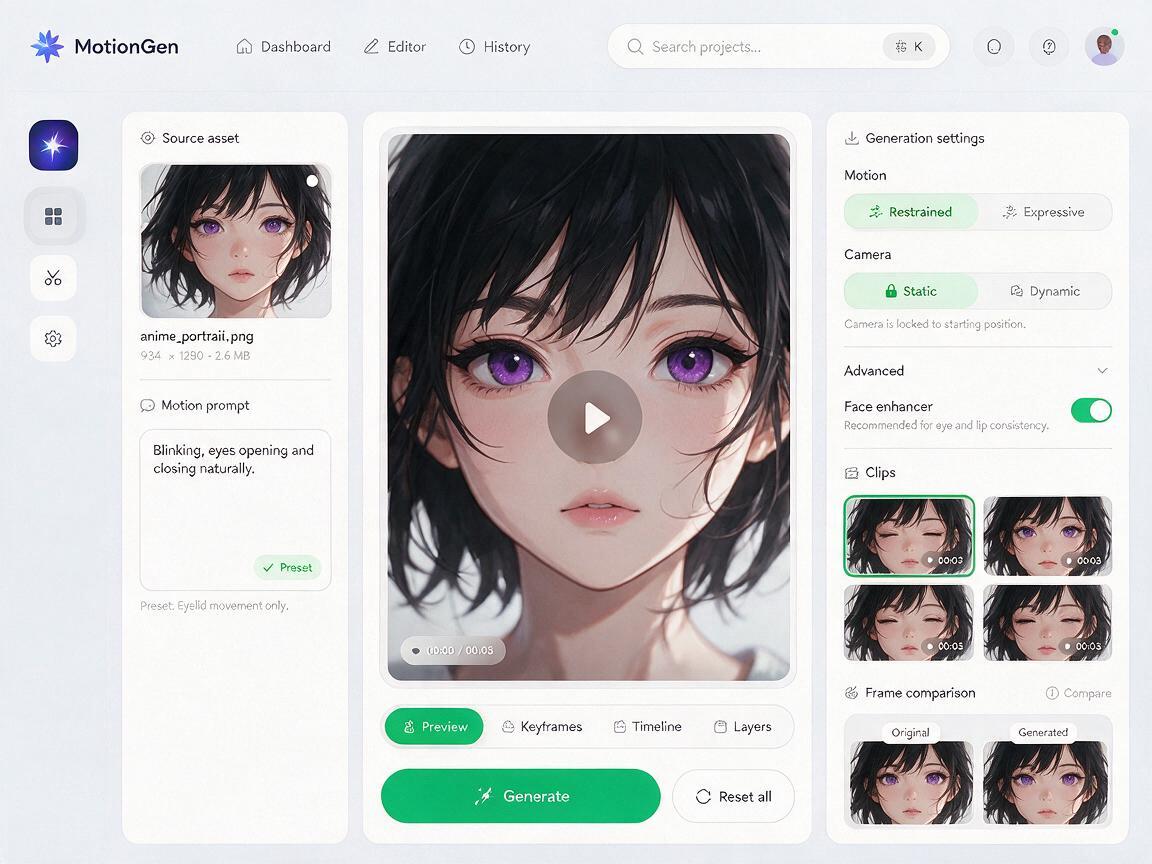
Use the completed portrait as the starting reference in Luma rather than asking for the character again from text. An image to video pass should inherit the source composition, while the prompt defines only the eyelid action.
Choose restrained motion or a static-camera option when those controls are available in your interface. Control names can vary, so the practical rule is simple: use the least motion needed to make the eyelids close visibly. High motion strength can turn a blink into a head dip, hair bounce, or facial redesign.
- Generate a short clip rather than a long performance.
- Request one blink, not repeated blinking.
- Keep the gaze fixed on the same point.
- Do not combine blinking with speech, smiling, wind, or a camera push.
- Generate several variations from the same source instead of repeatedly changing the prompt.
One clean action per generation is usually easier to control than a “living portrait” prompt containing blinking, breathing, hair movement, lip motion, and camera motion.
Once the source and constraints are ready, test this prompt yourself and compare the variations at the moment the eyes reopen, not only at full closure.
Judge the Reopened Eyes, Not Just the Closed Pose
The closed-eye frame can look perfect while the final open eyes drift away from the design. Review the clip frame by frame and compare the last stable open-eye frame with the original illustration.
Check these identity markers:
- The top and bottom boundaries of each iris
- The number and position of iris highlights
- The angle and thickness of the upper lashes
- The distance between each eyelid and eyebrow
- The direction of the pupils
- The character’s original emotional expression
Small timing differences between the eyes may be acceptable in loose acting, but mismatched eye shapes are not. Reject clips where one eye becomes rounder, larger, darker, or more detailed than the other.
Also inspect the rest of the frame. A tiny shoulder pulse or background wobble may be difficult to notice during playback but obvious when the blink is looped inside a dialogue shot.
Repair a Good Blink Instead of Regenerating Everything
If most of the clip works, preserve it. Regeneration can replace one problem with several new ones.
For a blink with unstable opening frames, trim the clip immediately after the eyelids begin to rise and reverse the clean closing frames. This creates a symmetrical reopen using pixels that already match the character. The result can feel slightly mechanical, but it is often suitable for brief idle animation.
If only one or two frames contain warped irises, replace those frames with a corrected drawing based on the original eye design. Blend the correction across neighboring frames rather than holding one static replacement for too long.
When the face stays stable but the background shifts, mask the animated eye region over the untouched source illustration. Use a soft mask that includes the eyelids and nearby skin but excludes eyebrows, hair, and the nose whenever possible.
Use Blink Timing to Change the Performance
After obtaining a stable blink, timing can create different emotions without generating a different face. At 24 frames per second, a conventional quick blink may use roughly two frames to close, one or two closed frames, and two or three frames to reopen. Treat these values as editable starting points rather than universal rules.
| Performance | Timing adjustment | Best use |
|---|---|---|
| Neutral blink | Quick close, brief hold, smooth reopen | Dialogue and idle shots |
| Tired blink | Slower close with a longer closed hold | Late-night or exhausted scenes |
| Surprised reset | Quick blink followed by a longer open-eye hold | Reaction shots |
| Nervous double blink | Two short blinks separated by a small pause | Awkward or uncertain acting |
Create these variations in the edit when possible. Reusing one approved blink protects character consistency across an episode, motion comic, or visual novel scene.
Final Checklist
- Use a clean portrait with both eyes clearly visible.
- Repair asymmetry and broken eyelid lines before animation.
- Describe the open, closed, and restored eye poses.
- Restrict movement to the upper eyelids.
- Keep the camera, head, mouth, hair, costume, and background still.
- Generate one blink per clip.
- Compare the reopened eyes with the original frame.
- Trim, reverse, mask, or redraw isolated failures instead of discarding a good take.
- Build emotional variations by editing timing after identity is stable.
Keywords
ai anime blink, anime character animation, animate anime image, anime image to video, Luma anime animation, 2D animation AI, anime animation prompts