Why AI Anime Lip Sync Breaks Faces—and How to Fix It
AI anime lip sync often distorts the jaw, redraws the face, or produces frantic mouth movement even when the audio is clear. This troubleshooting guide explains how to prepare character art, control base motion, clean dialogue, and diagnose failed shots without sacrificing the original anime design.
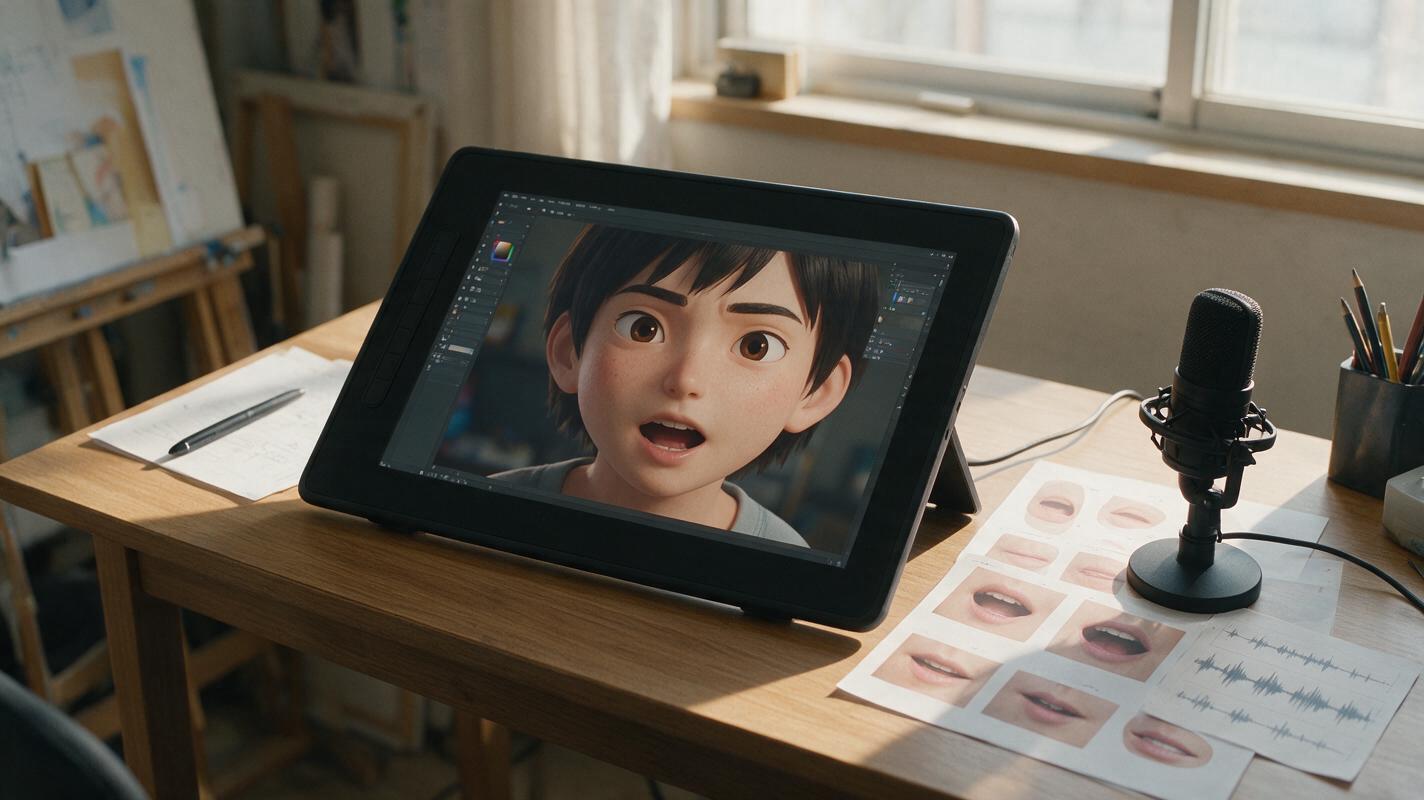
Table of contents
Fix the mouth without redesigning the character
A talking anime portrait can fail in a surprisingly specific way: the voice sounds right, but the character suddenly grows new teeth, develops a rubber jaw, or changes face shape between syllables. The usual cause is not simply a weak prompt. Reliable lip sync depends on the source image, audio rhythm, facial motion, framing, and the amount of visual freedom given to the model.
The safest approach is to treat dialogue animation as two connected tasks: create a stable performance first, then synchronize the mouth. Hailuo can be used for restrained base movement, while a dedicated MagicBoat lip-sync tool handles speech alignment. Keeping those jobs separate makes each failure easier to identify and repair.
Core rule: if the silent portrait already changes identity, adding dialogue will magnify the problem rather than solve it.
Why anime mouths are unusually difficult to animate
Anime faces do not follow the same visual rules as realistic faces. A mouth may be represented by one short line, the nose may have almost no volume, and the lower face may contain very little anatomical information. During speech, a generative model has to invent details that the illustration never supplied.
This becomes especially unstable when the character has:
- A tiny closed mouth with no visible lips
- A sharply tapered chin or very narrow jaw
- Hair, a scarf, or a hand crossing the lower face
- A three-quarter angle with an unclear far cheek
- Heavy shadows around the nose and mouth
- Fangs, braces, facial markings, or unusual teeth
- An intense expression that conflicts with the dialogue
The objective is not to describe every mouth shape in the prompt. It is to give the animation system a clean, stable face and enough room to form speech without reconstructing the entire head.
Prepare source art that can survive dialogue animation
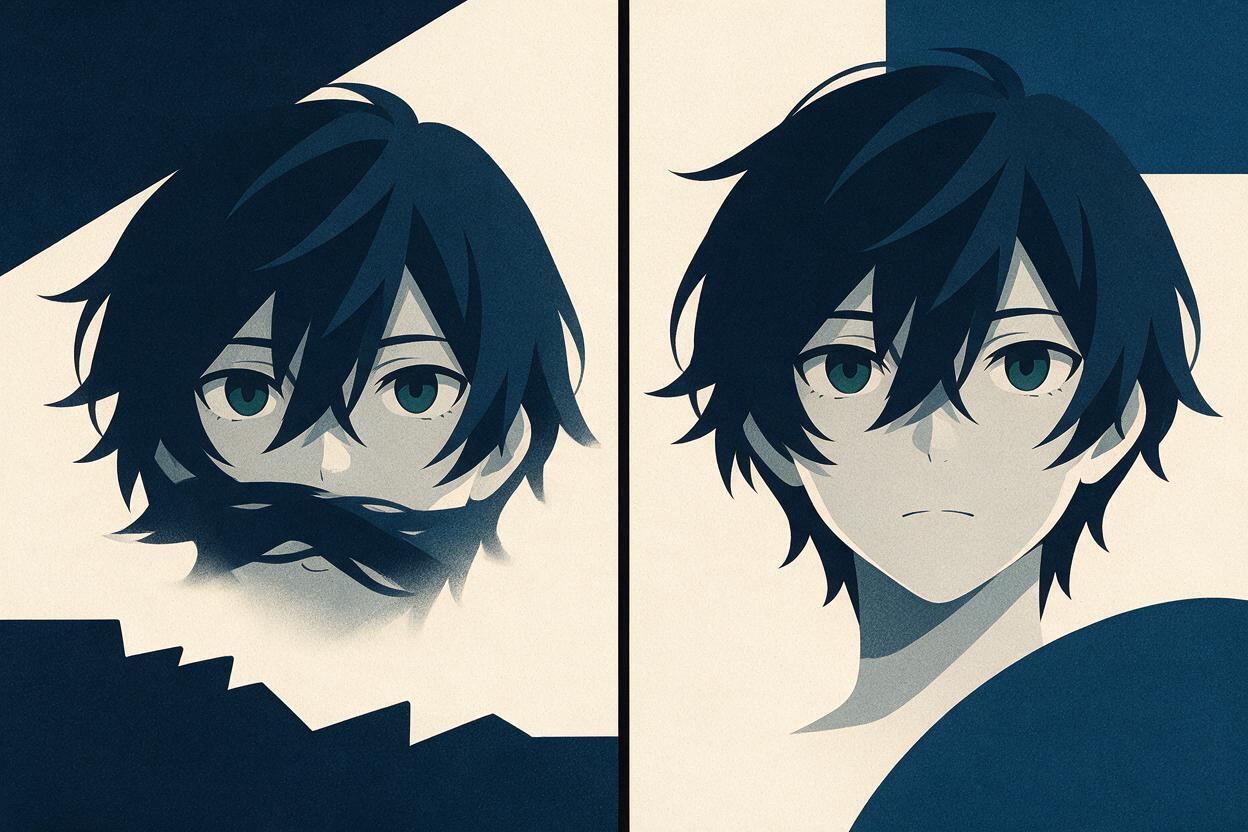
Start with a medium close-up or bust portrait. The face should be large enough to read clearly, but not cropped so tightly that small jaw changes fill the frame. A front-facing view is the most stable choice; a slight three-quarter view can work when both mouth corners and the jaw contour remain visible.
Before animation, inspect the image at full resolution. Fix asymmetrical eyes, ambiguous mouth lines, stray hair over the lips, and inconsistent cheek contours. If the artwork needs repair, use an image editor or an anime-capable ai image generator to create a clean variant while preserving the established design.
A useful dialogue-ready source image should include:
- A closed or gently parted mouth: avoid a wide smile unless the line is meant to sound cheerful.
- Visible jaw boundaries: keep the chin distinct from the neck, collar, and background.
- Simple lighting: strong moving highlights can resemble changes in facial structure.
- Unobstructed lips: move microphones, food, hands, and loose hair away from the mouth.
- Expression matching: prepare separate neutral, angry, sad, and excited portraits instead of forcing one face through every emotion.
Do not upscale a visibly broken face and expect animation to conceal it. Upscaling preserves ambiguity along with detail.
Build restrained base motion before adding speech
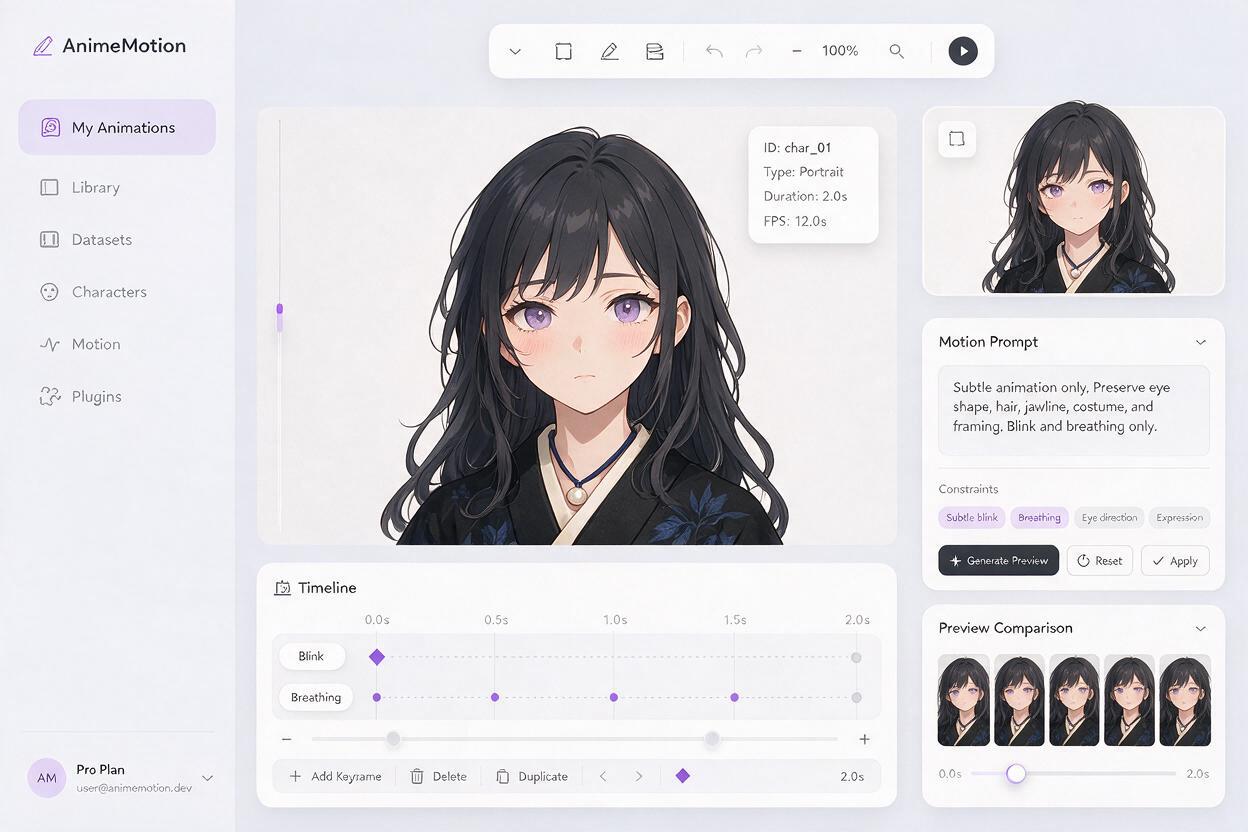
Generate a short silent performance before applying dialogue. Hailuo is suitable for testing this kind of image-led character motion when the prompt emphasizes restraint rather than cinematic action. Aim for blinking, breathing, a slight head adjustment, and minimal secondary movement.
Use language that defines both the desired movement and the areas that must remain stable:
Medium close-up of the same anime character listening calmly.
Subtle natural breathing, one soft blink, tiny eye movement,
very slight head adjustment, hair tips moving gently.
The mouth stays closed and relaxed.
Preserve the original face shape, eye design, hairstyle,
costume details, line art, colors, and camera framing.
No camera movement, no speaking, no exaggerated expression.
If the mouth moves during this silent test, simplify the prompt and reduce emotional acting. Words such as reacts, excited, surprised, or expressive can encourage unwanted jaw and lip motion.
Choose the most stable take rather than the most dramatic one. A small blink with a consistent face is a better foundation than an impressive head turn that redraws the character.
Match the audio to the visual performance
Clean dialogue produces more controllable animation. Remove long silence, background music, room noise, overlapping speakers, and clipped consonants before applying ai lipsync. One character should speak in each clip whenever possible.
Divide a long scene at natural pauses. Short lines reduce the amount of time the model must preserve the same teeth, jaw, and face proportions. They also let you replace one failed sentence without regenerating an entire monologue.
Performance speed matters as much as recording quality:
- Slow dialogue: allow longer vowels, but avoid holding the mouth fully open.
- Fast dialogue: use smaller mouth movement so every syllable does not become a separate visual snap.
- Whispers: keep the jaw nearly still and let the eyes carry the emotion.
- Shouting: use a source portrait designed for an open mouth instead of stretching a neutral face beyond its structure.
For multilingual dubbing, edit the translated line for comparable duration and emotional beats. A literal translation that is twice as long forces the mouth performance to continue after the original acting moment has ended.
Diagnose the failure pattern instead of regenerating blindly
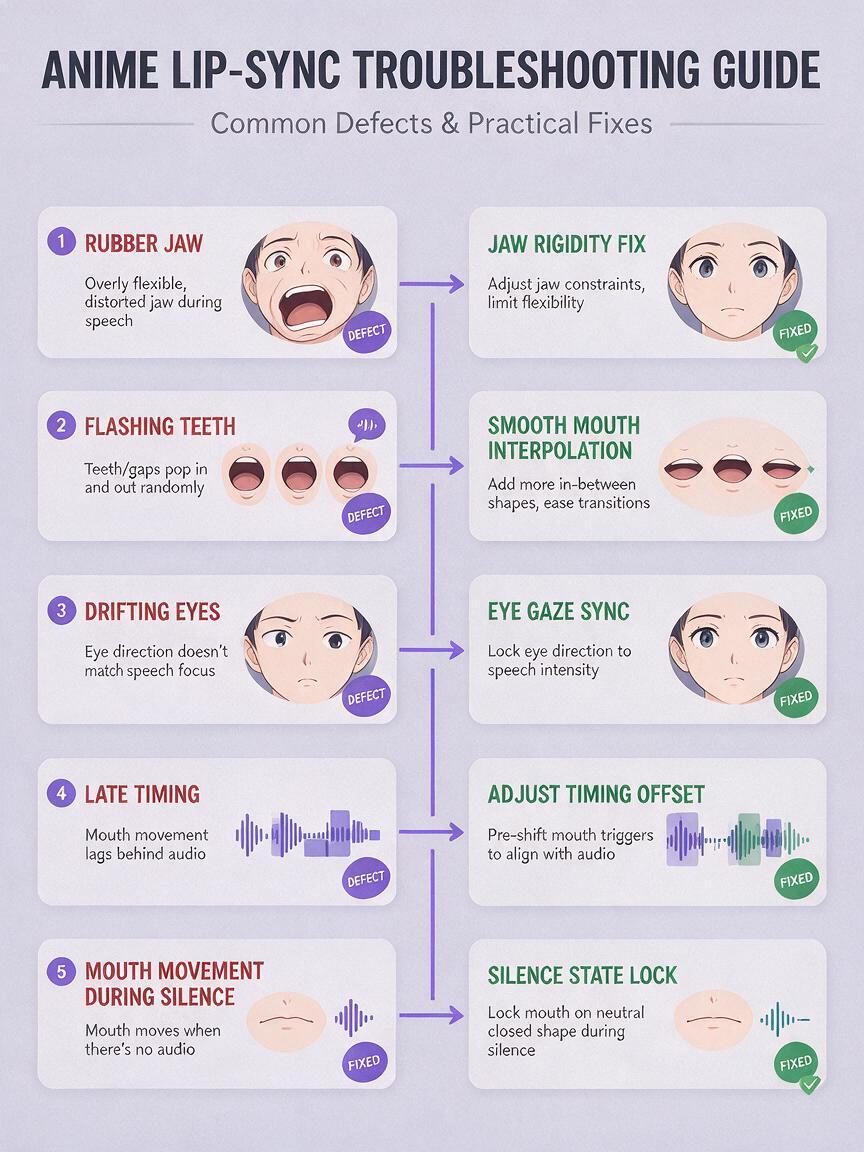
| Visible problem | Likely cause | Best correction |
|---|---|---|
| Jaw expands and contracts | Mouth amplitude is too strong or the chin contour is unclear | Reduce speech intensity and use a source with a cleaner jaw |
| Teeth flash on every syllable | The system is inventing a realistic dental performance | Request small anime-style mouth shapes and fewer visible teeth |
| Eyes or hairstyle change | The entire frame is being regenerated during speech | Use a more stable base clip and reduce head movement |
| Mouth timing feels late | Silence or noise precedes the spoken line | Trim the audio tightly and add only the pause needed in editing |
| Lips move between sentences | Breathing or background sound is being interpreted as speech | Mute non-dialogue sections and restore pauses in the timeline |
| Profile mouth slides across the cheek | The lip landmarks are ambiguous from the viewing angle | Use a less extreme angle or animate a dedicated profile drawing |
| Emotion looks disconnected | The eyes and brows remain neutral while the mouth performs | Prepare a matching expression plate before synchronization |
Change one variable per test. If you replace the source image, audio, prompt, crop, and movement strength together, you will not know which adjustment solved the problem.
Use anime-sized mouth movement
Large mouth motion is not automatically more expressive. Many convincing anime dialogue shots use limited shapes supported by eye direction, brows, timing, and a carefully chosen pose.
For ordinary conversation, favor a compact mouth region with short openings. Reserve wide shapes for accented vowels, laughter, gasps, and shouting. If a tool provides expression or motion controls, begin conservatively and increase intensity only when the words are unreadable.
This constraint prompt can accompany a dialogue-ready animation request:
Natural restrained anime dialogue performance.
Small clean mouth shapes synchronized to the voice.
The lips return to a relaxed closed position during pauses.
Preserve the original chin, cheeks, nose, eyes, hair, costume,
line thickness, cel shading, and character proportions.
No realistic lips, no oversized teeth, no rubber jaw,
no face morphing, no added accessories, no camera shake.
Negative instructions cannot repair an unsuitable portrait, but they can discourage common departures once the source and audio are already clean. When your portrait is ready, test this prompt yourself with a short neutral sentence before attempting emotional dialogue.
Repair only the frames viewers will notice
A usable clip does not need every frame to be perfect. Review it once at normal speed, then inspect the beginning of words, wide vowels, pauses, and the final closed-mouth position. These are the moments where errors are most visible.
Minor defects can often be hidden with editorial choices:
- Cut to a reaction shot during the least stable phrase.
- Place a deliberate blink near a difficult consonant transition.
- Use a two- or three-frame insert of the original closed mouth during silence.
- Crop slightly wider so tiny lip defects attract less attention.
- Add a foreground object only when it belongs naturally in the scene.
- End the shot before identity drift begins instead of extending the clip.
For a persistent single-frame error, paint a corrected mouth on a duplicate frame and blend it across the transition. This is often faster and more predictable than generating many full replacements.
Keep emotional dialogue consistent across a scene
Do not use one portrait for every line in a conversation. Build a small performance set for each recurring character: neutral listening, gentle speech, tense speech, smile, anger, sadness, and shout. Keep the same framing and scale so editors can cut between them without a visible jump.
Organize clips by speaker, emotion, line, and take. A filename such as mika_tense_line04_take02 is more useful than a folder filled with anonymous exports. Save the cleaned audio beside the selected source image and final clip so revisions remain reproducible.
Most importantly, preserve silence. Characters feel more alive when they stop speaking, breathe, look away, and react. Continuous mouth movement makes even accurate synchronization feel mechanical.
Final checklist
- The source face is clean, large, and unobstructed.
- The chosen expression matches the meaning of the line.
- The silent base motion preserves the character’s identity.
- Only one clear voice is present in each audio clip.
- Long dialogue is divided at natural pauses.
- Mouth movement is compact unless the performance requires a shout.
- The lips return to a closed or relaxed state during silence.
- Problem frames are repaired or hidden with intentional cuts.
- The final shot is checked at normal playback speed.
Keywords
ai anime lip sync, anime talking character, anime face animation, 2d character animation ai, anime dubbing, Hailuo anime animation, lip sync troubleshooting