Why AI Anime Loops Jump at the Seam—and How to Fix Them
AI anime loops often jump because the final frame no longer matches the starting pose, camera, lighting, or motion phase. This guide explains how to plan repeatable motion, prompt Veo for loop-friendly clips, diagnose broken seams, and repair short transitions without regenerating the entire animation.
Table of contents
A seamless anime loop needs matching motion states, not merely similar frames
An AI anime loop usually jumps because the clip ends at the wrong point in the motion cycle. The character may finish with raised shoulders, displaced hair, a shifted gaze, different lighting, or a slightly altered camera angle. Returning directly to the first frame exposes every mismatch.
The reliable solution is to design a short, repeatable action before generation. Use Veo to create controlled motion from a stable illustration, inspect the beginning and ending states separately, and repair only the seam when necessary. This works especially well for breathing loops, waiting poses, environmental shots, animated profile art, and subtle character reactions.
Core principle: a loop closes when pose, motion direction, camera, lighting, and secondary animation return to compatible states at the same moment.
Why apparently calm anime clips still jump
A clip can look smooth during playback and still fail as a loop. Most generation prompts describe what should happen, but not where the character must return. The model therefore treats the clip as a miniature scene with a beginning and an ending rather than a repeating cycle.
Common seam failures include:
- Pose drift: the head, torso, shoulders, or hands gradually move away from the starting position.
- Motion-phase mismatch: hair is moving left at the end but begins by moving right.
- Expression creep: a neutral face slowly becomes a smile, frown, or narrowed gaze.
- Camera drift: a gentle push-in leaves the final frame at a different scale.
- Background evolution: clouds, rain, shadows, smoke, or glowing signs do not return to their initial arrangement.
- Design mutation: small accessories, hair strands, line details, or clothing folds change during the clip.
Do not judge the loop only at normal speed. Place the final frame beside the first frame. A difference that seems minor in isolation can become a conspicuous pop when the frames are adjacent.
Build a loop around a repeatable motion state
Begin with one action that naturally returns to its origin. Good candidates include a complete breath, a pendant swinging out and back, a lock of hair completing one sway, or a light pulsing from dim to bright and back to dim.
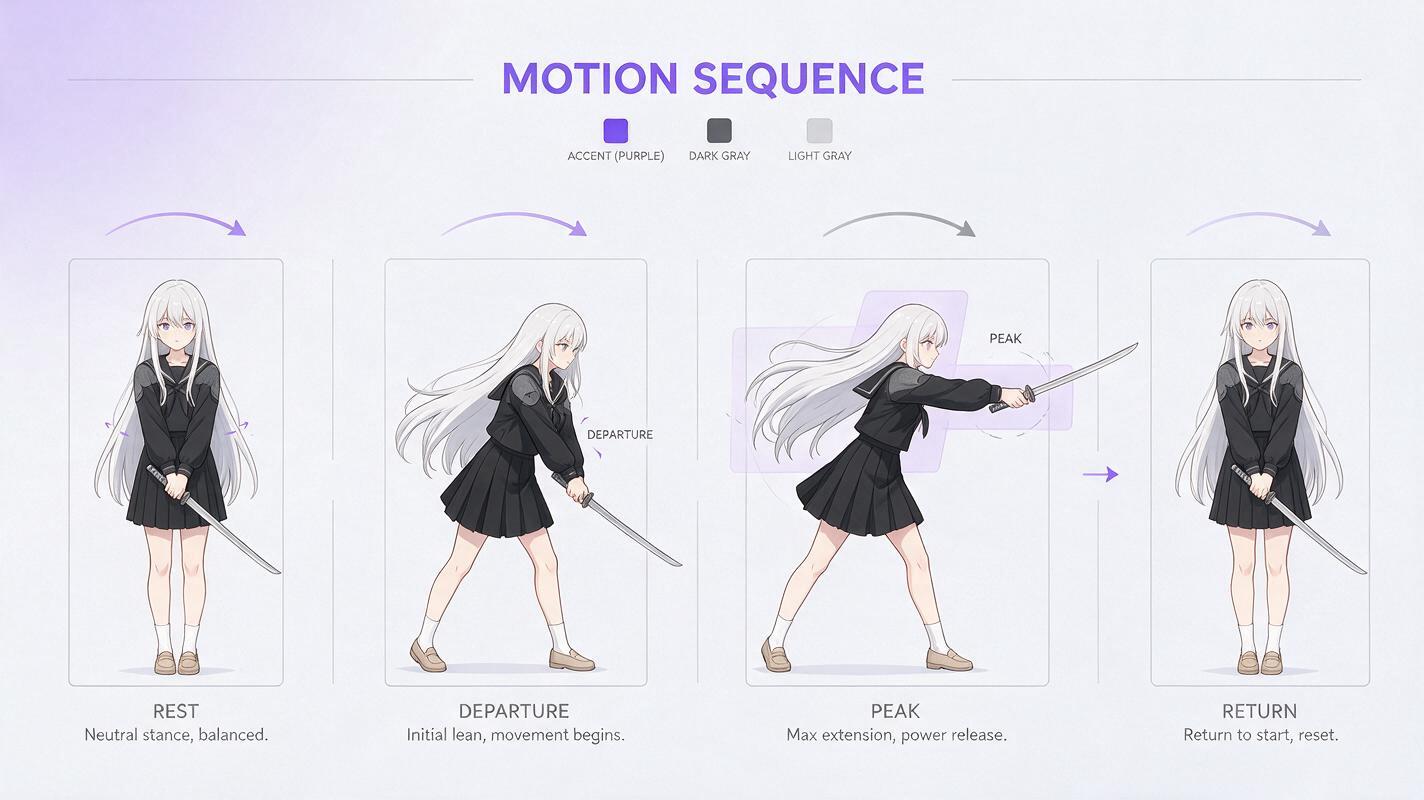
A simple four-phase plan keeps the motion understandable:
| Phase | Character state | Motion purpose |
|---|---|---|
| Rest | Neutral pose and silhouette | Defines the loop boundary |
| Departure | Small movement away from rest | Starts the cycle gently |
| Peak | Maximum safe displacement | Creates readable motion |
| Return | Pose settles back toward rest | Prepares the final frame to reconnect |
Keep the peak displacement conservative. A quiet breathing loop does not need a large chest rise, dramatic hair movement, a blinking sequence, and a camera move at the same time. Each additional action creates another cycle that must close at exactly the same boundary.
For a first attempt, choose one primary cycle and one subordinate movement. For example, breathing can be primary while the bangs respond with delayed, lower-amplitude motion. The eyes, hands, camera, background geometry, and costume design can remain fixed.
Prepare an animation-safe source image
A stable source illustration gives Veo a clear identity and neutral state to preserve. Use a frame with readable facial features, complete limbs, clean overlaps, and enough space around anything expected to move. Avoid beginning with hair already blown hard to one side or fabric frozen at the peak of an action.
Before using image to video, check these details:
- The character is not cropped through moving hair, sleeves, ribbons, or accessories.
- The resting silhouette is clear against the background.
- Both eyes and the mouth are intentionally drawn rather than partially malformed.
- Patterns, jewelry, fasteners, and costume edges are easy to identify.
- The camera framing already matches the final delivery format.
- Background elements that must remain still have clean, unambiguous shapes.
If the illustration contains wind, rain, smoke, or loose clothing, decide whether those elements are supposed to cycle or remain nearly static. Unplanned environmental motion is one of the easiest ways to create an impossible seam.
Write prompts that describe cycles, not events
Event language encourages progression: the character turns, smiles, looks up, or walks away. Cycle language instead identifies a resting state, bounded displacement, and controlled return. It also tells the generator what must not accumulate over time.
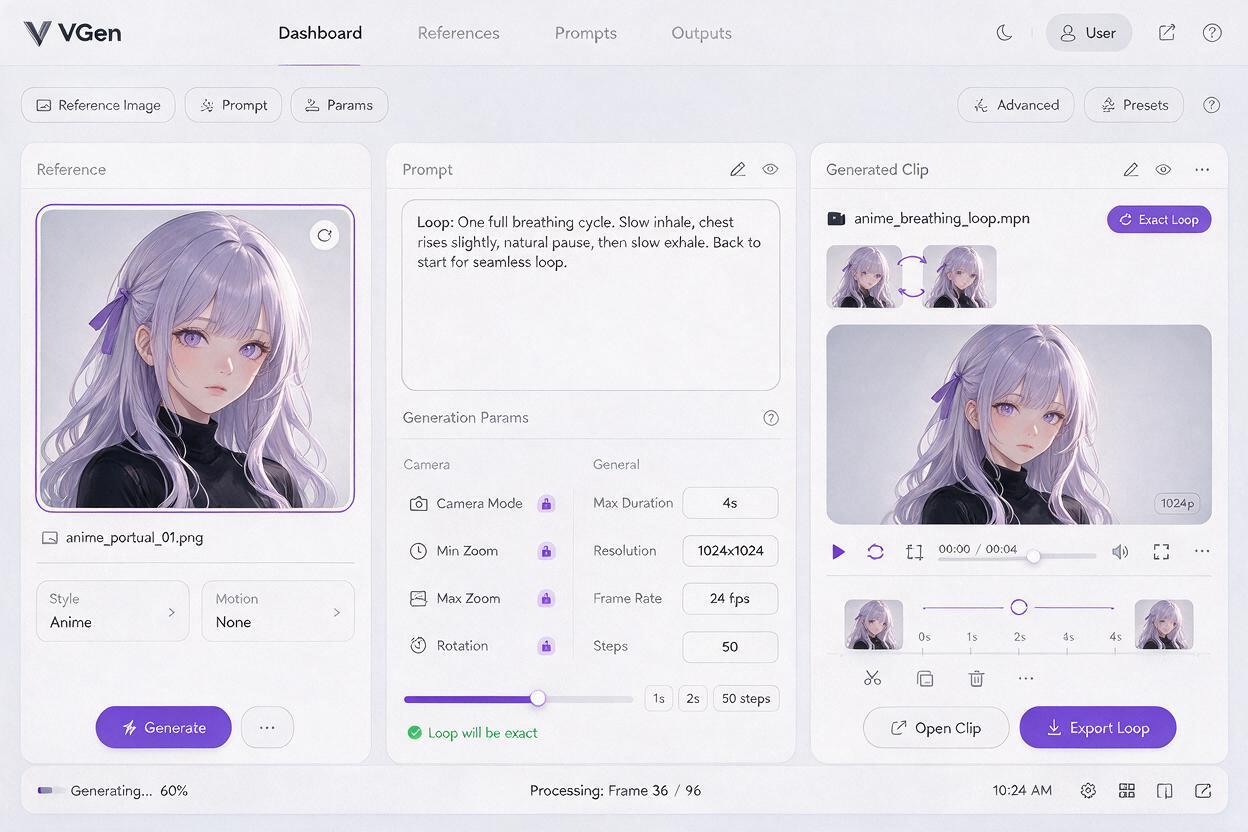
Use this structure for a restrained anime idle loop:
Static medium shot of the same anime character in the supplied reference image.
One gentle breathing cycle: shoulders and chest rise slightly, pause briefly,
then settle back to the exact neutral resting pose.
The bangs respond with subtle delayed motion and return to their original silhouette.
Face, gaze, hands, costume details, body proportions, background, lighting,
and camera framing remain unchanged.
No camera movement, no expression change, no new gesture, no scene progression.
Calm 2D anime timing, restrained motion, clean line-art appearance.
The words exact neutral resting pose establish the desired return state. The fixed-attribute sentence protects identity and composition. The exclusions prevent the generator from inventing a narrative beat that cannot loop.
For a wind-driven loop, describe the full oscillation rather than asking for continuous wind:
Locked-off anime portrait. A soft breeze moves one outer lock of hair gently
from center to the character's right, then back through center to the original
resting silhouette. The hair roots and hairline stay fixed. All other hair masses,
facial features, clothing, accessories, background, and lighting remain stable.
Small cyclical motion only; no sustained drift and no camera movement.
Avoid combining conflicting instructions such as “perfectly still hair” and “hair sways in the wind.” Name the movable region precisely, then protect everything around it.
Compare the first and final motion states
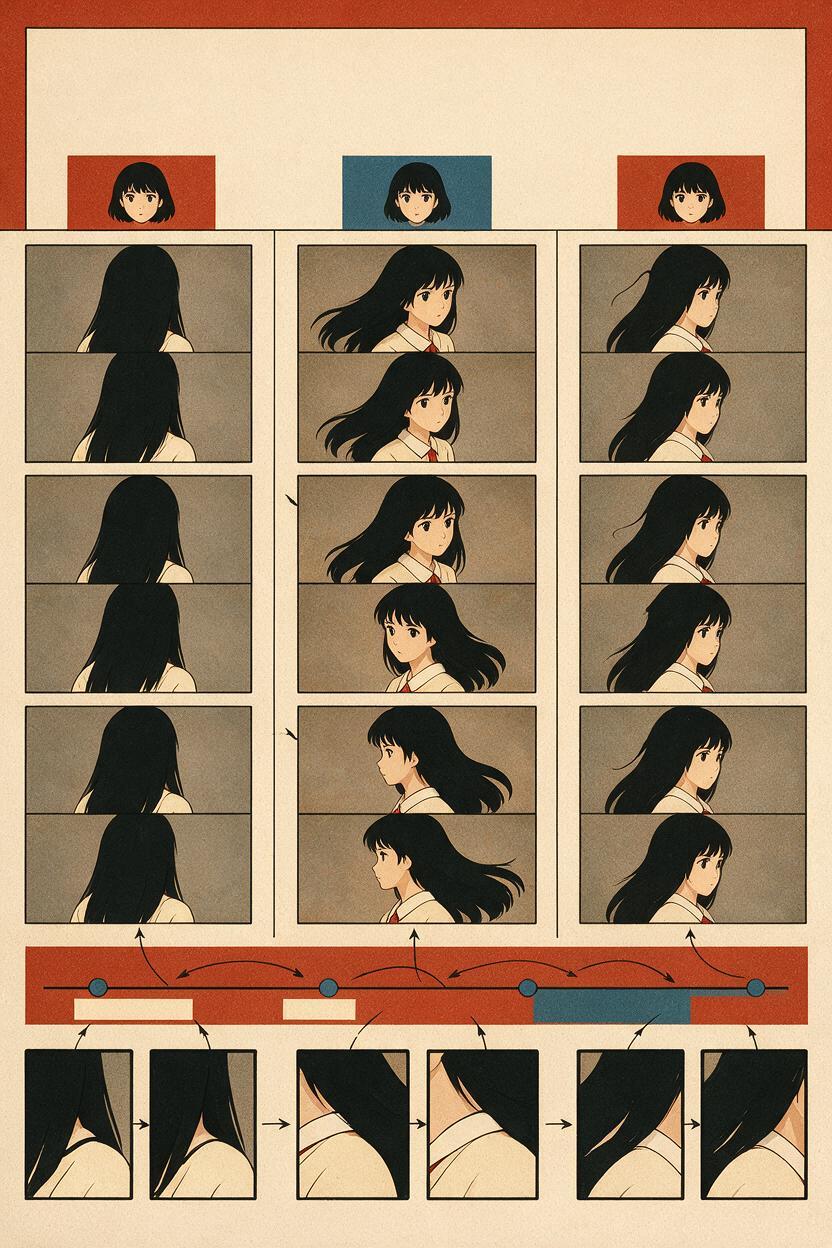
After generation, extract the first and final frames and compare them side by side. Then overlay them at partial opacity if your editor supports it. Evaluate structural differences before worrying about timing.
| Visible symptom | Likely cause | Best response |
|---|---|---|
| Whole character shifts | Uncontrolled body or camera drift | Regenerate with locked framing and a smaller motion range |
| Only hair pops | Secondary motion ends in the wrong phase | Trim to a compatible frame or repair the final hair transition |
| Face changes at the cut | Expression or identity drift | Protect the face and reduce simultaneous actions |
| Brightness flashes | Lighting evolved instead of cycling | Remove lighting motion or define one complete pulse |
| Pose matches but motion jerks | Velocity changes abruptly at the boundary | Adjust timing or add a short blended transition |
Position is only half of the diagnosis. The direction and speed of motion must also agree. Hair can occupy nearly the same location in both frames but still jerk if it is decelerating at the end and accelerating in the opposite direction at the beginning.
Repair the seam instead of regenerating everything
If most of the clip is usable, preserve it. Start by trimming the ending to find a frame that more closely matches the opening state. AI-generated clips often contain a better loop point before their official final frame.
When trimming is insufficient, use one of these targeted repairs:
- Short crossfade: useful for tiny differences in particles, glow, or soft backgrounds, but risky around detailed faces and line art.
- Ping-pong playback: reverses the clip after the peak. It works for symmetric sways and breathing, but looks unnatural for blinks, falling rain, smoke, or directional cloth motion.
- Bridge frames: create a brief transition from the final usable pose back to the opening pose. Keep the bridge short and protect the character design.
- Localized redraw: correct only the unstable hair, sleeve, hand, or accessory while retaining the rest of each frame.
- Held boundary: add a very short pause at the resting state when the intended animation style supports limited movement.
Do not apply a long dissolve across a character’s face. Two different eye, mouth, and jaw drawings can overlap into a ghosted image even when each frame looks acceptable on its own. For line-heavy anime art, a precise redraw or carefully timed bridge is usually cleaner.
Use different loop designs for different anime shots
Breathing portrait
Keep the camera, gaze, mouth, and hands fixed. Animate one modest torso cycle and let only a small hair region follow. A blink can be added later as a separate variation rather than forced to align with every loop.
Neon city profile
Use a complete light pulse rather than random flicker. Hold signs, architecture, perspective lines, and character colors steady. If rain is present, treat it as an overlay so its discontinuity does not force regeneration of the character.
Floating magical effect
Rotate or pulse the effect through one defined cycle while protecting the body silhouette. Avoid effects that continually expand, accumulate, or climb upward unless they can reset off-screen.
Windy hero pose
Assign different motion amplitudes to the hair, coat hem, and ribbon, but keep them synchronized around one shared return point. The costume attachment points should remain fixed even when the loose ends move.
Know when a perfect loop is the wrong goal
Not every shot should repeat invisibly. Dialogue, a complete head turn, a sword draw, a transformation, or a dramatic camera push has narrative direction. Forcing those actions into a closed cycle can make the performance feel mechanical or cause the model to reverse meaningful movement.
Use seamless loops for ambient shots, idle poses, waiting screens, profile animations, visualizers, and background inserts. Use normal one-way clips for story actions with a clear before-and-after state.
If you have a stable anime illustration and a single repeatable action in mind, test this prompt yourself before adding extra gestures or effects.
Final checklist
- Choose an action that naturally returns to a neutral state.
- Limit the clip to one primary cycle and one subtle secondary motion.
- Start from a clean image with complete movable elements.
- Lock the camera, lighting, expression, costume, and background unless they are part of the cycle.
- Describe departure, peak, and return rather than an open-ended event.
- Compare the first and final frames side by side.
- Check motion direction and speed, not only pose similarity.
- Trim or repair a short seam before regenerating a successful clip.
Keywords
ai anime loop, seamless anime animation, Veo anime video, anime idle animation, image to video, 2D animation AI, anime loop prompts