Why AI Anime Sword Grips Break—and How to Repair Them
AI-generated sword grips often fail because the hand, guard, and handle must obey a precise occlusion order that broad prompts do not define. This guide shows anime artists how to plan a believable grip, repair it with Seedream 4.5, and prepare the corrected frame for animation without redesigning the character or weapon.
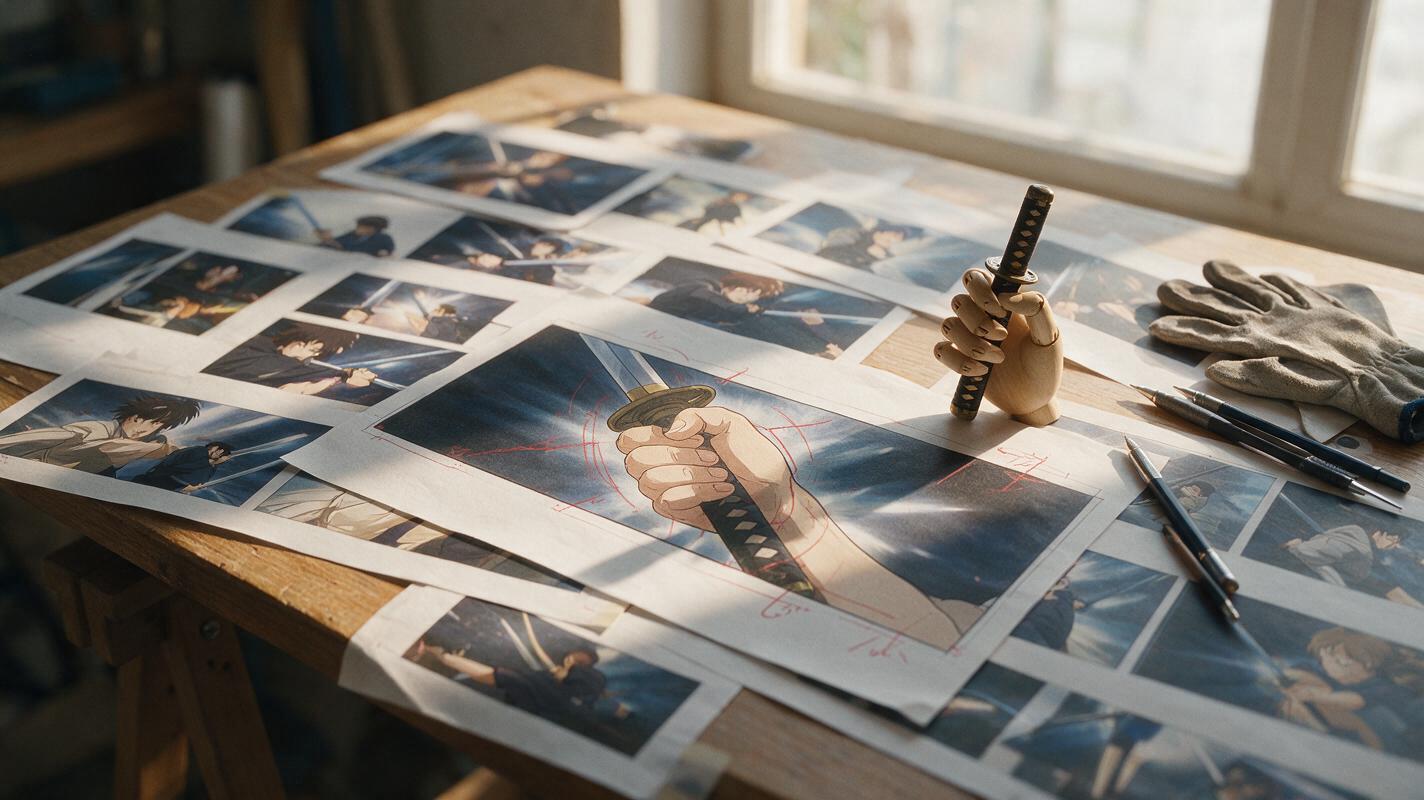
Table of contents
A convincing sword grip starts with structure, not extra fingers
A sword can look beautifully designed while the hand holding it quietly ruins the entire anime frame. Common failures include fingers passing through the handle, a guard appearing behind the wrong knuckle, two hands merging, and a blade that no longer aligns with the grip.
The reliable fix is not to regenerate the full character. Treat the hand, handle, guard, and forearm as one small mechanical system, define their overlap order, and repair only that region. This approach preserves the face, costume, pose, and weapon design while giving the grip enough visual logic to survive close inspection.
Why anime sword grips confuse image models
A gripping hand creates an unusually dense cluster of visual relationships. Several fingers curve around a narrow object, parts of the handle disappear, the thumb crosses the index finger, and the guard may overlap both the hand and sleeve. Stylized anime linework removes some of the shading cues that would otherwise explain this depth.
The failure becomes more likely when the prompt asks for a complete illustration but says only “holding a sword.” That phrase identifies the action without defining its mechanics. The model must guess:
- Which hand is holding the weapon
- Whether the palm faces inward, outward, up, or down
- Where the thumb rests
- How many fingers remain visible
- Which parts pass in front of the guard
- Whether the blade follows the forearm or crosses the body
Practical rule: If you cannot trace the handle continuously through the hand, the grip will probably look unstable when enlarged or animated.
Define the grip before editing the artwork
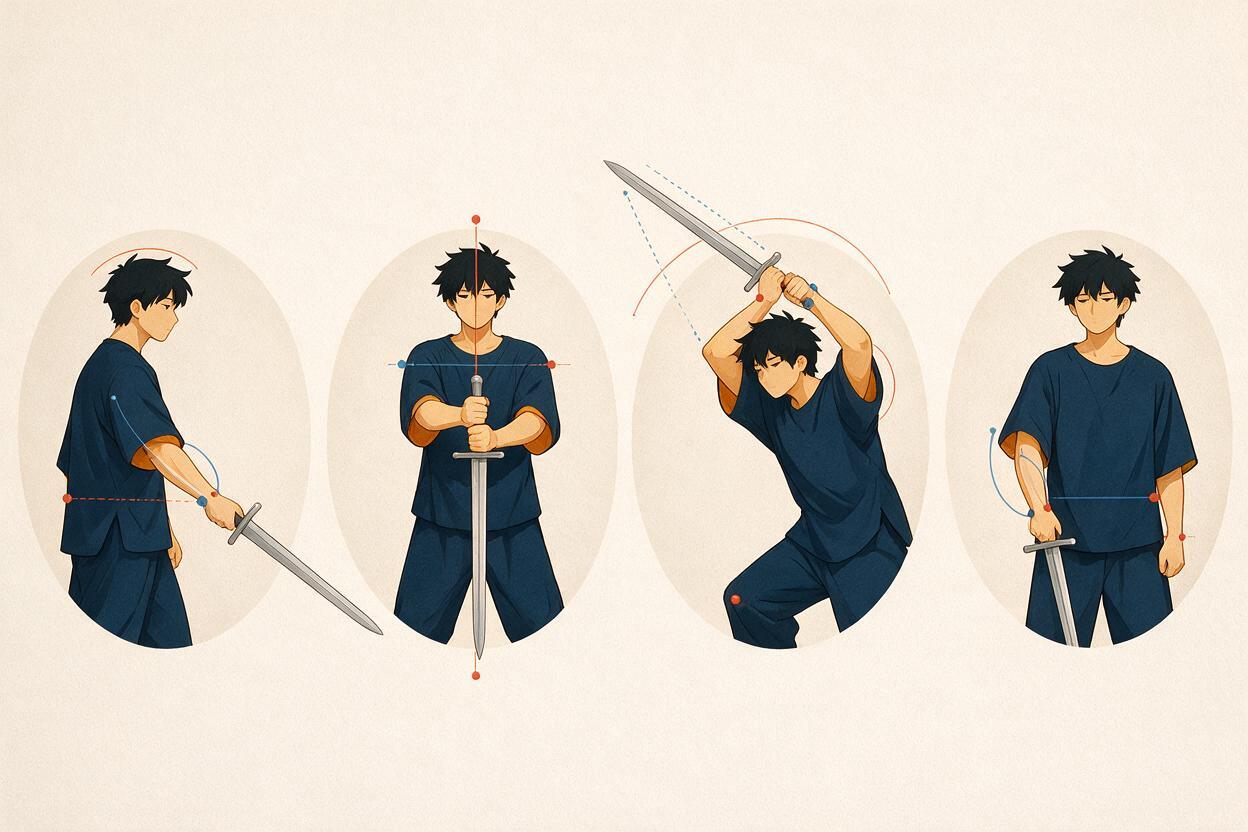
Start by choosing a grip that matches the shot. A relaxed presentation pose, an overhead strike, and a two-handed guard position require different wrist angles and finger visibility. Do not ask an editor to “fix the hand” until you know what the corrected silhouette should communicate.
| Pose | Useful visual cue | Frequent failure |
|---|---|---|
| One-handed guard | Handle exits from the little-finger side of the fist | Blade grows from the center of the palm |
| Two-handed stance | Hands are separated along one continuous handle | Wrists merge or the handle bends between them |
| Overhead strike | Knuckles and wrist form a readable directional arc | Forearm twists while the sword stays frontal |
| Reverse grip | Blade extends past the little-finger side | Thumb placement suggests a normal grip |
Make a quick paint-over with simple shapes if necessary. Draw the handle as a straight cylinder, the palm as a block, and each visible finger as a curved band. This rough guide is more useful than a polished but anatomically ambiguous reference.
Map the overlap order around the hand
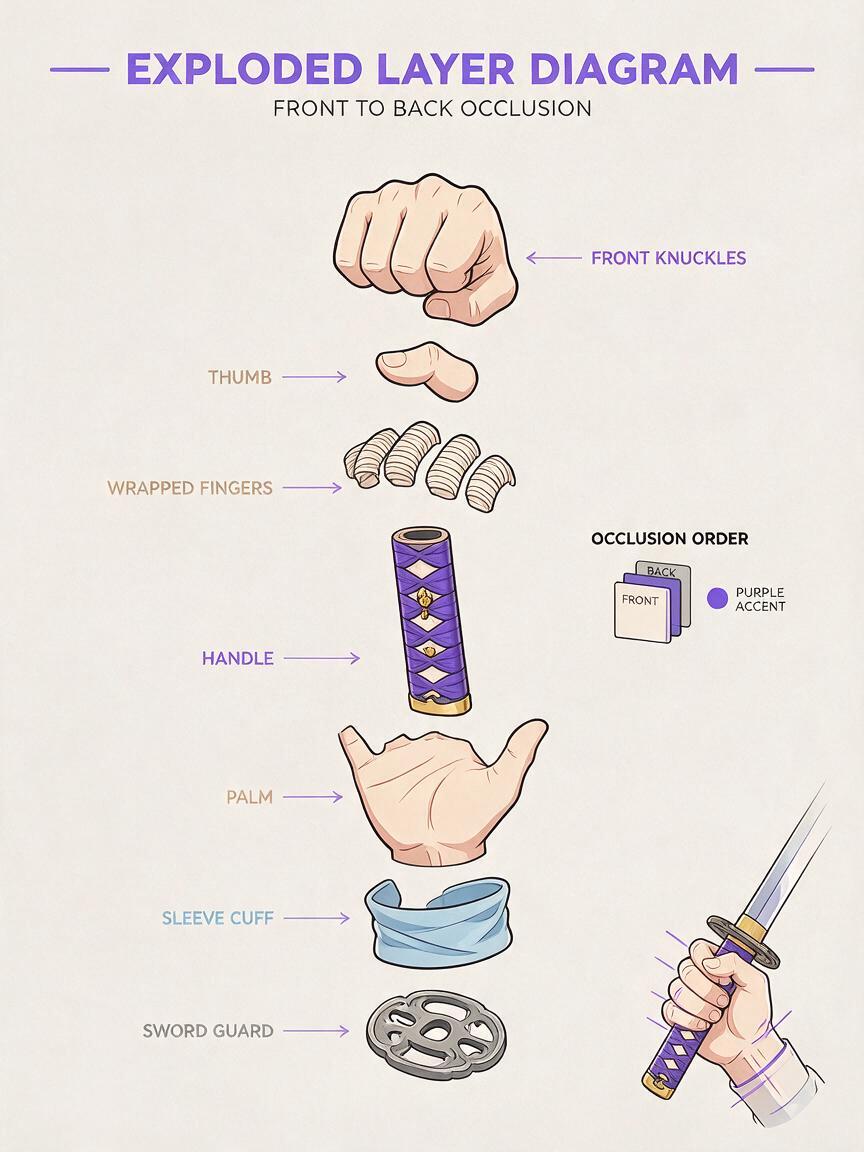
Before making a localized edit, write down the intended front-to-back order. For a typical one-handed katana grip seen from a three-quarter angle, the order might be:
front knuckles
thumb crossing the index finger
wrapped fingers
handle wrapping
hidden section of handle
palm and inner wrist
sleeve cuff
sword guard behind the fist
This list acts like a miniature compositing plan. It tells the model which forms should remain visible and which should disappear. It also prevents a common repair error: producing five recognizable fingers while placing all of them on the same side of the handle.
Pay special attention to the guard. If the guard is meant to sit behind the gripping hand, its contour should be interrupted by the fist. A complete circular guard drawn over the fingers makes the hand appear transparent or detached.
Repair only the hand–weapon junction with Seedream 4.5
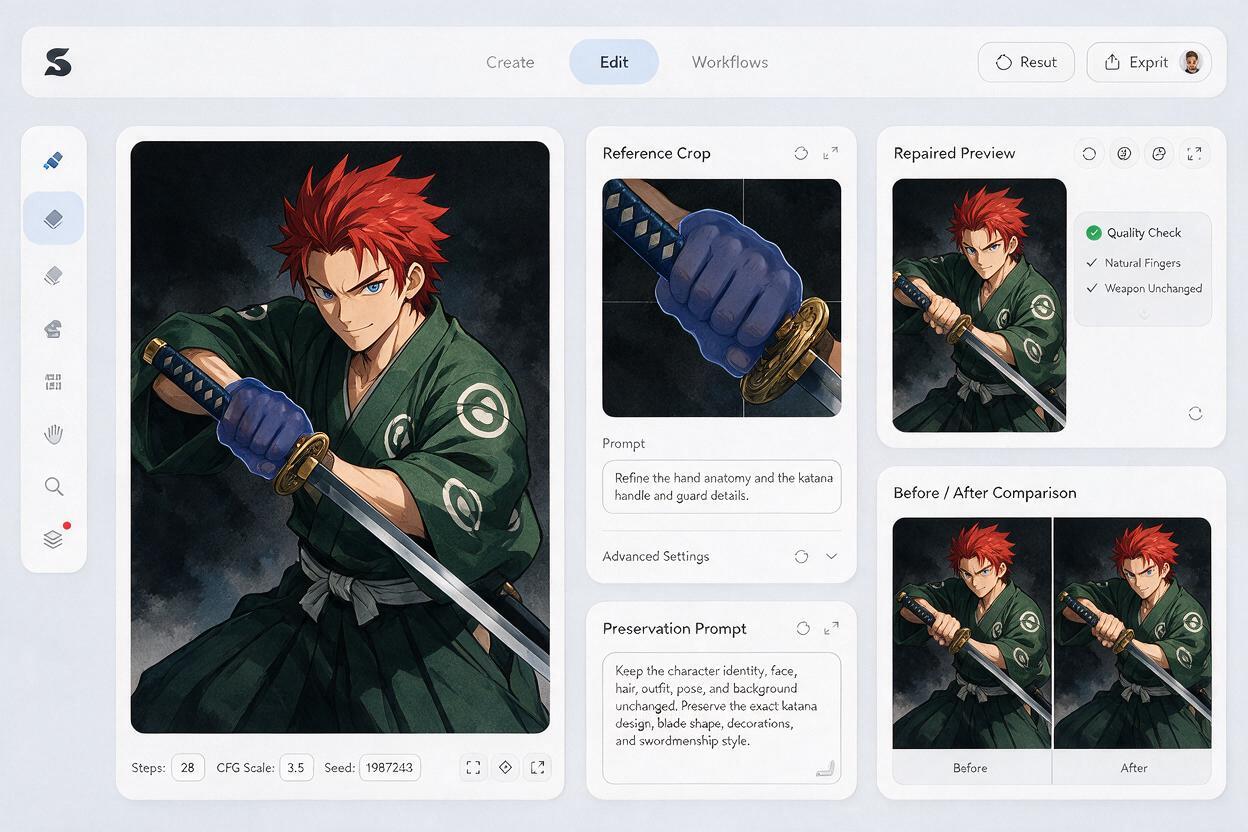
Use seedream 4.5 for a tightly framed image edit rather than rebuilding the full illustration. Include the hand, wrist, guard, and enough of the blade to establish direction. A crop that contains only the fingers removes the structural evidence needed to reconnect the weapon correctly.
Mask the faulty hand–weapon junction with a small margin around its edges. Keep the character’s face, hair, torso, and most costume details outside the editable area. Then describe what must remain unchanged before specifying the corrected anatomy.
Edit only the right hand gripping the katana and the immediate handle area.
Preserve the original anime character, costume, sleeve design, line weight,
color palette, camera angle, lighting, sword guard, and blade design.

Create a believable one-handed grip: four fingers wrap around the handle,
the thumb crosses naturally over the index finger, the handle remains straight
through the fist, and the guard sits directly behind the hand. Align the wrist,
forearm, handle, and blade as one continuous action line. Clean cel-shaded anime
line art, precise occlusion, no extra fingers, no fused knuckles, no bent weapon.
If the first repair changes too much, reduce the mask instead of adding a longer prompt. Local control usually matters more than descriptive volume. You can also provide the rough paint-over as a structural reference while retaining the original illustration as the style and identity reference.
Handle two-handed weapons as separate contact points
Two-handed grips are easier to repair when each hand has a distinct job. The leading hand establishes direction near the guard; the rear hand controls the end of the handle. They should not be described as one combined cluster.
First verify that the handle is long enough to pass through both fists. Then repair the more visible hand while protecting the other. Once the first contact point is stable, edit the second hand to align with the same handle axis.
Preserve the corrected upper hand and the complete sword design.
Edit only the lower hand near the pommel. Wrap the lower hand around the same
straight handle with a small natural gap between both fists. Match the existing
anime line art and skin tone. Keep both wrists distinct and keep the blade axis
unchanged.
This staged edit reduces the chance of duplicated guards, telescoping handles, or hands that occupy the same physical space.
Protect weapon identity during localized repairs
An anatomically improved grip is still a failed repair if the sword changes design. Record the weapon’s identity traits before editing:
- Guard silhouette and ornament
- Handle color, wrapping pattern, and length
- Pommel shape
- Blade width and curvature
- Edge orientation
- Any glow, engraving, charm, or ribbon
Repeat only the traits that appear near the mask. If a red diamond-pattern wrap must remain visible between the fingers, name it. If the guard has a broken crescent silhouette, protect that silhouette explicitly. Avoid introducing decorative terms that were not present in the source because they can encourage an unnecessary redesign.
Inspect the repair at three scales
Judge the result at thumbnail size, normal viewing size, and a close crop. Each scale reveals a different problem.
- Thumbnail: Does the sword clearly follow the pose and action line?
- Normal size: Does the hand read as gripping rather than touching the handle?
- Close crop: Are finger count, contour joins, and overlap boundaries clean?
Use a horizontal flip as an additional check. Flipping makes crooked blade alignment and asymmetric wrist construction easier to notice. Also trace an imaginary line from the elbow through the wrist and handle. A dramatic pose can bend at the wrist, but the connection should still feel intentional rather than accidental.
Prepare the corrected grip for animation
Do not animate the frame immediately after accepting a repair. Save a clean master image and, when possible, separate the sword arm, weapon, torso, and effects into editable layers. This gives you alternatives if motion generation distorts the contact point.
For image to video, keep the first motion test restrained: a breathing hold, a small guard adjustment, or a short anticipatory draw-back. Large spinning attacks ask the system to reconstruct hidden fingers and unseen sides of the weapon, which can undo the repaired anatomy.
A useful motion prompt prioritizes rigid contact:
The anime swordsman holds the katana with a firm, unchanged grip.
The hand remains locked to the handle with no finger movement or weapon slipping.
A subtle shoulder rise and controlled breathing shift the upper body slightly.
The blade and hand move as one rigid unit. Fixed character design, clean line art,
no camera movement, no hand deformation, no changing sword details.
Once this stable test passes, increase the action in short clips. Hide difficult transitions with a cut, impact frame, foreground slash, or speed-line insert instead of demanding one long continuous weapon rotation.
Repair symptoms without regenerating the scene
| Visible problem | Likely cause | Targeted correction |
|---|---|---|
| Extra finger beside the guard | Ambiguous overlap boundary | Mask the finger cluster and state the visible finger count |
| Handle bends inside the fist | No continuous weapon axis | Extend the edit crop to include blade and pommel direction |
| Hand floats above the wrapping | Prompt describes holding but not contact | Specify fingers wrapping tightly around the handle |
| Guard covers every knuckle | Incorrect depth order | Place the guard directly behind the fist |
| Sleeve merges with the palm | Mask includes an unclear cuff boundary | Define a visible wrist gap or clean cuff edge |
| Sword design changes | Edit area is too broad | Reduce the mask and restate nearby identity traits |
Final checklist
- The grip type matches the pose and camera angle.
- The handle stays straight and continuous through the hand.
- The thumb and visible fingers follow a believable overlap order.
- The guard, wrapping, pommel, and blade retain their original design.
- The wrist connects naturally to the forearm and action line.
- The localized repair does not alter the face, costume, or composition.
- A restrained animation test keeps the hand locked to the weapon.
When your source frame and rough grip guide are ready, test this prompt yourself and compare several localized repairs before committing the artwork to animation.
Keywords
ai anime generator, anime sword grip, anime hand repair, seedream 4.5, anime image editing, character consistency, anime image to video