Why AI Anime Walk Cycles Slide—and How to Fix Foot Contact
AI anime walk cycles often look as if the character is skating because the generated feet never establish stable contact with the ground. This guide shows how to prepare a readable source image, prompt Seedance around contact phases, diagnose sliding frame by frame, and repair unstable strides without rebuilding the entire shot.
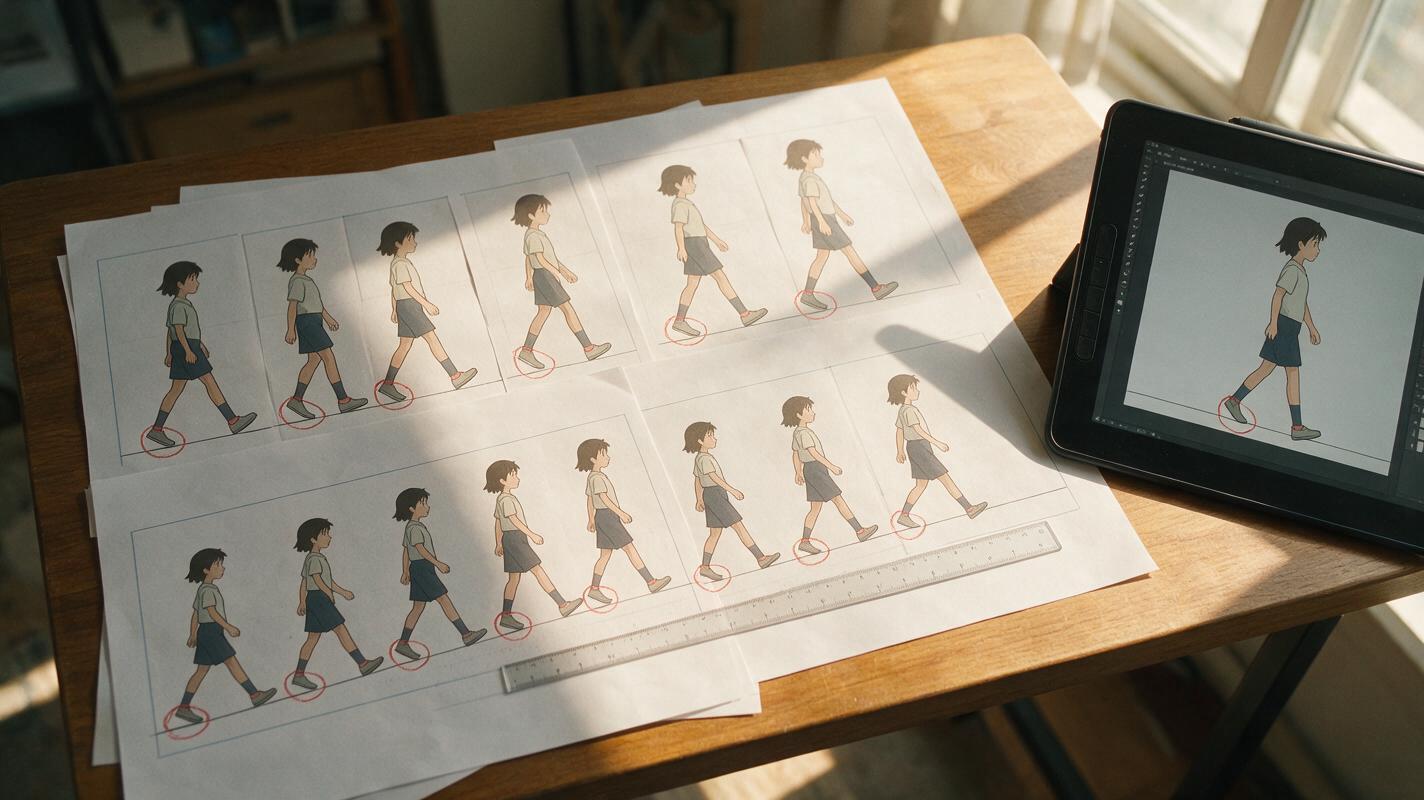
Table of contents
Stop the feet from skating across the scene
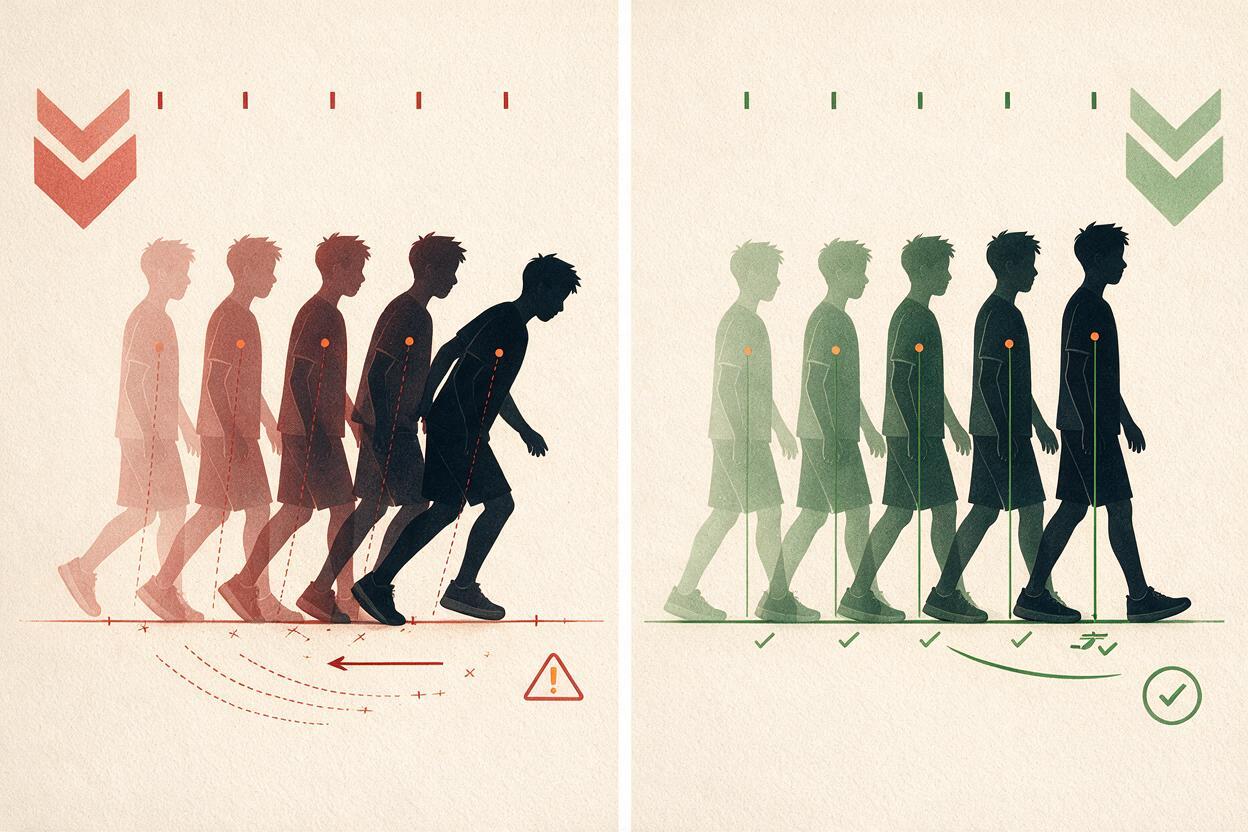
A convincing anime walk needs planted feet, visible weight transfer, and a body that advances at the same rate as each stride. When those relationships break, the character appears to skate, float, or walk on a moving floor—even if the individual frames look polished.
The most reliable fix is not adding more motion language. It is giving the generator a clearer contact plan, a source image that exposes both feet, and a prompt that separates grounded and moving phases. Seedance can then be used in an image to video workflow while the animator retains control over framing, stride direction, and environmental motion.
Why generated anime walks lose ground contact
Video models infer continuous motion from visual patterns. They do not automatically treat a shoe touching the floor as a physical constraint. If the prompt only says “the character walks forward,” the model may move the body, legs, camera, and background at slightly different speeds.
| Visible failure | Likely cause | Most useful correction |
|---|---|---|
| Planted foot slides backward | The model prioritizes forward body motion over foot contact | Describe the supporting foot as fixed to one ground point |
| Both feet drift together | The entire character is being translated without a real stride | Define alternating support and swing legs |
| Leg length changes | Occlusion or an extreme pose hides the knee and ankle structure | Use a readable side or three-quarter source pose |
| Character floats above the floor | The ground plane and contact shadow are ambiguous | Add a clear floor line and compact shadow beneath the shoes |
| Walking looks like running | The prompt emphasizes speed without weight or cadence | Specify measured steps, restrained vertical bounce, and calm timing |
A foot can move during the swing phase. It should not move relative to the floor while it is carrying the character’s weight.
Choose a source frame that exposes the stride
Start with a full-body illustration in which the shoes, floor, and leg joints are easy to read. A side view usually makes stride mechanics clearest, while a mild three-quarter view adds depth without creating severe leg overlap.
- Keep both feet inside the frame. Cropped shoes force the model to invent contact outside the image.
- Show a definite ground plane. A floor seam, pavement edge, tile pattern, or short contact shadow gives the feet a stable reference.
- Avoid crossed-leg tangles. The knees and ankles should remain visually separable.
- Preserve costume clearance. Long coats and skirts can conceal the support leg, so separate the garment silhouette from the feet where possible.
- Leave travel space. Frame the character with open space in the walking direction rather than pressing the face against the edge.
A neutral standing image can work, but a clear contact pose is better: one foot bears the body’s weight while the other is ready to leave the floor. This tells the model which leg begins as the support leg.
Map the contact phases before writing the prompt
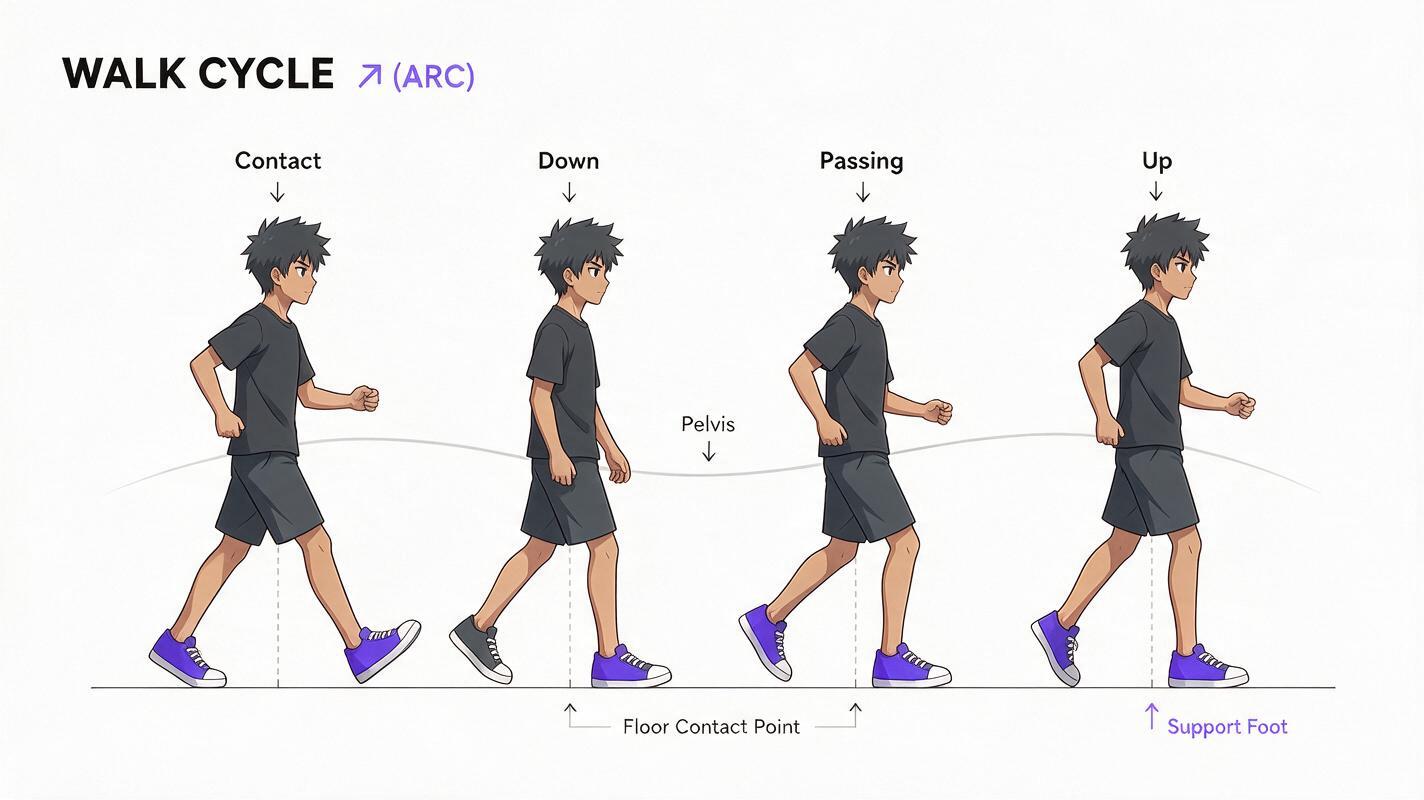
A walk does not need dozens of planned drawings, but it does need a simple physical rhythm. Think in four recognizable poses:
- Contact: the forward heel reaches the floor while the rear toe is still near the ground.
- Down: the body settles slightly as weight transfers onto the new support leg.
- Passing: the moving foot passes beside the planted leg.
- Up: the body rises subtly before the next contact.
For generation, the crucial distinction is between the support foot and the swing foot. The support foot stays attached to one floor location while the pelvis moves over it. The swing foot clears the ground, travels forward, and becomes the next support foot.
Do not ask for every phase as an isolated command. Use the phases as a continuity plan, then describe one or two clean strides in ordinary visual language.
Prompt Seedance around weight transfer
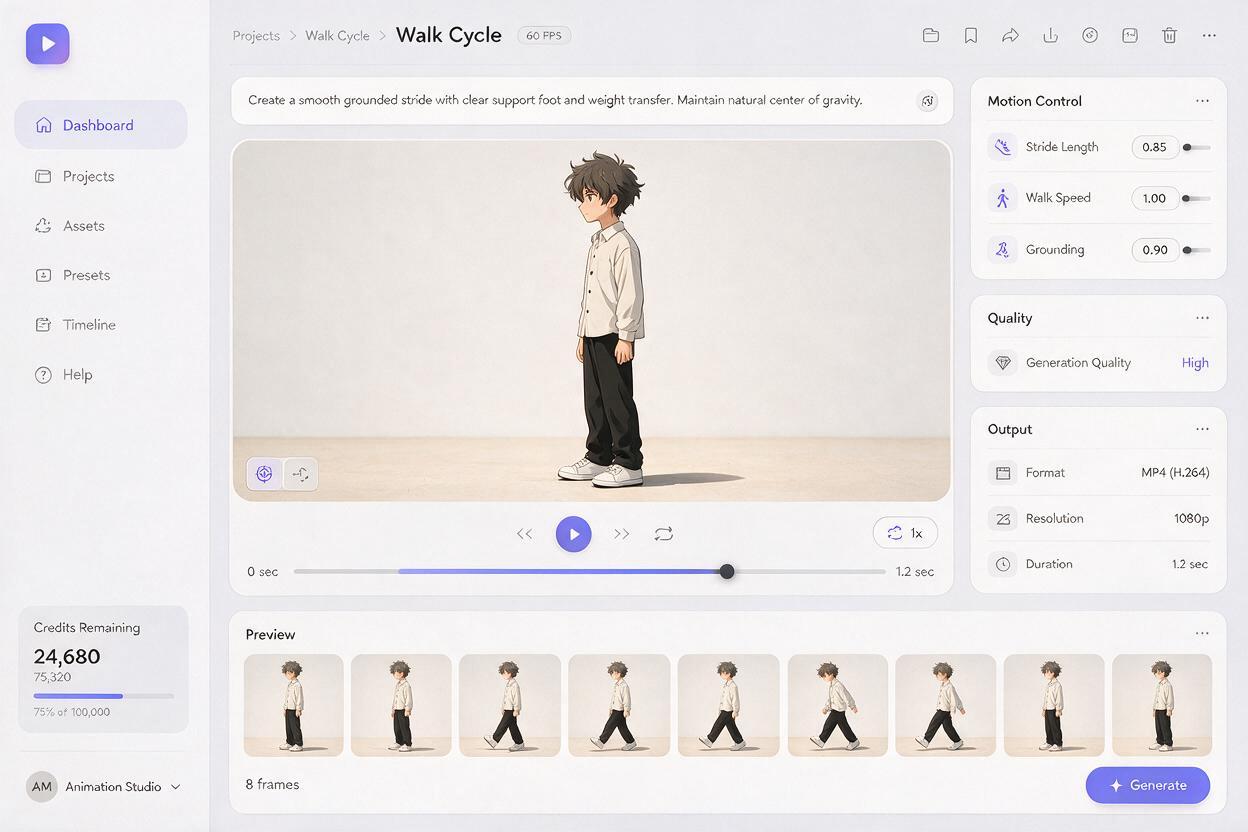
Keep the first test short and visually simple. Lock the camera, limit background motion, and prioritize one readable walking direction. A useful base prompt is:
Full-body anime character walking calmly from left to right across a fixed ground plane. Natural alternating walk cycle with clear weight transfer. The planted support foot stays locked to one point on the floor while the body passes over it. The opposite foot lifts cleanly, swings forward, and lands heel first before taking the weight. Subtle vertical hip motion, stable leg length, consistent shoes and costume, compact contact shadow beneath the feet. Locked side-view camera, static background, crisp 2D cel-animation linework, no camera tracking, no skating, no floating, no duplicated legs.If the interface offers a separate negative-prompt field, place failure constraints there. Otherwise, retain only the most important restrictions at the end of the main prompt:
no foot sliding, no moving floor, no rubber legs, no extra limbs, no shoe redesign, no camera shakeAvoid combining walking with waving, turning, speaking, cloth turbulence, and a dramatic camera move in the first generation. Those requests compete for motion attention. Establish a grounded stride first; secondary acting can be introduced in a later pass or separate shot.
Diagnose the first unstable frame
Watch the result once at normal speed, then inspect it frame by frame. Find the earliest moment when the physical relationship fails. Later defects are often consequences of that first error.
The support shoe moves while bearing weight
Mark the heel or toe against a fixed background feature. If that point drifts while the body passes over the leg, the shot has foot sliding. Regenerate with stronger support-foot language and less camera motion.
The body advances farther than the stride
The character may cover a long distance while taking tiny steps. Either reduce forward travel or request a longer stride. Do not rely on faster playback; speed changes cadence but does not repair the distance mismatch.
The foot sticks and the leg stretches
This is the opposite failure. The contact point remains stable, but the model extends the shin or thigh unnaturally to preserve it. Shorten the requested travel and use a less extreme source pose.
The shadow separates from the shoes
A wandering shadow makes correct feet appear ungrounded. Ask for a compact contact shadow that remains directly beneath the supporting shoe, or replace the generated shadow during compositing.
Repair the stride without rebuilding the whole shot
If the opening contact is stable and the failure appears later, preserve the usable section. Cut near a passing pose or another moment when the legs are least overlapped, then regenerate the next stride from a clean frame.
- Freeze a brief contact: holding a planted frame for a small fraction of the edit can restore weight, provided the upper body does not visibly stop.
- Reframe the crop: a slightly tighter shot may hide a defective toe, but never crop away both feet if grounding is central to the scene.
- Correct the floor reference: stabilize a tile line or pavement mark before judging shoe movement.
- Replace isolated frames: redraw a malformed shoe or ankle when the surrounding motion remains coherent.
- Split long travel into shots: two short, controlled walking clips are usually easier to match than one extended generation.
When joining clips, match the support leg, body height, travel direction, and arm swing at the cut. A cut on a foreground object or character close-up can conceal a larger phase change.
Adapt the motion language to the character
Once the base mechanics work, adjust the gait without removing the grounding instructions.
| Character intention | Prompt language to add | Motion to restrain |
|---|---|---|
| Tired walk | short heavy steps, lowered shoulders, delayed trailing foot | large vertical bounce |
| Confident entrance | even stride, upright torso, deliberate heel contact | excessive arm swing |
| Shy approach | small careful steps, toes slightly inward, guarded posture | rapid forward travel |
| Injured movement | uneven weight transfer, brief support on the stronger leg | random leg deformation |
| Chibi walk | short rhythmic steps, compact bounce, simplified leg arcs | realistic long strides |
Personality should modify a functional stride, not replace it. Keep the floor contact, alternating support, and stable anatomy clauses in every variation.
Final checklist
- Both feet and the ground plane are visible in the source image.
- The walking direction and camera angle are stated clearly.
- The prompt distinguishes the planted support foot from the moving swing foot.
- The camera and background remain restrained during the first test.
- The character’s travel distance matches the apparent stride length.
- Leg length, shoe design, and costume details remain consistent.
- The contact shadow stays attached to the supporting foot.
- The first drifting frame is repaired before later motion is evaluated.
For the fastest comparison, reuse the same source frame with one neutral gait and one character-specific variation. You can test this prompt yourself, inspect the heel position frame by frame, and keep the version with the clearest weight transfer.
Keywords
ai anime walk cycle, anime character animation, foot sliding fix, Seedance, anime image to video, 2D animation AI, walk cycle prompt, character consistency