AI Beauty UGC Video Prompts for Natural Product Demos
Create AI beauty UGC videos that show skincare and makeup products naturally without distorted packaging, awkward hands, or exaggerated application. This practical workflow includes reusable prompts, shot plans, model-selection guidance, and fixes for common product-demo failures.
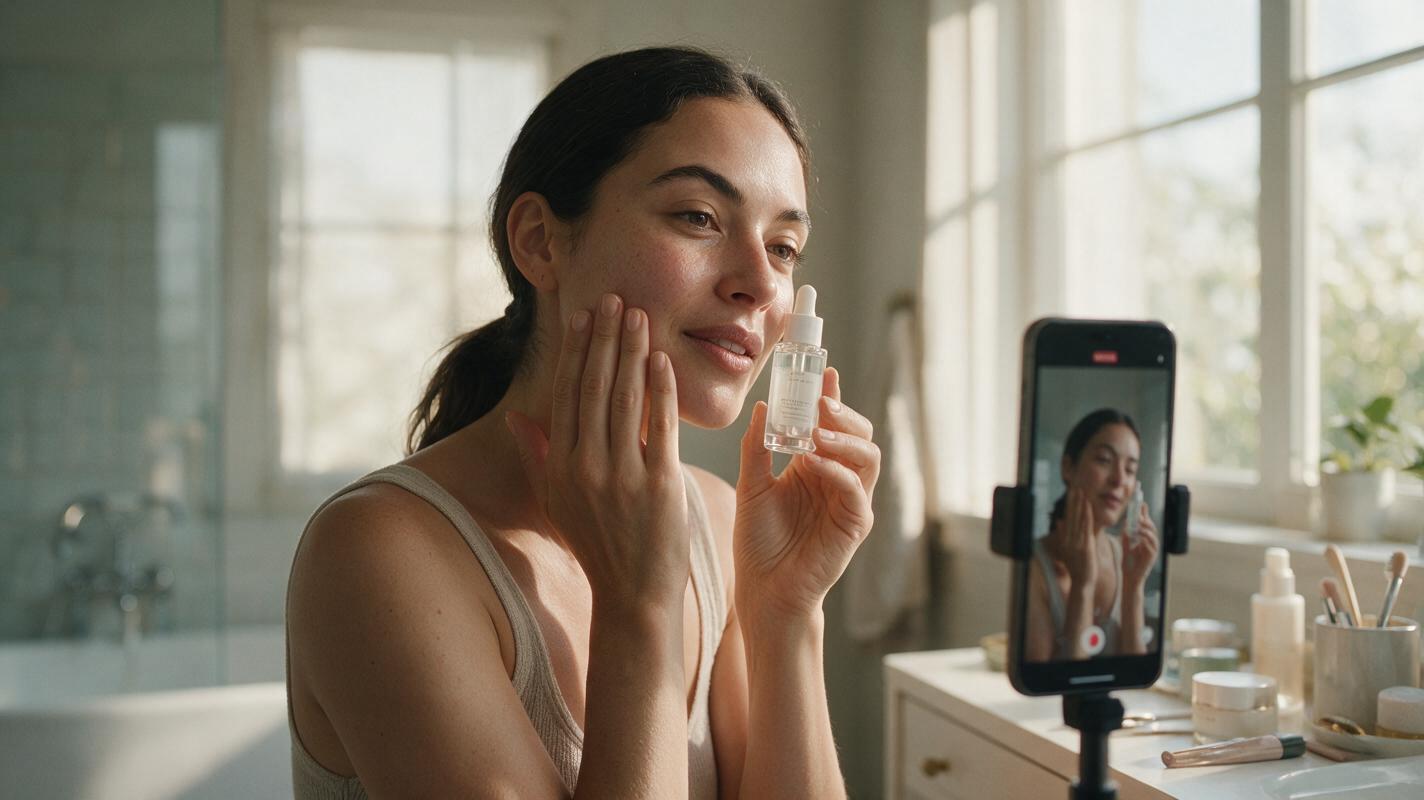
Table of contents
Create a Beauty Product Demo That Feels Natural
The hardest part of an AI beauty UGC video is not generating an attractive face—it is making the product interaction believable. Labels drift, fingers merge with bottles, applicators change shape, and a simple skincare routine becomes physically impossible. The reliable solution is to build the ad from short, controlled shots rather than asking one prompt to generate an entire demonstration.
This workflow is designed for skincare, makeup, haircare, and fragrance creatives. It can be adapted to Kling, Veo, Runway, Seedance, or another video model without relying on a model-specific feature.
Step 1 — Define One Visible Action Per Shot
Begin with the product action, not a broad direction such as make a viral beauty ad. A generator has a better chance of preserving the product and the performer when each clip contains one small, observable action.
| Weak direction | Controlled shot | Why it is safer |
|---|---|---|
| Complete morning skincare routine | Creator holds serum beside cheek | No cap, dropper, liquid, and face interaction at once |
| Apply lipstick and reveal the result | Applicator pauses near the lower lip | Reduces collisions between fingers, wand, and mouth |
| Excited product testimonial | Creator looks at camera and gives a restrained smile | Avoids unstable speech and exaggerated facial motion |
| Show every product feature | Slow bottle tilt in soft window light | Keeps attention on packaging and finish |
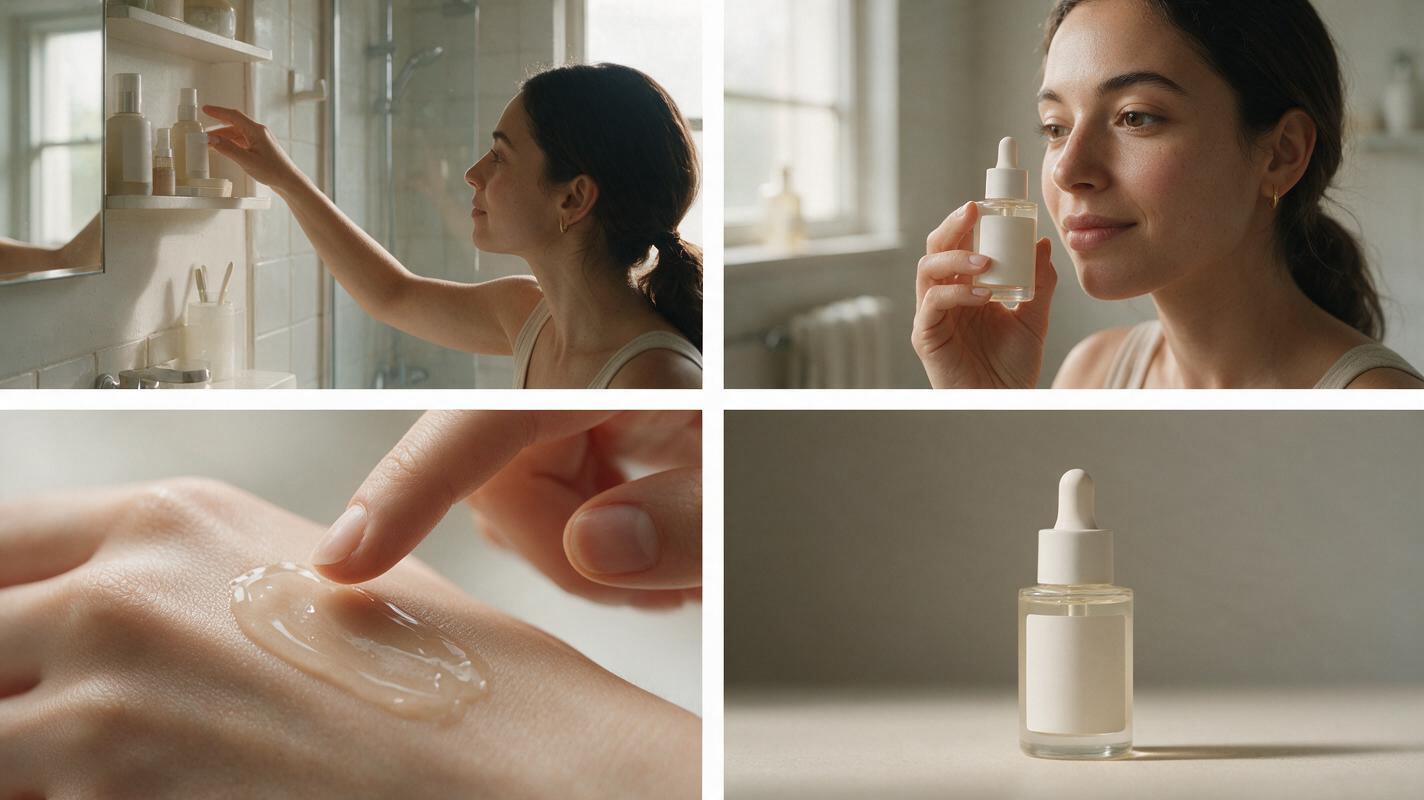
A useful 15-second concept might use four independent clips:
- A handheld bathroom-shelf establishing shot.
- A close-up of the creator presenting the closed product.
- A separate application detail with minimal hand movement.
- A clean end frame showing the product and finished look.
Practical rule: if the action requires opening, dispensing, applying, speaking, and reacting, split it into several shots.
Step 2 — Prepare a Stable Reference Frame
For packaging-sensitive work, start from a composed still rather than describing the product only in text. Photograph or assemble the creator, product, hand position, and environment before animation. This gives the model a clear visual target.
The strongest reference frame usually has:
- A readable front label with no fingers covering important copy.
- A closed package unless the shot specifically requires an open applicator.
- Natural hand support, such as fingers wrapped behind a bottle rather than across its front.
- Moderate framing with space around the product and face.
- One light direction that matches the intended location.
- Real skin texture without extreme smoothing or artificial pore enhancement.
If the initial composition does not exist yet, an ai image generator can help create a concept frame. For a real commercial product, replace or composite the generated package with an approved packshot before animation so the label, shade name, proportions, and closure remain accurate.
Step 3 — Write Prompts Around Motion, Camera, and Constraints
An effective beauty UGC prompt separates three things: what moves, how the camera behaves, and what must remain unchanged. Avoid adding unrelated atmosphere, wardrobe changes, or dramatic motion that competes with the product action.
Natural vertical beauty UGC video in a bright home bathroom.
The creator holds the closed skincare serum beside her cheek and looks into the camera.
She makes one small wrist adjustment and gives a subtle relaxed smile.
Gentle handheld phone-camera movement, realistic window light, natural skin texture.
Keep the bottle shape, cap, label placement, logo, liquid color, fingers, facial identity,
and background layout unchanged. No speaking, no dispensing, no extra objects.
Use positive physical instructions before restrictions. Telling the model exactly what should happen—such as one small wrist adjustment—is more useful than relying on a long list of negative terms.
Prompt for a Skincare Application Insert
Macro beauty demonstration shot of a small amount of translucent gel resting on the back
of a clean hand. The other fingertip gently touches the edge of the gel once.
Minimal controlled motion, soft side light, realistic viscosity and skin texture,
shallow depth of field. Preserve the amount, color, and consistency of the gel.
No dripping, no multiplying product, no jewelry changes, no deformed fingers.
Prompt for a Makeup Reveal
Vertical close-up of a beauty creator showing a finished soft berry lip look.
She turns her face a few degrees toward the window, then returns her eyes to the camera.
Subtle handheld smartphone framing, natural daylight, realistic lips and skin texture.
Preserve facial identity, lip color, makeup edges, earrings, hair, and background.
No talking, no lip reshaping, no added gloss, no dramatic head turn.
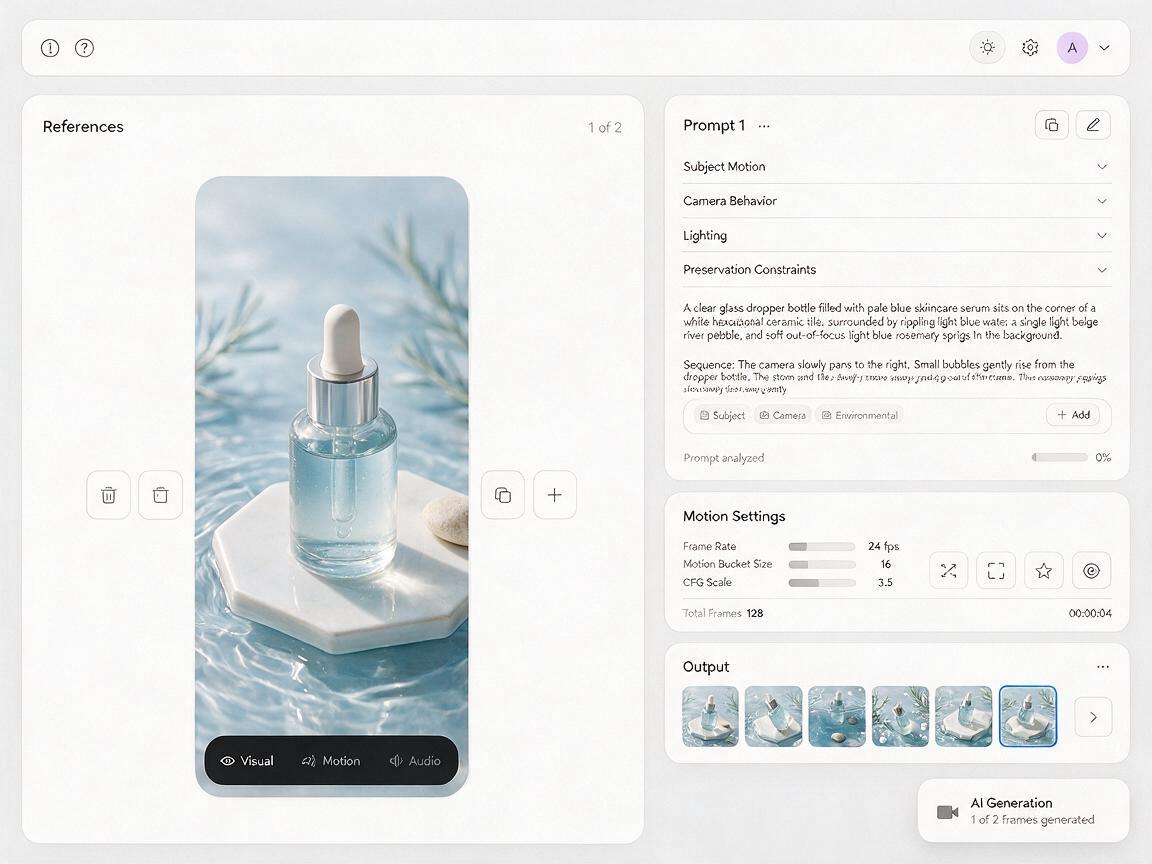
When your reference still is ready, use a reference image to video workflow instead of rebuilding the person and package from a text-only description.
Step 4 — Match the Model to the Most Difficult Shot
Do not select a model from a beauty-themed demo alone. Test it using the most demanding frame in your own concept: a reflective lipstick tube, a dropper close to skin, small label text, or a hand partially surrounding the package.
| Test criterion | What to inspect | Reject the result when |
|---|---|---|
| Package consistency | Silhouette, cap, logo area, label boundaries | The container changes shape or branding drifts |
| Hand stability | Finger count, grip, contact with the product | Fingers fuse, slide through, or switch position |
| Face continuity | Eyes, lips, jawline, skin detail | The creator becomes a different person |
| Motion restraint | Gesture size and camera movement | The model invents large turns or rapid zooms |
| Formula behavior | Color, amount, viscosity, reflectivity | The texture multiplies, drips, or changes finish |
Generate the same short test with Kling, Veo, Runway, Seedance, or the models available in your production environment. Compare the unedited outputs at full size. The best choice is the one that protects the critical detail, not necessarily the one that creates the most movement.
Step 5 — Separate Product Handling From Formula Demonstration
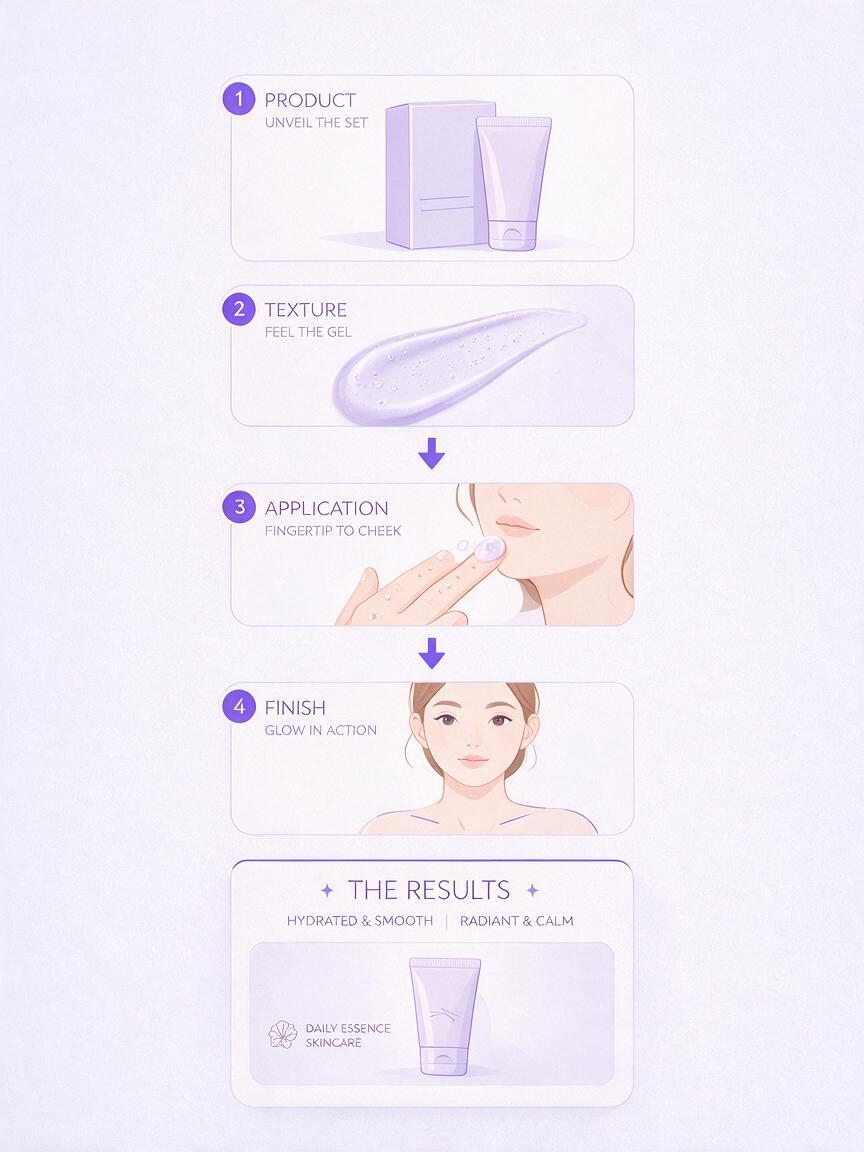
Hand-to-object and object-to-face interactions create several overlapping points of failure. A safer beauty ad treats the package, formula, and result as separate visual layers.
- Package shot: creator presents a closed, label-forward product.
- Formula shot: cream, gel, pigment, or foam appears in a dedicated macro setup.
- Application suggestion: fingertip, brush, or applicator approaches the target area without a long rubbing motion.
- Result shot: the finished makeup or skincare glow appears in a stable portrait.
Edit these clips together with straight cuts, match cuts, or a simple hand movement across the lens. The viewer understands the routine even though the generator never has to simulate every physical transition continuously.
A 12-Second Beauty UGC Shot Plan
| Time | Visual | On-screen message |
|---|---|---|
| 0–2 seconds | Creator reaches toward the shelf | A routine problem or sensory hook |
| 2–5 seconds | Closed product held near the face | Product name and category |
| 5–8 seconds | Macro formula or application insert | One supportable product attribute |
| 8–10 seconds | Finished look in matching light | Desired cosmetic result |
| 10–12 seconds | Clean product end frame | Approved call to action |
Do not fabricate a customer testimonial or imply results the product cannot substantiate. Synthetic creators, demonstrations, and before-after presentations should follow applicable disclosure, advertising, platform, and claim-review requirements.
Step 6 — Fix Common AI Beauty Video Failures
The Label Melts or Rewrites Itself
Reduce product rotation and camera movement. Keep the label nearly parallel to the camera, shorten the clip, and add approved packaging as a tracked overlay during post-production when exact text must remain readable.
The Fingers Merge With the Bottle
Return to the reference frame and simplify the grip. Place most fingers behind the package, keep the thumb visible on one side, and request only a slight wrist movement. Avoid cap opening in the same clip.
The Applicator Changes Shape
Use a separate macro shot with the applicator already in its final position. A short approach or pause is easier than extracting a wand, moving it toward the face, applying color, and returning it to the tube.
The Face Looks Over-Processed
Remove vague phrases such as flawless beauty, perfect skin, and luxury face. Specify natural skin texture, restrained expression, stable facial identity, and soft real-world light. Compare the animation directly with the approved reference portrait.
The Clip Feels Like a Polished Commercial, Not UGC
Reduce dramatic camera moves, studio backlights, slow-motion splashes, and elaborate set design. Use plausible phone height, mild handheld movement, a familiar bathroom or vanity environment, and one imperfect but controlled gesture.
The Formula Behaves Unrealistically
Do not ask the model to invent a proprietary texture from a package shot. Supply a real formula reference or create a dedicated insert that clearly defines amount, opacity, viscosity, and movement. Keep efficacy claims outside the visual prompt and within the brand’s approved copy process.
Step 7 — Assemble and Review the Final Ad
Choose one successful generation for each shot rather than trying to rescue a clip with multiple defects. Match exposure and color temperature, add captions in editing, and reserve the sharpest approved packshot for the final frame.
Review the finished video once without sound and once frame by frame. Check packaging, hands, facial identity, product color, formula behavior, captions, claims, and disclosure. If a single visual inconsistency could confuse the product being sold, replace that shot.
Ready to evaluate the concept with your own reference frame? Test this prompt yourself using a simple closed-product presentation shot before attempting the application sequence.
Final Checklist
- Give each generated clip one visible product action.
- Begin with a stable reference frame and an unobstructed label.
- Describe motion, camera behavior, and preservation constraints separately.
- Test models with the hardest hand, package, or formula interaction.
- Generate package, texture, application, and result shots independently.
- Add exact logos, label copy, captions, and claims during controlled post-production.
- Reject distorted hands, altered packaging, identity drift, and unrealistic formula behavior.
- Review synthetic-media disclosure and beauty advertising requirements before publishing.
Keywords
AI beauty UGC, cosmetic product video, beauty campaign AI, skincare ad creative, AI beauty ad, image to video, beauty video prompts