Why AI Burger Photos Look Dry and Messy (And How to Get Juicy, Stacked Results)
AI-generated burger photos often suffer from dry patties, sliding toppings, and plastic-like cheese that fail to drive orders for restaurants and food brands. This troubleshooting guide breaks down the root causes of these common failures, provides reusable prompt templates for Seedream 4.5, shares inpainting fixes for small flaws, and explains how to turn static photos into social videos with Seedance. Use these tips to create juicy, perfectly stacked burger visuals for menus, delivery apps, and social media without expensive photoshoots.
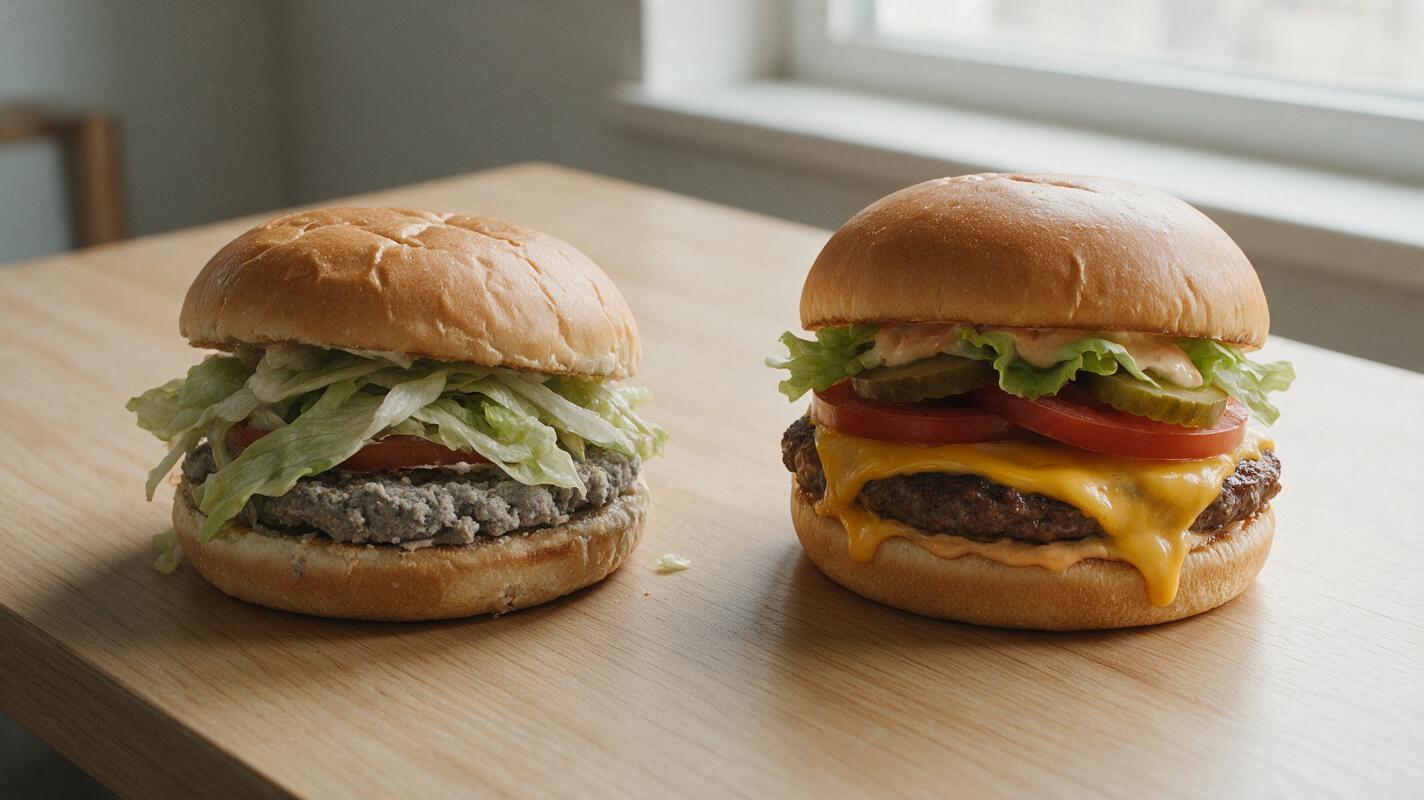
Table of contents
The hidden flaws in AI burger photos
If you’ve ever generated a burger photo with AI for a delivery app menu or social media post, you’ve probably seen the common letdowns: a dry, crumbly patty, lettuce sliding off the bun, cheese that looks more like plastic than melted dairy, and a lopsided stack that looks ready to topple. For fast casual restaurants, burger chains, and frozen food brands, these unappetizing visuals don’t just look unprofessional — they fail to drive the impulse orders that make menu and social media content worth the investment.
The issue isn’t that AI can’t create great burger photos. It’s that most generic prompts miss the specific texture, structure, and lighting details that make a burger look juicy, stacked, and craveable. This guide breaks down the most common AI burger generation failures, shares reusable prompt templates for realistic results, walks through quick inpainting fixes for small flaws, and shows how to repurpose your final photo into a high-performing social video.
Why AI messes up burger texture and structure
Burgers are surprisingly complex subjects for AI image models, which is why so many generic outputs fall flat. The main issues come down to three core challenges:
- Layered complexity: A typical burger has 5+ distinct components (bun, patty, cheese, vegetables, sauce) with different shapes, weights, and textures. AI models often flatten these layers or misalign them, leading to sliding toppings or ingredients that merge together.
- Texture contrast: Great burger photos rely on contrast — crunchy lettuce, soft bun, juicy patty, gooey cheese. Without explicit texture prompts, AI defaults to uniform, matte surfaces that look dry and lifeless.
- Structural logic: Burgers follow a natural stack order, but AI doesn’t always intuit that. It may place toppings under the patty, squish buns beyond recognition, or create stacks that defy gravity.
Even small misses in these areas can make a burger look unappetizing, which is why targeted, specific prompts make such a big difference in output quality.
Prompt templates for juicy, stacked burger photos
The key to getting realistic AI burger photos is to build every detail of the stack, texture, and lighting directly into your prompt, so the model doesn’t have to guess. These templates are optimized for Seedream 4.5, which excels at food texture and natural lighting.
Classic cheeseburger (for casual restaurant menus)
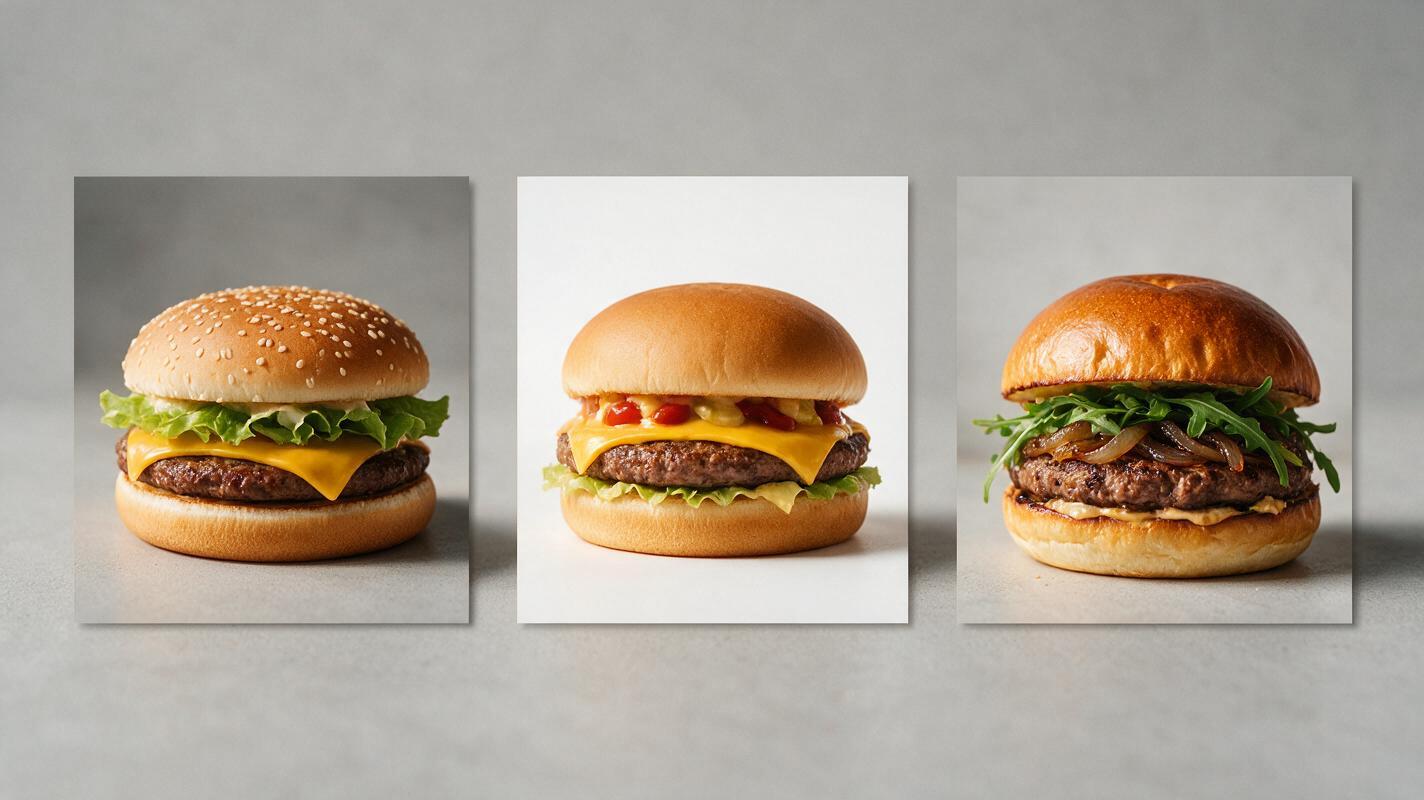
Professional food photography of a perfectly stacked classic cheeseburger, bottom bun first, juicy beef patty with dark seared grill marks, melted cheddar cheese oozing down the sides of the patty, crisp iceberg lettuce, thick ripe tomato slice, dill pickle chips, thin red onion rings, special sauce spread on the top bun, soft sesame seed top bun, stacked evenly with no sliding toppings, natural soft window light, light reclaimed wood background, shallow depth of field, shot at 45 degree angle, ultra realistic, sharp focus on the patty and cheese, 8kFast food cheeseburger (for quick service brand assets)
Commercial fast food photography of a perfectly stacked cheeseburger, soft toasted white bun, juicy beef patty, melted American cheese, crisp shredded lettuce, tomato slice, ketchup and mustard, bright even studio lighting, seamless white background, straight-on eye level angle, sharp focus across the entire burger, ultra realistic, product shot styleGourmet truffle burger (for high-end restaurant social media)
Editorial food photography of a gourmet truffle burger, stacked neatly, toasted brioche bun, wagyu beef patty with crispy seared crust, melted brie cheese oozing slightly, wild arugula, caramelized onions, truffle aioli, crispy bacon strip, dark slate background, warm moody side lighting, 3/4 angle, shallow depth of field, ultra realistic, fine dining styleFor best results with Seedream 4.5, select the “Food Photography” style preset and set quality to High to capture the sharpest texture details for patties, cheese, and fresh toppings. If you’re new to AI food visuals, an ai image generator can cut down photoshoot costs and turnaround time for menu and social assets.
Quick inpainting fixes for common burger flaws
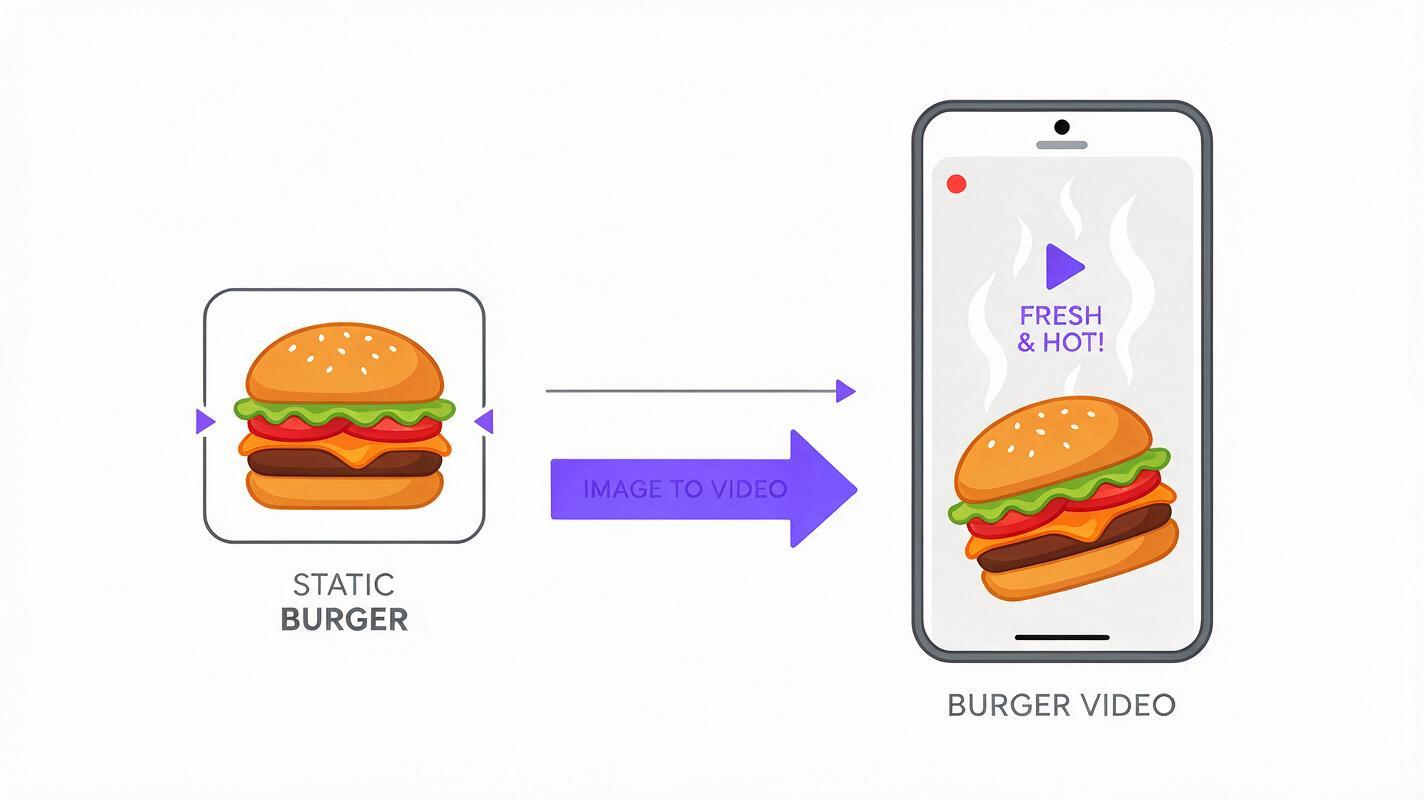
Even with a great prompt, you might end up with small flaws — a crumbly patty edge, a piece of lettuce sticking out, or cheese that looks too plastic. Instead of regenerating the entire image and risking losing a good stack, use inpainting with Seedream 4.5 to fix only the problem area.
- Dry, crumbly patty: Mask only the patty surface and use the prompt: juicy beef patty with seared grill marks, glistening with natural meat juices, realistic ground beef texture
- Sliding or wilted lettuce: Mask the misbehaving lettuce and prompt: crisp iceberg lettuce tucked neatly under the top bun, even fresh edges, no wilting
- Plastic-looking cheese: Mask the cheese area and prompt: melted cheddar cheese oozing down the patty, gooey stretchy texture, slight grease sheen
- Squished top bun: Mask the top bun and prompt: soft sesame seed top bun, rounded fluffy shape, not squished, even sesame seeds
Pro tip: Use the smallest mask possible for the area you want to fix. The smaller the mask, the more consistent the edited area will be with the rest of the image’s lighting and style.
Turn your burger photo into a short social video
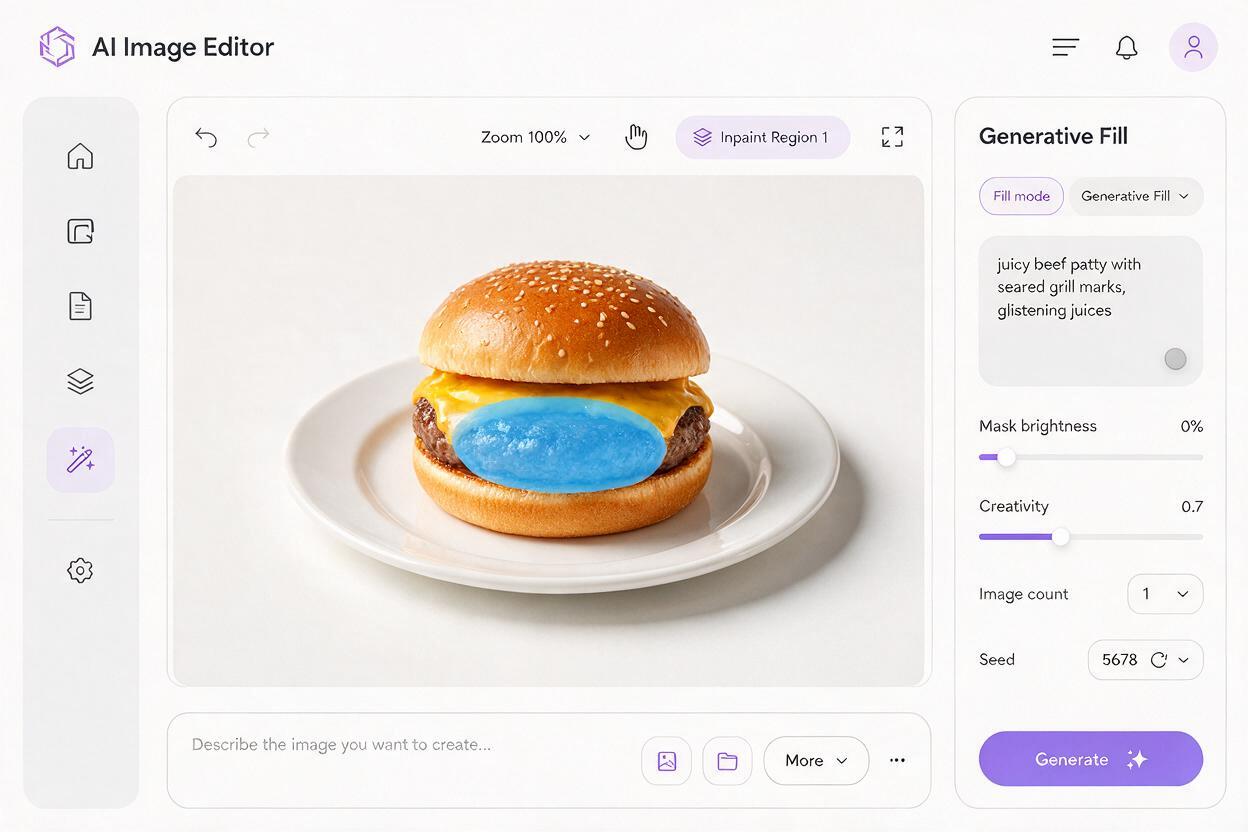
Static burger photos work well for menus and delivery apps, but short-form video drives higher engagement on Instagram Reels, TikTok, and YouTube Shorts for food content. Instead of shooting a whole new video, you can repurpose your perfect static burger photo into a subtle, appetizing clip.
Using image to video to turn static menu photos into social clips is a fast way to repurpose content without reshooting. For burger content, Seedance works well because it preserves food structure while adding gentle, realistic motion.
Try this prompt for a vertical social clip:
Slow 45-degree zoom in on a perfectly stacked cheeseburger, subtle thin steam rising from the hot patty, very gentle movement of melted cheese oozing slightly, no morphing or shape change, realistic natural motion, 10 second vertical video, warm soft lighting, food commercial styleSet motion strength to around 30% to keep the burger’s stack intact — higher values can cause layers to slide or the patty to change shape, which defeats the purpose of using your polished static photo as a base.
Final quality checklist for AI burger photos
- Burger stack is evenly aligned, with no sliding or toppling toppings
- Patty looks juicy with a clear seared crust, not dry, crumbly, or gray
- Cheese has a gooey, melted texture with a subtle sheen, not plastic-like or matte
- Buns are soft and rounded, not squished, misshapen, or overly dense
- Fresh toppings (lettuce, tomato, onion) look crisp and vibrant, not wilted or mushy
- Lighting is even and appetizing, with no harsh shadows or washed-out colors
- Portion size matches your brand’s actual serving size to avoid misleading customers
Ready to create juicy, stack-perfect burger photos for your restaurant or food brand? Test this prompt yourself and explore food-focused AI tools to speed up your content creation workflow.
Keywords
ai burger photos, food image generator, restaurant marketing ai, menu photo generator, ai food photography, seedream 4.5, fast casual marketing