What AI Tools Keep Characters Consistent Across Video Scenes?
The most reliable AI character workflow separates identity design, scene-specific anchor frames, and video animation instead of asking one model to solve everything at once. This guide compares practical reference tools and provides a repeatable test for keeping one character recognizable across an episodic AI short drama.
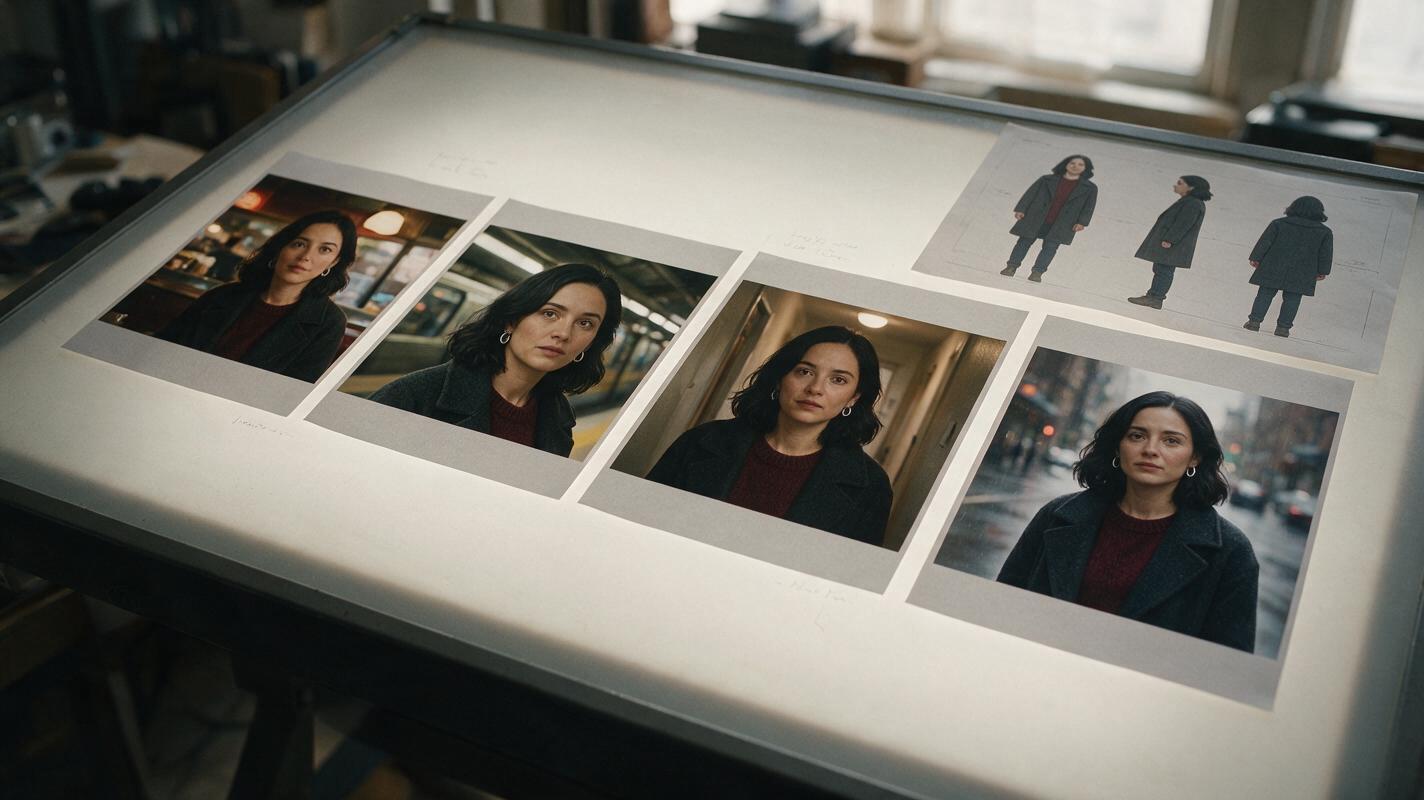
Table of contents
The fastest answer
Runway Gen-4 References, Midjourney Omni Reference, Leonardo AI Character Reference, and Google Flow can all support recurring-character workflows, but they solve different parts of the problem. The safest production method is to approve a character reference sheet, generate a fresh anchor frame for each scene, and animate those anchors with restrained motion.
No reference feature guarantees perfect identity across an entire episode. A tool may preserve the face while changing the haircut, age, body proportions, costume, or distinctive accessories. Character consistency therefore comes from a controlled pipeline rather than a single prompt.
Practical rule: lock identity in still images first. Do not spend video-generation time fixing a character who was already inconsistent in the starting frames.
Step 1 — Build an identity packet before choosing a video model
Create one compact identity packet for each recurring character. It should contain enough visual evidence to resolve ambiguity without introducing conflicting designs.
- Three-view sheet: front, true side profile, and back view under neutral lighting.
- Face portrait: a clean head-and-shoulders image with a neutral expression.
- Identity landmarks: face shape, hairline, hairstyle, eye color, age range, and one distinctive detail.
- Body description: approximate height, build, posture, and movement quality.
- Approved costume state: clothing, footwear, jewelry, and any story-critical damage or dirt.
- Exclusions: features that must not appear, such as bangs, facial hair, glasses, or additional jewelry.
An ai image generator can produce the first sheet, but treat it as a casting proposal rather than final truth. Inspect the three panels for changes in facial structure, hair length, clothing construction, and body shape before approving it.
Reusable visual prompt:
Photorealistic three-panel character reference sheet of Mara Venn, a 31-year-old woman with an oval face, warm brown skin, dark brown almond-shaped eyes, a narrow straight nose, and shoulder-length black wavy hair tucked behind her right ear. She wears the same charcoal wool coat, muted burgundy crew-neck sweater, straight black trousers, small round silver earrings, and worn black ankle boots in every panel. Panel one shows the full-body front view, panel two shows the exact full-body left side profile, and panel three shows the full-body back view. Neutral relaxed posture, arms naturally separated from the torso, consistent anatomy and garment construction. MANDATORY CAMERA: eye-level orthographic character-study framing with minimal perspective distortion. MANDATORY LAYOUT: three evenly sized vertical panels ordered front, side, back within one landscape 16:9 image. Neutral light-gray seamless studio background, soft diffused lighting, natural skin texture, editorial realism, no text, no labels, no logo, no interface elements.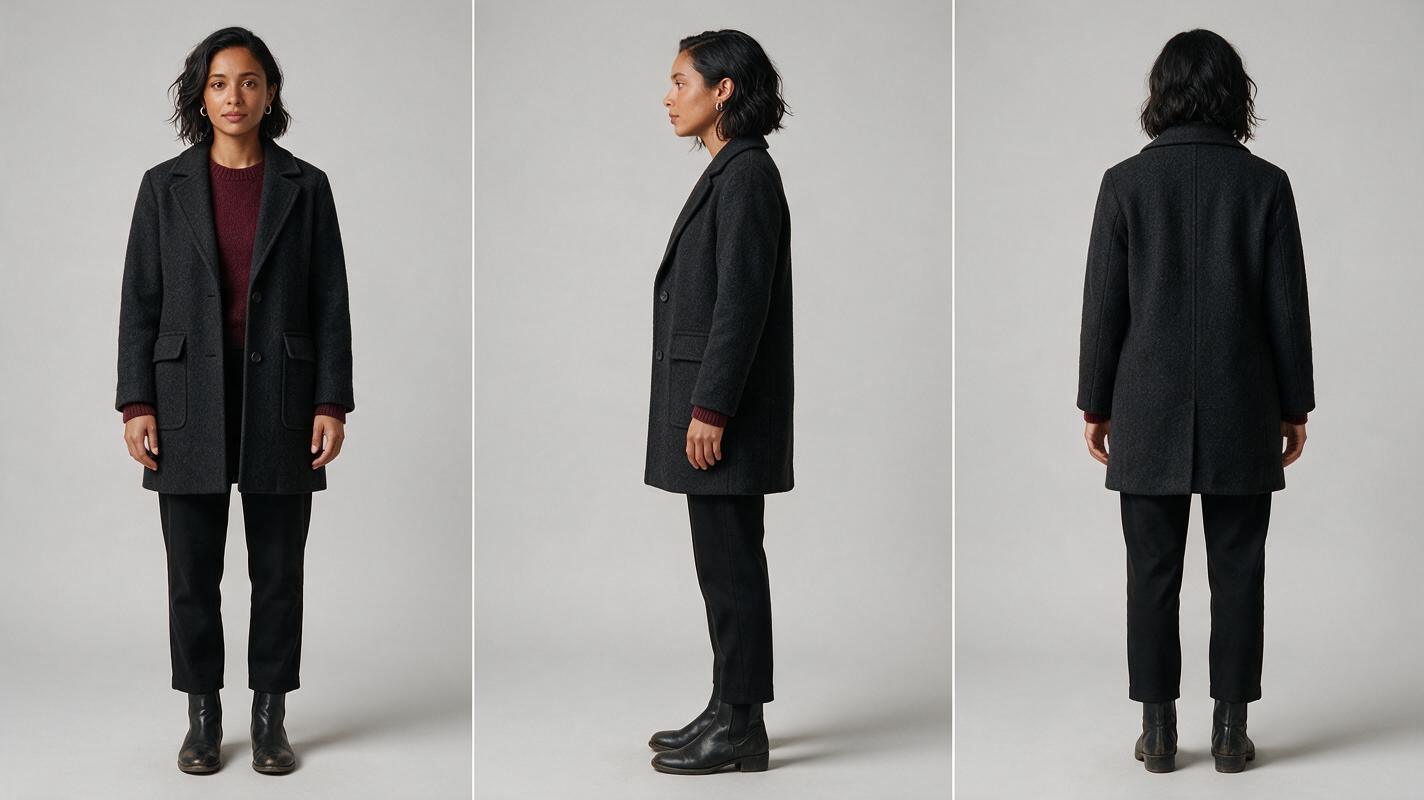
Step 2 — Match each tool to its actual production role
The best choice depends on whether you need to design a character, place that character into new scenes, animate approved frames, or manage all three operations.
| Tool | Best production role | Useful consistency control | Main watchout |
|---|---|---|---|
| Runway Gen-4 References | Generating character and location variations before animation | Reference images can guide recurring subjects and environments | Busy multi-character compositions still require separate identity checks |
| Midjourney Omni Reference | Developing polished stills and scene-specific character anchors | A person or object can be carried into new image concepts | It is primarily an image-stage solution, so video requires another stage |
| Leonardo AI Character Reference | Exploring poses, costumes, and locations from an approved character image | Character reference guidance during image generation | Similarity should be checked separately for every angle and expression |
| Google Flow | Building shots and scenes with reusable visual ingredients | Ingredients and scene-building controls can support continuity between clips | Feature and model access can vary by account, plan, or region |
Image-oriented tools are often better for solving casting and composition because still frames are inexpensive to compare and reject. Video-oriented tools should receive an already approved image whenever the workflow permits it.
If rapid comparison matters, keep the same reference packet, scene brief, and acceptance test while switching models. A multi-model workspace reduces file handoffs, but the evaluation criteria must remain unchanged. At that high-intent testing point, you can try these models for free with the same input materials.
Reusable visual prompt:
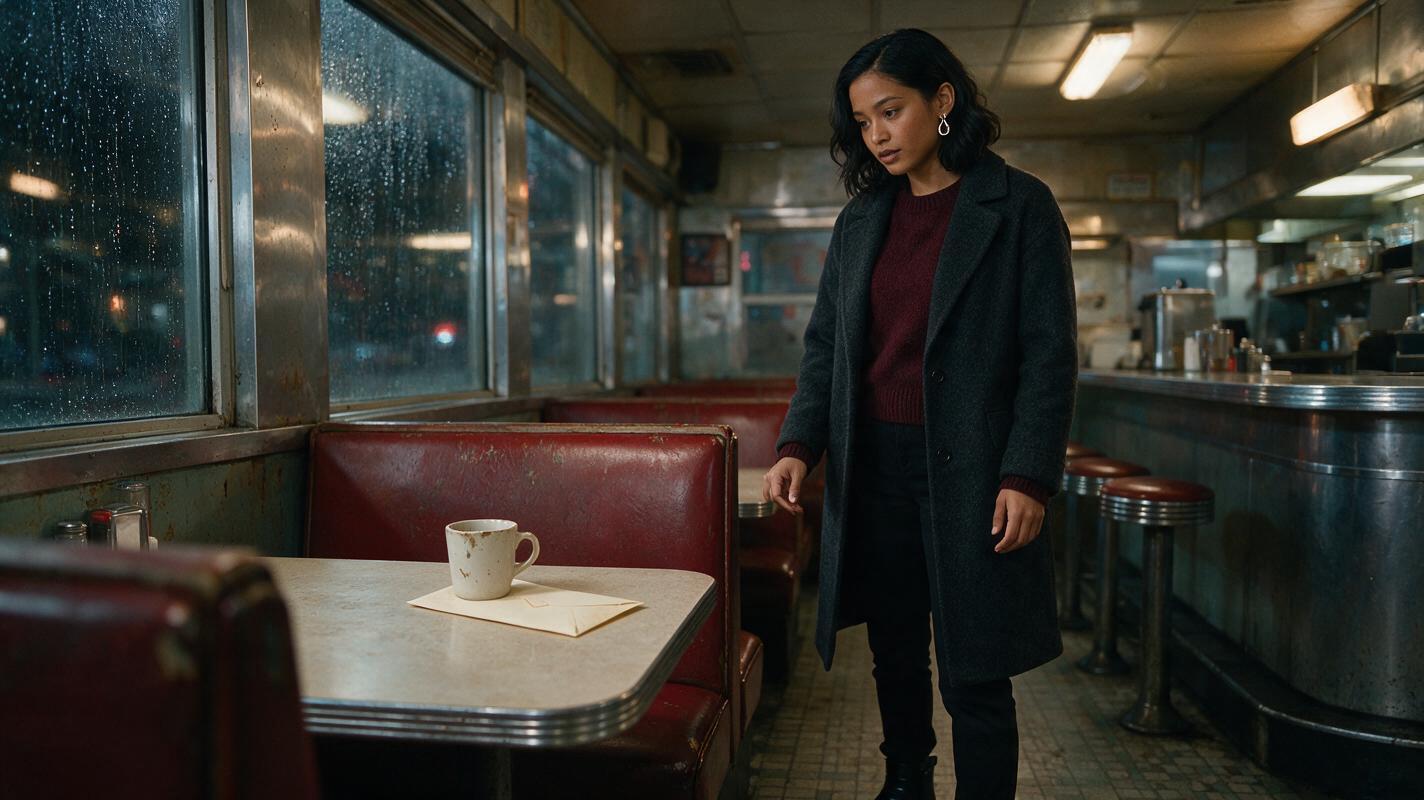
Cinematic editorial-realism frame of Mara Venn standing alone inside a lived-in late-night neighborhood diner, preserving her approved oval face, warm brown skin, shoulder-length black wavy hair tucked behind her right ear, charcoal wool coat, burgundy sweater, black trousers, silver earrings, and black ankle boots. She has just noticed a sealed cream envelope beneath a chipped ceramic coffee cup. Chrome counter edges, faded red vinyl booths, rain-streaked windows, warm practical pendant lights, believable clutter, subtle tension. MANDATORY CAMERA: true three-quarter medium-wide view from slightly below eye level, 40mm lens appearance, character positioned on the right third with both hands clearly visible and separated. MANDATORY LAYOUT: landscape 16:9 master frame with safe central composition suitable for a later vertical crop. Film-style natural contrast, realistic hands, consistent costume construction, no text, no logo, no interface elements.Step 3 — Turn approved anchors into controlled video shots
Generate one scene-specific anchor for every shot in which identity matters. Each anchor should combine the character reference, current costume state, location, lighting direction, camera angle, expression, and required prop.
Only animate after the anchor passes inspection. Use a reference image to video workflow when available, then describe movement without redesigning the performer.
A useful motion prompt identifies four things: the character's action, the camera behavior, what must remain stable, and the ending pose.
Animate the supplied approved frame without redesigning the character or environment. Mara notices the envelope, pauses, shifts her eyes toward the diner entrance, then slowly places two fingers on the envelope without lifting it. Her expression changes from guarded concentration to quiet recognition. The camera performs a subtle five-percent push-in only. Preserve facial structure, hair length and parting, silver earrings, coat lapels, burgundy sweater, hand anatomy, cup position, envelope shape, diner layout, and lighting direction. No speaking, no large head turn, no new people, no costume change, no extra objects, no camera orbit. End with Mara's fingers resting on the near edge of the envelope.Keep each generated shot focused on one meaningful action. Large turns, full-body walking, object handling, dialogue, and moving cameras all create separate opportunities for drift. If a shot demands several of them, divide it at an editorially useful pause.
Step 4 — Test continuity with a four-shot audition
Before committing to an AI series video, run the same character through four deliberately different conditions:
- A neutral close-up in soft frontal light.
- A three-quarter medium shot in hard side light.
- A full-body shot in a different location.
- An emotional reaction with a modest head turn.
Compare the results at matching sizes. Do not judge only by a general impression. Check stable landmarks individually.
| Continuity category | Pass question | Typical failure |
|---|---|---|
| Face geometry | Do the jaw, nose, eyes, and apparent age still match? | A generic replacement face appears in profile |
| Hair | Are length, texture, parting, and silhouette unchanged? | Hair becomes longer or switches sides |
| Body | Are build, height impression, and posture stable? | The full-body shot changes proportions |
| Costume | Do seams, layers, colors, and accessories agree? | Buttons, collars, or earrings multiply |
| Performance | Does the same acting style carry across shots? | Subtle behavior becomes exaggerated |
Reusable failure-mode visual prompt:
Side-by-side photorealistic continuity comparison using the same fictional woman in two cinematic diner frames. Left frame intentionally demonstrates identity drift: altered jawline, different eye spacing, longer straight hair, missing silver earring, changed coat collar, and an extra finger touching the envelope. Right frame shows the corrected character: oval face, stable almond-shaped dark brown eyes, shoulder-length black wavy hair tucked behind the right ear, matching round silver earrings, identical charcoal coat and burgundy sweater, and anatomically correct separated fingers. Keep the diner, envelope, coffee cup, camera position, pose, and warm lighting equivalent across both frames. MANDATORY CAMERA: matched eye-level true three-quarter medium shot with a 50mm lens appearance. MANDATORY LAYOUT: two equal photographic panels in one landscape 16:9 comparison, failed version on the left and corrected version on the right, separated only by a narrow neutral gutter. Editorial realism, no text, no labels, no arrows, no logo, no interface elements.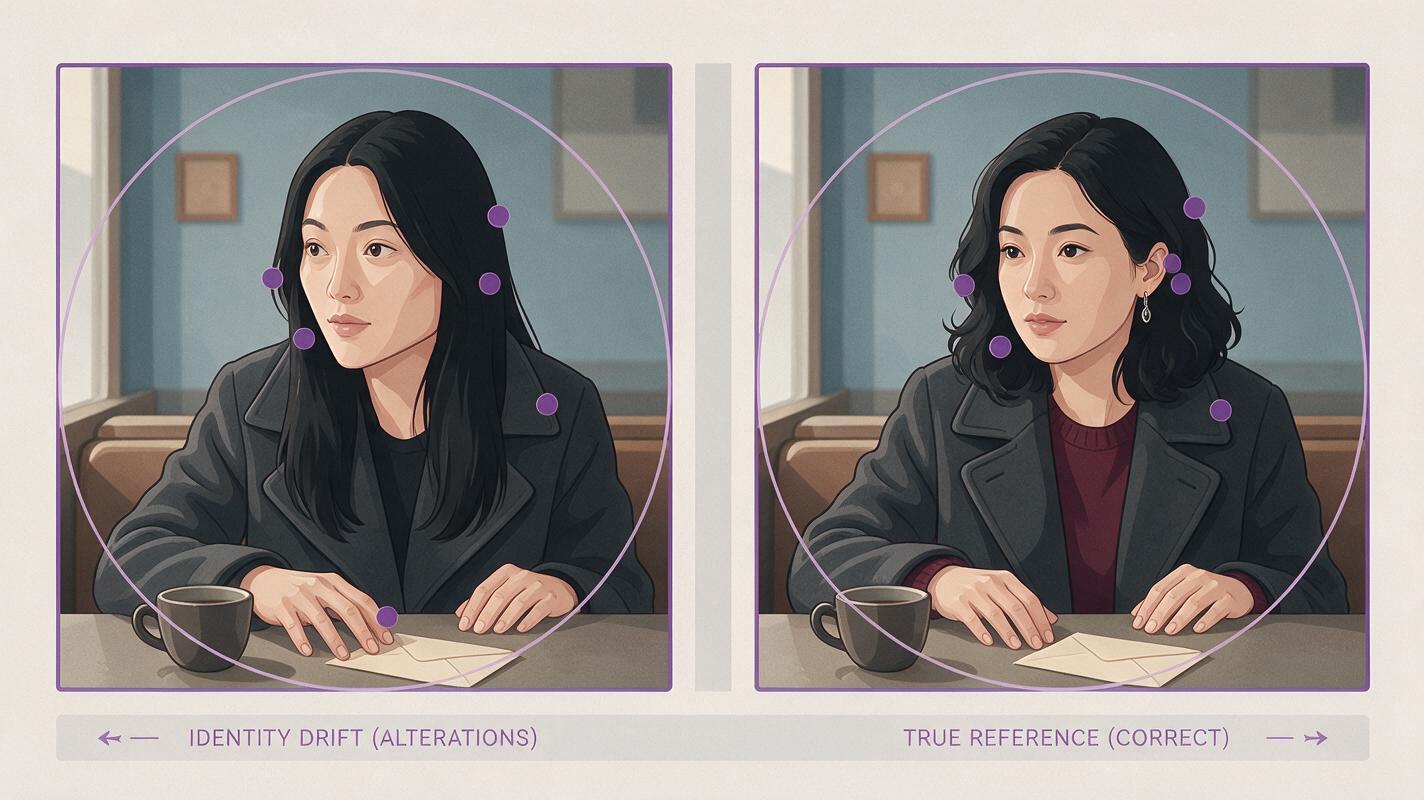
Step 5 — Repair the smallest unstable layer
When a shot fails, avoid regenerating the entire sequence immediately. Identify which layer changed and replace only that layer or shot.
- Face drift: return to the approved portrait or generate a stronger angle-matched anchor.
- Hair drift: restate length, texture, parting, and silhouette; remove competing style language.
- Costume drift: use one costume state per generation and verify construction details before animation.
- Hand failure: simplify contact, separate the fingers, or cut to an insert shot of the prop.
- Body inconsistency: add full-body evidence to the reference packet instead of relying on portraits.
- Motion-induced drift: reduce head rotation, camera travel, or the number of simultaneous actions.
Save every approved final frame. The ending frame of one shot can become evidence for the next anchor, especially when a character crosses a doorway, picks up a prop, or carries an expression across a cut.
FAQ
Can one reference image keep a character consistent?
It can help, but one frontal portrait leaves profile shape, body proportions, hairstyle depth, and costume construction unresolved. A three-view sheet plus a clean face portrait gives the model less room to improvise.
Should I generate the whole episode from one long prompt?
No. Shot-level anchors make drift easier to detect and repair. They also let you change location and lighting without asking the model to remember every previous scene.
Is a fixed seed enough for character consistency?
A seed may improve reproducibility within a compatible model and setup, but it does not replace visual references. Composition, prompt changes, model updates, and motion can still alter identity.
Which tool is best for an AI microdrama?
Choose by bottleneck. Use an image-reference tool if casting and scene design are unstable; use a reference-led video tool if approved stills drift during motion; use an integrated workflow when handoffs are slowing episodic production.
How should two recurring characters be handled?
Maintain separate identity packets and generate solo anchors before combining them. In shared shots, give each person a distinct screen zone, depth plane, costume silhouette, and action.
Sources
- Runway — Introducing Gen-4
- Midjourney Documentation — Omni Reference
- Leonardo AI — Official product site
- Google — Introducing Flow
Final checklist
- Approve a three-view sheet and clean portrait for every recurring character.
- Record identity landmarks, costume state, and forbidden variations.
- Generate scene-specific anchors before spending resources on motion.
- Keep animation prompts focused on movement rather than appearance redesign.
- Run a four-shot audition before batch short drama production.
- Compare face, hair, body, wardrobe, and performance separately.
- Repair the smallest unstable layer instead of restarting the episode.
Keywords
ai short drama, ai microdrama, ai series video, ai short film generator, ai drama generator, short drama from script, batch short drama production