Why AI Clothing Model Photos Get Fit Wrong—and What to Use Instead
AI-generated on-model photos can make a garment appear to fit differently from the item a shopper will receive. This guide shows apparel sellers when a generated image is useful for planning, when real try-on photography is essential, and how to check listing images for misleading changes to fit and construction.
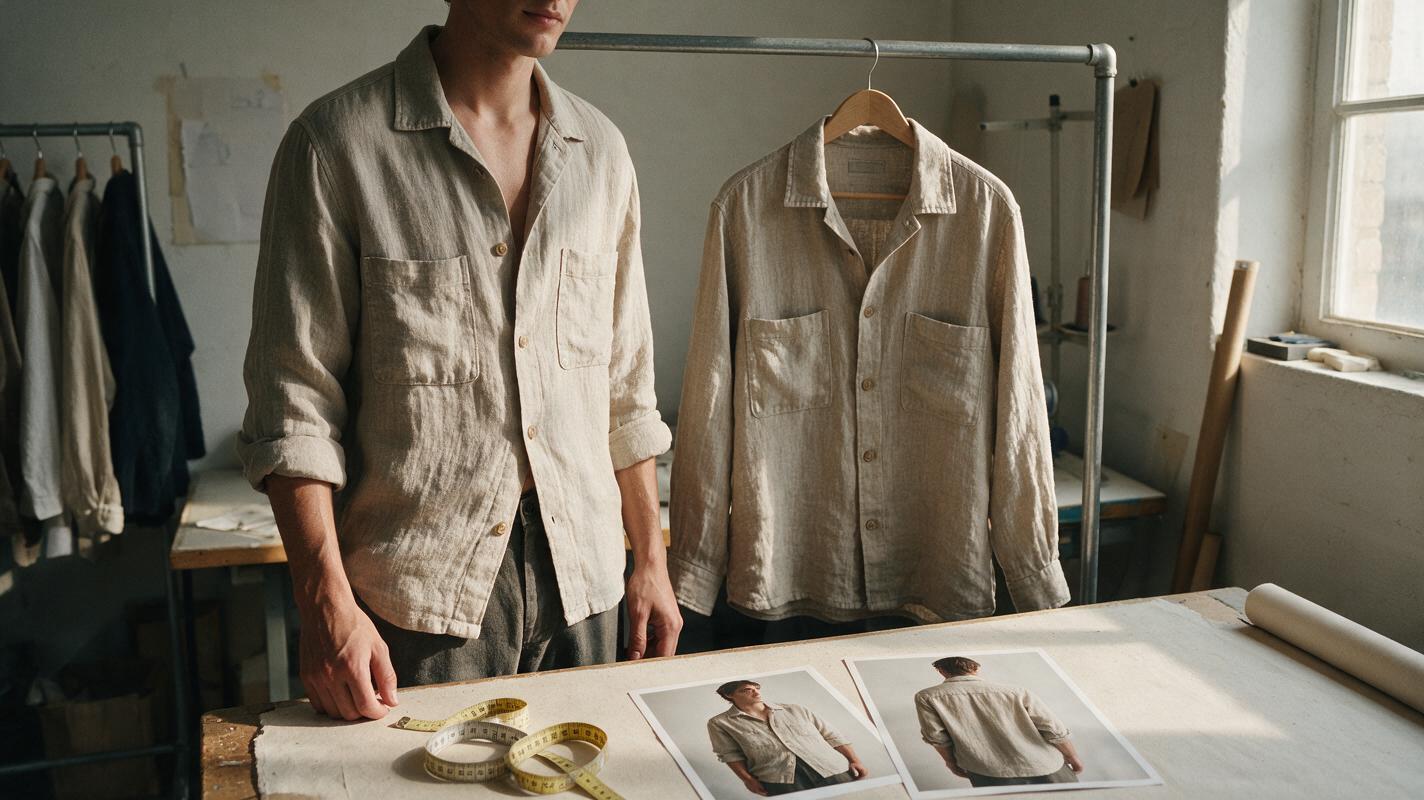
Table of contents
When the model looks right but the garment does not
An AI clothing model photo can look convincing while quietly changing the item for sale. A loose sleeve becomes fitted, a cropped hem falls lower, or a thin fabric appears structured. For an apparel listing, those are not cosmetic differences: shoppers use model photos to judge fit, length, and drape.
If you need on-model images for Shopify, Etsy, or another marketplace, treat AI as a way to plan a shoot or create clearly supplementary styling imagery—not as proof of how an unphotographed garment fits. The safest starting point is a real photograph of the exact item on a person, paired with verified measurements.
Why generated try-on images change fit
A generator must infer information that a flat-lay or hanger photograph does not contain. It cannot see how the fabric stretches over shoulders, where a waistband sits in motion, or whether a sleeve pulls when an arm bends. Even with a product reference, it may produce a plausible outfit rather than a faithful depiction of your garment.
Inspect these details before considering an image for a listing:
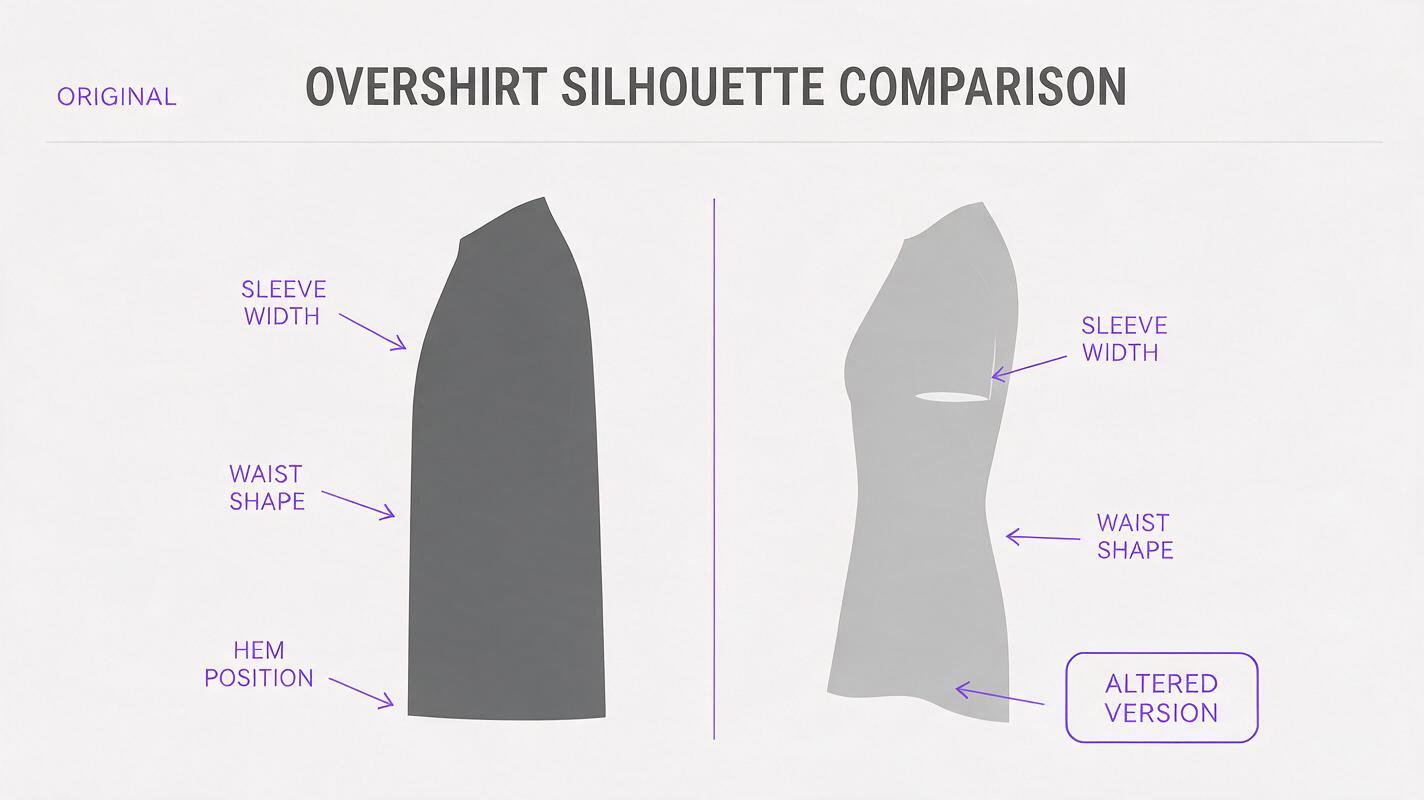
- Silhouette: Does a boxy shirt become tapered at the waist? Does a straight skirt become flared?
- Length: Check the hem against visible body landmarks, such as the waist, wrist, knee, or ankle. Camera angle and pose can affect this judgment too.
- Construction: Count buttons, pockets, seams, pleats, and straps. Watch for closures that move or disappear.
- Fabric behavior: Compare wrinkles, opacity, stretch, and drape with real photographs. A generated image may make a lightweight material look thick or hide sheerness.
- Pattern placement: Stripes, embroidery, and prints may shift across seams or repeat differently from the item you ship.
These checks matter most when a generated image is being used to answer a fit question. A beautiful styling concept that fails them is still a concept—not a try-on photo.
Choose the image according to the shopper’s question
| Shopper wants to know | Most useful evidence | Appropriate AI role |
|---|---|---|
| What does the item look like? | Clear photographs of the actual garment, including front and back | Explore a setting or layout around verified product photography |
| Where does it fall on the body? | Real on-model images with the model’s relevant measurements and garment size | Plan poses and framing before the shoot |
| Will this fit my measurements? | Measured garment dimensions and a clear size chart | Draft a chart layout; enter and check the measurements yourself |
| How could I style it? | Real outfit photography when possible | Create supplementary styling concepts, subject to listing rules and clear presentation |
The distinction is simple: use a photograph to show what the garment does and a concept to explore how you might present it. Check the rules of the marketplace where you sell before uploading generated imagery, especially where a customer could mistake it for a photograph of the offered item.
Build a small, reliable fit-photo set
You do not need an elaborate campaign to give shoppers better fit information. Photograph one production-representative garment in the size being shown. Capture a front view, back view, side view, and at least one natural pose that reveals how the fabric hangs. Keep the camera roughly level with the garment, use consistent lighting, and avoid poses that conceal the waist, hem, or closures.
Record the model’s height, the size worn, and the garment measurements you intend to publish. If a style comes in multiple lengths or substantially different constructions, do not assume one try-on photograph represents every option. Show those differences separately or state which variant is pictured.
Useful test: If a buyer asked, “Will the sleeves really sit there?” could you point to a photograph of that garment being worn? If not, do not let a generated image make the answer for you.
Use Nano Banana Pro for shoot concepts, not invented fit evidence
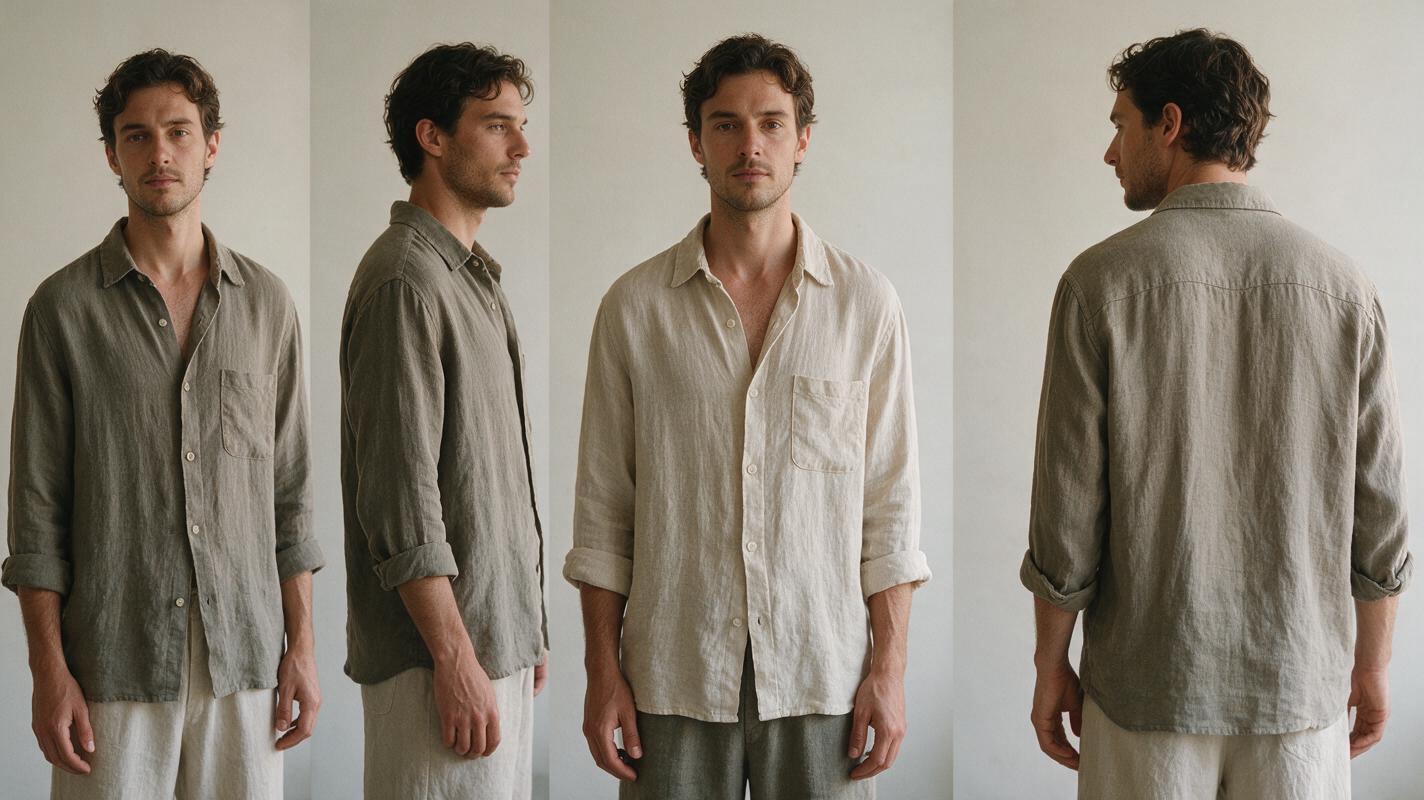
If a shoot is still being planned, Nano Banana Pro can help explore backdrop, pose, lighting, and crop ideas. Use an ai image generator to make a visual brief for the photographer, then photograph the actual garment for the listing. Keep the concept separate from the final product images so an appealing generation does not accidentally become your fit reference.
For example, a seller preparing photos of a linen overshirt could request a scene with soft side lighting, an uncluttered wall, and a relaxed three-quarter pose. The prompt should describe the intended shoot, not assert that the AI has reproduced the overshirt accurately:
Editorial photoshoot concept for a small apparel brand: an adult model standing in a relaxed three-quarter pose against a warm neutral wall, soft window light from camera left, camera at chest height, enough space to show the full sleeves and hem, simple trousers that do not cover the shirt. This is a pose and lighting reference only. Do not add logos, size labels, measurements, or claims about garment fit.Take the resulting pose and lighting cues to a real try-on shoot. Do not copy an AI-generated sleeve length, neckline, or fabric drape into your product description.
Check a proposed listing image against the item you ship
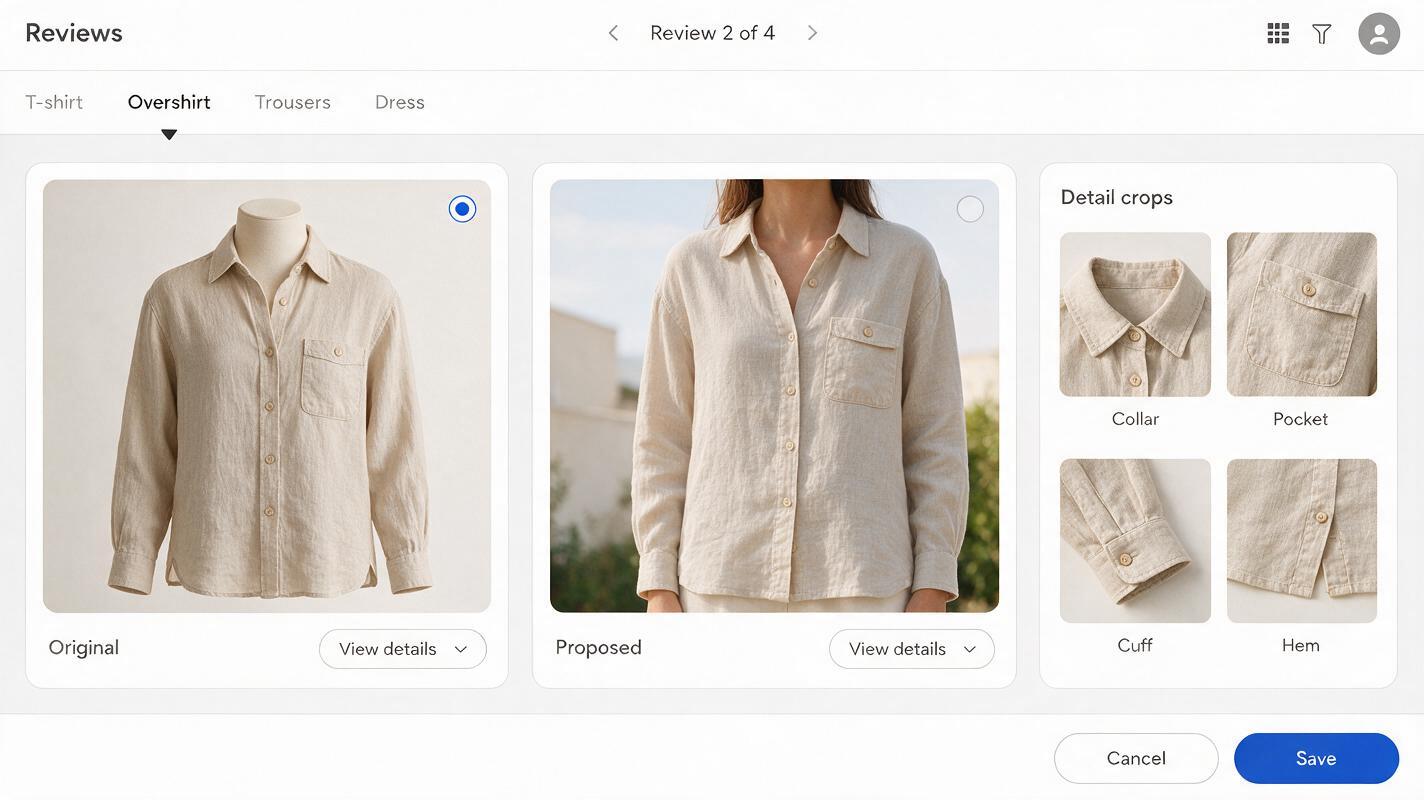
Before publishing, compare every on-model image with your product photographs side by side. Start with fixed details—collar shape, pocket count, button spacing, cuff shape, and print placement—because they are easier to verify than an overall impression of “similar fit.” Then compare the garment’s outline and where its edges fall on the body.
If you have only a flat-lay photograph, you can verify construction but not worn fit. In that case, use the flat lay to show the item clearly and arrange a real try-on shoot for fit evidence. Adding a generated person does not fill the missing information.
Review the full listing as a set, not image by image. A true-to-product main photo followed by a misleading generated try-on can still create the wrong expectation. Captions should identify the size worn in real model photographs; they should not present guessed measurements or generated body proportions as facts.
What to publish when you cannot photograph a model yet
There is still plenty you can show accurately. Make a clean front-and-back gallery of the actual garment, add close-ups of texture and closures, and provide measured garment dimensions. If the garment is shown on a hanger or dress form, identify that presentation accurately rather than implying it demonstrates fit on a person.
You can also use a generated room or color palette as an internal creative reference while you prepare the shoot. Keep customer-facing listing images focused on the item you can verify. When you are ready to explore a shoot concept, test this prompt yourself—then replace the concept with real try-on photographs wherever fit is the point of the image.
Final checklist
- The garment pictured matches the offered item’s construction, color, and pattern.
- Claims about length, drape, and fit are supported by real photographs or measurements.
- Any model’s stated size and relevant measurements have been checked.
- Generated concepts are not presented as photographic evidence of fit.
- The complete listing gives shoppers a consistent picture of what they will receive.
Keywords
ai clothing model photos, apparel product photography, clothing fit photos, shopify clothing images, etsy clothing photos, ai product photography, on-model product images