AI Coffee Steam Videos Without Smoke Clouds or Warped Latte Art
Coffee steam can make a static drink image feel freshly served, but uncontrolled AI motion often creates dark smoke, boiling foam, distorted cups or shifting latte art. This guide presents a reference-first Luma workflow for producing subtle, believable steam clips while preserving the approved drink and composition.
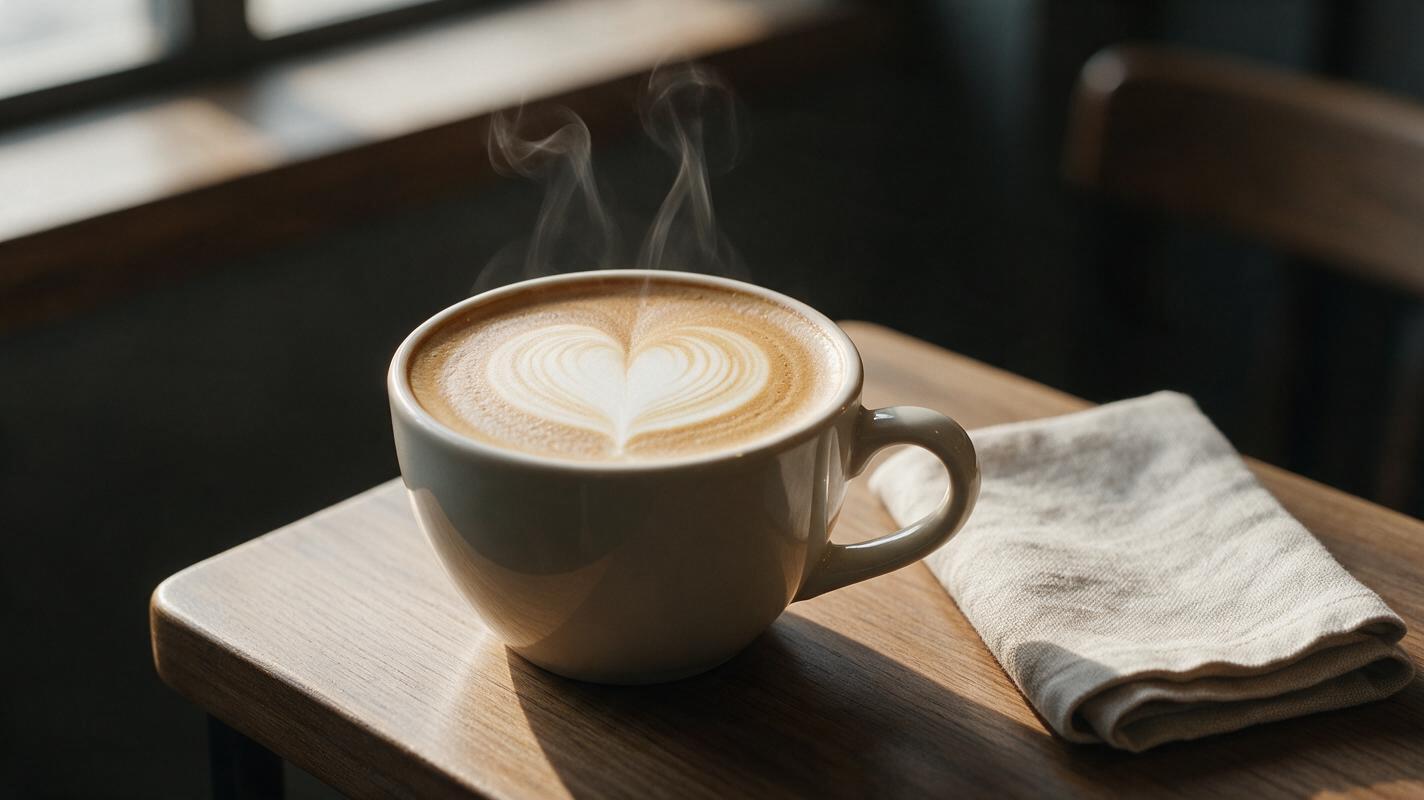
Table of contents
Make coffee steam look warm, not smoky
A convincing coffee clip needs barely visible heat movement—not a dramatic cloud that makes the drink look burned.
AI coffee videos often fail in predictable ways: steam becomes thick smoke, the cup rim bends, latte art starts swirling, or the drink appears to boil. The safest solution is to begin with an approved coffee photograph and animate only the warm air above it. This workflow uses image to video with Luma so the cup, foam pattern, props and branding remain the visual anchors.
The method is designed for café Reels, digital menu boards, seasonal drink launches and short beverage advertisements. It also works for tea, hot chocolate and other drinks where subtle heat is more appetizing than conspicuous motion.
Why generated coffee steam turns into smoke
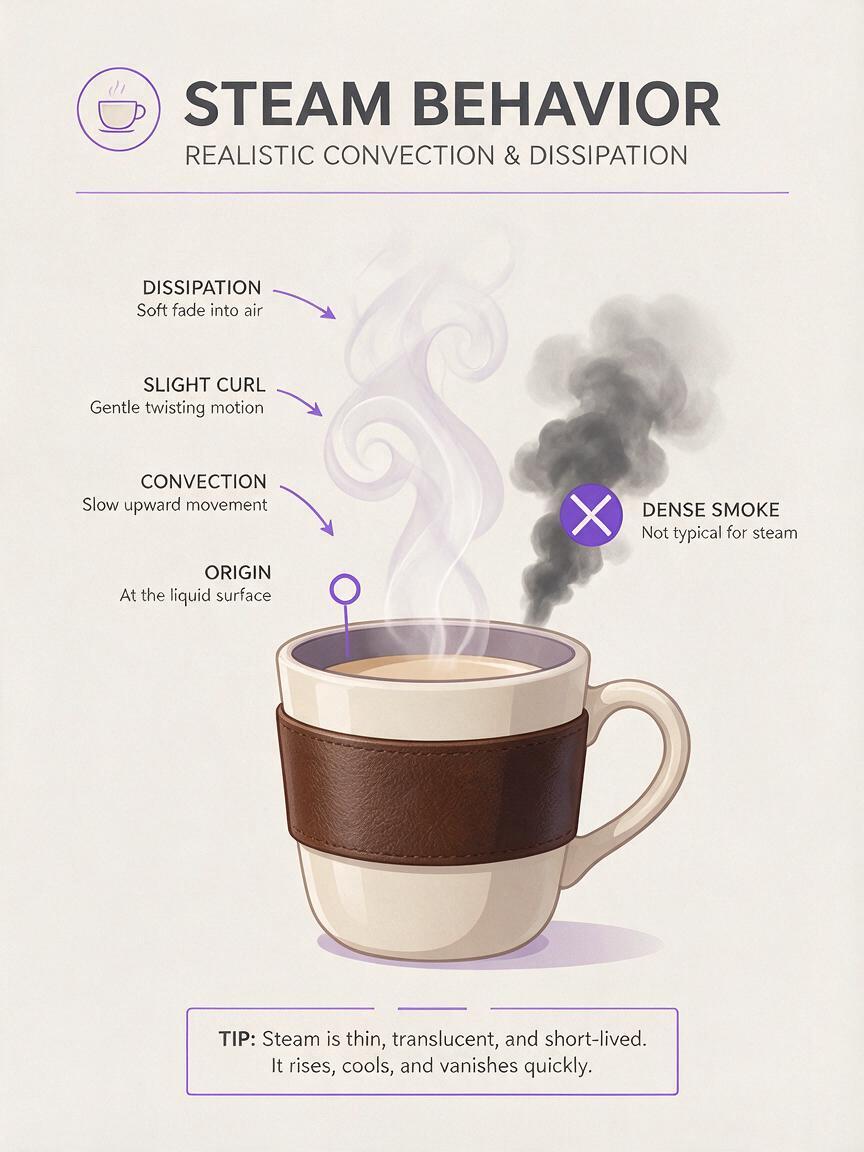
Steam is visually ambiguous. It is translucent, irregular and constantly dissipating, so a model may interpret a vague request such as “lots of steam rising dramatically” as smoke, fog or a special effect. Problems become more likely when the prompt asks for too many movements at once.
- Excessive density: opaque white or gray plumes hide the drink and resemble smoke.
- Uncontrolled origin: vapor emerges from the table, cup handle or background instead of the liquid surface.
- Foam deformation: the model treats latte art as fluid animation and redraws it between frames.
- Geometry drift: camera movement gives the model more opportunities to alter the rim, saucer or handle.
- Loop discontinuity: a large plume appears near the final frame and vanishes when the clip restarts.
The most reliable creative direction is “subtle heat haze with thin translucent wisps,” not simply “steaming coffee.”
Choose a still that can survive animation
Start with the strongest available product photograph. A stable input should show a clean cup silhouette, an unobstructed rim and enough empty space above the drink for vapor to rise. Keep logos, printed sleeves and distinctive ceramics in sharp focus.
A three-quarter camera angle usually gives the model a clear view of both the liquid surface and the cup structure. Overhead shots can work, but rising steam is less readable because it moves toward the camera rather than through visible background space.
When no approved hero still exists, start with ai image generator to build one before adding motion. Generate the static composition first and inspect these details:
- The cup rim forms one continuous ellipse.
- The handle joins the cup in two plausible places.
- Latte art has a simple, intentional pattern.
- The liquid surface is level and contained inside the rim.
- The background contrasts gently with pale steam.
- Any packaging text or café branding is already approved.
Do not ask the video model to repair a flawed cup while also creating steam. Fix the still first, then animate the clean result.

Protect the drink before describing motion
A preservation clause tells Luma what must remain unchanged. Put this information near the beginning of the prompt rather than relying entirely on negative instructions.
Use the provided coffee photograph as the exact visual reference.
Preserve the cup shape, rim, handle, saucer, latte-art pattern,
liquid level, logo, lighting, background and framing.
Locked camera. The drink and all solid objects remain still.
This separation is important: the cup is the protected subject, while steam is the controlled motion layer. If the original photograph contains a hand, spoon or loose garnish, either keep it completely still or remove it from the base image. Tiny accidental movements can encourage wider reconstruction across the frame.
Describe steam as airflow, not a special effect
Useful steam prompts specify origin, thickness, direction, speed, transparency and disappearance. Each instruction answers a different visual question.
| Prompt detail | Useful direction | Problem it prevents |
|---|---|---|
| Origin | From the hot liquid surface inside the rim | Steam emerging from the table or handle |
| Thickness | Two or three very thin wisps | Large smoke clouds |
| Direction | Mostly upward with a slight natural curl | Sideways fog crossing the frame |
| Speed | Slow, gentle convection | Fast jet-like vapor |
| Transparency | Faint and translucent | Opaque white ribbons |
| Dissipation | Softly disappears above the cup | A plume reaching the top edge |
Keep the camera locked for the first successful render. A push-in or orbit may feel cinematic, but it raises the risk of changing the cup and foam. Add camera motion only after the steam behavior is stable.
Use prompt templates matched to the campaign
Quiet café menu loop
Use the provided image as the exact first-frame reference. Preserve the
coffee cup, rim, handle, saucer, latte art, tabletop, lighting and framing.
Locked camera. Two faint translucent wisps rise slowly from the center of
the hot coffee, curl gently through the warm air and dissipate just above
the cup. Natural convection, delicate motion, realistic café atmosphere.
The latte art and all solid objects remain completely unchanged. No smoke,
no boiling, no foam movement, no liquid movement, no new objects.
This is the safest option for digital menus and product pages because the drink remains easy to compare with the item customers will receive.
Morning social advertisement
Preserve the exact ceramic mug, coffee surface, foam design, pastry,
napkin and window-light composition from the reference image. A few fine,
semi-transparent steam threads rise naturally from inside the mug and
bend slightly toward the window light before fading. Calm early-morning
mood, restrained realistic motion, stationary camera, stable product
geometry. No thick vapor, no smoke, no boiling bubbles, no moving pastry.
The directional bend adds atmosphere without turning the steam into the main subject. It works particularly well when the background already contains soft side light.
Dark seasonal drink campaign
Keep the exact branded cup, topping arrangement, cinnamon garnish,
liquid level and dark autumn background unchanged. Thin warm steam rises
in sparse, translucent curls from the exposed drink surface, visible only
where it crosses the darker background. Slow natural airflow, elegant
premium beverage advertisement, locked composition. Steam fades smoothly
without covering the logo. No fire, smoke, fog, boiling or swirling foam.
For whipped or garnished drinks, identify the exposed drink surface as the origin. Otherwise, vapor may incorrectly pass through whipped cream, cinnamon sticks or marshmallows.
Keep motion short and restrained
Begin with a short clip of roughly five seconds and one motion event: steam rises and dissipates. Shorter generations are easier to inspect and reduce the time available for cup geometry to drift. If the result is intended to loop, avoid a dramatic plume at either endpoint.
A practical first render should use:
- Locked framing instead of simultaneous camera movement.
- Low visual intensity rather than thick or abundant steam.
- One protected reference image with finished branding and styling.
- One primary action limited to warm air above the drink.
- Several short variations instead of one complicated prompt.
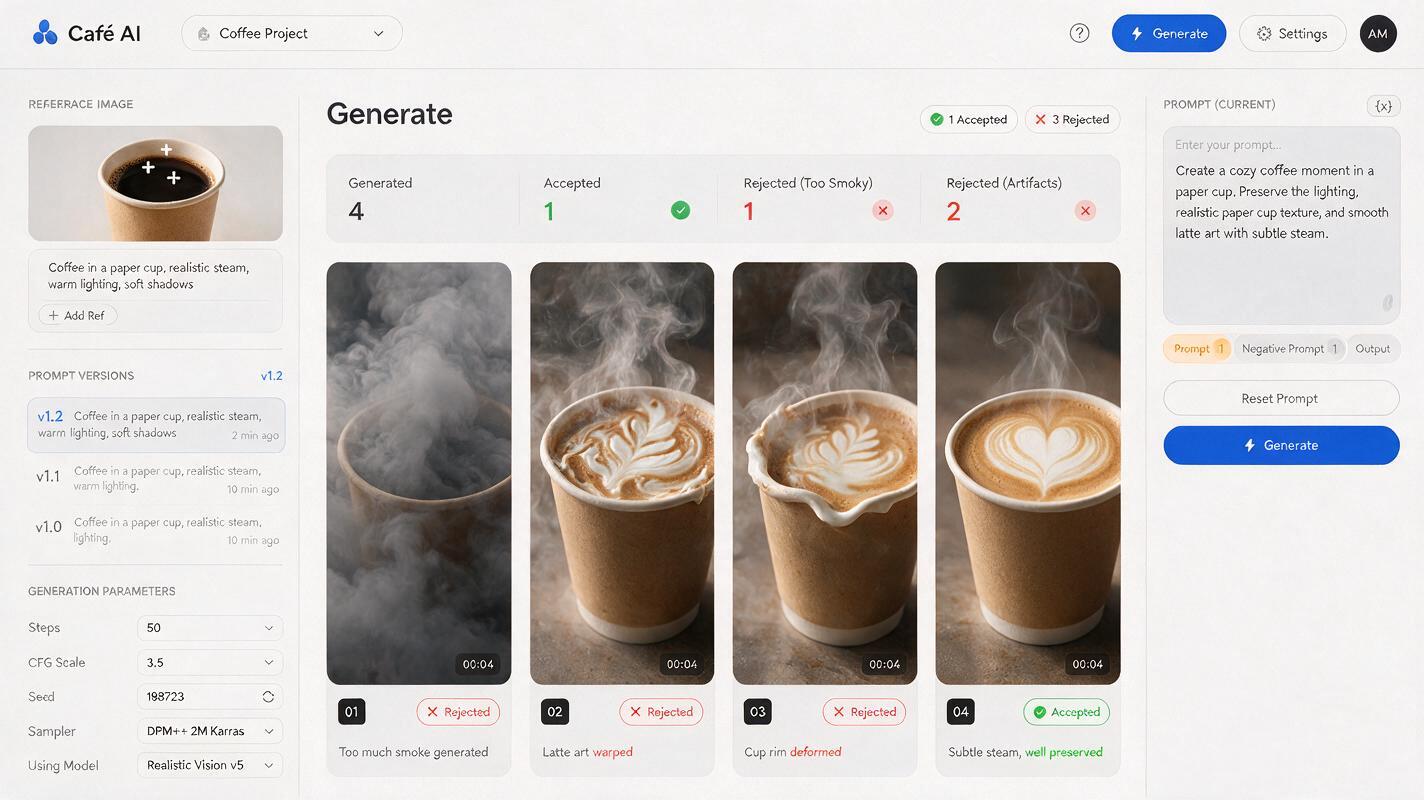
Compare variations by checking product preservation first. The most spectacular steam is not useful if the logo bends or the latte-art heart changes into a leaf halfway through the clip.
Diagnose the failure before rerendering
| Visible failure | Likely prompt issue | Targeted correction |
|---|---|---|
| Steam resembles cigarette smoke | Words such as dramatic, dense or billowing | Replace them with faint, sparse, translucent and quickly dissipating |
| Latte art rotates or melts | The foam was not explicitly protected | State that the exact foam pattern remains completely still |
| Coffee begins boiling | Heat was described as intense | Describe warm-air convection and forbid bubbles or liquid movement |
| Cup rim changes shape | Too much camera or scene motion | Lock the camera and animate only the vapor |
| Steam starts outside the cup | The origin was unspecified | Define the origin as the liquid surface inside the rim |
| Logo becomes unreadable | Steam crosses the front of the product | Keep vapor above the rim and explicitly preserve the logo |
| Loop visibly jumps | The ending contains a large plume | Choose a section where the steam is faint at both endpoints |
Change one variable at a time. If the cup is stable but the vapor is too heavy, edit only the steam language. Rewriting the entire prompt makes it harder to identify which instruction improved or damaged the result.
Finish the clip for restaurant channels
Once the product remains stable, trim the cleanest interval and adapt it to the destination. A vertical social post can leave headline space above the cup, while a digital menu loop should prioritize an unobstructed product and a seamless restart.
- Social feed: reserve a calm area for a short seasonal headline.
- Story or Reel: keep the cup away from interface overlays near the edges.
- Digital menu board: use restrained movement that will not distract when repeated.
- Website banner: protect one side for readable campaign copy.
- Delivery app asset: export a clear still because many placements will not autoplay video.
Review the final export at actual display size. Steam that looks elegant on a large editing monitor may disappear on a phone, while a subtle geometry error may become obvious when the clip loops repeatedly.
Final checklist
- The cup, rim, handle, logo and saucer retain their original geometry.
- The latte-art pattern stays unchanged from beginning to end.
- Steam originates only from the liquid surface inside the cup.
- Vapor is thin, translucent, slow and softly dissipating.
- The drink does not boil, splash or change its fill level.
- The camera remains locked until the base animation is stable.
- The cleanest interval loops without a sudden plume or jump.
- The final crop leaves usable room for restaurant campaign copy.
Start with one approved coffee photograph and a preservation-first prompt, then try these models for free to compare subtle steam variations before committing to a full campaign.
Keywords
AI coffee video, coffee steam animation, Luma image to video, beverage ad AI, latte art video, restaurant social content, food advertising