Why AI Cold Drink Photos Look Fake (And How to Fix Ice, Condensation, Fizz)
AI-generated cold drink photos often suffer from plastic-looking ice, uniform condensation, and flat fizz that make them feel unappetizing for restaurants and beverage brands. This guide breaks down the most common realism fails, provides reusable prompt templates for different drink types, and shares model settings and inpainting tips to create studio-quality cold beverage visuals. These tweaks help produce refreshing, tangible-looking drink photos for menus, social media, and ad campaigns without the cost of a professional photoshoot.
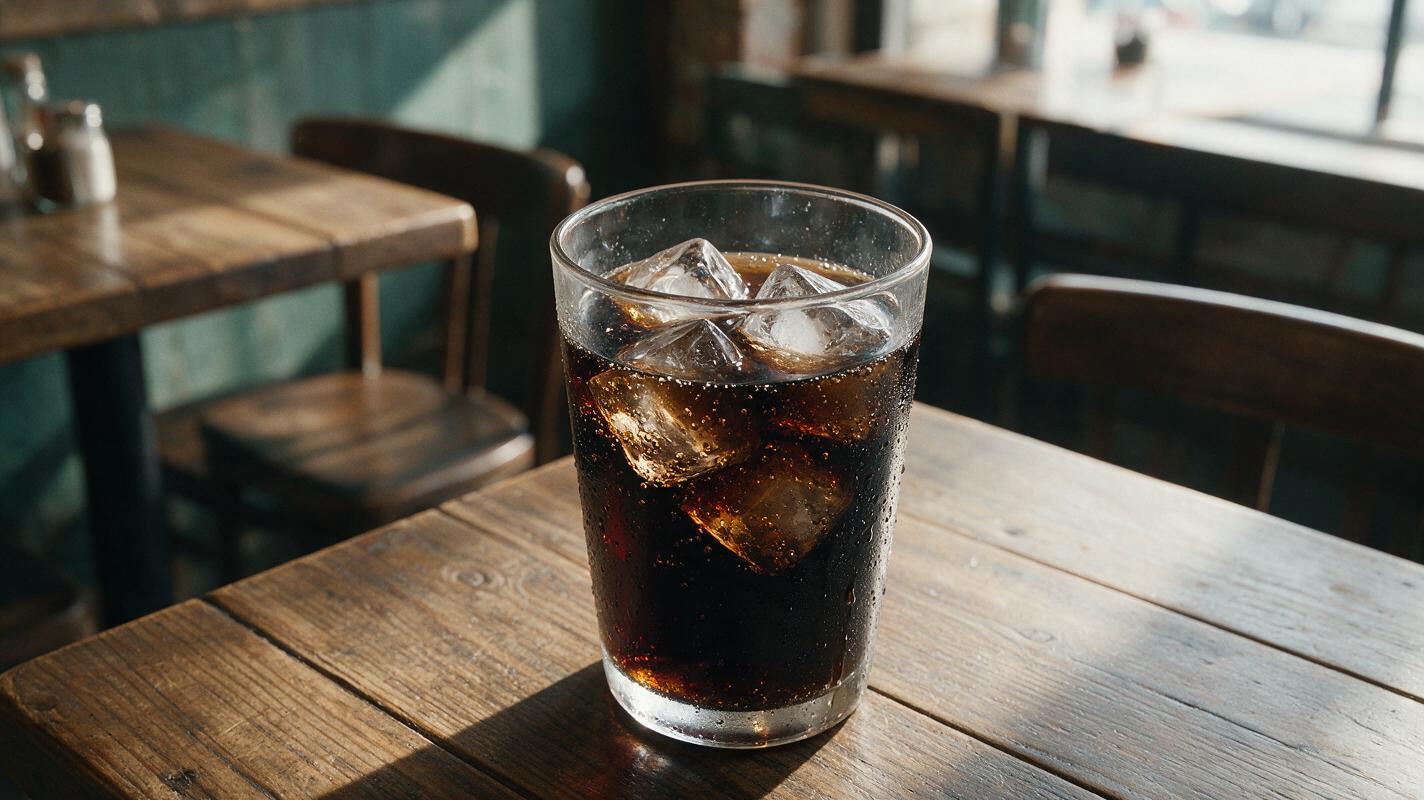
Table of contents
Why cold drink realism matters for food brands
For cafes, bubble tea shops, soda brands, and cocktail bars, cold drink visuals are one of the highest-converting assets in menus, social media, and ad campaigns. Drinks that look tangible, cold, and refreshing make customers more likely to order, while fake-looking photos can erode brand trust and make your offerings feel low-quality.
A high-quality ai image generator can cut down photoshoot costs and turnaround time for cold beverage visuals, but generic outputs often fall short of the tangible, refreshing look that drives sales. The problem isn't the model itself — it's that most prompts and default settings don't account for the small, specific details that make cold drinks feel real: imperfect ice, uneven condensation, subtle fizz, and realistic glass texture.
This guide breaks down the most common AI cold drink realism fails, gives reusable prompt templates for different drink types, shares model-specific settings for better results, and shows you how to fix stubborn flaws with quick inpainting touch-ups.
Common AI cold drink realism fails
Most fake-looking AI cold drinks suffer from the same small set of issues. Learning to spot these is the first step to fixing them:
- Plastic-looking ice: AI models often default to perfectly clear, sharp-edged ice cubes with no air bubbles or melt, which looks more like plastic resin than real ice. Real ice has tiny trapped air bubbles, slightly rounded edges from melting, and subtle cloudiness in places.
- Uniform condensation: AI frequently generates perfectly round, evenly spaced condensation droplets all over the glass, which never happens in real life. Real condensation is thicker near the ice level, has droplets of varying sizes, forms drips that run down the glass, and wears off where the glass is held or touches a napkin.
- Flat fizz: Carbonated drinks like soda, sparkling water, and beer should have tiny rising bubbles and a thin foam head, but AI often renders them completely still. Flat fizz makes drinks look stale and unappetizing, especially for sparkling beverage brands.
- Fake frost: Frosted mugs or frozen drink glasses often look like they're coated in white paint instead of real frost. Real frost has a crystalline texture, is uneven, and melts slightly at the edges where it touches warmer air.
- Distorted glassware: AI can sometimes warp glass edges, make glass too thick or thin, or stretch logos and text printed on the glass. This small detail can make the entire photo feel unprofessional.
Prompt templates for photorealistic cold beverages
The key to realistic AI cold drink photos is adding specific, sensory details that tell the model exactly how the ice, condensation, and glass should look. A generic prompt like "cold soda in a glass" will give you a generic, fake result. Instead, use this structured formula:
[Drink type + specific glassware] + [ice details (shape, melt level, texture)] + [condensation/fizz details] + [lighting + background context] + [technical photography details]
Below are three reusable templates for the most common cold drink types:
Iced latte (coffee shop menus & social)
Professional product photo of a clear tumbler glass of iced latte with oat milk, half-melted irregular ice cubes with tiny air bubbles inside, thick condensation with slow drips running down the glass, soft golden side lighting, light marble countertop background, shallow depth of field, 85mm lens, f/1.8, hyperrealistic, sharp focus on the glassSparkling water (minimalist beverage brand ads)
Close-up product shot of a tall highball glass of sparkling water with a lime wedge and mint sprig, tiny rising carbonation bubbles, frosty condensation with uneven droplet sizes, bright natural window light, white subway tile background, clean minimalist style, 100mm macro lens, f/2.0, photorealistic, no harsh shadowsFrozen margarita (bar & restaurant cocktail promotions)
Premium cocktail photo of a frozen margarita in a salt-rimmed coupe glass, crushed ice with a slight melt on top and crystalline texture, fine condensation mist on the glass exterior, soft neon pink bar lighting in the background, shallow depth of field, 50mm lens, f/1.4, cinematic, hyper-detailedPro tip: Avoid vague adjectives like "cold" or "fresh" — AI models don't know what those look like. Instead, describe physical signs of cold: half-melted ice, dripping condensation, frosty glass mist.
Once you pick a template that aligns with your drink type and brand style, test this prompt yourself and tweak small details (like ice shape, garnish, or background) to match your visual identity.
Model settings for better ice and condensation
Even the most detailed prompt won't give you realistic results if your model settings are tuned for artistic flair instead of photorealism. Different AI image generators have different strengths for cold beverage photography, so choosing the right one and adjusting settings accordingly can make a huge difference. Below is a side-by-side comparison of two popular options for food and beverage brands:
| Model | Best For | Key Settings | Strengths for Cold Drinks | Limitations |
|---|---|---|---|---|
| Midjourney v6 | Studio product shots, menu photos, print ads | --style raw, --stylize 250, --ar 3:4 | Highly detailed ice texture, natural condensation variation, realistic glass refraction | Can over-saturate colors, needs specific prompts to avoid cartoonish fizz |
| Seedream 4.5 | Social media assets, inpainting, quick iterations | Photorealistic style, High detail level, 9:16 aspect ratio | Great for vertical social formats, easy inpainting tools, consistent brand color matching | Ice clarity can be too uniform without detailed prompt descriptions |
For high-end menu photos or print ad campaigns where detail is critical, Midjourney v6 with raw style is the best choice, as it produces highly realistic ice and glass textures. For fast vertical social media content or if you plan to do a lot of inpainting touch-ups, Seedream 4.5 is more user-friendly and produces consistent, brand-aligned results. Regardless of which model you use, keep stylization values low to mid-range to avoid overly stylized, cartoonish results.
Quick inpainting touch-ups for stubborn flaws
Even with perfect prompts and settings, you'll likely end up with a few small flaws — maybe one ice cube looks plastic, or the condensation on one side of the glass is too uniform. Instead of regenerating the entire image (which can waste time and change details you like), use inpainting to fix only the problematic area.
Here's how to approach the most common fixes:
- Plastic ice cubes: Mask the fake ice cube carefully, staying within the edges of the cube and surrounding liquid. Use a prompt like "half-melted irregular ice cube with tiny air bubbles inside, refracting light from the surrounding drink, realistic texture, matches the rest of the glass" to regenerate just that cube.
- Uniform condensation: Mask a small section of the glass where the condensation looks too perfect. Prompt for "uneven condensation droplets of varying sizes, with a slow drip running down the glass, natural texture, matches the surrounding condensation" to add natural variation.
- Missing fizz: Mask the top half of the drink or the area near the ice. Prompt for "tiny rising carbonation bubbles, subtle and sparse, realistic, not too dense, matches the drink's color" to add natural fizz without making the drink look over-carbonated.
Seedream 4.5's built-in inpainting tool works particularly well for these quick fixes, as it preserves the original lighting, glass refraction, and drink color without introducing new inconsistencies.
Final checklist
- Add specific ice details (shape, melt level, air bubbles) to every cold drink prompt
- Describe condensation as uneven with drips or varied droplet sizes, not uniform
- Include fizz details (rising bubbles, foam density) for all carbonated drinks
- Use low-to-moderate stylization settings to keep results grounded in realism
- Use inpainting to fix small plastic ice or condensation spots without regenerating the whole image
- Match lighting and background to your brand's existing visual library for consistency
Keywords
ai cold drink photography, realistic ai beverage photos, ai ice condensation fix, ai image generator, restaurant beverage marketing, menu photo tips, ai food product photography