How to Create a Consistent AI Dance Video with Motion Transfer
Create a consistent AI dance video by transferring choreography from a clean source performance to a full-body character reference, then repairing difficult beats as shorter clips. This workflow prioritizes readable poses, stable framing, identity preservation, and rhythm over an ambitious one-pass generation.
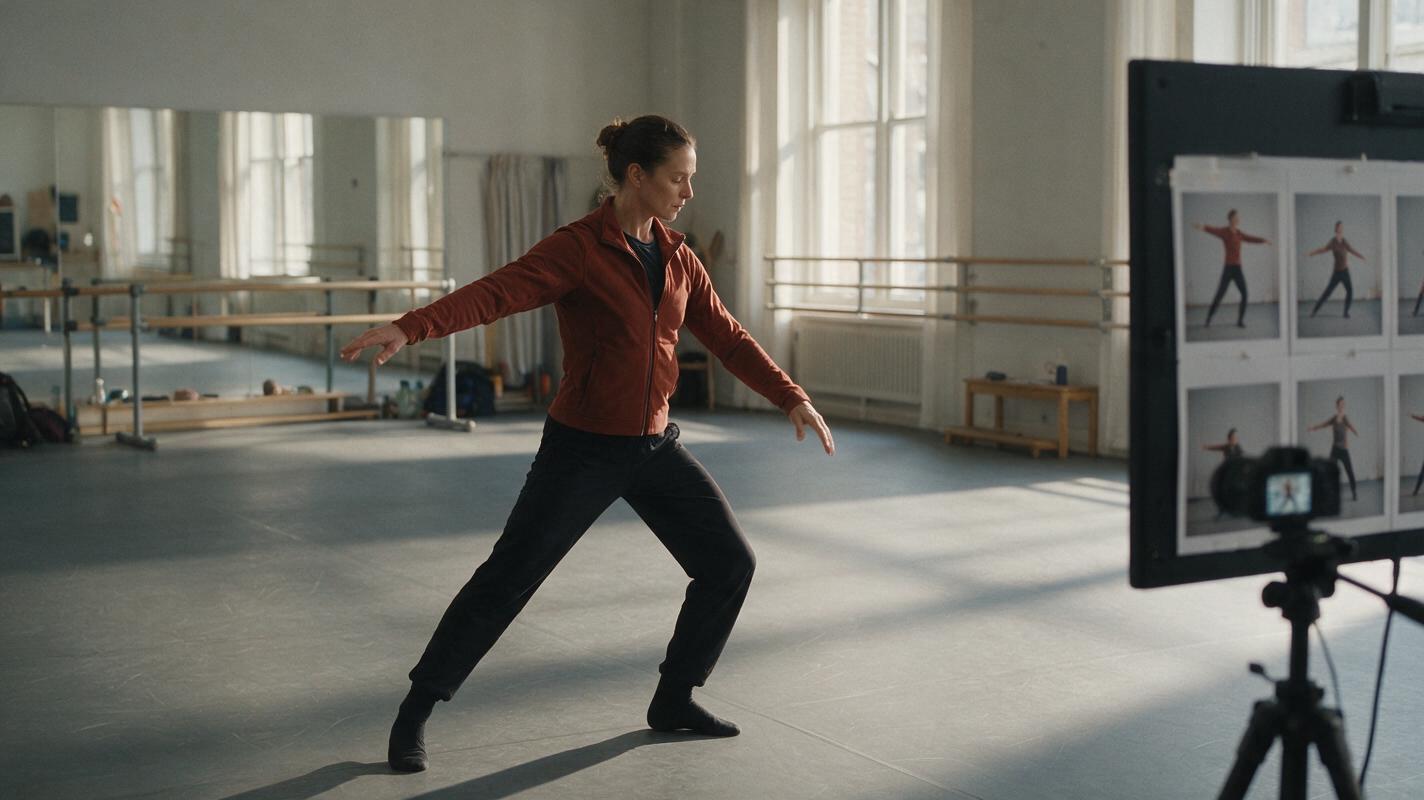
Table of contents
TL;DR: Transfer the performance instead of describing every move
The fastest way to create a repeatable AI dance video is to use motion transfer: start with a clean source performance, create a full-body reference image of the target character, and transfer the visible choreography while keeping the camera and background simple. For the strongest result, generate the dance in short phrases, inspect the character at difficult poses, and repair only the sections where limbs, clothing, or facial identity drift.
This approach works better than asking a text-to-video model to invent an entire routine from a genre label. It gives the model visible timing, weight shifts, arm paths, and floor contact to follow while leaving you free to redesign the performer, costume, and setting.
Why AI dance videos lose choreography and character consistency
Dance is unusually demanding because nearly every frame contains coordinated full-body motion. A convincing clip must preserve the performer’s identity while also maintaining limb order, balance, foot placement, rhythm, costume structure, and the spatial relationship between the body and the floor.
Common failures include:
- Foot sliding: a planted foot drifts across the floor instead of carrying the performer’s weight.
- Pose substitution: the output captures the general energy but replaces a specific step with unrelated movement.
- Crossed-limb confusion: arms merge with the torso or swap depth when they pass in front of the body.
- Identity drift: the face, hairstyle, or body proportions change during spins and profile views.
- Costume instability: loose sleeves, skirts, jewelry, or layered fabric grow, disappear, or attach to the wrong limb.
- Camera interference: an unnecessary orbit or zoom makes the choreography harder to read and increases background distortion.
Core principle: treat the source performance as motion data, the target image as appearance data, and the prompt as a set of preservation constraints. Do not make the prompt compete with the movement already visible in the source.
3 ways to create an AI dance video
There are three practical approaches, but they offer different levels of choreography control.
| Approach | Best for | Main limitation |
|---|---|---|
| Motion transfer | Reproducing a specific recorded routine or body performance | Fast spins, occlusion, and floor work can still break anatomy |
| Image to video | Short gestures, sways, turns, and loosely directed dance shots | The model interprets movement instead of copying exact choreography |
| Text to video | Exploring styles, environments, camera ideas, and transitional shots | Exact timing and repeatable steps are difficult to specify in text |
The primary workflow below uses motion transfer. Image-led generation becomes a repair method when a specific section does not transfer cleanly, while text-led generation is most useful for cutaways and noncritical coverage.
How MagicBoat handles the dance-video workflow
MagicBoat brings multiple generation modes and models into one free account, so you can move from character design to animation without committing the project to a single model. Seedream, Flux, or GPT Image can be used to develop a target-character anchor, while Seedance and Kling can be tested through an image to video workflow when a transferred phrase needs a more interpretive replacement.
The practical division of labor is:
- Image generation: establish the character’s face, proportions, costume, lighting, and full-body silhouette.
- Motion transfer: carry the visible performance from the source clip to the target character.
- Image to video: rebuild short gestures or connective movement when literal transfer produces unstable anatomy.
- Face swap: repair residual facial drift after the body motion is already acceptable, using only an identity you have permission to use.
Model availability and supported options can change, so use the controls shown for the selected workflow rather than assuming that every model exposes identical settings.
Step 1 — Choose a source performance with readable body mechanics
Use a source clip you created, licensed, or have permission to transform. A technically simple recording usually transfers better than a polished music video because the model can see the complete body and distinguish each limb.
Look for these source characteristics:
- The dancer remains fully visible from head to feet.
- The camera is fixed or moves slowly and predictably.
- Arms and legs contrast with the background.
- The floor line and contact shadows are visible.
- There are few foreground objects and no people crossing the dancer.
- The routine is divided into short, readable phrases.
Avoid beginning with rapid spins, floor rolls, acrobatics, a handheld camera, or a costume that visually merges the limbs. Those can be tested later after the base workflow is stable.
If you are recording the source yourself, frame slightly wider than the final composition. Extra space around raised hands and extended feet reduces accidental cropping and gives the transferred performer room to complete each pose.
Step 2 — Build a motion-ready target character image
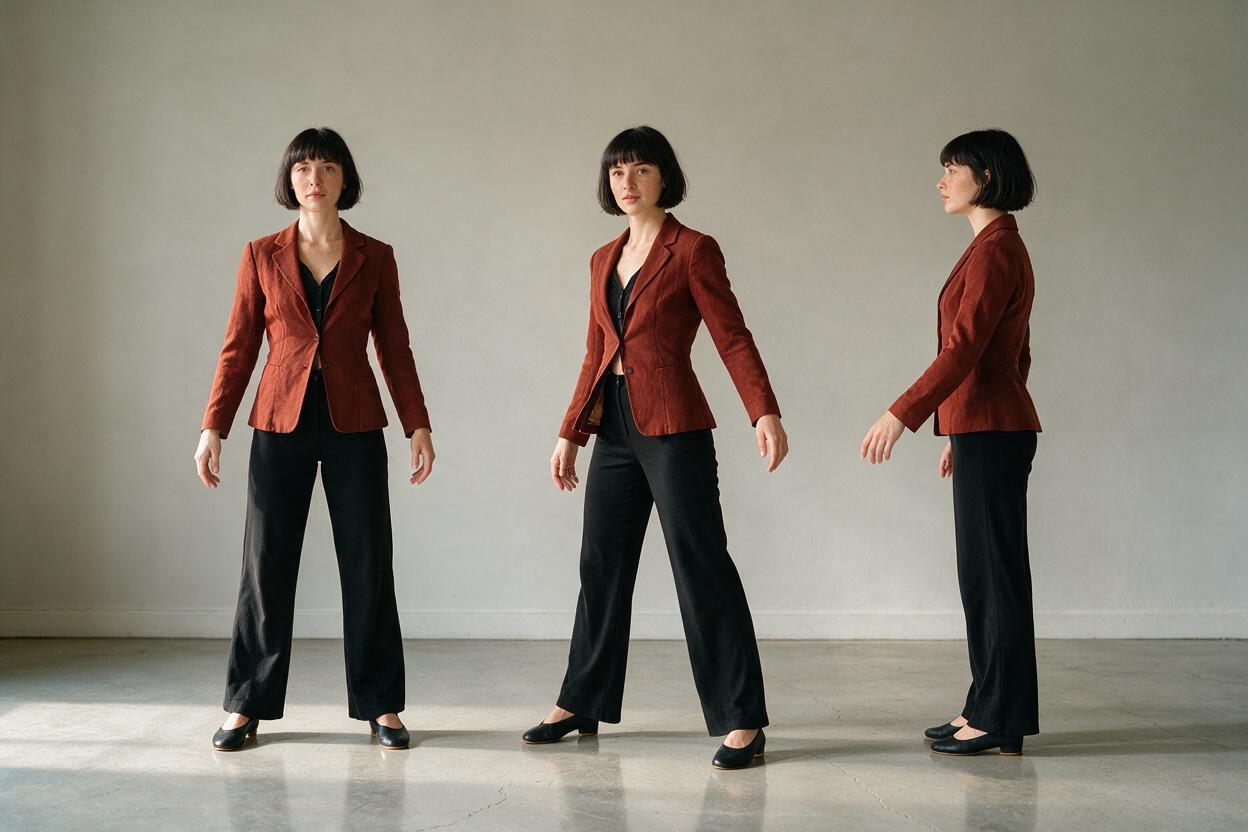
Create a full-body anchor image in a neutral standing pose. The face matters, but the image must also define leg length, shoulder width, footwear, costume construction, and the relationship between the feet and the floor.
Use a prompt structured around identity, wardrobe, pose, environment, and capture style:
Full-body editorial photograph of an adult female dancer with an oval face, dark brown eyes, a short black bob with blunt bangs, and an athletic build. She wears a fitted rust-red dance jacket, black straight-leg trousers, and plain black dance shoes. Neutral ready stance, both arms relaxed and separated from the torso, both feet fully visible on a matte wooden studio floor. Soft daylight from large side windows, uncluttered pale gray wall, realistic skin texture, natural body proportions, eye-level camera, 50mm lens appearance, sharp subject, no motion blur.The neutral pose is intentional. An extreme starting pose can hide costume details or teach the image model an awkward body structure that becomes unstable during animation.
Prefer fitted or moderately structured clothing for the first test. Long fringe, translucent fabric, oversized sleeves, complex logos, and dangling accessories introduce secondary motion that may compete with the choreography.
Expected result: one clean, full-body identity reference with visible hands, visible shoes, separated limbs, and an uncomplicated silhouette.
Step 3 — Divide the routine into transferable motion phrases
Do not treat a complete routine as one indivisible generation. Break it into phrases based on physical transitions rather than arbitrary duration.
Good cut points include:
- A balanced pose held for a beat
- A clear direction change
- The completion of a turn
- Both feet returning to the floor
- Arms passing through a neutral position
Poor cut points include the middle of a jump, the instant when the legs cross, or a frame where both arms cover the face. These positions give the next generation an ambiguous starting structure.
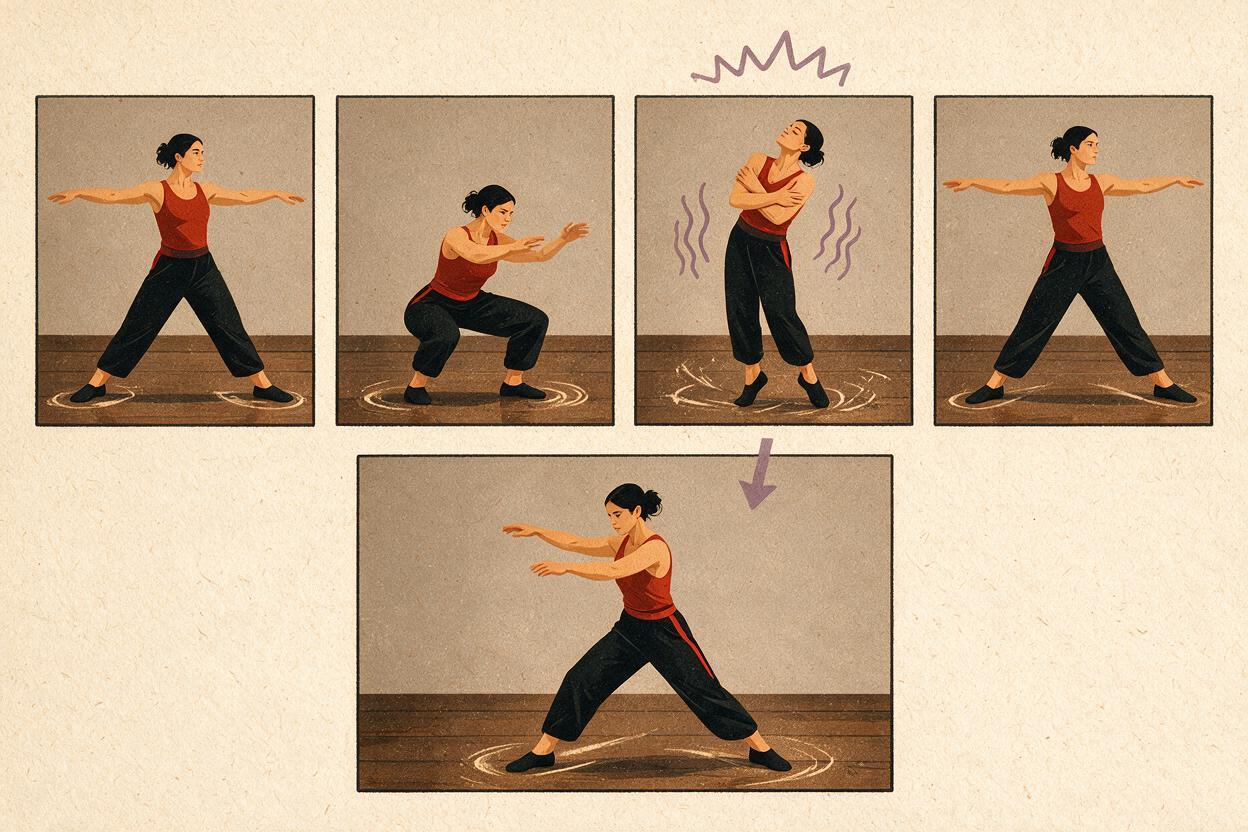
Create a simple beat map before generating:
Phrase A: ready stance → two side steps → right-arm sweep → balanced stop
Phrase B: quarter turn → backward step → both arms rise → front-facing stop
Phrase C: body roll → low side reach → recovery → final held pose
This map becomes your diagnostic reference. If the output fails, you can identify the exact movement transition that caused the problem instead of rewriting the entire prompt.
Expected result: several short source clips, each beginning and ending on a readable pose.
Step 4 — Transfer the motion with a preservation-first prompt
Use the target character image as the appearance reference and the selected source phrase as the performance reference. Keep the written instruction restrained: the source already defines the choreography, so the prompt should protect identity, framing, and physical contact.
Preserve the target character's facial identity, short black bob, body proportions, rust-red fitted jacket, black trousers, and black dance shoes. Follow the source performer's timing, arm paths, weight shifts, torso direction, and foot placements. Keep the entire body visible in a fixed eye-level wide shot. Maintain firm contact between planted feet and the wooden floor. Stable pale gray studio background, natural daylight, realistic anatomy. No camera orbit, no extra dancers, no costume transformation.Do not add contradictory movement such as “slow graceful dance” if the source contains sharp, syncopated steps. Descriptive style language can cause the generated motion to soften, exaggerate, or reinterpret the reference.
Keep the source and target framing reasonably compatible. A front-facing full-body target is a weak match for a source recorded from a steep overhead angle. Likewise, a close portrait does not contain enough visual information to define shoes, leg proportions, and floor contact.
Expected result: a first-pass clip that follows the major timing and pose sequence while retaining the target performer’s recognizable appearance.
Step 5 — Compare identity, motion, and environment separately
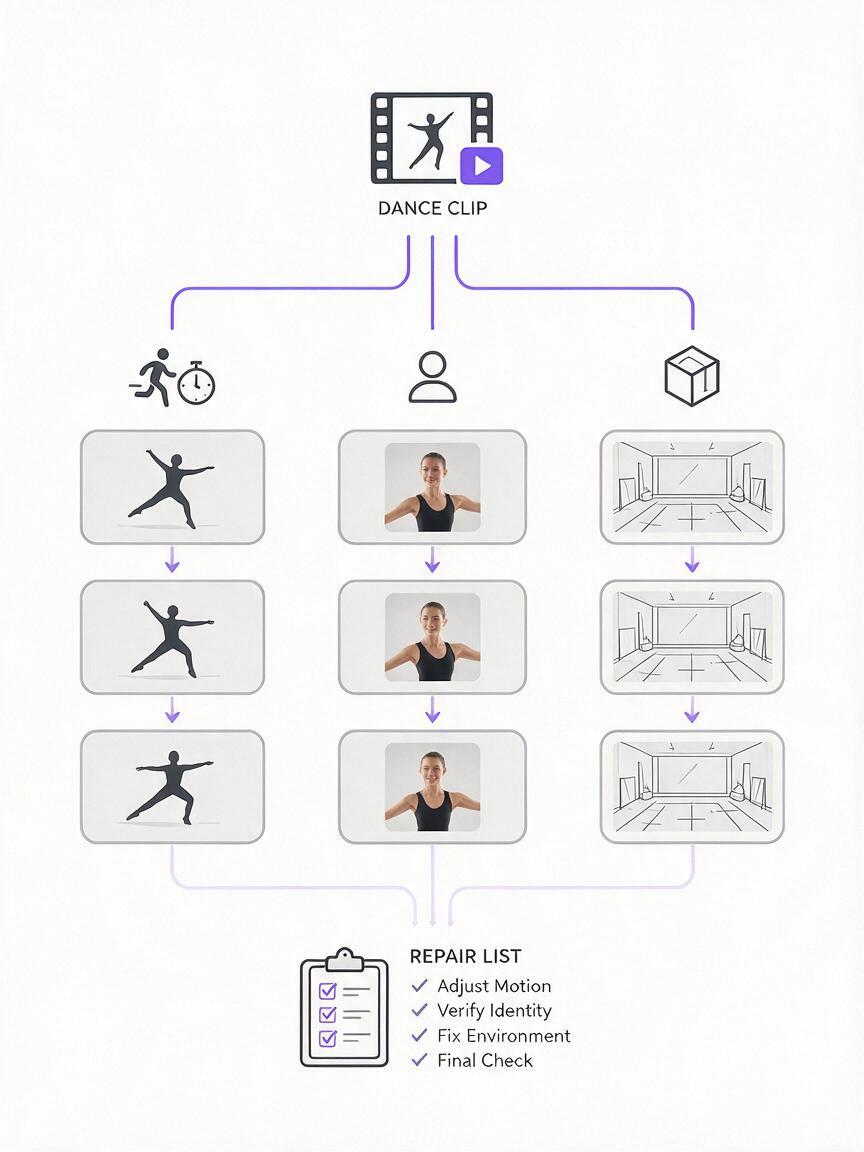
Do not judge the first result only by whether it feels energetic. Review it three times, concentrating on a different layer during each pass.
- Motion pass: compare the source and output at the same beats. Check arm direction, turns, weight shifts, pauses, and planted feet.
- Identity pass: inspect the face, hairstyle, proportions, costume colors, shoes, and profile views.
- Environment pass: check the floor line, contact shadows, wall texture, lighting direction, and camera stability.
A useful result does not need to duplicate every finger position. It does need to preserve the routine’s recognizable action, balance, and rhythm without obvious anatomical breaks.
| Symptom | Likely cause | First repair |
|---|---|---|
| Feet glide during a side step | Weak floor cues or movement phrase is too long | Use a shorter phrase and emphasize planted-foot contact |
| Face changes during a turn | Profile or rear view provides less identity information | Keep the motion and plan a selective face repair |
| Sleeve merges with torso | Low contrast or excessive loose fabric | Simplify the costume reference |
| Background bends | Model interprets body motion as camera motion | Specify a fixed camera and simplify the set |
| Move order changes | Phrase contains too many rapid transitions | Split it at the nearest balanced pose |
Expected result: a precise repair list that identifies which layer failed and which frames actually need regeneration.
Step 6 — Repair difficult beats instead of regenerating everything
If a clip is strong until one spin or crossed-arm pose, preserve the usable section. Trim around the failure and regenerate a shorter source phrase with a clearer start and end pose.
For a crossed-limb failure, rewrite only the relevant constraint:
During the arm crossing, keep both forearms distinct and anatomically connected, with the right forearm visibly in front of the torso and the left elbow readable at the side. Preserve the original timing and fixed camera.For foot sliding, make the requested mechanics explicit:
The left foot remains planted during the upper-body turn. Weight stays over the left leg until the right foot completes the step. Shoes maintain visible contact with the floor without sliding.When motion transfer repeatedly fails on the same brief section, create a replacement from the last clean frame using image-to-video generation. Ask for one bounded action, such as a quarter turn followed by a held pose, rather than the entire original phrase.
Expected result: short repair clips that can replace unstable frames without sacrificing successful choreography elsewhere.
Step 7 — Assemble the dance around poses, not arbitrary timestamps
Place the approved phrases in an editor and cut on matching body positions. A clean pose-to-pose edit is usually less noticeable than a transition made while the limbs are moving rapidly in different directions.
Use the soundtrack as an editorial guide, but do not time-stretch generated movement aggressively. Large speed changes can make weight shifts look floaty and turn foot contact into visible sliding. It is generally cleaner to adjust the cut point, use a brief reaction shot, or regenerate a phrase with more suitable timing.
For transitions between two phrases, compare:
- Facing direction
- Supporting leg
- Arm height and extension
- Torso lean
- Character scale in the frame
- Floor position and background alignment
A short cutaway can conceal a difficult continuity point. Useful coverage includes a shoe landing, a hand gesture, a costume detail moving with the beat, or a wider environmental shot. These should support the routine rather than replace every challenging action.
Expected result: a complete sequence in which each edit preserves rhythm and believable body momentum.
Keep the same dancer across future projects
Save a compact character package rather than relying on one finished video. Include the original full-body anchor, a neutral face reference, the exact identity-and-costume prompt, and several approved frames showing front, profile, and three-quarter views.
Separate fixed traits from project-specific traits:
- Fixed: facial structure, eye color, hairstyle, approximate build, age range, and stable identifying features.
- Changeable: costume, location, lighting, dance genre, camera position, and color palette.
This makes later variations easier to control. You can change the studio into a stage or rooftop without accidentally rewriting the performer’s face and proportions.
Alternative: use image to video for expressive movement
Motion transfer is strongest when exact choreography matters. Image-to-video generation can be better when you want a visually attractive movement rather than a literal reproduction—for example, a slow turn, jacket adjustment, shoulder roll, or final pose.
Start from an approved character frame and request one action:
The dancer completes one controlled quarter turn to camera, shifts her weight onto the front foot, raises her right hand to shoulder height, then holds a confident final pose. Full body remains visible, fixed camera, stable face and costume, realistic foot contact, no additional movement.Test the same frame and prompt across available models such as Seedance and Kling. Compare structural stability and timing rather than assuming that one model will be best for every shot.
Alternative: replace residual identity drift with face swap
If the body performance is successful but the face changes during a turn, replacing the whole clip wastes good motion. A selective face-swap pass can restore identity after choreography, anatomy, and costume have already been approved.
Use a sharp, authorized identity reference with similar lighting and head angle. Face swap cannot reliably fix a hidden face, severe motion blur, incorrect head anatomy, or hair covering most facial landmarks. It should be a finishing repair, not a substitute for a sound target reference.
Where this workflow falls short
Motion transfer is not literal skeletal capture. The model still interprets the source through the target image, so difficult movements may be simplified or altered.
- Fast spins: the face and costume may change when the performer rotates through profile and rear views.
- Floor work: overlapping limbs and unusual contact points can create anatomical ambiguity.
- Partner choreography: hand contact, lifts, and occlusion substantially increase the chance of merged bodies.
- Extreme costume motion: skirts, fringe, scarves, and loose layers may not follow consistent cloth physics.
- Fine hand choreography: finger articulation is harder to preserve than broad arm and torso movement.
- Long continuous takes: small errors accumulate, making shorter phrases easier to control and edit.
The workflow is therefore best suited to solo, full-body routines with readable poses and deliberate phrase boundaries. More complex performances should be built gradually after a stable baseline has been established.
FAQ
How long should each source phrase be?
Use the shortest clip that contains one complete movement idea. Start and end on balanced, readable poses rather than cutting at a fixed number of seconds. A phrase with two clear steps is easier to diagnose than a full routine containing multiple turns and level changes.
Can I transfer choreography from any online dance video?
Only use footage you created, licensed, or have permission to transform. The technical ability to upload a clip does not grant rights to reuse someone else’s performance, likeness, recording, costume design, or choreography.
Does the target character need the same body shape as the source dancer?
No, but large differences in proportions can change how poses read. Similar framing and broadly compatible limb visibility make transfer easier. Review balance, joint placement, and foot contact carefully when the target has substantially different proportions.
Should I add camera movement to make the result more cinematic?
Not during the first test. A fixed camera makes choreography and errors easier to read. Add restrained camera motion only after the performer, costume, floor contact, and routine are stable.
When should I use Seedance or Kling instead of motion transfer?
Use image-to-video models when exact step replication is less important than a controlled visual action. They are especially useful for openings, endings, connecting gestures, close-ups, and short repair shots built from an approved frame.
Can face swap rescue a completely broken dance clip?
No. It can repair facial identity, but it cannot correct merged limbs, sliding feet, an unstable torso, or a distorted head. Approve the body performance first, then use face repair only where needed and only with authorized identities.
Final checklist
- Use a source performance you have the right to transform.
- Choose full-body footage with a simple background and visible floor contact.
- Create a neutral target image with readable hands, shoes, and costume structure.
- Split the choreography at balanced poses and direction changes.
- Prompt for preservation instead of redescribing the entire routine.
- Review motion, identity, and environment in separate passes.
- Regenerate only the failed phrase or beat.
- Cut between clips on compatible poses and supporting legs.
- Use image-to-video for bounded expressive actions.
- Reserve face swap for authorized, identity-only repairs.
Ready to transfer your first performance? Create an ai video with MagicBoat and test this workflow for free now.
Keywords
motion transfer, AI dance video, character consistency, image to video, face swap, AI video workflow, prompt engineering