Why AI Dessert Photos Look Flat (And How to Get Glossy, Indulgent Results)
AI-generated dessert photos often fall flat with matte frosting, dry cake crumb, and plastic-looking chocolate that fails to trigger cravings for restaurants, bakeries, and dessert brands. This guide breaks down the four most common AI dessert texture failures, why they happen, and actionable fixes using Seedream 4.5, including reusable prompt templates, model-specific settings, and inpainting tips for indulgent, click-worthy results.
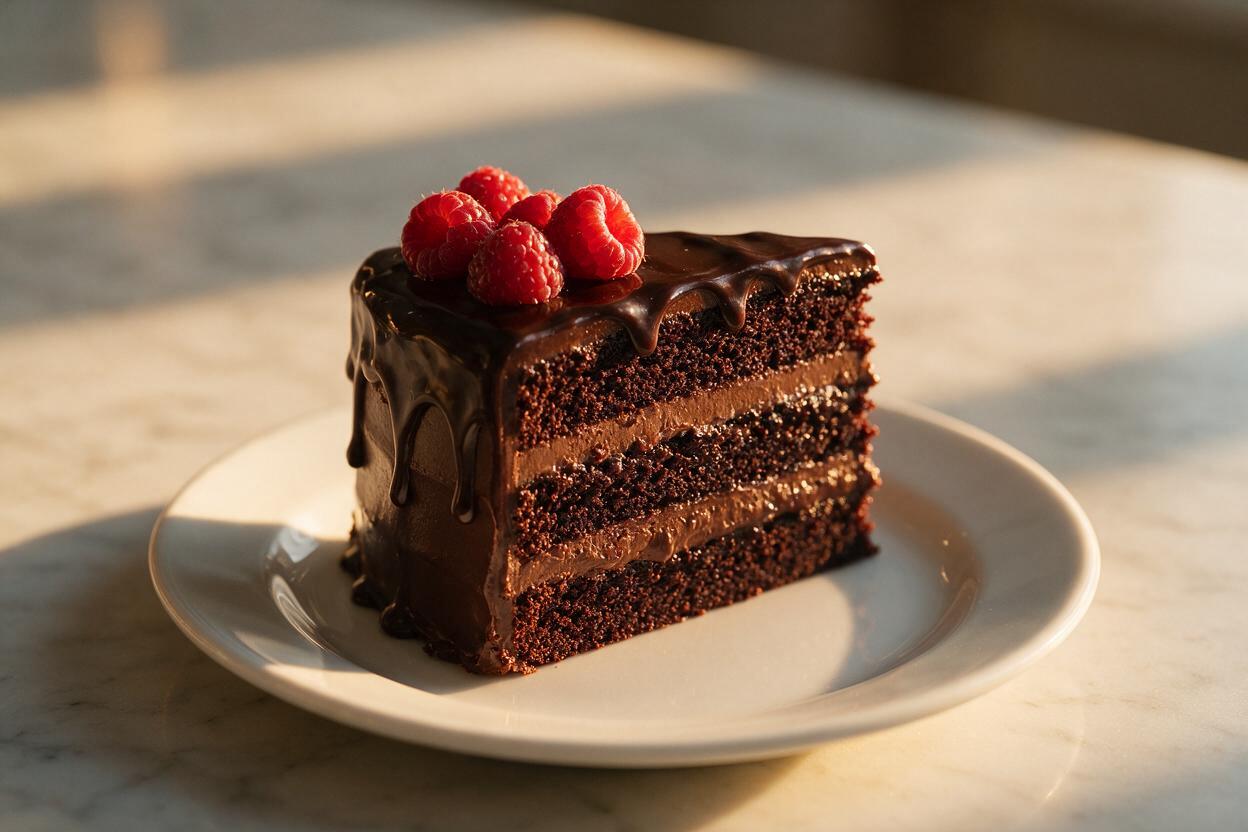
Table of contents
Why AI dessert photos look dull and unappetizing
If you’ve ever generated an AI photo of a chocolate cake only to get a matte, dry-looking slab with frosting that feels like plastic, you’re not alone. For restaurants, bakeries, and dessert brands, AI-generated dessert photos often fall flat of the indulgent, crave-worthy look that drives clicks and orders.
The issue isn’t that AI can’t make beautiful desserts—it’s that most prompts and default settings miss the tiny, texture-specific details that make desserts feel real: the glossy sheen of a ganache drip, the soft fluff of whipped cream, the crumbly moistness of a red velvet slice, or the juicy pop of fresh berry toppings. Small texture adjustments can turn a forgettable AI dessert into a photo that makes customers stop scrolling and head straight to your order page.
Common AI dessert texture failures (and what causes them)
Most flat AI dessert photos suffer from one or more of these four texture issues, all rooted in generic prompts and default model settings that prioritize general realism over food-specific detail:
- Matte frosting or ganache: AI often renders chocolate, buttercream, or glaze as a flat, plastic-like surface without natural light reflections. This happens when prompts don’t specify micro-sheen and wet texture, and default models lean into uniform, low-reflectivity surfaces.
- Dry, dense crumb: Cake, cookie, and brownie interiors look solid and chalky instead of moist, fudgy, or crumbly. Generic prompts rarely mention porosity or crumb structure, so AI fills in the gaps with a dense, uniform texture.
- Lifeless fruit toppings: Berries, citrus slices, or stone fruit toppings look wilted, matte, or artificially smooth. AI often skips the dewy skin, subtle blemishes, and bright color variation that signals fresh, ripe fruit.
- Flat whipped cream or ice cream: Soft serve, whipped cream, gelato, or meringue looks dense and solid instead of light, airy, and slightly melted at the edges. Without specific prompts for airiness and soft texture, AI defaults to a firm, play-dough-like consistency.
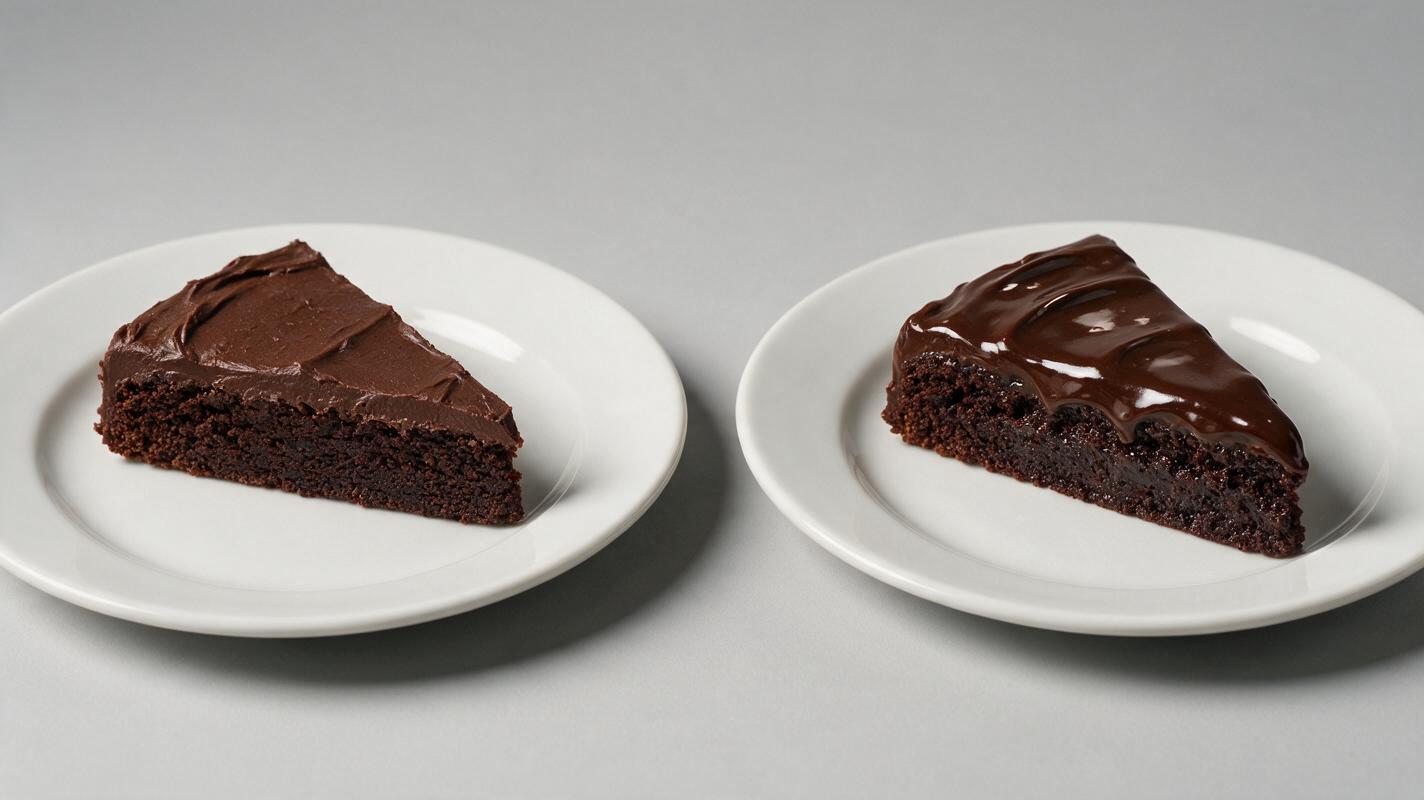
Prompt tweaks for glossy, indulgent dessert photos
The fastest way to fix flat AI desserts is to add texture-specific details to your prompts, rather than relying on generic terms like “delicious” or “realistic.” For the most consistent results with these prompts, use a food-aware ai image generator that prioritizes texture detail over stylized output.
Use this base prompt template as a starting point, swapping in details for your specific dessert:
Photorealistic close-up of [dessert name], [key topping or signature feature], professional food photography, soft golden hour side lighting, glossy [frosting/ganache/glaze] with subtle light reflections, moist [crumb/cookie/brownie] texture, dewy fresh [fruit toppings if applicable], shallow depth of field, 85mm lens, f/1.8, [plate/serveware material] plate, [background surface], no plastic texture, ultra detailed, 4kTry these tested variations for popular dessert types:
- Triple chocolate layer cake: Photorealistic close-up of a slice of triple chocolate layer cake, dripping dark chocolate ganache down the sides, professional food photography, soft golden hour side lighting, glossy ganache with bright subtle light reflections, moist fudgy crumb with visible air pockets, fresh raspberry toppings with dewy water droplets, shallow depth of field, 85mm lens, f/1.8, white ceramic plate, marble countertop background, no plastic texture, ultra detailed, 4k
- Vanilla buttercream cupcake: Photorealistic close-up of a vanilla cupcake with swirled pastel pink buttercream frosting, sprinkled with rainbow nonpareils, professional food photography, soft diffused studio lighting, glossy buttercream with soft light highlights, fluffy vanilla cake crumb visible at the edge, dewy mint leaf garnish, shallow depth of field, 50mm lens, f/2.0, light pink paper liner, white marble background, no dry texture, ultra detailed, 4k
- Mixed berry sundae: Photorealistic close-up of a mixed berry sundae with vanilla bean ice cream, fresh strawberry and blueberry toppings, drizzled with hot fudge and chopped peanuts, professional food photography, soft warm side lighting, glossy hot fudge with light reflections, slightly melted ice cream edges with visible vanilla bean specks, dewy berry skin, shallow depth of field, 85mm lens, f/1.8, clear glass sundae cup, light wood table background, no plastic texture, ultra detailed, 4k
Pair every prompt with this negative prompt to block common failures:
matte, plastic, dry, dense, wilted fruit, uniform texture, flat lighting, overexposed, artificial, cartoon, 3d render, blurry, distorted platingSeedream 4.5 settings for dessert photography
Prompt tweaks alone will get you 80% of the way there, but model-specific settings can push your dessert photos from good to indistinguishable from professional food photography. Seedream 4.5’s food-focused training makes it well-suited for dessert work, and these settings optimize for texture and sheen:
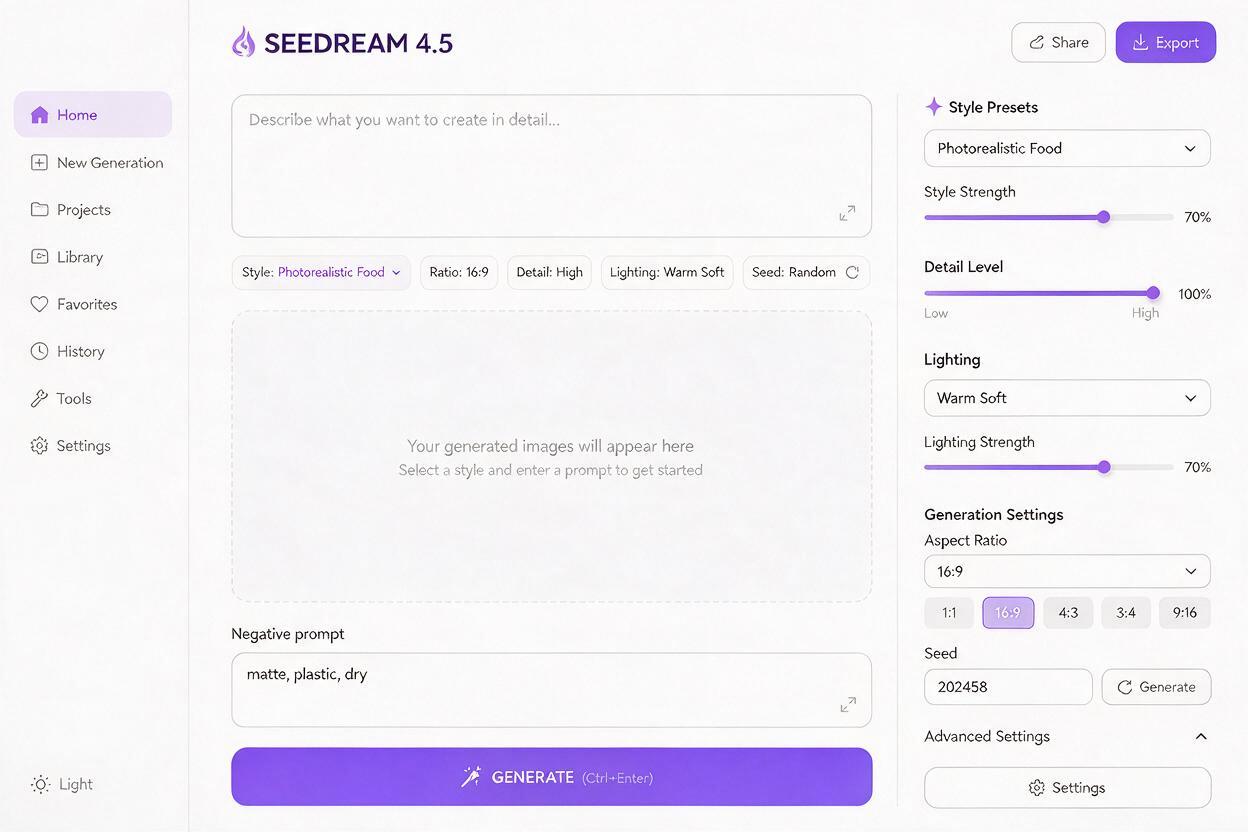
- Style preset: Select Photorealistic Food instead of general photorealistic. This preset is trained on thousands of professional food photos and prioritizes texture detail and natural food coloring.
- Detail level: Set to High. This boosts micro-textures like crumb porosity, ganache reflections, and fruit dewdrops that get lost at lower detail settings.
- Lighting bias: Choose Warm Soft. This avoids harsh, flat overhead lighting that washes out frosting sheen and makes desserts look washed out.
- Aspect ratio: Use 4:5 for Instagram and social media, 16:9 for menu boards and website banners, and 1:1 for product listings and menu thumbnails.
- Negative prompt weight: Set to 0.7. This is high enough to block plastic and matte textures, but not so high that it distorts the dessert’s shape or plating structure.
Fixing small texture flaws with inpainting
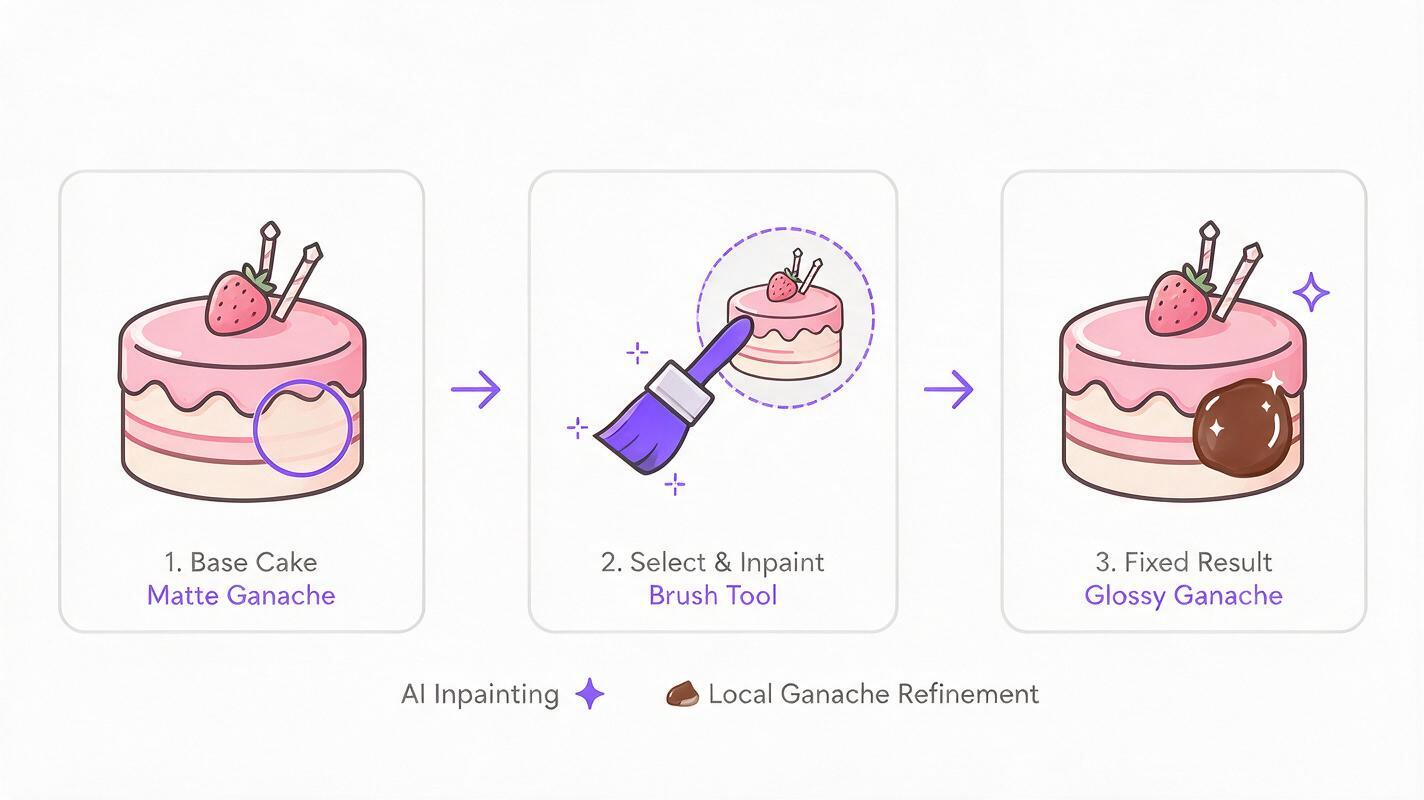
Even with perfect prompts and settings, you’ll occasionally get a small flaw: a matte spot on ganache, a dry patch of crumb, or a wilted berry. Instead of regenerating the entire image (and risking losing a great overall composition), use inpainting to fix only the problematic area.
Use these targeted inpainting prompts for common dessert flaws:
- Matte ganache or frosting: Select the flat area with a small brush, then use the prompt: glossy dark chocolate ganache, soft bright light reflections, wet smooth texture, no plastic
- Dry cake crumb: Select the cut edge of the cake, then use: moist fudgy chocolate cake crumb, visible small air pockets, soft tender texture, no dry dense crumb
- Wilted or matte fruit: Select the fruit topping, then use: fresh plump raspberry, dewy water droplets on skin, bright red color, glossy smooth skin, no wilted edges
- Dense whipped cream: Select the whipped cream area, then use: light fluffy whipped cream, soft airy peaks, slightly melted edges, no dense solid texture
Once you have your base prompt ready, test this prompt yourself to see how small texture tweaks change the final look.
Final quality checklist for AI dessert photos
Before using any AI dessert photo for your menu, social media, or marketing campaigns, run through this quick checklist to make sure it looks indulgent and realistic:
- Gloss check: Do frosting, ganache, glazes, or fruit have soft, natural light reflections (not harsh, uniform white streaks)?
- Texture check: Is the cake, cookie, or brownie crumb visibly moist and porous, not solid and dense?
- Freshness check: Do fruit toppings have bright, natural color and subtle dewy sheen, not matte skin or wilted edges?
- Airiness check: Do whipped cream, ice cream, meringue, or soufflé look light and fluffy, not dense and play-dough-like?
- Lighting check: Is the light soft and directional, highlighting texture without washing out the dessert’s natural color?
- Brand check: Does the plating, background, and color tone match your brand’s existing visual identity?
Keywords
ai dessert photography, dessert image generator, ai food photos, glossy dessert prompts, restaurant marketing ai, dessert menu photos, ai food image editing