AI Dubbing for Course Videos Without Timing Drift
Learn a practical AI dubbing workflow for translating course and training videos without rushed speech, awkward pauses, or captions that contradict the narration. The method uses timing-aware translation, segmented generation, lip-sync review, and instructional quality checks.
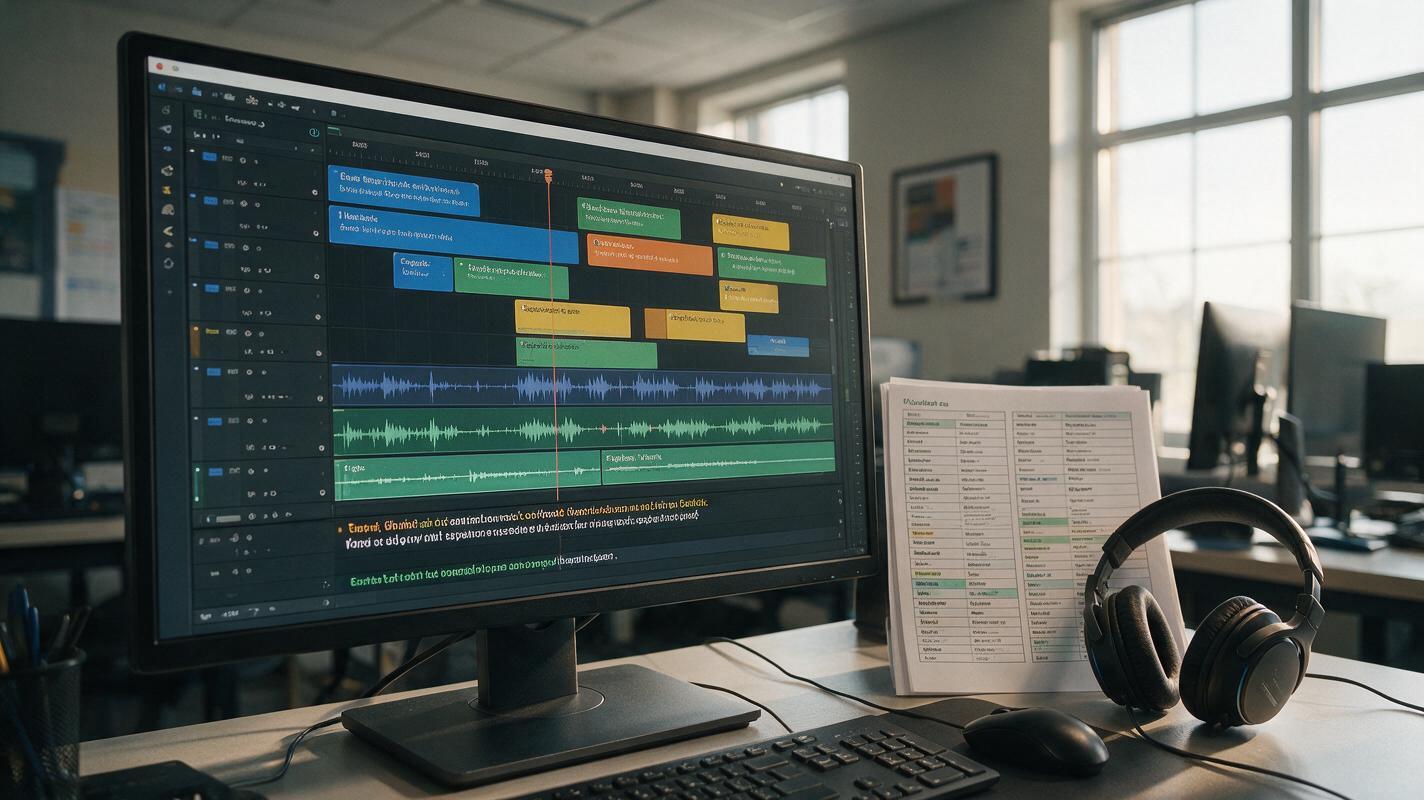
Table of contents
Make translated lessons sound natural without losing the teaching rhythm
A translated course video can be technically accurate and still fail as instruction. Long sentences become rushed, short translations leave distracting silence, and visible presenters appear to speak out of sync. The solution is not to accelerate the entire voice track. It is to treat dubbing as a timed adaptation in which meaning, delivery, captions, and on-screen actions are reviewed together.
This workflow is designed for narrated lessons, software demonstrations, presenter-led courses, and workplace training. It is especially useful when the original video cannot be re-recorded but the translated version still needs to feel deliberate and easy to follow.
Why course dubbing develops timing problems
Languages do not express the same idea in the same number of syllables. A sentence that takes six seconds in English may require more or less time in Spanish, German, Japanese, or another target language. Literal translation can therefore create three common failures:
- Rushed delivery: the generated voice compresses too many words into the available interval.
- Dead air: the translated sentence ends long before the next visual event.
- Instructional mismatch: the narration names a button, object, or action before or after it appears.
Presenter-led footage adds another constraint: visible mouth movement. Perfect phoneme matching is not always realistic, but large differences between the dubbed line and the speaker’s visible cadence are noticeable. A dedicated ai dubbing workflow should therefore begin with timing analysis rather than a single full-length translation.
Map the lesson into timed teaching units
Start by transcribing the original video with timestamps. Divide it at complete teaching beats rather than arbitrary ten-second intervals. A useful unit might contain a definition, one software action, a safety warning, or a question followed by its explanation.
Record the following information for every unit:
- Start and end time
- Maximum usable speaking duration
- Essential meaning that cannot be removed
- Terms that must match the interface, glossary, or curriculum
- Visible action occurring during the line
- Whether the speaker’s mouth is clearly visible
| Time | Teaching purpose | Visual event | Dubbing constraint |
|---|---|---|---|
| 00:18–00:24 | Identify the export control | Cursor selects Export | Say the control name before the click |
| 00:24–00:31 | Explain the file choice | Format menu opens | Preserve the approved interface term |
| 00:31–00:35 | State a warning | Warning icon appears | Do not shorten the safety condition |
Do not merge two teaching units merely because they belong to the same paragraph. Separate generation makes timing corrections much easier and prevents one rushed sentence from affecting the rest of the lesson.
Build a dubbing script that can fit the picture
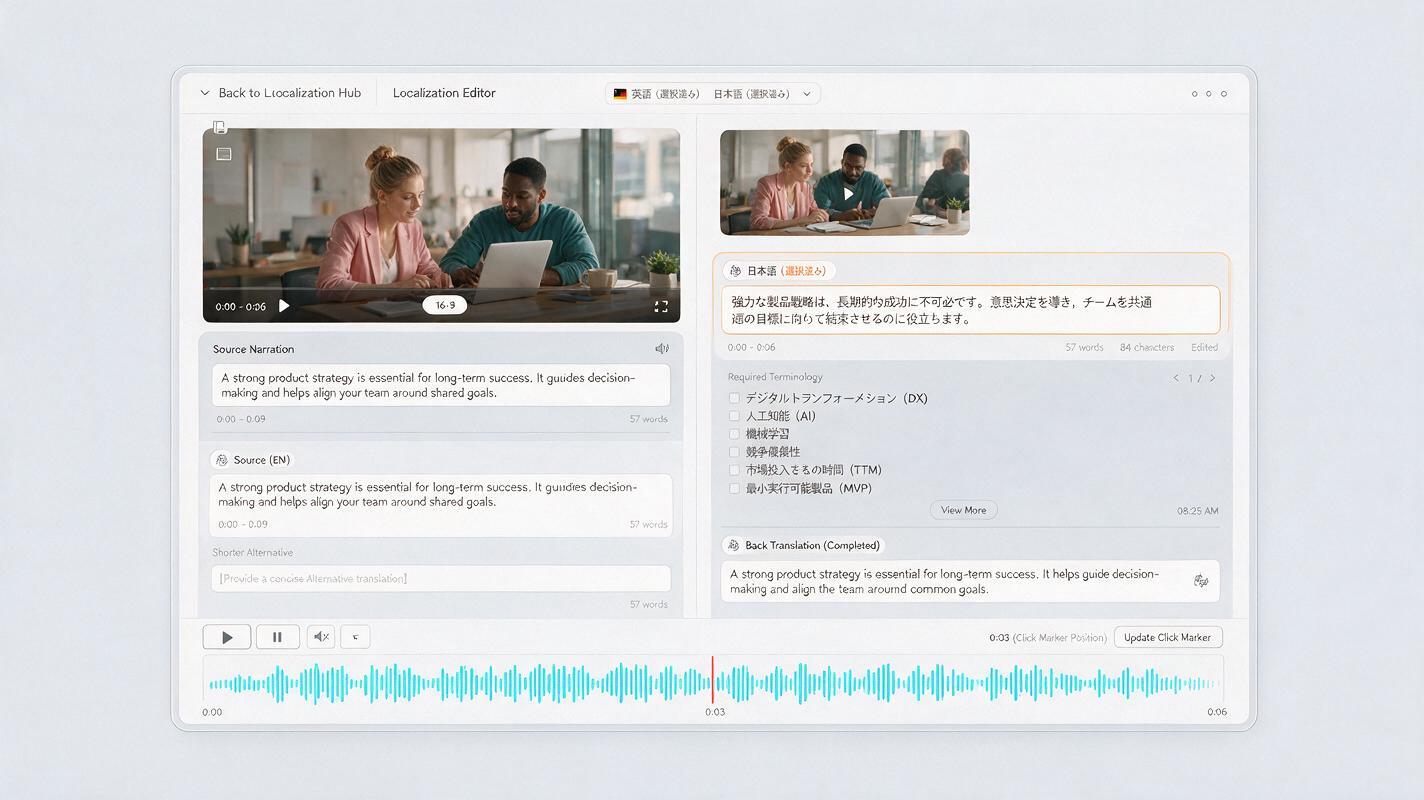
Translate for meaning first, then adapt for duration. Give the translation system the permitted time, the audience level, required terminology, and the visual event that the line must accompany. Ask for concise spoken language rather than formal written prose.
Adapt this course narration for spoken [TARGET LANGUAGE].

Audience: adult beginners
Available speaking time: 6.2 seconds
Teaching purpose: identify the Export button before it is clicked
Required interface term: [APPROVED TERM]
Original meaning: Select Export, then choose PDF so the layout remains fixed.

Requirements:
- Preserve the full instructional meaning.
- Use natural spoken language.
- Keep the line comfortable at a normal teaching pace.
- Mention Export before the visible click at 3.4 seconds.
- Do not add explanations that are absent from the lesson.

Return:
1. Primary dubbing line
2. Shorter alternative
3. Literal back-translation for review
The back-translation is a review aid, not proof of accuracy. A fluent subject-matter reviewer should confirm terminology, tone, and meaning. For regulated or safety-critical training, require formal approval before publication.
When a line is too long, remove repetition before increasing speed. Replace an expanded phrase with an approved concise equivalent, move optional context into a caption, or divide the idea across an existing pause. Never shorten away a condition, warning, measurement, or procedural dependency.
Match the translation to visible timing
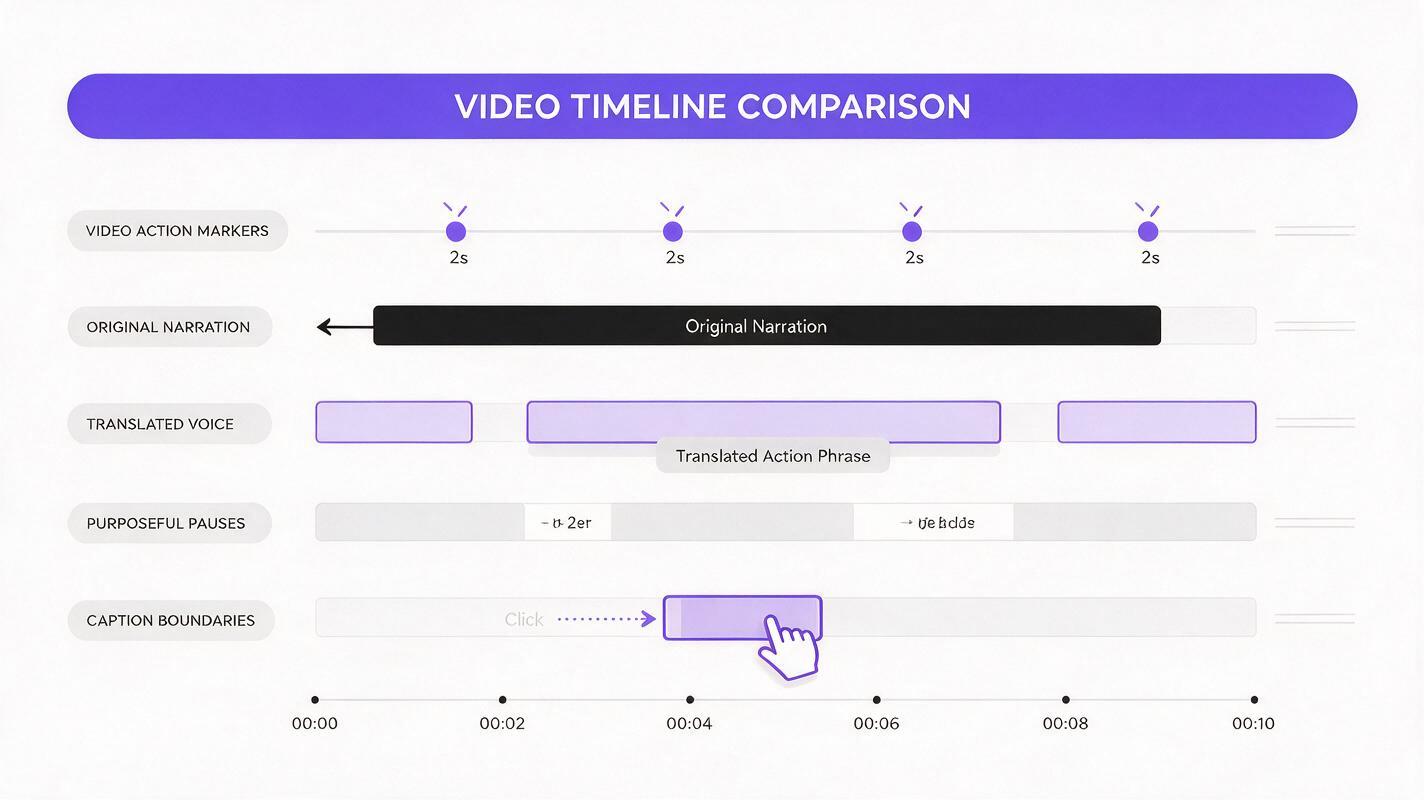
Generate each teaching unit separately and place it against the original picture. Begin with a natural instructional pace. Small pauses can be adjusted, but the voice should not sound hurried simply to occupy a fixed interval.
Use these correction priorities:
- Preserve essential meaning and required terminology.
- Align action words with the corresponding visual event.
- Keep the voice natural and intelligible.
- Adjust pauses at phrase boundaries.
- Use minor speed changes only after the script has been improved.
For screen recordings, action alignment matters more than matching every mouth movement. If the narration says “open Settings” after the panel is already open, the learner receives conflicting temporal cues. Move or rewrite the line so the instruction leads the action by a small, readable margin.
For a presenter shown in close-up, use ai lipsync only after the translation and voice timing are stable. Lip synchronization cannot rescue an overlong script, and regenerating mouth motion after every wording change wastes review time. If a segment still looks unnatural, a cutaway to the demonstrated object, slide, diagram, or screen capture may teach more effectively than forcing an exact facial match.
Keep pauses that support learning
Silence is not automatically an error. Course videos need time for learners to inspect a diagram, complete an action, or think about a question. Preserve pauses that have an instructional purpose, even when the translated sentence finishes early.
Label pauses in the production script:
- Observation pause: time to inspect a visual.
- Action pause: time to follow an on-screen procedure.
- Response pause: time to answer a prompt.
- Transition pause: separation between concepts.
If a long gap has no learning purpose, adjust it with a slightly fuller natural translation, a visual cut, or a better edit. Do not fill every gap with extra facts. Unplanned additions can change the scope of the lesson and create inconsistencies between language versions.
Synchronize captions, labels, and narration
The dubbed voice is only one part of localization. Captions must reflect what learners actually hear, while interface labels and diagram annotations should use the same approved terminology.
Check each segment for:
- Caption timing that follows spoken phrases rather than the source-language timestamps
- Readable line length and sufficient display time
- Exact agreement on numbers, units, formulas, and warnings
- Consistent spelling of product, scientific, and curriculum terms
- Translated on-screen text where comprehension depends on it
Do not use the source-language caption file unchanged beneath a new voice track. Even a good translation will have different phrase boundaries and reading times.
Review the lesson as instruction, not entertainment
A polished voice can hide teaching errors. Review the finished version once without the source script and complete the actions exactly as a learner would. Then conduct a second pass with the transcript, glossary, and timing map.
| Review pass | What to inspect | Typical correction |
|---|---|---|
| Meaning | Definitions, conditions, sequence, warnings | Restore omitted or weakened information |
| Timing | Speech against clicks, gestures, and diagrams | Rewrite or reposition the affected unit |
| Listening | Pace, pronunciation, emphasis, fatigue | Regenerate only the problematic line |
| Accessibility | Captions, pauses, visual dependence | Revise caption timing or add necessary description |
| Continuity | Voice tone and loudness between segments | Normalize levels or replace an inconsistent take |
Listen on ordinary laptop speakers as well as headphones. A line that sounds clear in a quiet editing environment may become difficult to understand in a classroom, workshop, or workplace.

Fix common dubbing failures without rebuilding the video
The voice sounds rushed
Shorten the translated wording while preserving the teaching point. Split compound sentences, remove redundant transitions, and avoid excessive playback-speed changes.
The voice ends too early
First decide whether the remaining silence supports observation or action. If it does not, use a more natural expanded phrasing or move the next sentence into the available interval without changing the conceptual sequence.
The pronunciation changes between clips
Create a pronunciation list for names, acronyms, formulas, and specialist terms. Regenerate affected units using the same guidance rather than accepting inconsistent readings.
The presenter still looks out of sync
Reduce visible close-up time, insert a relevant demonstration shot, or select a shorter approved translation. Avoid adding exaggerated facial motion because it can distract from the lesson.
The localized version no longer matches the captions
Regenerate captions from the final approved dubbing script, then retime them against the final audio. Treat caption files as version-controlled production assets.
Final checklist
- Divide the video into complete, timestamped teaching units.
- Protect required terminology, numbers, warnings, and procedural conditions.
- Adapt each translation to its real speaking duration.
- Align instructional verbs with visible actions.
- Preserve pauses that give learners time to observe, respond, or act.
- Apply lip synchronization only after narration timing is approved.
- Rebuild captions around the final translated voice track.
- Review the result with a fluent subject-matter expert.
Use one short section of a real lesson as a pilot before localizing the full course. You can test this prompt yourself, compare the primary and shorter translations in context, and approve the timing method before producing every module.
Keywords
ai dubbing, course translation, multilingual training video, lip sync video, timing-aware translation, course localization, educational video