Landing Page Hero Creative Testing: 10 On-Brand AI Variants in 1 Hour
Performance marketers know landing page hero sections drive the majority of first-impression conversions, but designing on-brand variants for creative testing can take weeks of designer back-and-forth. This guide shows how to generate 10+ testable, on-brand landing page hero variants in 1 hour using Seedream 4.5’s reference-based image generation, with reusable prompt templates and a weighted scoring framework to prioritize the highest-impact variants. You’ll also learn quick fixes for common AI output issues like off-brand colors, distorted product visuals, and awkward text space.
Table of contents
Why landing page hero testing is worth speeding up
The hero section is the first thing 90% of landing page visitors see, and even small tweaks to its visual design can move conversion rates by 15-30% for performance campaigns. Yet most marketing teams wait 2-4 weeks to get 2-3 hero variants designed, slowing down creative testing cycles and leaving ad spend on the table.
AI image tools can cut that timeline to under an hour, but most teams struggle with off-brand outputs: wrong colors, distorted product visuals, generic stock-photo vibes that don’t match their brand identity. The good news is that with reference-controlled generation, you can get 10+ on-brand, test-ready hero variants in a single session—no design back-and-forth required.
Build your brand reference kit before generating
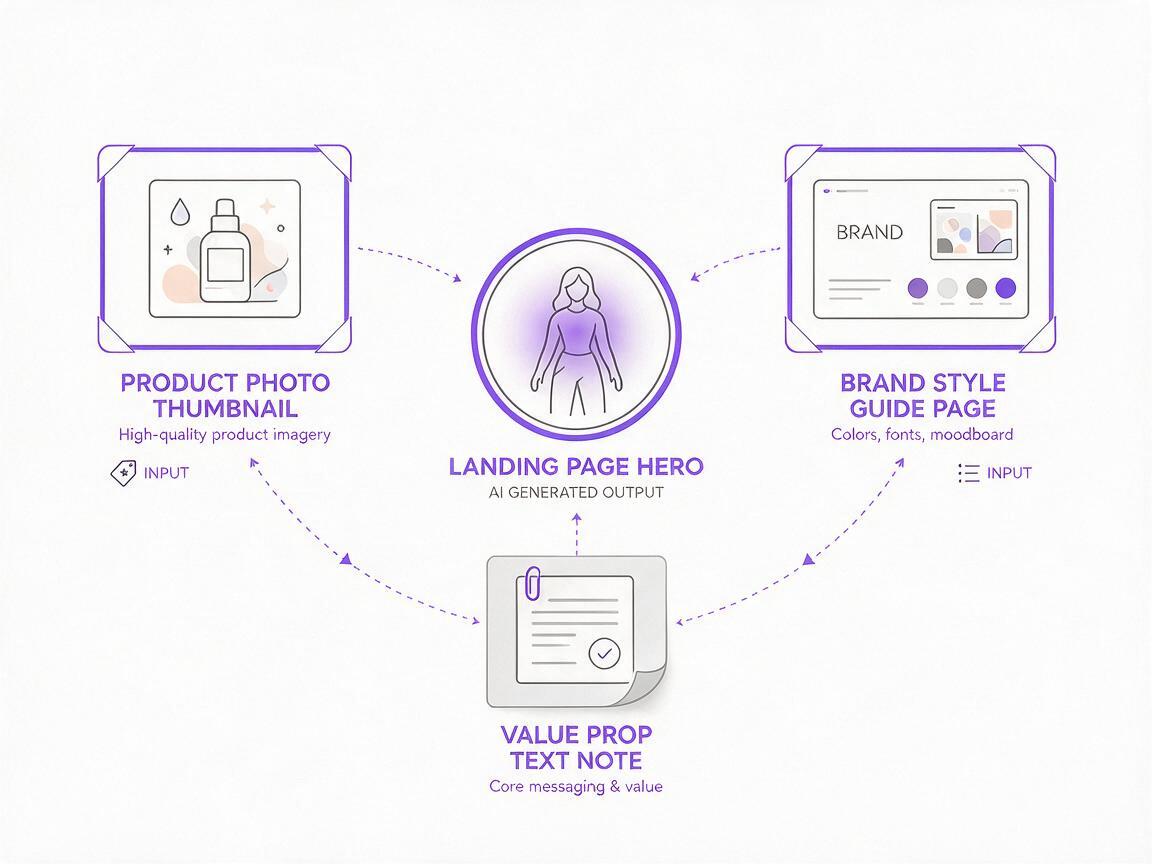
The #1 reason AI landing page creatives look off-brand is that you’re starting from a blank text prompt instead of anchoring the model to your existing brand assets. Before you generate anything, pull together 3 simple assets:
- 1 high-res product or core visual reference: A clear, professionally shot photo of your product, app screenshot, or core offer visual that matches what you want to feature in the hero.
- 1 brand style reference: An existing landing page, ad creative, or brand guideline image that shows your brand’s color palette, typography vibe, and visual tone (e.g., minimalist, bold, playful).
- A 1-sentence value prop note: The exact headline you plan to overlay on the hero, so you can leave clean space for text and ensure the visual supports the message.
Pro tip: Crop your reference images to a 16:9 or 2:1 aspect ratio (standard landing page hero sizes) before uploading to avoid unwanted cropping or stretched outputs.
Generate on-brand hero variants with Seedream 4.5
Seedream 4.5’s reference image control lets you lock in product details and brand style while swapping out backgrounds, layouts, and visual angles—perfect for generating hero variants that feel cohesive with your brand, not generic.
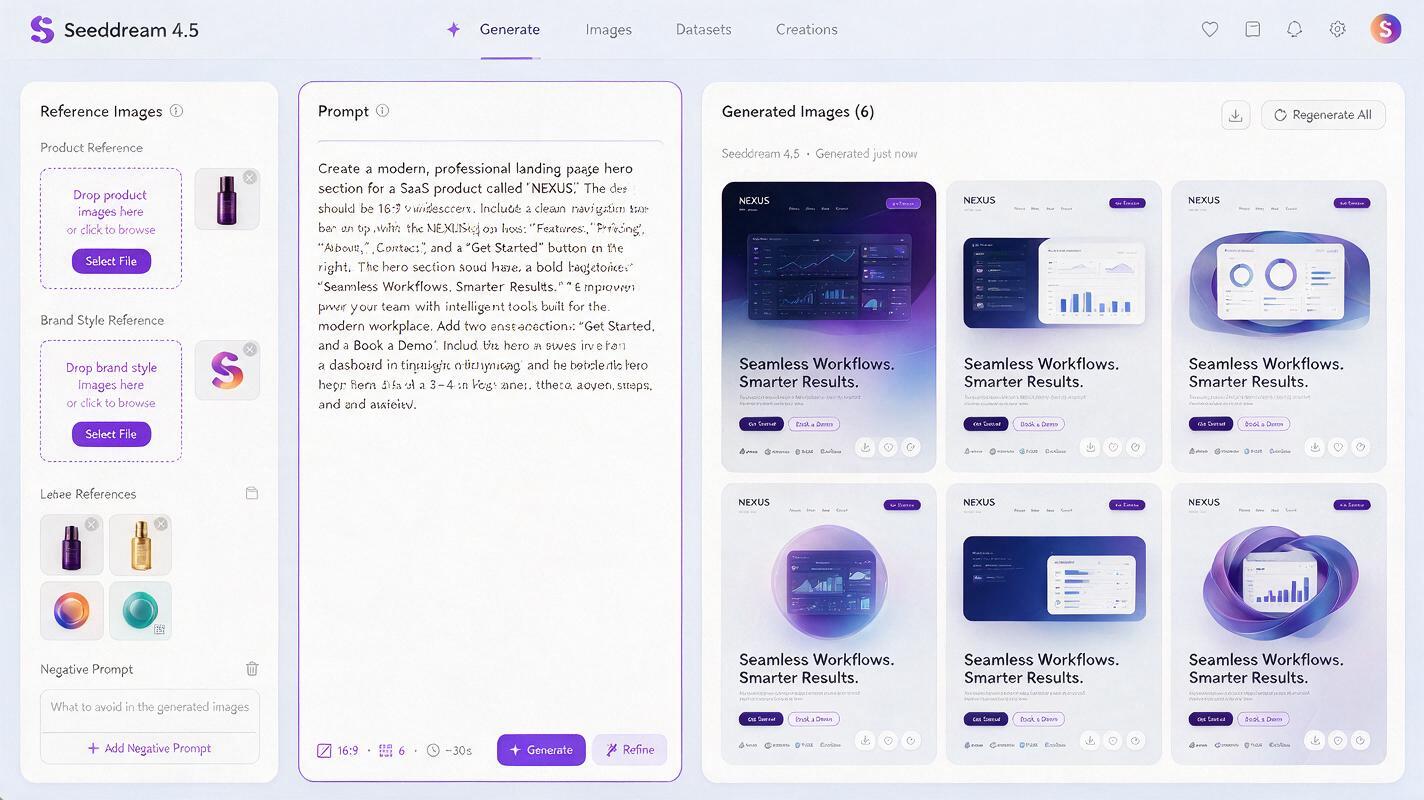
To get started, upload your product reference and brand style reference as image inputs, set the reference strength to 70-80% (high enough to keep brand consistency, low enough to allow variation), and use a structured prompt that includes 4 key elements:
- Layout and text space (e.g., "left-aligned product, right 50% blank space for headline text")
- Background style and color palette (e.g., "soft gradient background in brand deep purple and light blue")
- Mood and tone (e.g., "professional, trustworthy, modern SaaS vibe")
- Technical specs (e.g., "high resolution, 1920x1080, sharp focus, no text")
Here’s a reusable prompt template you can adapt:
[product description, e.g., "sleek project management app dashboard on laptop"], left-aligned, right 50% clean blank space for headline text, soft gradient background in [brand colors, e.g., "deep purple #6547e8 and pale lavender"], modern SaaS aesthetic, professional and trustworthy tone, high resolution, 1920x1080, sharp focus, no text, no watermarks
Test this prompt yourself to generate your first batch of hero variants in minutes, then tweak the reference strength or layout details to match your brand’s needs.
To generate 10 variants, run 2-3 batches with small tweaks: swap background styles (gradient vs. solid vs. subtle pattern), adjust product placement (left vs. center vs. right), or change the visual context (e.g., "laptop on a clean white desk" vs. "laptop floating with soft shadow"). An ai image generator built for reference-based brand consistency makes this far faster than manually editing each design from scratch.
Prioritize variants for high-impact testing
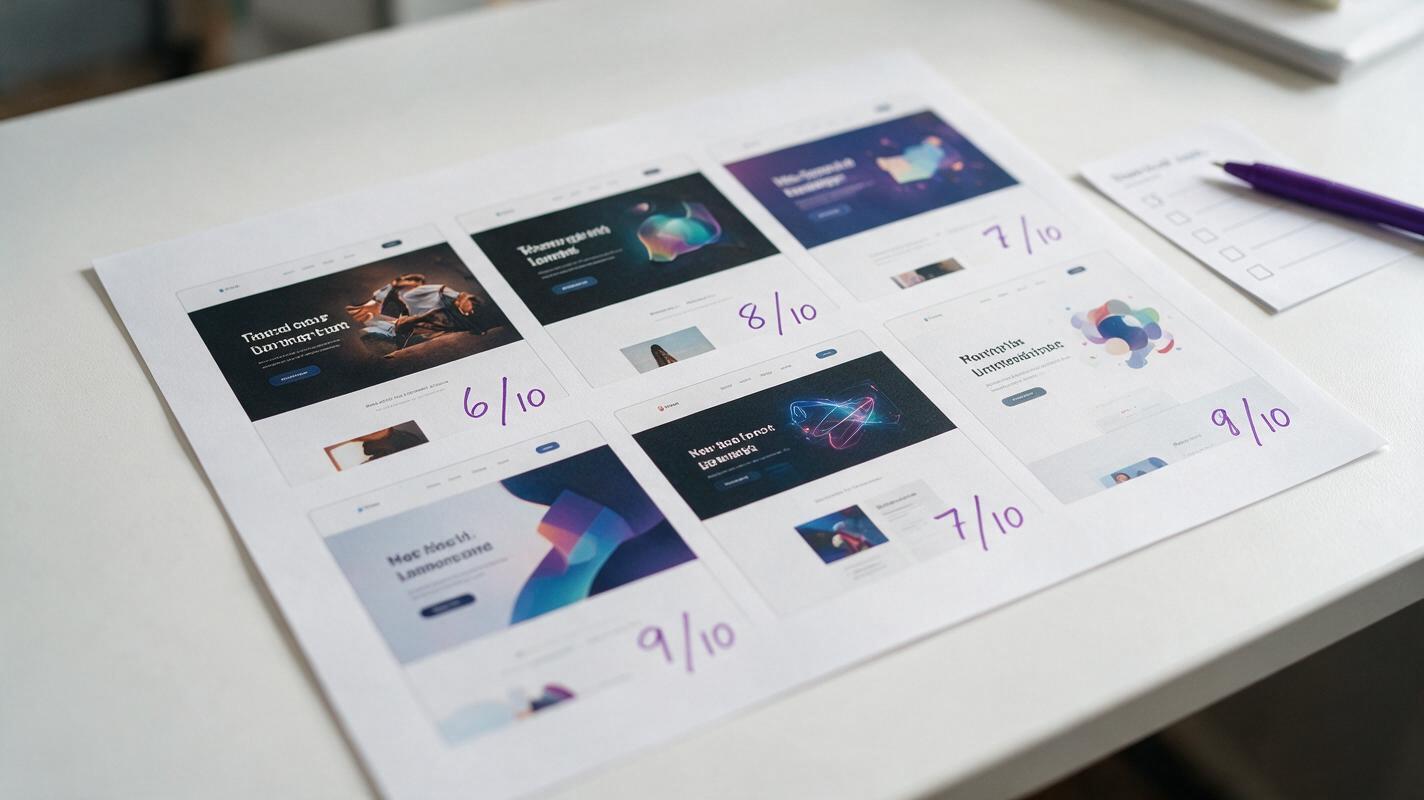
Generating 10 variants is fast, but testing all of them at once wastes traffic. Use this 4-criteria scoring framework to pick the top 4-5 variants to launch first, based on what moves the needle for performance landing pages:
- Value prop clarity (40% of score): Does the visual immediately support your core value prop? For a project management tool, a dashboard screenshot is clearer than a generic office photo.
- Brand alignment (30% of score): Does it match your brand’s color palette, tone, and visual identity? Avoid variants that would feel out of place next to your ad creatives or homepage.
- Differentiation (20% of score): Does it stand out from common visuals in your niche? If every competitor uses a laptop on a desk, a floating dashboard variant might capture more attention.
- Text readability (10% of score): Is the blank space for text large enough, and is the background high-contrast enough for white or dark text to be legible?
Score each variant 1-5 on each criteria, multiply by the weight, and pick the top 4-5 highest-scoring variants to test first. This ensures you’re not wasting traffic on low-potential designs.
Fix common AI hero creative issues
Even with reference controls, you might run into small issues with generated variants. Here are quick fixes for the most common problems:
- Off-brand colors: Increase the brand reference strength by 10%, or add the exact hex codes of your brand colors to the prompt (e.g., "primary color #6547e8, accent color #22d3ee").
- Distorted product details: Use a higher-resolution product reference image, and increase the product reference strength to 85-90% to lock in product shape and features.
- Awkward text space: Add explicit text placement instructions to the prompt (e.g., "exact 50% right-side blank space, no objects in right half of image") and use a 16:9 aspect ratio to match standard hero dimensions.
- Low resolution: Use Seedream 4.5’s built-in upscale feature to boost outputs to 2K or 4K resolution, which is crisp enough for desktop landing pages.
Final checklist
- Gather your product reference, brand style reference, and value prop before generating
- Set reference strength to 70-80% for balance of consistency and variation
- Use the structured prompt template with layout, background, tone, and technical details
- Score variants with the 4-criteria framework to pick top test candidates
- Upscale final variants and check text readability before adding your headline
- Pair hero variants with matching ad creatives for consistent campaign messaging
Keywords
landing page creative, creative testing, ai image generator, seedream 4.5, landing page hero, ad creative variations, product marketing content