Why AI Lipstick Swatches Look Fake—and How to Fix Them
AI lipstick swatches often fail because the generated color, finish, skin texture, and product geometry do not behave like real cosmetics. This guide shows beauty teams how to use Nano Banana Pro with structured references and targeted prompts to produce more believable arm swatches without presenting synthetic images as proof of exact product payoff.
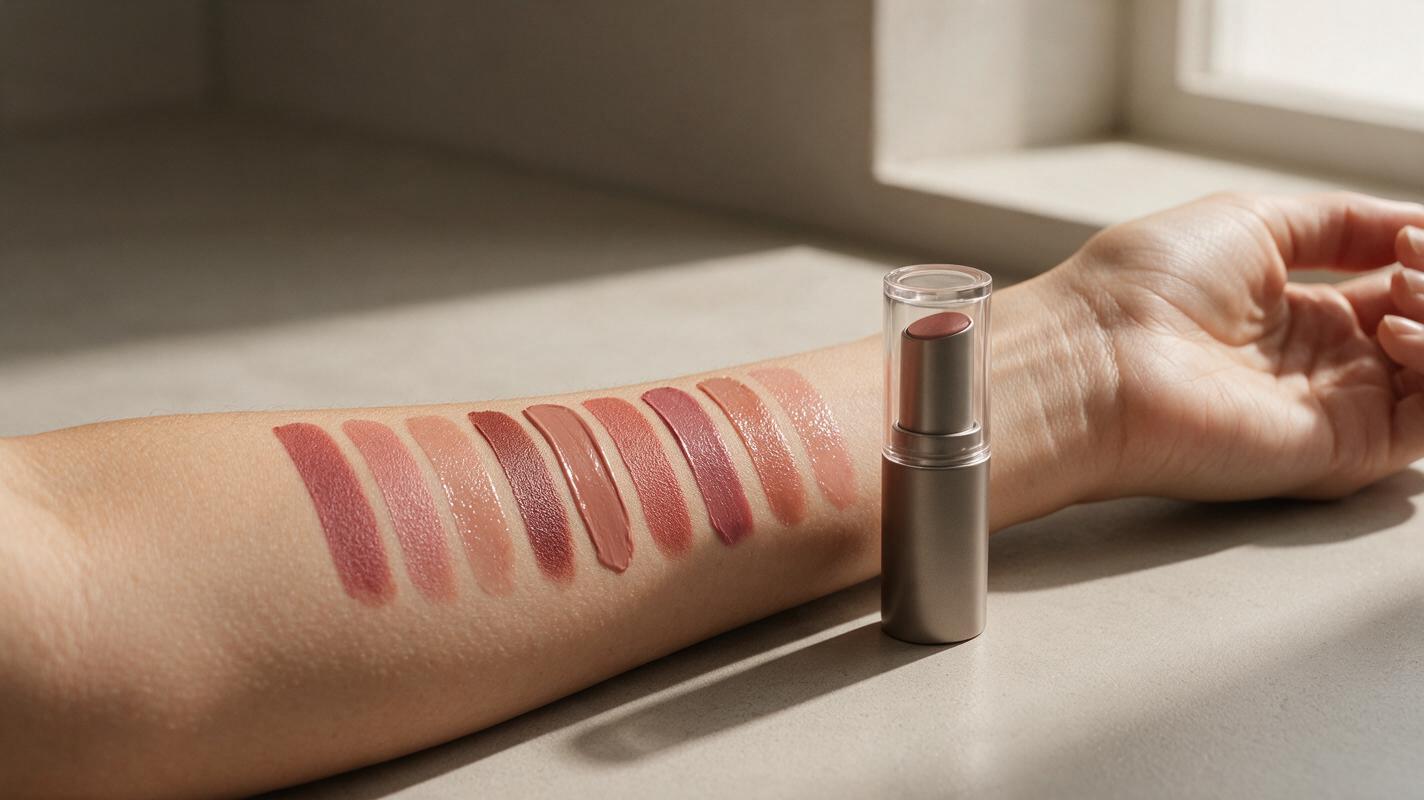
Table of contents
Create believable lipstick swatches without losing the real product story
A convincing AI lipstick swatch needs more than the right shade. It must also show credible skin texture, pigment density, edge behavior, reflectivity, and contact between the formula and the arm. When any of those cues are missing, the swatch resembles colored plastic, paint, or a digital stripe.
Nano Banana Pro can support a reference-led editing workflow for concept images, campaign layouts, shade-family previews, and social content. The critical word is reference-led: a text description alone cannot establish the exact commercial color of a real lipstick. Supply clear product and shade references, control one variable at a time, and verify the final image against approved brand assets.
Use AI swatches as creative visualizations unless the color and performance have been validated against the physical formula. Do not present a generated image as laboratory evidence or guaranteed payoff.
Why lipstick swatches become plastic stripes
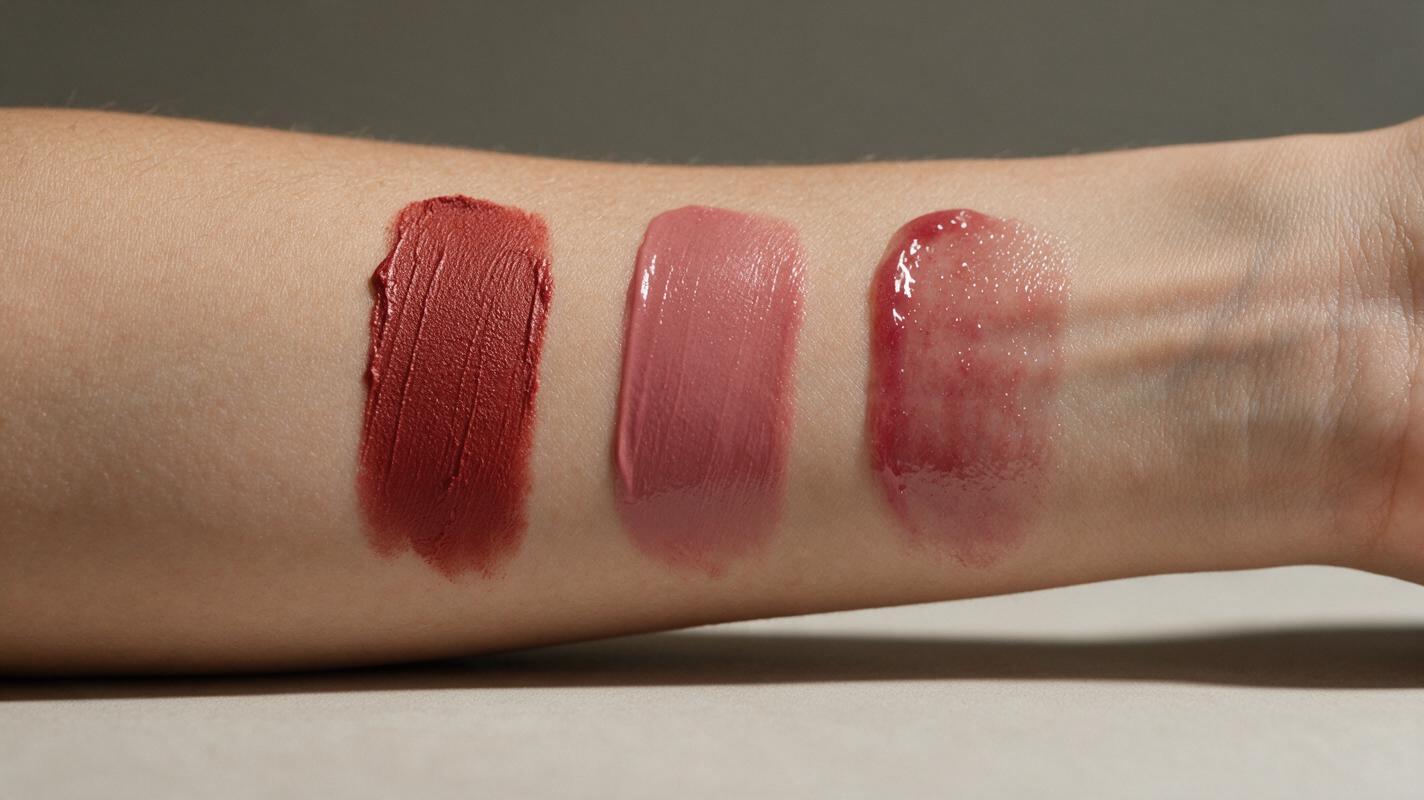
Generators tend to simplify a swatch into its most obvious visual pattern: a clean band of color on an arm. Real cosmetic payoff is more complicated. A creamy lipstick leaves subtle ridges, a matte formula diffuses light, a sheer balm allows skin to remain visible, and a metallic finish produces directional highlights rather than uniform glitter.
The most common problems come from underspecified prompts:
- Color without material: “Rose lipstick swatch” identifies hue but not opacity, viscosity, or finish.
- Perfect vector edges: Computer-clean borders make the product look pasted onto the skin.
- Uniform lighting: Highlights appear equally bright across every shade, regardless of finish.
- Erased skin: The arm becomes airbrushed or poreless beneath the pigment.
- Invented packaging: Asking for the lipstick and swatch together can cause altered caps, logos, labels, or tube proportions.
The solution is not simply a longer prompt. It is a better division of information between the references, the written instructions, and the areas the model is allowed to change.
Build a shade reference the model cannot misread
Start with a compact reference sheet instead of uploading a collection of unrelated campaign photographs. Include the physical information needed for the specific output:
- A neutral, color-managed photograph of the lipstick bullet or liquid formula
- A real swatch photographed under soft, neutral light
- The approved packshot, isolated from hands and decorative props
- A simple label identifying the shade and finish, such as “deep berry satin”
- A skin reference close to the intended campaign subject
Crop out competing products and strong colored backgrounds. A red tabletop, warm sunset, or blue bathroom wall may contaminate the model’s interpretation of the shade. Keep exposure consistent across the reference sheet and avoid combining images photographed under visibly different white balances.
When creating several shades, generate or edit them individually before assembling the final lineup. A single request for twelve colors encourages duplicated tones, reordered labels, and inconsistent swatch widths. One shade per pass also makes visual review easier.
REFERENCE PRIORITY
1. Preserve the approved lipstick package exactly.
2. Match the supplied real swatch reference as closely as possible.
3. Preserve natural arm anatomy and visible skin texture.
4. Change only the swatch finish, placement, and campaign background.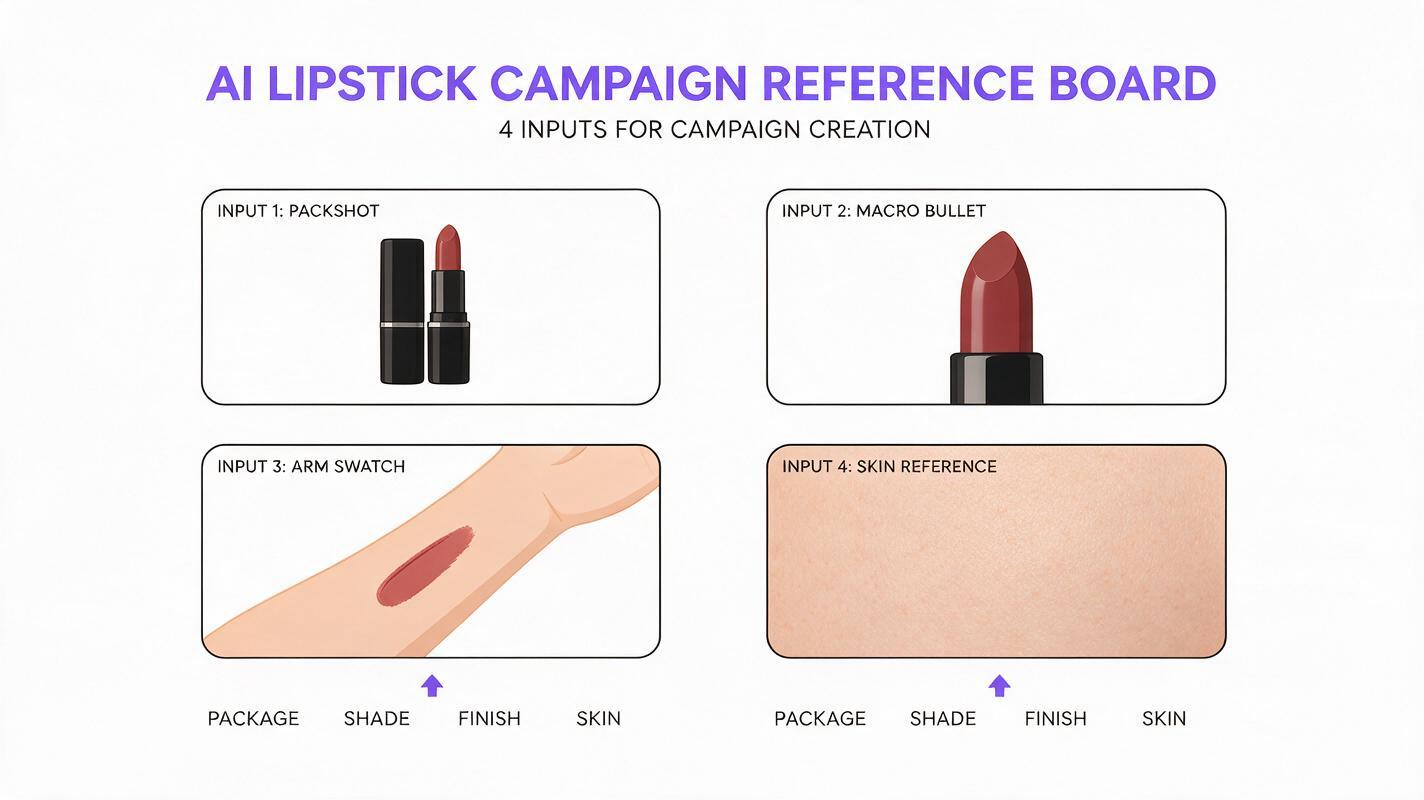
Prompt the finish, not just the color
A useful prompt describes how the formula interacts with skin and light. Open Nano Banana Pro through an ai image generator, attach the clean reference sheet, and define the photograph before describing decorative styling.
Cream lipstick swatch prompt
Edit the supplied forearm photograph into a premium lipstick campaign image. Add one realistic cream lipstick swatch matching the attached shade reference. The swatch has opaque pigment, soft application ridges, gently feathered physical edges, and a restrained moisturized sheen. Preserve pores, fine hairs, natural skin color variation, arm anatomy, and the original light direction. Keep the approved lipstick tube unchanged, including its silhouette, cap, label placement, and proportions. Neutral studio background, soft side light, macro cosmetic photography. No extra products, no text, no floating pigment, no plastic texture.Velvet matte swatch prompt
Create a close cosmetic photograph using the supplied arm and lipstick references. Apply a single velvet matte swatch in the referenced muted brick-red shade. Dense even payoff with microscopic powder softness, low reflectivity, slight texture from real application, and natural imperfect edges. Skin texture remains visible around the swatch and subtly beneath thinner edge areas. Preserve the exact product package. Soft diffused daylight, neutral white balance, realistic shadows, no gloss, no wet paint, no airbrushed skin.Sheer balm swatch prompt
Add a translucent tinted balm swatch that matches the attached berry shade reference. Show one natural swipe with buildable, semi-transparent color; the underlying skin tone and texture remain visible. Include a narrow hydrated highlight following the curvature of the arm, with no glitter and no glass-like coating. Do not change the hand, arm, package, logo, or lighting. Clean skincare-inspired editorial photography with an uncluttered pale background.For the first generation, omit flowers, fruit, powders, water splashes, and elaborate sets. Once the material looks credible, add campaign styling in a separate edit. This prevents props from competing with the formula instructions.
Control shade lineups without cloning the same stripe
A shade-family image should feel consistent without looking mechanically duplicated. Fix the camera, arm position, light direction, and swatch scale, but allow small physical differences in the application marks.
| Element | Keep consistent | Allow to vary |
|---|---|---|
| Camera | Angle, crop, lens perspective | Nothing between shades |
| Skin | Identity, tone, anatomy, texture | Minimal natural highlight variation |
| Swatch | Placement zone and approximate size | Edge softness, ridges, pigment character |
| Package | Shape, branding, label position | Only the approved shade indicator |
| Lighting | Direction, softness, white balance | Finish-dependent reflection |
Ask for a fixed layout only after the individual shades pass review. Assemble the approved results into the lineup manually when exact ordering matters. This is safer than expecting the model to preserve a commercial shade sequence and every printed shade name in one generation.
Diagnose the four failures that make swatches look fake
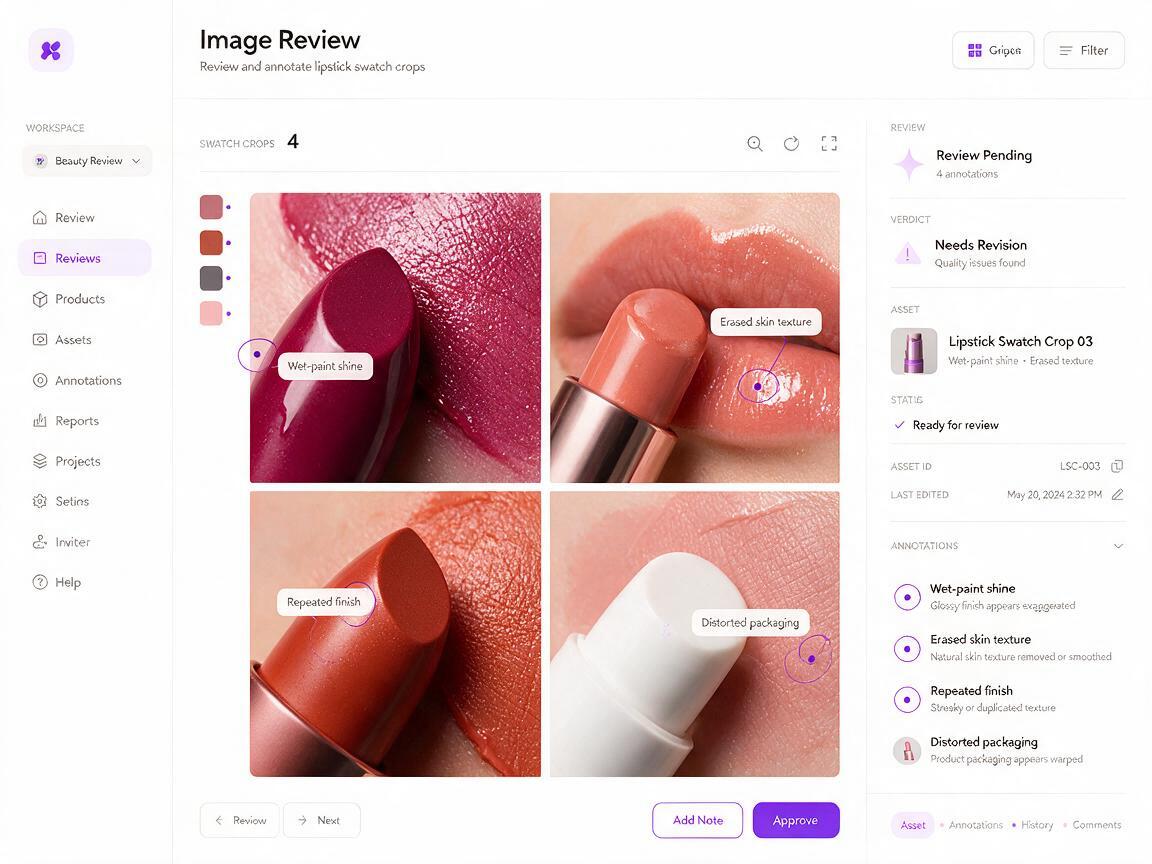
The swatch looks like wet paint
The prompt probably overemphasizes shine or uses words such as “liquid,” “glossy,” and “high-shine” without describing viscosity. Reduce the highlight area and specify the intended product class.
Replace the broad wet reflection with a narrow, soft cosmetic sheen. Keep the pigment creamy and opaque, not liquid paint, lacquer, resin, or melted plastic.The skin disappears beneath the product
Requesting “flawless skin” can erase pores and flatten the arm. Remove beauty-retouching language and explicitly preserve texture around the application. For sheer formulas, request partial visibility of the skin beneath the pigment.
Every shade becomes the same finish
Do not change hue and finish in the same batch instruction. Establish a validated matte, satin, cream, or balm material first. Then create shade variations while locking the material description. Review light response as carefully as color.
The lipstick tube changes shape
Mask or isolate the swatch area when the interface allows localized editing. Tell the model that the package is a protected reference object, not an element to redesign. If the packaging still drifts, generate the arm swatch separately and composite the approved packshot afterward.
Review the image like a cosmetic advertiser
Zoom out first. The shade should read clearly at social-feed size, and the product should remain the visual focal point. Then inspect the image closely for formula physics, anatomy, and packaging errors.
- Compare the generated hue with the approved swatch under the same display conditions.
- Check whether the finish responds logically to the direction of the light.
- Look for duplicated pores, broken arm contours, or pigment crossing over hairs unnaturally.
- Verify the package silhouette, closure, applicator, logo area, and label placement.
- Confirm that shade names and claims will be added as controlled typography, not generated text.
- Have a product or creative owner approve any image intended for paid advertising.
Color can shift across cameras, screens, exports, and printing processes even without AI. Keep the layered source, approved product photographs, and final retouching notes together so the campaign team can trace what was generated and what was manually corrected.
Create a clean campaign variation
After the swatch passes review, reuse the approved base image for crops and backgrounds rather than regenerating the formula. Ask for changes to the canvas, negative space, or surface color while protecting the arm, swatch, and package.
Preserve the arm, lipstick swatch, product package, lighting, color, and material exactly as shown. Extend the canvas to a vertical 4:5 beauty advertisement. Add quiet negative space above the product and replace only the background with a pale warm-gray studio sweep. No new props, no text, no change to skin or pigment.This produces a more coherent content set for product pages, retailer banners, organic posts, and campaign mockups. If you already have an approved real swatch photograph, test this prompt yourself with only one background or layout change at a time.
Final checklist
- Use a real, neutrally lit swatch as the primary color reference.
- Generate one shade at a time before building a lineup.
- Describe opacity, texture, edge behavior, and reflectivity.
- Preserve pores, fine hairs, arm anatomy, and natural skin variation.
- Protect approved packaging from redesign or composite it afterward.
- Separate formula generation from decorative campaign styling.
- Validate color and claims before publishing commercial creative.
- Label synthetic swatches appropriately when they are conceptual rather than verified.
Keywords
ai lipstick swatches, lipstick swatch prompts, ai beauty generator, cosmetic product photography, Nano Banana Pro, beauty campaign AI, lipstick ad creative