AI Lipsync for Performance Ads: Test Scripts & Localize UGC Without Reshoots
Bad lipsync in UGC and talking-head performance ads erodes viewer trust and kills click-through rates, forcing many marketing teams to reshoot entire clips just to change a script line, fix bad on-location audio, or localize to a new market. This guide breaks down how performance marketers can use ai lipsync tools to sync talent lip movements to custom voiceovers in minutes, with actionable use cases for audio repair, multi-market localization, and controlled script variant testing. It also includes pre-production best practices, ai voice generator prompting tips, and a creative testing framework to validate results without wasting ad spend.
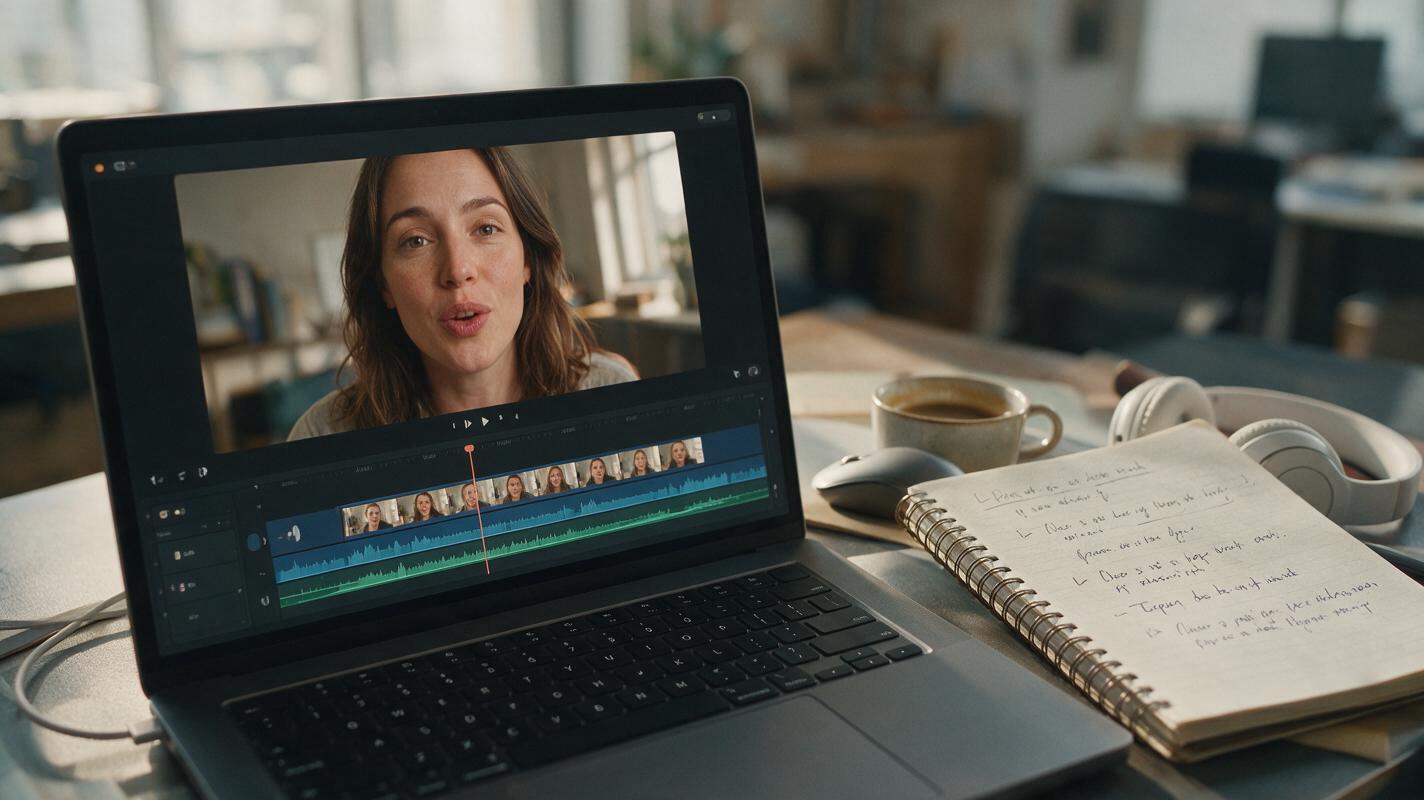
Table of contents
Why bad lipsync sinks UGC ad performance
If your UGC or talking-head ads see a sharp 2-second drop-off before the talent finishes their first line, bad lipsync is likely the silent conversion killer. Viewers subconsciously notice mismatched lip movements within milliseconds, and it immediately erodes trust in the brand, the talent, and the offer being promoted.
For performance marketing teams, this problem creates a costly tradeoff: reshoot entire clips to fix audio, update a script line, or localize to a new market (wasting thousands in production budget and delaying test cycles), or run subpar creatives that underperform and burn through ad spend.
ai lipsync tools solve this by syncing existing footage of a person’s face to any new voiceover track in minutes, with no reshoots, no studio time, and minimal manual editing. For performance teams, this unlocks faster creative testing, cheaper localization, and more usable footage from every shoot.
Key use cases for AI lipsync in performance ad workflows
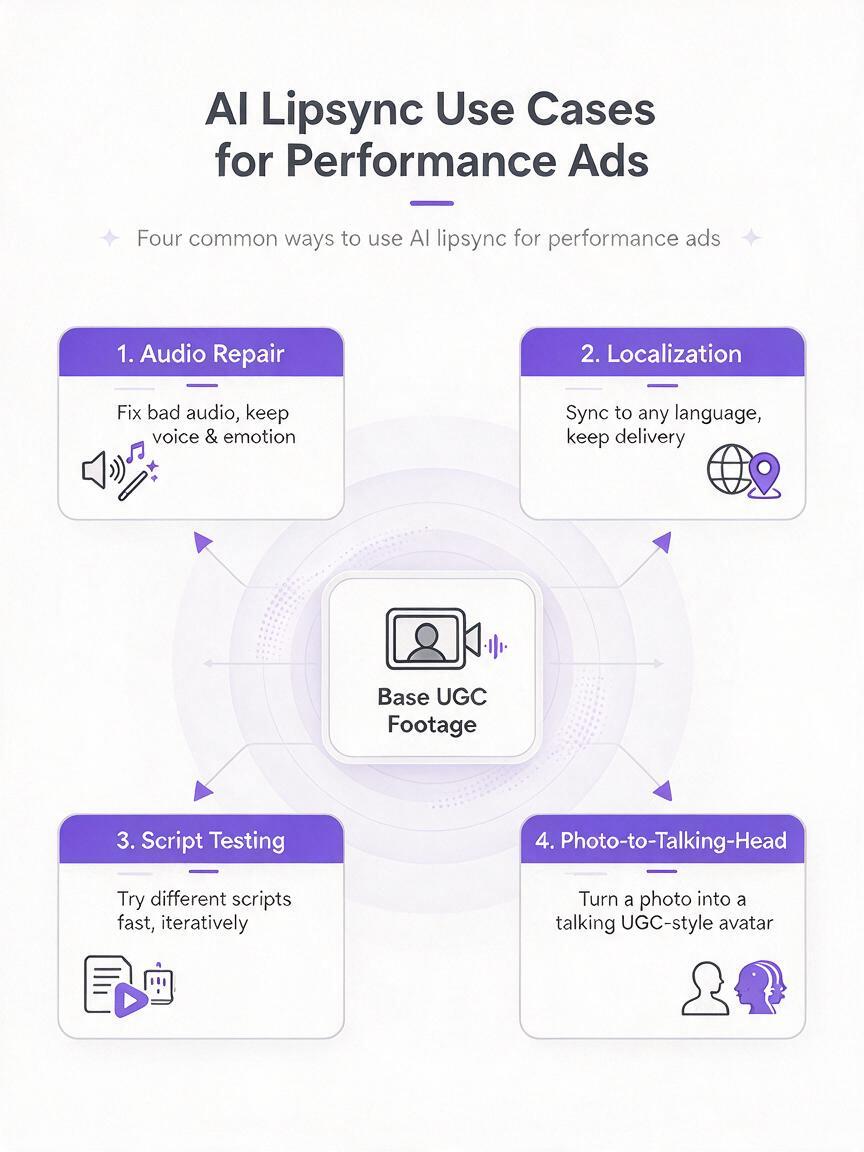
Lipsync AI isn’t just for fixing bad audio. It’s a versatile tool that touches multiple parts of the performance creative pipeline, from pre-launch testing to multi-market expansion.
- Fix on-location audio issues: If a UGC shoot has wind noise, muffled audio, or a misread line, you don’t need to reshoot. Record a clean voiceover and sync it to the existing footage in minutes.
- Localize talking-head ads: Run the same UGC or influencer creative across 5+ markets by swapping in localized voiceovers and syncing lips to each language, without booking new talent or shoots.
- Test script and offer variants: Generate 3-5 different value prop or offer scripts, create matching voiceovers, and sync them all to the same base footage to run isolated creative tests with zero visual confounders.
- Turn static photos into talking-head ads: Use photo lipsync to turn a single brand ambassador headshot or customer photo into a short talking ad, perfect for retargeting or low-budget test campaigns.
Prepping your footage for natural, ad-ready lipsync output
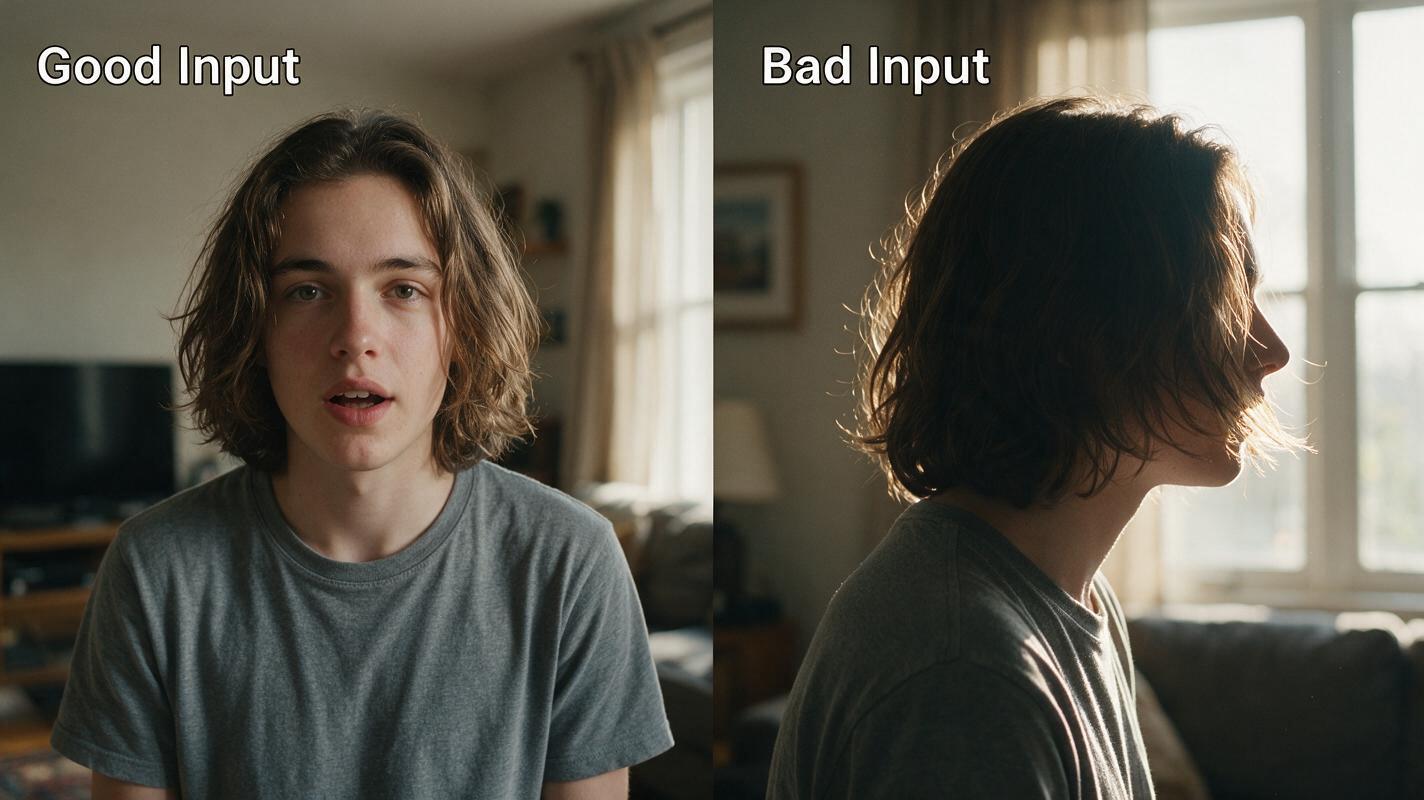
The quality of your AI lipsync output depends almost entirely on the quality of your input footage. Follow these rules to avoid uncanny results and get output that’s ready to run in paid campaigns.
- Prioritize clear mouth visibility: Footage where the talent’s mouth is fully visible (no masks, hands, hair, or extreme angles) produces the most accurate sync. Profile shots or faraway framing will lead to fuzzy, mismatched results.
- Use high-resolution, well-lit footage: 1080p or higher with even, front-facing lighting ensures the AI can clearly identify lip shapes and movements. Avoid backlit footage or heavy filters that distort facial features.
- Match clip length to your voiceover: Trim your base footage to the exact length of your final voiceover before syncing. For 15-second ads, use a 15-second clip; for 30-second ads, a 30-second clip. This prevents awkward pacing or stretched movements.
- Stick to neutral or mild expressions: Footage where the talent is already speaking or has a neutral expression works best. Extreme laughter, yelling, or exaggerated facial movements can cause the AI to produce unnatural results.
Creating voiceover tracks that sync perfectly with ad footage
Lipsync AI only works as well as the voiceover track you feed it. For ad creatives, you need a voiceover that matches the talent’s tone, fits the ad’s runtime, and aligns with your brand voice—all while staying within platform ad policies.
Use an ai voice generator to create custom voiceover tracks in minutes, with control over tone, pacing, accent, and language. This is especially powerful for testing multiple script variants, since you can generate new tracks on demand without booking voice talent.
Pro tip: For 15-second performance ads, keep your script to 30-35 words total. For 30-second ads, stick to 60-70 words. This ensures natural pacing that matches real speech, which makes the lipsync output look far more realistic.
When writing scripts for lipsynced ads, avoid overly fast pacing, complex jargon, or long pauses. The AI syncs to the actual sound of the voiceover, so natural, conversational speech will produce the most accurate lip movements.
Validating lipsynced creatives for ad compliance and test validity
Before you launch any lipsynced ad into a paid campaign, run through this validation checklist to avoid rejected ads, wasted spend, or invalid test results.
- Check for uncanny valley cues: Watch the full clip at regular speed, then at 0.5x speed. Look for jittery lip movements, mismatched vowel sounds, or distorted facial features. If any frame looks off, regenerate with a clearer voiceover or trimmed footage.
- Verify offer and script accuracy: Make sure the voiceover matches the on-screen text, offer details, and landing page copy. It’s easy to mix up script variants when generating multiple versions, so cross-check every asset before launching.
- Confirm platform compliance: Most ad platforms allow AI-edited footage, but you may need to disclose AI-generated content in some regions. Check the latest platform policies for your market, and avoid misleading claims about talent endorsements.
- Isolate test variables: If you’re running script tests, keep the visual footage, on-screen text, and CTA identical across all variants. The only difference should be the voiceover (and synced lips), so you can accurately measure which message drives better performance.
Creative testing framework for lipsynced ad variants
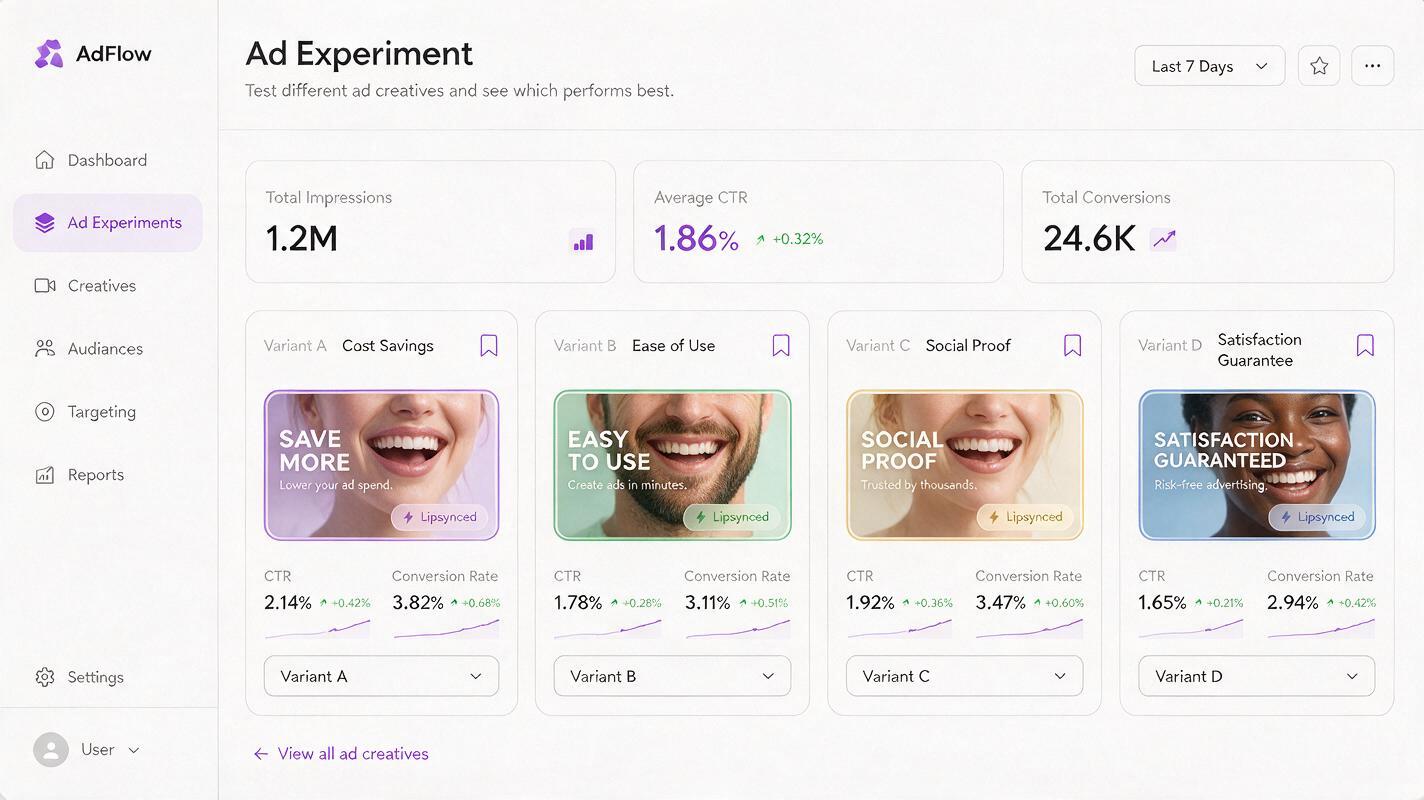
The biggest advantage of AI lipsync for performance teams is the ability to run fast, low-cost script and messaging tests without production overhead. Use this framework to get clear, actionable insights from every test.
Start with a single high-performing base clip—ideally a UGC or talking-head ad that already has proven CTR and conversion rates. This ensures you’re testing message variants against a known winning visual, so any performance difference comes from the script, not the footage.
Generate 3-4 script variants, each focused on a different value prop, pain point, or offer. For example, one variant might focus on cost savings, another on ease of use, and a third on social proof. Create matching voiceovers with the same voice tone and pacing, then sync each to the base footage.
Run the variants in a controlled A/B test with equal budget and targeting. Let the test run until you have statistical significance, then double down on the top-performing message. You can then roll that winning message out to other markets using localized lipsynced versions.
For teams with larger budgets, you can layer in additional tests: different voice tones, different accents, or even different languages to find the best-performing combination for each audience segment.
Ready to test your first lipsynced ad variant without booking a studio? try these models for free to generate voiceovers and sync them to your existing UGC footage in minutes.
Final checklist
- Use base footage with clear, front-facing mouth visibility and even lighting for the most natural lipsync results.
- Keep 15-second ad scripts to 30-35 words and 30-second scripts to 60-70 words for natural pacing.
- Validate every output for uncanny movements, offer accuracy, and platform compliance before launching.
- Isolate script variables in tests by using identical base footage, on-screen text, and CTAs across all variants.
- Scale winning messages to new markets with localized voiceovers and lipsynced footage.
Keywords
ai lipsync, performance ad creative, ugc ads, ad localization, creative testing, talking head ads, ai voice generator