AI Menu Photos That Match Real Portion Sizes: A Reference-First Method
AI menu photos can make portions look larger than the dishes guests actually receive. This reference-first method uses vessel dimensions, ingredient counts and controlled editing to create polished restaurant visuals without changing the serving size.
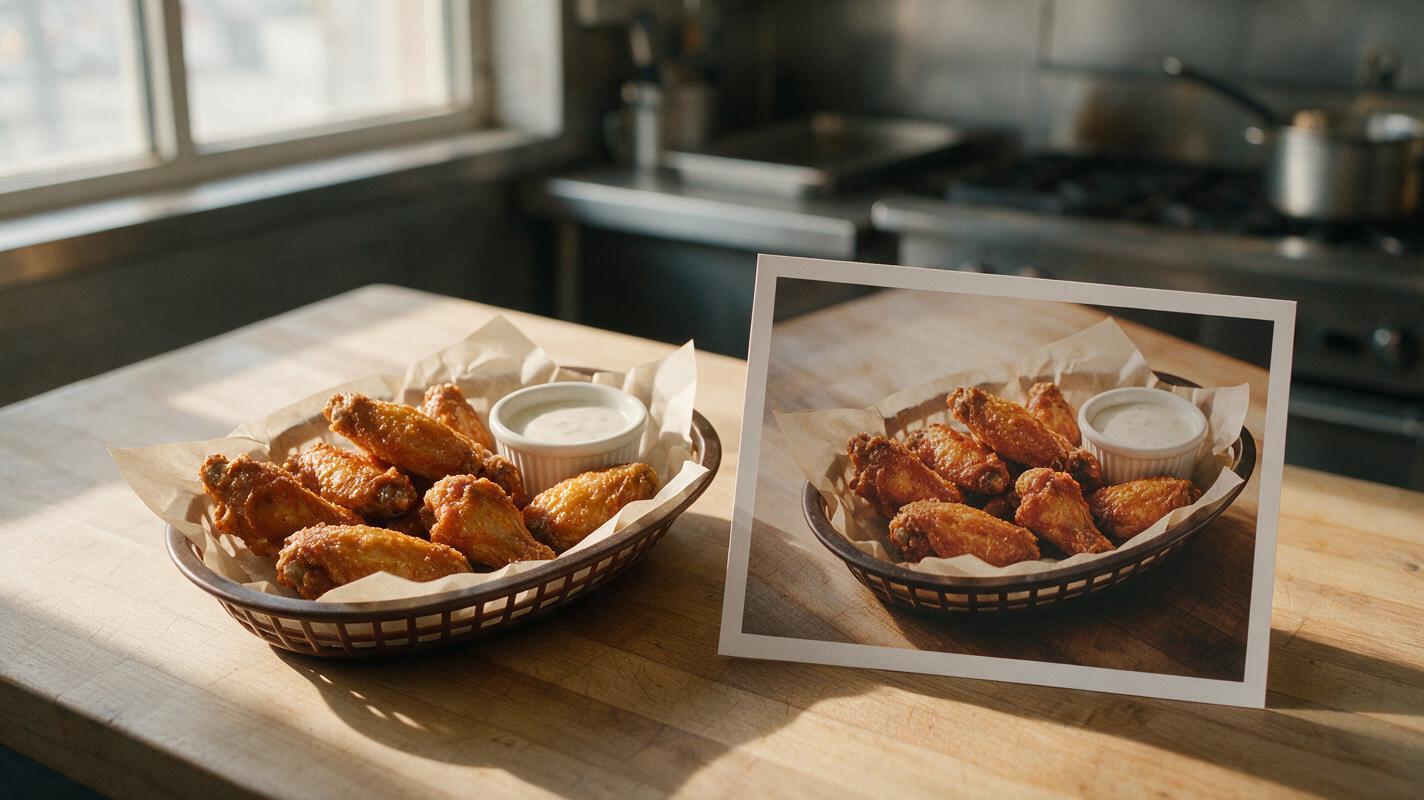
Table of contents
Match the photograph to what guests actually receive
An attractive AI menu photo should improve presentation without quietly enlarging the meal. If a six-wing appetizer becomes ten wings, a 12-ounce bowl looks oversized or a modest side fills half the plate, the image creates expectations the kitchen cannot meet. The safer method is to begin with a photograph of the real serving and treat portion size as a locked product specification.
This workflow separates two decisions that are often confused: how much food appears and how professionally that food is presented. You can improve lighting, color, garnish placement and background styling while preserving the vessel, fill level, item count and visual scale of the original dish.
The objective is not to make the portion look bigger. It is to make the real portion look intentional, appetizing and easy to understand.
Why AI portions drift from the real dish
Generative models tend to interpret phrases such as “abundant,” “generous,” “loaded” and “overflowing” as visual instructions. These words may produce appealing advertising imagery, but they can also add ingredients, raise the fill line or increase the apparent diameter of the food.
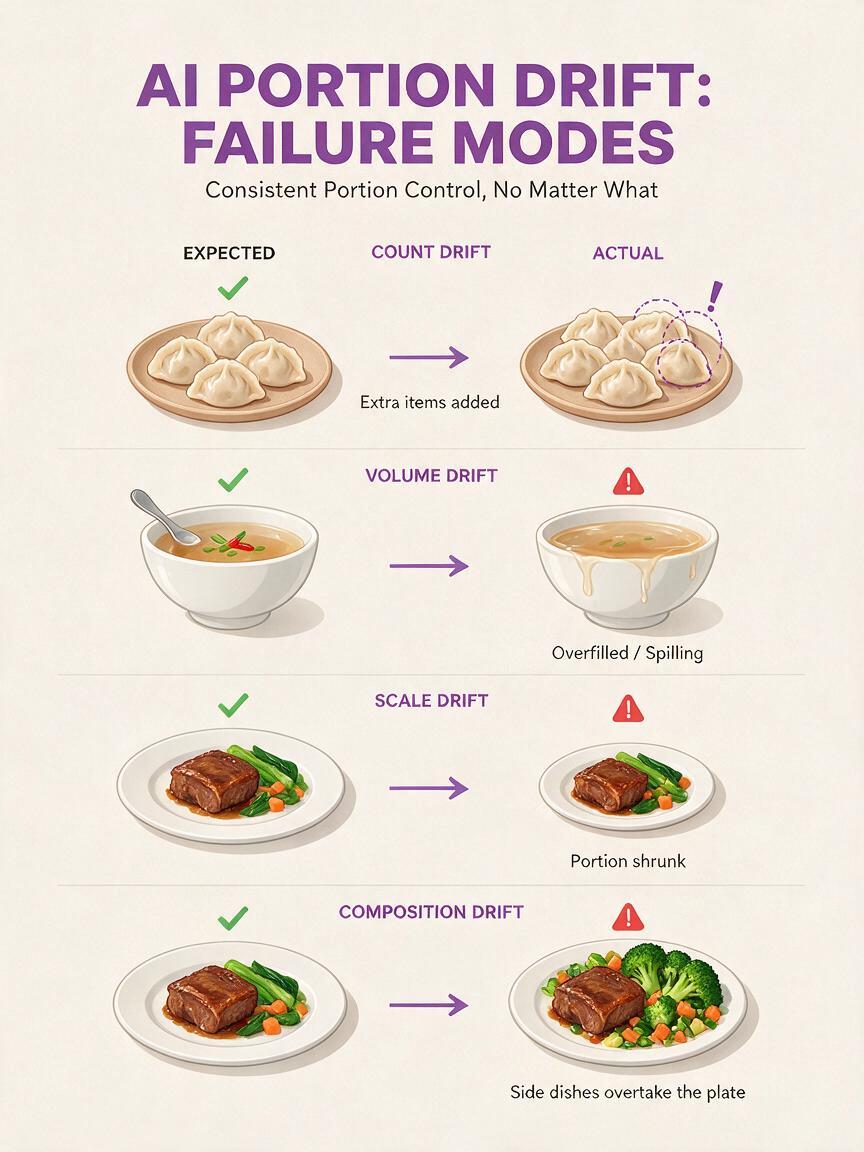
Portion drift commonly appears in four forms:
- Count drift: six dumplings become eight or nine.
- Volume drift: soup, rice or pasta rises above the real fill line.
- Scale drift: the food stays similar while the plate or bowl becomes smaller.
- Composition drift: garnishes, sauces or side dishes expand until they read as additional food.
Camera choices can create the same problem even when the generated quantity is technically correct. A close crop, low lens angle or hidden plate rim can make a serving appear much larger. Portion accuracy therefore depends on both the food and the visual evidence around it.
Define the portion with visible constraints
Before generating anything, record the serving as a short visual specification. Avoid relying only on weights because a guest cannot verify grams from a photograph. Translate operational measurements into details the model and reviewer can see.
| Menu item | Useful visual constraint | Common failure |
|---|---|---|
| Wings, tacos or dumplings | Exact item count and arrangement | Extra pieces appear behind the front row |
| Soup, curry or noodles | Bowl diameter, depth and fill line | Food rises to the rim or vessel shrinks |
| Steak or fish entrée | Plate size, protein footprint and side placement | Protein expands relative to the plate |
| Fries or salad | Container dimensions and maximum height | Loose ingredients multiply into a mound |
| Layered dessert | Slice width, layer count and plate rim visibility | Slice becomes taller or wider than service |
A practical specification might read: “Six wings in one shallow oval basket, arranged in two rows, basket liner visible around all edges, one two-ounce ramekin at the upper right.” That description gives the image a measurable structure instead of a vague request for a tempting appetizer.
Build a portion-locked reference image
Photograph the real plated serving before asking AI to improve it. A phone image is sufficient if the portion boundaries remain visible. Use the same plate, bowl, basket, glass or package used during service, and include enough surrounding surface to show its scale.
- Keep the entire rim of the vessel visible.
- Photograph countable foods without hidden pieces.
- Place sauces and sides in their real service containers.
- Avoid an ultra-wide phone lens that stretches objects near the frame edge.
- Capture one overhead view and one normal dining angle when possible.
- Do not add temporary garnish that will not accompany the purchased dish.
For reference-based editing, seedream 4.5 can be used to restyle the scene while the prompt explicitly protects the serving geometry. Crop and straighten the source first, but do not remove the plate rim or other scale cues merely to make the image more dramatic.
Prompt for presentation without changing quantity
The prompt should distinguish editable qualities from locked qualities. Lighting, surface, backdrop and color treatment can change. Food count, vessel dimensions, fill level and ingredient identity should not.
Use this general editing prompt:
Edit the supplied restaurant food photograph into polished commercial menu photography.

LOCKED PRODUCT DETAILS:
Preserve the exact serving shown in the reference image: [exact count or fill level], the same [plate, bowl, basket or glass], the same food footprint, the same side portions and the same ingredient quantities. Keep the full vessel rim visible. Do not add, remove, enlarge, duplicate or hide food.

ALLOWED IMPROVEMENTS:
Improve soft directional lighting, natural color separation, realistic surface texture and tidy garnish placement. Replace the background with [surface description]. Keep the camera angle and crop close to the reference. Maintain believable shadows and normal restaurant plating.

FINAL USE:
[delivery menu tile, printed menu, website banner or social post]. Honest portion representation, appetizing but not oversized.
Reference-controlled ai image generation works best when the prompt identifies the details that must survive the edit. Repeating “same” is less useful than naming the exact six pieces, visible fill line or plate-to-food ratio.
Prompt for countable appetizers
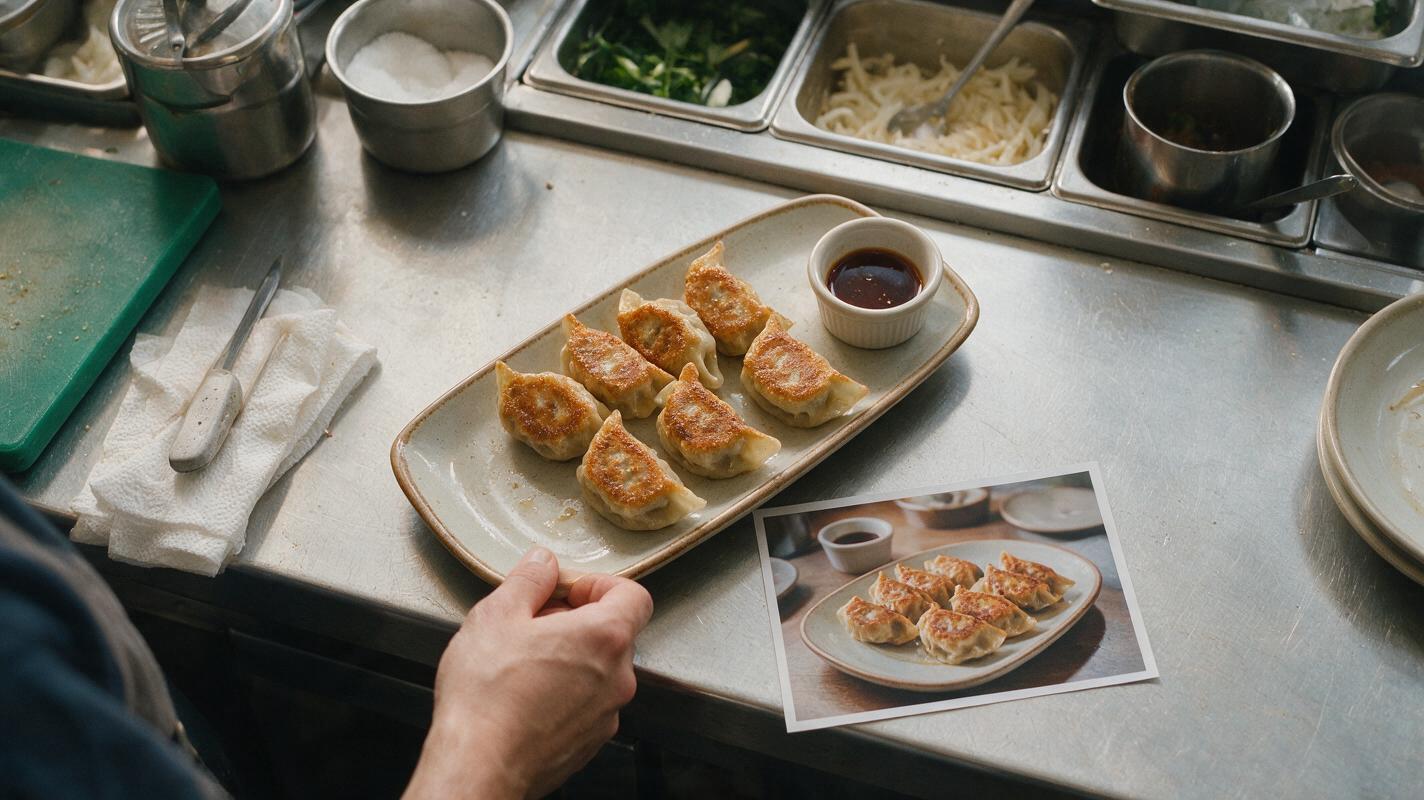
Preserve exactly six fried dumplings, all six fully visible, with no partial or hidden dumplings. Keep the original rectangular ceramic plate and its visible empty border. Improve crisp golden texture, gentle side lighting and clean sauce presentation. Do not enlarge the dumplings, shrink the plate or add garnish that resembles another dumpling.Prompt for a bowl-based entrée
Preserve the exact noodle quantity and the original ceramic bowl. Keep the broth and noodles below the reference fill line, with the inner upper rim clearly visible. Improve noodle separation, broth clarity and fresh herb definition. Do not create an overflowing bowl, increase topping quantity or use a tighter crop.Prompt for a plated protein
Retain the exact protein footprint, thickness and placement from the reference. Preserve the original dinner plate diameter and the real portions of vegetables and potatoes. Refine sear texture, natural moisture and warm restaurant lighting. Do not enlarge the protein, stack the sides or conceal the plate rim.Choose camera language that does not exaggerate the serving
Some familiar food-photography phrases can undermine an accurate reference. “Heroic angle,” “frame-filling,” “towering” and “overflowing abundance” encourage visual enlargement. Replace them with camera instructions that preserve context.
| Avoid | Use instead |
|---|---|
| Extreme close-up | Moderate crop with full plate rim visible |
| Heroic low angle | Natural seated-diner viewpoint |
| Overflowing portion | Real service fill line with visible vessel interior |
| Massive food styling | Balanced commercial plating at true scale |
| Abundant garnish | Minimal garnish used in normal service |
For delivery-menu thumbnails, the food still needs to remain legible at small size. Increase contrast between the dish and background rather than enlarging the serving. A darker tabletop, clean plate edge or controlled side light can create separation without misrepresenting quantity.
Correct local defects instead of regenerating the dish
If the first result contains one inaccurate area, avoid regenerating the complete photograph. Whole-image regeneration gives the model another opportunity to change every count, proportion and ingredient. Make a localized edit around the defect instead.
- If an extra wing appears, mask only that wing and reconstruct the visible liner beneath it.
- If the bowl looks too full, edit the upper food boundary while preserving the bowl.
- If a plate becomes smaller, restore the original plate from the reference rather than shrinking the food by eye.
- If garnish multiplies, remove individual pieces without rebuilding the entrée.
- If texture looks dull, edit texture and highlights while keeping the silhouette unchanged.
Save the approved reference beside every final asset. This makes review faster and prevents later campaign variations from drifting away from the service portion.
Review the result with measurable comparisons
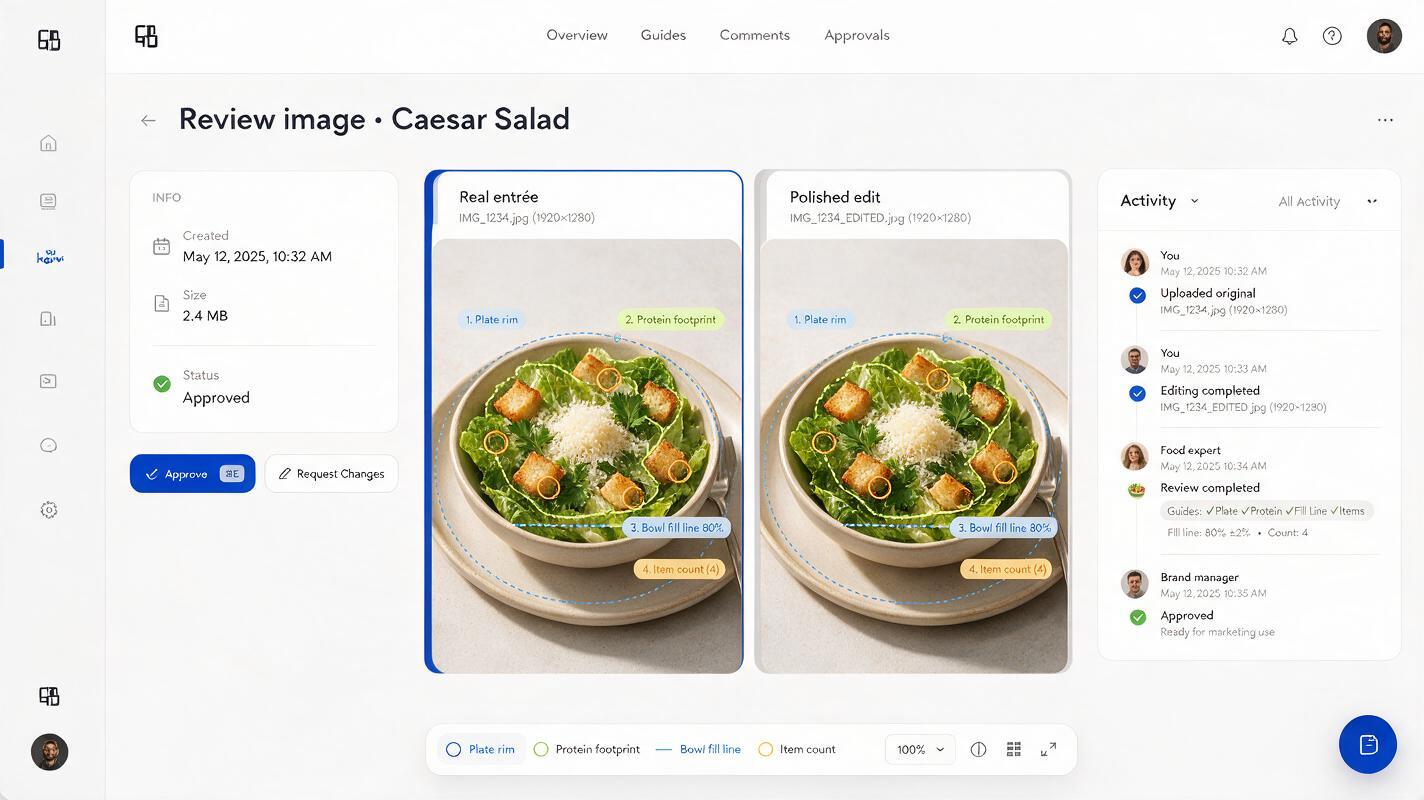
Do not approve an image based only on whether it looks appetizing. Place the source and edited result side by side at the same displayed size, then compare fixed landmarks.
- Count: Are all countable items identical in number?
- Rim: Is the same amount of plate or bowl rim visible?
- Fill line: Does loose food reach the same height?
- Footprint: Does the main item occupy the same proportion of the vessel?
- Sides: Have sauces, fries, salad or garnishes increased?
- Crop: Does the new framing create a false impression of scale?
- Service reality: Can the kitchen repeatedly serve what the image promises?
If reviewers disagree about whether the portion changed, use vessel landmarks and item counts rather than subjective impressions of generosity.
Final checklist
- Use a real service portion as the reference image.
- Write down counts, fill lines, vessel dimensions and side portions.
- Keep plate or bowl boundaries visible as scale evidence.
- Separate locked product details from permitted styling changes.
- Avoid camera language that implies oversized or overflowing food.
- Repair isolated defects instead of regenerating the whole dish.
- Compare the source and final image at the same size.
- Confirm that normal kitchen service can reproduce the photographed portion.
Once your portion specification and reference photo are ready, test this prompt yourself and create a polished menu image that remains faithful to the plate guests will receive.
Keywords
ai menu photos, portion size photography, menu photo generator, ai food photography, seedream 4.5, restaurant marketing ai, food image editing