AI Poster Animation Prompts for Subtle Loops Without Text Warping
These Vidu poster animation prompts help designers add restrained, loop-friendly motion without sacrificing the original composition. The workflow separates generative movement from protected typography, logos, and campaign information so the finished asset remains recognizably on-brand.
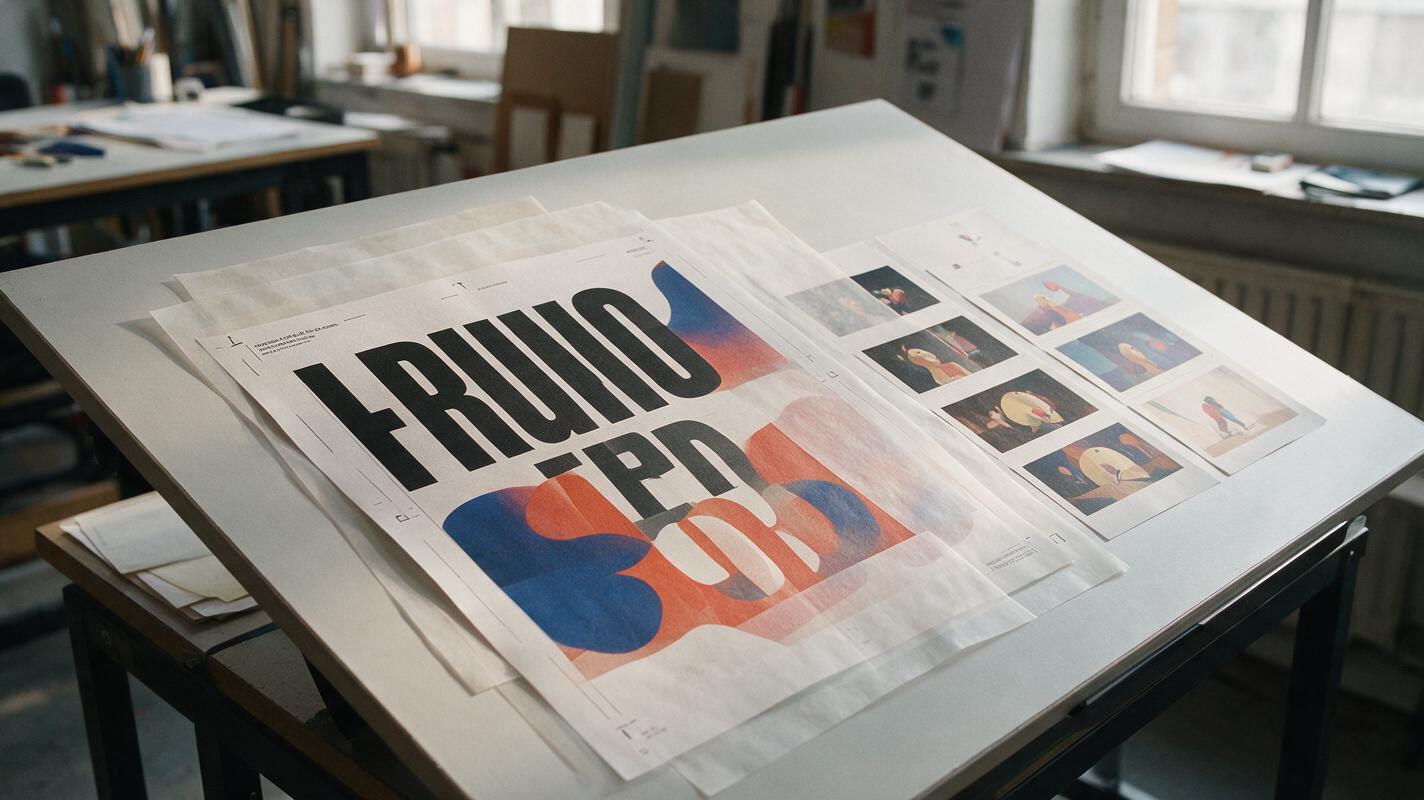
Table of contents
Animate the poster without redesigning it
A strong campaign poster can fall apart as soon as an AI model starts moving it. Headlines bend, logos mutate, products change shape, and a restrained composition becomes an uncontrolled camera move. The solution is not a longer cinematic prompt. It is a motion-safe poster master, a narrow animation brief, and a final composite that keeps approved graphic elements outside the generative layer.
This prompt collection uses Vidu for image-driven motion, but the method is deliberately hybrid: let the model animate atmosphere, light, texture, and depth while your original typography and identity assets remain protected.
Why animated posters develop text and layout errors
Video generation models interpret a poster as a scene rather than a finished design file. They infer depth, hidden surfaces, object movement, and camera behavior from one flattened frame. That process can conflict with the deliberate visual constraints of graphic design.
- Typography is treated as image texture. Letterforms may be redrawn from frame to frame instead of preserved as fixed vector shapes.
- Depth is inferred where none exists. A model may separate overlapping type, products, shadows, and collage elements into unintended spatial layers.
- Motion language is too broad. Words such as “dynamic,” “cinematic,” or “energetic” can trigger camera travel, object transformation, or excessive particle effects.
- The whole frame is allowed to change. Without a clear motion hierarchy, every visible element competes for movement.
The safest principle is simple: generate motion behind the brand system, not through it.
Build a motion-safe poster master
Start from the approved poster at its delivery aspect ratio. Before sending it into image to video, divide the artwork into elements that may move and elements that must remain exact.
| Poster element | Recommended treatment | Reason |
|---|---|---|
| Headline and supporting copy | Remove from the generated motion plate | Prevents changing letterforms, spacing, and line breaks |
| Logo and legal marks | Preserve as original vector or raster overlays | Maintains approved geometry and clear space |
| Hero product or object | Keep mostly static unless motion is essential | Reduces shape drift and false rotations |
| Lighting, haze, grain, fabric, liquid, foliage | Allow restrained movement | Creates visible motion without changing the message |
| Background geometry | Use slow depth separation or light movement | Adds dimensionality while preserving composition |
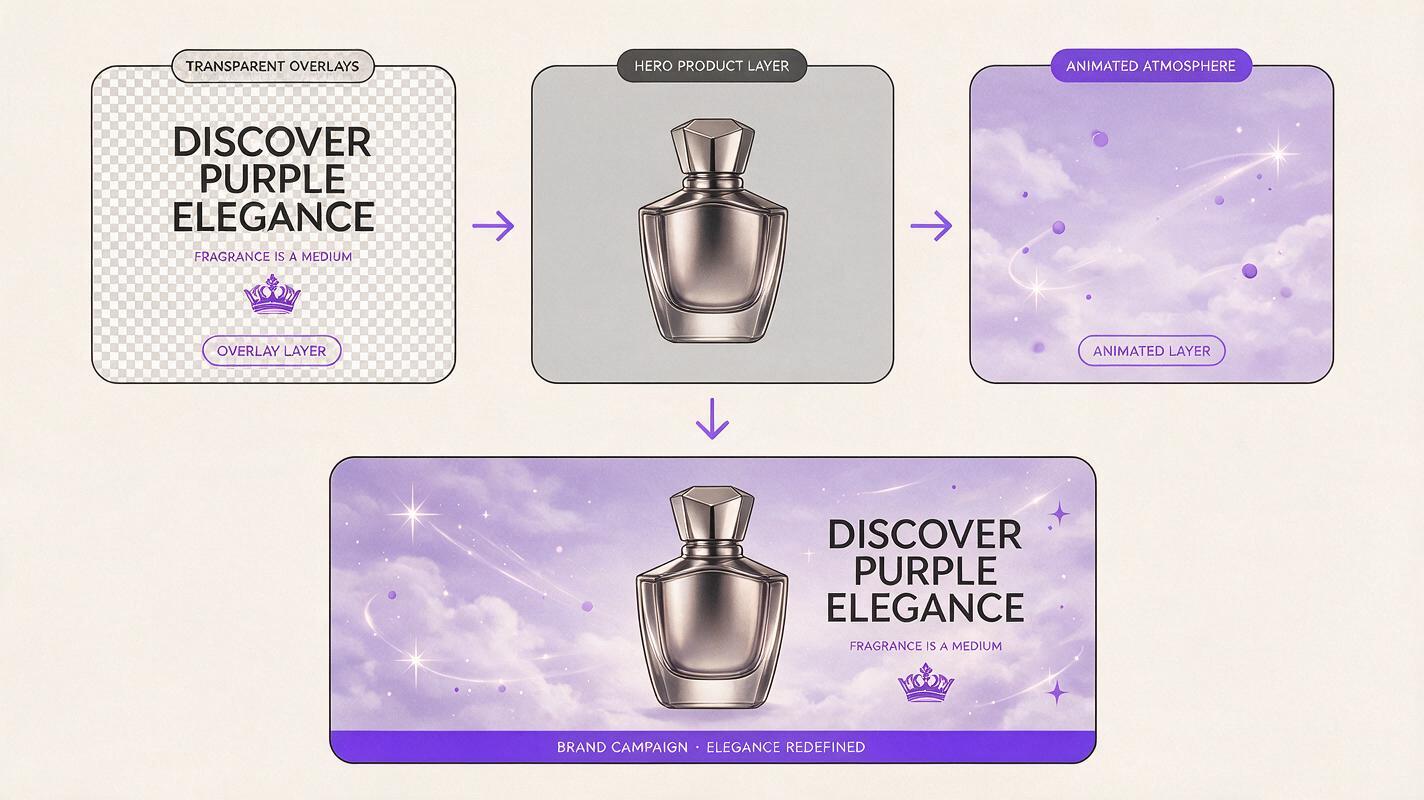
Create a clean motion plate by hiding the headline, logo, calls to action, prices, dates, and legal copy. Rebuild the space behind those elements with the original background artwork, retouching, or content-aware editing. Keep a second file containing the untouched typography and brand marks on transparent layers.
If the product silhouette must remain exact, preserve that as an overlay too. The generated clip can still provide moving reflections, shadows, particles, or environmental light around it.
Use a prompt structure that limits creative drift
A reliable poster animation prompt should describe five things: the locked composition, the permitted motion, the stationary elements, the camera behavior, and the desired ending. Put the most important restrictions near the beginning instead of adding them as an afterthought.
Locked advertising poster composition. [PERMITTED SUBJECT OR MATERIAL] moves with [SMALL MOTION]. The hero object remains fixed in shape, position, scale, and orientation. Static camera, no zoom, no pan, no rotation. Preserve all edges and negative space. Subtle continuous movement suitable for a seamless short loop. End frame visually matches the opening frame.Avoid asking Vidu to make the scene generally “more alive.” Name one primary motion and, at most, one supporting motion. For a short social loop, restrained movement usually reads more intentionally than multiple competing effects.
Prompt patterns for five poster motion styles
Ambient light across a minimal product poster
Use this when the layout depends on sharp geometry, generous negative space, and a centered product. Motion comes from illumination rather than object movement.
Locked minimal product poster composition. A soft band of warm studio light moves slowly across the background and creates a restrained highlight along the stationary product edge. The product remains completely fixed in shape, position, scale, and orientation. Static camera. No zoom, no perspective shift, no new objects, no transformation. Preserve the clean negative space. Smooth cyclical lighting suitable for a seamless loop.Controlled material motion for fashion or beauty
Choose one flexible material such as fabric, hair, ribbon, or translucent film. Keep the movement localized so it does not pull the entire composition out of alignment.
Locked editorial campaign poster. Only the translucent fabric behind the subject moves in a slow, gentle wave, as if touched by a light studio breeze. The subject, face, hands, clothing silhouette, and product remain still and structurally unchanged. Fixed frontal camera, no reframing, no body movement, no added details. Preserve the original color treatment and graphic balance. The fabric settles toward its opening position at the end.Atmospheric depth for an outdoor campaign
Atmosphere can create depth without requiring a dramatic camera move. Mist, soft cloud shadow, dust, or reflected light can work if the hero silhouette stays stable.
Locked outdoor campaign key visual. Thin atmospheric mist drifts slowly behind the stationary hero object while a soft cloud shadow passes across the distant background. The foreground object and all hard graphic edges remain fixed. Static camera, no dolly movement, no zoom, no landscape changes, no additional objects. Natural restrained motion with a calm premium advertising finish.Paper movement for collage and editorial posters
Generative video can easily turn a collage into a three-dimensional fly-through. Ask for minute edge movement instead of full spatial separation.
Locked cut-paper editorial poster composition. Selected paper edges lift by only a few millimeters and settle gently, creating subtle tactile depth. All cutout shapes retain their exact size, outline, overlap order, and position. No pieces detach or travel across the frame. Static camera, no parallax fly-through, no rotation, no new collage elements. Soft realistic paper shadows return to the opening state.Living texture behind static typography
This pattern works for abstract posters, music graphics, and cultural campaigns. Generate a texture plate first, then restore the original headline above it.
Locked abstract poster background with a fixed composition. The granular ink texture circulates slowly inside its existing shapes, like pigment suspended in liquid, without changing any outer contour. The color fields remain in their original positions and preserve the empty headline area. Static camera, no zoom, no flashing, no new symbols. Slow hypnotic internal motion designed for a clean repeating loop.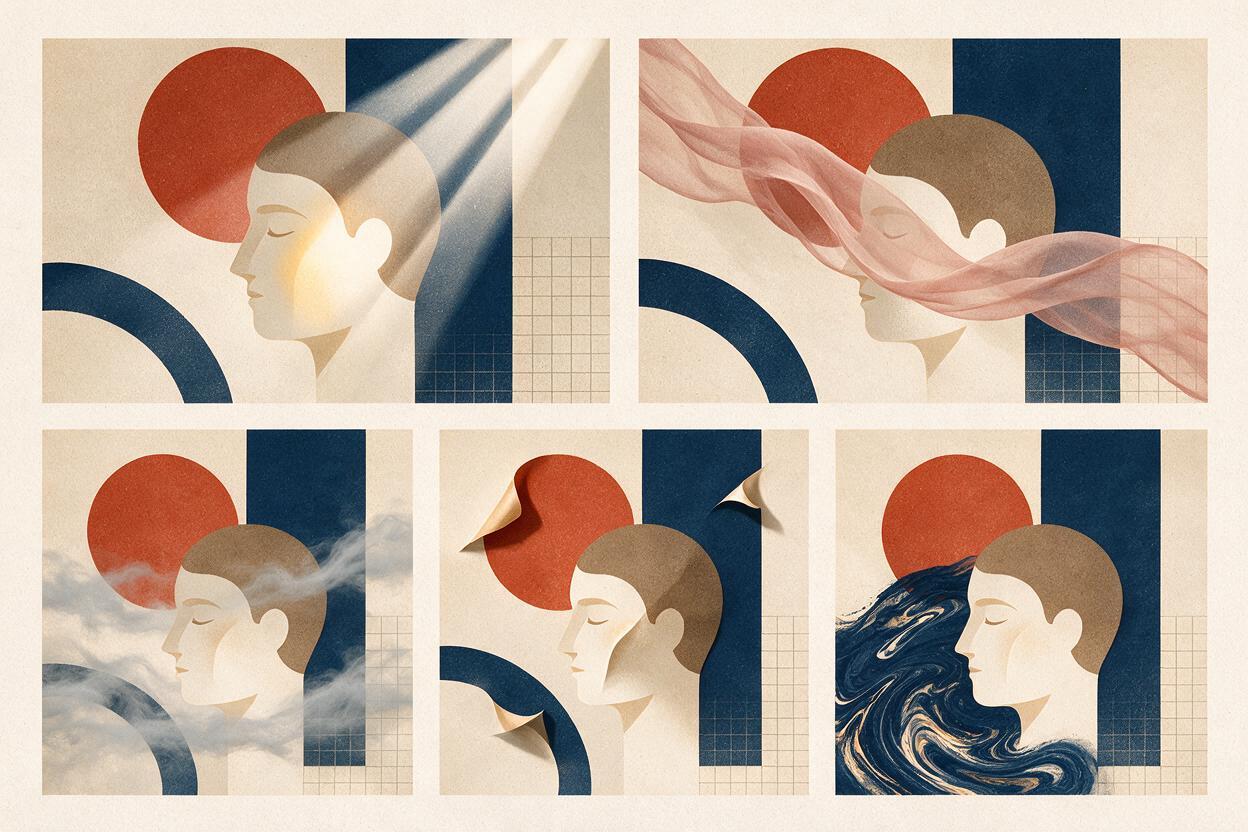
Protect typography in the final composite
Once a useful motion clip is generated, return to your compositing application and place the untouched headline, logo, product silhouette, and legal information above it. This restores exact letterforms and brand geometry even if small errors remain in the generated plate.
Use masks to decide where motion is visible. A moving light can pass behind a headline without affecting the type. Grain may cover the complete frame if it is subtle, while liquid or fabric movement should usually stay inside a controlled region.
- Match the overlay to the original poster coordinates rather than positioning it by eye.
- Check the first, middle, and final frames at full resolution.
- Keep the headline stationary unless deliberate kinetic typography is being built manually.
- Use easing or a short dissolve at the loop point when the generated ending does not match perfectly.
- Export a silent master before creating platform-specific crops and compression variants.
Diagnose the most common failures
| Failure | Likely cause | Better correction |
|---|---|---|
| The whole poster slowly zooms | The camera was not explicitly locked | Add “static camera, no zoom, no pan, no reframing” near the start |
| The product changes shape | Too much object motion was requested | Keep the product fixed and animate light or atmosphere around it |
| Paper collage pieces fly apart | Depth language was too dramatic | Specify millimeter-scale edge lift and preserve overlap order |
| The loop jumps | The ending has different motion or lighting | Request a return toward the opening state and blend the transition in post |
| Text still warps | Typography was left inside the motion plate | Remove it before generation and restore the original layer afterward |
Generate short tests before committing to multiple formats. Review structural stability first; do not select a clip solely because one frame contains an attractive effect. When the motion idea is working, test this prompt yourself with the cleanest version of your poster master.
Final checklist
- The animation has one clear primary motion.
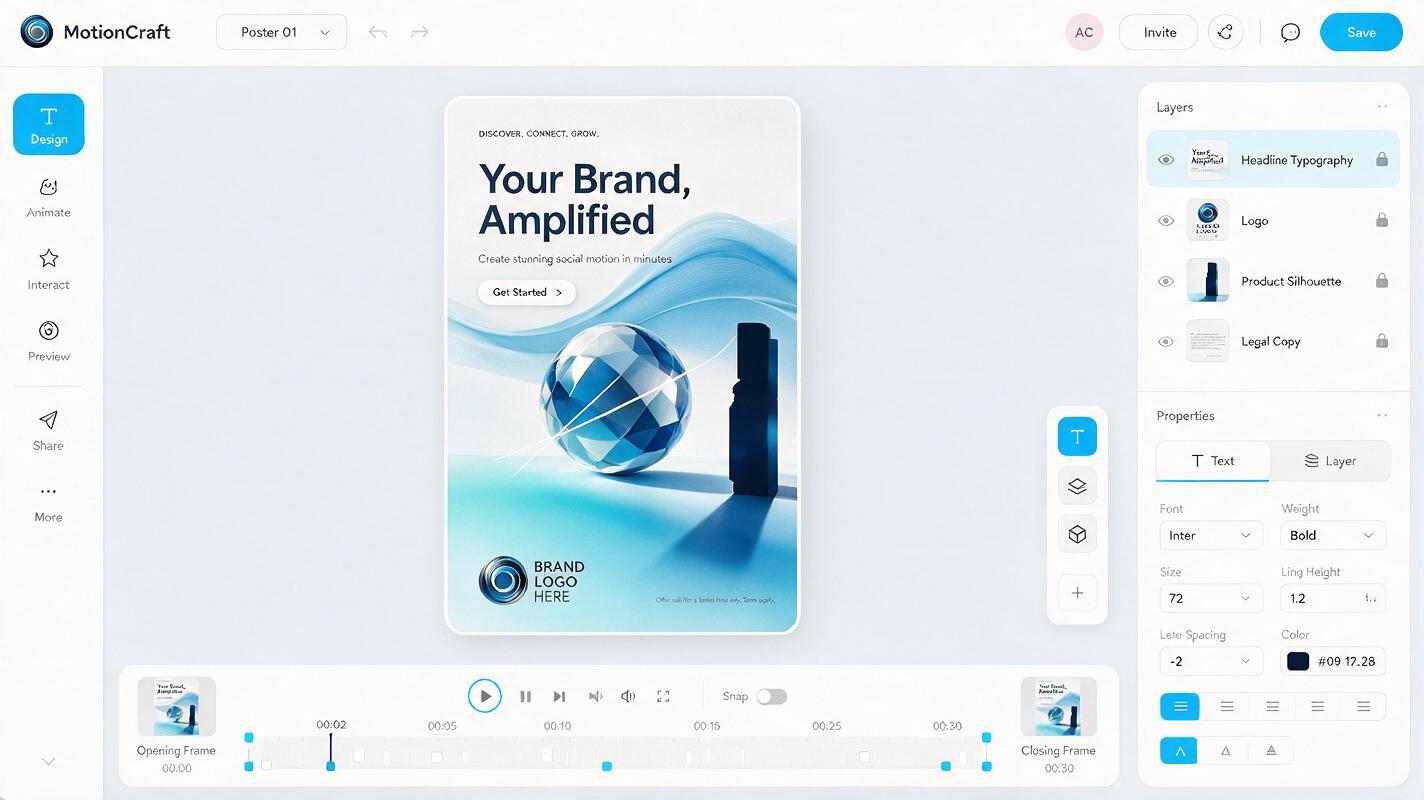
- Headline, logo, prices, dates, and legal text are protected overlays.
- The hero object retains its original silhouette and position.
- The prompt explicitly locks the camera and composition.
- Negative space remains available for campaign information.
- The opening and closing frames can form a clean loop.
- The final clip has been checked at full resolution and at actual social-feed size.
Keywords
AI poster animation, poster animation prompts, Vidu prompts, animated campaign poster, image to video, typography animation, brand motion design