AI Restaurant UGC Videos Without Fake Bites or a Changing Dish
Create restaurant UGC-style videos that feel spontaneous without letting AI deform the featured dish, invent awkward bites or change portion sizes. This reference-first Kling workflow uses short action clips, off-camera reactions and controlled prompts to protect food continuity.
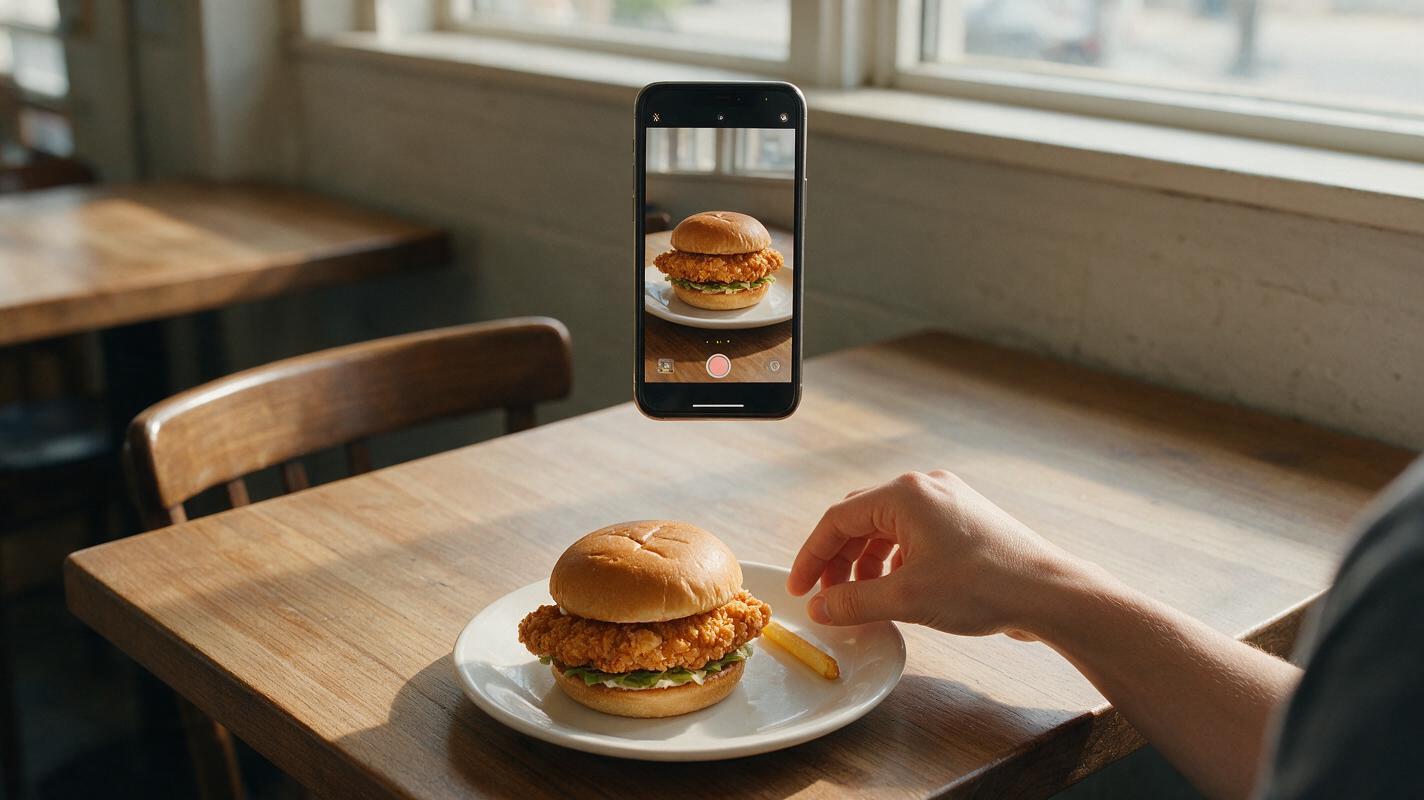
Table of contents
Create natural restaurant UGC without sacrificing food accuracy
The fastest way to ruin an AI restaurant UGC video is to ask one clip to show a person lifting, biting and reviewing a dish all at once. The food changes shape, the bite looks unnatural and the supposedly candid reaction becomes visibly synthetic.
A more reliable approach is to build the reel from several short shots: an untouched hero dish, a simple utensil interaction, a reaction without visible chewing and a final restaurant detail. Kling can animate these shots from approved photographs while keeping each motion narrowly defined.
For menu items that customers will receive in real life, treat the approved food photograph as product evidence—not merely visual inspiration.
The believable UGC formula
Restaurant UGC feels authentic because it appears immediate and personal, not because every shot contains a face. A hand reaching for a fry, a phone-level push toward a burger or a quick reveal of a cocktail can communicate the same first-person experience with much less visual risk.
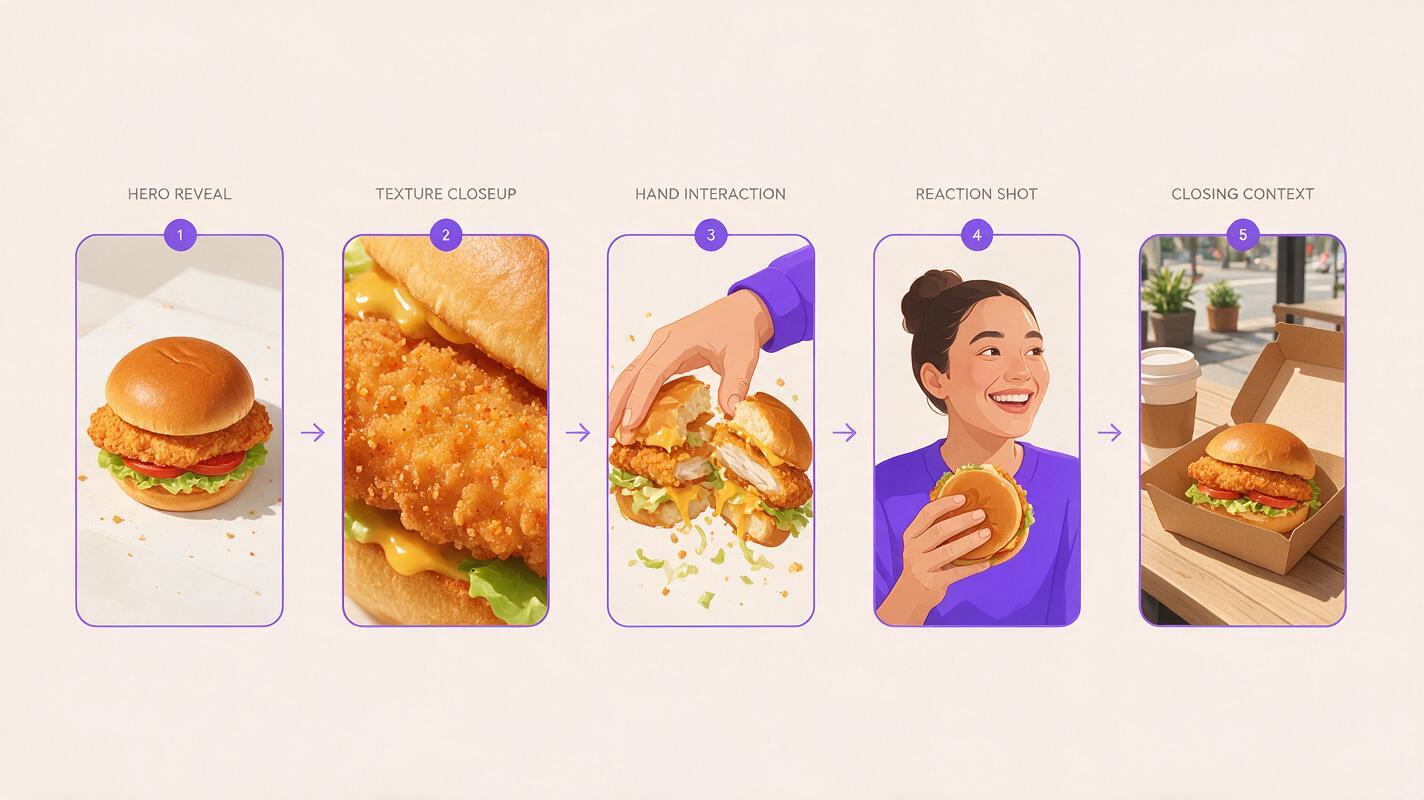
A practical 12–18 second reel can use four independent clips:
- Arrival: the dish is placed on the table or revealed from behind a menu.
- Detail: the camera moves closer to a stable texture such as a crisp crust, glossy sauce or layered filling.
- Interaction: a hand lifts one removable item or moves a utensil through a clearly defined area.
- Reaction and context: an off-camera comment, a smiling customer before eating or a quick view of the dining room completes the story.
This structure avoids the most difficult generation event: maintaining accurate food geometry while teeth, lips, fingers and utensils interact in the same frame.
Build a continuity-safe shot list
Start with the exact promise of the reel. “Trying our new spicy chicken sandwich” is more useful than “make a viral restaurant video” because it identifies the product, the customer experience and the likely sequence of shots.
| Shot | Safe action | Avoid | Ideal length |
|---|---|---|---|
| Hero reveal | Small handheld camera approach | Ingredients assembling themselves | 2–3 seconds |
| Texture detail | Subtle camera arc or rack focus | Rapid orbit around the plate | 2–3 seconds |
| Food interaction | One fry lifted or one clean spoon scoop | Biting, chewing and speaking together | 2–4 seconds |
| Reaction | Smile, nod or off-camera exclamation | Visible mouth full of food | 2–3 seconds |
| Closing context | Menu card, storefront or table scene | AI-generated offer text | 2–3 seconds |
Generate every shot separately. If one clip fails, you can replace it without rebuilding the entire reel. Independent clips also make it easier to create alternative openings for paid ads, organic Reels and TikTok posts.
Lock the dish before adding motion
Use a clean photograph of the real menu item whenever accuracy matters. The plate should be unobstructed, the main ingredients should be visible and the serving count should match what customers receive. Crop out unnecessary hands before generation unless those hands are meant to remain in the shot.
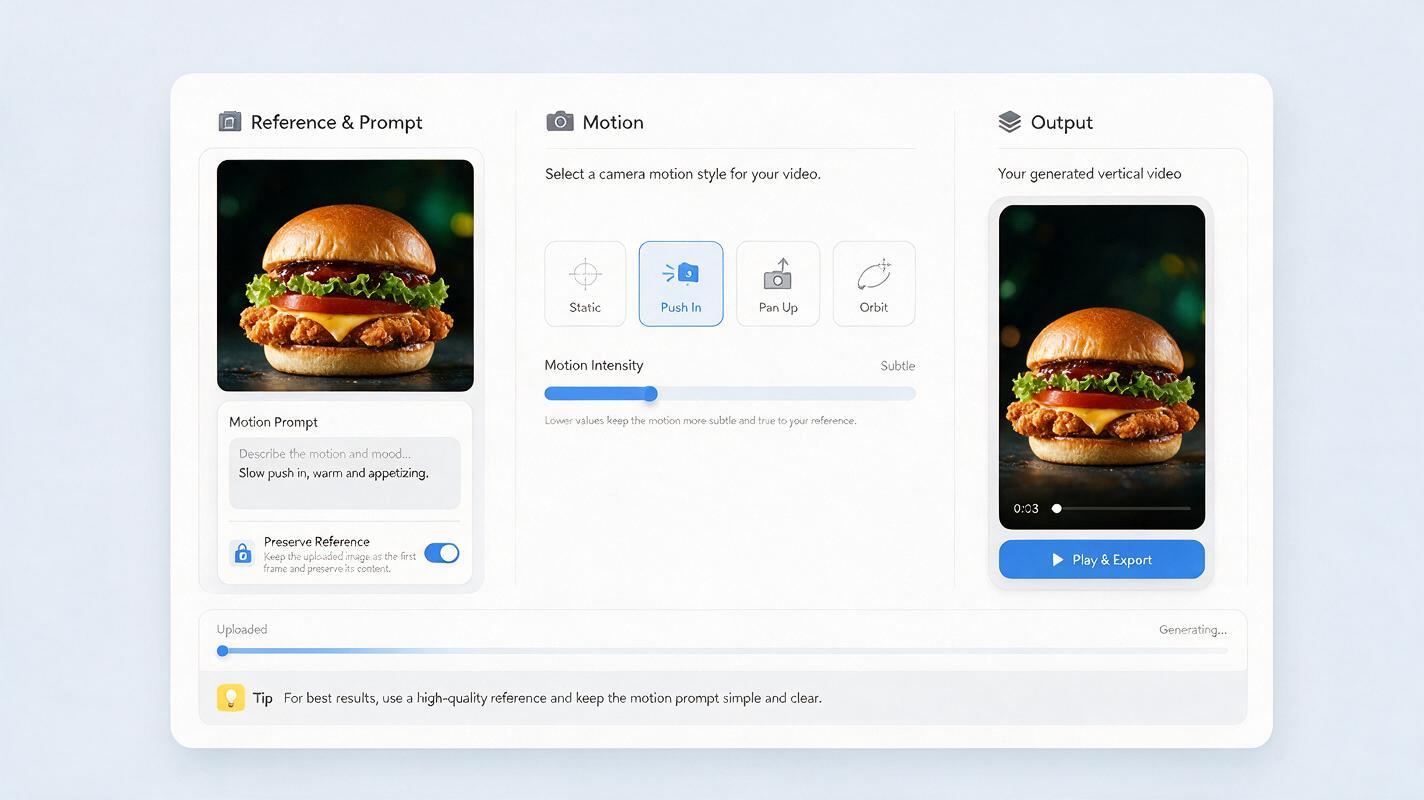
Upload that approved frame and use reference image to video rather than asking the model to invent the dish from a description. In Kling, describe only the movement that must happen. Repeating the full recipe can encourage the model to reinterpret ingredients that are already visible.
Vertical smartphone restaurant video, casual customer point of view. Preserve the exact sandwich, plate, ingredient arrangement, portion size and table from the reference image. Slight natural handheld camera movement slowly approaches the sandwich. Warm restaurant lighting remains constant. The sandwich stays completely still. No ingredient changes, no extra food, no hands, no text, no dramatic camera orbit.The phrase “preserve the exact” establishes continuity, while the final exclusions block common sources of drift. Keep the camera request modest: a gentle push-in is safer than a fast sweep that forces the model to invent unseen sides of the dish.
Use one physical action per clip
A convincing interaction clip needs a clear subject, a single action and a stopping point. Do not prompt “the customer picks up the taco, takes a bite, smiles and speaks to camera.” Each added verb creates another opportunity for the food or anatomy to fail.
Prompt for lifting one removable item
Casual vertical UGC shot at a restaurant table. Preserve the exact basket, fries, portions and background from the reference image. One natural hand enters slowly from the right, gently picks up exactly one fry and exits the frame. All other fries remain stationary. Realistic finger anatomy, subtle handheld phone movement, unchanged lighting. No duplicated fries, no floating food, no eating, no face, no text.Prompt for a controlled utensil scoop
Close smartphone view of the exact dessert in the reference image. A teaspoon enters from the lower edge and removes one small spoonful from the front-right corner. The dessert remains stable except for one clean scoop mark. Preserve the plate, garnish and serving size. No melting, no extra spoon, no changing garnish, no hand deformation, no mouth.Choose interactions that match the food’s structure. Fries and cookies can be lifted individually. A spoon can enter soup, pudding or soft dessert, but it should not expose an elaborate cross-section unless that interior is supported by a reference image.
Suggest the bite instead of generating it
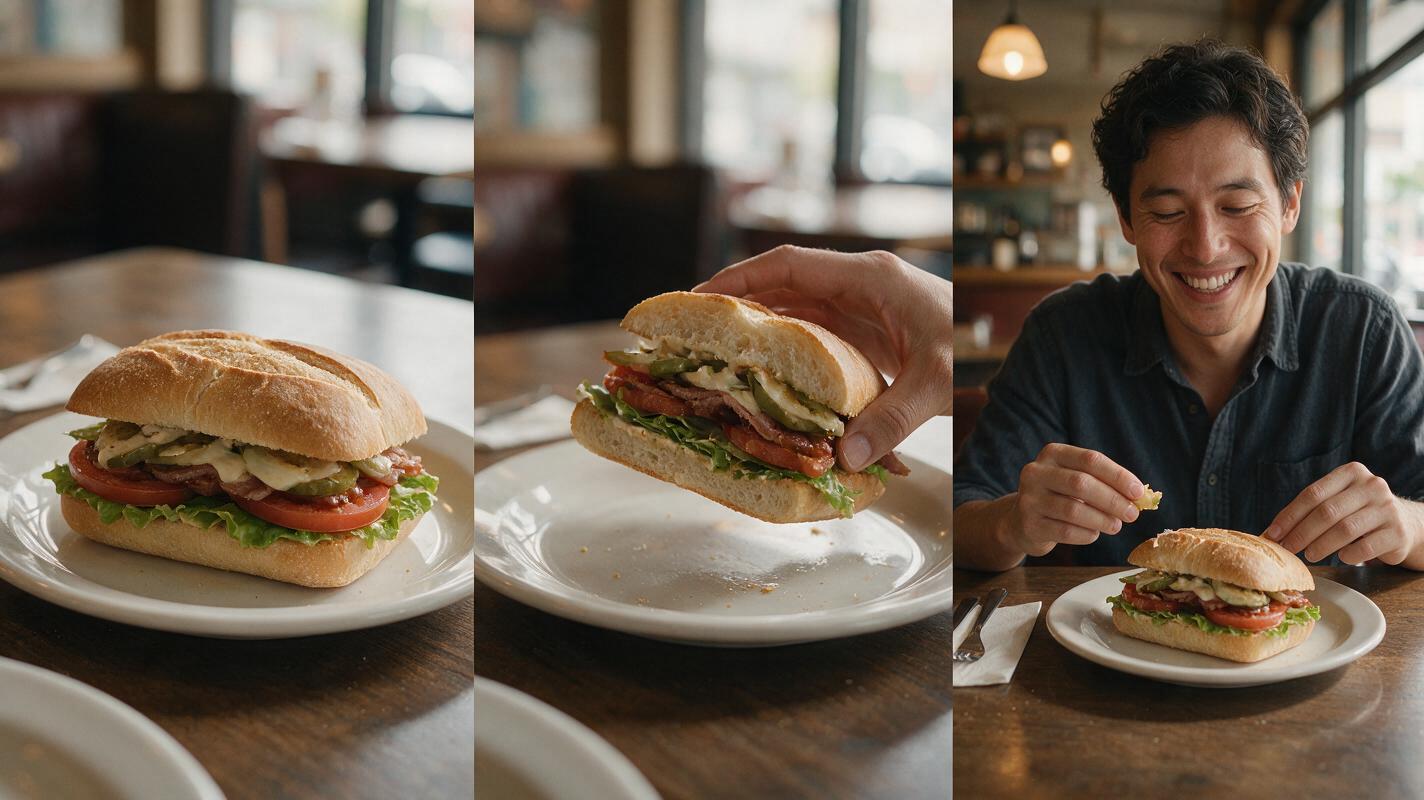
The viewer does not need to see teeth contact the food to understand that someone tasted it. A three-shot edit often feels more natural than a continuous synthetic bite:
- Show the intact dish in a close handheld frame.
- Cut to the customer raising the food toward the edge of the frame.
- Cut again to a relaxed smile, nod or spoken reaction with the food lowered.
If a post-bite version of the dish must appear, photograph that state separately. For example, capture the real burger with one bite removed, then animate only a subtle hand movement or camera adjustment. This preserves the actual filling, bite depth and bun structure.
Avoid prompting the model to create bite marks automatically. Generated bite shapes may reveal impossible interiors, remove too much food or change ingredients between cuts.
Add reactions with sound, not risky mouth action
Record a real creator’s short reaction whenever possible. Natural pauses, room tone and imperfect delivery help the reel feel personal. The speaker can react off camera while the video stays focused on the dish.
When a recorded performance is unavailable, use ai voiceover for a concise line that does not claim an experience the brand cannot substantiate. Keep the copy observational and specific:
Opening: “Okay, look at that crunch.”
Detail: “The spicy glaze gets into every layer.”
Reaction: “That is going straight into my regular order.”
Close: “It is available this week at the restaurant.”
Match each sentence to visible evidence. If the video does not demonstrate crunch, do not rely on a loud stock crunch effect. If the portion shown is promotional or styled differently from service, correct the visual before publishing rather than adding a disclaimer that viewers may miss.
Fix the failures viewers notice first
| Failure | Likely cause | Better correction |
|---|---|---|
| Dish changes during the clip | Too much camera movement or recipe detail in the motion prompt | Return to the approved reference and request one small camera action |
| Extra fries or toppings appear | Broad interaction language | Specify “exactly one” item and keep all remaining food stationary |
| Hand merges with food | Long contact sequence | Shorten the clip and position the hand entrance near the frame edge |
| Fake bite or chewing | Face, food and speech requested together | Replace the bite with a cutaway and record the reaction separately |
| UGC looks like a polished commercial | Perfect stabilization and dramatic studio lighting | Request restrained handheld movement and preserve the real location lighting |
| Offer text becomes unreadable | Text was generated inside the scene | Add approved typography during editing |
Review clips at normal speed and frame by frame. Viewers may not identify a one-frame ingredient mutation consciously, but it can still make the food feel untrustworthy.
Edit for spontaneity without hiding mistakes
Use short cuts because they match social viewing behavior, not as camouflage for broken frames. Trim each clip before deformation begins, but reject any shot where the featured product is already inaccurate.
- Open with the most recognizable view of the dish.
- Keep transitions simple; straight cuts usually feel more native than elaborate effects.
- Place captions in open background areas rather than over the food.
- Use real restaurant ambience at a low level beneath the voice.
- End with a verified product name, location or availability message added in editing.
Export a clean master before adding platform-specific captions. That makes it easier to produce multiple hooks or local versions without regenerating the food footage.
Final checklist
- The featured dish matches the real menu item and serving size.
- Every generated clip contains only one main physical action.
- No clip asks a person to bite, chew and speak simultaneously.
- Hands, utensils, garnishes and ingredient counts remain stable.
- Claims in the voice track are supported by the visible product.
- Prices, product names and promotional text were added during editing.
- The final reel has been checked frame by frame for food drift.
When your approved reference frames and shot list are ready, try these models for free and generate the safest clips first: the hero reveal, texture detail and off-camera reaction.
Keywords
ai restaurant UGC, AI food video, Kling food video, restaurant social media content, food advertising, UGC ad prompts, restaurant marketing AI