AI Series Video: Build Seamless Cliffhanger Handoffs
A strong episodic handoff makes the end of one AI-generated episode and the opening of the next feel like a single continuous event. This tutorial shows how to design, generate, and edit a reusable bridge unit that preserves character position, action, sound, and dramatic tension.
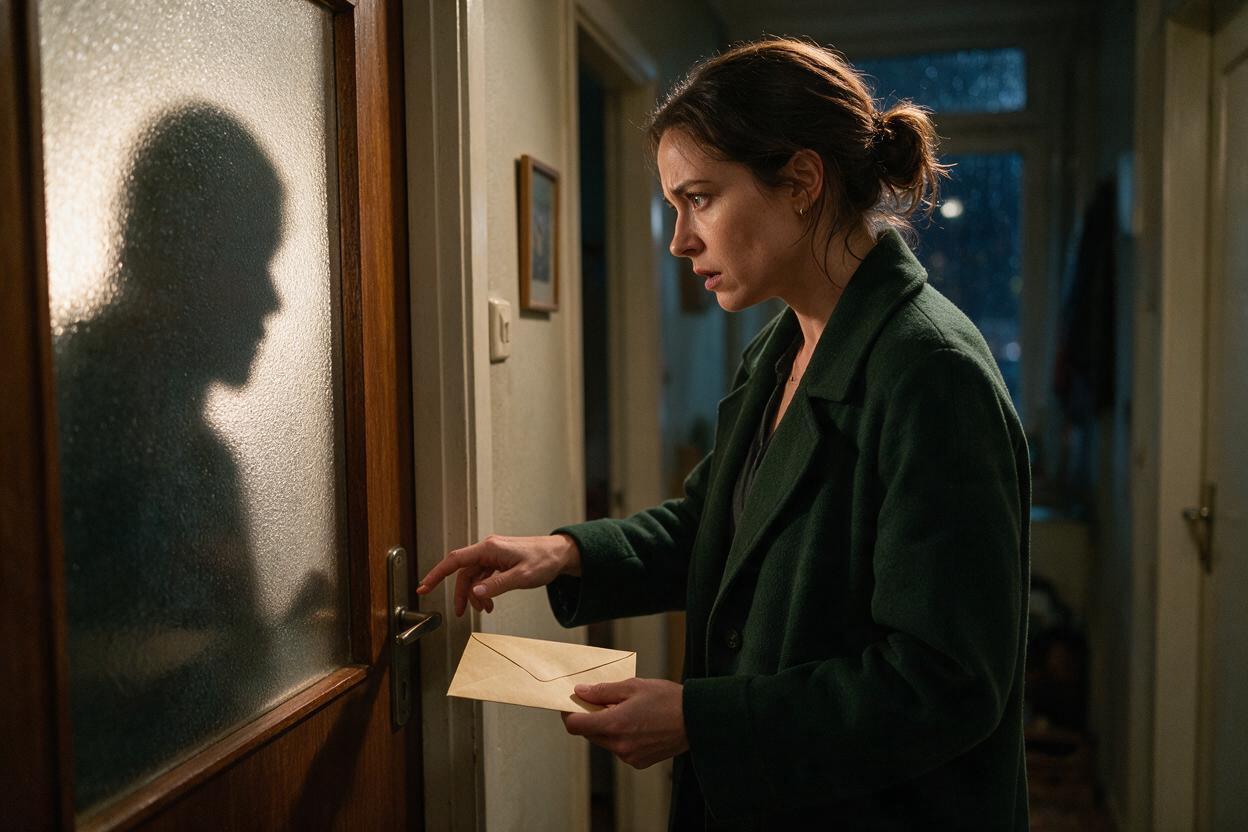
Table of contents
Build the Handoff Before You Build the Episodes
The cleanest way to connect episodes in an AI series video is to treat the cliffhanger and the next opening as one production unit, not as two unrelated scenes.
Generate both sides of the break from the same visual anchor, preserve one unresolved story variable, and place the actual reveal after the new episode begins. This approach helps an ai short drama resume without unexplained changes in faces, props, posture, lighting, or emotional intensity.
The practical rule: end on an interrupted event, then open on its immediate consequence before adding recap or exposition.
Step 1 — Choose an Event That Can Cross the Episode Boundary
A useful handoff needs an event with a clear setup, an unresolved variable, and a visible consequence. It should not depend entirely on dialogue because viewers need to recognize the continuation immediately, even if they start the next episode with muted audio.
Good boundary events include:
- A character opens a door but the person outside remains unseen.
- A phone displays a message, but the sender is withheld.
- A character reaches for an important object before someone interrupts.
- A hidden character speaks from outside the frame.
- A public accusation lands before the accused person responds.
Avoid ending after the reveal has already been explained. Once the dramatic question has been answered, the next episode must manufacture a new reason to continue.
| Weak episode ending | Stronger boundary event | Next-episode payoff |
|---|---|---|
| She reads the message and explains the betrayal. | She sees the sender's name and freezes. | The camera reveals who sent it. |
| The door opens and the visitor delivers a speech. | The handle turns and her expression changes. | The visitor enters the frame. |
| He finds the missing ring. | His hand stops above the ring. | Another hand takes it first. |
Step 2 — Write a Two-Sided Bridge Unit
Create a miniature script containing the last shot of Episode A and the first shots of Episode B. Keep it separate from both episode scripts until its continuity has been approved.
The bridge unit should record four things:
- Locked state: location, character positions, wardrobe, props, lighting, and camera side.
- Interrupted action: the movement or disclosure that crosses the break.
- Withheld variable: the face, name, object, decision, or consequence not yet shown.
- Pickup action: the first visible change after the next episode starts.
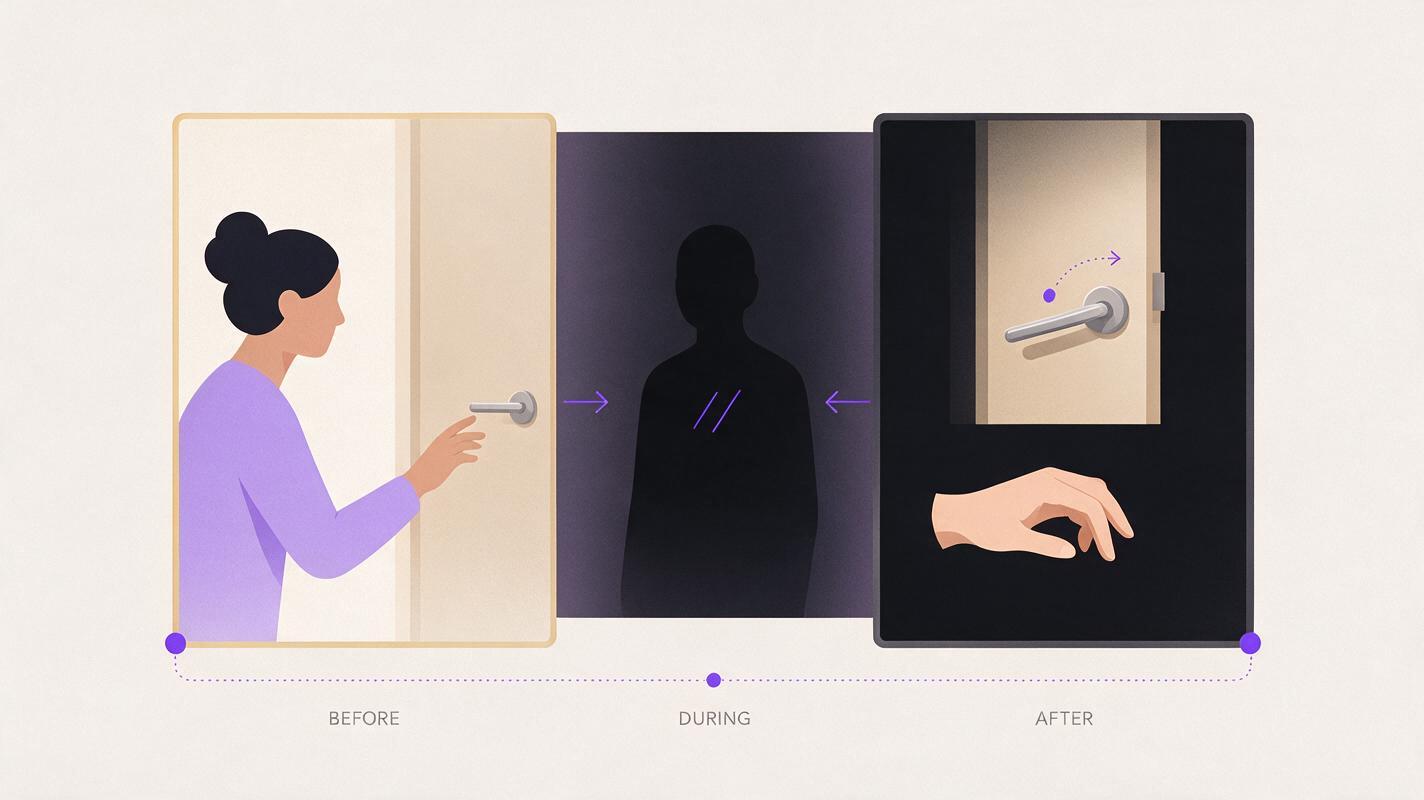
EPISODE HANDOFF

Locked state:
Mara stands left of the apartment door, holding a sealed envelope at chest height. Night interior, warm hallway light, rain visible through the side window.

Interrupted action:
Three knocks. Mara lowers the envelope and reaches toward the handle.

Withheld variable:
The visitor's identity.

Episode A final image:
Close shot of Mara's hand touching the handle as a shadow crosses the frosted glass.

Episode B pickup:
Same hand position and camera side. The handle turns downward. Mara steps back.

Delayed reveal:
Cut to the visitor only after Mara asks, You were supposed to be dead.
This bridge document gives the generation process a precise continuity target while leaving room for dramatic escalation.
Step 3 — Create a Shared Anchor Frame
Generate one approved still for the final stable moment before the interrupted action. It becomes the common visual source for both sides of the handoff.
The frame should clearly establish:
- The actor's face, hair, wardrobe, and emotional state.
- The exact hand holding or touching a story-critical prop.
- The character's side of the vertical frame.
- The direction of the character's gaze.
- Stable background landmarks such as a doorframe, lamp, or window.
Leave enough negative space for the incoming person, object, or threat. In a vertical drama video, placing every important element in the center can make the reveal difficult to stage without hiding the lead character.
Use the approved still as the source for image to video generation on both clips. This reduces the number of visual facts that must be independently reconstructed.
ANCHOR FRAME PROMPT

Vertical cinematic drama frame inside a narrow apartment hallway at night. Mara, a woman in her early thirties with a chin-length black bob and a dark green wool coat, stands on the left side of a closed wooden door. She holds a cream sealed envelope at chest height. Her expression shifts from suspicion to alarm as she looks toward the frosted glass panel. Warm practical hallway light, cool rainy window light, realistic skin texture, restrained performance, medium close shot, eye-level camera. Keep the right side of the frame open for an unseen arrival. No text, no extra people, no duplicated objects.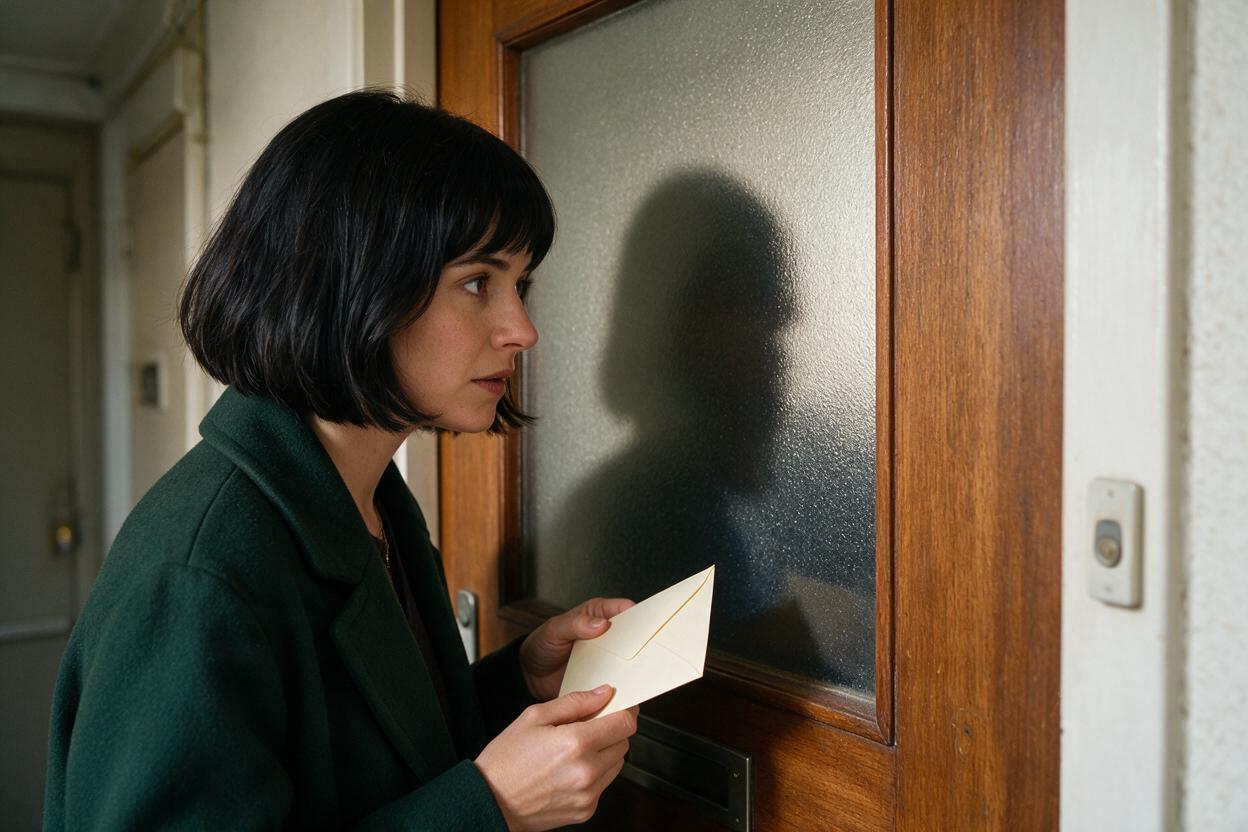
Step 4 — Generate the Ending and Pickup as Matched Clips
Generate the Episode A ending first, but stop the motion before the withheld variable is exposed. Then create the Episode B pickup from the same anchor frame and describe only the immediate continuation.
Prompt for the Episode A ending
Starting from the reference frame, Mara hears three firm knocks. She lowers the envelope slightly, holds her breath, and slowly reaches her free hand toward the door handle. A human shadow crosses the frosted glass. End the shot the instant her fingertips touch the handle. Do not open the door. Do not reveal the visitor. Locked camera, subtle natural movement, restrained suspense.Prompt for the Episode B pickup
Starting from the same reference frame, preserve Mara's wardrobe, face, envelope position, lighting, and screen position. Her fingertips are already touching the handle. The handle turns downward from the other side. Mara pulls her hand back and takes one short step away from the door. Keep the visitor hidden. Locked camera, immediate continuation, no establishing shot.Do not ask one long generation to cover the approach, contact, opening, entrance, recognition, and dialogue. Short matched clips make it easier to replace a faulty motion without rebuilding the entire handoff.
Step 5 — Carry Sound Across the Cut
Visual matching is only half of the transition. A continuous sound can conceal small differences between generated clips and tell the viewer that no story time has passed.
Useful sound bridges include:
- The final knock continuing into the opening frame.
- A door handle beginning to move before the image cuts.
- A character's breath spanning both episodes.
- An off-screen line that begins over the cliffhanger image.
- Rain, traffic, machinery, or another stable environmental bed.
Keep the sound source consistent. If the ending uses three dry knocks from a wooden door, the pickup should not begin with a metallic impact or a different room ambience.
A practical edit is to start the pickup sound just before the visual change. For example, let the handle click while the final frame of Episode A is still visible, then cut to Episode B as it begins to rotate.
Step 6 — Delay the Reveal Long Enough to Rebuild Tension
The next episode should continue immediately, but it should not disclose everything in its first frame. Give the audience a short confirmation that this is the same event, then advance it.
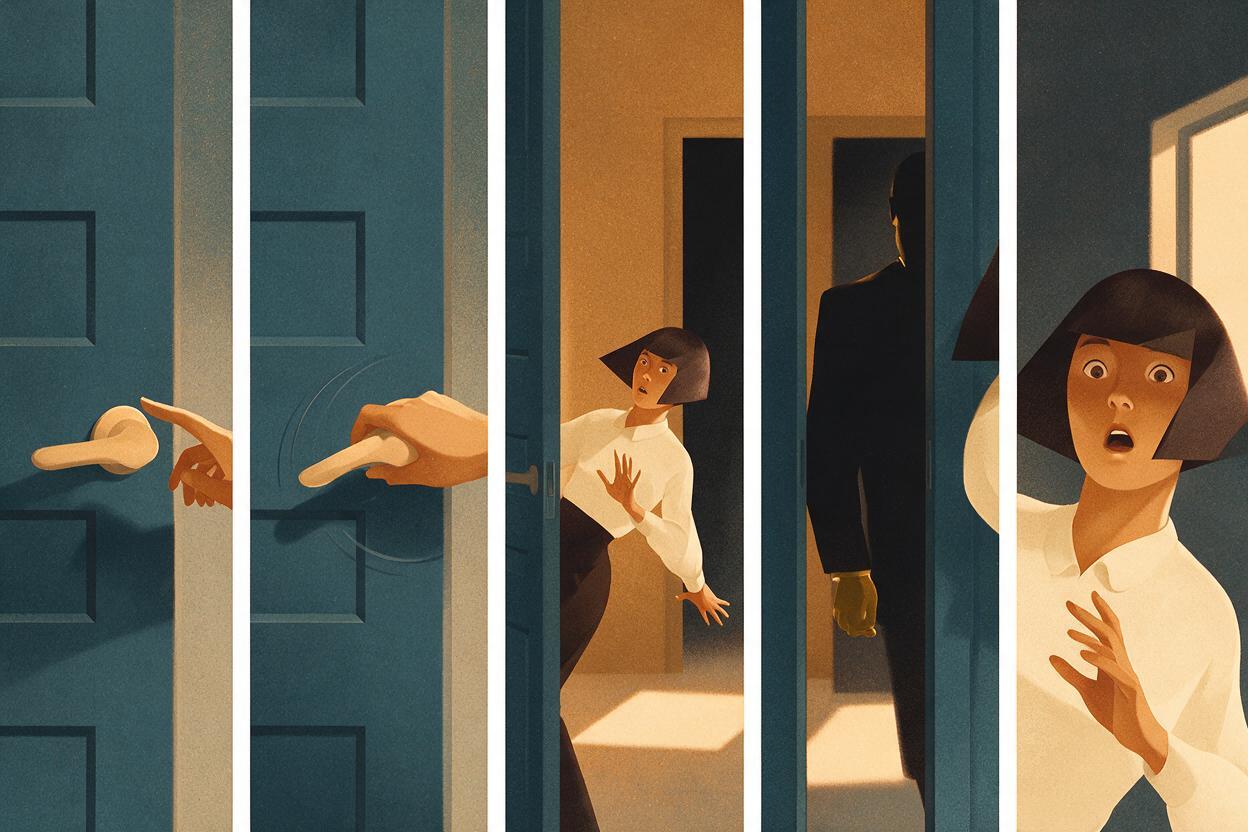
A compact pickup pattern is:
- Recognition: repeat the hand, prop, sound, or pose from the cliffhanger.
- Change: introduce one new movement or line.
- Reaction: show the protagonist understanding the danger.
- Reveal: expose the withheld person, object, or information.
- New question: complicate what the reveal means.
For the doorway example, Episode B can open on the same handle, show it turning from outside, cut to Mara stepping back, and reveal the visitor only after her line. The scene resumes at once while preserving a second pocket of suspense.
Step 7 — Test the Handoff in Three Viewing Modes
Review the transition before finishing either episode. A handoff that works only with full context may fail when a viewer encounters Episode B by itself.
| Review mode | Question to answer | Repair if unclear |
|---|---|---|
| Episodes played together | Does the action feel continuous? | Match hand position, sound, camera side, and motion direction. |
| Episode B alone | Can a new viewer identify the immediate conflict? | Add a visual clue or one short contextual line after the pickup. |
| Muted vertical playback | Is the continuation readable without dialogue? | Strengthen the repeated prop, pose, shadow, or reaction. |
Also freeze the final frame of Episode A beside the first stable frame of Episode B. Compare face shape, hair silhouette, wardrobe details, prop orientation, lighting direction, gaze, and background geometry. Repair only the mismatched side when possible.
A recap should explain context, not replace continuity. If the pickup cannot be understood until a text summary appears, the bridge unit needs a clearer visual action.
FAQ
Should Episode B repeat the last shot of Episode A?
It can repeat a brief portion of the action, but the repeated image should change quickly. Resume from a recognizable pose, add a new motion, and move toward the withheld reveal rather than replaying the entire ending.
What if the two generated clips do not match exactly?
Cut on motion, use a closer insert, or bridge the transition with continuous sound. A close shot of the handle, envelope, phone, or character's eyes can preserve the story event while hiding a larger background mismatch.
Can the next episode begin in a different location?
Yes, but resolve or deliberately postpone the previous episode's event first. An unexplained location change can feel like missing footage unless the cut itself is part of the mystery.
Should every AI microdrama episode end with a cliffhanger?
No. Some episodes can end on an emotional reversal, completed choice, or new objective. Use a boundary event when the next episode must continue the same physical moment.
Can this workflow start from a finished script?
Yes. When making a short drama from script, extract every episode boundary into a separate bridge document before generating the surrounding scenes. If you have a boundary scene ready, you can try for free using the paired prompts above.
Sources
- YouTube Help: Create YouTube Shorts — current public guidance for creating and publishing Shorts.
Final Checklist
- The ending contains an interrupted event rather than a completed explanation.
- One story variable remains deliberately hidden.
- Both clips originate from the same approved anchor frame.
- Character position, prop state, gaze, lighting, and camera side match.
- The Episode A prompt stops before the reveal.
- The Episode B prompt begins with immediate physical continuation.
- A continuous sound connects the two clips.
- The pickup is understandable during muted playback.
- The reveal creates a new question instead of merely closing the old one.
Keywords
ai series video, ai microdrama, ai short drama, ai short film generator, ai drama generator, short drama from script, vertical drama video