How to Keep Characters Consistent in an AI Short Drama
Keep recurring characters recognizable across every shot and episode by building a character lock packet before generating video. This tutorial covers reference portraits, identity-safe prompts, controlled shot testing, continuity checks, and targeted repairs.
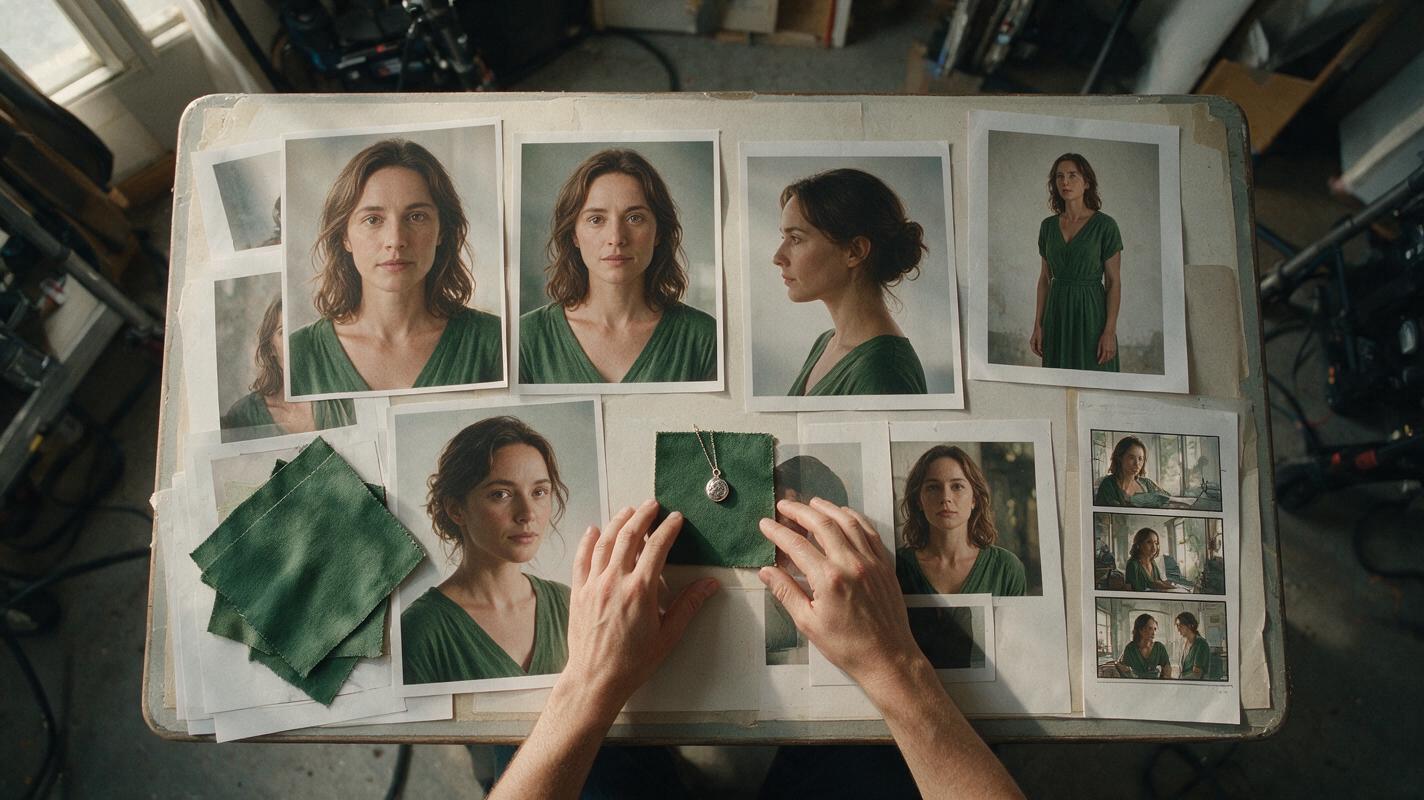
Table of contents
Build a Character Lock Before You Generate the Episode
The fastest way to improve character consistency in an AI short drama is to stop redefining the cast inside every shot prompt. Create one approved identity packet for each recurring character, reuse its fixed description and references, and change only the character’s current action, emotion, and camera setup.
This workflow is designed for episodic stories in which the same person must remain recognizable across close-ups, wide shots, locations, lighting changes, and later episodes. It is especially useful when making an AI microdrama from a script because identity errors become harder to repair after dialogue, music, and captions have been added.
Core rule: lock identity separately from performance. A character may become frightened, wet, injured, or disguised without acquiring a different face.
Step 1 — Create a Character Lock Packet
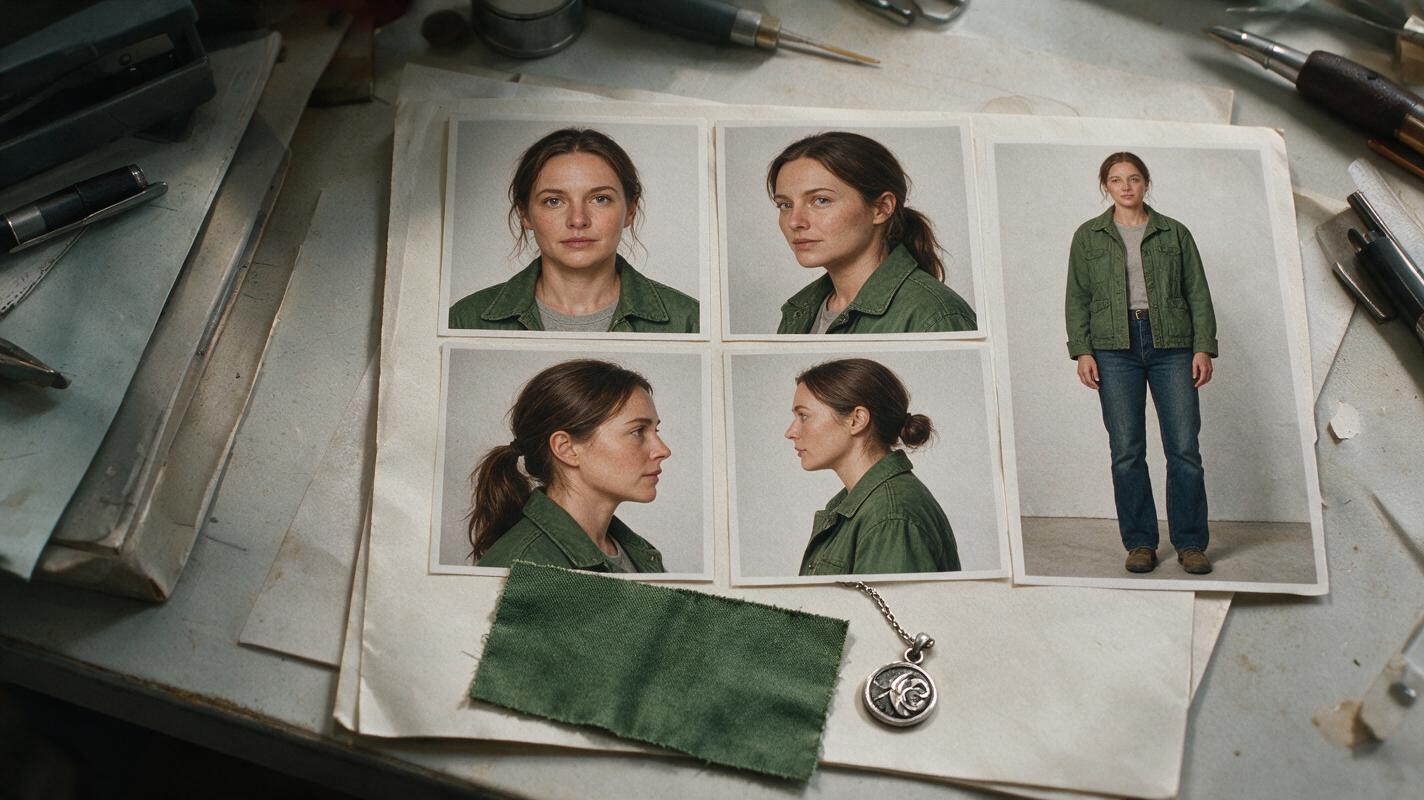
Prepare the identity packet before generating production shots. It should contain only details that must remain stable. Avoid adding temporary emotions, poses, weather, or scene lighting.
For each principal character, collect:
- A neutral front portrait: relaxed expression, even illumination, unobstructed face.
- A three-quarter portrait: enough facial depth to clarify the nose, jaw, hairline, and cheek structure.
- A profile reference: useful when later scenes require side views or over-the-shoulder compositions.
- A full-body view: showing height impression, proportions, default wardrobe, and footwear.
- Signature details: one or two persistent elements such as a silver pendant, cropped jacket, facial scar, or distinctive fringe.
Use images of the same approved design rather than a collection of merely similar faces. If your chosen AI short film generator supports reference images, start with the cleanest portrait and add other views only when they resolve information that the first image does not show.
Create a compact written identity block as well:
CHARACTER LOCK — MAYA
Adult woman, late twenties.
Oval face, high cheekbones, warm brown skin.
Dark brown almond-shaped eyes.
Short black wavy bob ending at the jaw.
Small vertical scar through the left eyebrow.
Lean build, slightly taller than her scene partner.
Default wardrobe: dark green cropped jacket, black crew-neck shirt.
Signature prop: thin silver pendant.

Never change:
face shape, eye color, skin tone, hairstyle length,
scar position, apparent age, body proportions.
Keep this block short enough to reuse without variation. Descriptions such as “beautiful,” “cinematic,” or “mysterious” do not define identity and should be moved into the individual shot prompt when relevant.
Step 2 — Separate Identity, Wardrobe, and Story State
A recurring character has several kinds of continuity. Combining all of them into one permanent prompt creates contradictions as the plot changes. Divide the information into three layers:
| Layer | What belongs here | When it changes |
|---|---|---|
| Identity | Face, age, hair, body proportions, permanent marks | Normally never |
| Episode wardrobe | Jacket, shirt, jewelry, shoes, carried objects | At a scripted costume change |
| Scene state | Emotion, dirt, rain, wounds, pose, location, lighting | Shot by shot |
Suppose Maya escapes through an alley during a storm. Her wet hair, torn sleeve, and frightened expression are scene state. Her jaw-length bob and eyebrow scar remain part of identity. The green jacket belongs to wardrobe until the script explicitly removes it.
This separation also makes revisions safer. If the director changes the weather, you can replace the scene-state block without accidentally rewriting the character’s face.
Step 3 — Build One Approved Anchor Frame per Scene
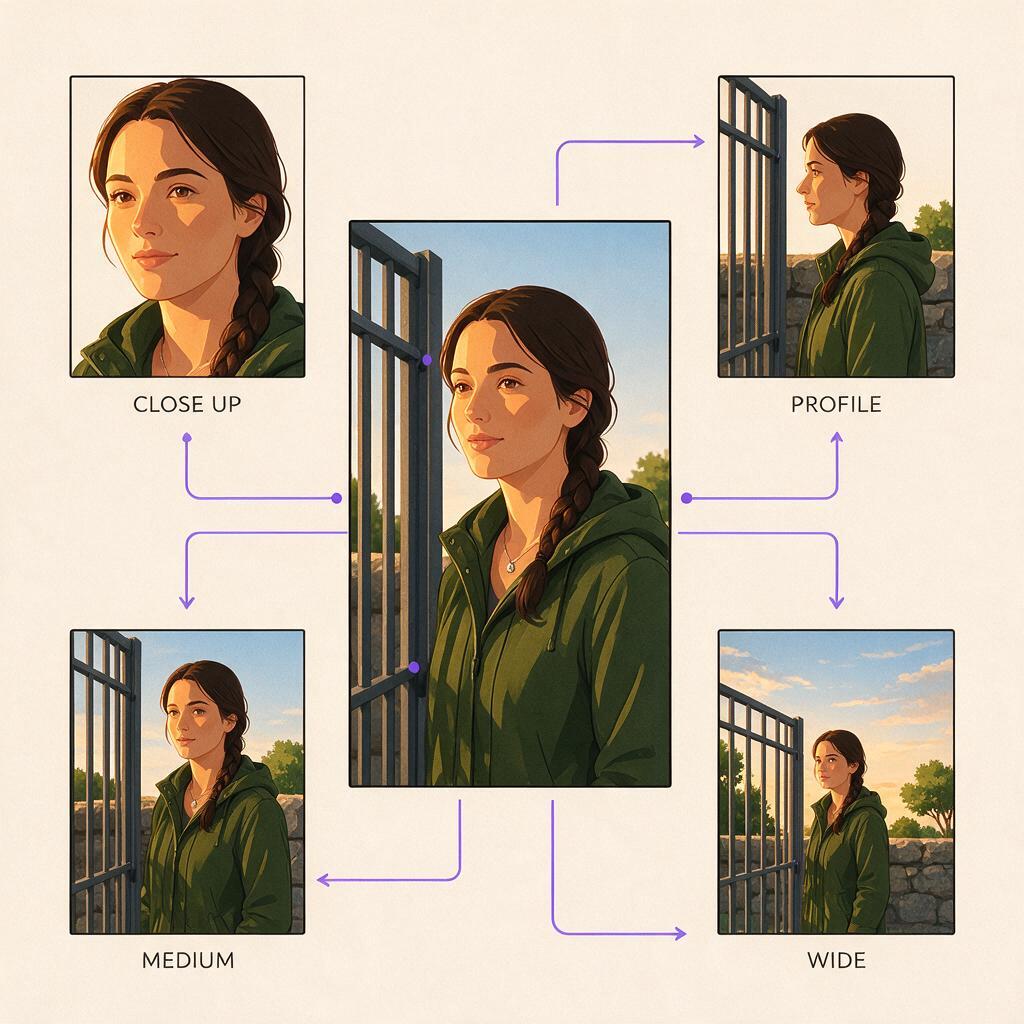
Do not begin by generating every shot in the episode. First create one anchor frame for each scene that establishes the character, costume, location, and lighting together. A medium shot often works well because it shows both facial identity and wardrobe.
Generate alternatives for that anchor, select one version, and treat it as the scene’s visual source of truth. Later close-ups and wider shots should preserve its story state rather than independently interpreting the script.
Use this copyable anchor-frame prompt:
[PASTE THE APPROVED CHARACTER LOCK]

EPISODE WARDROBE:
Dark green cropped jacket, black crew-neck shirt,
thin silver pendant visible above the collar.

SCENE STATE:
Night exterior in a narrow residential alley after rain.
Maya is alert but concealing fear.
Her jacket is dry and undamaged at the beginning of the scene.

ANCHOR COMPOSITION:
Vertical 9:16 medium shot, waist up.
Maya stands beside a closed metal gate.
Soft streetlight from camera left, restrained background detail.
Natural posture, neutral mouth, eyes directed off-screen right.

CONSISTENCY PRIORITY:
Preserve the approved face, jaw-length hairstyle,
left-eyebrow scar, skin tone, age, and body proportions.
The anchor should depict the earliest continuity state needed in that scene. If the jacket tears during the action, lock the intact version first, then create a second anchor for the damaged state. That prevents the damage from appearing before its story cause.
Step 4 — Generate a Short Identity Stress Test
Before producing an entire AI series video, test whether the approved character survives the camera changes required by the episode. Generate a small set containing a front-facing medium shot, three-quarter close-up, profile, and wider moving shot.
Keep wardrobe, lighting, and emotion stable during this test. If all variables change simultaneously, you will not know whether a mismatch came from the camera angle, motion, styling, or expression.
Use a shot prompt that treats the anchor as fixed context:
Use the approved character reference and scene anchor.
Preserve facial geometry, apparent age, skin tone,
left-eyebrow scar, jaw-length black wavy bob,
and dark green jacket.

SHOT CHANGE ONLY:
Three-quarter close-up from Maya's left side.
She slowly turns her eyes toward camera right,
then tightens her grip on the silver pendant.
Subtle restrained fear; mouth remains closed.
No hairstyle, wardrobe, jewelry, or facial changes.
Vertical dramatic framing with stable natural anatomy.
If the front view succeeds but the profile fails, strengthen the profile reference instead of rewriting every prompt. If motion changes the face, reduce the action to one readable movement and shorten the generated beat before attempting a more complex performance.
Once the reference packet and stress-test prompt are ready, generate one controlled test scene before committing the remaining episode shots.
Step 5 — Expand Performance Without Redesigning the Face
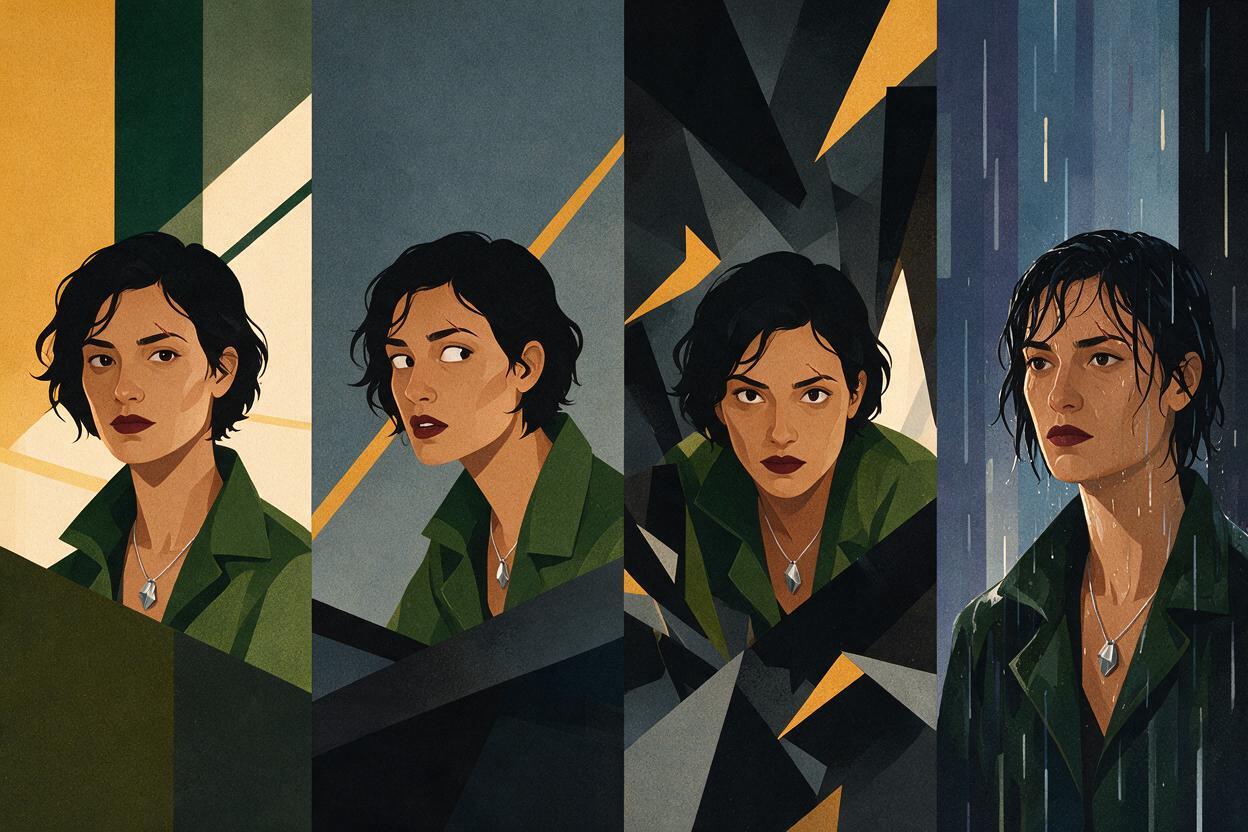
Strong emotions often introduce identity drift because facial muscles, head angle, hair movement, and lighting all change together. Build performances progressively rather than jumping from a neutral reference to an extreme reaction.
- Approve a neutral or restrained version of the shot.
- Add the intended eye direction and head movement.
- Add the emotional intensity while retaining the same composition.
- Add environmental effects such as rain, smoke, flashing light, or wind last.
Describe visible behavior instead of relying only on emotion labels. “She is terrified” can produce many unrelated interpretations. “Her breathing becomes shallow, her shoulders hold still, and her eyes track the doorway without turning her head” gives the generator a narrower performance target.
For dialogue, keep a clean identity frame near the target head angle. A front portrait alone may not supply enough information for a strong profile or downward-looking close-up.
Step 6 — Review Continuity in Story Order
Individual clips can look convincing while failing as a sequence. Place low-resolution previews in story order and compare adjacent shots before adding final sound or effects.
Check four categories:
- Identity: face shape, eye spacing, hairline, age, skin tone, permanent marks.
- Wardrobe: garment color, collar shape, sleeve condition, jewelry, shoes.
- State: injuries, moisture, dirt, carried props, emotional escalation.
- Spatial continuity: screen direction, character height relationship, light direction, and prop hand.
Review the sequence once at normal speed and once as still frames. Motion playback reveals distracting identity jumps; stills make small costume and facial differences easier to isolate.
Judge consistency by whether the edit reads as one continuing performance—not by whether two frames are mathematically identical.
Step 7 — Repair Only the Broken Layer
When a shot fails, identify which layer is wrong before regenerating it. Rebuilding the entire shot can replace correct details with new errors.
| Problem | Targeted repair |
|---|---|
| Face changes in a close-up | Reuse the identity reference and reduce expression or head rotation |
| Hair becomes longer | Restate the exact endpoint and use a matching angle reference |
| Jacket changes color | Lock the approved wardrobe reference and remove competing color language |
| Scar moves sides | Specify the character’s anatomical left side and verify mirrored references |
| Prop switches hands | Regenerate the smallest affected beat with explicit hand placement |
Record the accepted repair as the new local reference only when the story state has legitimately changed. A bloodstained shirt can become the next scene’s approved wardrobe state; an accidental new hairstyle should not.
FAQ
How many reference images does an AI short drama character need?
Use the smallest set that clearly defines the required views: usually a clean portrait, three-quarter angle, profile, and full-body reference. More images are not automatically better if they disagree about facial features, wardrobe, or age.
Should every shot repeat the complete character description?
Reuse the fixed identity block, but keep temporary action and scene details separate. If a tool accepts image references, combine the approved image with a concise written lock rather than continually inventing new descriptions.
Can one character wear different costumes across episodes?
Yes. Preserve the identity layer and create a separate approved wardrobe anchor for each costume. Introduce changes at a clear story boundary so adjacent shots do not conflict.
What should I do when an emotional close-up changes the actor’s face?
Return to a restrained version at the same camera angle. Confirm identity first, then add eye movement, facial tension, and environmental effects incrementally.
Does this workflow work for stylized or animated AI microdrama?
Yes. Replace photorealistic facial criteria with stable design criteria such as silhouette, eye shape, line treatment, color palette, costume geometry, and signature accessories.
Sources
Final Checklist
- Create matching front, three-quarter, profile, and full-body references.
- Separate permanent identity from wardrobe and temporary story state.
- Approve one anchor frame for each scene or continuity change.
- Stress-test the required camera angles before batch generation.
- Add performance and environmental complexity progressively.
- Review adjacent shots in story order at normal speed and as stills.
- Repair only the broken continuity layer.
Keywords
ai short drama, ai microdrama, ai drama generator, ai series video, short drama from script, vertical drama video, ai character consistency
Decision: PUBLISH — the article addresses a distinct production problem with an executable identity-lock and repair workflow.