Best AI Tools for Creating Short Dramas With Recurring Characters
The best short-drama workflow uses different tools for planning, character references, video generation, and editing. This guide compares practical options and shows how to keep a recurring lead recognizable from scene to scene.
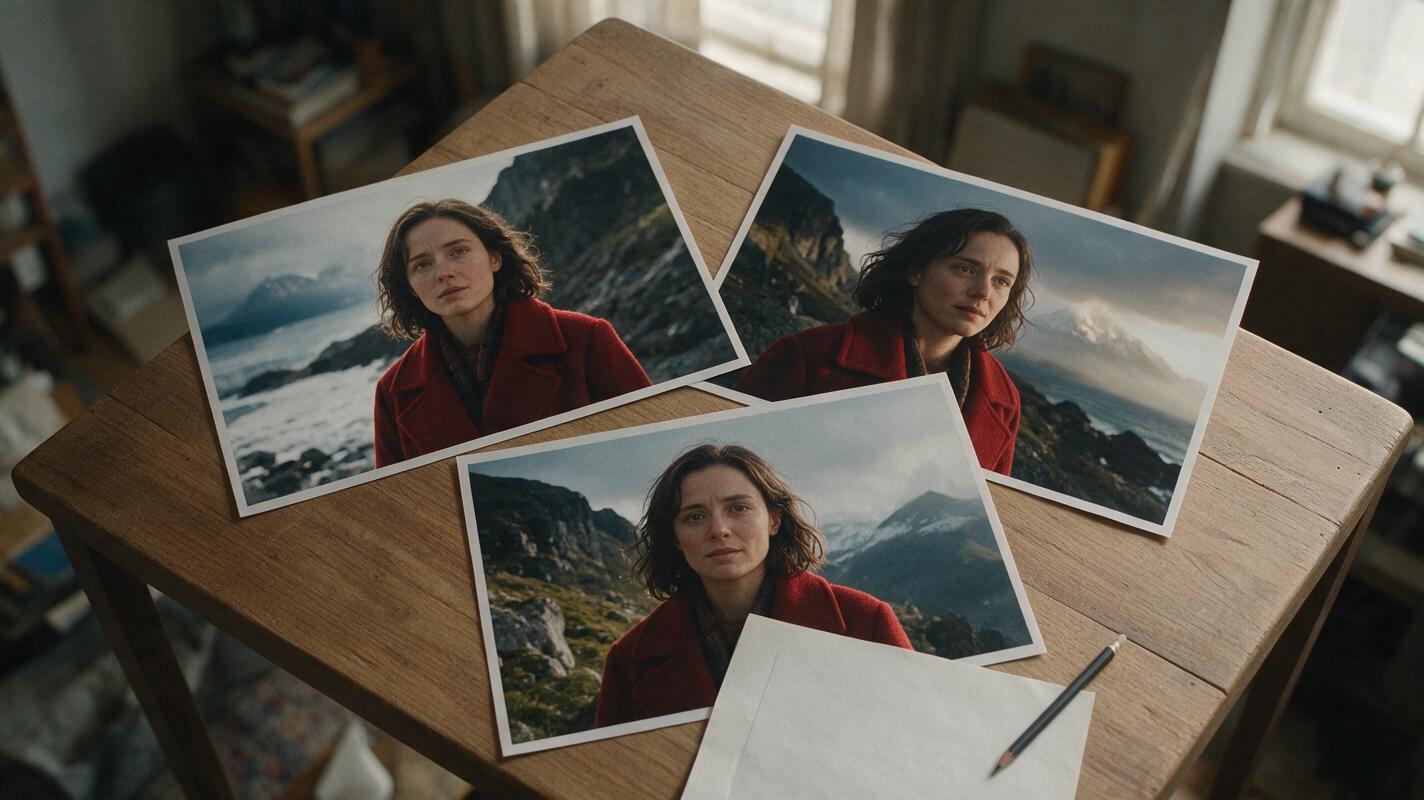
Table of contents
Short dramas need a repeatable character, not just a striking first shot
The best AI tools for creating a short drama depend on where your production is most likely to break. LTX Studio is useful for developing a script and visual plan; Runway and Google Flow offer ways to work with visual references during generation; and DaVinci Resolve gives you a place to assemble and inspect the finished sequence. None removes the need to approve a recurring character before generating scenes.
For a short drama built around one lead, make a character sheet, approve a still for each scene, generate short clips from those stills, and check identity at every cut. That order makes it easier to replace one drifting shot without rebuilding the episode.
Cover visual recreation prompt:
Photorealistic editorial photograph, landscape 16:9. In a lived-in apartment with soft window light, printed photographs show the same fictional woman, Mara, in a red wool coat in three different dramatic locations; the photographs rest beside an unmarked paper script and a pencil. MANDATORY CAMERA: overhead three-quarter view, with the photographs large enough to compare her face and coat. Natural materials and believable film-production details. No readable text, logos, screens, interfaces, or brand marks.Which tools fit a recurring-character short drama?
Choose tools by the job they perform, rather than expecting a single prompt to produce an edited episode. Feature access and commercial terms can change, so confirm the current plan and usage rights before committing to a production.
| Tool | Useful role | What to check before choosing it |
|---|---|---|
| LTX Studio | Developing a script into visual scenes and storyboards | Whether its planning and export options fit your handoff to the video and editing tools you use |
| Runway | Developing visual references and generating shots | Which reference and video features are available on your plan |
| Google Flow | Exploring shots with visual ingredients and video-generation tools | Regional availability, access, and the controls offered for your intended workflow |
| DaVinci Resolve | Editing clips, sound, color, and final delivery | The export requirements and collaboration setup for your project |
A sensible combination is a planning tool, a place to approve character stills, a video generator, and an editor. The comparison is about production roles—not a claim that every tool will preserve identity automatically.
Build a repeatable lead before filming
Visual recreation prompt:
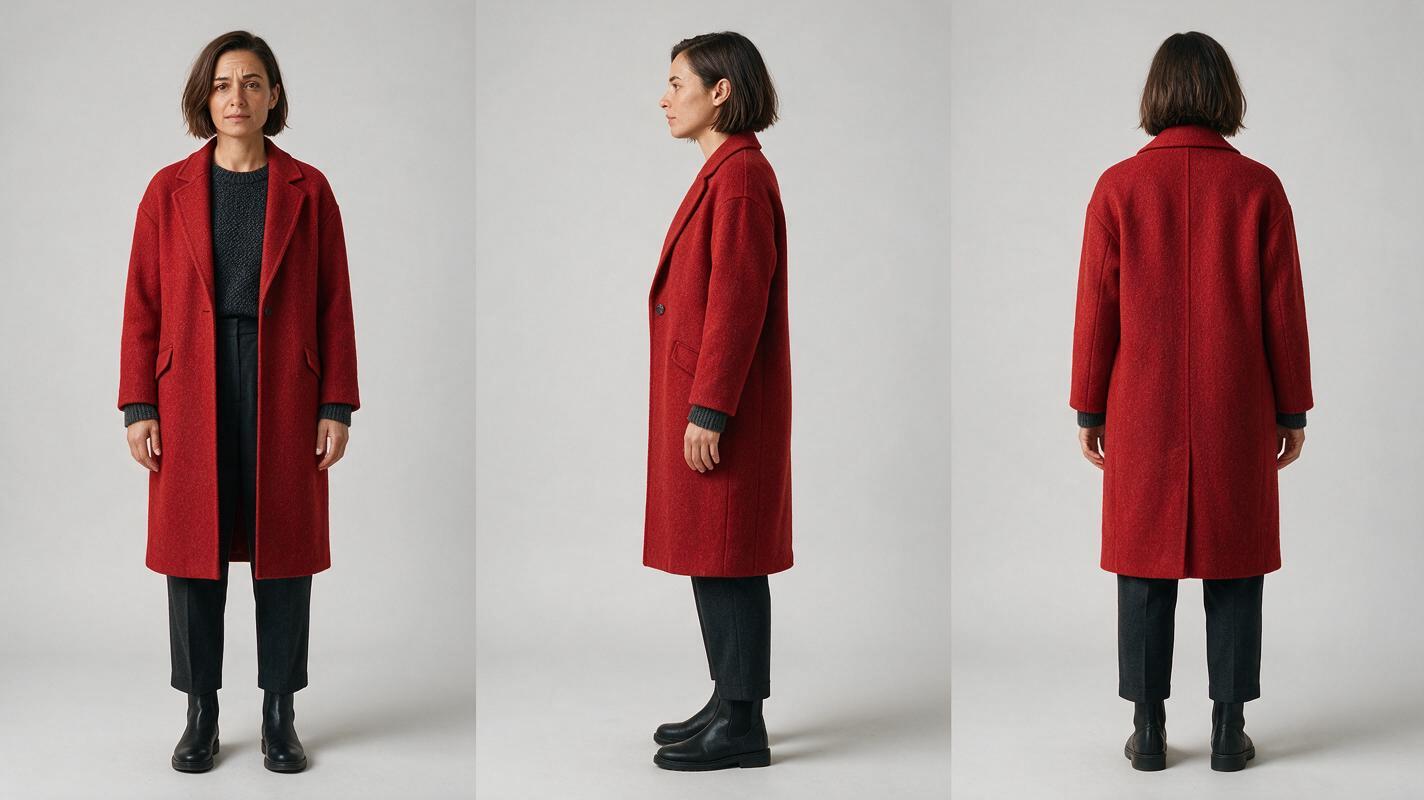
Photorealistic three-panel character reference sheet, landscape 16:9, neutral light-gray seamless background. Show the SAME fictional adult woman, Mara, full-length in three separate views arranged left to right: front, true left-side profile, back. She has a chin-length dark-brown bob with a left-side part, a small notch in her right eyebrow, a red wool coat over a charcoal sweater, dark straight-leg trousers, and plain black boots. Keep her height, proportions, hair length, coat cut, and clothing identical across all three panels. MANDATORY CAMERA AND LAYOUT: level camera, matched full-body scale, even soft studio lighting, clear separation between panels, no three-quarter poses. No text, labels, logos, UI, or extra people.Give each recurring character their own sheet. For Mara, record what must remain fixed and what the story may change:
| Character-sheet field | Approved value |
|---|---|
| Identity anchors | Dark-brown chin-length bob; left-side part; notch in right eyebrow; stable facial proportions |
| Episode wardrobe | Red wool coat, charcoal sweater, dark trousers, black boots |
| Permitted changes | Expression, pose, lighting, and coat movement |
| Scene restrictions | One Mara per shot; no unexplained haircut or wardrobe change |
Approve the sheet as an identity reference, not as a finished scene. A sheet with mismatched faces across its own panels is not ready to guide a multi-shot drama. You can develop the sheet with an ai image generator, then save the approved image separately from location and costume experiments.
Turn story beats into scene references
Visual recreation prompt:
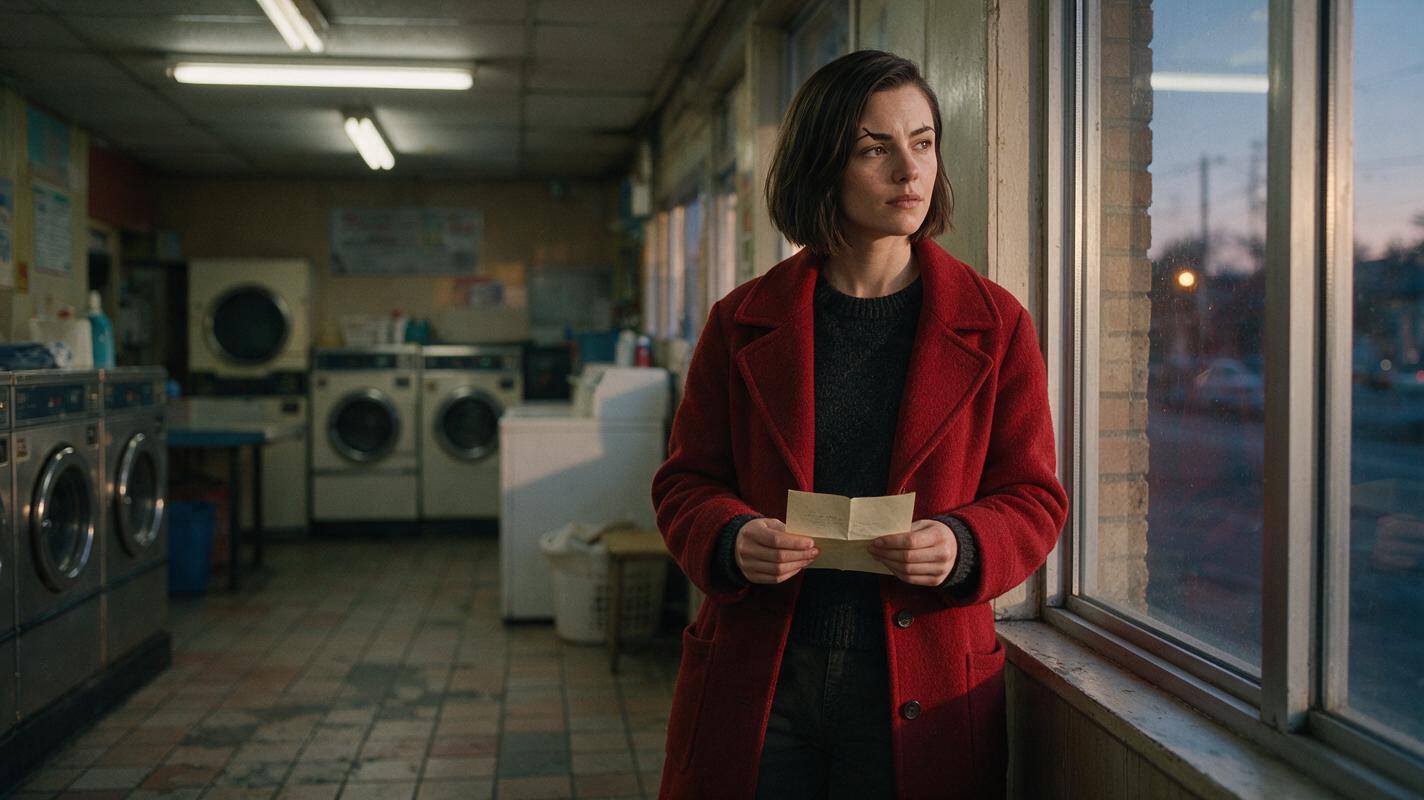
Cinematic editorial-realism photograph, landscape 16:9. The fictional woman Mara stands alone beside the window of a lived-in neighborhood laundromat at dusk, holding a folded paper letter; she has the same chin-length dark-brown bob, left-side part, right-eyebrow notch, red wool coat, charcoal sweater, and dark trousers as her approved character sheet. Washing machines, worn tile, and practical fluorescent light establish a believable location. MANDATORY CAMERA: eye-level medium-wide shot from a true three-quarter angle, with Mara's face clearly visible and one unobstructed silhouette. Natural film-style contrast. No text, logos, interfaces, or other people.Break the script into beats with one clear action each: Mara finds the letter, recognizes the handwriting, and decides whether to open it. A storyboard can establish the shot size and screen direction; the approved character sheet establishes who appears in the shot. Keep those references separate so a change of location does not become an accidental change of face.
For each beat, approve a scene still before animating it. Compare the still with the character sheet at similar face sizes. Then use image to video for motion, asking for one action and restrained camera movement rather than a sequence of events in a single clip.
Copyable scene prompt: “Use the approved Mara scene image as the starting visual reference. In the laundromat at dusk, Mara looks down at the folded letter, hesitates, then raises her eyes toward the window. Preserve her facial proportions, right-eyebrow notch, dark-brown bob, red coat, and the established room layout. One Mara only. Eye-level medium-wide shot; subtle movement; no cut or costume change within this clip.”
When a tool supports a character or image reference, supply the approved asset using that tool’s current controls. Where it does not, an approved scene still is still useful as a start frame—but inspect the resulting motion rather than assuming the still guarantees every frame.
Catch continuity breaks before the edit locks
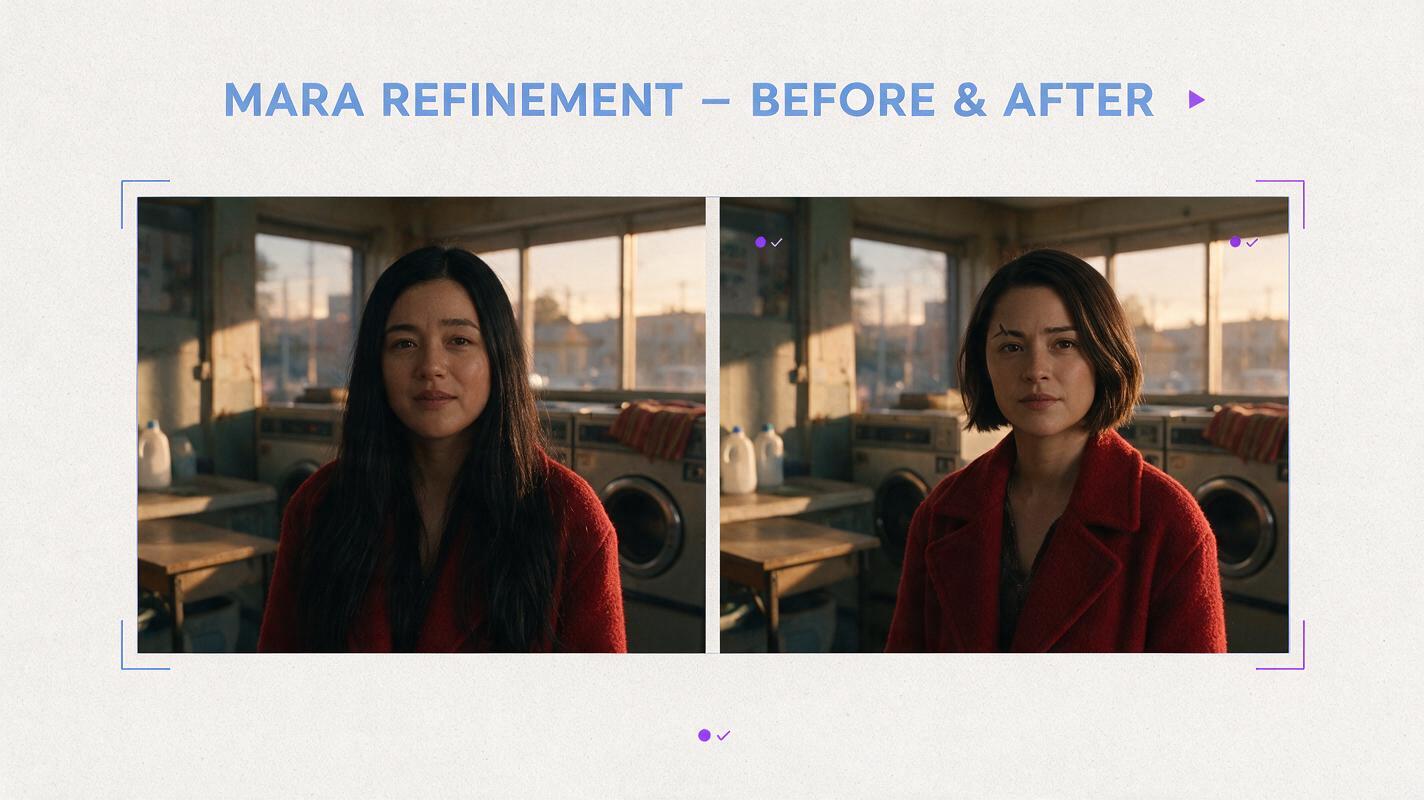
Visual recreation prompt:
Neutral illustrative before-and-after comparison made from two cinematic, photorealistic frames, landscape 16:9 overall, no text or arrows. Both halves show the same fictional woman in a lived-in laundromat at dusk, framed eye-level in a medium shot and wearing a red wool coat. LEFT HALF, illustrative failure: her dark-brown bob has become long black hair and her facial proportions differ from the approved character. RIGHT HALF, intended correction: she matches the approved chin-length dark-brown bob, left-side part, right-eyebrow notch, and stable facial proportions. MANDATORY LAYOUT: equal-size side-by-side frames with matching camera angle and background so the character change is unmistakable. No logos, screens, UI, or captions inside the image.Check the first clear face frame, the midpoint, and the final clear face frame of each clip. Then watch adjoining clips across the cut. The illustrative comparison above shows why a plausible individual shot can still fail as the next shot in a series.
| Failure | Likely production issue | Practical fix |
|---|---|---|
| Face changes between scenes | Each scene began from a different, unapproved still | Return to the approved sheet and regenerate the drifting scene still before making a new clip |
| Hair or outfit changes during motion | The clip asks for too much action or hides key features | Shorten the action; keep hair and clothing visible in the starting image and prompt |
| A second copy of the lead appears | The scene leaves background people underspecified | Specify one lead and stage background figures separately, or remove them |
| Shots match individually but clash at the cut | Framing, screen direction, or lighting changed without a story reason | Compare boundary frames and revise the storyboard reference or one scene still |
Use the editor to arrange the strongest approved takes, add dialogue and sound, and review the sequence at normal speed. Keep a record of which character sheet and scene still produced each clip so a later revision targets the correct asset.
Final checklist
- Choose tools for planning, reference development, generation, and editing—not by a single headline feature.
- Approve one three-view sheet per recurring character and write down fixed identity anchors.
- Approve scene stills before generating motion; keep identity and location references distinct.
- Inspect faces within clips and across cuts before adding final sound and color.
- Check current access, pricing, and commercial-use terms for every tool in your workflow.
For a free starting point with multiple models and image-to-video work in one place, try these models for free using one approved character sheet and one short scene.
FAQ
Can one AI tool make an entire short drama?
Some tools combine several production tasks, but you still need to review the script, character references, generated shots, edit, and usage terms. Treat an all-in-one workflow as a convenience, not a continuity guarantee.
What matters most for a consistent character video?
An approved identity reference and approved scene stills matter more than repeatedly describing the character from memory. Review the generated clips at the cut points, where differences become most noticeable.
Should I generate video directly from the script?
For a recurring lead, a storyboard and approved scene images provide useful checkpoints between the script and moving footage. Direct generation is better reserved for exploratory shots you are willing to revise.
Sources
- LTX Studio — official product website
- Runway — official product website
- Google Flow — official product page
- Blackmagic Design — DaVinci Resolve product page
Keywords
character consistency, consistent character video, consistent character across scenes, character reference, multi-shot, storyboard reference, ai character design