How to Keep a Story-Critical Prop Consistent in an AI Short Drama
A changing or duplicated clue can break an otherwise convincing AI short drama. This tutorial shows how to lock a story-critical prop, track its legitimate state changes, generate reliable boundary frames, and repair isolated continuity errors without rebuilding entire scenes.
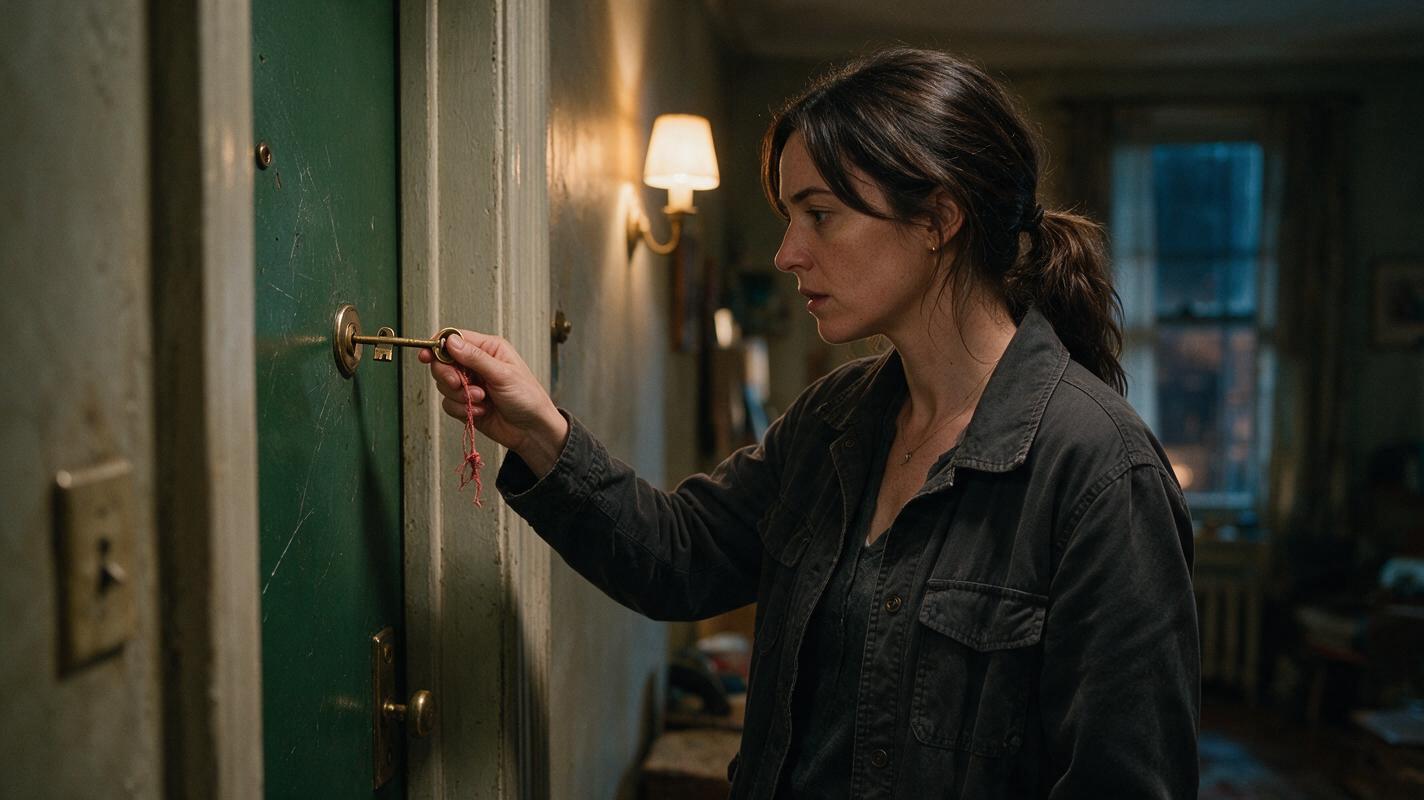
Table of contents
Make the Prop Carry the Story, Not a Continuity Error
A story-critical prop should remain recognizable every time it appears, while changing only when the script gives it a reason to change. The most reliable method is to treat the object as a recurring cast member: give it a reference sheet, fixed identity markers, documented states, entrance and exit frames, and its own continuity review.
This matters when a key, necklace, letter, medicine bottle, photograph, weapon, or damaged phone provides evidence. If its color, shape, markings, location, or condition changes accidentally, the audience may interpret the error as a plot development.
Working rule: lock the prop's identity separately from its condition. Identity stays fixed; condition changes according to the story.
Step 1 — Build a Prop Bible Before Generating Scenes
Reusable visual prompt:
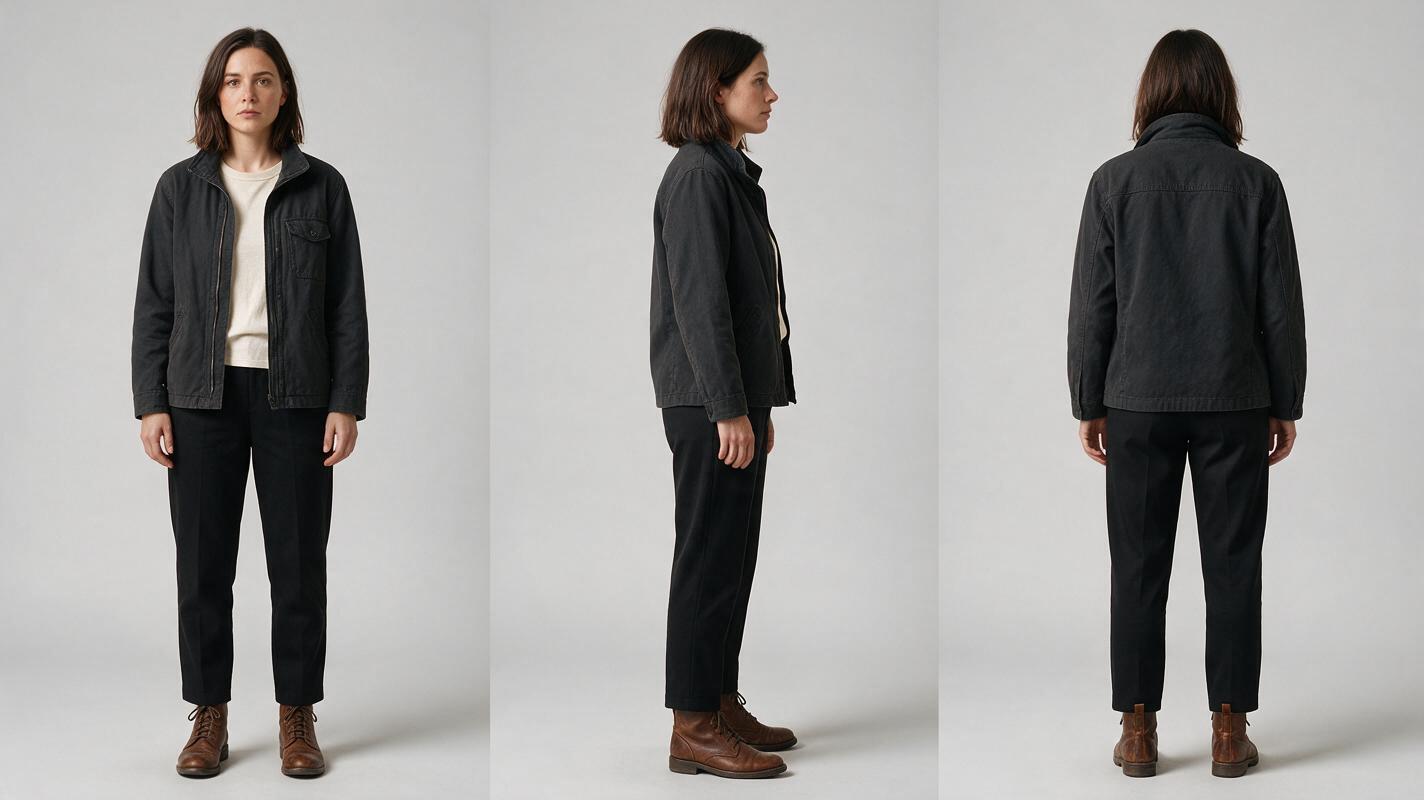
Photorealistic three-panel character reference sheet of Mara, a 28-year-old investigative journalist with an oval face, shoulder-length dark brown hair, a charcoal field jacket, cream crew-neck shirt, straight black trousers and worn brown ankle boots; identical person and wardrobe in all panels; front view, exact left-side profile and back view; relaxed neutral stance with hands visible and empty; neutral light-gray seamless studio background; soft even lighting; landscape 16:9 composition; each full body completely separated with no overlap. MANDATORY CAMERA: eye-level orthographic-style full-body reference framing, no perspective distortion. No text, labels, logos, interface elements or extra people.Start with a short prop bible rather than repeatedly describing the object from memory. Separate permanent identity markers from temporary story states.
| Continuity layer | Brass-key example | Can it change? |
|---|---|---|
| Core identity | Long brass shaft, oval bow, three teeth | No |
| Recognition marker | Faded red thread tied through the bow | Only through a scripted action |
| Scale | Shorter than Mara's index finger | No |
| Condition | Clean, wet, scratched, or wrapped | Yes, by scene state |
| Ownership | Found by Mara, later taken by Elias | Yes, at a visible handoff |
| Storage | Right jacket pocket or evidence envelope | Yes, when shown |
Give the prop two or three unmistakable landmarks. Too many ornamental details make matching harder, while a generic object offers nothing stable to recognize. For the key, the oval bow, red thread, and three-tooth silhouette provide a compact identity.
Also lock the recurring character before staging interactions. A stable character sheet prevents a prop problem from being confused with changes to hands, wardrobe, or body scale.
Step 2 — Generate a Controlled Prop State Sheet
Reusable visual prompt:
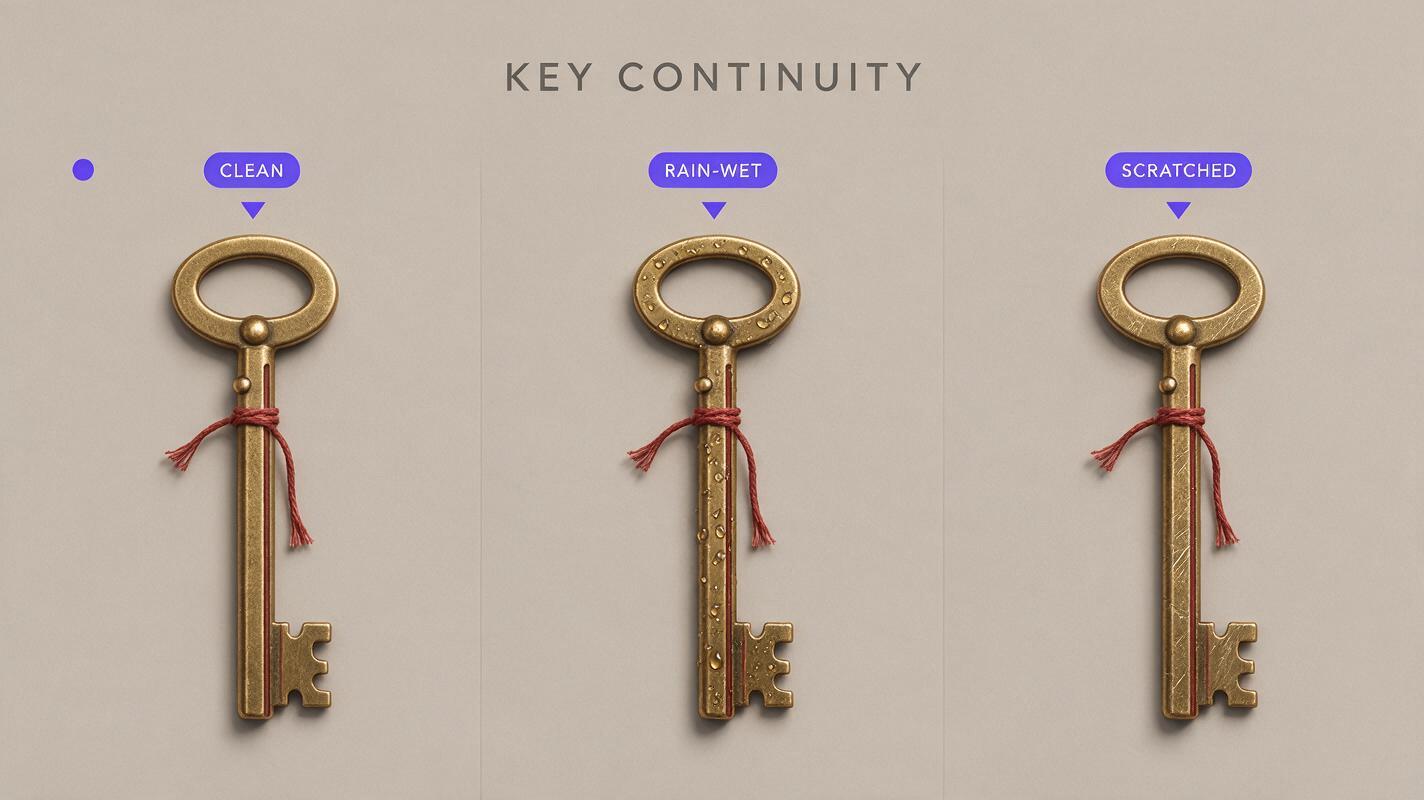
Neutral photorealistic prop continuity strip showing the exact same antique brass key in three separate states from left to right: clean and dry, rain-wet with small droplets, then lightly scratched with the same faded red thread partly loosened; preserve the identical oval bow, long shaft, three teeth, dimensions and thread attachment point in every panel; object isolated on a matte warm-gray tabletop; soft directional studio light; landscape 16:9 triptych with equal spacing. MANDATORY CAMERA: true overhead 90-degree view, identical lens, crop, scale and orientation across all three panels. No hands, text, labels, logos, interface elements or additional objects.Create one clean hero image first, then derive every legitimate condition from it. Do not ask the model to redesign the key independently for each episode. The state sheet becomes the visual source of truth for storyboard frames, inserts, repair passes, and later episodes.
A practical state code can be brief:
PROP: KEY-A
IDENTITY: oval brass bow / faded red thread / three teeth
P0: clean and dry
P1: rain-wet, thread intact
P2: dry, one diagonal scratch, thread partly loosened
P3: sealed inside a clear evidence sleeve
FORBIDDEN: silver metal, round bow, extra teeth, blue cord, duplicate key
Generate states only when the script supports them. If the key becomes scratched during a struggle, the last pre-struggle shot uses P1 and the first readable post-struggle shot uses P2. That boundary makes the change understandable rather than accidental.
Step 3 — Assign the Prop an Owner, Position, and Orientation
Object identity alone is not enough. A consistent key can still jump from one hand to another, reverse direction, disappear between cuts, or duplicate inside a scene. Every shot card should therefore record three additional facts:
- Owner: who controls the object at the start and end of the shot.
- Position: right hand, left hand, pocket, tabletop, envelope, or off-screen.
- Orientation: bow upward, teeth toward the door, photograph facing Mara, bottle label toward camera.
Use explicit physical language when prompting an ai drama generator. Replace “Mara examines the key” with “Mara holds one brass key between the thumb and index finger of her right hand, oval bow above her fingers, three teeth pointing left; her left hand remains empty.”
For a handoff, divide the action into edit-safe units: one character presents the prop, both hands briefly share it, and the receiving character finishes with sole ownership. Generate the shared-contact moment only if the plot needs to see it; otherwise, cut between stable ownership frames.
Step 4 — Lock the Prop at Scene Boundaries
Reusable visual prompt:
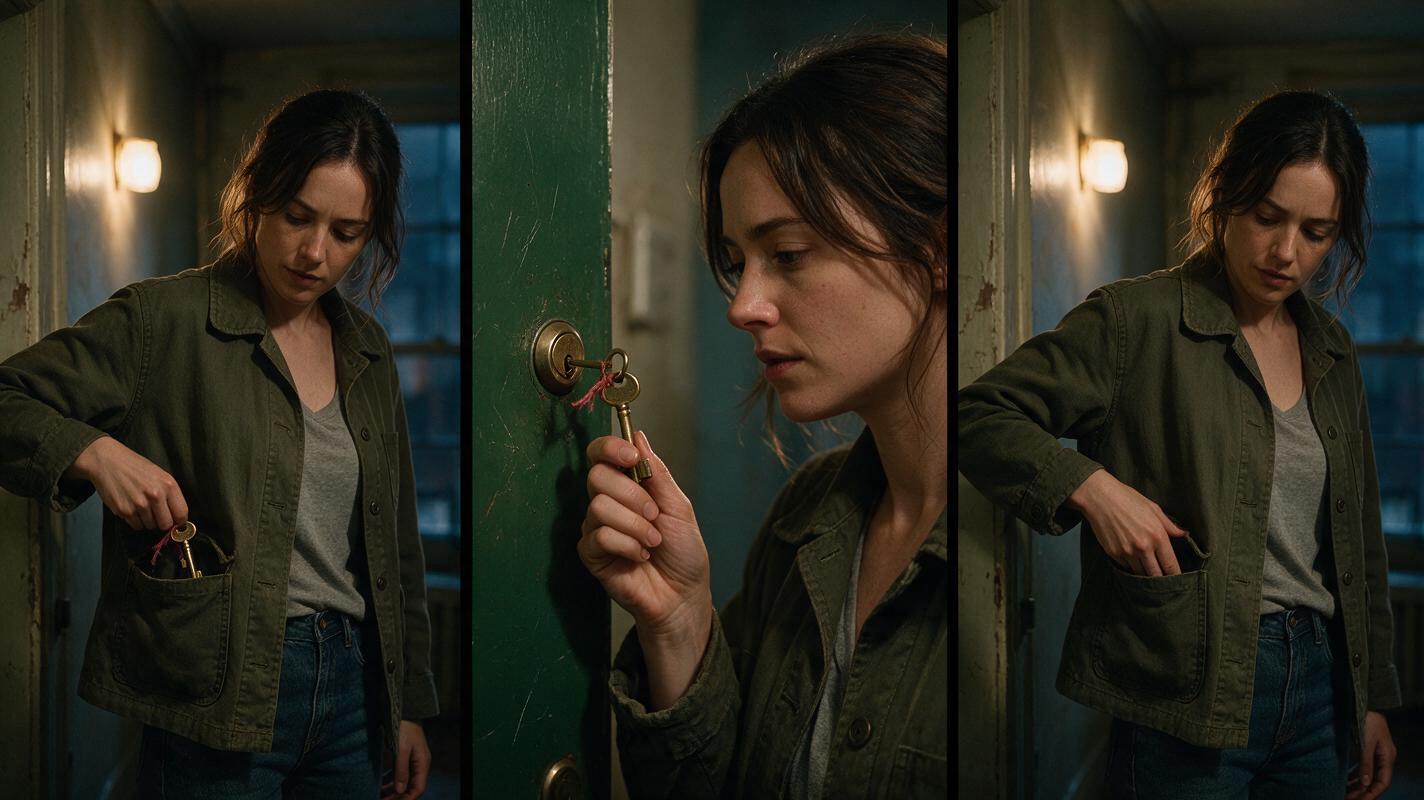
Cinematic editorial-realism continuity triptych inside a lived-in apartment hallway at night, showing the same woman and the exact same antique brass key with faded red thread: left frame, she removes the key from her right jacket pocket; center frame, close three-quarter view as she holds it beside a scratched green door lock with the three teeth aimed toward the lock; right frame, she returns the same key to the same right pocket after failing to open the door; warm practical wall lamp mixed with cool window spill, believable worn plaster and domestic details, landscape 16:9. MANDATORY CAMERA: left and right frames are matched eye-level medium shots; center frame is a true three-quarter close-up from the same screen side. Preserve face, wardrobe, key geometry, hand ownership and screen direction. No text, logos, UI, duplicate keys, merged fingers or extra people.The most important prop images are often the first and last frames of a scene. They answer where the object came from and where it went. Generate or approve these boundaries before producing expressive motion.
For each scene, confirm:
- The opening frame matches the previous scene's recorded owner and storage location.
- The key's condition uses the correct state code.
- The closing frame records whether the key remains visible, leaves frame, changes owner, or enters storage.
- Any state change is caused by a visible action or a clearly established passage of time.
This approach is especially useful in an AI series video because the closing prop state of one episode can become the opening reference for the next. Save that boundary as a dedicated continuity asset rather than extracting an arbitrary compressed frame from the final edit.
Step 5 — Animate Around the Locked Object
Once the anchor frame is correct, use image to video for a bounded action instead of asking for a long sequence containing retrieval, inspection, dialogue, handoff, and storage. Each additional interaction gives the object more opportunities to mutate or duplicate.
Keep the motion prompt focused:
Mara slowly raises her right hand by ten centimeters and rotates her wrist slightly toward the door light. She keeps holding exactly one brass key between her right thumb and index finger. The key retains its oval bow, faded red thread and three teeth. Her left hand stays lowered and empty. The camera makes a subtle five-centimeter push-in. Preserve the hallway, wardrobe, facial identity, hand anatomy and key geometry. No handoff, no new objects, no pocket action, no key duplication.If the performance requires several beats, generate them as separate motion units and cut on a reaction, insert, sound cue, or hand movement. Shorter units also make diagnosis easier: you can see whether the failure came from hand contact, camera movement, occlusion, or the prop itself.
Step 6 — Repair the Prop Without Rebuilding the Performance
Review the prop at normal playback speed and then frame by frame around contact, occlusion, and cuts. Typical failures include a duplicate object appearing in the other hand, the recognition marker changing color, the prop growing during a close-up, or fingers merging with its silhouette.
Choose the smallest repair that preserves approved material:
- Wrong detail in one still frame: replace or inpaint only the prop region using the correct state reference.
- Mutation during motion: shorten the clip before the failure and cut to an insert or reaction.
- Bad hand contact: use a wider frame, reduce rotation, or hide the pickup behind a motivated foreground object.
- Wrong ownership after a cut: replace the boundary frame and regenerate only the affected shot.
- Scale drift: return to a reference frame where the prop appears beside a known hand or surface.
Do not regenerate a successful face, location, and performance just because the key changes shape for several frames. Isolated repairs protect continuity elsewhere and reduce the chance of introducing a new error.
FAQ
Should every recurring prop have a reference sheet?
No. Build one for objects whose identity, ownership, condition, or location affects the plot. Background cups and ordinary furniture rarely need dedicated continuity assets unless a specific detail becomes evidence.
How many prop states should I create?
Create only the states required by the script. A clean state, one changed state, and one storage state may be enough. Unused variations increase the chance that the wrong version enters a scene.
What if a prop must change shape?
Separate the transformation into a before frame, a readable cause, and an after frame. If the transformation itself is unstable, hide the exact transition with light, smoke, an occluding hand, a reaction shot, or a cut while preserving clear boundary states.
Can this workflow support a vertical drama video?
Yes. Keep the prop near the character's face or within the central story column when it must be read. Use a brief insert when its landmarks are too small, then return to the reaction so the object remains connected to the dramatic beat.
Sources
Final Checklist
- Define permanent identity markers separately from temporary condition.
- Create one clean hero plate and only the story-required state variants.
- Record owner, position, orientation, and state on every relevant shot card.
- Approve opening and closing prop frames before generating motion.
- Animate one physical interaction at a time.
- Repair the failed object layer instead of rebuilding an approved scene.
- Before producing the full episode, try these models for free with one retrieval, one close-up, and one handoff test.
Keywords
ai short drama, ai microdrama, ai series video, ai drama generator, ai short film generator, vertical drama video