How to Direct Reaction Shots in an AI Short Drama
Reaction shots work when the audience can see a character process new information, not merely display a generic emotion. This tutorial shows how to lock identity, eyeline, setting, emotional progression, and vertical composition while generating editable reaction shots for an AI short drama.
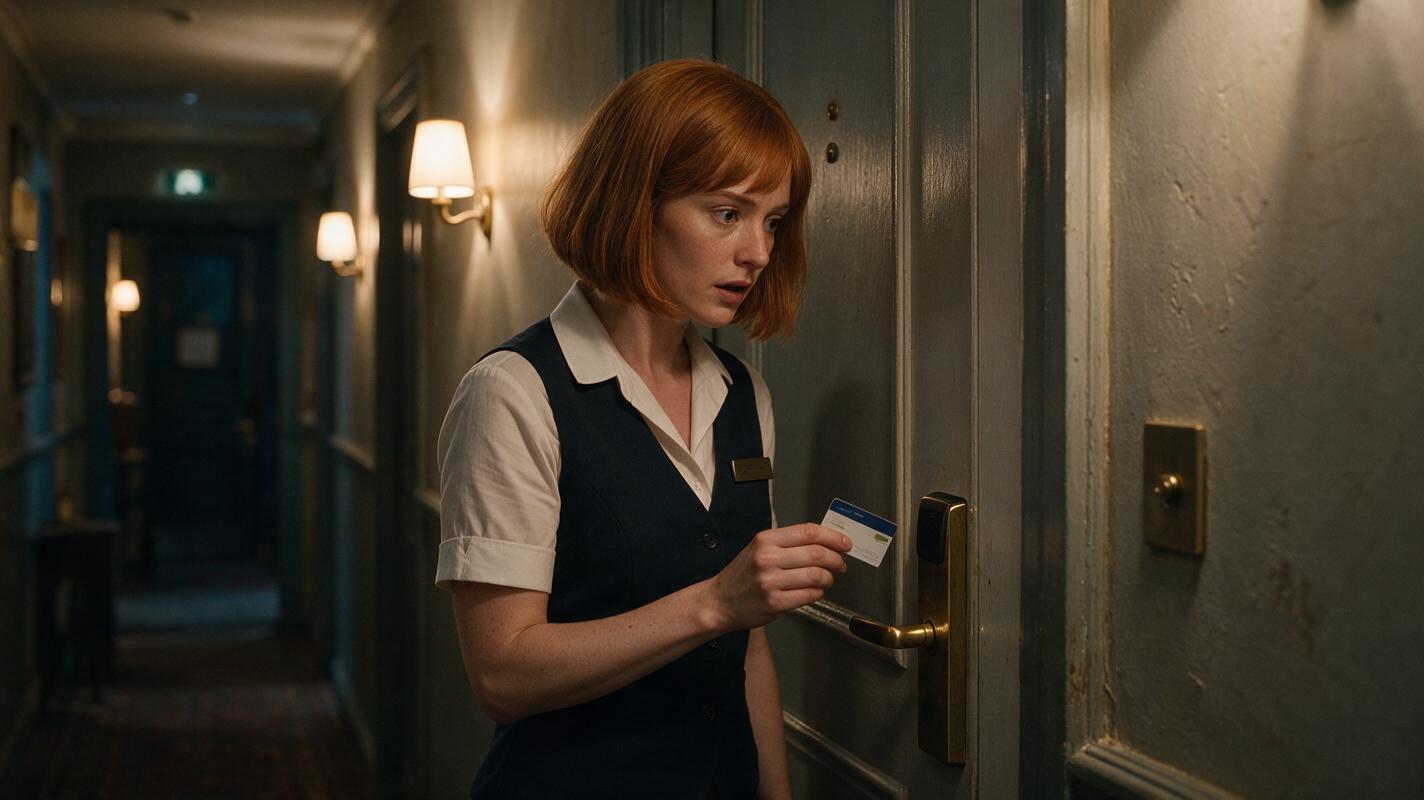
Table of contents
The short answer
A convincing reaction shot needs a visible change of thought: establish the character's neutral state, introduce one off-screen trigger, and generate the response as a controlled progression rather than asking for several emotions at once.
Reaction shots carry disproportionate story weight in an ai short drama. A glance toward a locked door can reveal suspicion. A delayed smile can expose deception. A hand stopping above a phone can turn exposition into a decision.
The workflow below builds one editable reaction for a vertical mystery scene. Maya, a hotel receptionist, hears a missing guest's ringtone inside an empty room. The method applies equally to an AI microdrama, AI series video, or dialogue-led short film.
Direct the thought before directing the face. If the internal decision is unclear, stronger facial movement usually makes the shot less believable.
Step 1 — Define the reaction as a story beat
Do not begin with an emotion label such as “shocked,” “worried,” or “dramatic.” Those words describe an outcome but do not tell the model what changes inside the shot.
Write the reaction as a compact chain with four parts:
- Trigger: the sound, object, line, or movement that reaches the character.
- Recognition: the physical sign that the character understands it.
- Interpretation: what the character now believes.
- Decision: the action that ends the shot and advances the story.
| Beat | Maya's performance | Visible evidence |
|---|---|---|
| Trigger | She hears a ringtone behind the door. | Her fingers stop above the keycard reader. |
| Recognition | She identifies the missing guest's ringtone. | Her eyes shift toward the door handle. |
| Interpretation | Someone may be inside the supposedly empty room. | Her breathing stills; the smile disappears. |
| Decision | She chooses not to enter alone. | Her hand slowly withdraws from the reader. |
This gives the shot an observable beginning and end. It also prevents the generator from cycling through surprise, fear, anger, and panic without a clear dramatic cause.
Step 2 — Lock the actor before changing emotion
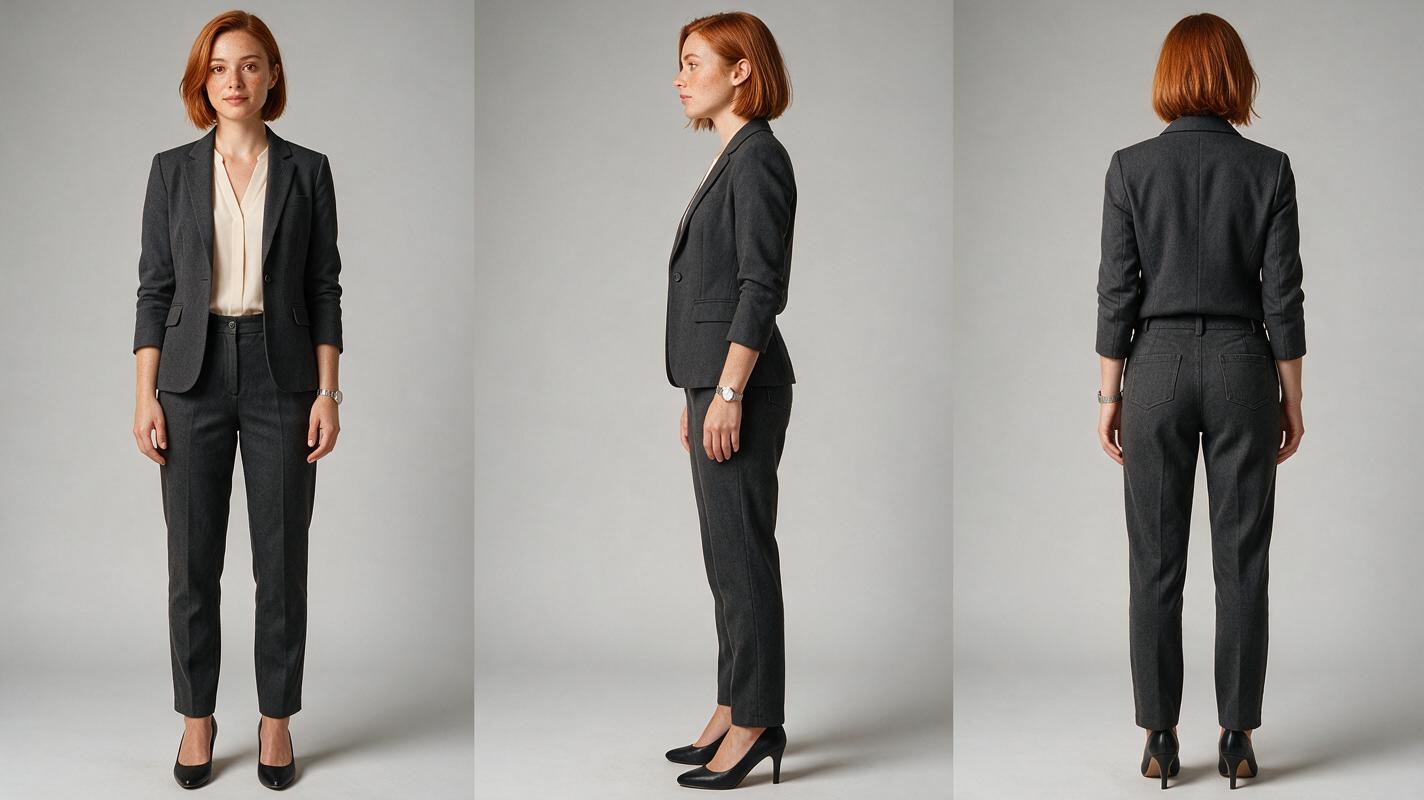
Create a neutral reference sheet before generating performance. The sheet should lock facial structure, hairstyle, wardrobe, age range, and body proportions without introducing a scene-specific expression.
Use one character description everywhere. Do not alternate between near-synonyms such as “auburn bob,” “short red hair,” and “copper hairstyle.” Repeated literal wording is useful production control, not bad prose.
PHOTOREALISTIC CHARACTER REFERENCE SHEET

A 29-year-old hotel receptionist named Maya, oval face, warm brown eyes, chin-length straight auburn bob tucked behind the right ear, faint freckles across the nose, charcoal hotel blazer, cream collarless blouse, slim silver wristwatch, natural skin texture, neutral attentive expression.

MANDATORY LAYOUT: landscape 16:9, exactly three full-body panels showing the same woman from front, true left side, and back; equal scale and spacing; arms relaxed; hands visible; no duplicated body parts.
MANDATORY CAMERA: eye-level, 70mm portrait perspective, no wide-angle distortion.
LIGHTING: soft neutral studio light on a seamless light-gray background.
EXCLUDE: text, labels, logos, props, dramatic expression, jewelry changes, wardrobe variations.
Select the clearest neutral result as the identity source for every shot. When your workflow supports reference image to video, begin from a scene frame based on this sheet instead of rebuilding Maya from text for each take.
Step 3 — Build the eyeline and location anchor
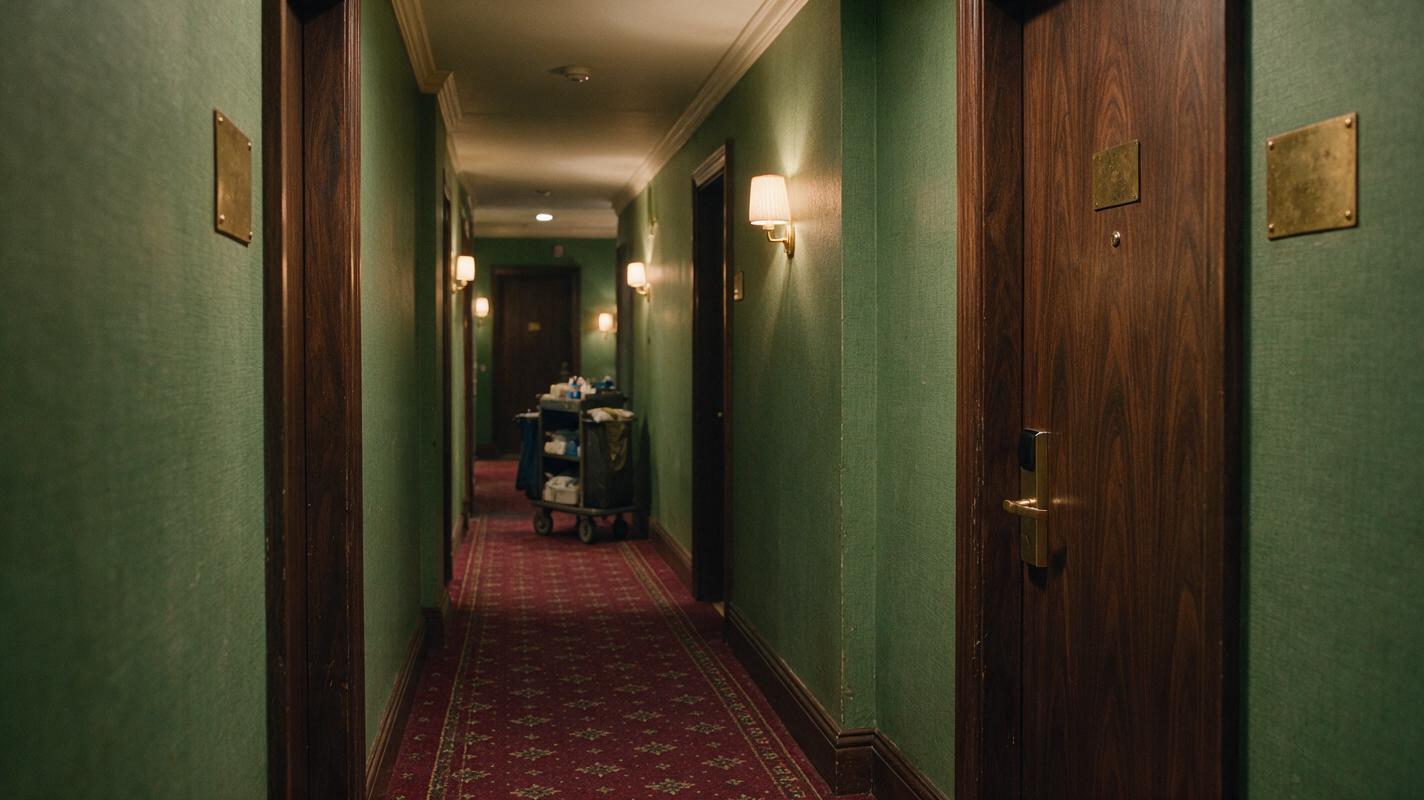
The audience must understand what Maya is reacting to even when the trigger remains outside the frame. Establish three spatial facts before adding motion: Maya stands on the left side of the corridor, Room 407 is on camera right, and her gaze lands slightly below eye level at the door handle.
Generate a clean location anchor without Maya first. This separates environmental design from performance and gives later shots stable lighting, door geometry, and background depth.
CINEMATIC HOTEL CORRIDOR LOCATION ANCHOR

A lived-in boutique hotel corridor at night, muted green wallpaper, dark walnut doors, aged brass room-number plates with no readable characters, warm practical wall sconces, patterned burgundy carpet, one housekeeping cart far in the background, believable minor wear, quiet suspense, editorial realism.

MANDATORY CAMERA: eye-level true three-quarter corridor view, camera facing diagonally toward a closed guest-room door on frame right, 40mm lens, stable architectural lines.
MANDATORY LAYOUT: landscape 16:9 master frame with clear negative space on frame left for one standing actor; door handle fully visible; deep corridor receding behind her future position.
LIGHTING: motivated warm sconces with soft cool spill from an unseen window.
EXCLUDE: people, text, logos, floating objects, surreal architecture, extreme darkness.
For a vertical drama video, crop-test the anchor before animation. The door handle and Maya's eyes should remain visible inside the central 9:16 story column. Peripheral décor can disappear; the trigger and reaction cannot.
Step 4 — Generate the reaction in controlled phases
Long prompts often produce an exaggerated emotional montage. Divide the performance into short phases that each have one dominant physical change.
- Neutral hold: Maya prepares to tap the keycard, with steady breathing and a professional expression.
- Recognition: her hand stops, her eyes move toward the handle, and her mouth becomes still.
- Decision: she withdraws the card and takes one restrained half-step back.
Generate each phase as its own clip or make several restrained variants from the same anchor frame. Preserve camera position, body orientation, wardrobe, lighting, and screen direction across all versions.
REACTION PERFORMANCE PROMPT

Maya stands on frame left in the established hotel corridor, body angled three-quarters toward the closed door on frame right. She holds a keycard two centimeters above the reader. An off-screen ringtone begins inside the room. Her hand stops first. After a brief delay, only her eyes shift toward the door handle. Her professional half-smile fades. She quietly withdraws the keycard and takes one restrained half-step backward without turning away.

MANDATORY CAMERA: locked medium close-up, eye-level, 70mm lens, no zoom, no pan, no orbit, no reframing.
MANDATORY PERFORMANCE: subtle realistic timing; fingers stop before the eye movement; eye movement precedes the backward step; lips remain closed.
CONTINUITY: preserve facial identity, auburn bob, charcoal blazer, cream blouse, silver watch, corridor lighting, and left-to-right eyeline.
EXCLUDE: screaming, sudden head snap, speaking, extra people, duplicated hands, door movement, camera shake.
A multi-model workflow is useful here because restrained acting varies between generation systems. Compare the same anchor and motion brief rather than rewriting the scene for every test. At this high-intent stage, you can try these models for free and keep the performance with the cleanest identity, hand, and timing continuity.
Step 5 — Edit reaction shots for vertical drama
The best generated take is not automatically the best edited take. Cut according to the audience's recognition process.
- Enter before the trigger so viewers see the neutral hand position.
- Preserve the delay between the ringtone and Maya's eye movement.
- Hold through the decision until the keycard clearly moves away from the reader.
- Cut on intention once the audience understands that she will seek help or investigate differently.
In 9:16, a medium close-up usually needs more headroom than expected if the hand and keycard are also story-critical. Keep the face in the upper-middle region and the hand action near the center. Avoid placing the door handle at the extreme edge, where platform cropping may remove the object that motivates her gaze.
Sound should clarify the trigger without replacing the performance. Start the ringtone cleanly, leave room for the visual pause, and avoid adding a dramatic impact sound at the exact moment her eyes move. The delayed realization is the scene.
Step 6 — Repair only the failed layer
Evaluate identity, acting, anatomy, setting, and camera separately. A take with excellent timing but a malformed keycard hand does not require a complete emotional redesign.
| Failure | Likely cause | Targeted repair |
|---|---|---|
| Face changes after the eye movement | Expression range is too broad | Reduce movement to eyes and mouth corners; strengthen the neutral identity reference. |
| Hand merges with the keycard | Small-object interaction is overloaded | Start with the card already held and animate only a short withdrawal. |
| Gaze misses the door | Target position is ambiguous | Specify frame direction and the exact target: the handle on camera right. |
| Acting becomes melodramatic | Emotion labels dominate the prompt | Remove “terrified” and describe timed physical actions instead. |
| Background bends | Camera motion competes with architecture | Return to a locked camera and reuse the corridor anchor. |
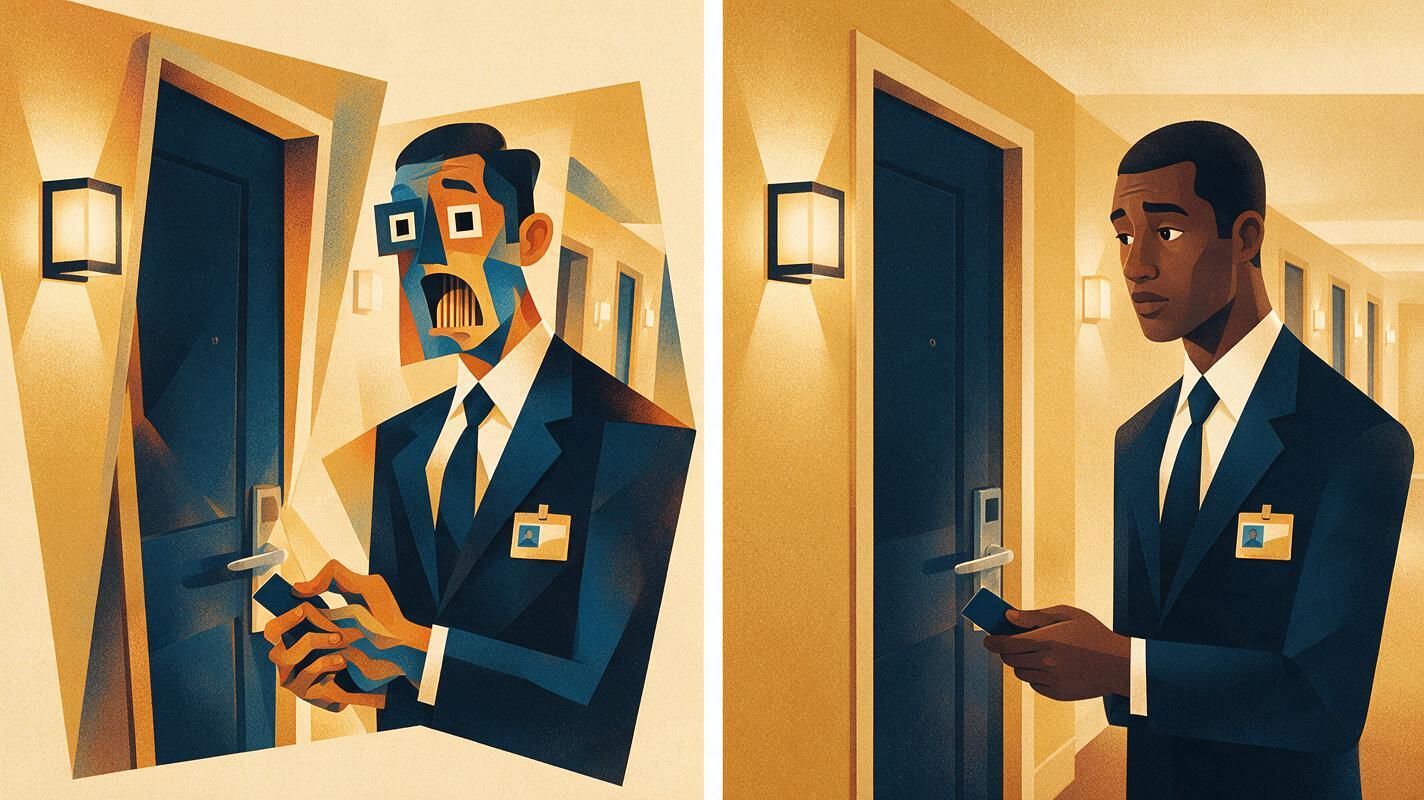
FAILURE-MODE COMPARISON VISUAL

A borderless side-by-side cinematic comparison of the same hotel receptionist reacting beside the same closed hotel-room door. Left panel: excessive shock, changed facial identity, distorted fingers fused around a keycard, wandering gaze, slightly warped doorframe. Right panel: preserved identity, anatomically correct hand holding one keycard, restrained eye shift toward the door handle, stable corridor geometry, subtle concern.

MANDATORY CAMERA: matching eye-level medium close-up in both panels, 70mm lens, identical framing and character scale.
MANDATORY LAYOUT: landscape 16:9 divided into two equal visual panels with no separator text, no labels, no arrows, no logos, no interface elements.
LIGHTING: matching warm hotel-sconce illumination in both panels.
EXCLUDE: captions, app chrome, watermarks, extra people, duplicated objects.
Use the comparison as a visual quality target. The corrected frame should feel quieter, not merely cleaner: one readable gaze, one stable hand, and one decision.
FAQ
How long should an AI microdrama reaction shot last?
Use story comprehension rather than a fixed duration. The shot needs enough time to establish the neutral state, register the trigger, and reveal the decision. Remove frames only when those three events remain readable.
Should I generate the dialogue and reaction in one clip?
Separate them when the reaction is story-critical. Independent coverage gives you control over pacing, lip movement, eyelines, and the exact moment the character understands the line.
Why does the character's face change during subtle reactions?
Large expression requests can pull facial landmarks away from the identity reference. Use a neutral source frame, limit movement to specific features, and generate short phases instead of a complete emotional arc in one request.
Can an AI drama generator make reaction shots from text alone?
It can generate candidates, but recurring episodes benefit from a stable character sheet and a scene anchor. Text establishes intent; references preserve the visual facts that must survive across shots.
Sources
Final checklist
- The reaction begins from a readable neutral state.
- One off-screen trigger motivates the performance.
- The character sheet locks face, hair, wardrobe, and proportions.
- The location anchor fixes lighting and screen direction.
- Hand movement, eye movement, and body movement occur in a deliberate order.
- The 9:16 crop retains the face, trigger target, and decision action.
- Repairs target the failed layer instead of regenerating the entire scene.
Keywords
ai short drama, ai microdrama, ai series video, vertical drama video, ai drama generator, ai short film generator