How to Stage an Unseen Threat in an AI Short Drama
An unseen threat can create suspense without forcing an AI video model to render a complicated attacker, chase, or fight. This tutorial builds the scene from visible evidence, locked geography, boundary frames, restrained motion, and sound-led editing.
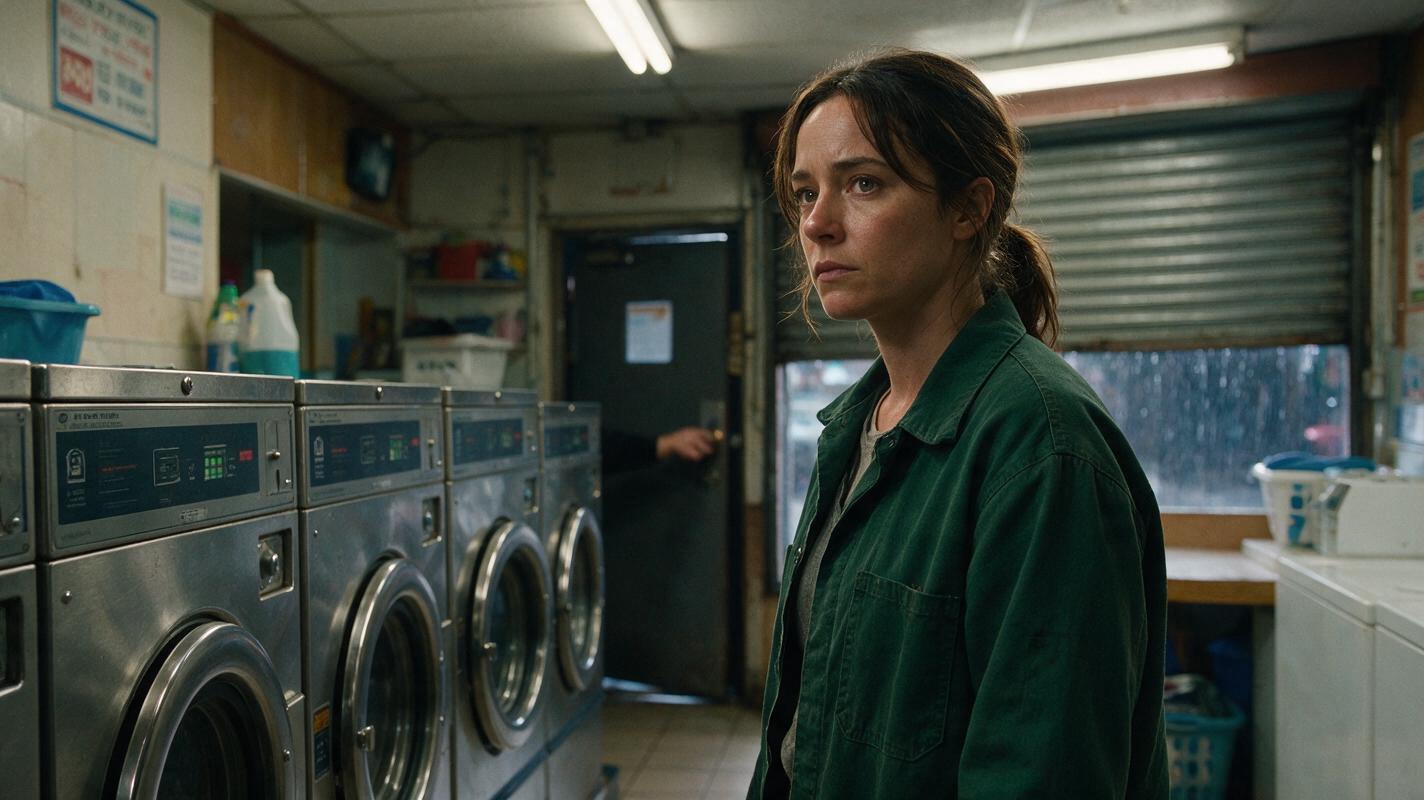
Table of contents
Make the Empty Frame Feel Dangerous
The most convincing unseen threat is not an empty hallway—it is a chain of visible changes that lets the audience conclude someone is approaching.
This tutorial uses a simple scenario: Mira is alone in a neighborhood laundromat after closing when a locked rear door begins to move. The threat never enters the frame. Instead, the scene relies on a turning handle, a changing reflection, Mira’s controlled reaction, and an interrupted escape route.
This approach suits an ai short drama because it reduces difficult multi-character interaction while preserving tension. It also produces short, replaceable shots that can be repaired without regenerating the entire sequence.
Production rule: Do not ask the model to generate “suspense.” Specify the physical evidence, the character’s response, and the information withheld from the audience.
Step 1 — Define the threat as evidence
Begin by replacing the invisible antagonist with three observable events. Each event must change the scene and force Mira to make a new decision.
| Beat | Visible or audible evidence | Mira’s decision | Information withheld |
|---|---|---|---|
| Warning | The rear door handle turns once | She stops loading the washer | Who touched it |
| Escalation | A silhouette crosses the glass reflection | She reaches for her phone | Whether the figure saw her |
| Trap | The front security shutter begins descending | She runs toward the exit | Who controls the shutter |
Use evidence from different sensory channels. A handle movement is spatially precise, a reflection is visually uncertain, and a metallic shutter sound can begin before its cause is shown. That variation creates escalation without revealing the antagonist.
Avoid vague script directions such as “Mira senses danger.” Convert them into playable facts: “The dryer stops. In the sudden quiet, the rear handle rotates downward.”
Step 2 — Lock the character before adding suspense
Create one neutral reference sheet for Mira before generating emotional frames. Her identity, wardrobe, hairstyle, age range, and major accessories should remain stable. Keep the expression neutral so the reference does not force fear into every later image.
Photorealistic three-panel character reference sheet of the same woman named Mira, age 29, oval face, warm medium-brown skin, shoulder-length tightly curled black hair, dark green work jacket over a cream T-shirt, straight black jeans, worn white sneakers, small silver stud earrings; full body visible in every panel; panel one exact front view, panel two exact left-side profile, panel three exact back view; identical wardrobe, body proportions, hairstyle and lighting in all three panels; relaxed neutral posture and neutral expression; neutral light-gray seamless studio background; landscape 16:9 composition; evenly spaced panels; soft diffused studio light; realistic skin and fabric texture; MANDATORY CAMERA: eye-level orthographic-style reference views with no perspective exaggeration; no text, no labels, no logos, no interface elements.Record identity separately from scene state. Mira’s reference sheet defines who she is; the shot card defines what has changed. For example, “jacket dry, phone in right hand, breathing controlled” belongs to the shot, not the permanent character description.
This separation matters in an AI series video. A frightened expression from one episode should not become an accidental identity feature in every later scene.
Step 3 — Build one master location frame
Establish the complete geography before generating close shots. The master frame should show the rear door, the reflective washer doors, Mira’s work position, and the front exit. Even if later shots isolate these elements, the audience needs a stable mental map.
Cinematic editorial-realism image of a small lived-in neighborhood laundromat after closing, rows of stainless-steel front-loading washers on the left, folding tables and plastic laundry baskets in the center, a narrow locked service door at the rear, glass storefront and partially raised metal security shutter at the front, fluorescent ceiling fixtures with one dimmer tube near the back, rain-darkened street visible outside, no people; realistic wear, detergent boxes, scuffed tile floor and subtle reflections; landscape 16:9; MANDATORY CAMERA: fixed eye-level wide shot from the front-right corner aimed diagonally toward the rear service door, 28mm lens equivalent, deep readable staging, straight vertical lines; cinematic restrained color, believable practical lighting; no text, no logos, no UI elements.From this frame, mark four zones in your shot notes:
- Safe zone: Mira’s folding table and phone.
- Threat zone: the rear service door.
- Uncertain zone: reflections in the washer glass.
- Escape zone: the storefront and shutter.
Keep the threat zone deeper in the frame than Mira whenever possible. The distance lets the viewer scan behind her, while Mira’s closer position provides a readable reaction. For vertical drama video, arrange the rear door, Mira, and the phone along one narrow depth axis instead of spreading them across the width.
Step 4 — Generate boundary frames around each change
Do not attempt the entire suspense scene in one generation. Build a pair of still frames around every important change: the last stable moment and the first unmistakable consequence.
- Handle beat: handle horizontal, then handle pressed down.
- Reflection beat: empty washer reflection, then one partial dark form crossing it.
- Phone beat: phone on table, then phone in Mira’s hand.
- Shutter beat: exit open, then shutter one-third lower.
The frames should differ in one story variable only. If the handle turns while Mira changes pose, the camera moves, and the lighting shifts, the audience cannot tell which change matters. It also becomes harder to identify the failed layer.
Use this shot-packet format for each pair:
SHOT PURPOSE: reveal that someone is testing the rear door
START STATE: Mira frozen beside washer 6; rear handle horizontal
END STATE: same framing and pose; rear handle pressed downward
CAMERA: locked medium-wide shot, no pan, no zoom
MOTION: handle rotates slowly; Mira only shifts her eyes toward it
PRESERVE: face, hair, jacket, washer count, door geometry, lighting
EXCLUDE: visible intruder, extra people, duplicated limbs, camera shake
When the anchors are approved, use image to video for the movement between them. A short controlled transition is usually easier to edit than a long clip containing several unrelated actions.
Step 5 — Direct restrained reactions
Mira should react in stages rather than jumping immediately to panic. Progressive performance gives the editor more options and prevents exaggerated motion from destabilizing her face.
| Reaction level | Physical direction | Best use |
|---|---|---|
| Notice | Hands stop; eyes move before the head | First handle sound |
| Confirm | Head turns slightly; breath becomes shallow | Reflection crosses |
| Choose | Weight shifts toward the phone | Preparing to call |
| Escape | One decisive turn toward the storefront | Shutter begins falling |
Keep each prompt focused on one action verb. “Freeze,” “glance,” “reach,” and “turn” are more controllable than a paragraph combining fear, running, looking backward, and grabbing a prop.
The unseen figure also needs restraint. Show only a partial reflection or a shadow crossing a practical light source. Do not request a detailed attacker and then ask the model to hide that attacker; the unnecessary detail increases the chance of a face, hand, or duplicate body appearing.
Once the references and boundary frames are ready, try these models for free using the same shot packet. Compare whether identity, door geometry, and the single requested motion survive—not which result looks busiest.
Step 6 — Repair the failure, not the whole scene
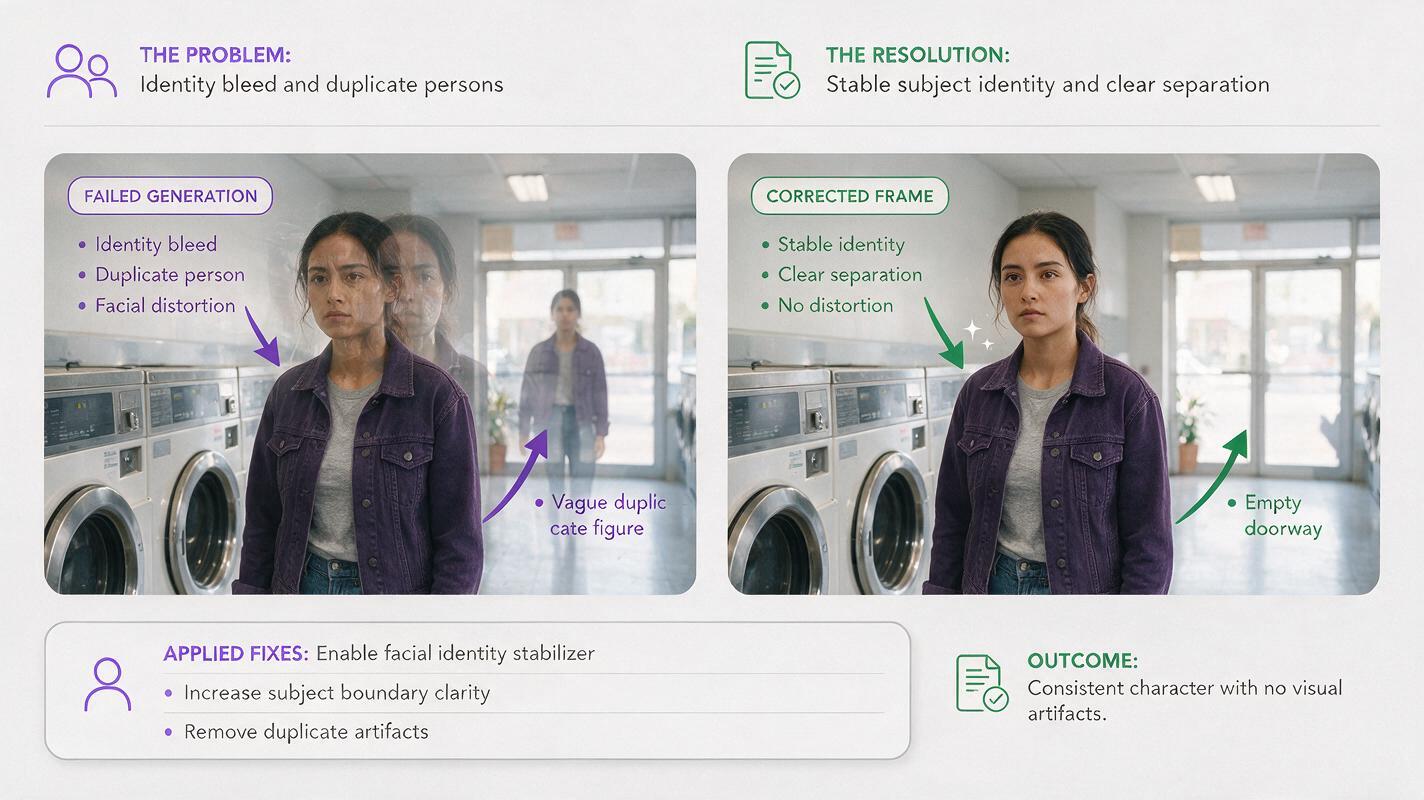
Unseen-threat shots commonly fail by revealing too much, blending the reflection with Mira, changing the location, or duplicating a person. Diagnose the visible error before regenerating anything.
Side-by-side cinematic photographic comparison of the same laundromat suspense shot; left panel shows a failed result with Mira’s face unnaturally blended into the washer reflection and a duplicated vague human form near the rear door; right panel shows the corrected result with Mira clearly separated in the foreground, stable facial identity, an empty rear doorway, and only one indistinct partial shadow crossing a washer reflection; identical wardrobe, location, camera height and lighting across both panels; landscape 16:9; MANDATORY LAYOUT: equal-width side-by-side comparison with a clean central division, no captions or text; MANDATORY CAMERA: locked eye-level medium-wide shot, 35mm lens equivalent; photorealistic editorial realism, no logos, no interface elements.- Face blending in glass: change the reflection angle or place Mira outside the reflective contour.
- Accidental full intruder: replace “person in reflection” with “brief partial shadow crossing the far edge of the glass.”
- Character duplication: generate the empty location motion separately and cut back to Mira’s reaction.
- Door geometry drift: preserve the original location frame and animate only the handle region.
- Distorted phone interaction: cut from a clean phone insert to a separate reaction instead of showing the complete pickup continuously.
A repair should preserve every layer that already works. If the performance is good but the reflection is wrong, replace the reflection shot or cover it with an evidence insert. Regenerating the whole scene may trade one error for another.
Step 7 — Let sound reveal the off-screen space
Sound can extend the laundromat beyond the frame without requiring another visual generation. Build the track from identifiable sources rather than a constant suspense drone.
- The steady tumble of one dryer establishes normality.
- The dryer stopping creates a sudden acoustic gap.
- A metal handle click identifies the rear door.
- Soft shoe friction suggests movement without defining the person.
- The shutter motor relocates danger to the front exit.
Place reactions slightly after the sound that causes them. Mira should not turn before the handle click unless the story establishes that she can see the door. Preserve a small pause after each clue so the audience has time to interpret it.
End on a changed choice, not merely a louder noise. A strong final image is Mira reaching the storefront as the shutter blocks the lower half of the exit. The threat remains unseen, but the story state is now unmistakable: waiting is no longer safe.
FAQ
Does an unseen threat need a visible shadow?
No. A moving object, interrupted light, changed reflection, or off-screen sound can provide enough evidence. Use the device that best fits the established location.
How long should each suspense clip be?
Generate only enough motion to complete one readable change, with brief stable material before and after it. The edit—not one continuous generation—should control the full scene duration.
Can this method work in an AI microdrama with no dialogue?
Yes. The scene communicates through cause, reaction, and consequence. Dialogue is optional if the evidence and character decisions are visually clear.
Should the antagonist receive a character reference?
Not if the antagonist never becomes identifiable. Create a reference only when a later episode must reveal the same person or preserve specific wardrobe and body traits.
Sources
Final checklist
- Express the threat through three escalating pieces of evidence.
- Lock the character and master location before generating reactions.
- Keep safe, threat, uncertain, and escape zones spatially readable.
- Generate boundary frames around one change at a time.
- Direct progressive reactions with one action verb per clip.
- Hide the antagonist instead of generating unnecessary detail.
- Repair reflections, props, geometry, and performance as separate layers.
- Use sound to expand the space beyond the frame.
Keywords
ai short drama, ai microdrama, ai series video, ai short film generator, short drama from script, vertical drama video