AI Stop-Motion Food Ads Without Duplicated or Drifting Ingredients
AI stop-motion food ads often fail when ingredients multiply, change shape or slide between frames. This practical Vidu workflow uses continuity boards, reference frames and controlled movement prompts to produce cleaner social videos for restaurants and food brands.
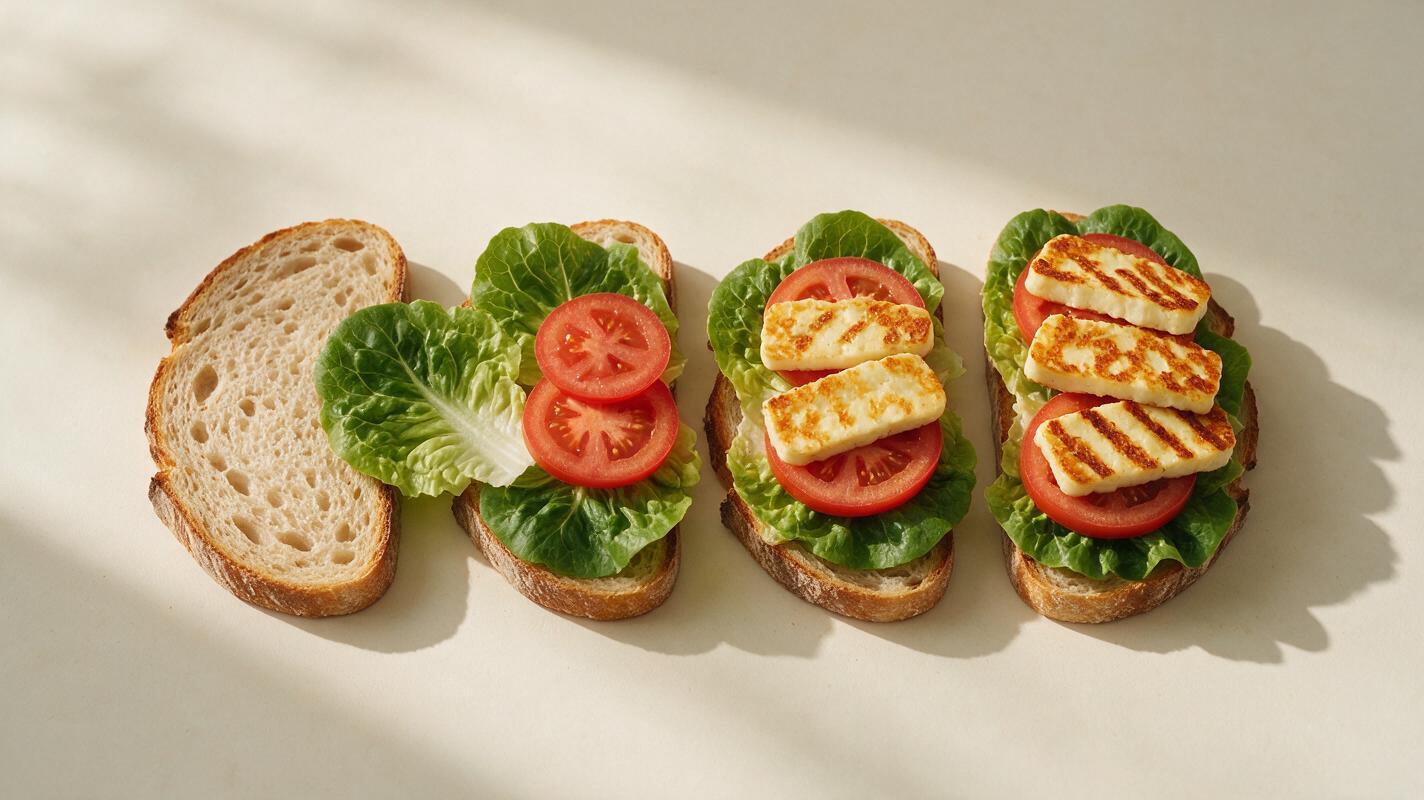
Table of contents
Create playful food motion without losing ingredient continuity
A convincing stop-motion food ad needs every ingredient to remain recognizable from one movement to the next. When AI is asked to assemble an entire sandwich, arrange a snack board or open a meal kit in one uninterrupted clip, ingredients may duplicate, disappear or transform. The solution is to divide the action into short visual beats and give each generation a stable reference frame.
This method uses Vidu for controlled food animation, but the underlying continuity principles apply to many generative video models. It is especially useful for restaurant Reels, packaged-food launches, ingredient reveals and playful seasonal campaigns.
Why AI stop-motion food ads lose continuity
Traditional stop motion creates movement from individually controlled photographs. A generative model must instead infer all the frames between a starting image and the requested result. That becomes difficult when a prompt contains several ingredients, simultaneous movements and a moving camera.
The most common failures include:
- Ingredient multiplication: one tomato slice becomes two or three during movement.
- Identity drift: cheddar changes into another cheese, or a round cookie becomes irregular.
- Unmotivated motion: ingredients float, rotate or bounce when they should slide.
- Changing food geometry: bread expands, packaging bends or the serving board changes shape.
- Continuity jumps: an ingredient reaches a different position after a cut.
These errors are usually caused by an overloaded shot rather than an insufficiently descriptive adjective. More prompt detail will not reliably fix a sequence that asks the model to track too many changes at once.
Build a continuity board before generating motion
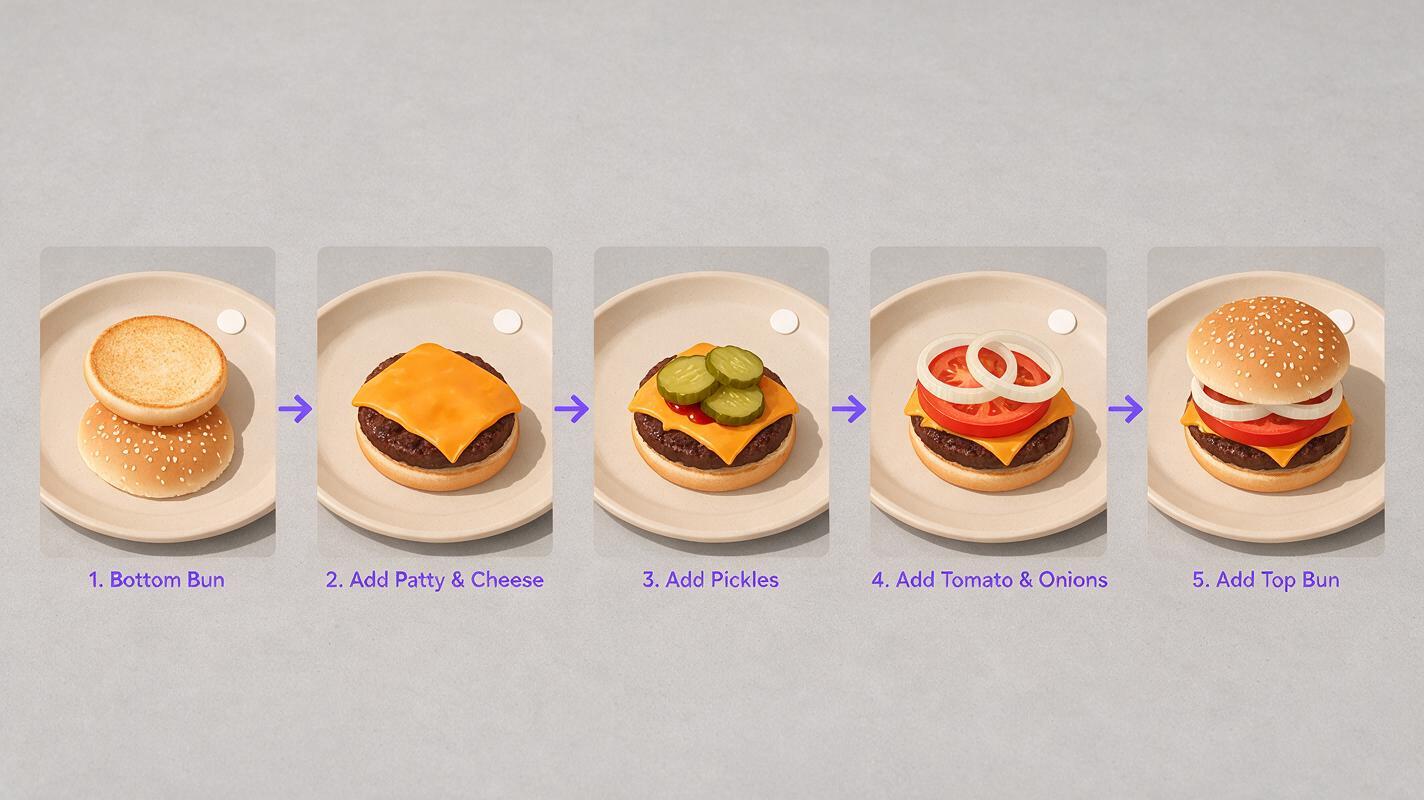
Plan the ad as a sequence of clear states. For a sandwich assembly, the board might show an empty bottom bun, the bun with lettuce, the bun with a patty, the completed stack and the final branded plate. Each state becomes either a reference image or a target for the next clip.
An ai storyboard can help organize the sequence before video credits are spent. Keep these elements fixed across every frame:
- The camera angle, lens feel and crop
- The plate, board or tabletop position
- The number, shape and color of ingredients
- The direction from which each ingredient enters
- The lighting direction and shadow density
- The position reserved for packaging or campaign copy
Continuity is easier to preserve when every shot changes only one visible fact.
If a real product or menu item must remain accurate, photograph the approved food arrangement and use it as the base reference. Generated imagery can establish the visual concept, but it should not invent portion sizes, ingredients or packaging details that customers could mistake for the actual product.
Give each clip one physical action
Short action units are more dependable than one elaborate assembly request. Instead of asking for five toppings to leap onto a pizza, generate separate clips for pepperoni sliding into place, peppers appearing in a controlled arrangement and cheese settling with minimal movement.
| Overloaded request | Controlled alternative | Continuity benefit |
|---|---|---|
| Build the whole burger automatically | Add one ingredient layer per clip | Fewer objects need to be tracked |
| Rotate the camera while food assembles | Lock the camera until the hero shot | Plate and ingredient geometry stay clearer |
| Make snacks fly into a package | Move one small group along a defined path | Reduces duplication and collisions |
| Transform raw ingredients into a meal | Use deliberate cuts between preparation states | Avoids unwanted morphing |
A useful clip often contains three phases: a brief hold, one simple movement and another hold. Those still moments give the editor clean cut points and help the motion read as intentional stop motion rather than fluid CGI.
Write movement prompts that behave like stop motion
Use Vidu with a clean reference frame through reference image to video. Describe the object that moves, its route, the amount of motion and everything that must remain unchanged. Avoid emotional verbs such as “dance” or “come alive” unless exaggerated motion is genuinely part of the campaign.
This reusable prompt is suitable for an overhead ingredient-placement shot:
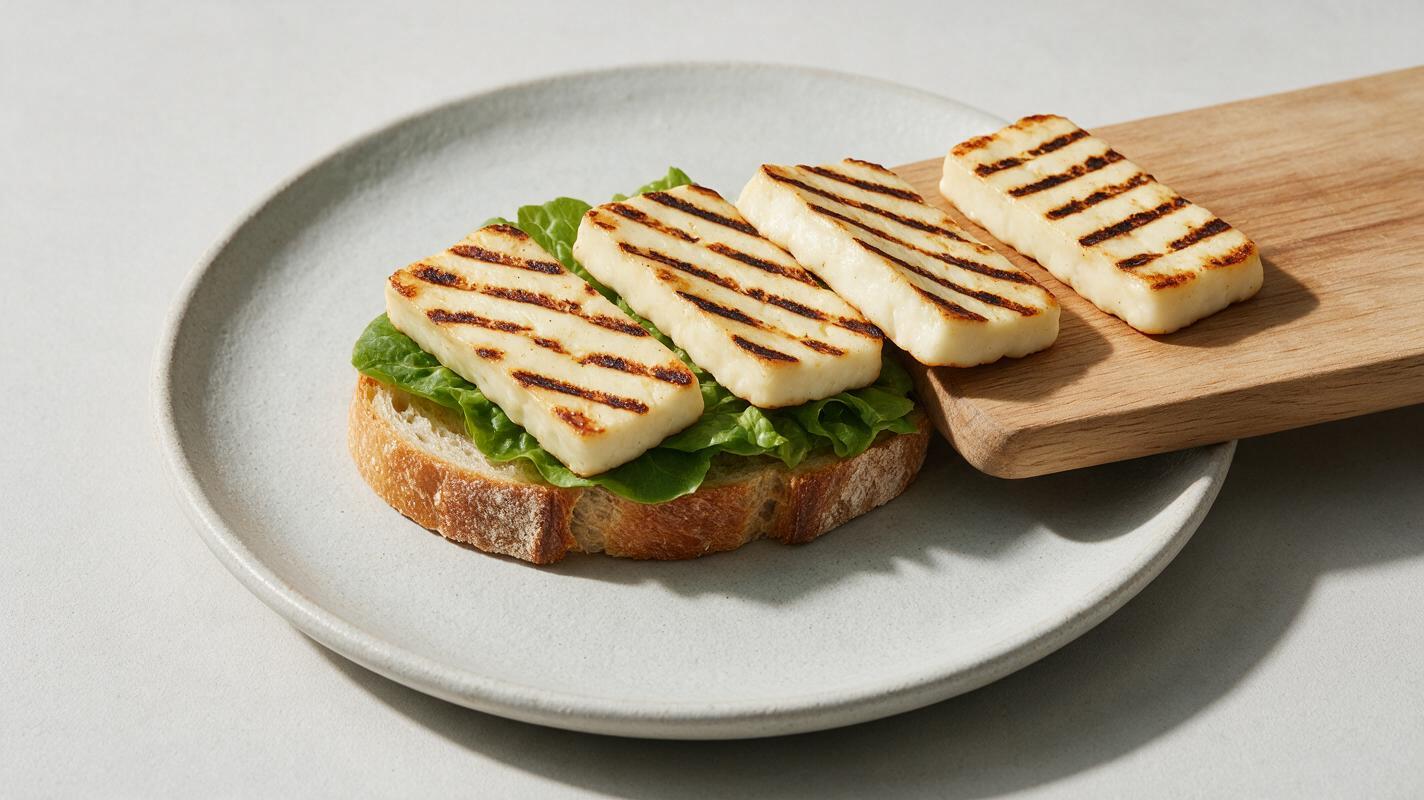
Locked overhead camera, playful handcrafted stop-motion food advertisement. One grilled halloumi slice moves from the right edge of the frame onto the center of the open sandwich in four small incremental jumps. Preserve exactly one halloumi slice with the same rectangular shape, thickness, grill marks and color throughout. The bread, lettuce, plate, napkin, tabletop, lighting and shadows remain completely stationary. No floating, no rotation, no morphing, no duplicated ingredients, no extra food, no camera movement. Brief still hold before and after the action.For packaged snacks, define both the product count and the destination:
Static three-quarter tabletop shot of the approved snack pouch and six visible crackers. The six crackers slide toward the pouch opening in two neat groups, using small stop-motion increments. Preserve exactly six crackers with unchanged shape, surface texture and size. Keep the pouch artwork, logo, typography, seams and proportions unchanged. No extra crackers, no warped packaging, no label animation, no camera motion. End on a clean hero composition.Negative instructions are most effective when they address visible risks. A long generic list can dilute the core action. Prioritize count preservation, identity preservation, a locked camera and explicit stationary objects.
Design movement that matches the food
Not every ingredient should move in the same way. Motion should reflect weight, texture and brand personality:
- Cookies and crackers: short slides or quarter turns can feel playful without changing their shape.
- Sandwich layers: use small vertical drops with no bounce, compression or ingredient splash.
- Loose garnishes: move a tiny controlled group rather than many individual leaves or seeds.
- Bottles and cans: keep labels facing the camera and use a simple slide into the hero position.
- Sauces: reveal a finished drizzle through a cut instead of generating a long pour if exact shape matters.
Stop-motion character comes from discrete displacement and editing rhythm, not from making every object jump. Heavy products can move in fewer, larger increments; delicate garnishes should barely shift.
Cut short clips into a deliberate social rhythm
Generate each action as a separate clip, then select only the most stable section. Trim uncertain opening or ending frames instead of preserving the full output. Alternate movement with short visual holds so viewers can register the ingredients and brand.
A compact vertical ad can follow this rhythm:
- An immediate view of the base product
- Two or three single-action ingredient clips
- A clean completion cut
- A longer hero hold for the product name, offer or call to action
Sound design can strengthen the handmade illusion. Small taps, paper movements, board knocks and restrained percussive music usually fit better than continuous whooshes. Place each sound on the exact frame where the object changes position.
Repair drift without restarting the whole ad
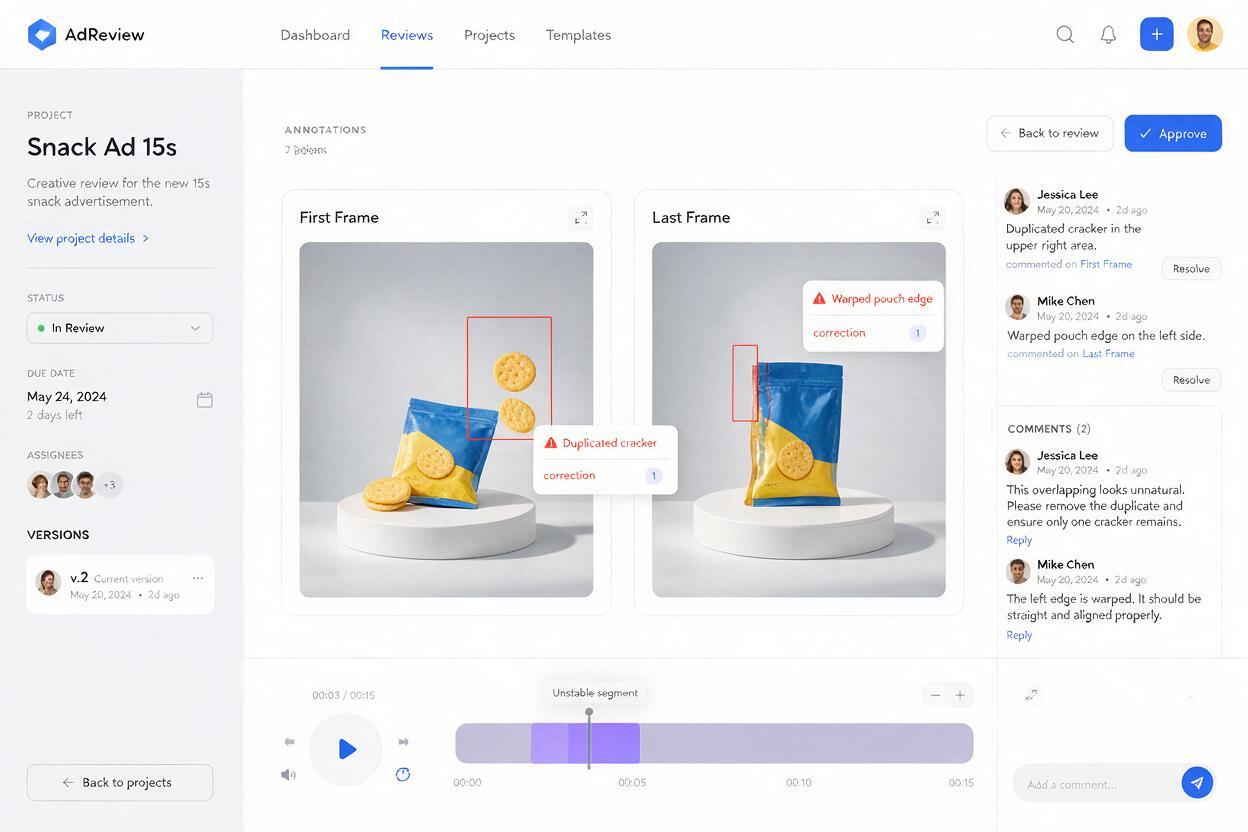
Inspect the first and last frame of every generated clip before editing the campaign. If the last frame contains a duplicate or malformed ingredient, cut earlier and use the last correct frame as the reference for a replacement clip.
Use targeted fixes for recurring problems:
- A duplicated topping: regenerate only that action with an explicit count and fewer moving objects.
- A changing plate: crop slightly tighter or state that the plate and its rim remain stationary.
- A warped package: keep the real package as a static layer and animate surrounding props instead.
- Floating food: replace “flies” or “jumps” with a surface-based route such as “slides along the board.”
- A continuity mismatch: export the approved final frame and make it the next clip's exact starting reference.
Do not regenerate an otherwise successful sequence because one transition failed. Repairing the smallest unstable segment preserves more visual continuity and makes it easier to compare alternatives.
Choose reality when product accuracy matters
Generative stop motion works well for concept-led social content, stylized ingredient arrangements and campaign previsualization. Real photography remains the safer source when the ad must show an exact menu portion, nutrition-sensitive ingredient combination or legally approved package.
A practical hybrid production uses real photographs for the product and AI-generated motion for surrounding napkins, utensils, background ingredients or seasonal props. This protects the customer's expectation while still creating a distinctive animated presentation.
Final checklist
- Divide the ad into reference states with one visible change per clip.
- Lock the camera, plate, lighting and background until the hero shot.
- State exact ingredient counts whenever duplication would be obvious.
- Describe a physical route such as sliding, dropping or turning.
- Add still holds before and after each action for cleaner editing.
- Check the first and last frame of every clip for drift.
- Keep real products and package artwork accurate when the ad is customer-facing.
- Use sound effects to reinforce each discrete stop-motion movement.
Once your continuity board and first reference frame are ready, try these models for free and test the simplest action before generating the full campaign.
Keywords
AI food video, stop-motion food ads, Vidu food video, restaurant social media content, food advertising, image to video, food animation