AI Storyboard to Animatic with Seedance: Fix Pacing Before Production
Turn illustrated storyboard panels into a timing-focused animatic without over-animating every shot. This workflow uses editorial holds, selective Seedance motion, clean audio cues, and continuity checks to reveal pacing problems before full production begins.
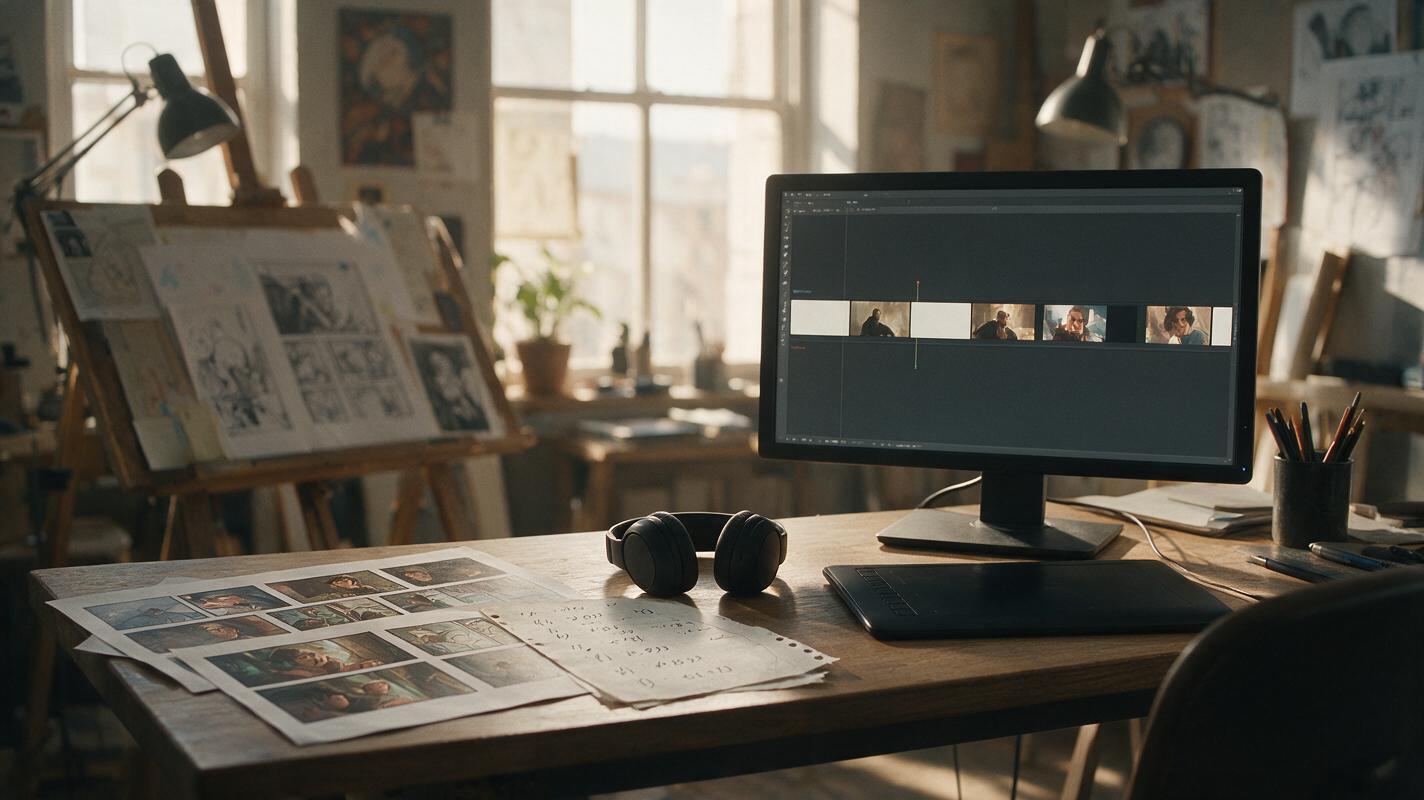
Table of contents
Turn storyboard panels into a useful animatic—not a collection of moving pictures
A strong animatic tests timing, shot order, dialogue rhythm, and emotional emphasis before you spend time polishing animation.
If your illustrated storyboard already communicates the scene, animating every panel can make it worse. Faces drift, costumes change, dramatic holds disappear, and camera movement competes with the artwork. The better approach is to preserve most panels as editorial holds and use Seedance only where controlled motion clarifies the beat.
This workflow is designed for comic artists, webtoon creators, illustrators, and visual storytellers who need to evaluate a sequence before committing to full animation. The goal is not a finished film. It is a readable timing draft that exposes rushed dialogue, weak reveals, repetitive framing, and unnecessary shots.
Define what the animatic must prove
Begin with a narrow question. A mystery scene might need to prove that the audience notices a clue before the protagonist does. A romantic scene might need enough silence between two lines for the hesitation to register. An action sequence might need to confirm that viewers understand where everyone is standing.
Write the scene test in one sentence:
The animatic must prove that the reader sees the hidden key, understands why Mara hesitates, and feels the door slam as an interruption.This sentence becomes an editing filter. If a camera move, particle effect, or animated gesture does not support that test, remove it.
An ai storyboard can help organize shots and story beats, but the animatic still needs editorial decisions. Generation cannot decide automatically whether a two-second silence feels tense, confusing, or simply slow.
Build a timing map before generating motion
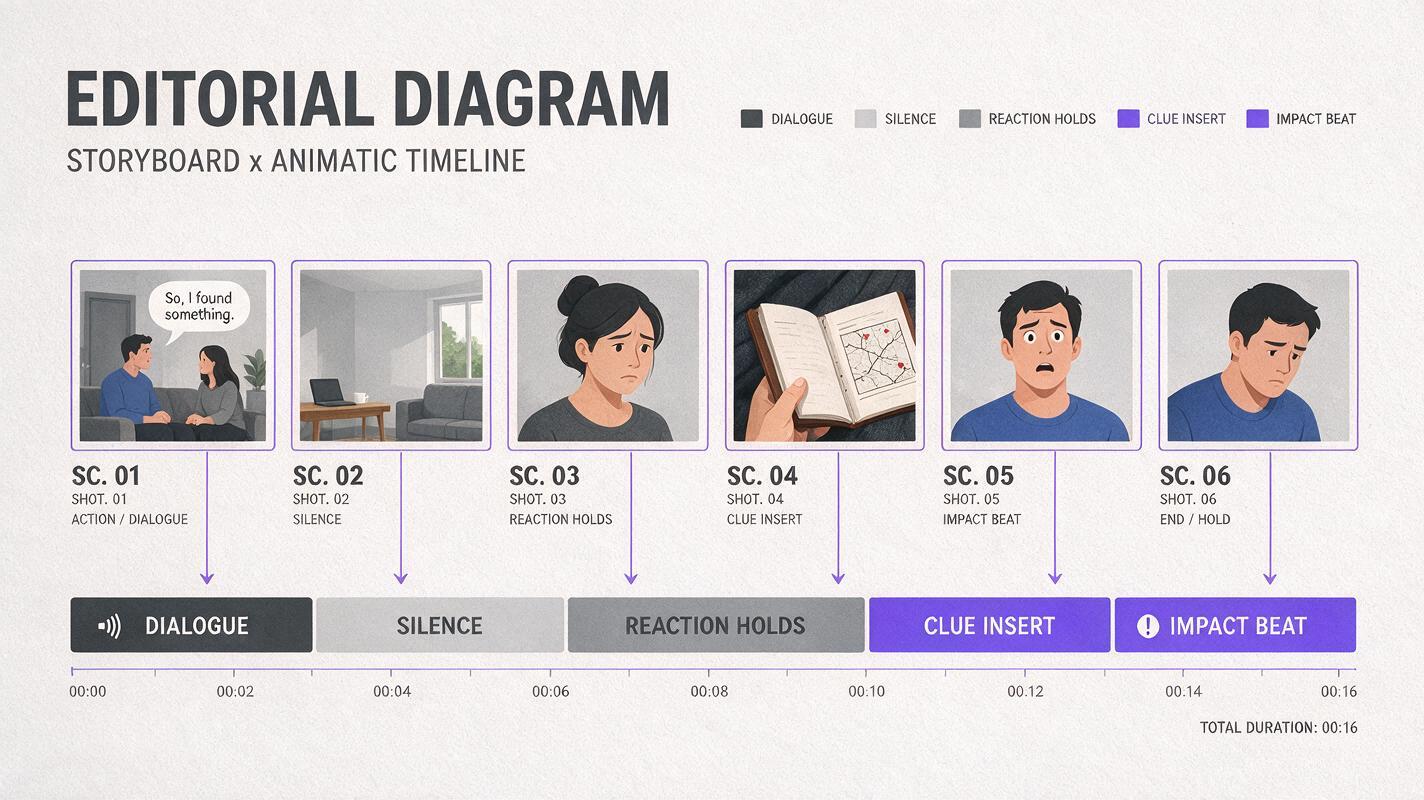
Place the storyboard panels on a timeline as still images first. Add temporary dialogue, captions, sound cues, and silence. Do not generate video yet. This still-panel cut reveals whether the scene works without decorative movement.
| Shot function | Useful starting duration | What to evaluate |
|---|---|---|
| Establishing shot | Long enough to read location and positions | Can viewers orient themselves before the cut? |
| Dialogue reaction | Based on performance, not line length alone | Does the emotional response arrive at the right moment? |
| Clue insert | Long enough to recognize the important detail | Is the clue visible without feeling overexplained? |
| Impact panel | Often brief, followed by a hold | Does anticipation make the impact stronger? |
| Silent decision | Usually longer than the first instinct suggests | Can the audience read the character's internal change? |
Use these as evaluation categories rather than rigid duration rules. Readability depends on composition, dialogue density, shot scale, and the amount of new information entering the frame.
Keep short handles before and after each panel in the timeline. Those extra frames make it easier to adjust pauses without regenerating any artwork.
Classify panels by motion value
Not every panel deserves animation. Label each shot according to what movement would contribute:
- Hold: The composition already carries the beat. Keep it still.
- Editorial move: Use a simple crop, push-in, pan, or reveal created in the editor.
- Environmental motion: Animate rain, smoke, curtains, reflections, traffic, or background light while preserving the characters.
- Performance motion: Use a restrained blink, breath, glance, hand adjustment, or posture change.
- Transition motion: Connect two compatible visual states when the action between them matters.
A useful rule is to animate only when motion adds information. A still close-up can feel more intense than a drifting camera, especially when the previous shot contains movement.
Motion contrast matters: a quiet hold after an animated shot can function like punctuation.
Prepare panels that can survive animation
Before sending a panel to Seedance, remove elements that should remain editable. Speech balloons, captions, sound effects, panel borders, and small typography are safer as separate layers added after generation. Video models may distort lettering even when the overall image remains recognizable.
Check the source panel for:
- Complete hands, hair, props, and costume edges near the frame boundary
- Clear separation between the character and moving background elements
- Sufficient empty space for any planned camera movement
- A stable pose that does not imply a different action from the prompt
- Consistent color, lighting, and aspect ratio across adjacent shots
Export the clean illustration at the final shot ratio. If you need both vertical and horizontal versions, compose them separately instead of relying on aggressive reframing later.
Prompt Seedance with a strict motion budget
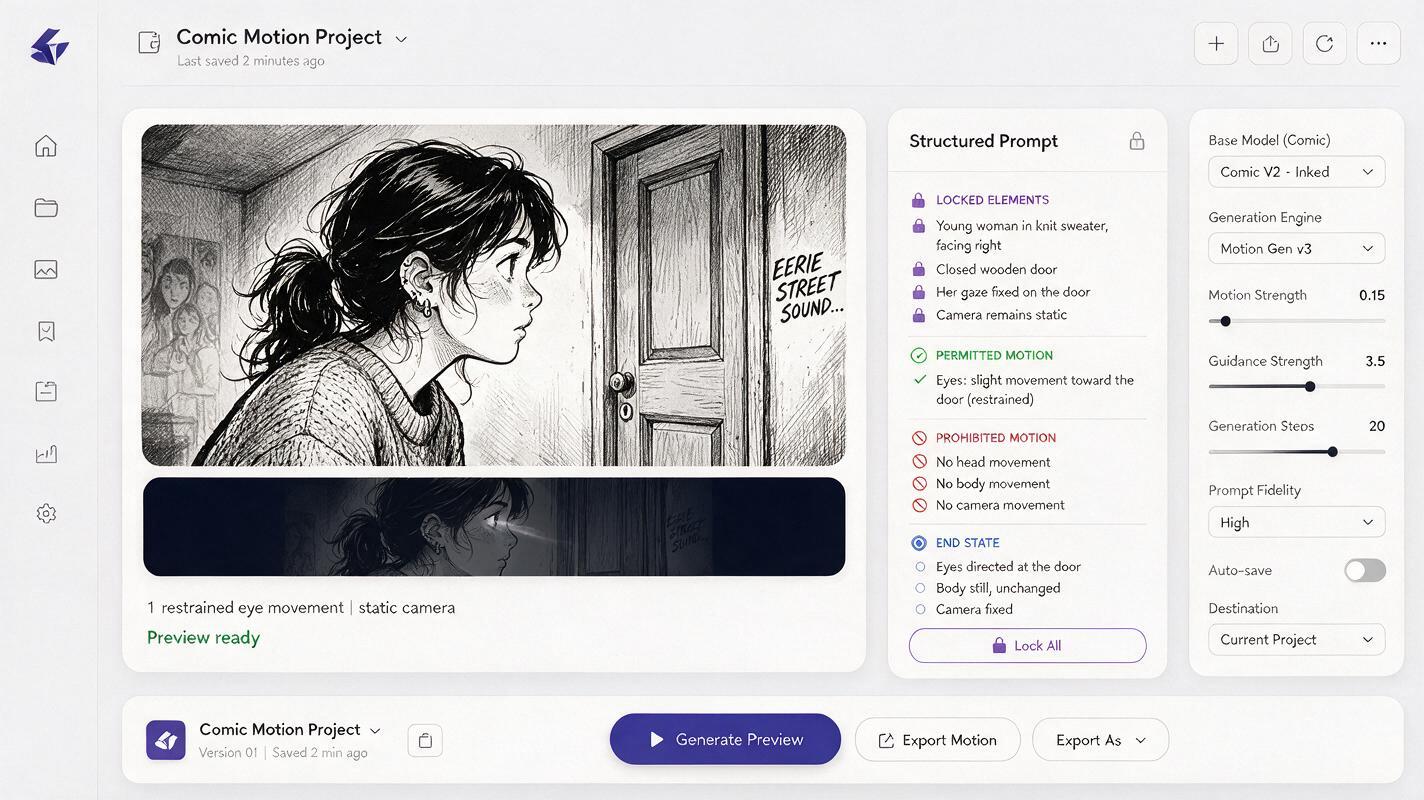
For animatics, broad cinematic language often creates too much movement. Describe the locked elements first, permit one primary action, and then define the stopping condition.
Preserve the illustrated character design, facial features, costume, line art, colors, and room layout. Locked camera. The character takes one quiet breath and shifts her eyes toward the closed door. Hair tips move slightly. No speaking, no head turn, no hand movement, no camera motion, no new objects. End in a stable still pose.For an environment-led shot:
Preserve both characters and the comic illustration exactly. Static camera. Only the curtain moves gently from a brief draft, and a narrow band of hallway light shifts across the floor. Characters remain completely still. No facial changes, no body movement, no redesign, no added details. Settle back into near-stillness at the end.For a controlled reveal:
Maintain the original inked style, composition, anatomy, costume details, and background geometry. Slow restrained push-in toward the key beneath the table. No object movement, no character movement, no focus pulsing, no scene expansion. Finish with the key clearly readable in frame.Use image to video only for shots that benefit from generated motion. Keep still holds and simple camera moves inside the editor, where their timing remains predictable and reversible.
Cut motion around the story beat
Generated clips should serve the timeline, not dictate it. Trim each result to the smallest useful action. If a five-second clip contains one convincing glance, use that glance and discard the unstable frames around it.
Place the important visual change at a deliberate moment:
- Let the eyes shift immediately after an off-screen sound.
- Hold the clue before cutting to the character's reaction.
- Delay a push-in until the dialogue introduces the relevant idea.
- Cut away before an otherwise stable generated shot begins to drift.
- Add a still freeze after a fast motion when the audience needs time to read the result.
Do not hide every cut with a transition. Direct cuts are usually clearer for story analysis because they expose weak shot relationships instead of smoothing them over.
Use temporary sound to test visual rhythm
Dialogue, room tone, footsteps, and simple impact sounds can change how long a panel needs to remain on screen. Add temporary audio early, even when the final voices and sound design are not ready.
Keep the sound track functional:
- Record scratch dialogue at a natural speaking pace.
- Leave breathing room before emotionally important responses.
- Use one clear sound cue for an off-screen event.
- Avoid music that disguises weak pacing during the first review.
- Check whether the scene still reads with the screen muted.
If a reaction only makes sense because of a sound cue, confirm that the source of the sound has already been established. Otherwise, the audience may interpret the character's movement as random.
Review continuity at normal playback speed
Inspect individual frames for obvious failures, but judge the animatic primarily in motion. Small differences that look harmless as stills can become distracting when adjacent shots play back-to-back.
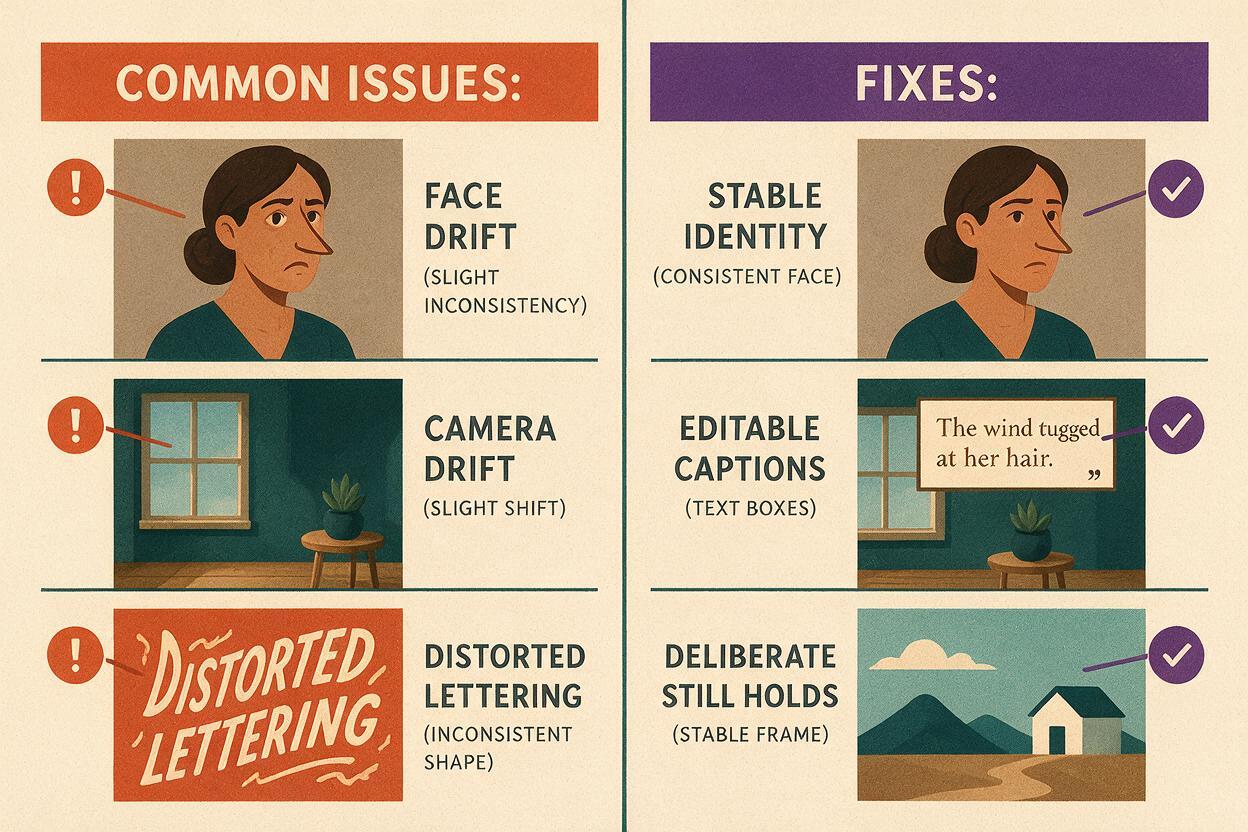
| Problem | Likely cause | Practical correction |
|---|---|---|
| Face changes during a reaction | Too much requested performance | Reduce the action to eyes, breath, or one small head movement |
| Camera drifts in every shot | Generic cinematic prompting | Specify a locked camera or create the move editorially |
| Scene feels constantly busy | Too many panels were animated | Restore still holds around the key motion beats |
| Cut feels like a jump in identity | Different source designs or unstable generated frames | Trim to the stable section and compare against the reference panel |
| Dialogue feels rushed | No pause for comprehension or reaction | Extend the still panel rather than stretching generated motion |
| Lettering flickers or bends | Text was included in the generated frame | Remove it from the source and restore it as an overlay |
Watch the sequence once without stopping, once without audio, and once while focusing only on character identity. Each pass reveals a different class of problem.
Decide what deserves full production
When the animatic works, mark which shots should remain still, which need polished compositing, and which genuinely require character animation. This prevents a common production mistake: spending equal effort on every panel even though only a few shots carry the scene's decisive actions.
Keep a short decision note beside each shot:
SHOT 07 — Keep as still hold; tension comes from silence.
SHOT 08 — Replace temporary push-in with final editorial camera move.
SHOT 09 — Regenerate eye glance with lower motion intensity.
SHOT 10 — Full animation required because hand-to-prop contact changes the plot.
Once your timing map and motion labels are ready, try these models for free and compare a restrained generated clip against the original still-panel cut. Choose the version that communicates the story more clearly, not the one with the most motion.
Final checklist
- The animatic has one clearly stated story or pacing question.
- Every shot works as a still before generated motion is added.
- Only panels with genuine motion value are animated.
- Lettering and panel borders remain editable overlays.
- Each Seedance prompt locks identity, style, camera, and unwanted movement.
- Generated clips are trimmed around their strongest stable action.
- Dialogue, silence, and sound cues support rather than conceal the pacing.
- The sequence has been reviewed for readability, continuity, and identity drift.
- Full production effort is reserved for shots that truly require it.
Keywords
AI storyboard, storyboard to animatic, Seedance, comic panel animation, illustration to video, webtoon animation, visual storytelling AI