AI Storyboard Prompts for 15-Second Performance Ads
Turn a single ad concept into a production-ready 15-second storyboard before spending time on video generation. This guide provides reusable prompts, shot structures, review criteria, and a Hailuo motion-testing method for performance marketing teams.
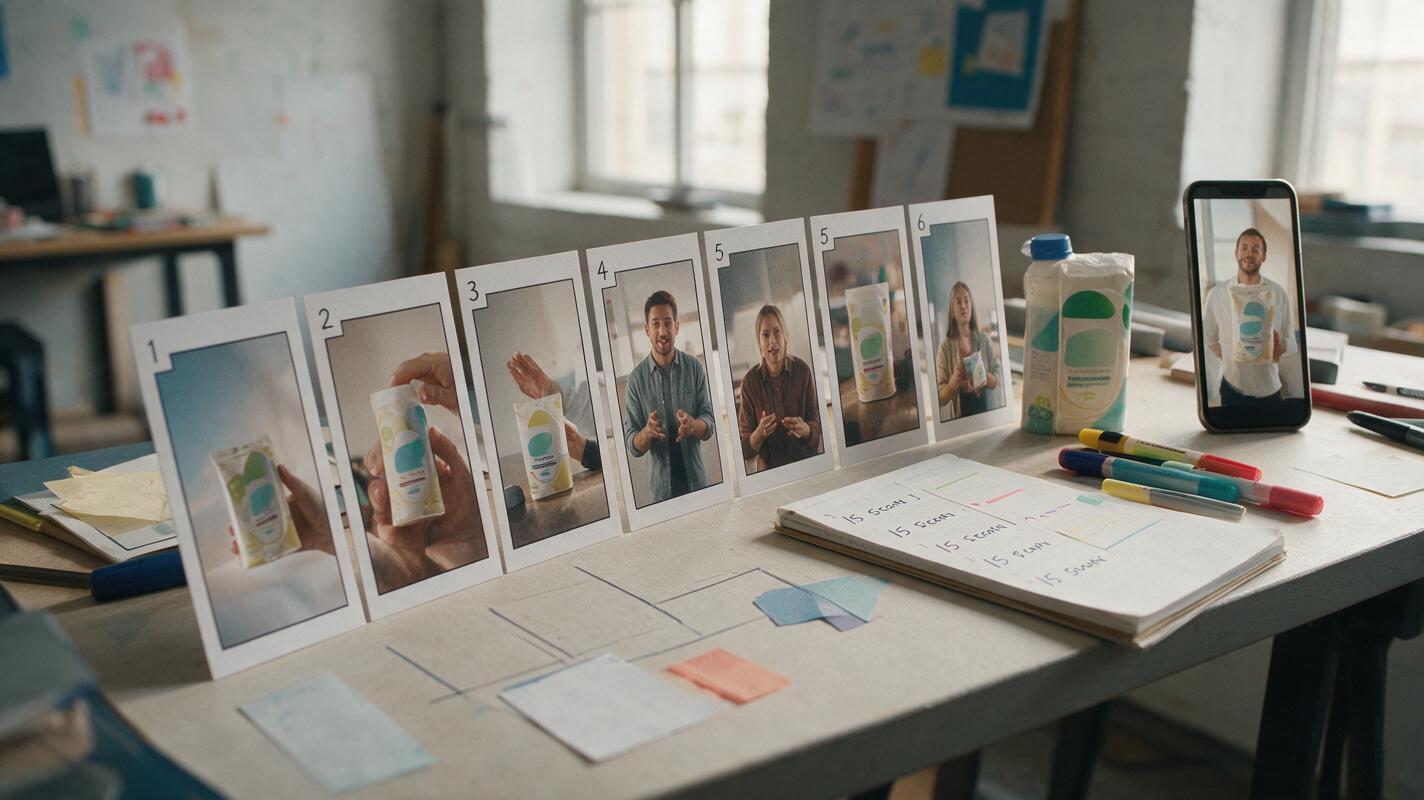
Table of contents
Plan the ad before generating the footage
A 15-second ad can fail before the first frame is generated if its hook, proof, product reveal, and call to action do not fit together.
A storyboard exposes those problems while they are still cheap to fix. Instead of asking a video model to interpret an entire campaign idea at once, marketers can define the purpose of every shot, inspect the sequence, and test only the variables that matter.
This workflow uses an ai storyboard to structure the ad, followed by an optional Hailuo motion test. The result is a compact production brief that can guide AI generation, creator footage, editing, or a combination of all three.
Choose one job for the 15-second ad
Start by deciding what the ad must accomplish. “Sell the product” is too broad. A usable objective connects one audience, one problem, one promise, and one next action.
Write the objective in this format:
Create a 15-second [prospecting or retargeting] ad for [audience].
Show that [product] helps them achieve [specific result] without [main objection].
The viewer should [desired action] after seeing the ad.
For example:
Create a 15-second prospecting ad for commuters who carry lunch to work.
Show that the insulated container prevents leaks without adding bulky packaging.
The viewer should visit the product page after seeing the ad.
This constraint prevents the storyboard from becoming a miniature brand film. A performance ad normally needs one dominant claim, not a compressed list of every feature.
Useful rule: If a shot does not strengthen the hook, demonstrate the promise, answer an objection, or support the call to action, remove it.
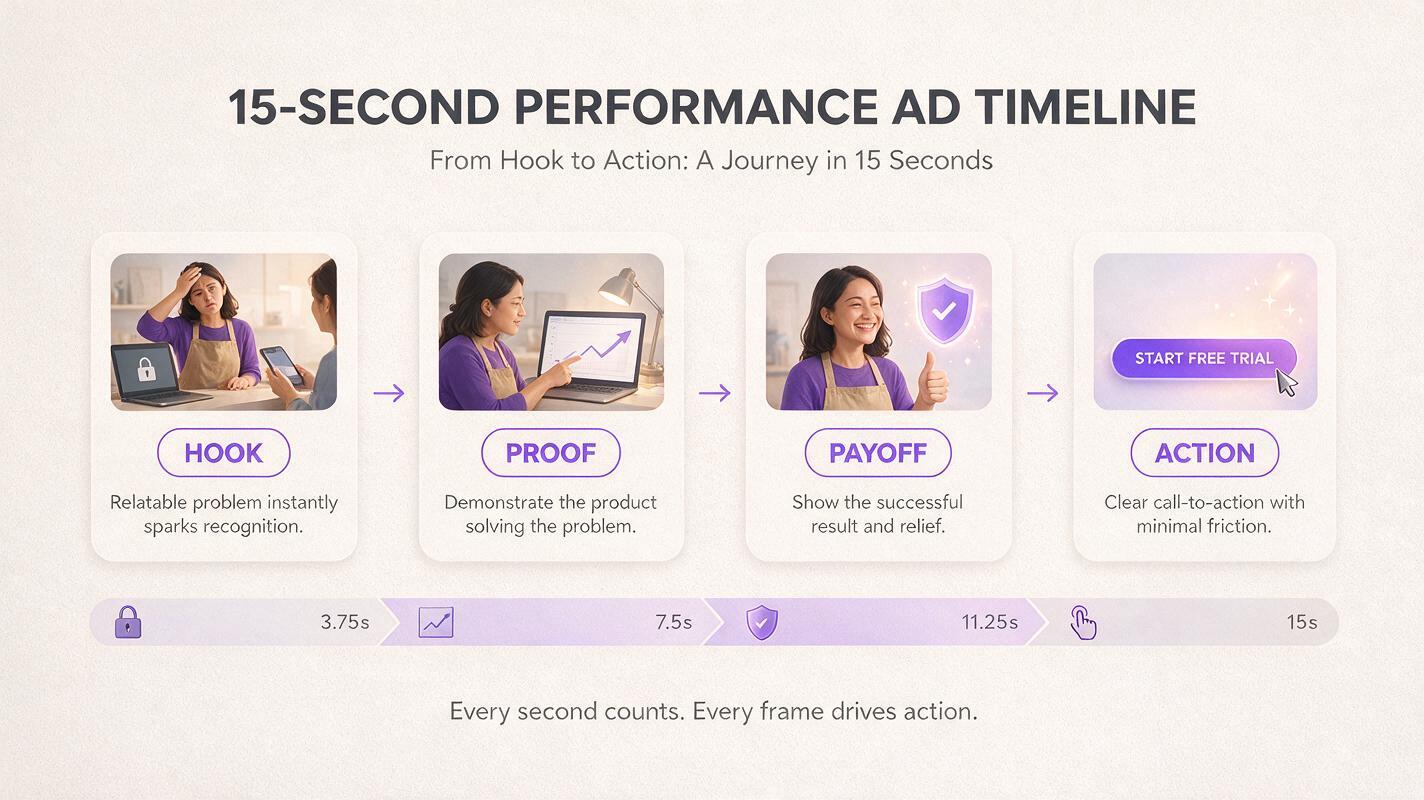
Build the storyboard around four message beats
A practical 15-second storyboard can be organized around four message beats. These are not mandatory timestamps; they are functional units that help the creative survive different edit lengths and placements.
| Message beat | Purpose | Typical visual evidence | Common failure |
|---|---|---|---|
| Hook | Make the target viewer recognize a problem or desired outcome | Unexpected product action, relatable frustration, bold result | Opening with a logo or generic lifestyle scene |
| Proof | Make the promise believable | Demonstration, comparison, interface action, visible result | Using a claim that the footage does not prove |
| Payoff | Show the improved state | Completed task, cleaner result, saved effort, product in use | Repeating the demonstration without advancing the story |
| Action | Tell the viewer what to do next | Product lockup, offer, landing-page cue, concise CTA | Adding several competing actions |
For lower-consideration products, the hook and demonstration may occupy most of the runtime. For software or unfamiliar products, proof may need more space. Allocate time according to the viewer’s biggest unanswered question rather than dividing every ad into equal sections.
Use this master prompt to generate the shot plan
The following prompt turns a campaign brief into a storyboard without asking the model to invent unsupported claims. Replace every bracketed field before running it.
You are planning a direct-response social video ad.

Create a production-ready storyboard for a 15-second ad.

Campaign brief:
- Product: [product and category]
- Audience: [specific audience]
- Placement: [platform and format]
- Awareness level: [cold, problem-aware, product-aware, retargeting]
- Primary problem: [one problem]
- Promise: [one approved promise]
- Proof available: [demonstration, review, data, comparison, or none]
- Objection: [main purchase objection]
- CTA: [one action]
- Required assets: [packshot, interface capture, logo, creator footage]
- Prohibited claims or visuals: [list]

Create 5 to 7 shots. For each shot, provide:
- approximate duration
- message function: hook, proof, payoff, or action
- visible subject and action
- camera framing
- on-screen text of no more than 7 words
- voiceover, if needed
- transition into the next shot
- production method: real footage, generated image, generated video, or graphic overlay

Requirements:
- Show the product or its result within the opening sequence.
- Use only the proof supplied in the brief.
- Make the sequence understandable without sound.
- Keep product appearance and packaging consistent.
- End with one clear CTA.
- Flag any shot that cannot be supported by the supplied assets.
The production-method field is especially valuable. It prevents teams from generating every shot when a screen recording, existing packshot, or simple text card would be more accurate.
Create hook variants without rebuilding the entire ad
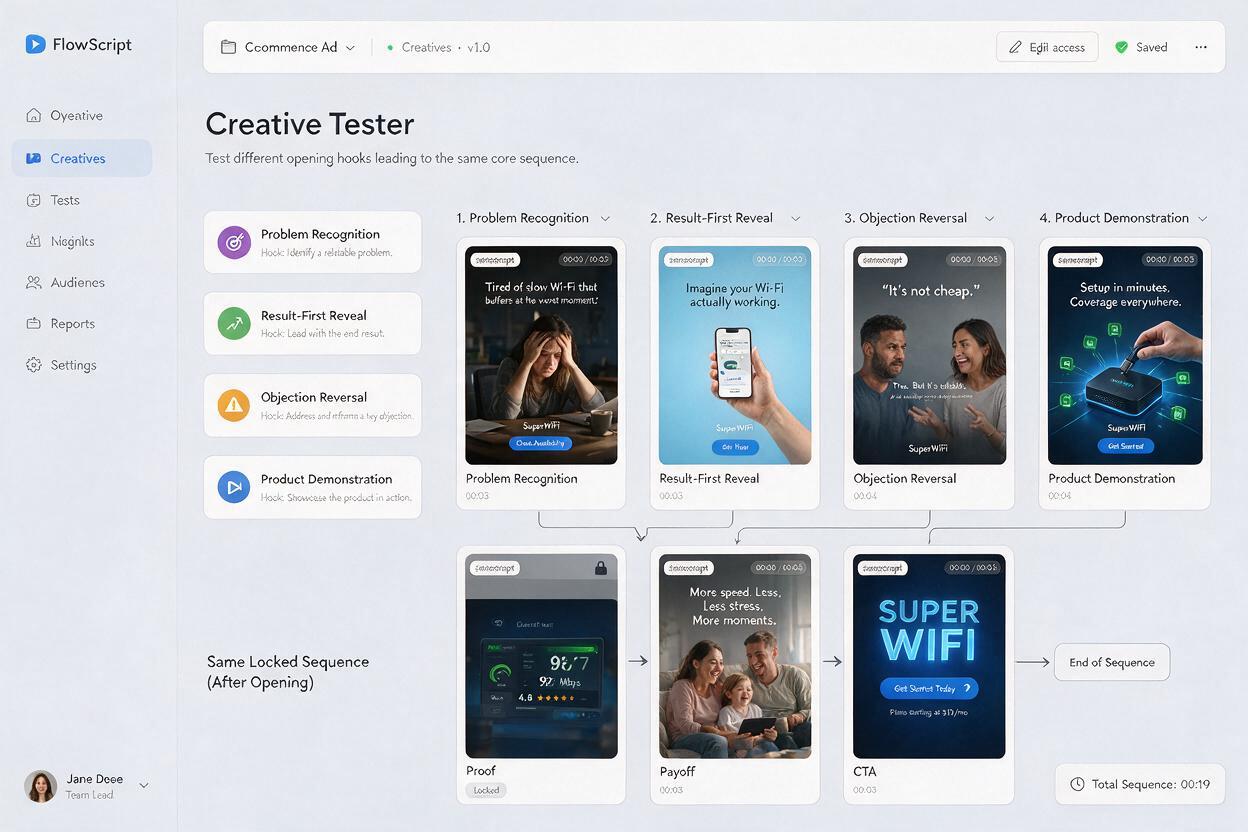
Creative testing becomes difficult when every storyboard changes the hook, proof, pacing, offer, and visual style simultaneously. Keep the body of the ad stable and generate several opening modules instead.
Use this prompt after selecting the strongest proof and payoff shots:
Keep the proof, payoff, product presentation, and CTA unchanged.
Create four alternative opening modules for the same 15-second storyboard:

A. problem recognition
B. result-first reveal
C. objection reversal
D. product demonstration

Each opening must last no more than 3 seconds and connect logically to the existing proof shot.
For each option, provide the first-frame composition, visible action, on-screen text, and transition.
Do not introduce a new claim, offer, audience, or product feature.
This produces a cleaner test because the principal variable is the opening concept. If one version wins, the team can investigate whether the advantage came from problem recognition, visual novelty, direct demonstration, or another identifiable mechanism.
Convert storyboard cells into generation prompts
A storyboard description explains why a shot exists. A generation prompt must explain what should visibly happen. Translate each selected cell into a self-contained prompt with subject, action, environment, camera, continuity constraints, and exclusions.
Vertical performance ad shot, close-up of [exact product] on [surface].
A hand performs [one simple physical action].
The result is visibly demonstrated by [observable evidence].
Natural [lighting description], realistic commercial photography.
Camera: [framing], [camera movement], product remains centered and readable.
Preserve the supplied product shape, colors, label layout, and proportions.
No extra objects, no invented text, no duplicated fingers, no package redesign.
Duration target: [seconds].
This shot transitions to [next shot description].
One shot should contain one main action. Combining “pick up the product, open it, pour it, react, and place it beside the package” invites continuity errors and rushed movement. Separate complex actions into shorter clips or replace part of the sequence with a cutaway.
Run a low-cost Hailuo motion test
The storyboard should be reviewed as a sequence before producing polished assets. Create rough frames, place them on a timeline, and check whether the viewer can understand the message with the audio muted.
For shots that depend on physical movement or camera behavior, use Hailuo through a text to video workflow to test the motion concept. Treat the result as previsualization rather than final advertising footage. The goal is to discover whether an action reads clearly, whether the camera move hides the product, or whether a shot asks for too many events.
Generate only the uncertain shots first. A static CTA card does not need an early motion test, while a product transformation, liquid interaction, hand movement, or rapid reveal usually benefits from one.
Inspect the motion test for production risks
- Product identity: Does the shape, color, label, or interface change during motion?
- Action clarity: Can a viewer describe what happened after one viewing?
- Physical logic: Do hands, objects, shadows, and materials behave plausibly?
- Framing: Is there room for captions and platform interface elements?
- Editability: Does the shot begin and end on frames that can connect cleanly?
- Claim support: Does the visible result actually substantiate the copy?
If the test fails, simplify the action before adding more prompt detail. A shorter action, locked camera, cleaner background, or tighter crop often provides more control than a longer paragraph of instructions.
Score storyboards before committing production time
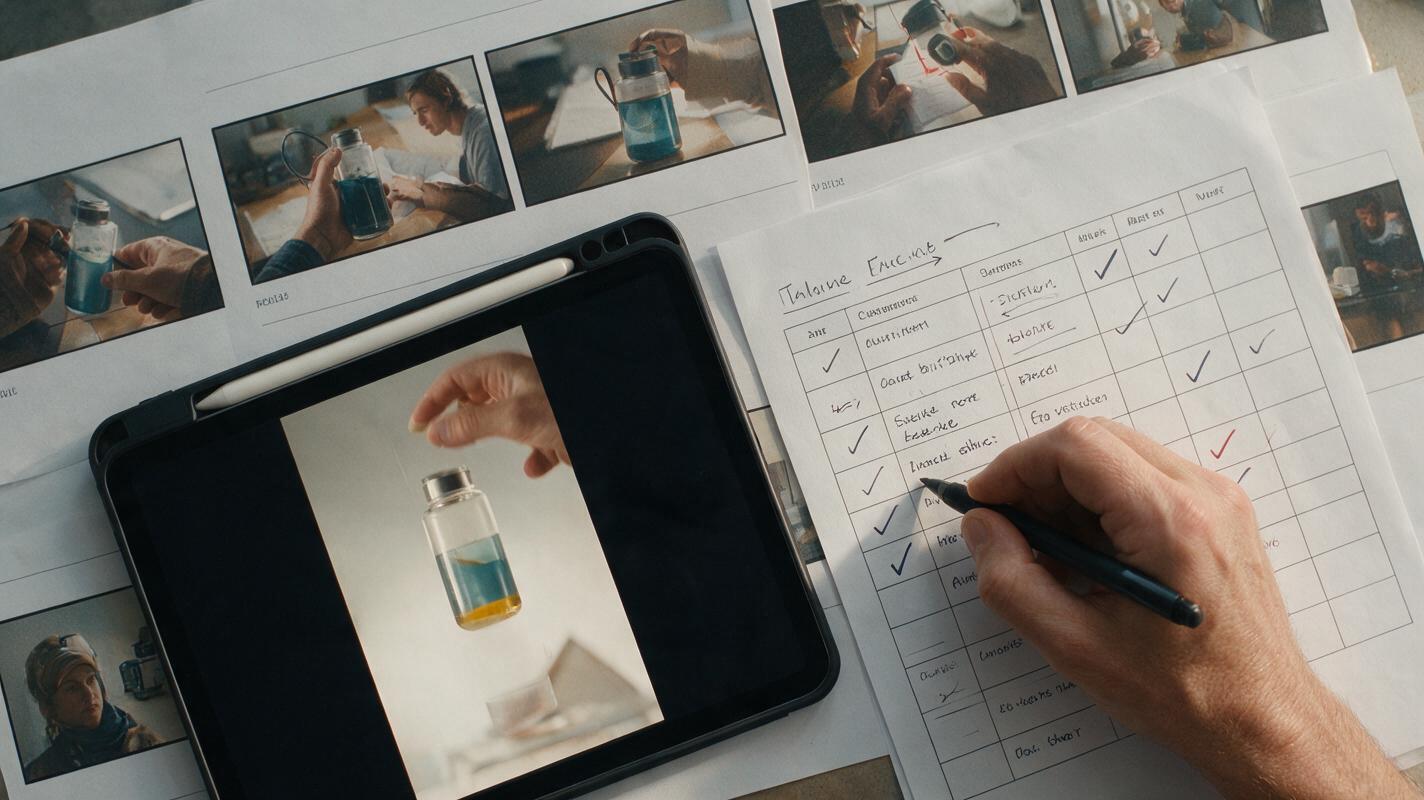
Teams can compare concepts with a lightweight scorecard. Rate each category from one to five, then prioritize storyboards that combine message clarity with realistic production requirements.
| Criterion | Review question | Warning sign |
|---|---|---|
| First-frame relevance | Will the intended audience recognize the problem or desired result? | The opening could advertise almost any product |
| Proof visibility | Can the claim be understood from observable evidence? | The voiceover makes a claim the image cannot verify |
| Product continuity | Can the product remain visually consistent across shots? | Every scene requires a new angle, package, or environment |
| Silent comprehension | Does the ad make sense with sound off? | Essential context exists only in narration |
| Production feasibility | Can each shot be made reliably with available assets? | One shot requires several complex simultaneous actions |
| Test clarity | Is the variable being tested identifiable? | Every version changes multiple strategic elements |
A visually impressive concept should not outrank a simpler storyboard if its proof is weak or its production risks are high. Performance creative must communicate under real feed conditions, not only look good in a presentation.
Final checklist
- The ad has one audience, one promise, and one CTA.
- The product or promised result appears in the opening sequence.
- Every shot has a defined message function.
- All claims are supported by approved copy or visible proof.
- On-screen text remains concise and readable.
- The sequence works without sound.
- Hook variants preserve the same proof, payoff, and CTA.
- Complex motion has been tested before final production.
- Product identity remains consistent across generated shots.
- The storyboard is scored for clarity, feasibility, and test validity.
Once the shot plan survives this review, try these models for free and generate the uncertain scenes before committing resources to the complete ad.
Keywords
ai storyboard prompts, performance ad creative, 15-second video ads, Hailuo AI, creative testing, video ad storyboard, campaign creative