What AI Tools Keep Characters Consistent Across Video Scenes?
The best character-consistency tool depends on whether you need reusable references, controlled anchor frames, or image-to-video animation. This guide compares four practical options and provides a repeatable pilot test for choosing an AI short drama workflow.
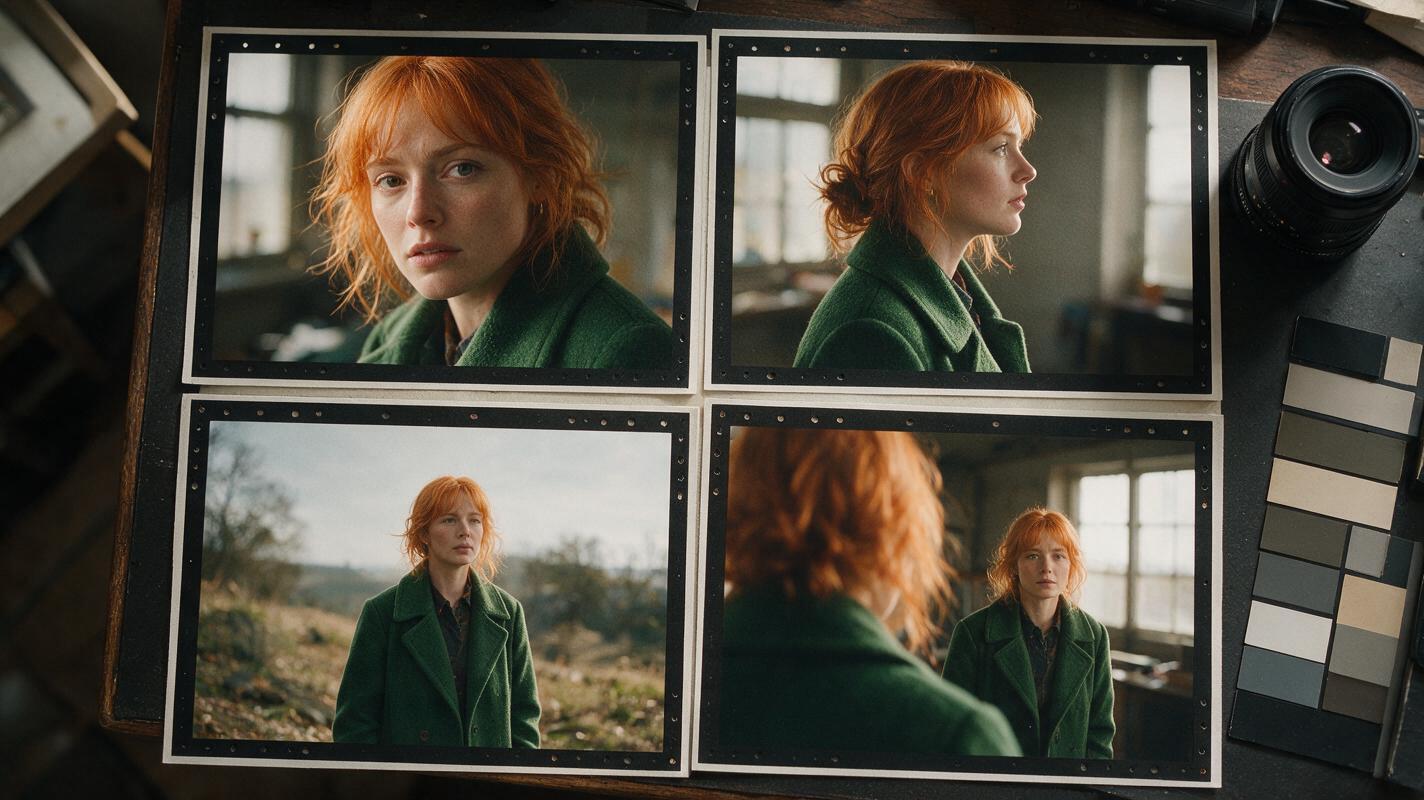
Table of contents
Choose the Tool by Testing Identity Under Pressure
The most useful AI tools for character consistency are Runway Gen-4 References, Google Flow, Midjourney paired with image-to-video generation, and Adobe Firefly. They solve different parts of the problem: reference-driven scene creation, reusable visual ingredients, high-quality anchor frames, or controlled frame-led animation.
Do not choose between them using a polished close-up. Almost every system looks competent when a character faces the camera in soft light. Run the same character through a profile view, a wide shot, a wardrobe-preserving location change, and an emotional close-up. The tool that survives those shots with the fewest repairs is the better choice for your ai short drama.
Short answer: use Runway or Google Flow when reusable references must feed directly into video production. Use Midjourney when you want to approve consistent still frames before animation. Use Adobe Firefly when first-frame and last-frame control fits an existing editorial workflow.
Cover recreation prompt:
Photorealistic editorial film-production scene showing four printed frames of the same fictional woman arranged on a dark wooden editing table, matching face, copper bob haircut, green wool coat and silver crescent earring across close-up, profile, wide shot and over-the-shoulder angles; a camera lens, neutral color swatches and handwritten shot notes nearby but no readable text, logos or software interfaces; natural window light, realistic paper texture, restrained cinematic color grade, landscape 16:9, MANDATORY CAMERA: true overhead view with all four character frames fully visible.Step 1 — Build One Neutral Character Reference
A fair tool comparison begins with the same source asset. Create a three-view sheet that exposes the character's facial structure, hair silhouette, costume, and distinguishing details. Avoid dramatic lighting, handheld props, crossed arms, or a complex background. Those elements can become accidental identity cues.
For this test, the recurring character is Mara Voss, a fictional night-shift paramedic. Her fixed traits are:
- Identity: woman in her early thirties with an angular oval face and hazel eyes
- Hair: chin-length copper bob with a side part
- Costume: forest-green wool coat over a charcoal shirt
- Continuity marker: one small silver crescent earring in her left ear
- Performance baseline: neutral expression and relaxed posture
Generate the sheet once, inspect all three views, and remove any panel in which the face, earring, hairstyle, or coat changes. This approved sheet becomes the common input for every candidate tool.
Reusable visual prompt — character reference sheet:
Photorealistic three-panel character reference sheet of the same fictional woman, Mara Voss, early thirties, angular oval face, hazel eyes, chin-length copper bob with a side part, one small silver crescent earring in the left ear, forest-green wool coat over a charcoal shirt, neutral expression and relaxed posture; left panel front view, center panel exact side profile, right panel back view; identical clothing, anatomy, hairstyle and studio lighting in every panel; neutral light-gray seamless background, no props, no text, no logos, landscape 16:9, MANDATORY CAMERA: eye-level 85mm portrait perspective with equal full-torso framing and three evenly spaced panels.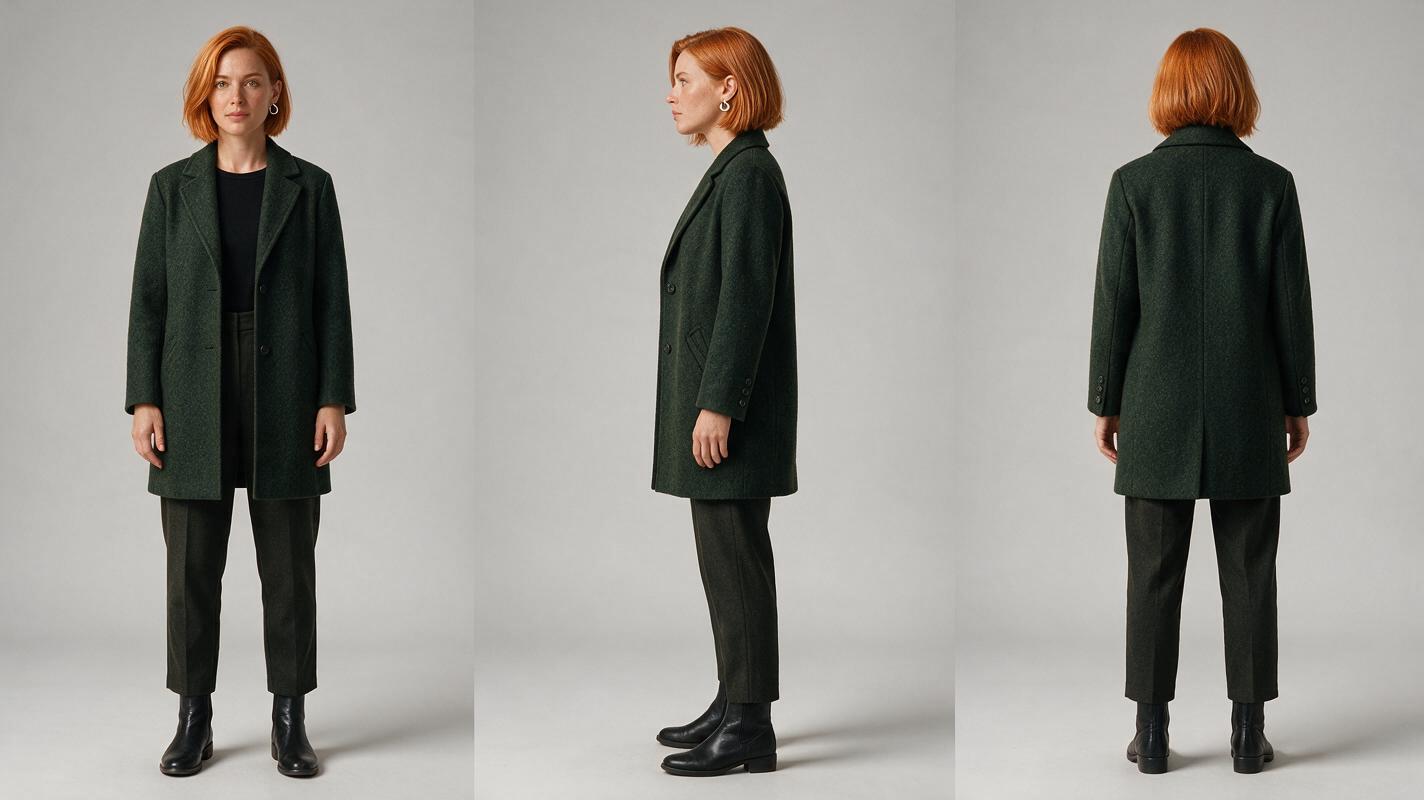
Step 2 — Match Each Tool to Its Strongest Workflow
| Tool | Consistency method | Best production role | Important limitation to test |
|---|---|---|---|
| Runway Gen-4 References | Reference images guide recurring characters, objects, and environments before video generation. | Building scene-specific anchor images and moving them into a connected video workflow. | Test profiles, full-body views, and scenes with more than one person. |
| Google Flow | Reusable visual ingredients can be carried into shots generated with Veo. | Developing cinematic scenes in which character, object, and location references must work together. | Check whether small wardrobe details and age remain stable under new lighting. |
| Midjourney | Omni Reference guides still-image identity; approved images can become starting frames for video. | Art-directed anchor frames where still-image approval matters more than direct script automation. | It is a two-stage process, so consistency must survive both image generation and animation. |
| Adobe Firefly | Reference-led image creation plus first-frame and last-frame video controls. | Frame-led sequences integrated with design, compositing, and editorial work. | Identity continuity depends heavily on the quality of the supplied frames rather than a dedicated episodic memory. |
No tool should be treated as a permanent memory system. Save every approved reference outside the generator, record costume and location facts, and reattach the relevant assets whenever a new shot is created.
Step 3 — Run the Four-Shot Consistency Test
Generate four shots in this order. The progression matters: it starts with an easy identity check, introduces a difficult angle, increases camera distance, and ends with an expressive performance. If the profile already fails, there is little value in rendering an entire episode.
- Neutral close-up: confirms the reference was interpreted correctly.
- True profile: reveals changes to the nose, jaw, hairline, and ear.
- Environmental wide shot: tests whether identity and costume survive at a smaller scale.
- Emotional close-up: tests whether performance changes distort facial identity.
Keep the story facts identical in every tool. Do not rewrite the character description to rescue one candidate during the first pass.
Use the supplied character reference as the identity authority. Mara Voss stands alone inside a lived-in urban ambulance bay at night. Preserve her angular oval face, hazel eyes, chin-length copper side-parted bob, forest-green wool coat, charcoal shirt and single silver crescent earring in her left ear. She hears an ambulance arrive and turns toward the sound with controlled concern. Wet concrete, practical fluorescent fixtures, realistic emergency-vehicle reflections, cinematic editorial realism. Do not add another person, duplicate the character, change her age, alter the coat or move the earring. MANDATORY CAMERA: medium close-up from a true three-quarter view, eye level, 50mm lens, character centered with clear space around both shoulders, landscape 16:9.Score the outputs by comparing visible facts rather than asking whether they feel similar. Inspect face geometry, hair length, costume color, accessory placement, body scale, and age. A consistent coat cannot compensate for a different face.
Reusable visual prompt — failure and corrected comparison:
Photorealistic side-by-side comparison of two cinematic frames featuring one fictional woman in a night ambulance bay; left frame deliberately shows character drift with a rounder face, longer auburn hair, missing earring and duplicated background figure, while right frame shows the corrected identity with angular oval face, chin-length copper bob, one silver crescent earring in the left ear, forest-green coat and no duplicate; identical environment, lighting, pose and crop in both halves, no labels, no text, no logos, landscape 16:9, MANDATORY CAMERA: matched eye-level medium close-ups from a true three-quarter view using a 50mm lens.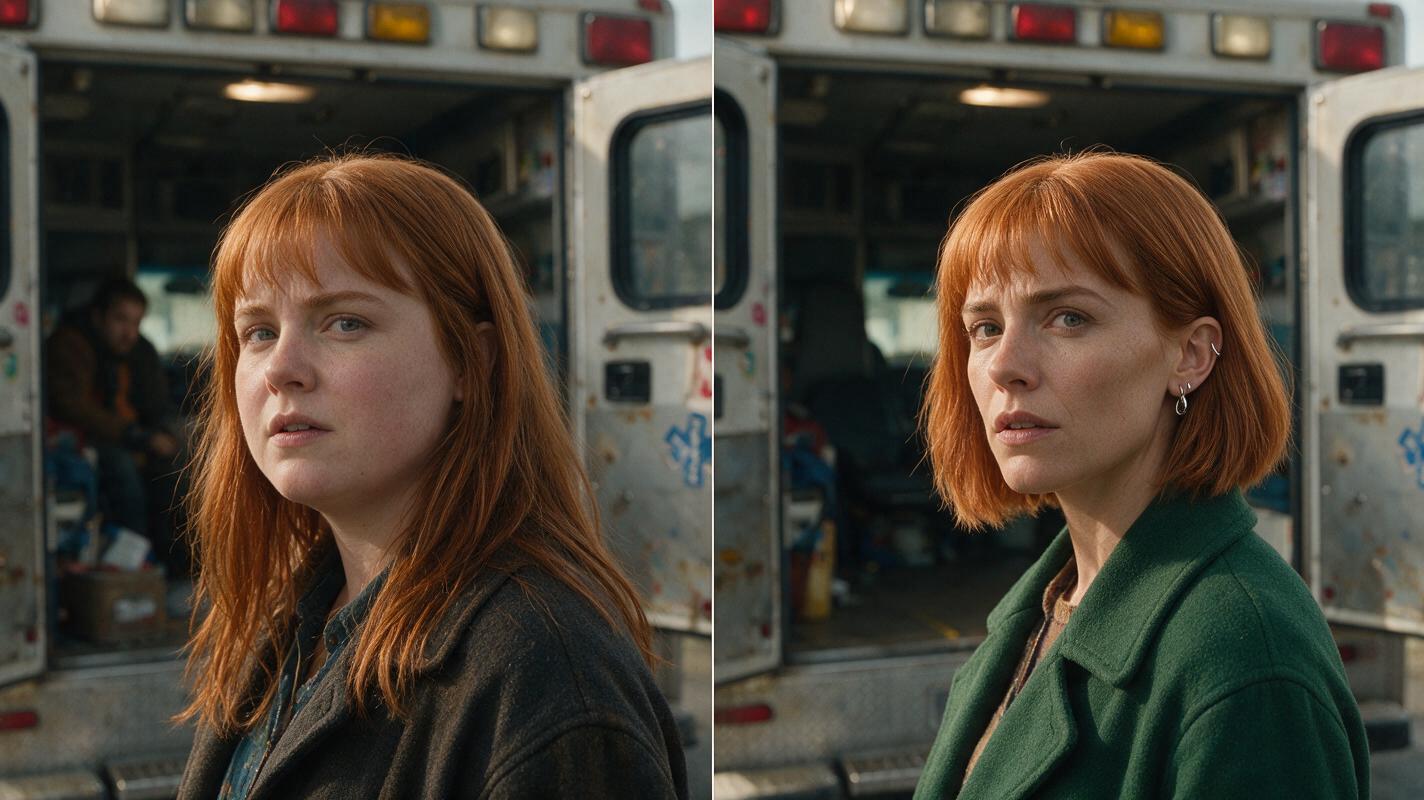
Step 4 — Convert the Winning Frame Into Controlled Motion
Once a tool produces the strongest anchor frame, animate that approved image instead of regenerating the character from prose. A reference image to video workflow lets the still frame carry identity, costume, location, lens choice, and composition into the motion pass.
Keep the first motion test deliberately small. Ask for one head turn, one breath, and one environmental movement. Avoid combining walking, speaking, camera orbiting, coat movement, flashing lights, and hand interaction in the same initial clip.
Animate the supplied approved frame without redesigning the subject. Mara takes one quiet breath, shifts her eyes toward the arriving ambulance, then turns her head slightly to camera right. Her copper bob responds with subtle natural secondary motion; the green coat remains unchanged. Background fluorescent lights stay stable while a soft red reflection passes once across the wet floor. Preserve face geometry, age, earring placement, body proportions and camera framing. No speaking, no walking, no new people, no camera orbit, no costume change. MANDATORY CAMERA: locked eye-level 50mm medium close-up, no zoom, no reframing, landscape 16:9.Compare the final frame with the input. Watch for jaw expansion, eye-color changes, melting earrings, growing hair, coat texture drift, or a second face appearing in reflections. If identity fails only after motion begins, the image tool passed and the video model failed.
Reusable visual prompt — anchor-frame motion sequence:
Neutral cinematic process diagram made from five photorealistic film frames arranged left to right, showing the same fictional copper-haired woman in a green coat progressing from an approved still frame through eye movement, a small breath, a slight head turn and a stable final pose inside the same ambulance bay; identity, costume, lighting and camera position remain unchanged in all frames; clean off-white background around the film frames, directional spacing but no arrows, labels, text, interface elements or logos, landscape 16:9, MANDATORY LAYOUT: five equal-width frames in one perfectly aligned horizontal row, MANDATORY CAMERA WITHIN EVERY FRAME: locked eye-level 50mm medium close-up.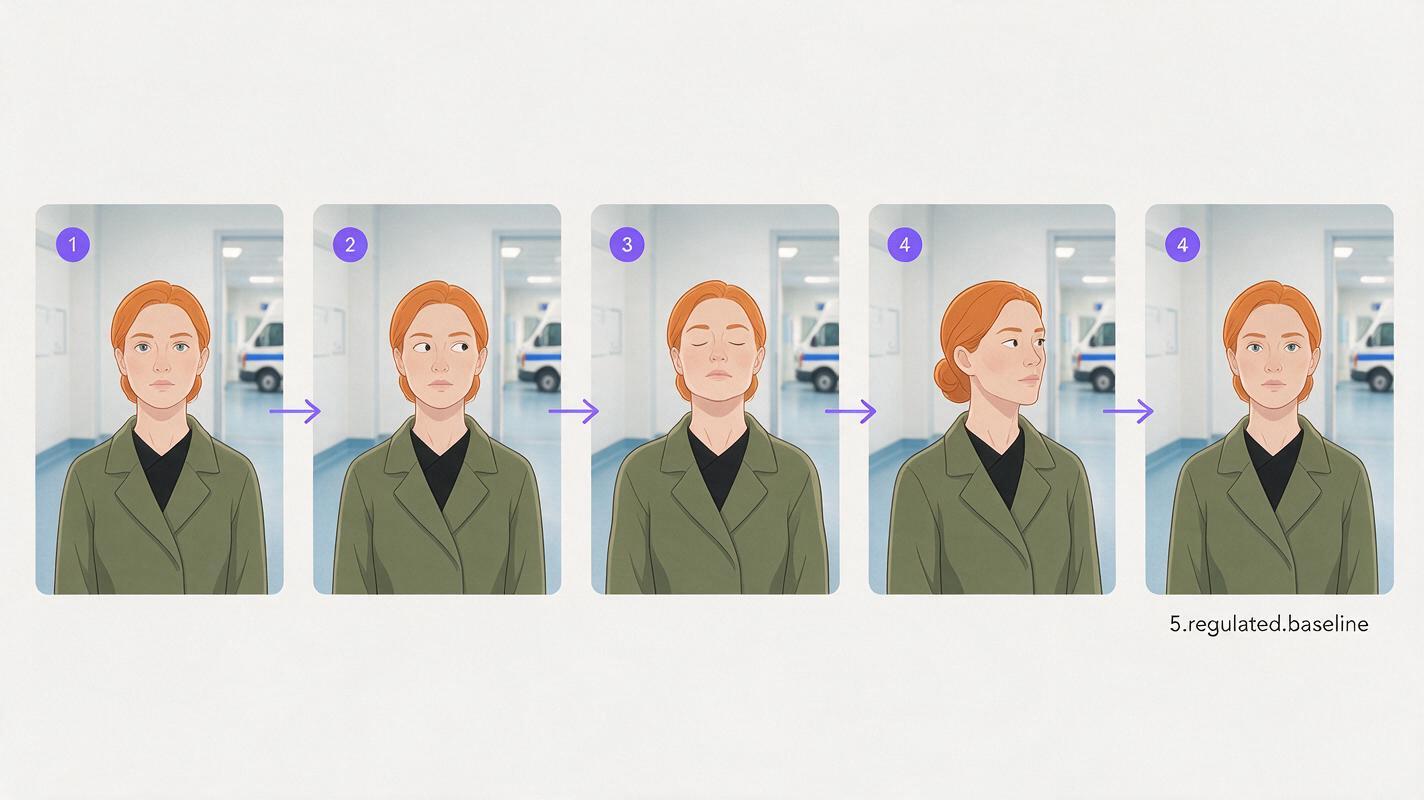
Step 5 — Repair the Failed Layer Instead of Starting Over
Character consistency has several layers, and they do not always fail together. Identify the broken layer before rerendering:
- Face changed in the anchor image: return to the character reference stage and strengthen the selected angle.
- Face changed only during animation: reduce motion, shorten the clip, or switch the video model while retaining the anchor frame.
- Wardrobe drifted: provide a costume-focused reference and simplify lighting.
- Accessory moved sides: remove it from difficult shots or composite it after generation.
- Wide shot lost identity: prioritize silhouette and costume continuity, then cut to an approved close-up for facial confirmation.
- Two characters blended: generate singles or over-the-shoulder plates separately and combine them in the edit.
Production rule: preserve approved assets. A failed movement pass should not force you to redesign the face, costume, location, and composition.
Step 6 — Choose With a Repeatable Scorecard
Record the result of each shot before choosing a production stack. Use simple pass, repair, or fail labels rather than an invented numerical benchmark.
| Evaluation area | Pass | Repair | Fail |
|---|---|---|---|
| Face geometry | Same identifying structure | Minor correctable variation | Appears to be another person |
| Hair and silhouette | Length and shape remain stable | Small texture variation | Different cut, length, or color |
| Costume | Color, cut, and layers match | Small fabric-detail drift | Garment or palette changes |
| Performance | Emotion changes without redesign | Usable with a shorter motion | Expression deforms identity |
| Scene compatibility | Works in close and wide coverage | Requires selected angles | Only works in one hero portrait |
The winner is not necessarily the tool with the prettiest single image. For an AI series video, choose the workflow that preserves approved facts across the greatest range of required shots and makes failures easy to isolate.
When you have the reference sheet and four-shot test ready, try these models for free using the same inputs before committing an episode to one generation path.
FAQ
Can a text prompt alone keep a character consistent?
A detailed prompt helps, but text leaves facial structure open to reinterpretation. A validated reference image or approved anchor frame gives the model more specific visual information.
Should every scene use the same reference image?
Keep one master identity sheet, then add approved angle-specific references when needed. A front portrait is weak guidance for an extreme profile, rear view, or distant full-body composition.
Is image-to-video better than text-to-video for recurring characters?
It is often easier to control because the starting frame fixes more visual decisions before motion begins. The animation can still drift, so motion should be tested separately from image consistency.
How should two recurring characters be handled?
Create separate reference sheets, give each character a distinct silhouette and costume palette, and test them individually before generating shared shots. If faces blend, generate separate coverage and build the interaction through editing.
Can these tools produce a complete short drama from a script?
They can support parts of a short drama from script workflow, but recurring-character production still benefits from shot planning, reference management, editing, audio, and continuity review.
Sources
- Runway — Introducing Gen-4 References
- Google Labs — Flow
- Midjourney Documentation — Omni Reference
- Adobe — Firefly AI Video Generator
Final Checklist
- Create a neutral front, side, and back character sheet.
- Give every tool the same reference and scene prompt.
- Test a close-up, profile, wide shot, and emotional performance.
- Approve the still frame before adding motion.
- Keep the first animation short and physically simple.
- Score face, hair, costume, performance, and scene compatibility separately.
- Repair only the failed layer and retain every approved asset.
Keywords
ai short drama, ai microdrama, ai short film generator, ai drama generator, ai series video, short drama from script, batch short drama production