What AI Tools Keep Characters Consistent Across Video Scenes?
The best tool depends on whether you need to establish a character’s appearance, carry a reference into new shots, or animate approved frames. This guide compares four options and shows how to build a character sheet, reuse scene references, and catch identity drift before editing.
Table of contents
Which tool should you choose?
No AI video tool guarantees an identical character in every scene. For the most reliable workflow, establish an approved face and outfit first, create a reference still for each shot, then animate those stills and inspect the cuts. Runway is a strong choice when reference-led video production is the priority; Midjourney is useful for developing character stills; Kling AI offers another reference-led video route; and Adobe Firefly is worth considering when video generation must fit an existing Adobe workflow.
The distinction matters: a tool that produces an appealing first shot is not necessarily the best tool for a six-scene story. Evaluate how easily you can carry approved visual references forward—and how much control you retain when one shot goes wrong.
Compare the tools by continuity job
| Tool | Best role in the workflow | Continuity question to check |
|---|---|---|
| Runway | Developing and generating reference-led scenes | Can the reference and shot setup you need be used in the model and plan you select? |
| Midjourney | Exploring a character’s appearance and producing approved stills | Do the front, profile, and scene stills actually depict the same person? |
| Kling AI | Testing reference-led video shots and motion | Does the chosen generation mode accept the inputs required for this shot? |
| Adobe Firefly | Generating video within a broader Adobe production workflow | Can you preserve your approved composition and identity through generation and editing? |
These are workflow roles, not a ranking based on measured success rates. Features, model availability, usage limits, and commercial terms change; check the current product pages before committing a series. In particular, a still-image reference feature should not be mistaken for a promise that every frame of a video will retain the same face.
Runway: start with approved references
Runway is the most direct option here to assess for a reference-first video workflow. Build a clean character image, prepare shot-specific stills, and test the actual generation mode you intend to use. Review the opening, middle, and final frames—not just the preview image. A recognizable face at the start can still drift during a turn or camera move.
Midjourney: settle the design before animation
Use Midjourney to explore faces, hair, clothing, and silhouette, then approve a small set of stills before moving to video production. Its role in this comparison is character development and source imagery, not an assumption that still-image consistency automatically solves motion continuity. Reject attractive images that quietly alter the jaw, hairline, or distinctive clothing details.
Kling AI and Adobe Firefly: test the shot, not just the feature list
Kling AI is worth testing when your sequence calls for motion guided by visual inputs. Adobe Firefly may be a practical fit when your team already moves assets through Adobe applications. For either tool, make the buying decision with the same short test: generate a front-facing shot, a three-quarter shot, and a new-location shot from approved imagery. Compare identity at the cut points before judging cinematic quality.
Make a character sheet that can survive a scene change
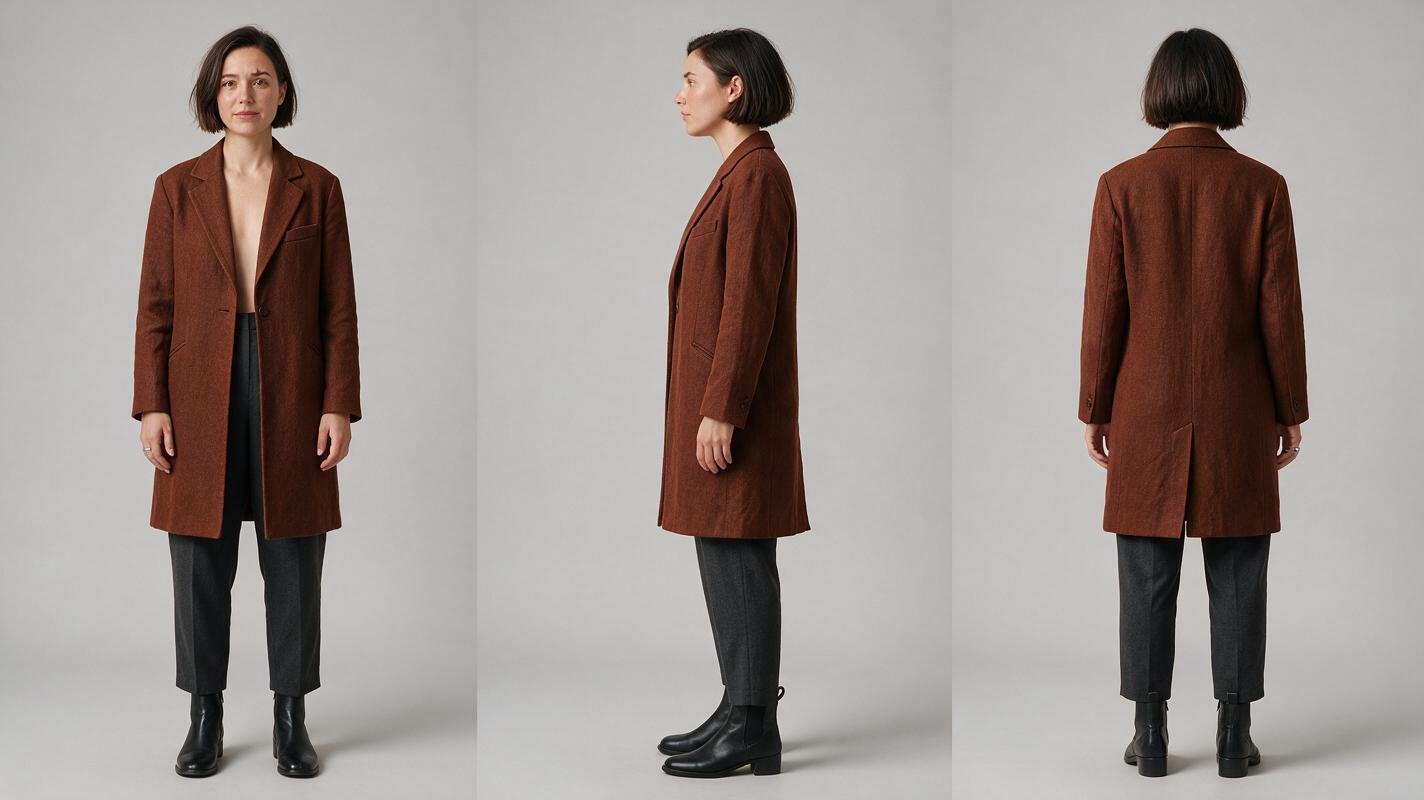
Use one fictional character throughout this example: Mara, a woman in her early thirties with a short dark bob, a small notch in her left eyebrow, a rust-colored coat, and a narrow silver ring. The eyebrow notch and coat shape are useful checks; lighting and expression may change, but those identifiers should not change accidentally.
Character sheet template: Record the character’s name; stable facial structure; hair cut and color; distinguishing marks; approximate height and build; signature wardrobe; accessories and which hand wears them; approved front, true profile, and back views; and permitted changes by scene. Keep temporary conditions—wet hair, a removed coat, dramatic lighting—in a separate shot note.
Visual recreation prompt — character sheet: Photorealistic editorial character reference sheet, landscape 16:9, three equal side-by-side panels showing the same fictional woman Mara in full-body front, true left-side profile, and back views; early thirties, short dark bob with a straight jaw-length edge, small notch in left eyebrow, rust-colored knee-length coat, charcoal trousers, narrow silver ring on right hand; identical clothing and proportions in all panels, neutral pose, soft even studio lighting, neutral light-gray seamless background; MANDATORY CAMERA: eye-level orthographic-feeling full-body framing, no perspective exaggeration; no text, labels, borders, logos, or interface.
Create the sheet with an ai image generator or another still-image tool, then check the views manually. A convincing three-panel layout is not evidence that the face, coat construction, or ring stayed identical across panels. Keep only an approved sheet.
Carry the same reference into each video scene
Turn the script into a compact shot list: where Mara is, what she is doing, the camera angle, and which identity details must remain visible. For every scene, pair the approved character sheet with a scene-specific still. Do not ask a video model to invent a new view of Mara from prose alone if an approved view can establish it.
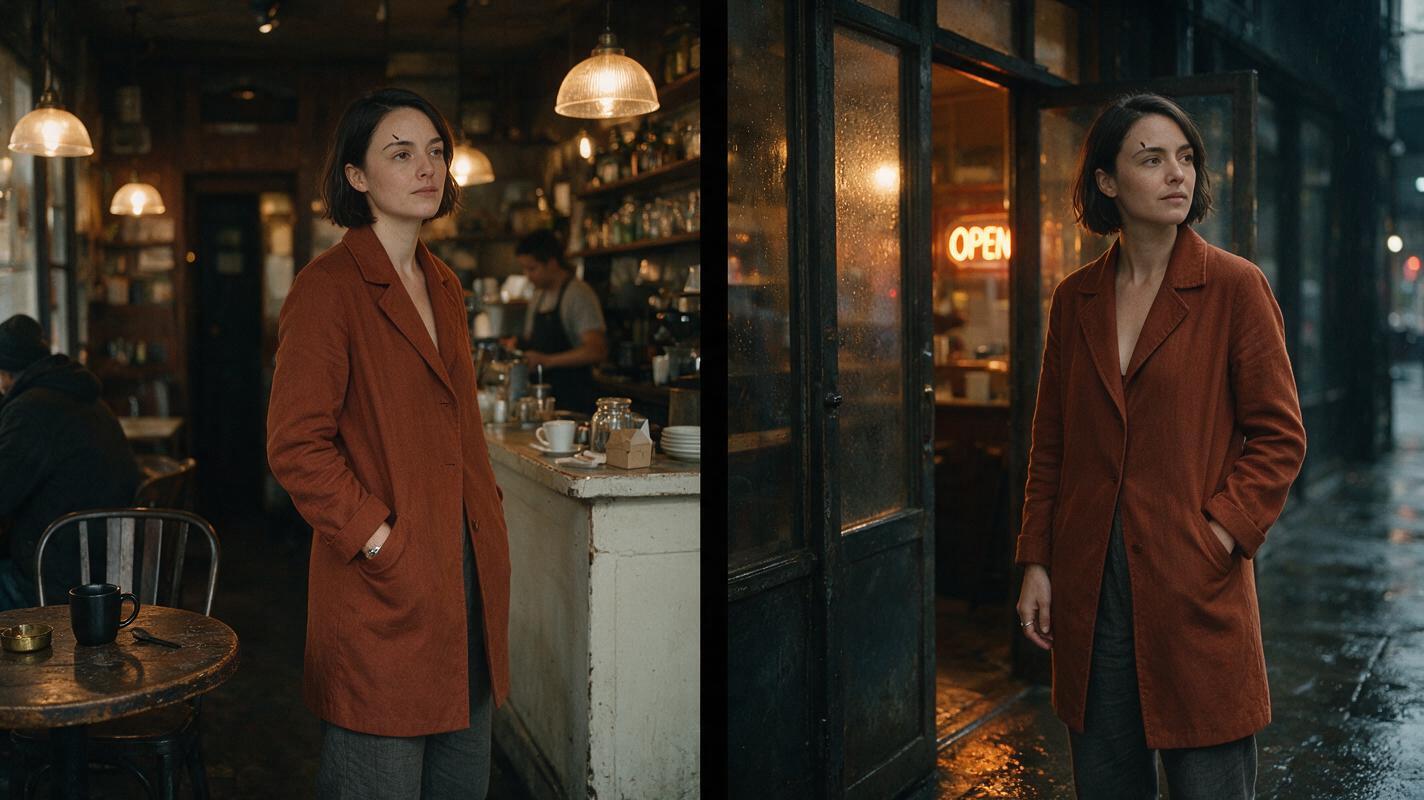
For a café-to-street sequence, prepare a café frame showing the left eyebrow and coat lapel, then a street frame showing the same face from a three-quarter angle. Treat these frames as a storyboard reference: they establish both identity and composition. When a tool supports an appropriate input mode, use image to video to animate each approved frame separately. Input options differ by model, so confirm the available controls before relying on this workflow.
Copyable scene prompt:
Use the approved image of Mara as the visual reference. Same fictional person: short dark jaw-length bob, small notch in left eyebrow, rust-colored knee-length coat, charcoal trousers, narrow silver ring on right hand. Interior neighborhood café at closing time; Mara turns toward the window and notices rain beginning outside. Medium three-quarter shot, eye-level camera, restrained natural motion, cinematic editorial realism. Preserve facial structure, coat shape, hairstyle, and ring placement. One Mara only; no new accessories, face replacement, or outfit change.Visual recreation prompt — paired locations: Cinematic editorial-realism diptych, landscape 16:9, two equal photographic frames of the same fictional woman Mara, early thirties with short dark jaw-length bob, small notch in left eyebrow, rust-colored knee-length coat, charcoal trousers and narrow silver ring on right hand; left frame in a lived-in neighborhood café at closing time, right frame just outside its rain-damp entrance; believable furniture and street detail, natural dusk lighting, matching facial structure and coat construction; MANDATORY CAMERA: eye-level medium three-quarter view in both frames, consistent lens feel and subject scale; no text, logos, interface, or graphic arrows.
Diagnose drift before you regenerate
Check each clip at its first frame, midpoint, last frame, and any turn or partial occlusion. Compare adjacent shots side by side. If a problem appears, change the reference or reduce the motion request before rewriting the entire character description.
| What went wrong | Likely cause | Practical fix |
|---|---|---|
| The face changes after a head turn | The approved reference does not clearly show the new angle | Approve a profile or three-quarter still before regenerating the shot. |
| Hair or coat changes between locations | The scene prompt overpowers the identity description | Reuse the same approved identifiers and specify only the intended environmental changes. |
| Two versions of the character appear | The composition leaves the subject count ambiguous | Specify one person and use a tighter shot-specific reference. |
| The first frame matches but later frames drift | The requested motion is too complex for the chosen input and mode | Shorten the action, split it into shots, or choose a more stable starting frame. |
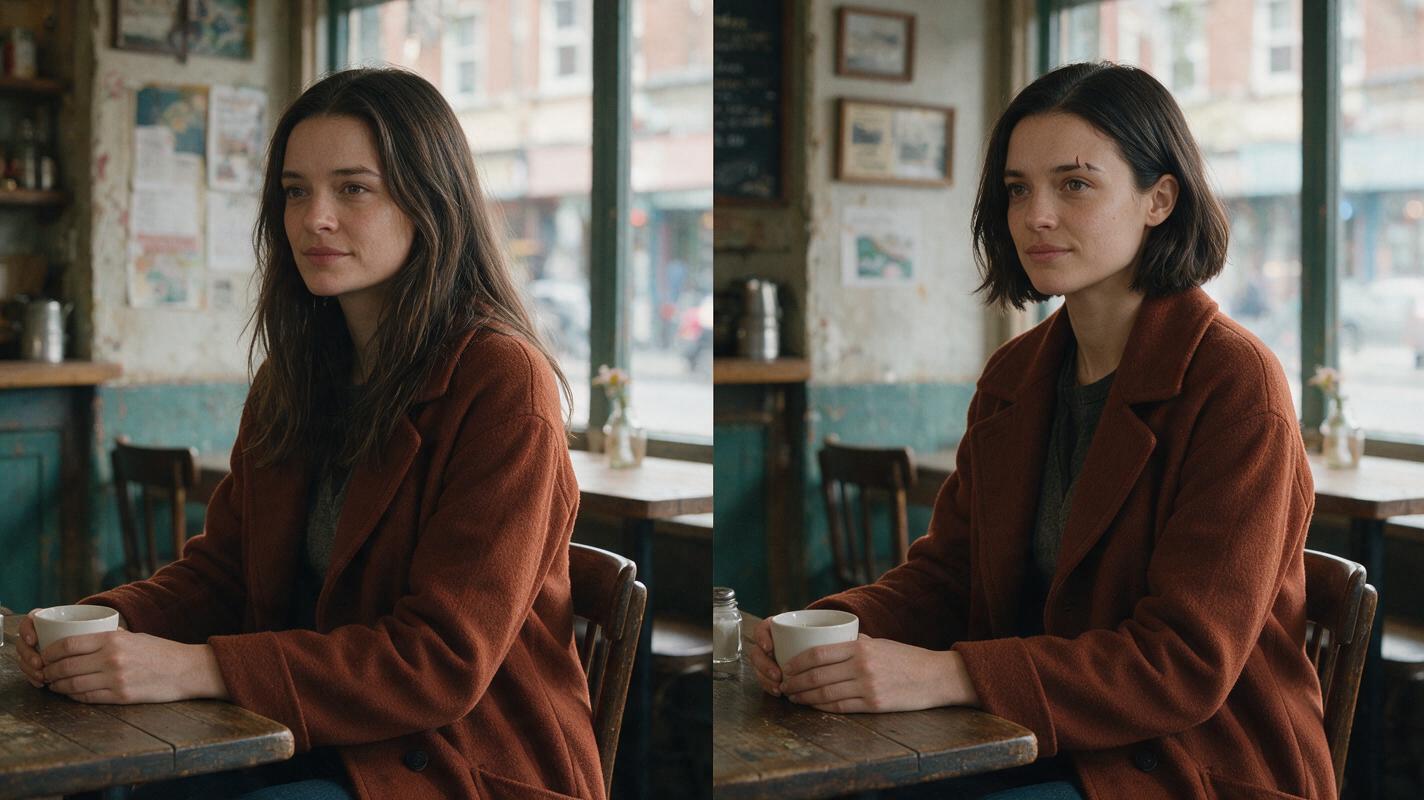
Visual recreation prompt — failure and fix: Photorealistic editorial comparison image, landscape 16:9, two equal side-by-side cinematic frames inside the same lived-in neighborhood café, both showing fictional Mara in a rust-colored knee-length coat; left frame deliberately shows a subtle continuity failure with an altered jawline, longer hair, and missing eyebrow notch, right frame shows the corrected Mara with short dark jaw-length bob, small notch in left eyebrow, matching facial structure and coat; MANDATORY CAMERA: identical eye-level medium three-quarter composition, subject scale, lens feel, and soft window lighting in both frames so only identity continuity changes; no text, arrows, labels, logos, or interface.
The comparison image is an illustrative recreation prompt, not a reported result from any named tool. Your real acceptance test is whether the generated clips match your own approved character references when played across the edit.
FAQ
Can one reference image keep the same face across an entire video?
It can provide a useful starting point, but one image rarely covers every angle, expression, and lighting condition. Approve additional views for shots that reveal new facial information, then review the generated frames.
Should I use the same prompt for every scene?
Keep the identity description stable. Change the location, action, camera position, and intentional wardrobe state in separate shot-specific instructions.
Which tool is best for a multi-scene short drama?
Choose the tool whose current reference inputs and video controls fit your shot plan. If you have not settled the character design, start with stills; if your stills are approved, test video generation with three contrasting shots before producing the full sequence.
Sources
- Runway — official product website
- Midjourney — official product website
- Kling AI — official product website
- Adobe Firefly — official product page
Final checklist
- Approve a front, true-profile, and back-view character sheet before generating scenes.
- Keep identity details fixed while writing location and action instructions per shot.
- Use a scene-specific approved frame when the chosen video mode accepts one.
- Inspect face, hair, clothing, and accessories at motion points and scene cuts.
- Regenerate the failing shot rather than restarting the whole sequence.
Ready to compare a reference-first workflow across available image and video options? try these models for free.
Keywords
character consistency, consistent character video, character reference, consistent character across scenes, storyboard reference, keep the same face across video