Best AI Tools for Creating Short Dramas: A Practical Stack
The best AI tools for short dramas depend on the production stage: script development, storyboarding, video generation, voice, or editing. This guide compares practical options and presents an episodic workflow designed to preserve characters, locations, pacing, and cliffhangers across a vertical series.
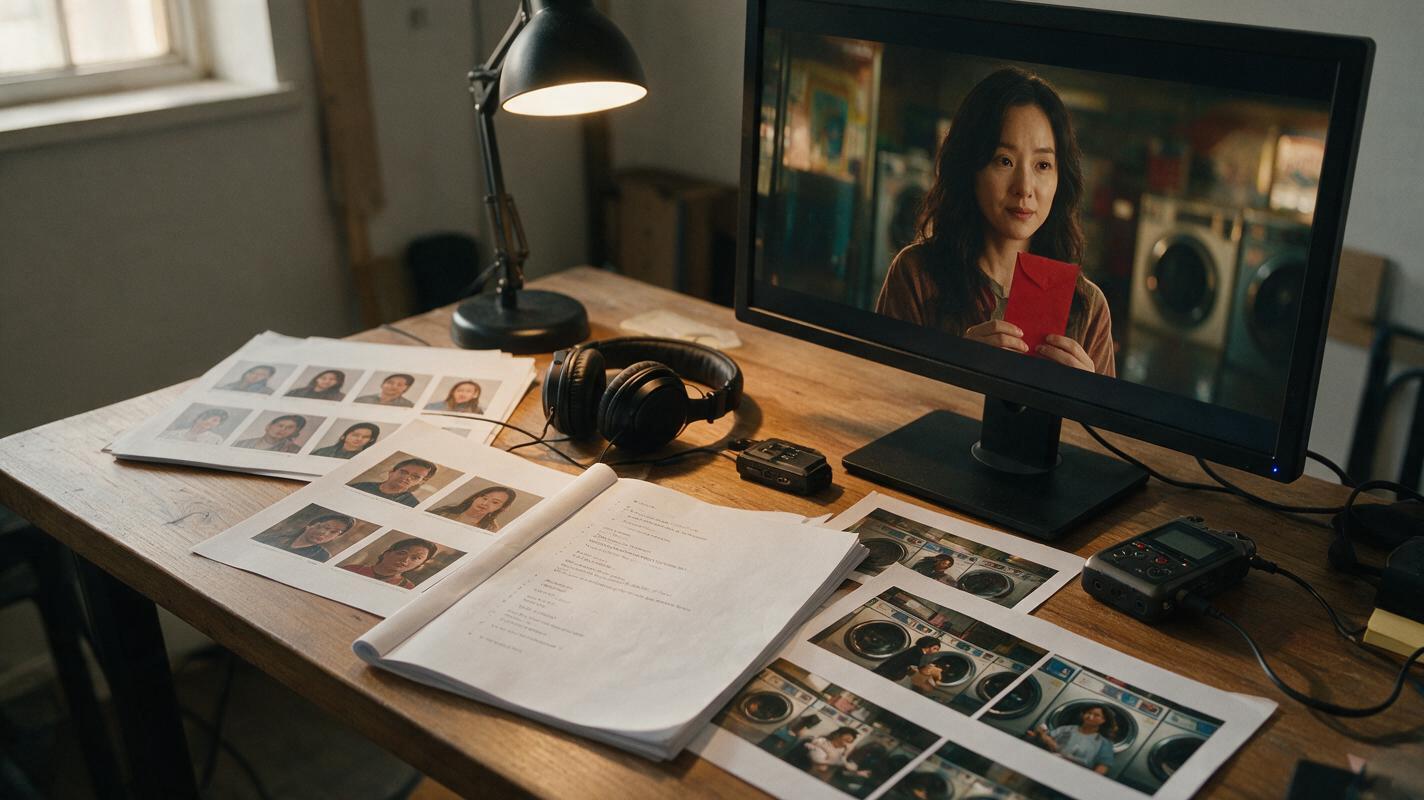
Table of contents
Choose a stack, not a single short-drama tool
The best setup for creating short dramas combines a script-planning tool, a storyboard system, an image or video generator, a voice platform, and an editor. An all-in-one workspace reduces handoffs, while specialized tools provide more control when a scene needs stronger visuals, voices, or finishing.
For a recurring series, consistency matters more than generating one spectacular clip. Your workflow must preserve each character’s face, wardrobe, relationships, locations, props, and unresolved conflicts from episode to episode.
Quick recommendation: use a unified script to video workspace for planning and first-pass production, then add specialized generation or editing tools only where the episode requires them.
Which AI tools are best for each production job?
| Production job | Suitable tools | Best use | What to verify |
|---|---|---|---|
| Script development | ChatGPT, Claude | Beat sheets, dialogue alternatives, episode recaps, and cliffhanger options | Continuity, originality, and whether dialogue sounds natural when spoken |
| Script breakdown and previsualization | LTX Studio, Katalist | Turning scenes into shots, storyboard frames, and production plans | Export options, character controls, and how much manual shot editing is available |
| Generative video | Runway, Luma Dream Machine, Adobe Firefly | Animating reference frames and producing individual dramatic shots | Current model availability, reference controls, output rights, and plan limits |
| Voice and dialogue | ElevenLabs | Narration, character voices, and multilingual dialogue | Voice permissions, consent requirements, and commercial terms |
| Assembly and delivery | CapCut, Adobe Premiere Pro | Editing, captions, sound design, reframing, and final exports | Caption accuracy, music rights, collaboration features, and export settings |
No ranking is universal. A dialogue-heavy romance needs reliable voices and close-up continuity, while an action serial needs controlled reference frames, readable geography, and short motion shots. Test the exact visual style and episode format you intend to publish before committing to a paid plan.
Step 1 — Design the drama as an episode engine
Do not begin by asking an AI tool for an entire season. Define a repeatable dramatic engine: the central desire, the obstacle that can generate multiple episodes, the recurring locations, and the revelation pattern.
A compact episode structure works well for short-form drama:
- Immediate hook: an accusation, discovery, deadline, or broken expectation.
- Escalation: new evidence makes the problem harder.
- Choice: the lead acts rather than merely receiving information.
- Reversal: the action produces an unexpected consequence.
- Cliffhanger: a visible event or unanswered question creates the next episode.
Use this copyable planning prompt:
You are planning a serialized vertical short drama.
Genre: contemporary mystery romance
Episode duration: 60–90 seconds
Recurring locations: neighborhood laundromat, apartment hallway, late-night bus stop
Lead: Mara, a cautious night-shift nurse
Series engine: Mara receives anonymous messages that predict small events before they happen.

Create one episode with:
- a visual hook in the opening shot
- no more than three speaking characters
- one clear objective for Mara
- escalating evidence rather than exposition
- one irreversible choice
- a final visual cliffhanger
Return: beat sheet, dialogue, required props, continuity facts, and unresolved questions.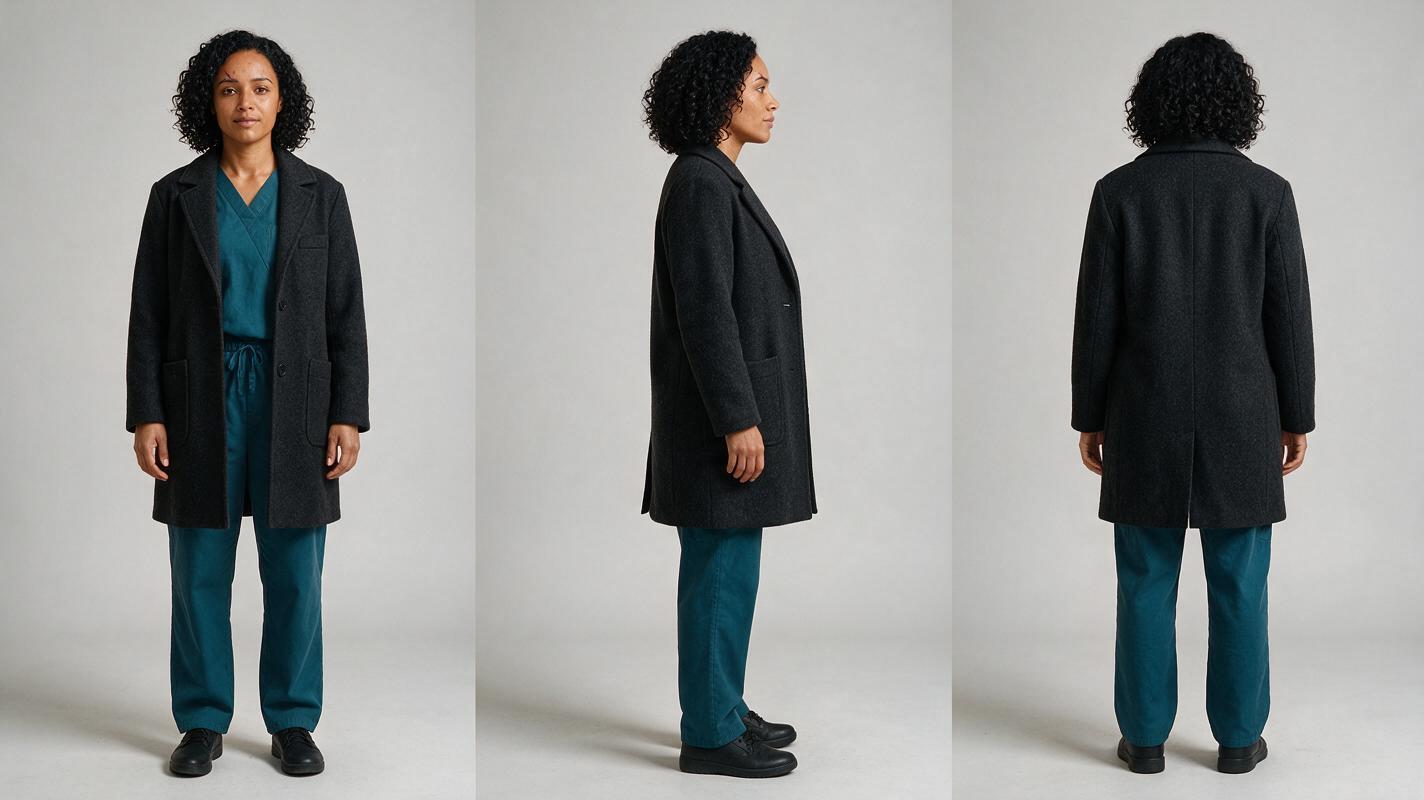
Step 2 — Build a reusable drama bible
A short-drama bible should be concise enough to paste into every generation session. Record immutable character details separately from episode-specific details. For Mara, immutable details might include age range, facial structure, hair, signature coat, posture, and restrained performance style. A temporary injury or wet clothing belongs in the episode state, not the permanent description.
Create one clean reference sheet for every recurring character before producing scenes. Avoid dramatic lighting, props blocking the body, or different outfits across the three views.
Also maintain a continuity ledger containing the current episode number, wardrobe state, prop ownership, injuries, secrets known by each character, and the exact last image of the previous episode.
Step 3 — Convert the episode into a shot plan
An ai short drama workflow becomes easier to control when each shot has one dramatic purpose. Break the script into clips based on actions and reactions, not sentence length. If a shot contains a door opening, a character entering, a confrontation, and a phone reveal, divide it.
For every shot, specify:
- the character visible at the beginning and end;
- shot size and camera angle;
- the single main action;
- the emotional change;
- the required prop or continuity detail;
- the intended edit into the following shot.
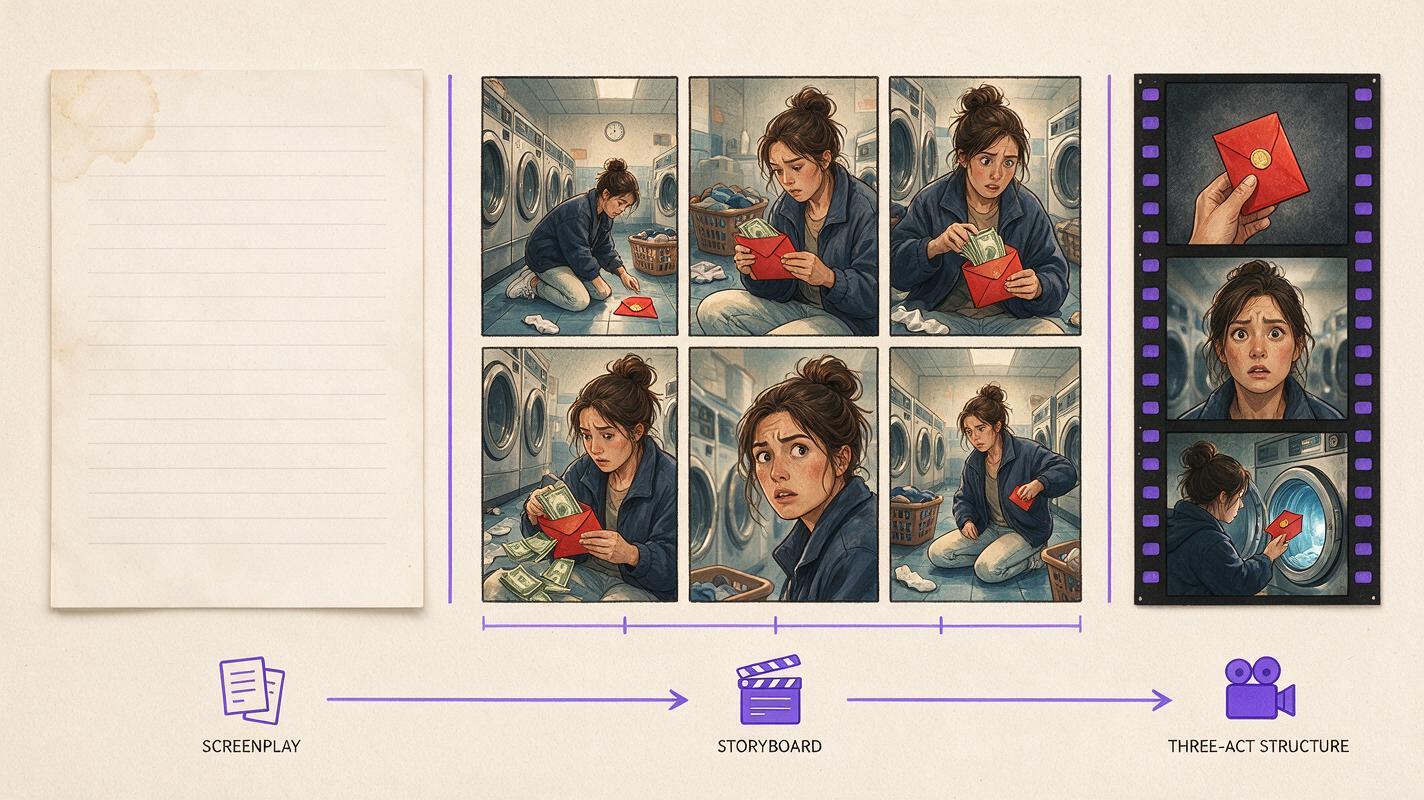
Generate the storyboard as still images before attempting motion. Review the sequence at thumbnail size. The plot should remain understandable from the changing compositions, gestures, and props even with the dialogue removed.
Step 4 — Establish master frames for recurring locations
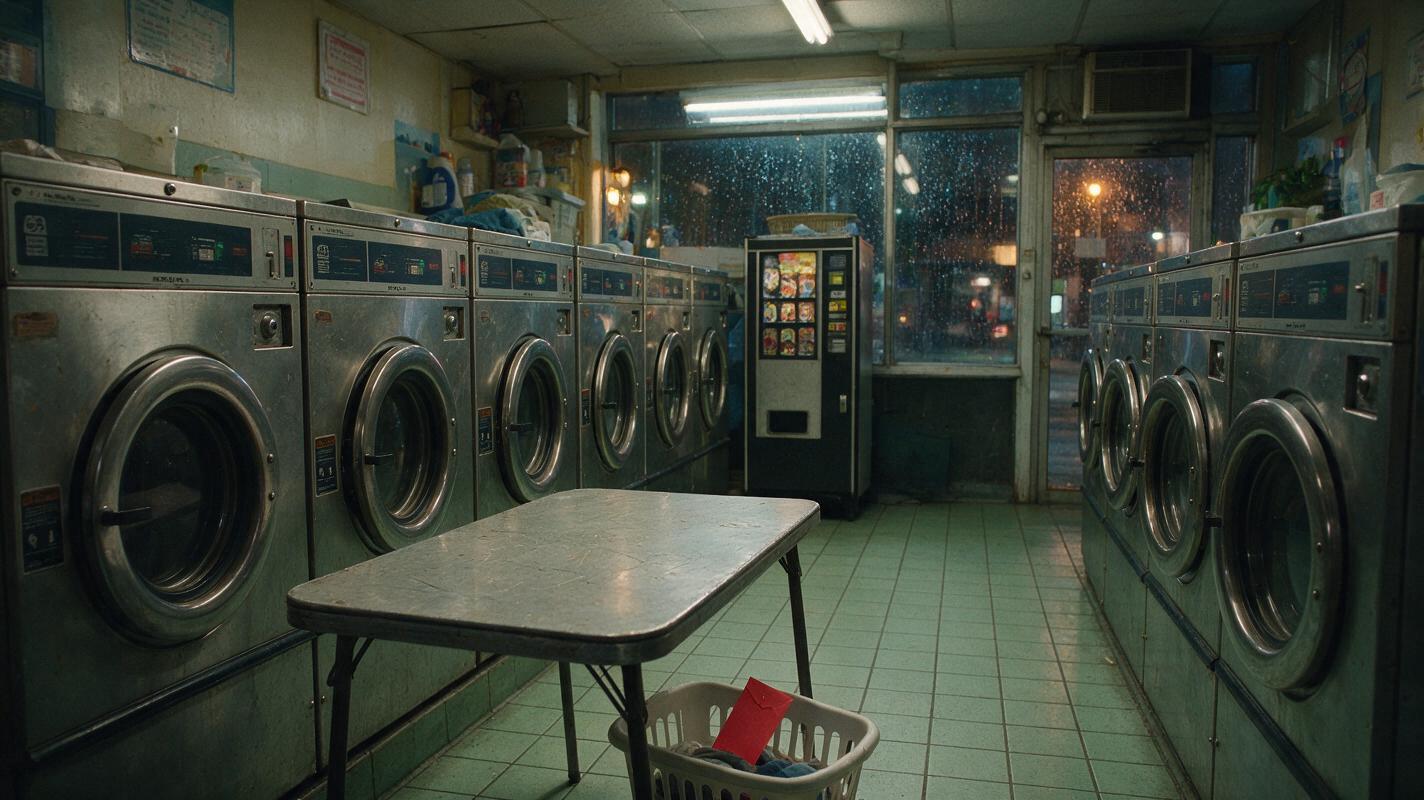
Recurring locations save production time only if their geography stays stable. Establish a master frame that defines entrances, windows, major furniture, practical lights, and distinctive background objects. Keep this image alongside the character sheet when generating later angles.
For the laundromat, decide where the front door sits relative to the machines and folding tables. This prevents a character from looking toward a door that moves between shots.
Produce clean frames for the hook, reversal, and cliffhanger first. If those three images do not communicate a progression, revise the episode before spending time on connective shots.
Step 5 — Animate short, controlled actions
Animate approved frames with one primary movement per clip: Mara lifts the envelope, turns toward the entrance, or steps backward. Asking for several sequential actions increases the chance of identity drift, duplicated props, unstable hands, or an altered location.
A practical motion prompt separates locked facts from permitted movement:
LOCKED:
Mara’s face, curly shoulder-length hair, charcoal coat, teal scrubs,
red envelope, laundromat machine layout, rainy midnight lighting.

ACTION:
Mara slowly lifts the red envelope from the folding table.
She notices handwriting on the back and stops breathing for a beat.
Her eyes turn toward the entrance without moving her head.

CAMERA:
Locked medium close-up, subtle natural handheld breathing only,
no zoom, no orbit, no cut, no change of lens.

AVOID:
extra fingers, duplicated envelope, wardrobe changes, lip movement,
new people, camera collision, background rearrangement.
Generate alternate takes for important reactions rather than forcing one long clip to deliver every beat. Preserve the ending frame of a successful take so it can become the visual reference for the next shot.
Step 6 — Edit for serial momentum
Short dramas need compression, but speed does not mean cutting every second. Hold slightly longer on discoveries, decisions, and reversals. Cut faster during approach actions or searches where the audience already understands the objective.
Build dialogue and ambience as separate layers. Room tone, machine hum, rain, footsteps, and notification sounds can connect clips whose visual motion does not match perfectly. Add captions during the edit rather than baking text into generated frames.
Before exporting, watch the episode without sound, then listen without looking. The silent pass reveals weak visual storytelling; the audio-only pass reveals confusing dialogue, missing reactions, and abrupt transitions.
At the high-intent production stage, try these models for free with the same reference frame and motion prompt, then keep the result that best preserves identity, staging, and the intended emotion.
Common short-drama production mistakes
- Generating the full episode in one request: this reduces shot-level control and makes revisions expensive.
- Changing the character description: even attractive synonyms can introduce visual drift.
- Using dialogue as the storyboard: spoken lines do not define composition, action, or screen direction.
- Skipping location masters: recurring rooms gradually change shape and undermine continuity.
- Ending on explanation: a visible threat, arrival, object, or decision usually makes a clearer cliffhanger.
- Ignoring usage terms: review each tool’s current licensing, voice-consent, music, and commercial-use policies.
FAQ
Can one AI tool create an entire short drama?
Some platforms can cover multiple stages, but a publishable episode still benefits from human review and editing. Treat all-in-one generation as the production backbone, not a substitute for continuity checks, performance choices, sound design, and rights review.
Should I generate video directly from the script?
For recurring dramas, storyboard-first production offers more control. Approve character sheets, location masters, and key frames before animation so mistakes are corrected while they are still inexpensive.
How many characters should appear in one short episode?
There is no universal limit, but fewer speaking characters simplify continuity and give each reaction more screen time. Add a character only when that person changes the conflict or supplies information that cannot be shown more efficiently.
How do I choose between generative video tools?
Test each candidate with the same character reference, location image, action, aspect ratio, and camera instruction. Compare identity preservation, motion clarity, prompt adherence, revision controls, licensing, and total workflow cost rather than judging a highlight reel.
Sources
- LTX Studio official website
- Katalist official website
- Runway official website
- Luma Dream Machine official website
- Adobe Firefly AI video generator
- ElevenLabs official website
- CapCut official website
Final checklist
- Define a repeatable series conflict and episode cliffhanger.
- Lock character sheets and immutable descriptions.
- Track wardrobe, props, injuries, knowledge, and unresolved questions.
- Break each episode into single-purpose shots.
- Create location masters before generating alternate camera angles.
- Animate one controlled action per clip.
- Review commercial terms, consent, music, and voice rights.
- Test the final episode with silent and audio-only playback.
Keywords
script to video ai, ai storyboard generator, ai movie maker, create ai video from script, ai story video generator, ai clip maker, ai script writing