How to Keep the Same AI Video Character Through a Costume Change
A costume change can make an AI-generated character look like a different person, especially when clothing has become the strongest visual cue. This tutorial uses a face-first character reference, paired wardrobe frames, and a cut-point review to preserve identity while the outfit changes.
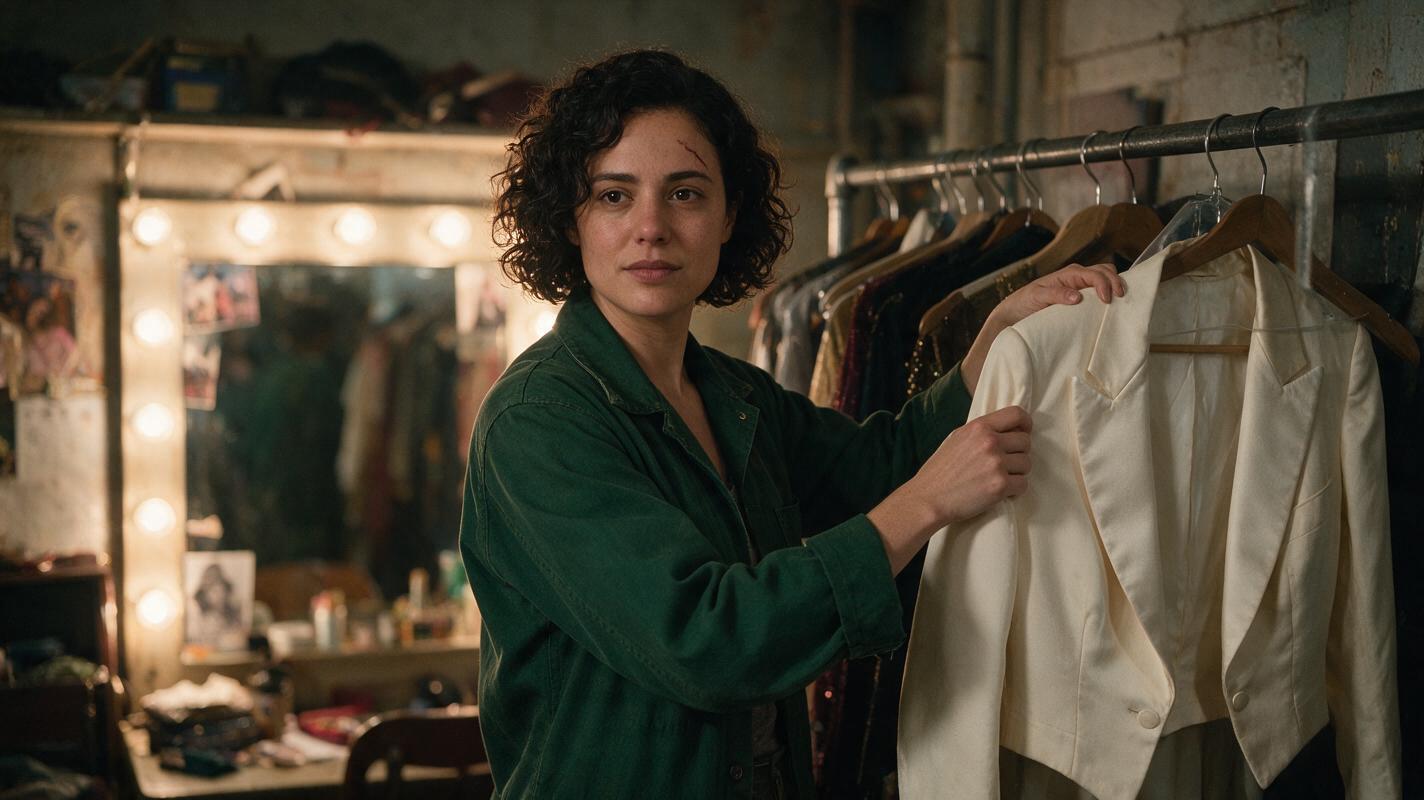
Table of contents
Keep the face; change the clothes
A character should be able to leave a backstage room in a work jacket and enter a theater lobby in formalwear without becoming someone else.
The reliable approach is to approve the character’s face independently of either outfit, then build separate reference frames for each side of the change. Animate the shots from those frames and inspect the first clear view of the face after the cut. In the example below, a fictional theater worker named Mara changes from a dark green work jacket into an ivory evening jacket.
Cover recreation prompt:
Cinematic editorial photograph, landscape 16:9: in a lived-in theater dressing room, the same fictional adult woman, Mara, stands beside a garment rack holding an ivory evening jacket while wearing a dark green work jacket; oval face, broad straight nose, close-set dark brown eyes, short dark curls, small scar above her left eyebrow. Warm practical mirror bulbs, natural skin texture, believable fabric, candid composition, no text, logos, screens, or interface elements. MANDATORY CAMERA: eye-level medium-wide shot from a true three-quarter angle, 35 mm documentary look; show her face clearly and keep the spare jacket separate from her body.Step 1 — Approve a face-first character sheet
Make the sheet before generating either scene. Use a neutral base outfit so the model has to depict Mara’s facial structure rather than rely on the green or ivory jacket as an identity cue. The sheet should show one character in three views, not three similar-looking people.
Copy this character sheet template into your brief and replace the details with your own:
Character ID: MARA
Age presentation: adult, approximately early 30s
Stable facial traits: oval face; broad straight nose; close-set dark brown eyes; small scar above left eyebrow
Stable hair: short dark curls, same hairline in every scene
Stable build and posture: medium build; upright posture
Neutral sheet outfit: plain charcoal crew-neck shirt and dark trousers
Scene A wardrobe: dark green work jacket
Scene B wardrobe: ivory evening jacket
Must not change: facial proportions, scar placement, hairline, eye color
May change: jacket, shirt, lighting, location, expression
Create the sheet with an ai image generator. Check the profile’s nose and hairline, then compare the rear view’s hair shape with the front view. If the three panels disagree, correct the sheet before using it as a reference.
Visual recreation prompt — three-view sheet:
Photorealistic three-panel character reference sheet of ONE fictional adult woman named Mara, landscape 16:9, neutral light-gray seamless studio background. Left panel: front view; center panel: true left-side profile; right panel: straight back view. Identical person and scale in all three panels: oval face, broad straight nose, close-set dark brown eyes, short dark curls with the same hairline, small scar above the left eyebrow where visible; plain charcoal crew-neck shirt and dark trousers. Even soft studio lighting, natural skin texture, full upper body visible, clean gaps between panels, no text, labels, logos, or UI. MANDATORY CAMERA/LAYOUT: three equal vertical panels, camera at eye level, front/profile/back views only; do not create three different people.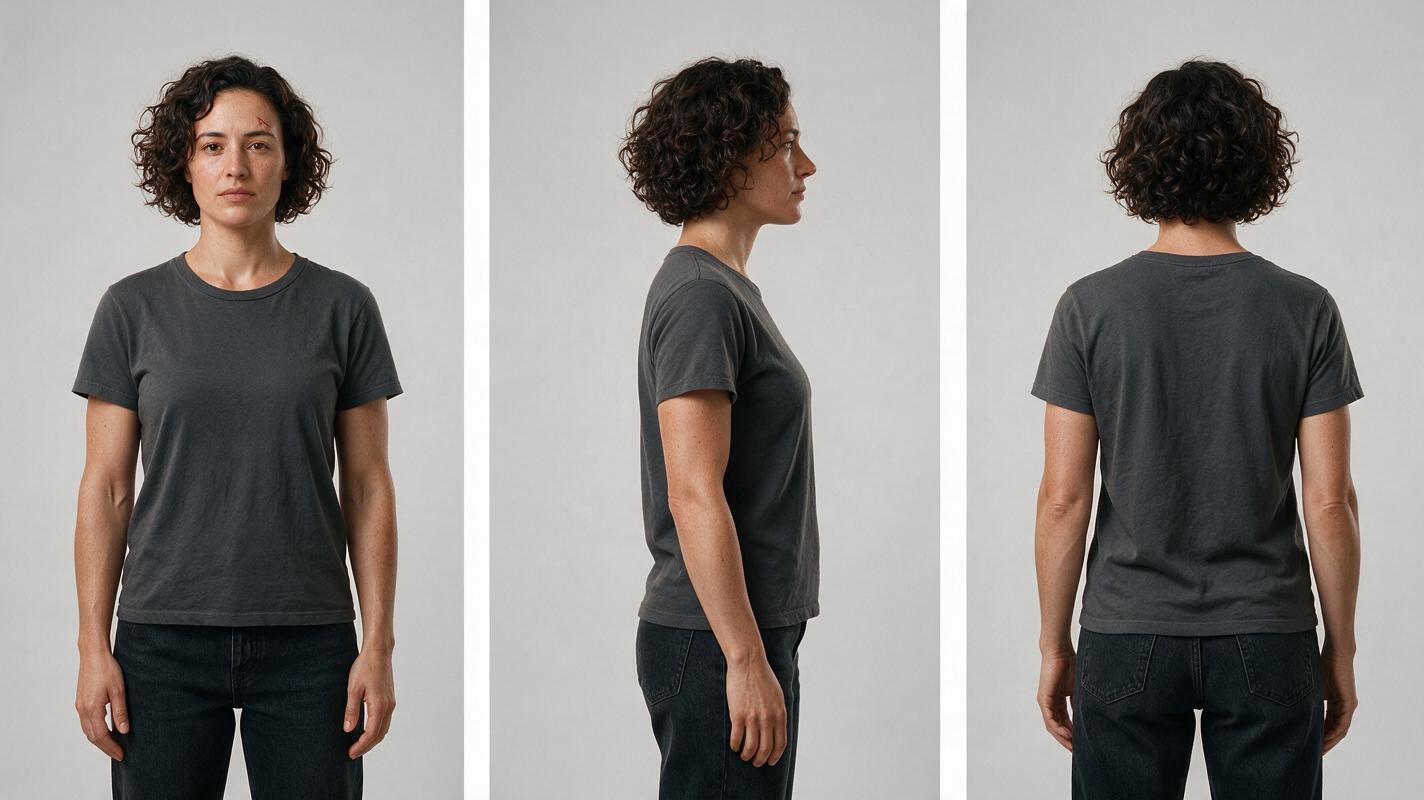
Step 2 — Build a reference frame for each outfit
Use the approved sheet as the character reference for two new stills. Keep Mara’s immutable traits in both prompts, but specify the wardrobe and setting separately. The first frame places her in the dressing room wearing green. The second places her in the lobby wearing ivory. A storyboard reference can record the intended camera angle and her position in the frame; it should not replace the face reference.
Choose a change that reads immediately on screen, but do not change hair, makeup, facial age, and outfit all at once. Review both stills side by side at the same face size. If the lobby portrait only looks related to Mara because of a similar pose, remake it before animation.
Visual recreation prompt — paired scene frames:
Create a side-by-side pair of photorealistic cinematic editorial frames, landscape 16:9 overall, showing the SAME fictional adult woman from the approved Mara character sheet. LEFT: lived-in theater dressing room, Mara wearing a dark green work jacket over a charcoal shirt, warm practical bulbs and garment rack in the background. RIGHT: theater lobby later that evening, Mara wearing an ivory evening jacket over the same charcoal shirt, warm wall lights and worn stone floor. In both frames preserve her oval face, broad straight nose, close-set dark brown eyes, short dark curls and identical hairline, and small scar above her left eyebrow. Natural skin texture, believable fabric, no text, logos, screens, or UI. MANDATORY CAMERA/LAYOUT: two equal panels, matching eye-level medium-close three-quarter views, same approximate face size and camera distance; the wardrobe and location change, the person does not.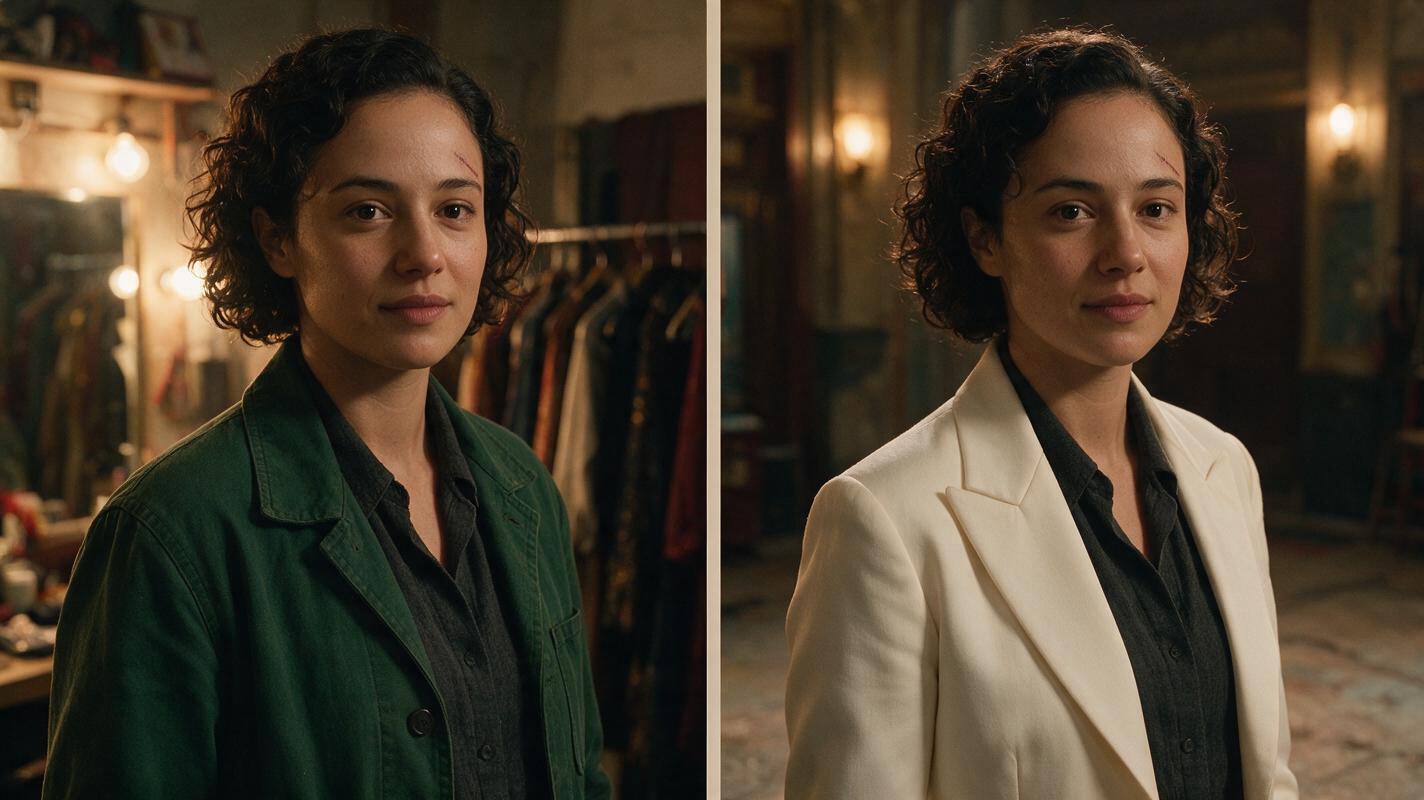
Step 3 — Animate the shots around the change
For this edit, make two short shots rather than asking one generation to perform an entire wardrobe transformation. Use the approved dressing-room still to begin the exit shot and the approved lobby still to begin the arrival shot. An image to video workflow gives each shot a concrete starting appearance; it does not remove the need to review the resulting frames.
Keep the action modest: Mara takes a step toward the dressing-room door; after the cut, she enters the lobby and looks toward the auditorium. The change of location gives the costume change a plausible off-screen interval. Keep the camera near face height in both shots so the cut offers a useful identity check.
Copyable motion prompts:
SHOT A — Use the approved dressing-room frame as the starting image. Mara, wearing the dark green work jacket, takes one natural step toward the door and briefly turns her face toward camera. Preserve the starting face, short dark curls, eyebrow scar, jacket color, and room layout. MANDATORY CAMERA: steady eye-level medium-close three-quarter view; no push-in, spin, wardrobe change, or new person.SHOT B — Use the approved lobby frame as the starting image. Mara, now wearing the ivory evening jacket, walks two natural steps into the lobby and glances toward the auditorium. Preserve the starting face, short dark curls, eyebrow scar, jacket color, and lobby layout. MANDATORY CAMERA: steady eye-level medium-close three-quarter view with approximately the same face size as Shot A; no morphing, duplicated character, or additional wardrobe change.Step 4 — Check the cut, not just the best frame
Place the two clips together and compare the last clear face in the dressing room with the first clear face in the lobby. Pause again a few frames into the lobby shot. That second check catches a face that looks correct in its starting frame but drifts once Mara moves.
| What you see | Likely cause | Practical fix |
|---|---|---|
| The lobby face looks like a different actor. | The new outfit or scene dominated the identity reference. | Rebuild the lobby still from the approved sheet; compare faces at matching sizes before animating. |
| The green jacket reappears in the lobby. | The earlier wardrobe leaked into the new shot. | Start Shot B from an approved ivory-jacket still and describe its outfit explicitly. |
| Mara’s face changes during her turn. | The motion asks for more rotation than the available references support. | Reduce the turn, or approve an additional three-quarter face reference. |
| Two versions of Mara enter the frame. | The composition leaves room for an unintended duplicate. | Specify one person and simplify the action and background. |
Visual recreation prompt — failure and fix:
Neutral visual comparison made from four photorealistic cinematic frames in a clean 2-by-2 grid, landscape 16:9 overall, no text or symbols. Top row: a theater dressing-room close view of fictional adult Mara in a dark green work jacket, followed by a flawed lobby view in an ivory evening jacket where the face has noticeably different proportions and the eyebrow scar is missing. Bottom row: the same dressing-room view, followed by a corrected lobby view preserving Mara's oval face, broad straight nose, close-set dark brown eyes, short dark curls, identical hairline, and small scar above the left eyebrow. Both locations feel lived-in and film-real; natural skin and fabric, no logos, screens, or UI. MANDATORY CAMERA/LAYOUT: four equal photographic panels, matching eye-level three-quarter close views and face size; only the upper-right panel has identity drift.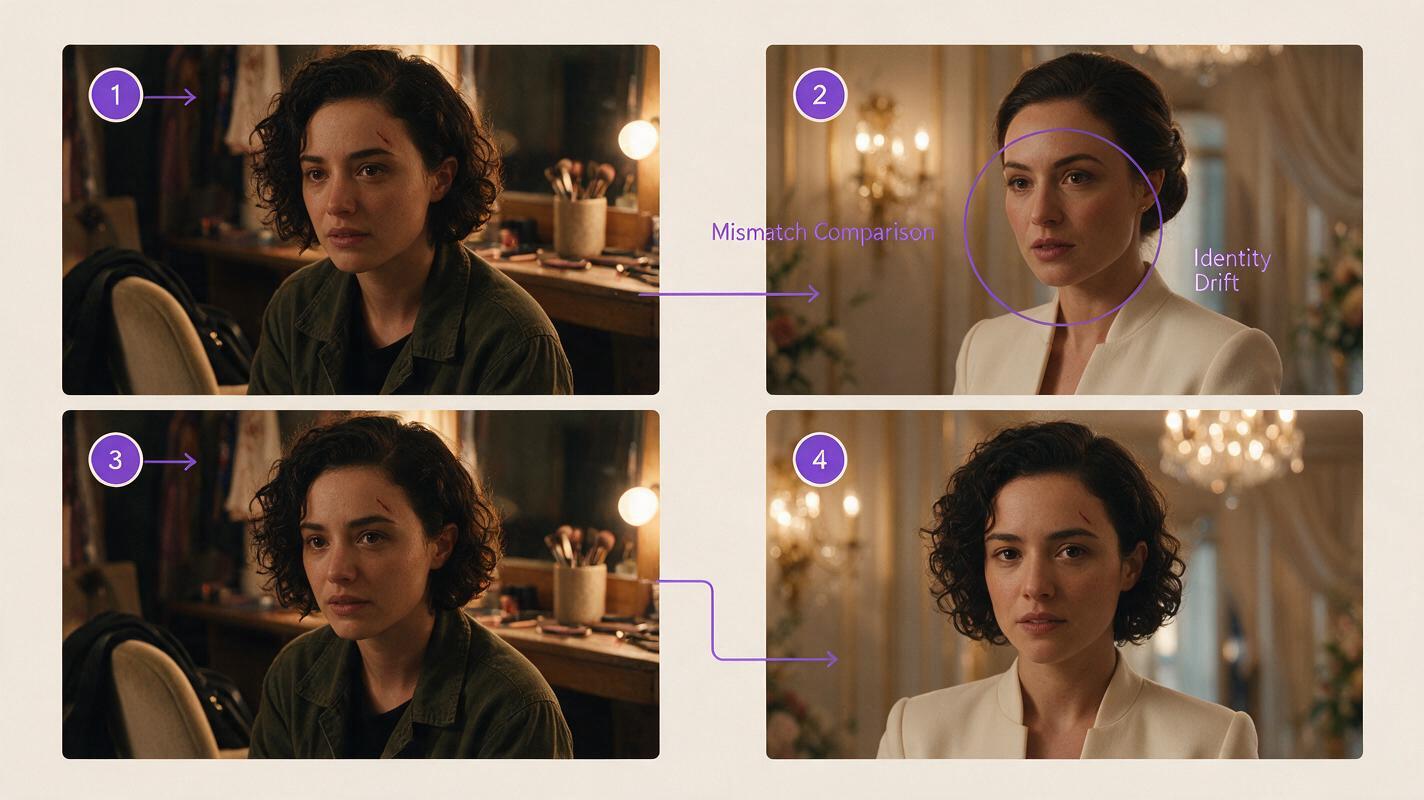
FAQ
Should the character sheet include both costumes?
Use a neutral outfit for the primary three-view sheet. Keep the green and ivory jackets in separate scene references. That makes it easier to tell which features define the person and which belong only to a particular shot.
Can I generate the costume change in one continuous clip?
You can attempt it, but a single clip adds a transformation to an already difficult identity task. If the story permits an off-screen change, two approved starting frames and a cut give you clearer points to inspect and revise.
What if the face matches but the character no longer feels the same?
Compare posture, hair shape, age presentation, and performance as well as facial features. Adjust the scene reference or motion prompt for the specific mismatch rather than changing the approved face sheet.
Final checklist
- Approve one neutral front, side, and back character sheet.
- Make a separate, face-matched still for each outfit and location.
- Animate from the approved stills without asking either shot to change clothes.
- Compare faces at the cut and after motion begins.
- Regenerate the first faulty reference or shot, not the whole sequence by default.
Ready to test the two-frame approach? try these models for free with your own character sheet and paired scene prompts.
Keywords
consistent character across scenes, character consistency, consistent character video, character reference, multi-shot, storyboard reference, keep the same face across video