Best AI Video Tools for Creative Agencies: A Practical Buying Guide
The best AI video tools for an agency must support more than impressive one-off generations. This buying guide compares practical options for production volume, licensing review, brand control, collaboration, enhancement, and repeatable client delivery.

Table of contents
AI video tools must survive real agency workflows
A striking demo is not enough when an agency has to produce multiple formats, preserve brand details, manage approvals, and explain usage rights to a client. The best AI video tools for creative agencies reduce production friction without turning licensing, consistency, or revision control into a new problem.
This guide evaluates tools for a realistic assignment: producing a campaign package containing a hero video, vertical social cuts, localized variants, and polished client-review files. It focuses on operational fit rather than declaring one platform universally best.
Buying principle: evaluate the complete path from brief to approved deliverables. A low generation price can become expensive when teams repeatedly regenerate shots, repair artifacts, or rebuild exports for different channels.
Cover recreation prompt:
Photorealistic editorial photograph of a creative agency review table covered with unbranded printed video contact sheets, a color swatch book, headphones, a storyboard notebook, and three client-safe product frames showing the same fictional ceramic bottle campaign in landscape, square, and vertical crops; natural window light, believable working studio, no people posing, no screens, no logos, no readable brand names, no software interface, landscape 16:9; MANDATORY CAMERA: true overhead three-quarter view with the campaign frames clearly separated.
What agencies should evaluate before choosing a platform
Agency suitability depends on how a tool handles recurring work. Before comparing headline features, map the platform against the parts of production that usually trigger delays.
- Generation control: Can the team guide composition, camera movement, references, aspect ratio, and clip duration closely enough for a client brief?
- Brand repeatability: Can approved prompts, reference assets, visual rules, and export settings be reused across deliverables?
- Revision efficiency: Can one weak shot be replaced without rebuilding the entire sequence?
- Production volume: Are credit limits, queues, concurrency, and higher-volume plans compatible with campaign peaks?
- Rights and consent: Do the current terms address output use, uploaded assets, retention, talent consent, and restricted content clearly enough for the agency's clients?
- Team operations: Are shared projects, permissions, review links, version history, or other collaboration features available on the relevant plan?
- Finishing support: Can the workflow accommodate reframe, matting, cleanup, denoising, subtitles, audio, and final exports?
A one-stop platform can reduce handoffs when the same team needs scripting, still-image development, and video generation. MagicBoat combines multiple creative stages and model choices, so agencies can explore an ai video generator alongside related production capabilities instead of committing every task to one model.
Visual recreation prompt:
Neutral editorial process diagram built from physical objects on a pale studio tabletop: an unbranded paper brief flows into a storyboard contact sheet, then three cinematic video frames, then landscape, square, and vertical delivery cards; connect stages using thin purple string, no text, no logos, no screens, no software UI, landscape 16:9; MANDATORY CAMERA: exact top-down flat-lay with five clearly separated production stages and generous negative space.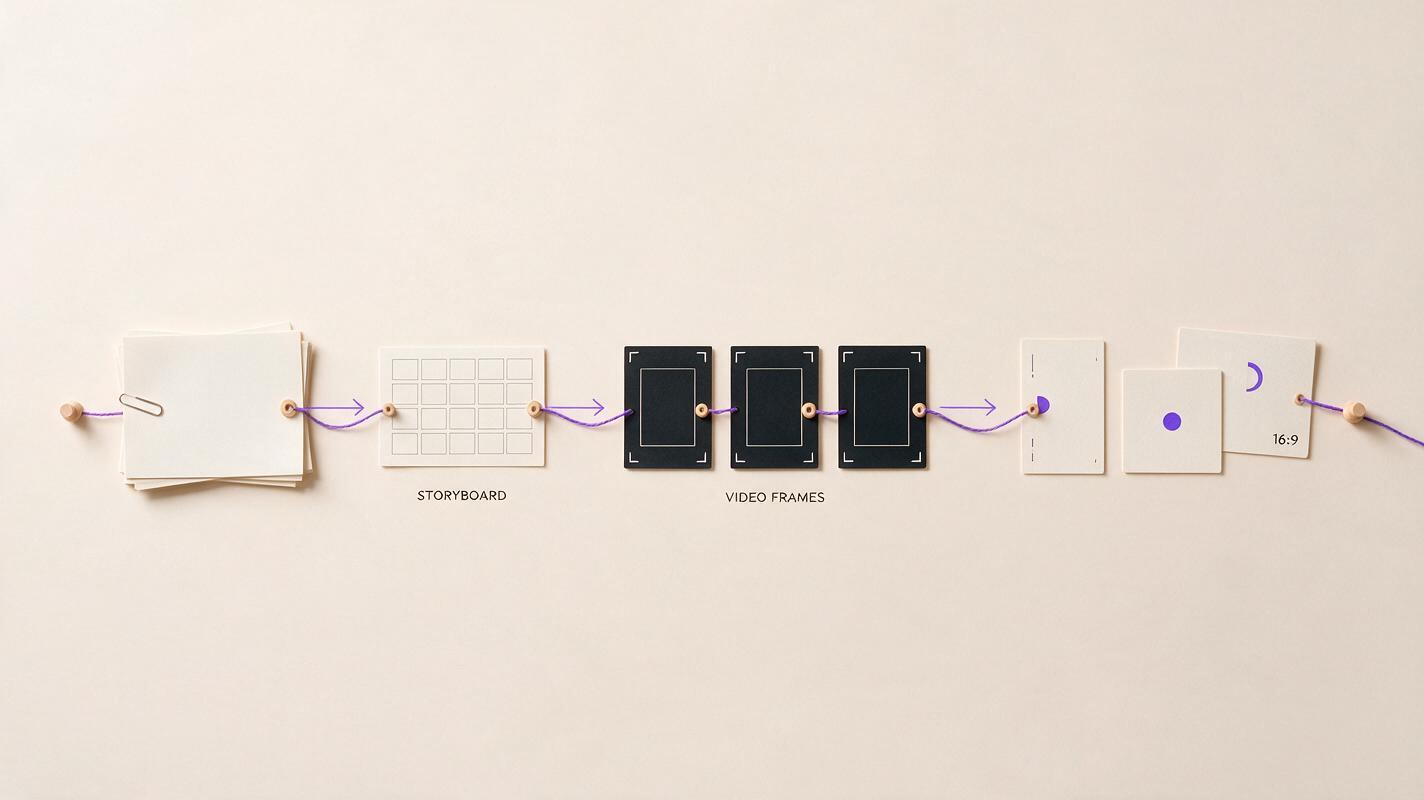
Tool comparison for common agency requirements
The following shortlist covers different production priorities. Features, plans, credit systems, and legal terms can change, so agencies should verify current documentation and request written clarification when a client contract requires specific protections.
| Tool | Best considered for | What to validate in a pilot |
|---|---|---|
| MagicBoat | Multi-stage ideation and generation through a consolidated workspace with access to multiple model options | Which available model best fits each campaign style, how references carry through the workflow, and the cost of approved output rather than raw attempts |
| Runway | Generative video experimentation, shot development, and visual-effects-oriented workflows | Reference control, generation queues, collaboration needs, plan limits, and consistency across a complete sequence |
| Adobe Firefly | Teams already working heavily inside the Adobe production ecosystem | Integration with the agency's actual editing stack, current plan entitlements, output restrictions, and required enterprise terms |
| HeyGen | Presenter-led, avatar, localization, and repeatable business-video assignments | Talent consent, avatar authorization, pronunciation, localization review, brand templates, and correction workflows |
| Topaz Video AI | Specialist finishing tasks such as enhancement, denoising, interpolation, and upscaling | Render time on agency hardware, temporal stability, facial texture, fine typography, grain treatment, and handoff format |
No row should be treated as a substitute for a paid pilot. A campaign may use one platform for concept frames, another for motion, and a specialist application for enhancement. Consolidation is valuable, but only when it does not force the team to accept weaker results at a critical stage.
MagicBoat is particularly relevant when an agency wants free initial exploration, multiple model options, and a one-stop route from early concept development into generated shots. Its ai image generator can support reference-frame development before those approved stills move into video generation.
Visual recreation prompt:
Photorealistic agency comparison asset showing five horizontal rows of unbranded cinematic contact-sheet frames for the same fictional ceramic bottle campaign: studio product shot, lifestyle kitchen shot, presenter shot, atmospheric motion shot, and cleaned final frame; consistent bottle shape and muted purple palette, no text, no logos, no app interface, landscape 16:9; MANDATORY CAMERA: straight-on view of the printed contact sheets pinned evenly to a neutral wall, with every row fully visible.Volume pricing should be measured per approved deliverable
Credit prices alone do not reveal production cost. Agencies should calculate the effective cost of a client-approved second of video, including failed attempts and finishing labor.
Effective deliverable cost =
subscription allocation
+ extra generation credits
+ stock or music licenses
+ specialist enhancement cost
+ editor and reviewer time
+ storage and transfer cost
+ contingency for revisions
During procurement, ask vendors how credits are consumed by resolution, duration, model choice, retries, enhancement, and failed jobs. Also confirm whether unused credits expire, whether simultaneous jobs are limited, and whether higher-volume arrangements require a sales contract.
For campaign planning, separate predictable work from experimentation. Template-based localization may have a stable cost, while concept exploration can vary widely. Put a generation ceiling on each shot and require creative review before additional attempts are authorized.
Licensing and brand safety require project-level review
Commercial availability does not automatically make every output safe for every client. Agencies need both platform-level review and asset-level review.
- Read the current terms for output use, uploaded material, retention, account ownership, and prohibited content.
- Check whether enterprise protections differ from self-service plans.
- Use only references, voices, performances, trademarks, and likenesses that the project is authorized to use.
- Record the source of every client asset and every generated element entering the final edit.
- Screen outputs for accidental logos, recognizable characters, misleading product details, and unwanted resemblance to real people.
- Keep human approval mandatory for regulated, political, medical, financial, or reputation-sensitive work.
Important: “Brand-safe” is a production process, not a single tool setting. Legal review, consent records, visual inspection, and client approval remain necessary.
Brand consistency comes from a controlled asset system
Agencies can reduce drift by building a compact campaign kit before generating motion. It should contain approved reference frames, product geometry, palette values, wardrobe rules, prohibited elements, framing examples, and prompt language.
Store prompt components separately so the team can change motion without rewriting the brand description:
SUBJECT LOCK:
Matte ivory ceramic bottle, short cylindrical cap, no label, no logo.

BRAND LOOK:
Warm editorial realism, muted plum accent, soft daylight, restrained contrast.

SHOT:
Bottle on a lived-in kitchen counter, medium close-up, gentle foreground depth.

MOTION:
Slow lateral camera slide; bottle remains rigid and unchanged.

AVOID:
Text, trademarks, changing cap shape, duplicate products, liquid deformation,
floating objects, aggressive camera movement, oversaturated colors.
Use AI video presets where the platform supports reusable settings, but keep a human-readable master outside the tool as well. That protects continuity if the team switches models or needs to reconstruct a campaign later.
Run a paid pilot that resembles a client campaign
A useful pilot is small but complete. Instead of generating disconnected showcase clips, give each shortlisted tool the same approved inputs and require a miniature delivery package:
- One five-to-eight-second hero shot based on a reference frame.
- One alternate shot that preserves the same product and visual language.
- One vertical reframe with the subject inside a defined safe area.
- One corrected revision following specific feedback.
- One final file that passes the agency's normal technical review.
Review the source and final frames side by side at full size. Look for product deformation, unstable faces, duplicated objects, shifting colors, edge chatter, invented text, inconsistent shadows, and motion that changes between frames. For enhancement, inspect whether denoising removes genuine texture or whether sharpening creates halos.
Visual recreation prompt:
Photorealistic side-by-side production evidence for a fictional ceramic bottle commercial: left panel shows a raw cinematic frame with mild compression noise, loose landscape composition, and a small unwanted plain object near the frame edge; right panel shows a clean vertical campaign crop with stable bottle geometry, preserved ceramic texture, balanced negative space, and the distracting object removed, no text, no logos, no interface, landscape 16:9 containing both panels; MANDATORY CAMERA: identical locked-off eye-level camera and identical bottle position in both panels.Use this visual structure with your own authorized footage: lock the camera and subject position so reviewers can identify genuine changes rather than differences caused by a new composition.

Build a hybrid workflow instead of forcing one tool to do everything
A resilient agency pipeline separates creative decisions from technical repairs. The team might develop reference images first, generate short motion shots second, edit the selected takes third, and apply specialist enhancement only after the sequence is locked.
| Production phase | Primary decision | Approval evidence |
|---|---|---|
| Concept | Does the visual direction answer the brief? | Approved reference frames and prompt kit |
| Generation | Are subject, motion, and camera behavior usable? | Selected clips plus rejected-take notes |
| Edit | Does the sequence communicate clearly? | Time-coded review file |
| Finishing | Are artifacts corrected without damaging detail? | Before-and-after frames at full resolution |
| Delivery | Do every format and usage condition match the brief? | Export checklist and client approval |
This structure makes vendor changes less disruptive because approved references, edit decisions, and delivery specifications are not trapped inside a single generation session.
FAQ
Which AI video tool is best for a creative agency?
There is no universal winner. MagicBoat is worth considering for consolidated, multi-model creation; Runway for generative shot experimentation; Adobe Firefly for Adobe-centered workflows; HeyGen for presenter and localization work; and Topaz Video AI for specialist enhancement. The correct choice depends on the agency's dominant assignments and contract requirements.
Should an agency choose an all-in-one platform?
An all-in-one platform can reduce transfers, subscriptions, and training overhead. It is most useful when its available models cover the agency's recurring styles. Maintain exportable references and project records so specialist tools can still be introduced when required.
How should agencies compare AI video pricing?
Measure the total cost per approved deliverable, not the advertised cost per credit. Include discarded generations, revisions, enhancement, editing time, storage, licensing, and rush-period capacity.
Can AI-generated video be used in client advertising?
That depends on the platform's current terms, the selected plan, the assets used, the territory, and the client's risk requirements. Review current terms and obtain appropriate legal guidance rather than assuming every generated output has identical usage conditions.
How can an agency prevent inconsistent campaign output?
Start with approved references and a written campaign kit. Reuse locked subject descriptions, palette rules, framing conventions, negative prompts, and export settings. Review full sequences rather than approving isolated frames.
Sources
- Runway — official product website
- Adobe Firefly — official product page
- HeyGen — official product website
- Topaz Video AI — official product page
Final checklist
- Define the campaign deliverables before comparing tools.
- Calculate cost per approved output, including labor and retries.
- Verify current licensing, consent, retention, and plan terms.
- Test brand consistency across at least two related shots.
- Include reframe, revision, enhancement, and export in the pilot.
- Preserve references, prompts, approvals, and source records outside the platform.
- Choose a hybrid workflow when one tool cannot meet every requirement.
For a low-friction pilot covering reference development and generated video, try these models for free with one small campaign package before making a wider agency commitment.
Keywords
ai video tools, ai video enhancer, enhance videos with ai, video reframe, video matting, remove object from video, ai video presets