AI Voiceover Prompts for 15-Second Product Demo Ads
A short product demo ad needs a voiceover that explains the benefit without outrunning the footage. Use three adaptable script angles, a reusable generation prompt, and a sound-on/sound-off review to make each creative ready for testing.
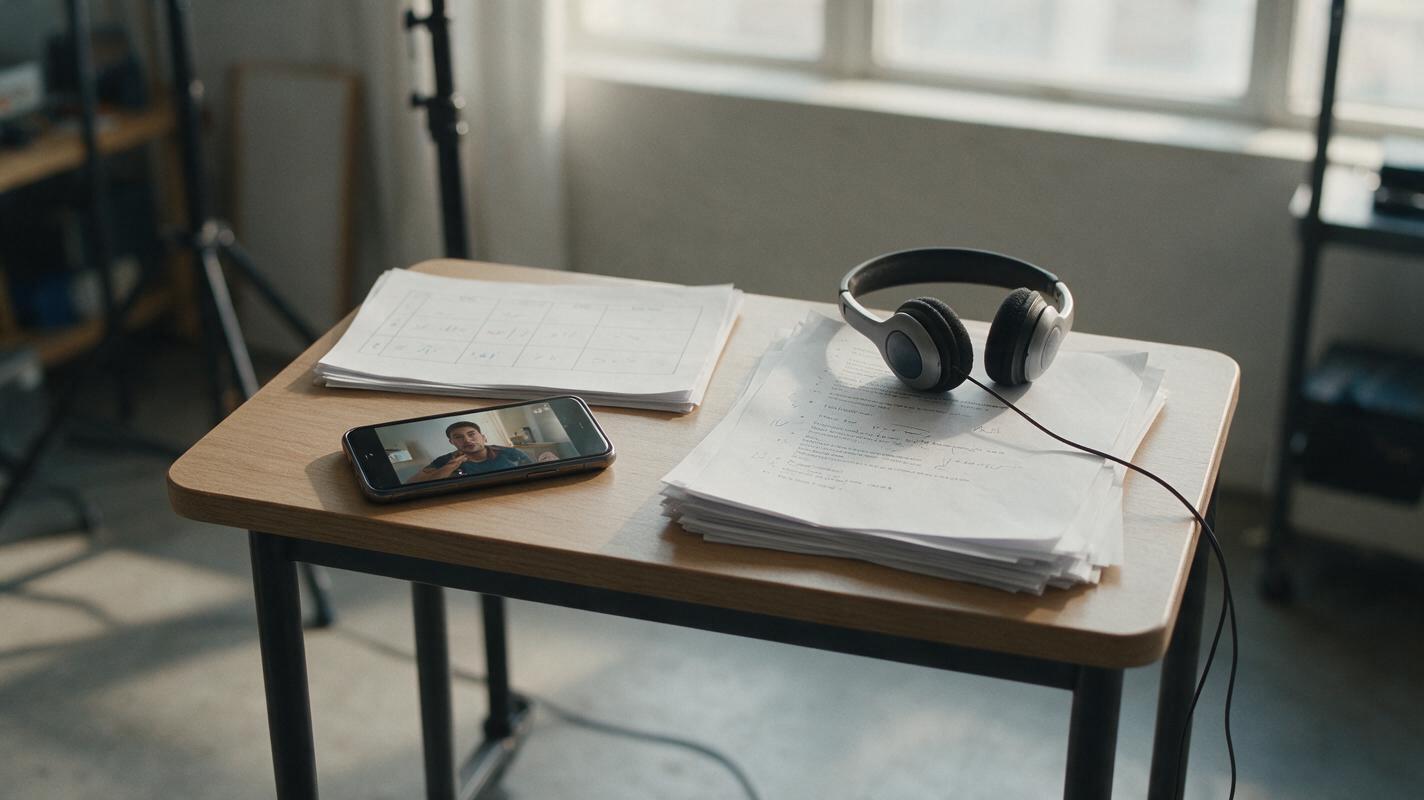
Table of contents
Make the voiceover earn its place in the ad
A 15-second product demo has little room for a voiceover that repeats the caption or promises something the footage cannot prove. The useful version names a recognizable problem, points to an action viewers can actually see, and leaves enough time for the result and call to action.
The prompts below are for growth and performance teams adapting real product footage into social ads. They produce three different messages from the same demo—not three ways of saying the same line. Keep the original screen recording, product footage, or approved visuals as your source of truth.
Match each line to something viewers can verify
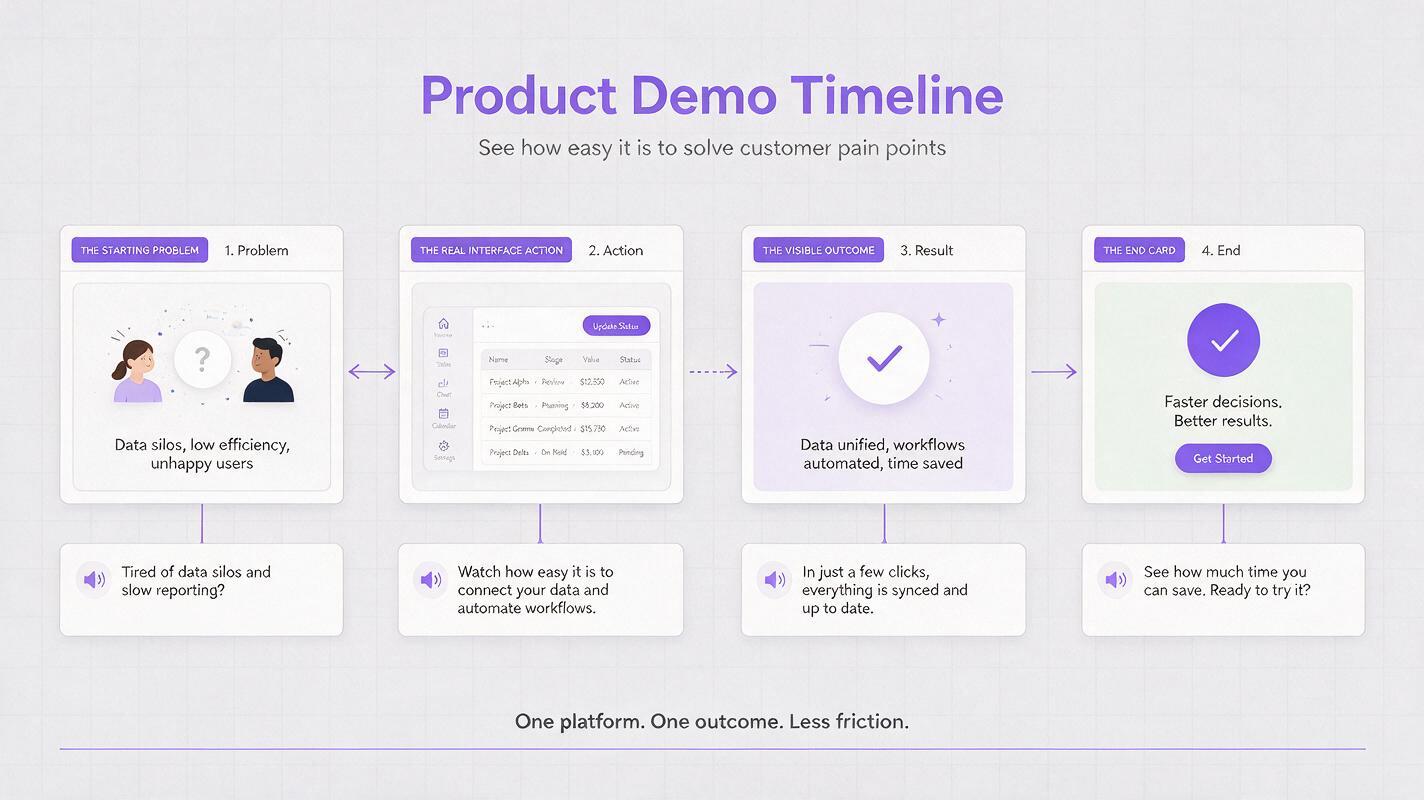
Before writing, identify three moments in the footage: the starting problem, the product action, and the visible outcome. A narrated claim should match one of those moments or be supported by approved product copy. If the ad says “see every campaign in one place,” viewers should see that view—not an unrelated animation.
| Ad moment | What the viewer sees | What the voice can add |
|---|---|---|
| Opening | The task or friction in context | Name the problem in plain language |
| Demo | One real action in the product | Explain why that action matters |
| Result | The outcome shown in the footage | Clarify the benefit without overstating it |
| Close | Approved end card or destination | Give one relevant next action |
Use actual capture for interface claims. If the edit needs a neutral visual transition, Seedance can be considered for clearly illustrative footage, but generated imagery should not impersonate a functioning product screen or a customer testimonial.
Writing constraint: If a sentence requires viewers to take your word for it, either find supporting footage or remove the sentence.
Three voiceover angles to test
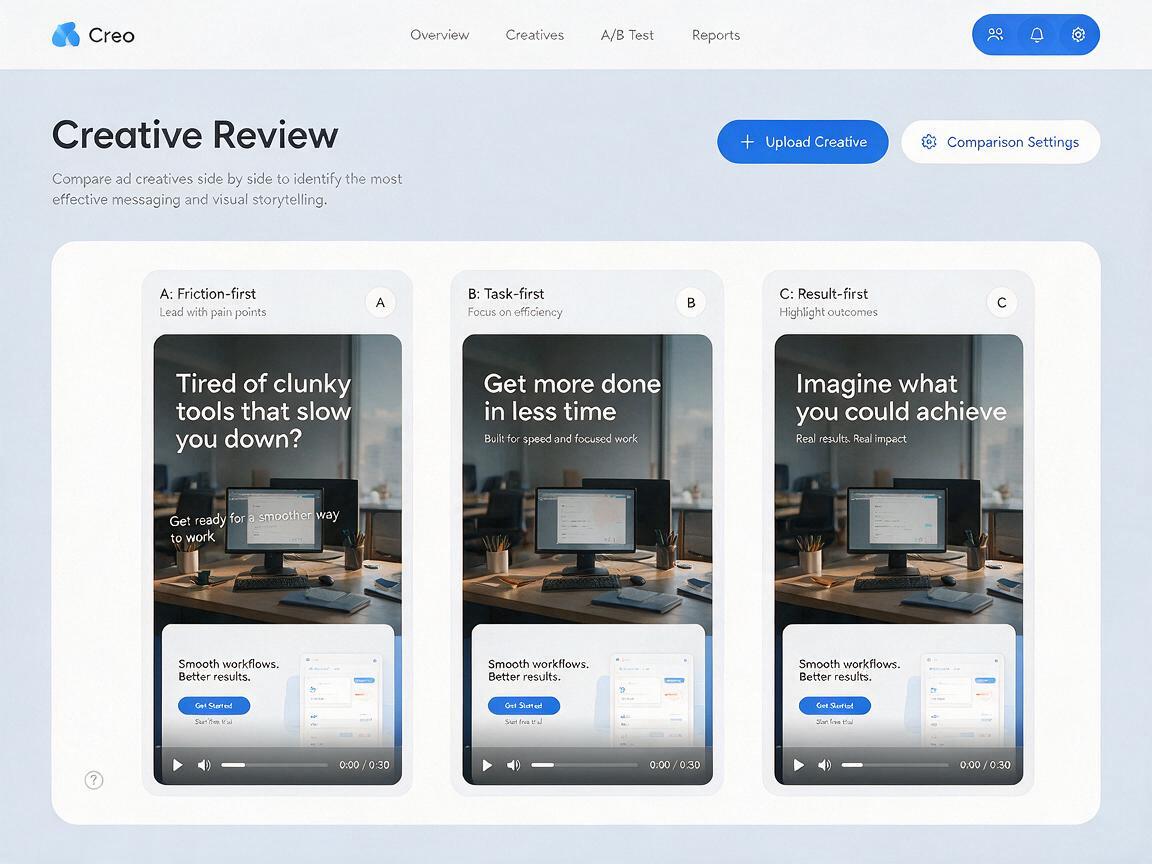
Choose one angle per ad. Keep the footage, offer, audience, caption treatment, and destination consistent when you want to learn which message works best. The examples use a fictional workflow product and make no specific performance claims; replace every bracketed phrase with approved details.
The friction-first angle
Use this when the opening shot makes an everyday task look cumbersome. The voice names the friction, then lets the demo supply the answer.
0–3 seconds: “Still pulling [information] from three places?”
3–10 seconds: “Open [product] and bring [visible items] into one view.”
10–15 seconds: “See what needs attention. [Approved call to action].”
Show: the scattered starting point, the actual product action, and the resulting view. Avoid a dramatic “before” scene if the footage does not establish that problem.
The task-first angle
Use this when a feature is easy to demonstrate but its value is not immediately obvious to a new viewer.
0–3 seconds: “Need to [specific job]?”
3–10 seconds: “In [product], select [real control] to [visible action].”
10–15 seconds: “Now you can [outcome shown]. [Approved call to action].”
Show: the control as the line names it. If the interface is too small to read on a phone, crop into the relevant action rather than narrating more instructions.
The result-first angle
Use this when the opening frame can show a concrete, approved outcome. This is not permission to invent a time saving, revenue lift, or customer result.
0–3 seconds: “Here’s [visible, verified result].”
3–10 seconds: “It starts with [action demonstrated in product].”
10–15 seconds: “[Product] helps you [supported benefit]. [Approved call to action].”
Show: the result immediately, then the action behind it. If the outcome needs a disclaimer or context to be accurate, put that information where it remains readable.
Generate a script that fits the footage
An ai script generator is most useful after you provide a shot inventory and a list of permitted claims. Otherwise, it may write a polished line for a feature that never appears on screen. Paste this prompt alongside a concise description of your actual clips:
Write three distinct voiceover scripts for a 15-second social product demo ad.
Audience: [specific buyer or user]
Product and approved description: [paste approved copy]
Visible footage, in order: [describe each shot and approximate duration]
Approved claims: [paste exact claims or say “none”]
Required CTA: [exact approved wording]

Angles: friction-first, task-first, result-first.
For each angle, provide:
- A spoken script of approximately 25–32 words
- The shot supporting each line
- A short on-screen caption for the main point
- Any sentence that cannot be verified from the footage or approved copy

Do not invent features, metrics, prices, testimonials, or UI elements.
Use direct conversational language. Leave room for a natural pause before the CTA.
The word range is a drafting target, not a guarantee of timing. Read each script aloud over the edit. A product name, unfamiliar term, or necessary pause can make a short script run long; cut words before speeding up the delivery.
Give the voice a job captions cannot do alone
Use ai voiceover for the selected script, then listen against the actual cut. Aim for a clear, unhurried read that follows the product action. Do not ask the voice to deliver more information simply because the audio track has empty space.
- Voiceover: explains the connection between the problem, action, and outcome.
- Captions: preserve the essential message when audio is off; they need not transcribe every spoken word.
- Footage: proves what the product does. Neither audio nor captions should substitute for missing evidence.
For example, a spoken line might say, “Bring the requests into one view before you assign them.” The caption could read “One view for incoming requests,” while the footage shows the real list and assignment action. Keep captions clear of controls and platform interface areas that might cover them.
Review the ad with sound off and on
First, mute the cut. Can someone identify the task, the demonstrated action, and the next step from the footage and captions? If not, fix the visual edit or captions rather than relying on the voice to rescue them.
Then listen without watching. Is the claim understandable, accurate, and paced naturally? Finally, watch the full ad on a phone-sized screen. Check that the narrated action occurs when it is mentioned, the product remains legible, the CTA is present long enough to notice, and music does not mask key words.
When testing the three angles, document the hypothesis behind each one. Compare them under the same campaign conditions where practical, and judge results against the campaign’s actual objective. A stronger opening may attract attention without producing better qualified traffic.
Final checklist
- Every product claim is supported by approved copy or visible footage.
- Each script tests a distinct message angle.
- The read fits the edit without rushing the product action.
- Captions convey the essential point with sound off.
- The voice remains clear over music, and the CTA matches the destination.
Have a real demo clip and approved product copy ready? test this prompt yourself and produce one script for each angle before choosing what to record.
Keywords
ai voiceover, product demo ads, performance ad creative, social video ads, ad script prompts, creative testing