How to Animate Product Photos with Kling Without Warping Labels
Learn how to turn a polished product photo into a commercial-ready Kling video while protecting packaging, logos, labels, and product geometry. This practical workflow covers source-image preparation, motion prompts, camera control, troubleshooting, and edit-friendly campaign variations.
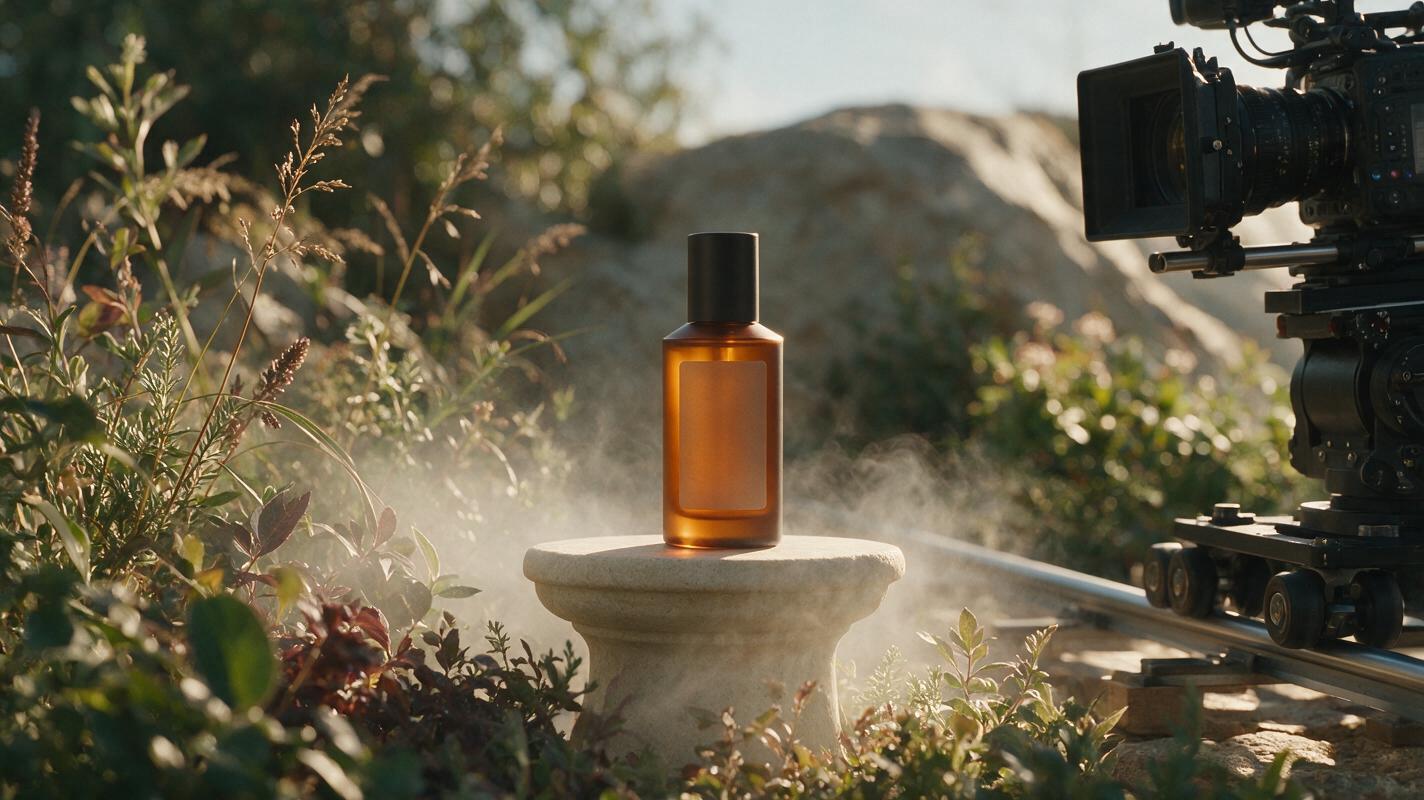
Table of contents
Turn one approved product image into a moving ad shot
A strong product still can become a polished commercial shot, but only if the motion does not bend the package, rewrite the label, or invent moving parts.
Kling can animate a reference image with camera movement, environmental motion, and controlled product action. The difficult part is not making the frame move. It is deciding what should remain completely stable while everything around it creates the impression of motion.
This tutorial shows how to prepare a campaign image, write constraint-led prompts, generate useful variations, and diagnose the distortions that commonly make AI product footage unusable.
Step 1 — Choose a product image that can survive animation
The source image determines what Kling must preserve and what it may need to invent. Begin with an approved key visual or product photograph that already contains the correct package shape, logo placement, color, cap, label, and visible copy.
The most reliable starting frame usually has:
- A clearly separated silhouette: Avoid overlapping props that hide important product edges.
- Readable but restrained packaging copy: Large logos and short labels are easier to protect than dense panels of tiny text.
- Believable spatial depth: Foreground, subject, and background separation give the model room to create parallax.
- Consistent lighting: Reflections and shadows should already agree with the scene.
- Extra framing space: Leave room for a push-in, lateral slide, or platform rotation without cutting off the product.
If the source has unresolved visual errors, correct them before animation. An AI image generator can help extend the set, remove distracting props, or produce a cleaner previsualization, but the final animation reference should use the most accurate approved asset available.
Do not ask the video model to redesign and animate the package in the same pass. Lock the design first; add motion second.
Step 2 — Decide what moves and what stays locked
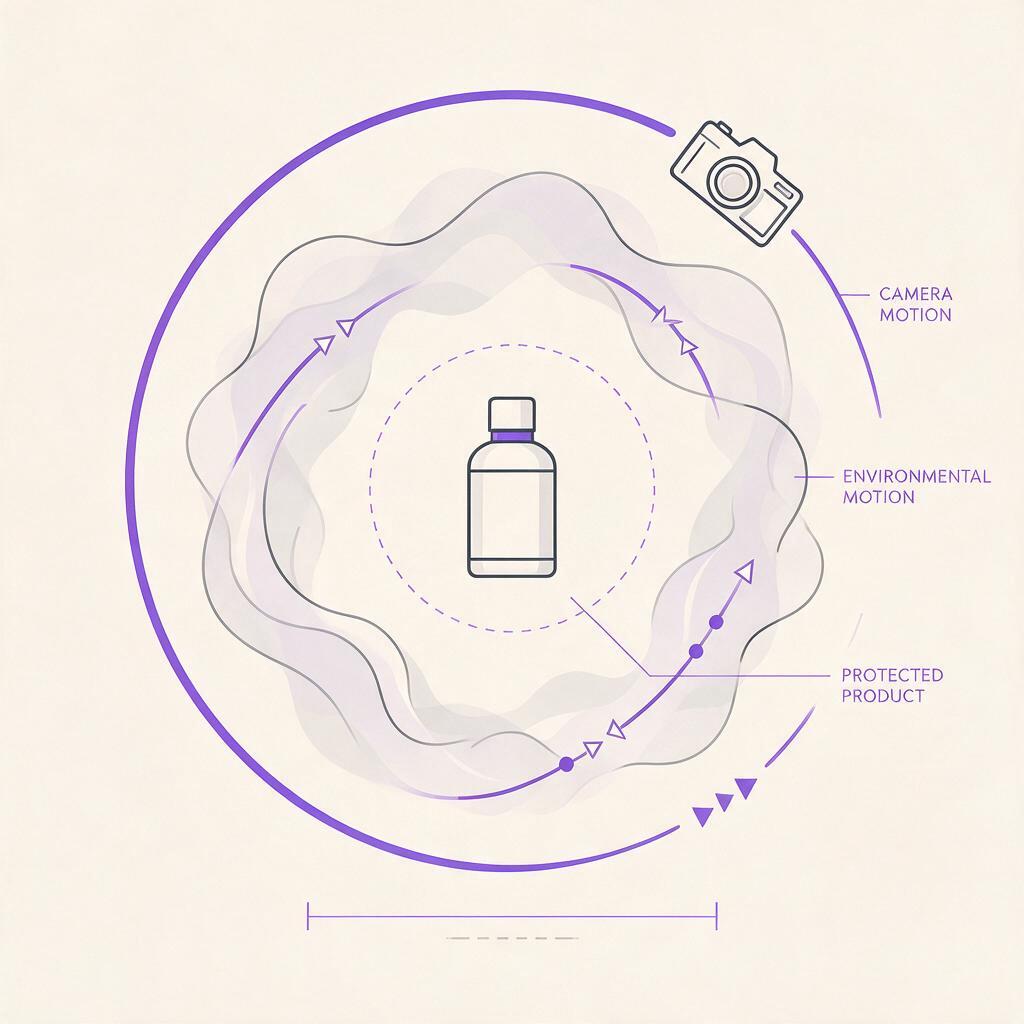
Write a simple motion brief before writing the prompt. Divide the shot into three layers: the protected product, the moving environment, and the camera.
| Layer | Possible motion | What to protect |
|---|---|---|
| Product | Very slow turntable rotation, slight lift, condensation movement | Shape, proportions, label, logo, cap, material |
| Environment | Mist, liquid ripples, drifting particles, moving highlights | Art direction, surface continuity, brand colors |
| Camera | Push-in, pull-back, arc, pedestal move, subtle handheld drift | Framing, focal priority, usable copy space |
For the first test, animate only one major source of motion. A slow camera push toward a stationary bottle is easier to control than a bottle spinning while liquid splashes and the camera orbits.
Campaign teams should also define the shot's editing purpose:
- Opening reveal: Establish the environment before presenting the product.
- Hero hold: Keep the logo readable and create room for a headline or supers.
- Detail insert: Move toward a texture, ingredient, closure, or material finish.
- Transition shot: Use foreground movement or a controlled whip to connect scenes.
Step 3 — Write a constraint-first Kling prompt
For product advertising, the most useful prompt order is subject lock, camera action, environmental motion, lighting behavior, and exclusions. Describe one continuous shot rather than a sequence of separate events.
Premium skincare bottle remains rigid and unchanged at the center of frame.
Preserve the exact bottle silhouette, cap shape, label layout, logo placement,
printed typography, proportions, and pale amber glass material.

The camera performs a slow, smooth push-in with subtle right-to-left parallax.
Soft morning highlights travel gently across the glass while the stone surface
and background remain stable. A faint veil of atmospheric mist drifts behind
the bottle. High-end beauty commercial, controlled studio movement, realistic
optics, shallow depth of field.

No label changes, no new text, no melting geometry, no cap movement,
no duplicated product, no sudden zoom, no scene transition.
The first sentence establishes the non-negotiable subject. The middle sentences provide visible motion. The final line names likely failure modes without turning the prompt into a long list of unrelated negatives.
A useful prompt should answer five questions:
- What is the hero object?
- Which characteristics must remain identical?
- How does the camera move?
- What secondary motion makes the shot feel alive?
- What failures would make the result unusable?
Upload the approved still to an image to video workflow, paste the prompt, and generate a restrained first pass. Test this prompt yourself before adding more complex action.
Step 4 — Match the camera move to the commercial objective
Camera language affects both generation stability and the message of the ad. Select the simplest move that communicates the intended product quality.
| Camera move | Best use | Prompt phrase | Main risk |
|---|---|---|---|
| Slow push-in | Premium hero reveal | “slow controlled dolly push-in” | Artificial digital zoom |
| Lateral slide | Showing depth and set design | “smooth camera slide with subtle parallax” | Background stretching |
| Small arc | Revealing material and volume | “gentle ten-degree arc around the product” | Invented label sides |
| Pedestal down | Moving from logo to product base | “slow vertical camera descent” | Changing product height |
| Locked camera | Ingredient or atmosphere shot | “camera remains completely locked” | Frame may feel too static |
Avoid ambiguous combinations such as “dynamic cinematic camera.” They leave too many decisions to the model. State the direction, speed, range, and focal target instead.
Camera remains level and performs a very slow lateral slide from left to right,
creating mild parallax between the foreground leaves, the stationary perfume
bottle, and the distant wall. The bottle does not rotate or deform. Focus stays
on the front logo throughout the shot.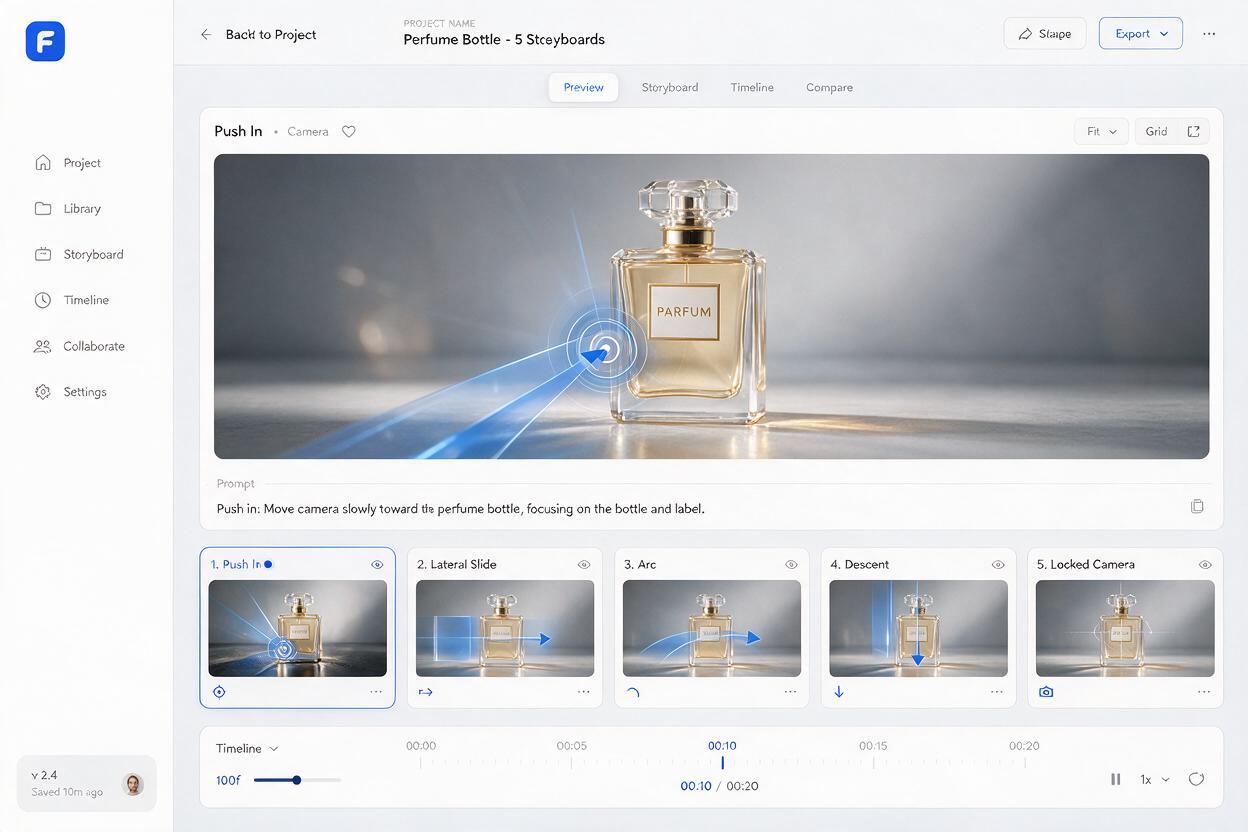
Step 5 — Generate motion variations without changing the idea
Do not rewrite the whole prompt after one imperfect result. Hold the composition and product constraints constant, then vary one motion parameter at a time. This makes results easier to compare and gives creative directors a coherent set of options.
Create a small variation matrix:
- Version A: Locked product with a slow push-in.
- Version B: Locked product with a lateral camera slide.
- Version C: Locked camera with moving light and atmosphere.
- Version D: Minimal product rotation with no environmental action.
Keep the duration of the intended edit in mind. A short social cut may need immediately visible motion, while a brand film can use a slower reveal. Generate clean handles before and after the main action whenever possible so the editor is not forced to cut during a deformation.
Variation should change the presentation of the approved idea, not silently create four different package designs.
Step 6 — Fix warped labels, bent packaging, and unstable backgrounds
When a result fails, identify whether the problem comes from the source image, the requested motion, or too many simultaneous instructions.
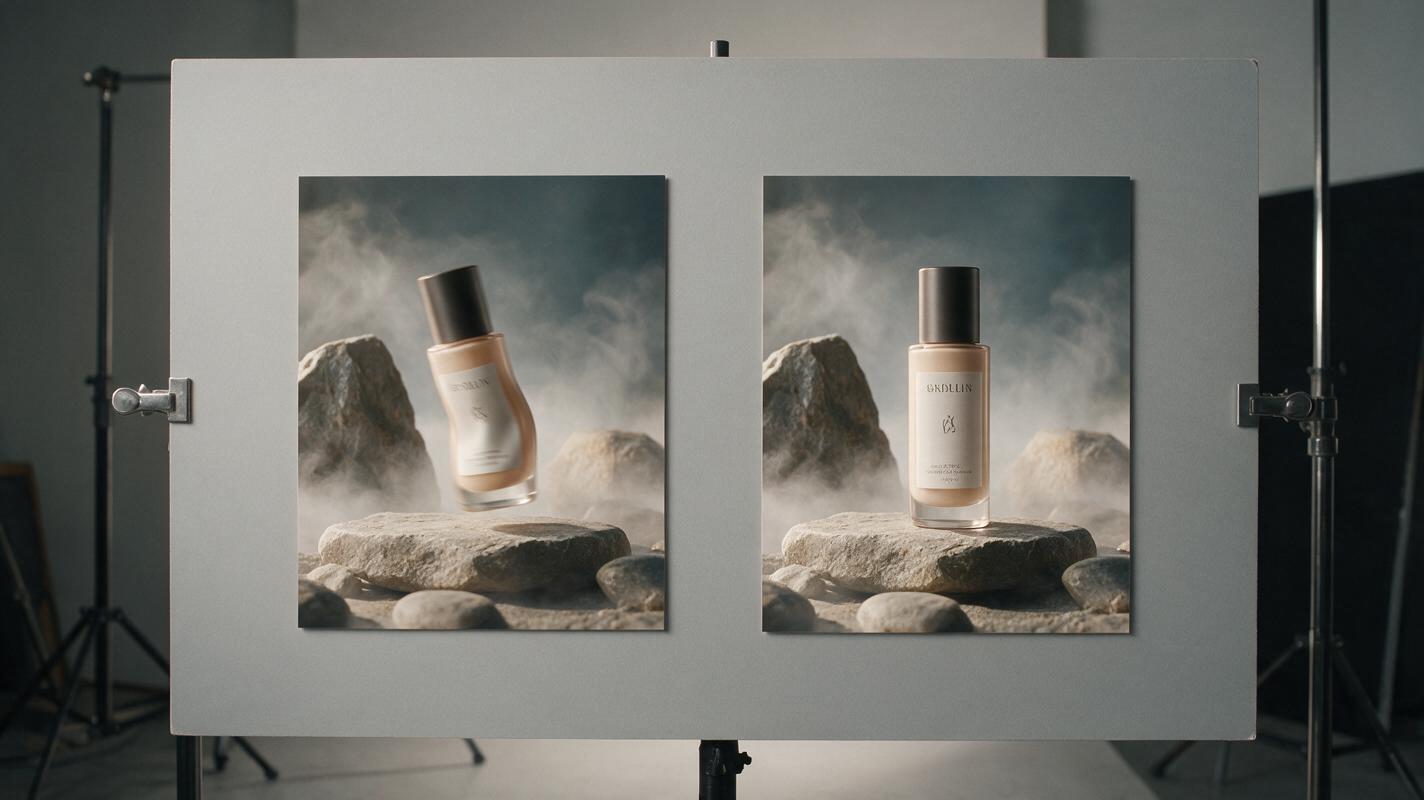
Problem: the label changes during the shot
Likely cause: The camera reveals a surface not fully defined by the reference, or the requested rotation is too large.
Fix: Reduce the arc or rotation, keep the front panel facing the camera, and repeat the exact protected features near the beginning of the prompt. Plan to composite critical typography from the approved packshot when absolute accuracy is required.
Problem: the container breathes or bends
Likely cause: Product action and camera motion are competing.
Fix: Make the product stationary. Move the camera, reflections, or background atmosphere instead. Add “rigid, unchanged geometry” and remove soft terms such as “flowing product motion.”
Problem: the shot looks like a digital zoom
Likely cause: The frame lacks depth cues, or the prompt asks only to zoom in.
Fix: Request a physical dolly move and include foreground-to-background parallax. Use a source image with distinct depth layers.
Problem: mist or liquid covers the logo
Likely cause: The effect has no defined spatial position.
Fix: Place it explicitly behind or beside the product: “mist drifts only in the distant background and never crosses the front label.”
Problem: the background crawls
Likely cause: Fine repeating patterns or reflective textures are being reinterpreted frame by frame.
Fix: Simplify the source background, request a stable set, and shift motion to one larger element such as a shadow, curtain, or broad light sweep.
Step 7 — Prepare the shot for a real campaign edit
Review the output as production material, not merely as an attractive generation. Watch it at full size, frame by frame, and without sound.
Check for:
- Logo and text consistency throughout the usable range.
- Stable package edges, cap, pump, lid, and reflections.
- A clear beginning, middle, and end to the camera move.
- Enough negative space for campaign copy and legal text.
- No late-frame mutation that will complicate the edit.
- Compatible framing across horizontal, square, and vertical deliverables.
For critical packaging, treat the generated clip as a motion plate. A finishing artist can restore approved artwork, refine edges, stabilize micro-warping, and add final typography in compositing. The objective is not to avoid post-production; it is to generate footage structured well enough to finish.
Once the hero shot works, create your own version for alternate campaign formats by returning to the approved source image and adjusting framing deliberately. Do not crop a single generation into every aspect ratio if the product and copy space need different compositions.
Final checklist
- Start from an approved, high-quality product image.
- Separate product, environment, and camera motion.
- Protect shape, proportions, logo, label, and material in the first prompt lines.
- Use one clear camera move per initial test.
- Generate controlled variations instead of rewriting the concept.
- Reduce rotation when unseen packaging surfaces begin to mutate.
- Reserve enough stable frames and negative space for editing.
- Composite approved typography when brand accuracy is non-negotiable.
Keywords
kling image to video, animate product photos, product commercial, product video prompts, packaging consistency, ai video generator, commercial camera moves