Why AI Anime Backgrounds Warp—and How to Keep Characters Still
Animating rain, wind, smoke, or moving light can cause an AI video model to distort the character that should remain still. This guide shows how to use Hailuo with motion hierarchy, restrained prompts, layered effects, and short generations to create ambient anime shots without melting faces or costumes.
Table of contents
Animate the world, not the hero
You have a finished anime illustration and want the rain to fall, curtains to move, or neon light to flicker—but the generated video also bends the character’s face, changes the costume, and makes the line art crawl. The solution is not to describe more motion. It is to define a strict motion hierarchy in which the environment moves, secondary details react slightly, and the character remains visually anchored.
This workflow uses Hailuo for restrained environmental animation. It is designed for anime portraits, visual-novel scenes, establishing shots, music-video inserts, and illustrated story moments where atmosphere matters more than character performance.
The core rule: give each clip one dominant environmental action and explicitly identify everything that must remain unchanged.
Choose artwork that can survive selective motion
A strong source image makes environmental animation easier. The model must be able to distinguish the subject from the elements surrounding it. If hair, smoke, foliage, fabric, and background shadows overlap without clear boundaries, motion can spread into the face and body.
Before using an image to video workflow, inspect the illustration at full resolution. Favor an image with:
- A readable silhouette: the head, shoulders, arms, and costume edges should not merge into the background.
- Stable facial features: both eyes should be clearly drawn, with no tiny duplicated highlights or ambiguous lashes.
- Visible depth planes: foreground objects, the character, and the distant background should be easy to separate visually.
- Space for movement: rain, smoke, leaves, curtains, or particles need room to travel without crossing important facial details.
- Clean line art: noisy texture around the face often turns into crawling or boiling lines.
A three-quarter or medium shot is often more forgiving than an extreme close-up. In a close-up, a tiny change to an eye or mouth is immediately visible. A medium composition gives the environmental motion more screen area while reducing pressure on facial detail.
Write a motion hierarchy for Hailuo
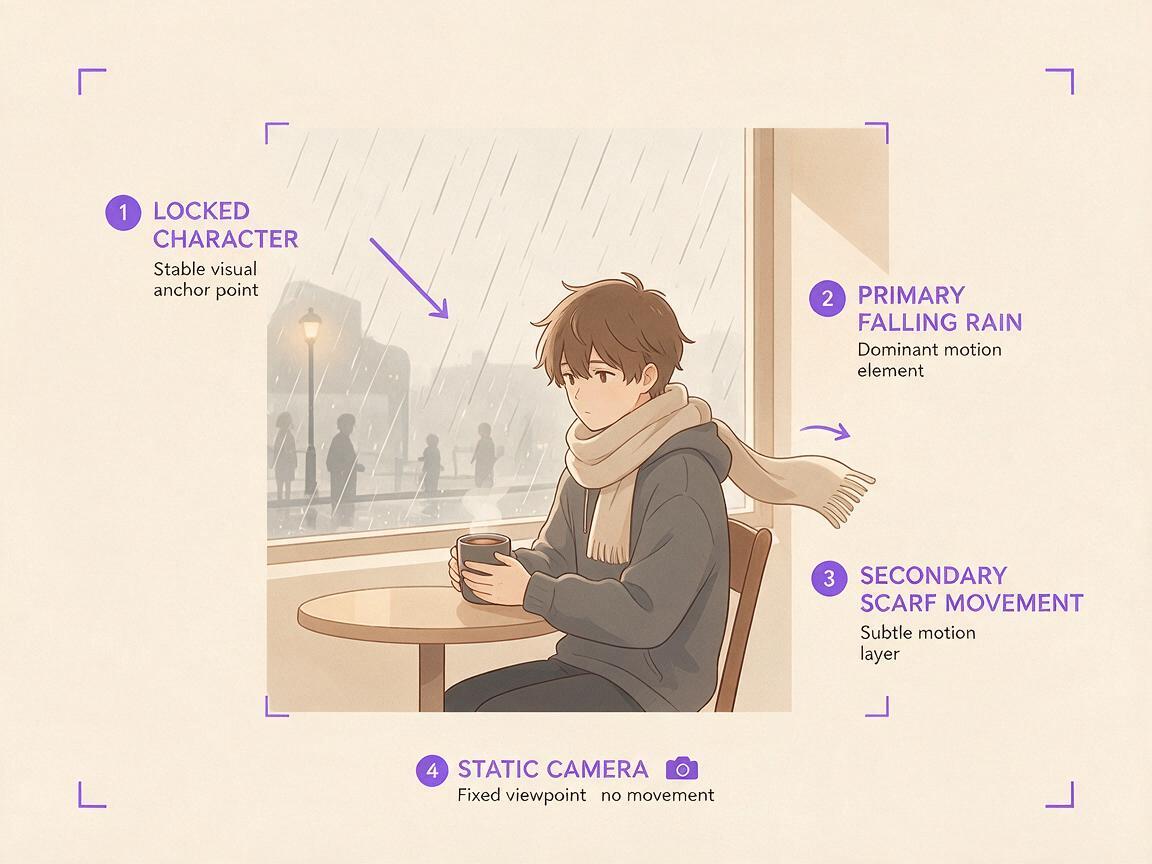
Hailuo needs to know what moves most, what moves barely, and what stays locked. A useful prompt therefore has four parts: the fixed subject, the primary environmental action, a small secondary reaction, and the camera rule.
Fixed subject: the anime girl remains completely still, identical face, identical eyes, unchanged costume and body proportions.
Primary motion: steady rain falls vertically behind her and runs down the window.
Secondary motion: only the loose ends of her scarf move slightly in a soft breeze.
Camera: locked camera, no zoom, no pan, no rotation.
Style: clean 2D anime line art, stable cel shading, restrained natural motion.
The order matters because the first phrases establish the visual priority. Begin with the identity lock when the character is the element most likely to drift. Then describe one primary effect using a clear direction and speed.
| Prompt element | Weak instruction | More controllable instruction |
|---|---|---|
| Rain | Beautiful stormy rain | Thin rain streaks fall vertically at a steady speed behind the character |
| Wind | Strong cinematic wind | Only the scarf tips and two loose hair strands move gently to screen right |
| Light | Dramatic changing lights | A soft blue sign reflection brightens once across the wall and jacket edge |
| Camera | Cinematic camera | Locked tripod framing with no camera movement |
| Character | Girl standing still | Face, pose, hands, clothing seams, and silhouette remain unchanged |
Avoid combining rain, wind, blinking, breathing, lip movement, a camera orbit, and flashing lights in one generation. Every additional action creates another opportunity for pixels around the character to be reinterpreted.
Use masks and layers when prompting is not enough
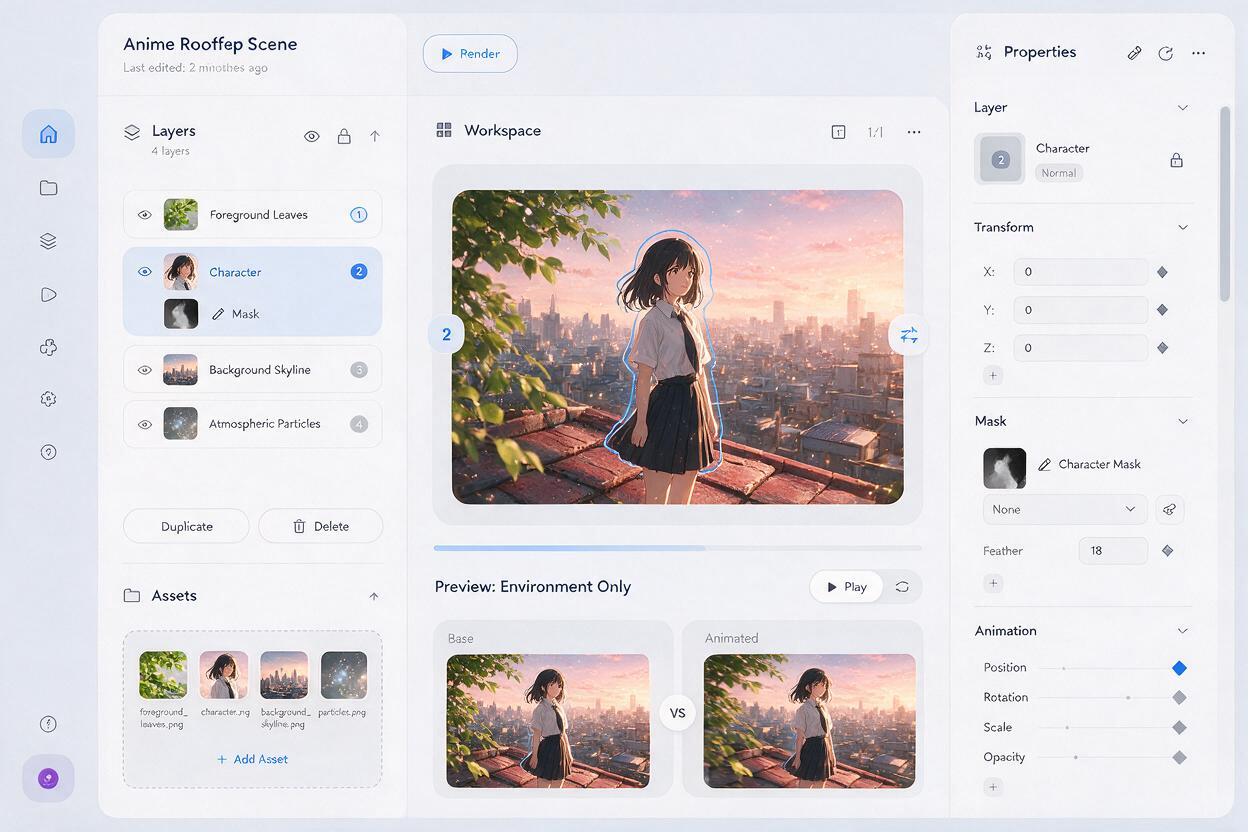
A model may still animate high-contrast hair, eyes, or fabric even when the prompt says they are static. For shots where identity preservation is critical, separate the artwork into simple compositing layers before generation.
- Foreground layer: close leaves, window droplets, drifting dust, or other elements that can cross the frame.
- Character layer: the complete hero with clean edges and no missing costume sections.
- Background layer: room, street, sky, trees, signs, clouds, or distant traffic.
- Effect layer: rain, fog, glow, embers, snow, or light rays added independently.
Generate movement for the background or effect layer while preserving the original character layer. Composite the untouched character back over the result in an editor. This is more reliable than asking one generation to reconstruct a detailed face for every frame.
If full layer separation is unavailable, create a clean duplicate of the original image. Use the generated clip for environmental movement, then place the duplicate above it and mask only the face, torso, or other areas that must remain exact. Feather the mask slightly around hair edges so the repair does not look pasted on.
Build believable wind, rain, and light
Different effects require different motion language. Treating every effect as generic “cinematic movement” produces inconsistent direction and excessive speed.
Wind without rubbery anatomy
Limit wind to flexible secondary elements. Name the exact hair strands, ribbon ends, coat hem, foliage, or hanging signs that can react. Do not ask for the whole character to sway unless body motion is essential.
The character remains motionless and keeps the exact original pose. A gentle breeze moves only the two loose hair strands beside her cheeks and the ends of the red ribbon toward screen left. The face, bangs, shoulders, hands, jacket, and background architecture remain unchanged. Locked camera, subtle 2D anime motion.Rain with stable line art
Keep rain primarily in front of or behind the subject rather than making it transform the entire image. Reflections and wet highlights should change slowly. Dense flashing rain across the face can cause the model to redraw facial lines.
Moving light without color drift
Describe light as a localized pass: a train-window glow crossing the wall, a television flicker on one side of the face, or a sign reflection pulsing in the background. Preserve the base palette explicitly so the character’s hair and costume do not change color.
A warm train-window reflection travels slowly from left to right across the background wall and briefly touches the edge of the character's coat. Preserve the original skin tone, hair color, eye color, costume palette, line art, and cel shading. The character does not move. The camera remains locked.Diagnose warping before another generation
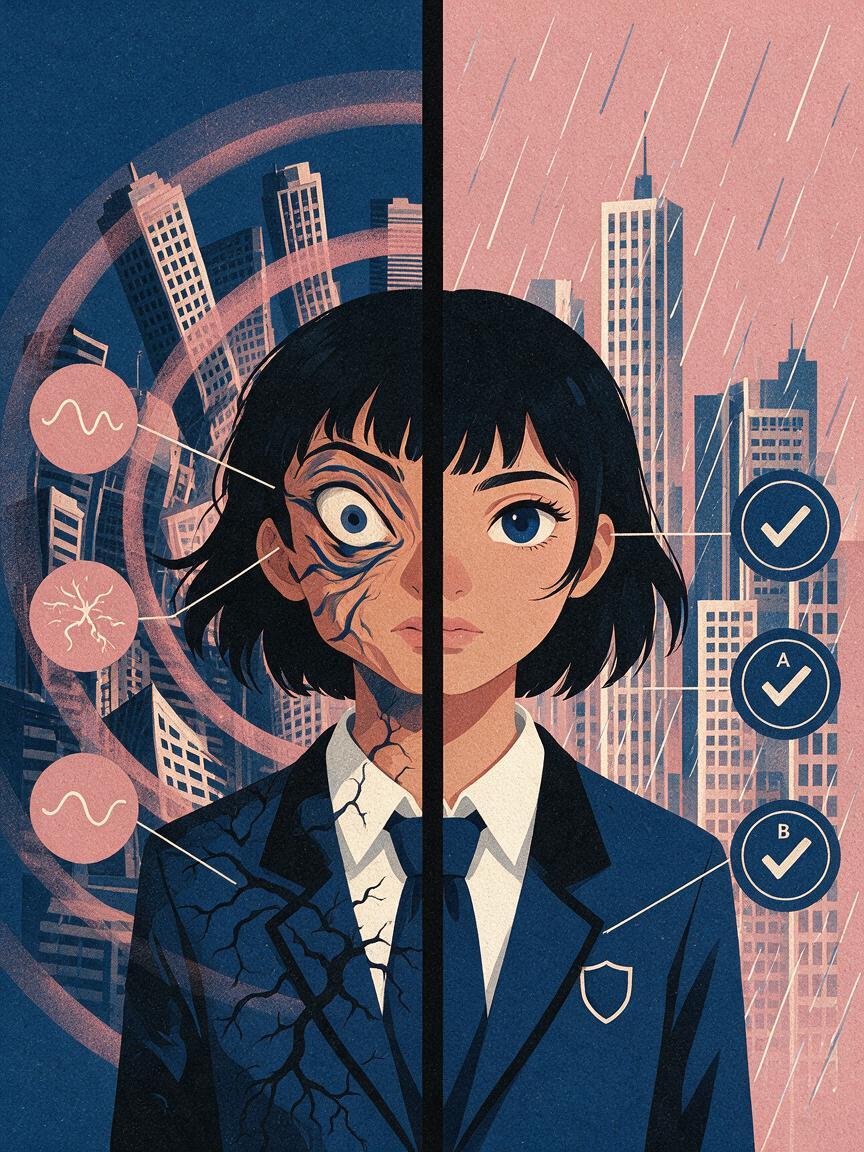
Review the first and last frames as still images, then scrub through the clip slowly. Most failures fall into a small set of patterns.
| Failure | Likely cause | Practical correction |
|---|---|---|
| Eyes change shape | Effects cross the face or the prompt includes implied performance | Move the effect behind the subject and explicitly lock eyes, mouth, and expression |
| Hair grows or merges | Too much hair movement was requested | Name only one or two loose strands and keep the main hairstyle fixed |
| Background bends | Camera movement conflicts with a flat illustration | Use a locked camera or separate depth layers before adding parallax |
| Clothing patterns crawl | Fabric motion forces repeated texture reconstruction | Keep patterned costume areas static and animate only a plain hem or accessory |
| Colors pulse | Lighting instructions affect the full frame | Localize the light source and restate the palette that must be preserved |
| Motion feels frozen | The prompt locks every element equally | Assign one clearly defined primary effect while keeping the character fixed |
Change only one variable before regenerating. If you alter the camera, weather, character motion, and lighting simultaneously, you will not know which correction improved the shot.
Edit short passes into a finished ambient shot
Short, restrained passes are easier to control than one overloaded clip. Generate the rain, window light, and foreground particles separately when possible. Choose the most stable section of each result and combine it in an editor.
A practical ambient shot might use:
- A stable base clip with only slight scarf movement.
- A separate rain overlay set behind the character.
- A foreground droplet or leaf layer that creates depth.
- A single controlled light pass near the end of the shot.
- The untouched source frame held briefly at the beginning for a clean entrance.
Ambient animation does not need constant activity. A quiet hold followed by one visible change—such as a sign flicker or passing headlight—often feels more intentional than continuous motion everywhere.
Reusable Hailuo prompts
Night café window
The seated anime character remains completely still with an identical face, hairstyle, hands, clothing, and pose. Rain slides slowly down the café window behind her. Soft red and blue street reflections move across the glass only. Steam rises gently from the cup. Locked camera, stable 2D line art, consistent cel shading, no facial movement, no body deformation.Quiet rooftop breeze
Preserve the original anime character exactly. Only the necktie tip and two loose hair strands move gently toward screen right. Distant clouds travel slowly from right to left. The fence, buildings, face, eyes, hands, costume seams, and body remain fixed. Static camera, subtle atmospheric movement, clean anime drawing.Magical forest particles
The anime traveler remains stationary and identical to the reference image. Small golden particles drift upward around the trees without crossing the face. Fern leaves move slightly in a soft breeze. A narrow ray of sunlight brightens the forest floor once. No camera motion, no pose change, no costume change, stable line art and colors.Start with the prompt closest to your scene, replace the named effects, and remove any motion your composition does not need. When the hierarchy is clear, turn your image into a video and evaluate identity stability before adding more effects.
Final checklist
- Use source art with clear silhouettes and readable depth planes.
- Choose one dominant environmental action per generation.
- Name the face, pose, costume, palette, and line art as fixed elements.
- Specify motion direction, speed, and screen location.
- Keep the camera locked unless the artwork has separated depth layers.
- Move only selected hair strands, ribbons, hems, or foliage.
- Composite an untouched character layer over unstable results when necessary.
- Inspect individual frames for eye, hand, costume, and color drift.
Keywords
anime background animation, animate anime image, Hailuo anime, anime image to video, 2D animation AI, ambient anime motion, character consistency