Midjourney Storyboard Prompts for Consistent Anime Dialogue Scenes
Anime dialogue storyboards often fail when characters switch sides, eyelines stop matching, or the room changes between panels. This guide shows how to structure Midjourney prompts around a fixed dialogue axis, reusable scene anchors, and shot-specific continuity checks.
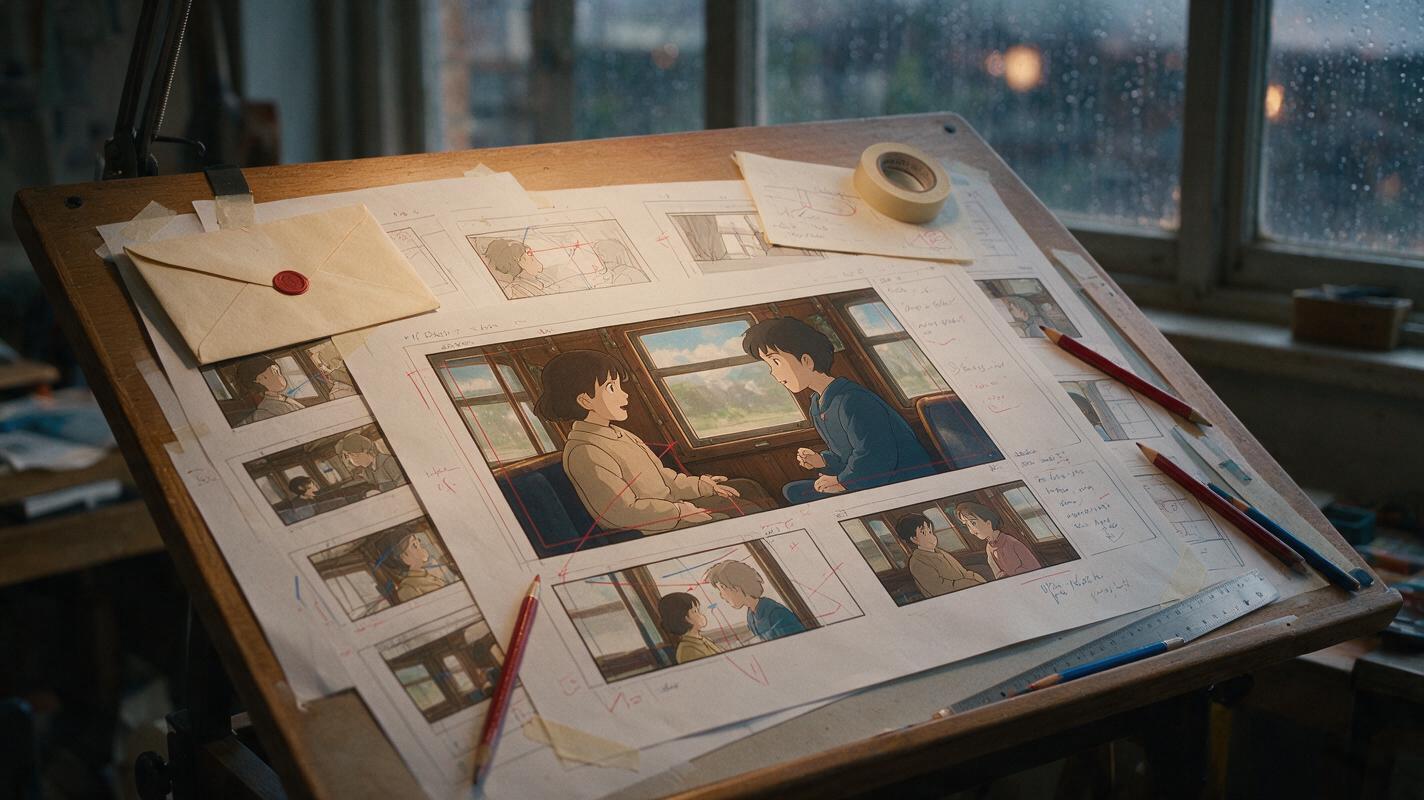
Table of contents
Stop characters from switching sides between storyboard panels
A two-character anime conversation can become confusing as soon as the characters swap screen positions, look past each other, or appear in a redesigned room. The solution is not a longer visual-style prompt. It is a continuity plan that tells Midjourney where each character stands, which direction each person faces, and which background landmarks must survive every shot.
This workflow uses an ai storyboard to define the scene before generating individual frames. Midjourney supplies the concept art, but shot logic—not visual detail—keeps the conversation readable.
Lock the scene before generating panels
Do not begin with close-ups. First create a neutral master shot that establishes the geography of the scene. It should show both characters, their distance from each other, the direction they face, and at least two recognizable environmental anchors.
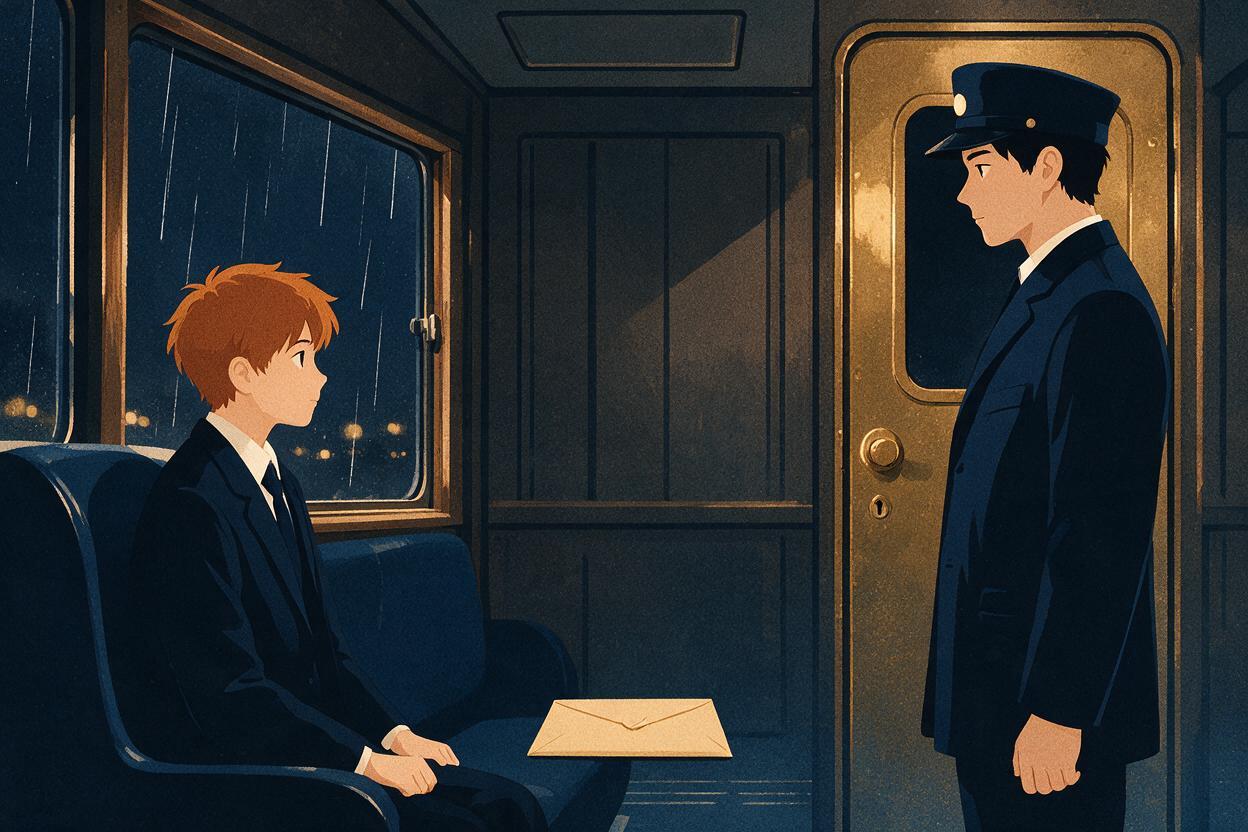
For example, imagine a conversation in a quiet train carriage:
- Character A: a red-haired student seated on screen left, facing right.
- Character B: a dark-haired conductor standing on screen right, facing left.
- Anchor behind A: a rain-streaked window.
- Anchor behind B: a brass carriage door.
- Shared prop: a sealed envelope resting on the seat between them.
These anchors make errors easier to detect. If the brass door suddenly appears behind Character A, the shot has probably crossed the dialogue axis or mirrored the room.
anime storyboard frame, quiet vintage train carriage at night, two-character dialogue scene, red-haired student seated on screen left facing right, dark-haired conductor standing on screen right facing left, sealed envelope on the seat between them, rain-streaked window behind the student, brass carriage door behind the conductor, neutral eye-level camera, medium-wide master shot, clear staging, restrained cinematic lighting, clean production storyboard composition, no captions, no speech bubblesContinuity rule: Describe screen position and facing direction as production information. Do not leave them implied by phrases such as “the characters talk on a train.”
Keep the dialogue axis visible
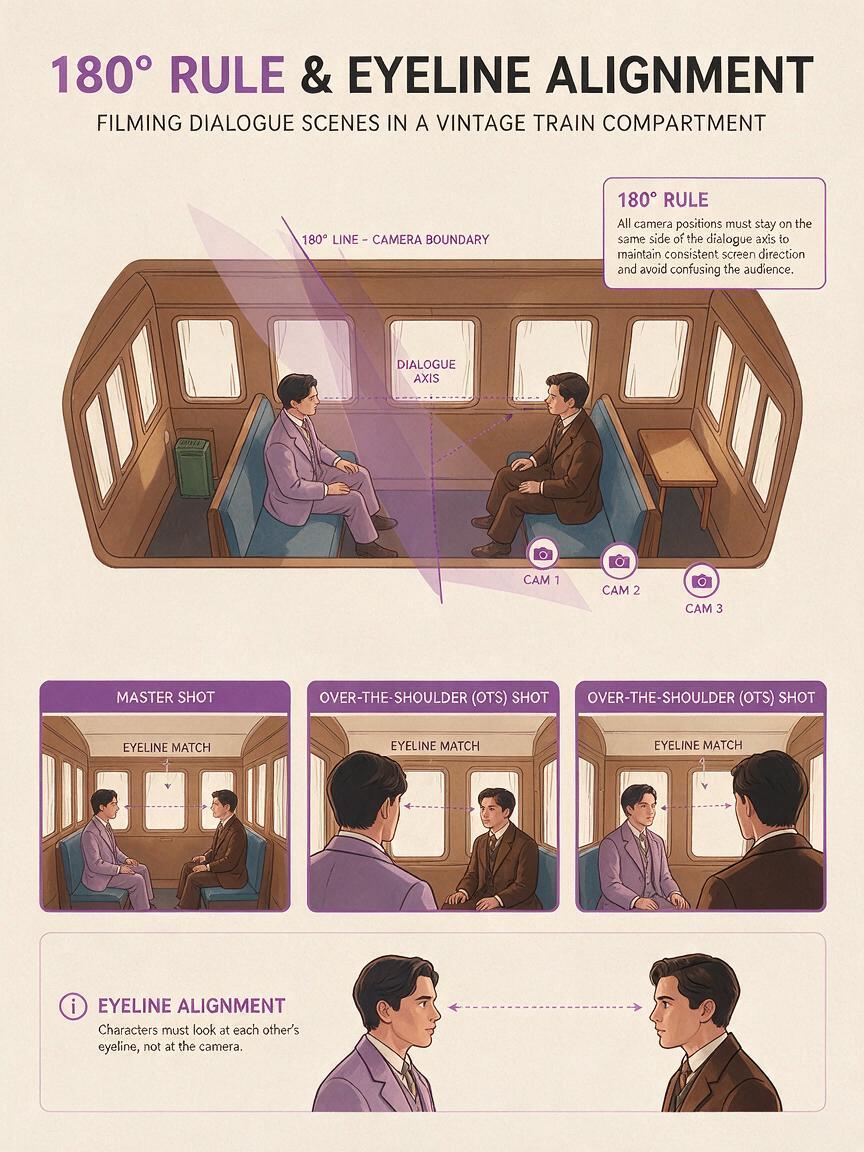
The dialogue axis is an imaginary line connecting the two characters. Keeping the camera on one side of that line preserves screen direction: Character A continues looking right, while Character B continues looking left.
This matters most when moving from the master shot into over-the-shoulder shots and close-ups. A visually attractive frame can still be unusable if both characters look in the same direction.
| Shot | Character A | Character B | Continuity purpose |
|---|---|---|---|
| Master shot | Screen left, facing right | Screen right, facing left | Establishes geography |
| Over A's shoulder | Foreground left | Background right, looking left | Preserves B's eyeline |
| Over B's shoulder | Background left, looking right | Foreground right | Preserves A's eyeline |
| Close-up of A | Looks toward frame right | Off-screen right | Maintains conversational direction |
| Close-up of B | Off-screen left | Looks toward frame left | Completes the eyeline match |
Repeat the relevant screen direction in every prompt. Generative models do not reliably inherit staging merely because the previous image established it.
Prompt for an over-the-shoulder reply
anime storyboard frame matching the established vintage train carriage, over the red-haired student's left shoulder from foreground screen left, dark-haired conductor framed on screen right and looking toward frame left, brass carriage door directly behind the conductor, sealed envelope still visible on the seat, same costumes and nighttime lighting, tense restrained conversation, medium close-up, consistent room layout, no mirrored composition, no captions, no speech bubblesPrompt for a reaction close-up
anime storyboard close-up of the red-haired student from the established train scene, character remains oriented toward frame right, eyes fixed on the off-screen conductor, rain-streaked window behind the student, same school uniform and hairstyle, subtle worried expression, envelope not visible in this angle, eye-level camera, restrained anime acting, consistent nighttime carriage lighting, no textIf you use an ai image generator for each panel separately, include the same compact continuity block every time. Change the shot size and performance, but keep identity, screen direction, costume, lighting, and environmental anchors stable.
Build prompts from fixed and variable blocks
A reusable storyboard prompt works better when it separates facts that must remain fixed from decisions that should change between shots.
| Prompt block | Keep fixed or change? | Example |
|---|---|---|
| Identity | Fixed | Red-haired student with short uneven bangs |
| Wardrobe | Fixed | Navy school uniform with cream scarf |
| Scene geography | Fixed | Window behind A, door behind B |
| Screen direction | Fixed until an intentional axis change | A looks right; B looks left |
| Shot size | Variable | Wide, medium, close-up, insert |
| Performance | Variable | Guarded, suspicious, relieved |
| Story emphasis | Variable | Envelope, hand movement, reaction |
Use this template for each new frame:
anime storyboard frame matching the established scene, [shot size and camera angle], [visible character and exact screen position], [facing direction and eyeline], [specific action or expression], [background anchor appropriate to this angle], unchanged character design and costume, unchanged room geography, consistent lighting, clean readable staging, no text or speech bubblesAvoid asking Midjourney to create an entire multi-panel storyboard grid in one generation when continuity is critical. A grid may look convincing at thumbnail size while hiding redesigns, reversed eyelines, duplicated props, and inconsistent costumes. Generate controlled frames individually, then assemble them into a contact sheet.
Use inserts to control pacing without risking identity
A dialogue sequence does not need to alternate endlessly between two faces. Insert shots can carry tension while reducing the number of difficult character generations.
Useful inserts for the train scene include:
- The student's fingers tightening around the edge of the seat.
- A drop of rain moving down the window.
- The sealed envelope between the characters.
- The conductor's gloved hand reaching toward the envelope.
- The carriage light flickering above an empty aisle.
Each insert should preserve prop design and lighting direction. It should also have a narrative purpose. The envelope can begin as neutral information, become a source of suspicion, and finally become the visual focus of the scene.
anime storyboard insert shot, sealed cream envelope with a dark red wax seal resting on the blue train seat between two characters, conductor's black-gloved hand entering from screen right, student's bare hand entering from screen left, cool window light from the left and warm carriage light from above, tense pause, clean readable silhouette, consistent prop design, no textMake an intentional axis change readable
Crossing the axis is not always wrong. It becomes confusing when the storyboard changes sides without showing how the camera or characters moved.
If the story requires Character A to take control of the scene, use a transitional shot before reversing screen direction. Suitable transitions include:
- A frontal two-shot as the student stands.
- A visible camera move around the envelope.
- The student walking past the conductor.
- A neutral insert followed by a clearly re-established master shot.
After the transition, establish the new geography again. Do not quietly mirror the next close-up and expect the viewer to infer the change.
Use the axis as storytelling: preserve it for clarity, then cross it deliberately when a power shift, revelation, or physical movement justifies the disruption.
Audit continuity as a contact sheet
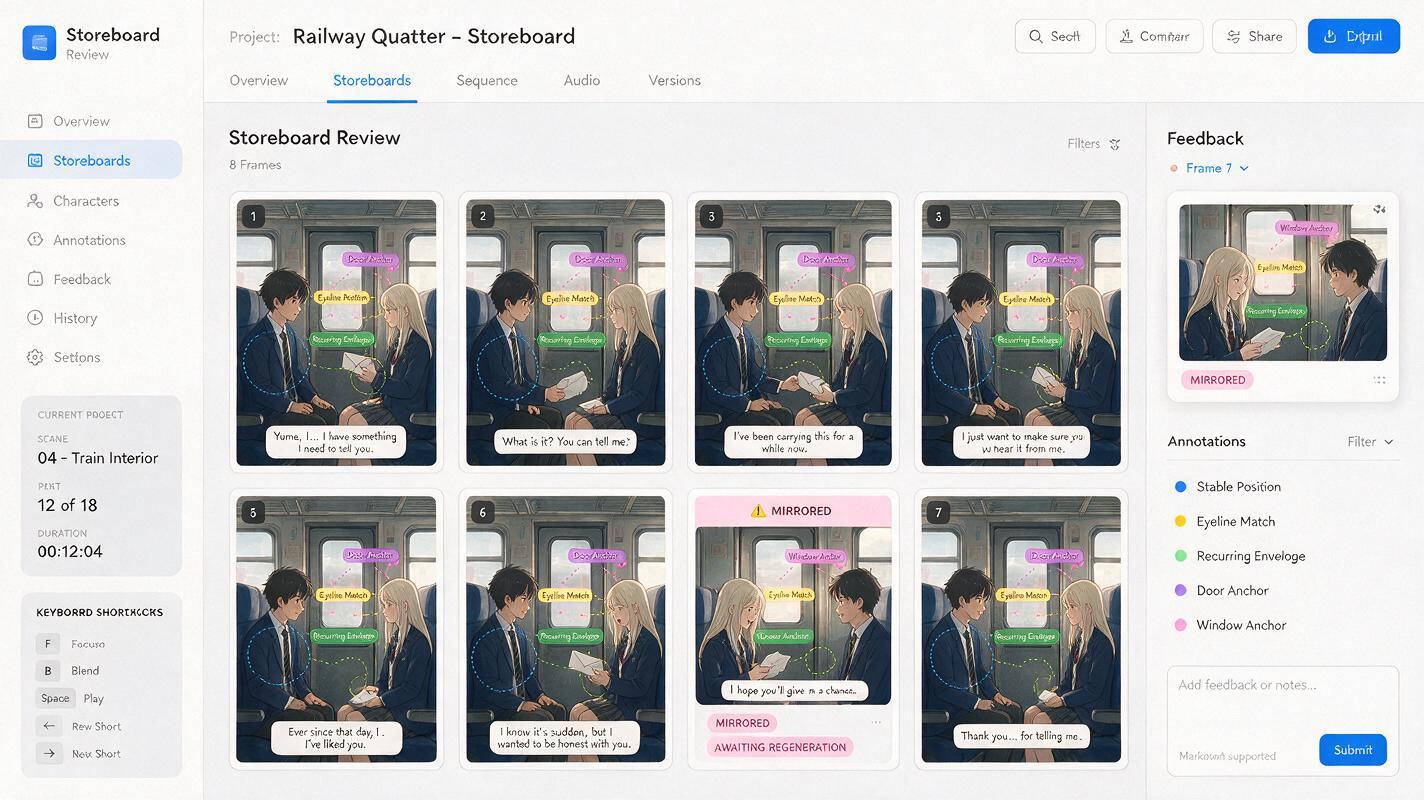
Place all generated frames in story order at a small thumbnail size. This reveals continuity errors that are difficult to notice while inspecting polished images one at a time.
Check each row for:
- Screen position: Does A remain left and B remain right before the planned axis change?
- Eyelines: Do the characters appear to look at each other?
- Background logic: Are the window and door attached to the correct sides of the carriage?
- Costume continuity: Do scarf shape, gloves, buttons, and collar details remain stable?
- Prop continuity: Does the envelope keep the same color, seal, scale, and location?
- Shot progression: Does every frame add information, emotion, or emphasis?
Reject structural errors before polishing anatomy or rendering. A perfect face cannot rescue a storyboard in which the room reverses unpredictably.
When a frame fails, regenerate only that shot with a more explicit constraint. State what must remain unchanged and describe the intended composition positively. For example, replace a vague request such as “do not swap them” with “student remains on screen left looking right; conductor remains on screen right looking left.”
Final checklist
- Create a master shot before generating close-ups.
- Assign each character a fixed screen side and facing direction.
- Use two or more background anchors to expose mirrored layouts.
- Repeat continuity facts in every shot prompt.
- Generate individual panels instead of relying on a single complex grid.
- Use inserts to vary pacing and emphasize story props.
- Show a transition before intentionally crossing the dialogue axis.
- Review the full sequence as a thumbnail contact sheet.
Ready to test the master-shot prompt with your own characters? test this prompt yourself, then build the conversation one controlled angle at a time.
Keywords
anime storyboard, Midjourney prompts, anime dialogue scene, character consistency, shot continuity, anime AI generator, storyboard prompts