Why AI Anime Lip Sync Looks Mushy—and How to Fix Mouth Shapes
AI anime lip sync often produces rubbery jaws, flickering teeth, and unstable face shapes because it tries to interpret every sound as a new drawing. This guide explains how to prepare animation-safe character art, simplify dialogue into readable mouth groups, prompt restrained facial motion, and repair failed frames with Seedream 4.5.
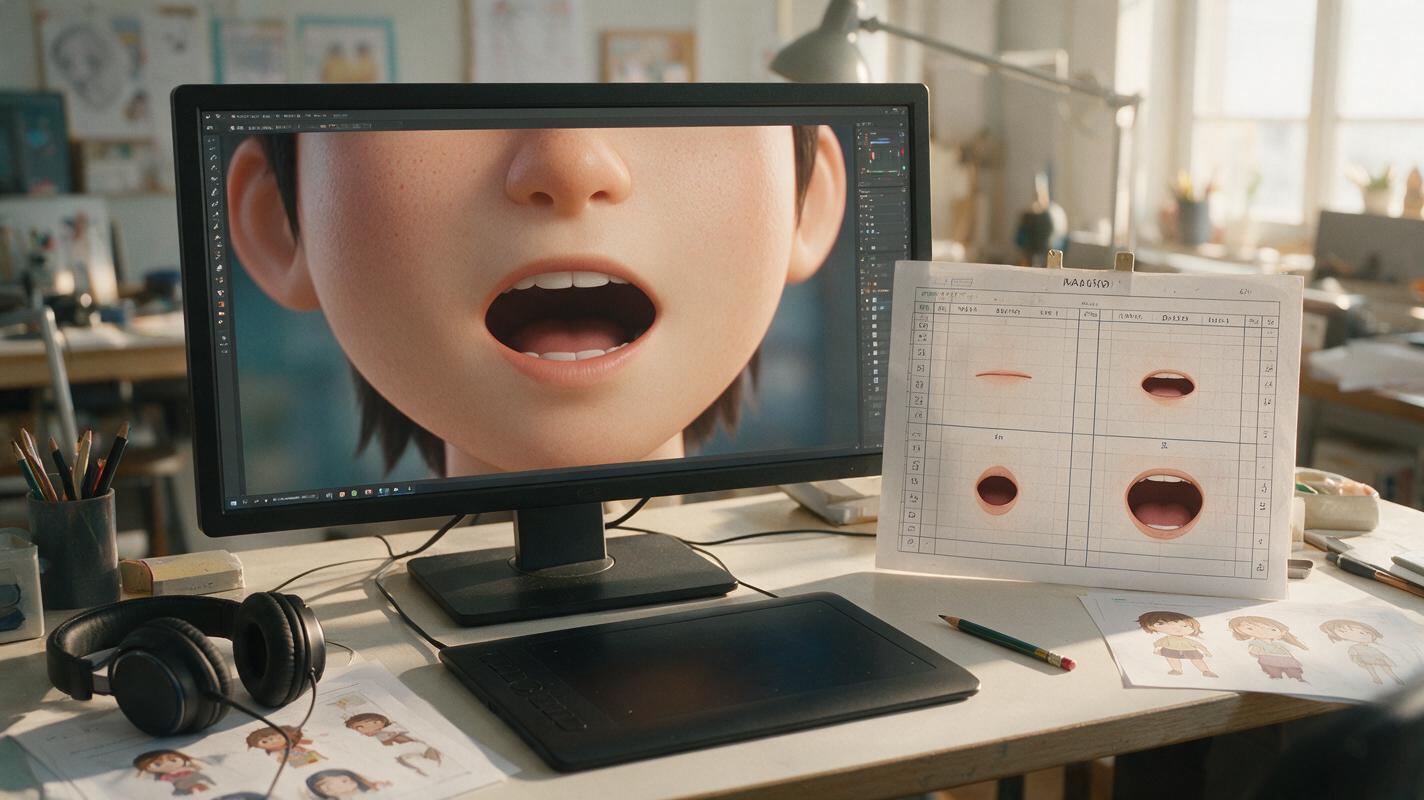
Table of contents
Clean dialogue animation starts with fewer, clearer mouth shapes
An anime character can remain perfectly recognizable until dialogue begins. Then the jaw stretches, the teeth flicker, the lips become realistic, or the whole face pulses with every syllable. The usual problem is not insufficient motion. It is excessive interpretation: the system invents a different mouth for nearly every sound instead of reusing a controlled set of anime mouth drawings.
A more reliable method combines a clean source portrait, simplified phoneme groups, restrained performance instructions, and selective frame repair. The goal is not to reproduce every vocal detail literally. It is to preserve the character while making the dialogue feel intentional.
Diagnose the visible failure before regenerating the shot
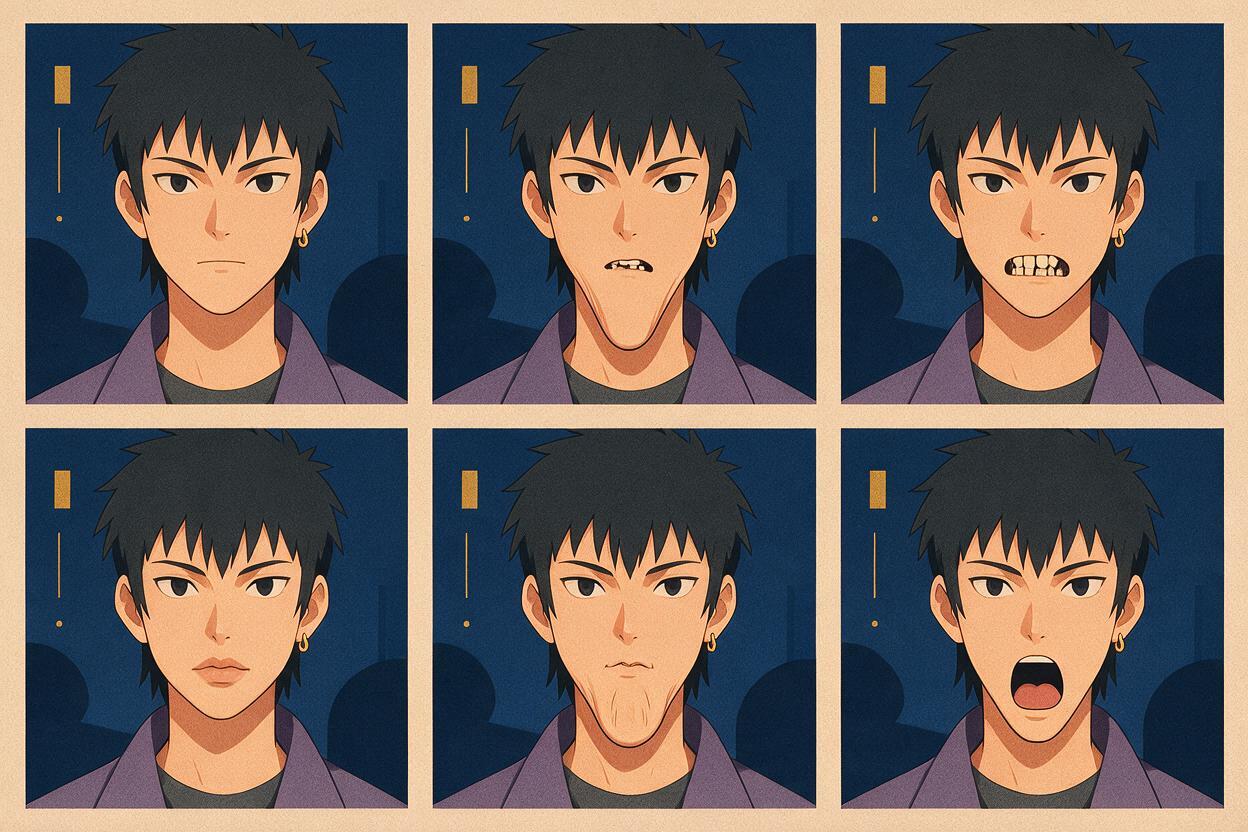
“Bad lip sync” can describe several unrelated defects. Identify the dominant one before changing prompts, artwork, or audio. Regenerating without a diagnosis often replaces one problem with another.
| Visible problem | Likely cause | Best correction |
|---|---|---|
| Rubbery lower face | The jaw is following every syllable at full intensity | Reduce jaw travel and request small mouth-only articulation |
| Flickering teeth | Teeth are being regenerated as separate details in each frame | Use a single simplified upper-teeth shape only when needed |
| Realistic lips appear | The prompt does not lock the flat anime drawing style | Specify flat line-art mouth shapes with no lip texture |
| Nose and chin pulse | The model treats speech as full-face deformation | Protect facial proportions and restrict motion to the mouth area |
| Open mouth between words | Silence and closed-mouth holds are not defined | Add neutral closures and pauses to the timing plan |
| Expression disappears | Lip movement overrides the acting pose | Lock the brows, eyes, and emotional intention |
Watch the clip once without sound. If the face still appears to wobble or pulse, the problem is deformation rather than dialogue timing.
Prepare a source portrait that can survive mouth movement
Start with a waist-up or close-up drawing where the mouth, chin, and cheek contour are unambiguous. A tiny mouth hidden by hair, a hand, dramatic shadow, or extreme perspective gives the system too little stable information.
The strongest source image usually has:
- A neutral closed mouth with a clean, uninterrupted outline.
- Visible chin separation so the lower face does not merge with the neck.
- Stable facial symmetry unless the shot intentionally uses a three-quarter angle.
- Simple mouth shading rather than glossy lips or detailed individual teeth.
- Enough resolution for the mouth to occupy a readable area of the frame.
If the original drawing has an unclear mouth, repair the still before attempting animation. Seedream 4.5 can serve as a localized editing stage: mask only the mouth and nearby chin while preserving the eyes, hair, costume, pose, and background.
Localized anime portrait edit:
Replace only the mouth with a clean neutral closed-mouth drawing.
Preserve the character's exact face shape, eye design, nose, chin,
hair, costume, line weight, cel shading, camera angle, and expression.
Flat anime mouth line, no lipstick, no realistic lip texture,
no visible teeth, no change outside the masked region.
Reduce the dialogue to reusable anime mouth groups
Natural speech contains more sounds than a limited-animation shot needs to display. Trying to draw every phoneme can create visual chatter. Instead, map the dialogue to a compact mouth library and let timing carry the performance.
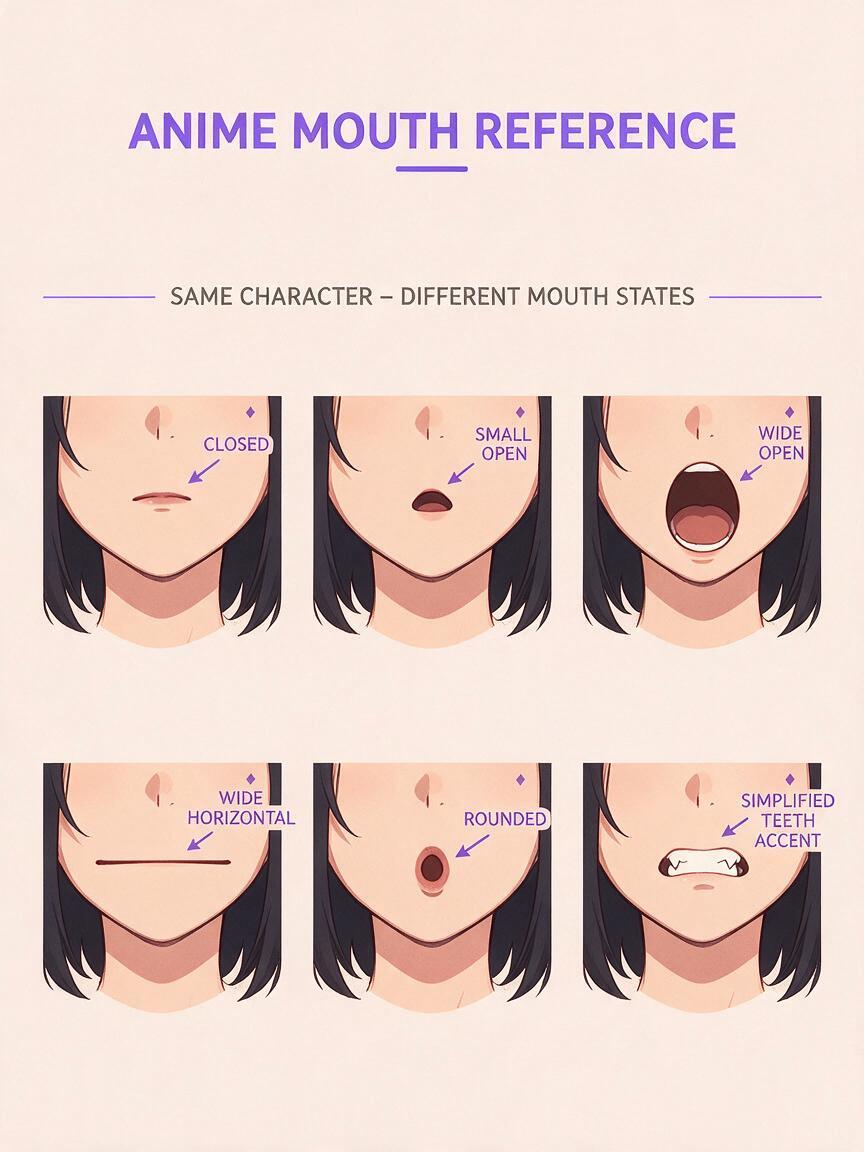
| Mouth group | Visual design | Typical use |
|---|---|---|
| Closed | Neutral line or lightly compressed lips | Silence, pauses, M, B, and P closures |
| Small open | Short vertical opening | Quiet speech and unstressed syllables |
| Wide open | Larger opening with a stable jaw | Emphasized vowels, calls, and shouts |
| Wide horizontal | Shallow stretched shape | E-like sounds and tense delivery |
| Rounded | Small oval without realistic puckering | O-like and U-like sounds |
| Teeth accent | One simplified upper-teeth block | Selected consonants or clenched emotion |
Do not switch shapes at equal intervals. Hold one drawing across several sounds, close the mouth at meaningful pauses, and reserve the widest opening for the most important stressed beat. This creates the selective rhythm associated with drawn animation rather than continuous rubber-mouth motion.
Prompt the performance as restrained character acting
When using ai lipsync, describe what must remain still as clearly as what should move. Face protection belongs in the main instruction, not as an afterthought.
Anime dialogue close-up, restrained limited-animation performance.
The character speaks one calm sentence using small, clean 2D mouth shapes.
Reuse a compact set of closed, small-open, wide-open, and rounded shapes.
Keep the jaw movement subtle and preserve the exact chin silhouette.
Lock the eyes, nose, eyebrows, head proportions, hairstyle, costume,
line art, cel shading, and camera framing.
No realistic lips, no individual moving teeth, no cheek warping,
no face pulsing, no head bobbing, no added expression changes.
Return to a fully closed neutral mouth during the final pause.
Adjust the emotional line without discarding the protection clauses. For an angry performance, increase the speed of shape changes and use a few stronger openings, but keep the jaw structurally stable. For a whisper, favor small-open shapes and longer closures. For comedy, delay one reaction or closure rather than stretching the entire face.
Give pauses as much attention as spoken syllables
Dialogue animation becomes easier to read when silence has a defined pose. Add a short neutral hold before the first word, close the mouth during internal pauses, and leave a settled expression after the final line. These holds create clean edit points and stop the character from looking as though they are chewing.
Audio preparation also matters. Remove unintended room noise, long breaths, or background music from the dialogue track when those elements trigger false mouth movement. If narration must be replaced, generate a clean performance with ai voiceover before synchronizing the portrait. Choose a delivery with deliberate pauses rather than a rushed read that gives the animation no time to settle.
A convincing anime close-up may contain less mouth motion than expected. Timing, closures, and the held expression often communicate more than constant articulation.
Repair isolated mouth failures instead of replacing the whole take
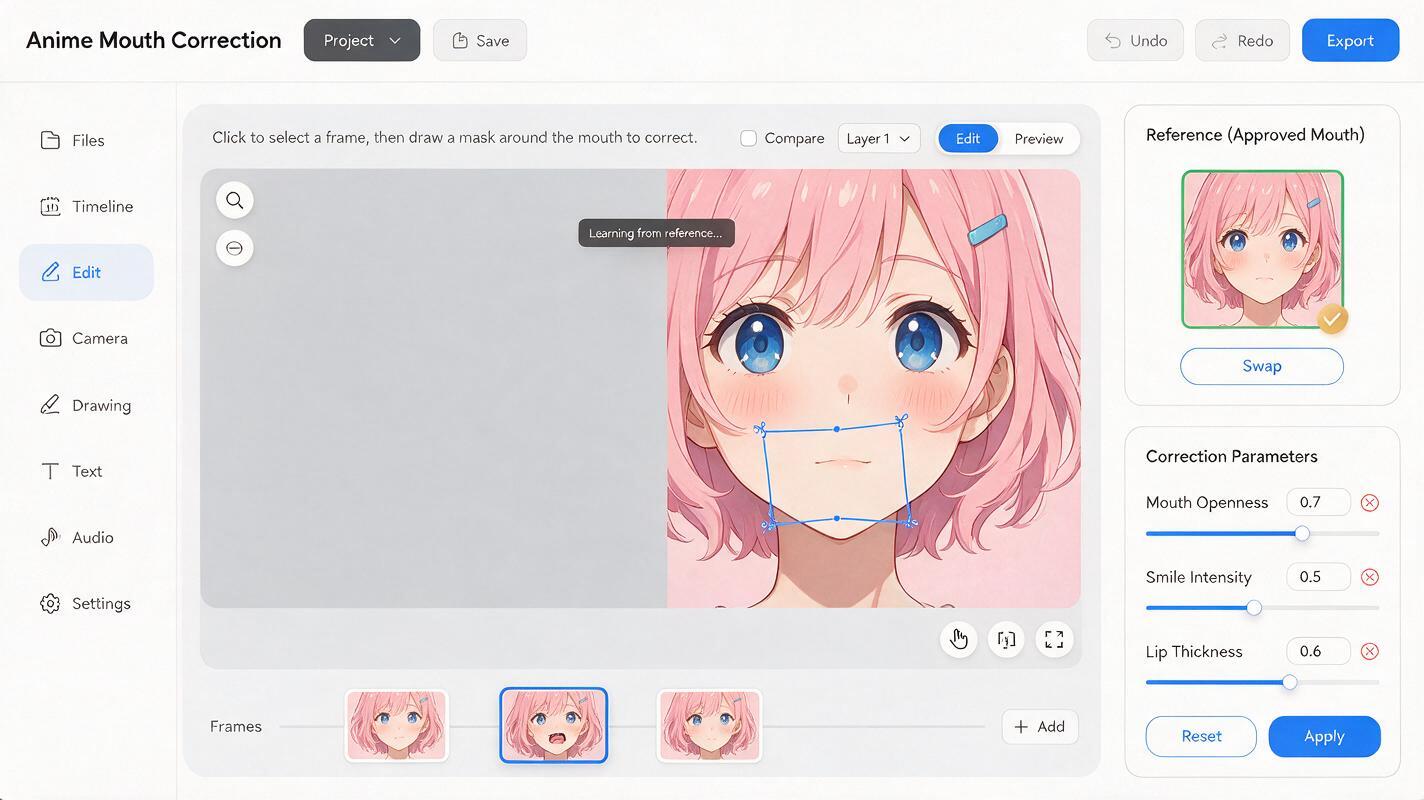
If the timing and acting already work, do not regenerate the entire shot because of two bad frames. Export the damaged frame, correct the mouth locally with Seedream 4.5, and blend the repaired image back into the sequence.
Frame repair instruction:
Correct only the mouth and immediate lower-lip area.
Match the approved small-open anime mouth shape from the reference.
Maintain identical face proportions, chin contour, head angle,
line thickness, cel shading, color palette, and lighting.
Keep the teeth as one simple stable shape if visible.
Do not alter the nose, eyes, cheeks, hair, clothing, or background.
Inspect the frame before and after the repair. A corrected mouth can still pop if its size differs sharply from adjacent frames. Compare the opening height, corner position, tooth visibility, and chin silhouette across all three frames. If necessary, use a one-frame transition drawing rather than jumping directly between closed and fully open shapes.
Test a short line before rendering a full scene
Use a three- to five-second sentence containing at least one pause, one closed-mouth consonant, and one emphasized vowel. This compact test reveals whether the source art, audio, and motion instructions agree. Review it at normal speed, half speed, and without sound.
- At normal speed, judge clarity and emotional timing.
- At half speed, look for tooth flicker, chin distortion, and mouth-position drift.
- Without sound, check whether the face remains structurally stable.
- On a still frame, confirm that every visible mouth could plausibly be a deliberate anime drawing.
Once the test remains on model, reuse its motion language and mouth scale across the rest of the scene. To compare a restrained prompt with a more expressive variation, test this prompt yourself using the same portrait and audio clip.
Final checklist
- The source portrait has a clean mouth, readable chin, and stable face angle.
- The dialogue uses a compact mouth library instead of a unique shape for every sound.
- Closed-mouth holds appear before speech, during pauses, and after the final word.
- The prompt protects the eyes, nose, chin, hair, line art, and camera framing.
- Jaw motion matches the character's volume and emotion without becoming rubbery.
- Teeth remain a simplified graphic shape rather than flickering individual details.
- Failed frames are repaired locally instead of forcing a complete regeneration.
- The final clip reads cleanly at normal speed and remains stable without sound.
Keywords
anime lip sync, ai lipsync, anime mouth shapes, character animation, 2d animation ai, Seedream 4.5, anime voiceover