Turn App Screenshots Into 9:16 Demo Ads Without Fake UI
Learn a preservation-first workflow for turning real app screenshots into vertical demo ads without asking AI to redraw buttons, text, or product flows. Use Hailuo to generate supporting motion while retaining verified interface captures as the source of truth.
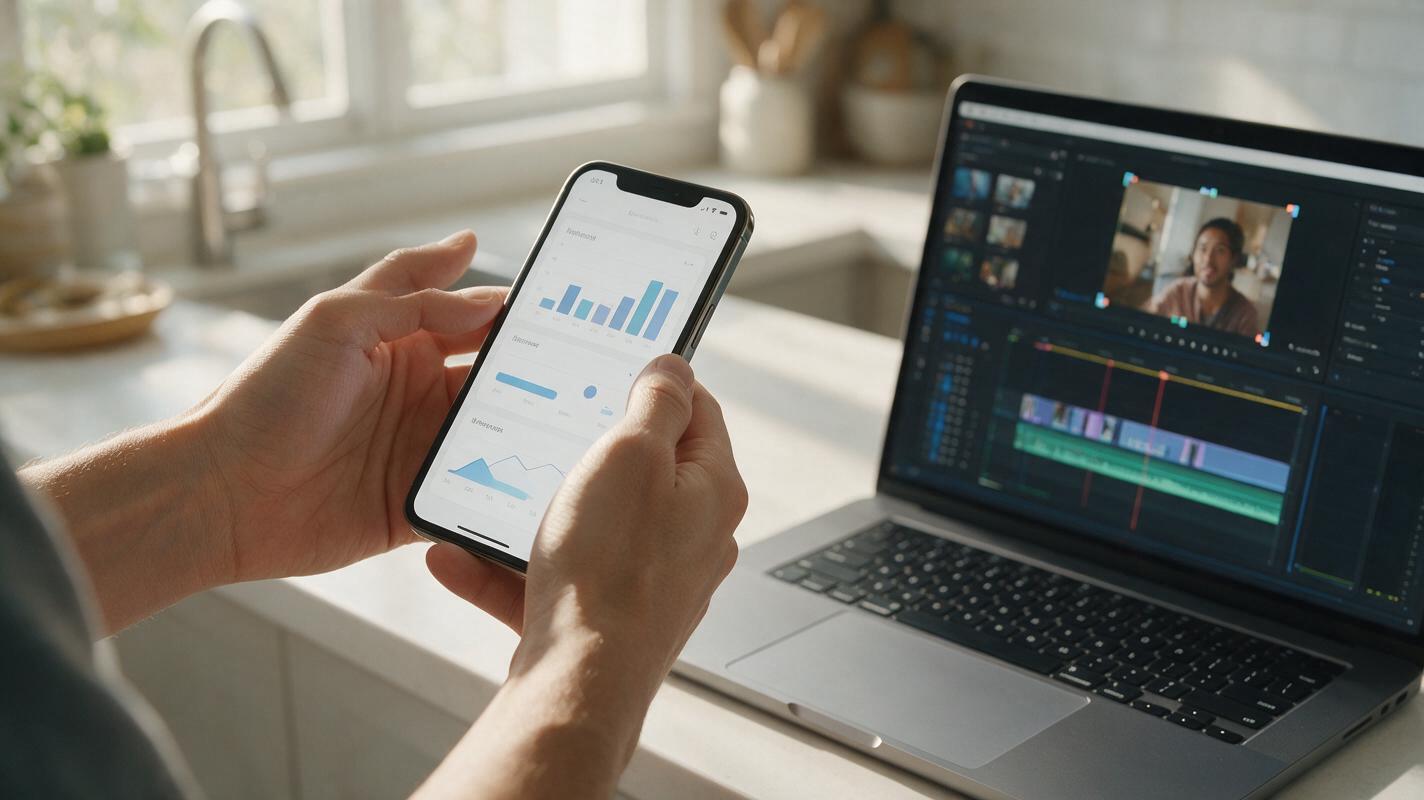
Table of contents
The screenshot-to-ad problem
App screenshots contain accurate product evidence, but simply scrolling through them rarely makes an effective 9:16 ad. Asking a video model to recreate the interface creates a different problem: buttons move, labels mutate, charts change, and fictional features can appear. Performance marketers need motion without sacrificing product truth.
The safer approach is to preserve approved screenshots as fixed interface layers and use Hailuo to generate motion around them. The resulting ad feels native to short-form feeds while every visible product claim remains grounded in a real capture.
Preservation rule: let AI animate the environment, camera, hands, lighting, and transitions—but never treat generated interface text as product evidence.
Build a source kit that protects the real product
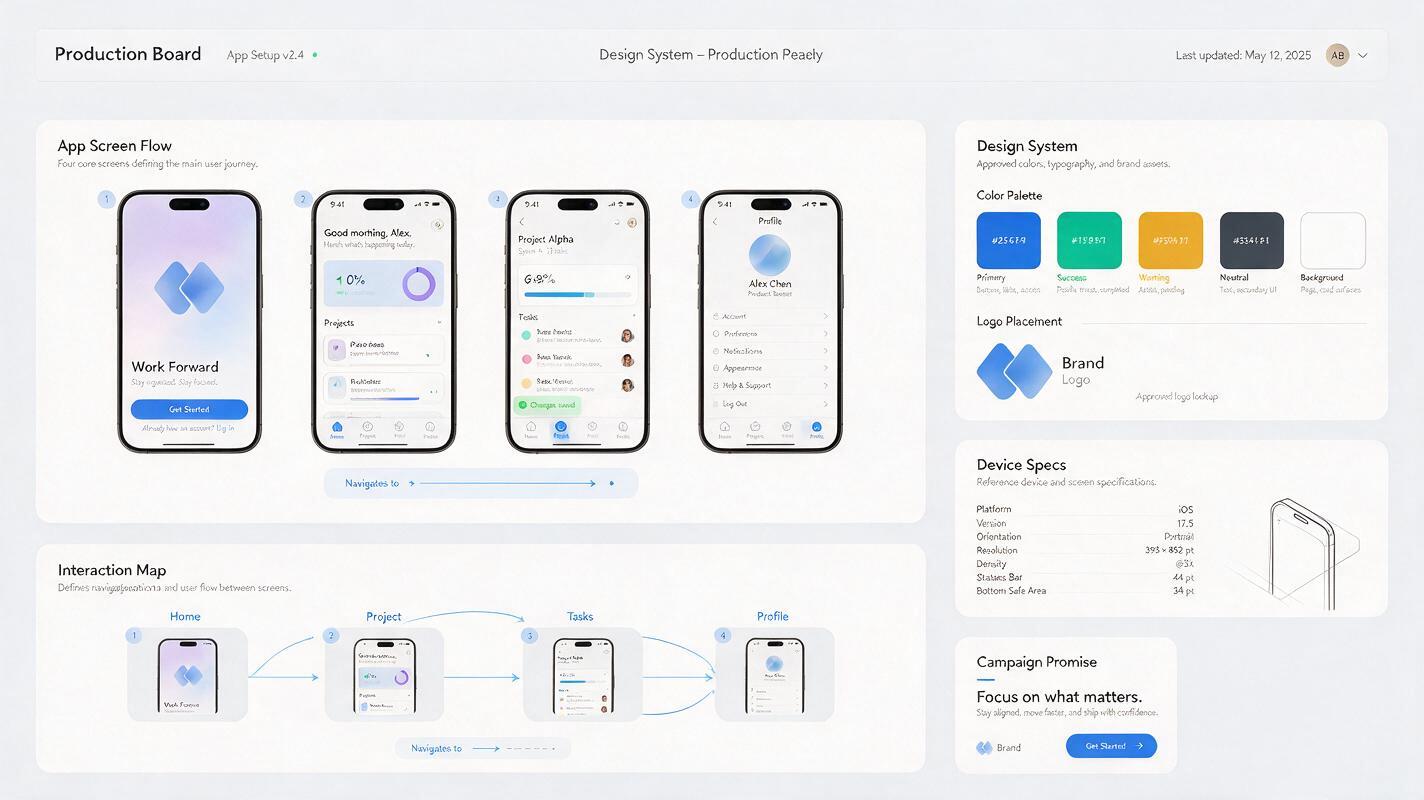
Start with a compact source kit rather than a folder of unrelated screenshots. Select three to five screens that explain one user outcome from beginning to end. A budgeting app, for example, might show expense capture, automatic categorization, and the final weekly summary.
Your source kit should contain:
- Clean screen captures: remove notifications, personal data, debugging overlays, and irrelevant status messages.
- One device treatment: use the same phone model, corner radius, perspective, and bezel treatment throughout the ad.
- A verified interaction map: record which tap, swipe, or state change connects each screen.
- Brand assets: include approved colors, logo files, typefaces, and any required legal copy.
- A single campaign promise: connect every screen to one benefit rather than presenting a general product tour.
Capture screens at the highest practical resolution. If a source screenshot is already soft, generation and compression will make small labels even harder to read. Keep an untouched master of every capture for final compositing and quality assurance.
Structure the ad around proof, not feature count
A short app ad does not need to explain the entire interface. It needs to make one claim understandable and then prove it quickly. A reliable structure is hook, action, result, and call to action.
| Ad beat | Purpose | Recommended visual | Interface policy |
|---|---|---|---|
| Hook | Name the costly or frustrating problem | Real-world context or bold benefit caption | UI can remain hidden |
| Action | Show the key product behavior | Verified screenshot with cursor, tap, or swipe overlay | Use the original capture |
| Result | Make the outcome concrete | Approved dashboard, confirmation, or summary screen | Freeze long enough to inspect |
| CTA | Tell the viewer what to do next | Logo, product name, and concise action | Set typography manually |
For a 12-second placement, the hook might occupy the first two seconds, the action four seconds, the result four seconds, and the CTA the final two seconds. This is a planning baseline, not a universal performance claim. Adjust pacing to the complexity of the product and the behavior of each placement.
Generate motion plates instead of synthetic interfaces
Hailuo is most useful here as a motion source, not as the final compositor. Use a reference image to video process to create environmental movement around a device, then replace or cover the generated screen with the verified screenshot during editing.
A strong reference frame can show a phone in a natural setting with the screen treated as a simple placeholder. Ask for restrained movement: a hand entering frame, a subtle camera push, moving daylight, or a small change in focus. Complex finger choreography and rapid camera rotation make accurate screen replacement unnecessarily difficult.
Prompt for a clean handheld product shot
Vertical 9:16 performance ad shot of a modern smartphone held naturally in one hand above a tidy kitchen counter, screen facing the camera and remaining fully visible, subtle handheld camera movement, gentle morning window light, realistic skin and reflections, slow controlled thumb movement near the lower edge without covering the display, stable phone geometry, no camera rotation, no readable interface text, no extra fingers, commercial product photography.Prompt for a desk-based SaaS companion shot
Vertical 9:16 close-up of a smartphone beside an open laptop on a clean startup office desk, slow forward camera push, soft daylight, restrained depth of field, phone display presented as a flat unobstructed rectangle for later screen replacement, realistic reflections, stable device proportions, no logos, no readable text, no dramatic movement.The instruction “no readable interface text” is intentional. The generated plate only needs a stable display area. Your editing software supplies the accurate interface later.
Composite screenshots so they survive motion
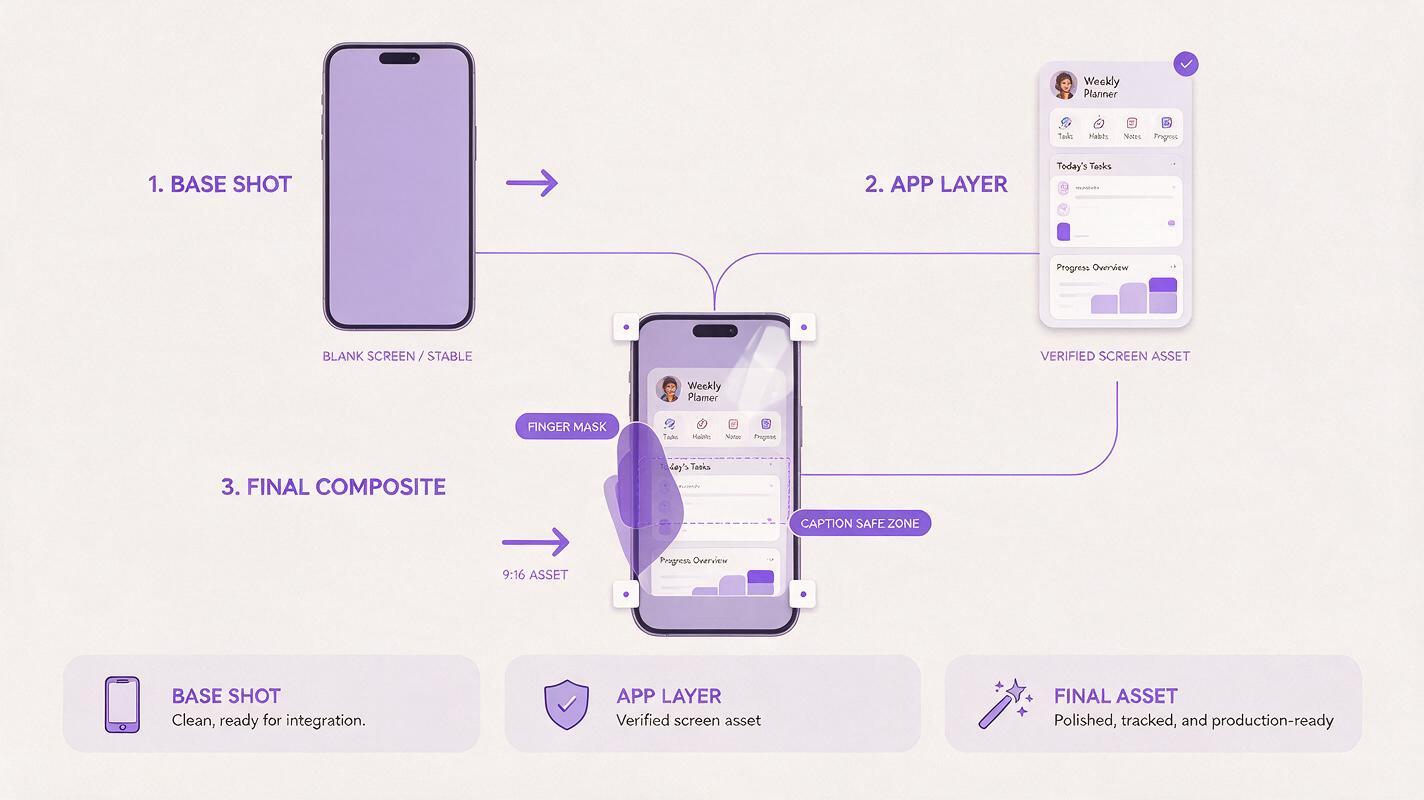
Track the four corners of the phone display and pin the approved screenshot to that plane. Add perspective, motion blur, reflections, and slight brightness changes only after the screen is aligned. This preserves the motion generated by the ai video generator without inheriting fabricated interface details.
Use these compositing checks before exporting:
- Corner stability: the screenshot should not slide beyond the display edges during camera movement.
- Finger occlusion: when a thumb passes over the screen, mask it above the inserted interface layer.
- Reflection realism: keep reflections subtle enough that labels and key values remain legible.
- State accuracy: animate between screens only where the real product supports that transition.
- Readable dwell time: pause important result screens instead of keeping every frame in motion.
For simple taps, add a small touch indicator or cursor in the editor. For scrolling, animate the original screen capture within a masked device frame. Do not generate a scrolling screen from a still image when the real app can provide an accurate screen recording.
Create variants without changing the product proof
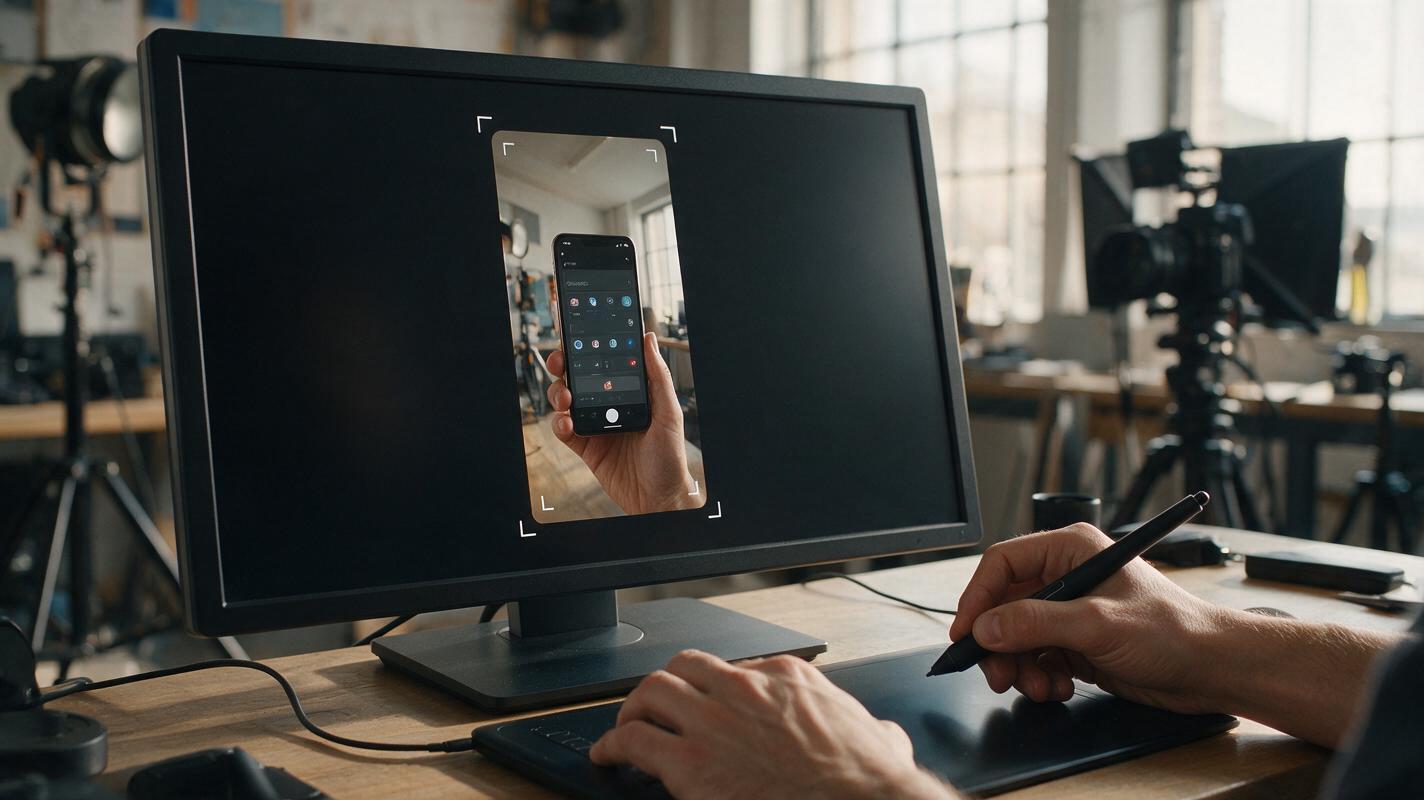
Once the master composition is stable, build variations around one controlled variable. The screenshot sequence should remain identical when testing hooks, environments, or pacing. Otherwise, a winning result cannot be attributed to a specific creative change.
| Test variable | Keep fixed | Example variants |
|---|---|---|
| Hook | UI sequence, setting, CTA, duration | Pain-led, outcome-led, curiosity-led |
| Context | Hook copy, UI sequence, CTA | Kitchen, commute, office |
| Pacing | Message and visual evidence | Fast cuts versus longer result dwell |
| Proof emphasis | Opening and CTA | Workflow screen versus final dashboard |
Prioritize variants that answer a marketing question. “Does an outcome-led hook beat a pain-led hook?” is useful. “Does a different background look better?” is too subjective unless the background represents a meaningful audience context.
Use modular copy that matches the visible evidence
Write captions after selecting the screenshots. This prevents the script from promising an action or result that the footage cannot prove. Keep each line short enough to understand without pausing the ad.
HOOK: Still doing [painful task] manually?
ACTION: [Product] turns [input] into [verified product action].
RESULT: See [real outcome visible in the final screenshot].
CTA: [Approved action connected to the landing page].
If the result screen displays a weekly summary, the copy can describe that summary. It should not claim guaranteed savings, speed, or revenue unless those claims have been separately substantiated. Generated motion does not reduce the need for normal advertising review.
Review the ad as evidence, not decoration
Watch the final export once at normal speed, once frame by frame, and once with the sound muted. The normal-speed review tests comprehension. The frame review catches tracking errors and accidental synthetic text. The muted review confirms that captions and product evidence can carry the message independently.
Reject or repair the creative if:
- the generated hand has unstable anatomy or obscures the core interaction;
- the inserted screenshot floats, bends, or separates from the phone;
- the caption describes a feature not shown in the verified interface;
- small text becomes unreadable after platform compression;
- the CTA promises a different destination from the landing page;
- the first meaningful product proof appears too late to influence the viewer.
The objective is not to make the app look more advanced than it is. It is to make a real product behavior easier to notice, understand, and remember in a fast-moving feed.
Final checklist
- Use three to five verified screenshots that support one campaign promise.
- Keep original interface captures as the final visible screen layers.
- Generate stable environmental motion with an unobstructed device display.
- Composite taps, swipes, and screen changes according to the real product flow.
- Test one meaningful creative variable at a time.
- Inspect tracking, anatomy, legibility, claims, and landing-page continuity.
- When your source kit is ready, try these models for free and build the first motion plate around your verified UI.
Keywords
app screenshot ads, AI app demo video, mobile app install ads, Hailuo AI video, vertical demo ads, performance ad creative, UI preservation