How to Batch-Produce an AI Short Drama Without Continuity Drift
Batch short drama production works best when episodes share locked references but remain divided into small, repairable shot units. This tutorial builds a practical pipeline for batching scripts, anchor frames, motion clips, audio, and continuity checks without multiplying the same mistake across an entire series.
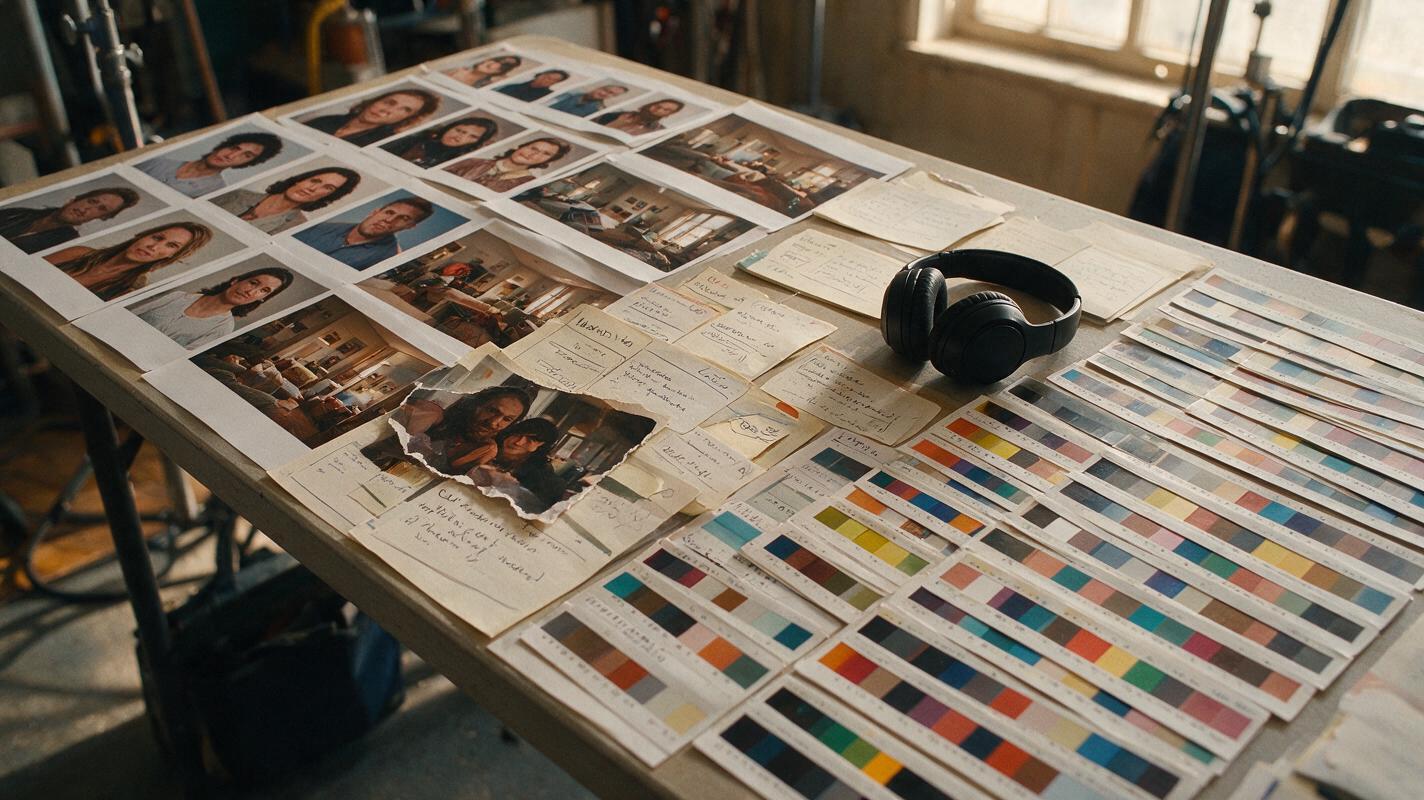
Table of contents
Batch episodes by production layer, not by finishing one episode at a time
Batch short drama production is faster only when identity, locations, props, and episode states are locked before video generation begins.
The tempting approach is to finish Episode 1, then repeat the process for Episode 2. That feels organized, but it encourages gradual drift: a jacket changes color, an apartment gains another window, or a crucial letter appears in the wrong hand.
A safer approach is to process the entire season by layer. Approve all scripts, then all character references, all location anchors, all keyframes, all motion clips, and finally all episode edits. This tutorial shows how to organize that sequence for a compact ai short drama while keeping every failed asset replaceable.
Step 1 — Freeze the season spine before generating scenes
Begin with a season table that records what changes from episode to episode. Do not treat the script as the only source of continuity. Dialogue explains the story, but a production table records the visible state that the image and video models must reproduce.
| Episode | Opening state | New evidence | Character change | Cliffhanger image |
|---|---|---|---|---|
| 01 | Mina believes the apartment is empty | A wet footprint crosses the hall | Curiosity replaces relief | The locked bedroom door moves |
| 02 | Mina watches the door | A torn photograph appears | Curiosity becomes recognition | Her own face is visible in the photograph |
| 03 | Mina hides the photograph | A voice message names the building | Recognition becomes fear | The message timestamp is tomorrow |
For each episode, write one opening condition, one visible discovery, one emotional turn, and one final image. If two episodes perform the same story function, revise them now. Generating more footage will not fix repetitive episode design.
Use this prompt to turn a draft premise into a production-facing season spine:
You are planning a six-episode vertical AI microdrama.
For each episode, provide:
- opening visual state
- one visible piece of new evidence
- one irreversible character decision
- one cliffhanger that can be shown without explanatory narration
- continuity changes affecting wardrobe, props, weather, injuries, or location

Keep each episode causally connected to the previous cliffhanger.
Do not introduce a new recurring character unless the plot requires one.
Premise: [PASTE PREMISE]
Recurring cast: [PASTE CAST]
Fixed locations: [PASTE LOCATIONS]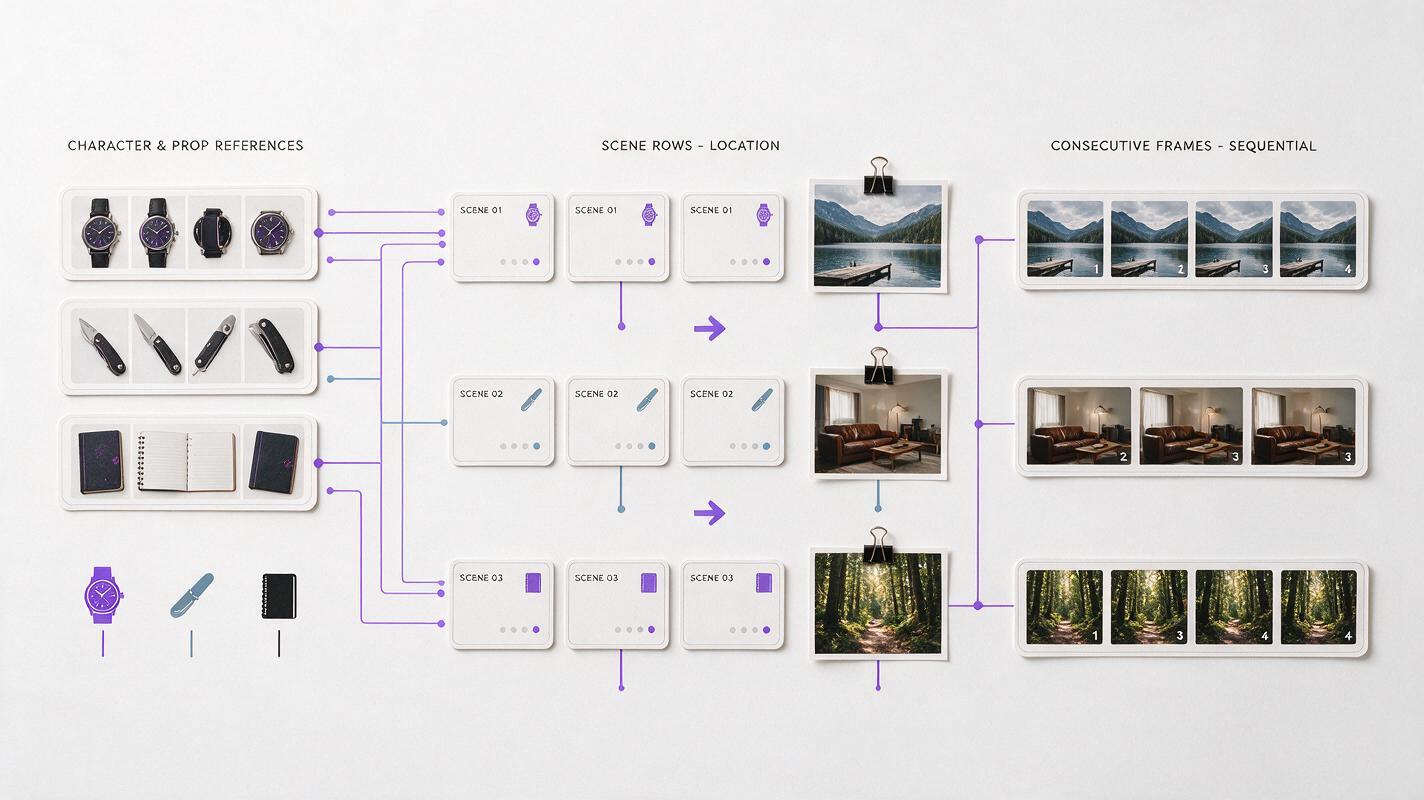
Step 2 — Build a reusable character packet
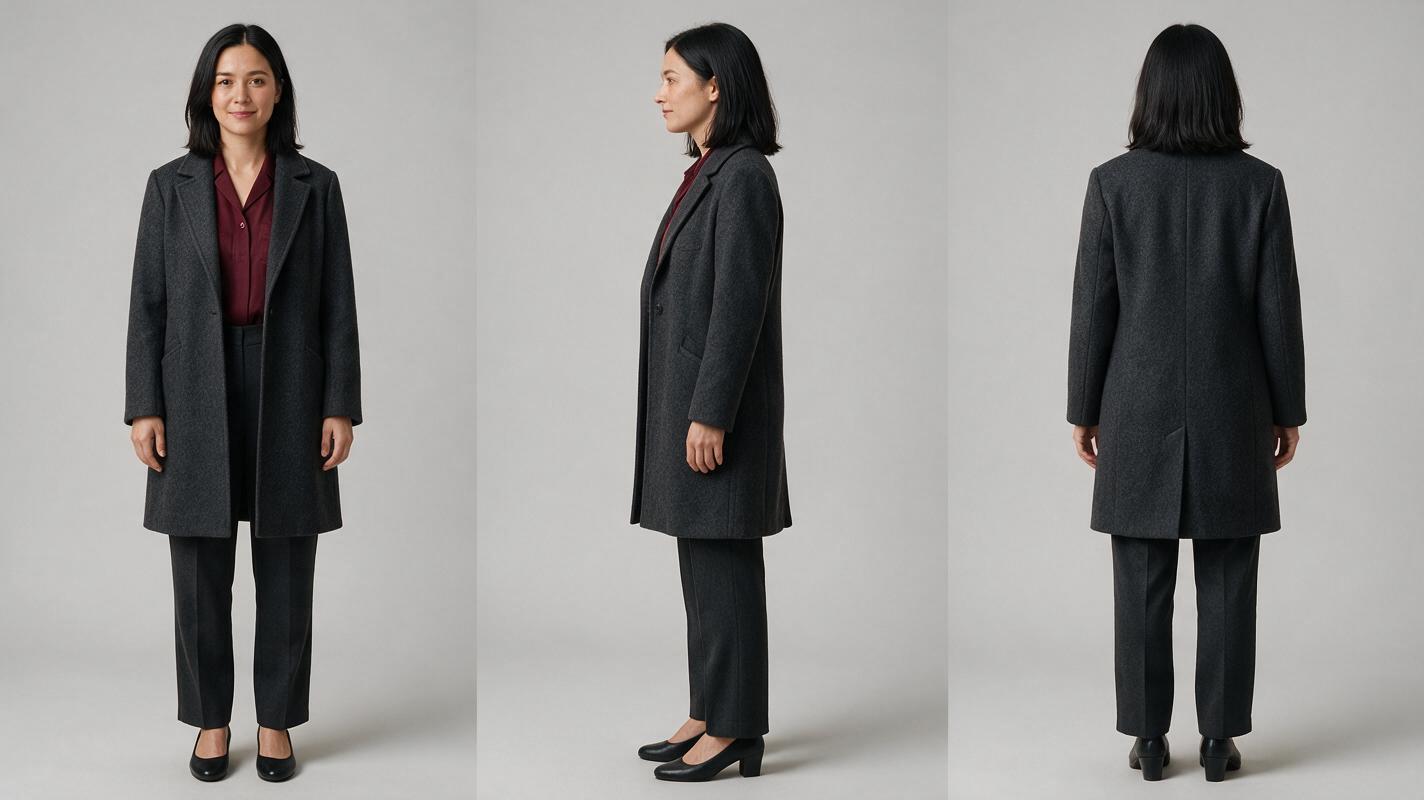
Create one approved packet for every recurring character before producing episode-specific emotions. For Mina, the packet should contain a neutral front, profile, and back view; a close facial reference; a full-body wardrobe reference; and a short list of immutable traits.
- Identity locks: approximate age, face shape, hairline, eye color, and distinctive features.
- Wardrobe locks: garment type, material, color, fit, footwear, and jewelry.
- Performance range: neutral, suspicious, frightened, and resolved.
- Forbidden changes: no bangs, no extra jewelry, no coat color change, and no age shift.
Generate neutral identity references before dramatic frames. Extreme lighting, crying, profile distortion, or motion blur makes a weak master reference.
Give the packet a stable code such as MINA-A. Every shot record featuring Mina should point to that code rather than paraphrasing her appearance. Natural-language descriptions can vary; a reference code keeps the team aligned around one approved asset.
Step 3 — Separate permanent locations from episode states
A location has permanent architecture and temporary state. Keep those layers separate so rain, damage, lighting, or moved furniture does not redefine the entire set.
| Location layer | Locked details | Variable details |
|---|---|---|
| Apartment architecture | Narrow hall, bedroom door on left, kitchen opening at rear | None after approval |
| Set dressing | Wood console, round mirror, faded runner | Photograph, keys, sealed envelope |
| Lighting state | Practical ceiling fixture position | Daylight, evening practical, blackout |
| Story damage | Not part of the clean master | Wet floor, broken frame, damaged lock |
Generate a clean establishing plate first. Derive damaged or time-specific versions from that plate instead of rebuilding the apartment from prose for every episode. This preserves door positions, sightlines, and prop geography across the series.
Step 4 — Build a batch matrix from scene cards
Convert each scene into small shot cards, then place those cards in a batch matrix. The matrix exposes repeated setups that can be generated together.
A useful card contains:
- Episode and shot code, such as E02-S04
- Character and location reference codes
- Opening visual state
- One action or performance change
- Required prop state
- Camera size and direction
- Intended edit-in and edit-out points
- Output ratio, including 9:16 for a vertical drama video
Group cards by what must remain stable. Generate all clean apartment establishing frames together, all Mina close-ups together, and all photograph inserts together. Do not group unrelated shots merely because they belong to the same episode.
SHOT CODE: E02-S04
CHARACTER: MINA-A
LOCATION: APARTMENT-HALL-CLEAN
PROP STATE: PHOTO-TORN-V1 in right hand
OPENING FRAME: Mina faces the locked bedroom door
ACTION: she lowers her eyes toward the photograph
EMOTIONAL CHANGE: suspicion to recognition
CAMERA: chest-up close shot, locked camera, shallow depth of field
SCREEN DIRECTION: Mina looks frame left
EDIT IN: stillness before eye movement
EDIT OUT: hold after recognition
FORMAT: 9:16, face and prop inside central story column
Step 5 — Approve anchor frames before motion
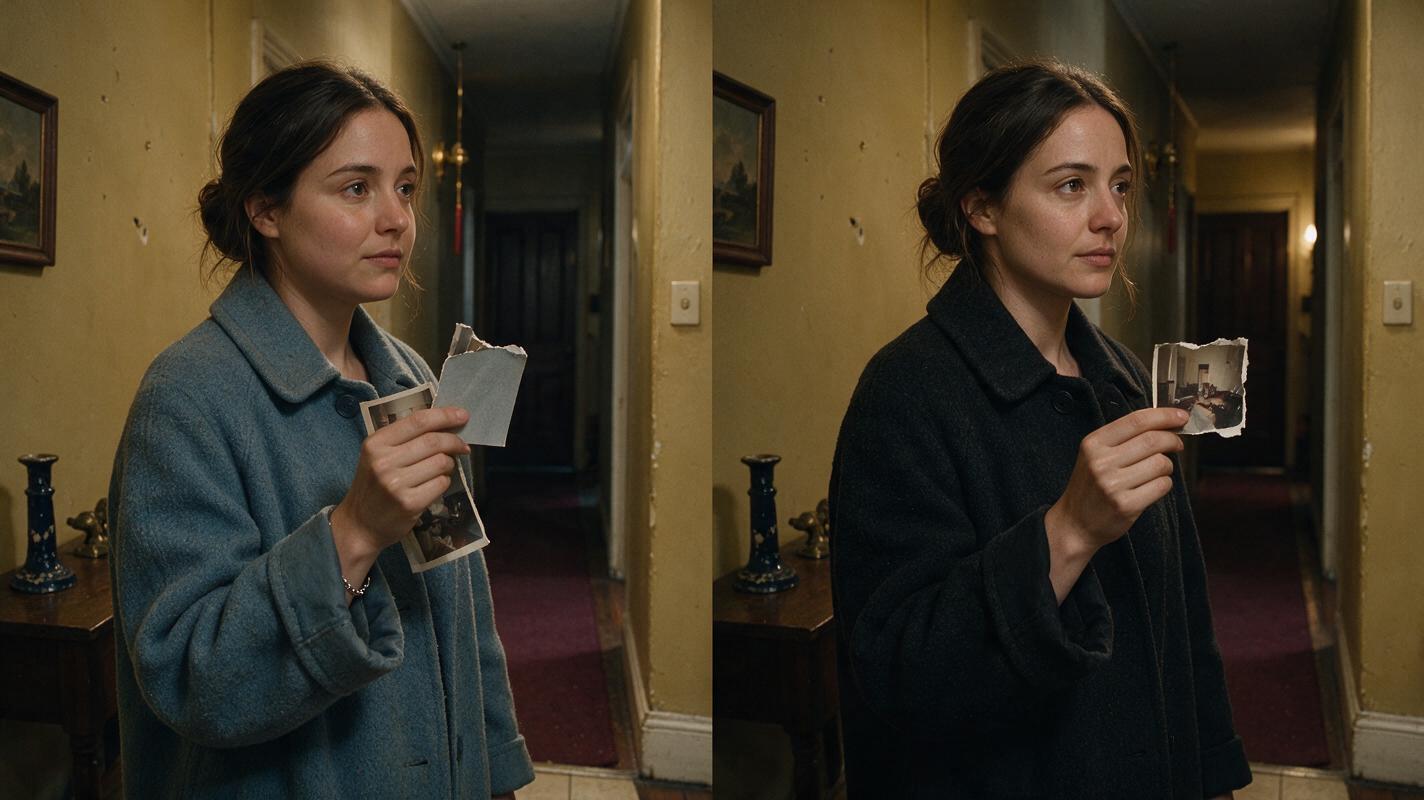
Generate one still anchor for every planned shot. At this stage, inspect identity, wardrobe, location geometry, prop state, screen direction, and crop safety. A flawed still should never enter motion generation because motion usually makes an existing continuity problem harder to isolate.
Mark every anchor as one of three states:
- Approved: ready for animation.
- Repairable: composition works, but one layer needs replacement.
- Rejected: identity, geography, or story information is wrong.
When creating an AI series video, approval should happen across neighboring episodes as well as within each episode. Place the final frame of Episode 1 beside the opening frame of Episode 2. Check hand position, prop orientation, lighting, wardrobe state, and character distance before either frame is animated.
Step 6 — Generate motion in controlled batches
Send only approved anchors to an ai video generator. Keep each motion request focused on one visible action. A glance, a hand lowering, or a door shifting is easier to control and replace than a clip combining walking, dialogue, prop handling, and a camera orbit.
Use a bounded motion prompt:
Animate from the approved reference frame.
The character remains in the same position and keeps the same face, hair,
wardrobe, body proportions, and right-hand prop.
Action: she slowly lowers her gaze from the door to the torn photograph.
Camera: locked chest-up shot; no zoom, pan, orbit, or reframing.
Environment: architecture and furniture remain completely static.
Motion priority: subtle eye movement, small head tilt, restrained breathing.
Do not add people, objects, jewelry, text, or environmental movement.
End on a clean one-second hold after recognition.
Run a small sample from each setup before launching the rest of that batch. If the sample changes Mina’s face or moves the hallway architecture, repair the reference or prompt first. Otherwise, the same fault may spread through every related shot.
Once the sample is stable, try these models for free with the same anchor and motion brief. Compare continuity, performance, and editability rather than choosing a result only because it contains the most movement.
Step 7 — Assemble episodes with shared audio locks
Edit picture against approved dialogue and cue timing. Reuse the same voice profile, pronunciation notes, room tone, and recurring sound motifs across episodes. Save performance direction separately from the spoken line so a revised line does not accidentally change the character’s established vocal identity.
For each episode, maintain separate tracks for dialogue, room tone, story effects, music, and captions. This makes it possible to replace a voice line or shorten a cliffhanger without rebuilding the complete mix.
Leave short visual holds around discoveries and episode endings. These handles provide room for reaction timing, audio overlap, caption readability, and platform-specific trims.
Step 8 — Run continuity checks across the whole batch
Review by production layer before watching episodes as entertainment. A layer-based pass catches recurring faults more reliably than a single beginning-to-end screening.
- Watch every Mina shot with sound muted and compare identity landmarks.
- Review all apartment shots for doors, windows, furniture, and light direction.
- Inspect each recurring prop in chronological story order.
- Compare every cliffhanger with the following episode’s opening frame.
- Listen to dialogue without picture to catch voice, loudness, and pacing changes.
- Watch final vertical exports for cropped hands, props, captions, and eyelines.
Record repairs by layer. If one prop insert fails, regenerate the insert rather than reopening the character close-up, background, voice, and complete edit. Modular repair is the main reason to batch by production layer.
FAQ
Should every episode be generated at the same time?
No. Approve the full season plan together, but generate in controlled setup batches. Test one or two representative shots before committing the remaining shots that share the same references.
What is the best batch size for an AI short drama?
There is no universal number. A batch should be small enough that one failed assumption can be corrected without discarding extensive work. Group by shared character, location, framing, and prop state rather than by an arbitrary clip count.
Can different video models be used in one series?
Yes, provided the outputs match the approved references, screen direction, visual style, frame rate, and delivery format. Assign models by shot requirement, then normalize color, timing, sound, and grain during finishing.
How should files be named?
Use sortable names containing episode, scene, shot, asset type, continuity state, and revision. For example, E02-S04-MOTION-PHOTO-TORN-R03 is easier to trace than a generic exported filename.
Sources
- Runway — Introducing Gen-4 References
- Adobe — Using Productions in Premiere Pro
- Blackmagic Design — DaVinci Resolve
Final checklist
- Freeze episode causality and continuity changes before image generation.
- Approve neutral character packets and clean location masters.
- Convert scenes into coded, replaceable shot cards.
- Batch by stable setup rather than by complete episode.
- Approve still anchors before generating motion.
- Test a small sample before launching each production batch.
- Check recurring characters, locations, props, audio, and episode handoffs separately.
- Repair only the failed production layer.
Keywords
batch short drama production, AI short drama, AI series video, AI microdrama, vertical drama video, AI drama generator, AI short film generator