Best AI Tools for Creating Short Dramas: A Practical Production Stack
The best AI short-drama setup is a production stack, not a single generator. This guide compares practical tools for scripting, character design, shot generation, voice, and editing, then shows how to combine them into an efficient pilot workflow.
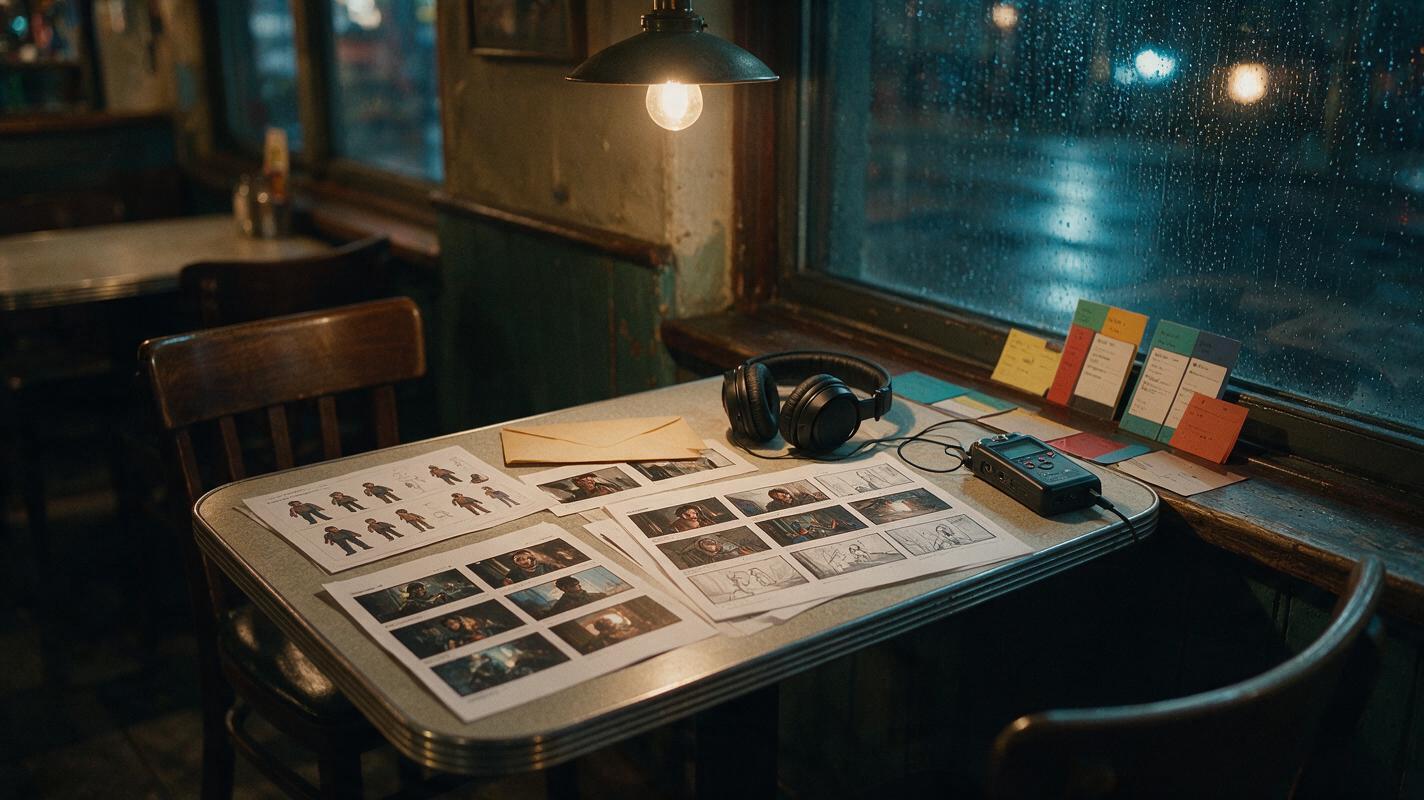
Table of contents
The right AI short-drama stack
The best AI tools for creating short dramas are the ones that solve distinct production jobs: script development, character references, scene generation, performance, sound, and final editing. A strong stack might combine an integrated ai short drama workflow with Runway or Luma Dream Machine for selected shots, Adobe Firefly for visual development, ElevenLabs for voices, and DaVinci Resolve or CapCut for finishing.
No single generator is automatically best for every scene. Dialogue close-ups, establishing shots, action inserts, and recurring-character coverage place different demands on a model. The practical goal is to select the smallest combination that can complete a pilot without repeatedly rebuilding assets.
Start with one episode, one recurring character, two locations, and a limited visual style. A successful pilot reveals which tools belong in the wider series pipeline.
AI short-drama tools compared by production role
This comparison focuses on where each tool can fit in a short-drama pipeline. Product access, usage rights, available models, and plan limits can change, so confirm current terms before beginning commercial work.
| Tool or category | Best production role | Useful capability | What to test first |
|---|---|---|---|
| MagicBoat (Recommended) | One-stop multi-model testing before locking the stack: compare Runway, Luma, Pika and more under one free account | Same-prompt side-by-side generation; free trial credits, no credit card, no watermark | Run one character reference across several models and pick the most consistent result |
| Integrated multi-model workspace | Moving from story development to visual generation | Keeps related writing, image, storyboard, and video tasks closer together | Whether references and prompts can be reused efficiently across scenes |
| Runway | Generating and editing individual video shots | Browser-based image and video generation with creative editing tools | Character stability during camera movement and close performance |
| Adobe Firefly | Concept images, locations, and selected video assets | Generative image and video tools connected to Adobe workflows | Whether its visual output matches the intended production design |
| Luma Dream Machine | Image-led cinematic motion | Text-to-video and image-to-video generation | Camera control, motion restraint, and preservation of the source frame |
| Pika | Short stylized shots and transformation effects | Compact video generation and effect-oriented workflows | Whether the effect serves the story rather than interrupting continuity |
| ElevenLabs | Dialogue, narration, and dubbing | Generated speech and multilingual voice workflows | Pronunciation, emotional continuity, consent, and permitted voice use |
| DaVinci Resolve or CapCut | Assembly, captions, sound, and delivery | Timeline editing and vertical-video finishing | Caption workflow, audio control, export settings, and team compatibility |
Choose tools around the hardest recurring shot
Do not choose an AI short film generator from its most spectacular demo. Choose it by testing the shot your series must reproduce every episode. For a romance drama, that might be a restrained dialogue close-up. For a mystery, it might be the same detective entering several locations while keeping the same face, coat, and evidence prop.
Create a short evaluation scene containing:
- A close shot in which the lead changes expression without changing identity.
- A medium shot with one simple hand action.
- A second camera angle using the same wardrobe and location state.
- A short spoken line that must fit the performance.
- A vertical crop that keeps the essential story information visible.
Render that scene with each shortlisted generator. Compare identity, action readability, camera obedience, repair effort, and how cleanly the result enters the edit. A beautiful clip that requires extensive reconstruction may be less useful than a controlled clip that cuts cleanly.
Build a reusable character reference before generating scenes
Recurring identity begins with a deliberate reference asset. Define facial structure, hair, wardrobe, silhouette, age range, and one or two recognizable details. Avoid filling the design with tiny accessories that video generation must reproduce in every frame.
A three-view sheet lets you test whether an image tool understands the character beyond one flattering portrait. Use the approved sheet as the visual source for scene anchors, then animate those anchors rather than asking a video model to invent the character again from prose.
Reusable character-sheet prompt
Photorealistic three-panel character reference sheet of the same fictional woman in all panels, age 29, oval face, dark brown almond-shaped eyes, shoulder-length black wavy hair, charcoal wool coat over a muted burgundy blouse, small silver crescent pendant, natural skin texture, calm guarded expression; left panel exact front view, center panel exact right-side profile, right panel exact back view; full upper body visible in every panel, identical wardrobe and proportions, neutral light-gray seamless studio background, soft even photographic lighting, no text, no labels, no logos. MANDATORY LAYOUT: three equal vertical panels in one landscape 16:9 frame. MANDATORY CAMERA: eye-level 85mm portrait perspective with no wide-angle distortion.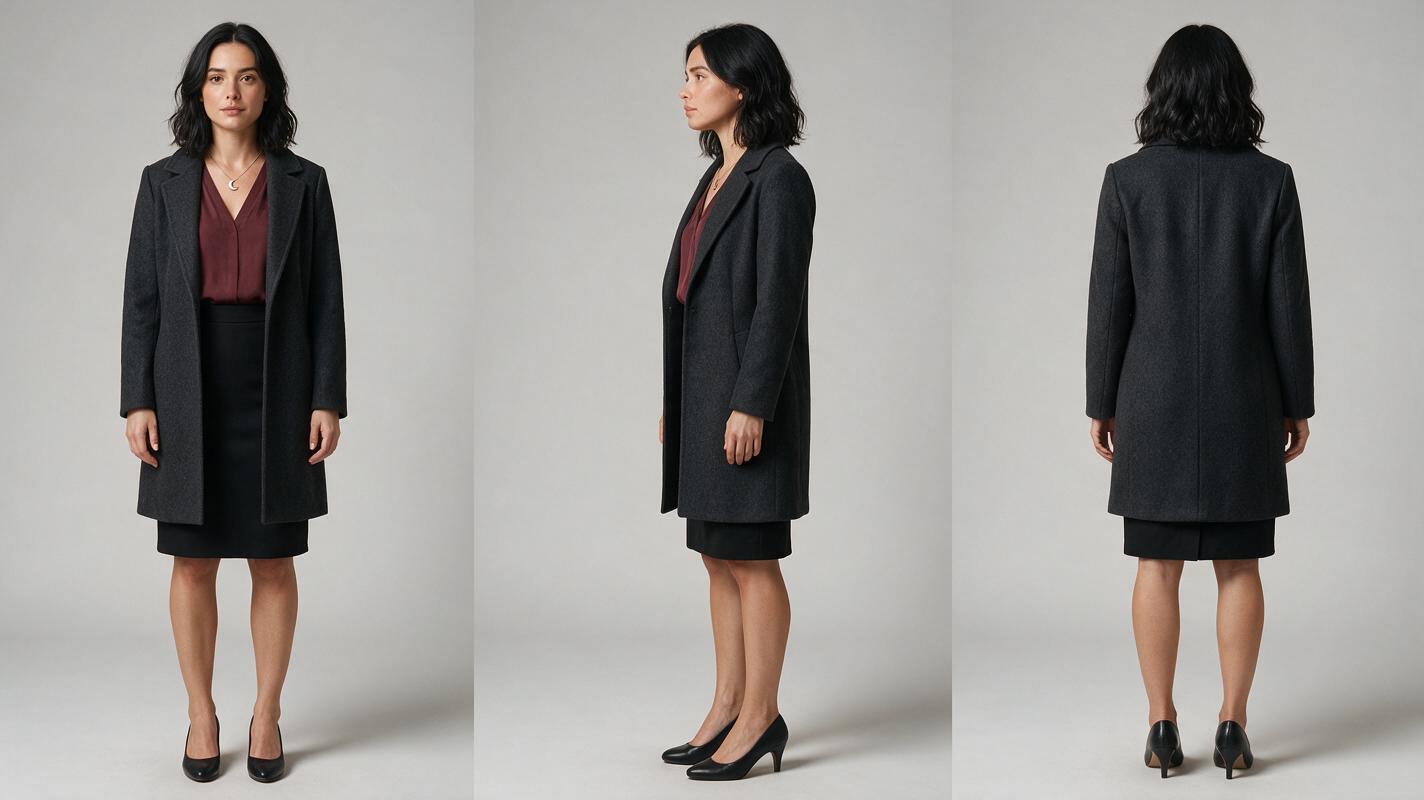
Design locations as repeatable story assets
A location should be more than a stylish background. It needs stable visual anchors that help the audience recognize where the action is happening and give the editor places to cut. For a late-night café, those anchors might be a green vinyl booth, a rain-streaked window, a pendant lamp, and a stainless-steel counter.
Generate a clean location image before placing actors inside it. Once approved, use it to derive wide, medium, and close compositions. Keep the lighting direction, furniture arrangement, time of day, and practical light sources consistent.
Reusable location prompt
Cinematic editorial-realism photograph of a small lived-in neighborhood café shortly before closing, green vinyl booth beside a rain-streaked street window, warm pendant lamp above the table, stainless-steel counter in the deep background, stacked ceramic cups, slightly worn tile floor, believable everyday clutter, cool blue rain outside contrasting with warm interior light, empty room prepared for a tense secret meeting, no people, no text, no logos, no interface elements. MANDATORY CAMERA: true three-quarter room view from seated eye level, 35mm lens, strong foreground-middle-background separation. MANDATORY FORMAT: landscape 16:9 with the booth fully visible and crop-safe central composition.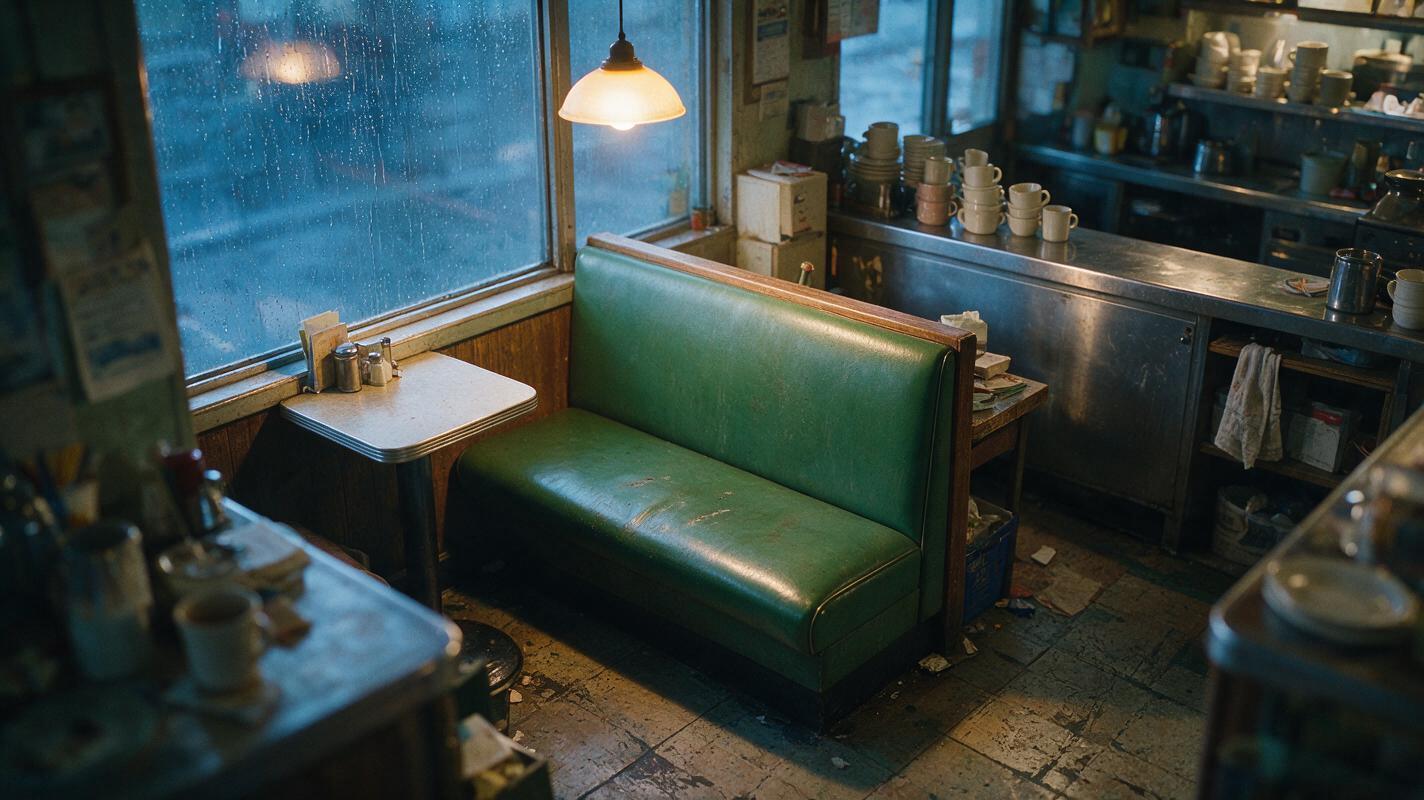
Turn the script into generator-sized shot units
A short drama from script should not be sent to a video model as one long scene. Break the scene into shots with one visible action and one emotional purpose each. This reduces ambiguity and makes failed material easier to replace.
| Story beat | Generated unit | Primary requirement |
|---|---|---|
| The lead arrives expecting a friend | Wide café entrance shot | Readable location and direction of travel |
| She finds an unfamiliar envelope | Medium booth approach | Stable wardrobe and visible envelope |
| She recognizes the handwriting | Close reaction shot | Controlled facial performance |
| The lights shut off | Empty-room lighting change | Location continuity without complex acting |
| A voice speaks behind her | Held close-up with sound-led turn | Restrained head movement and clean audio timing |
Generate silent visual coverage first when precise lip movement is unnecessary. Record approved dialogue separately, cut the scene around the voice track, and reserve lip-sync processing for shots where visible speech is essential.
Use a controlled input-to-output pipeline
The efficient sequence is script beat, reference asset, scene anchor, short motion clip, audio, and edit. Each stage should inherit approved information from the previous one. This is more reliable than rewriting a large prompt for every shot.
For each clip, specify the subject, source frame, single action, camera behavior, environment, lighting, duration target, and exclusions. Keep camera movement and actor movement from competing unless the shot has already passed a simpler test.
Reusable motion prompt
Use the approved café booth frame and preserve the woman’s facial identity, shoulder-length black wavy hair, charcoal coat, burgundy blouse, silver crescent pendant, booth geometry, rain direction, and warm pendant lighting. She notices the sealed envelope, pauses, lowers her eyes toward it, and takes one controlled breath; her hands remain below the frame. Camera stays nearly locked with only a subtle natural push-in. No speaking, no new people, no wardrobe changes, no duplicated objects, no dramatic head turn, no lighting shift. MANDATORY CAMERA: eye-level medium close-up, 50mm lens, stable horizon. MANDATORY COMPOSITION: face in the upper-center story column, envelope edge visible at the bottom of frame, vertical-crop-safe staging.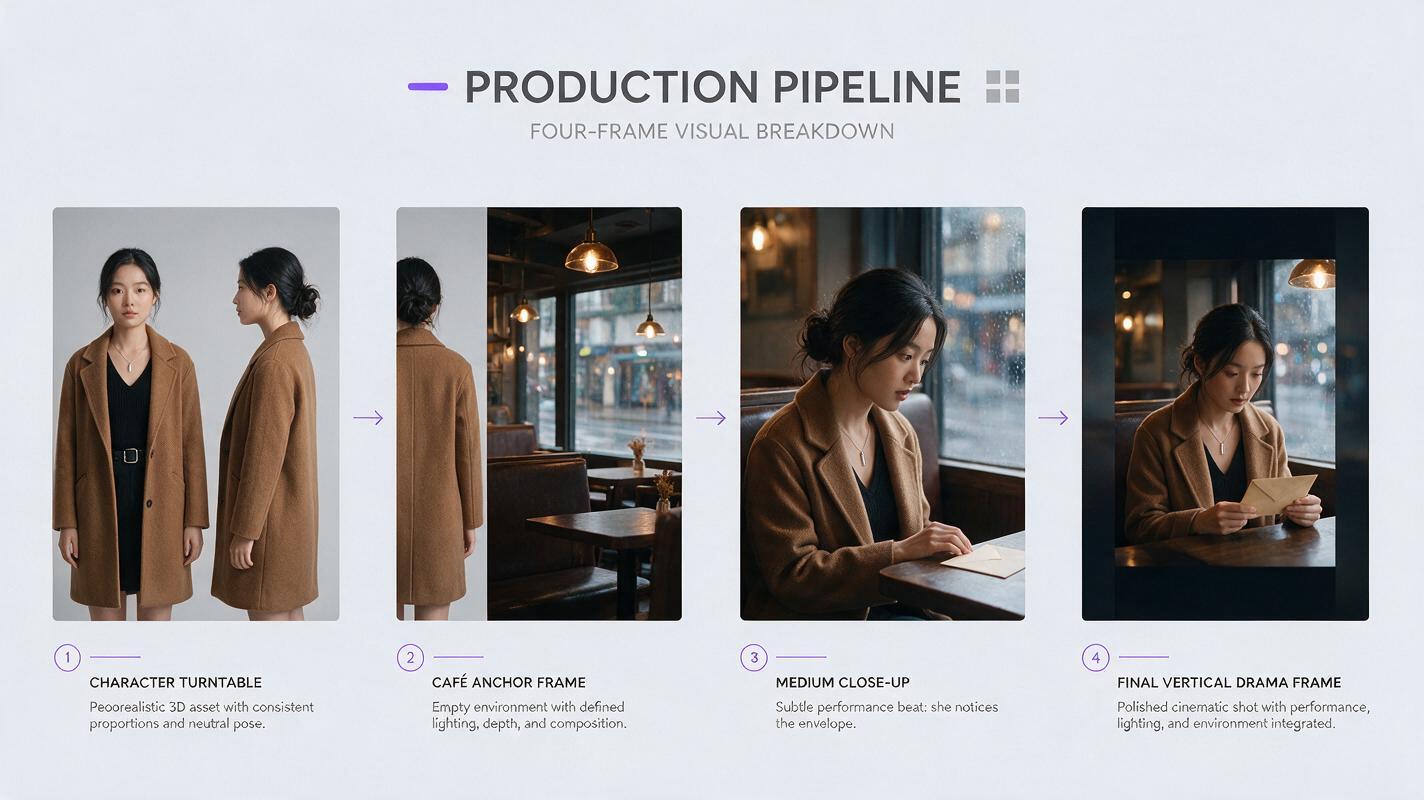
Separate generation from finishing
An AI drama generator supplies material, but the timeline creates the episode. Assemble the voice track, reactions, inserts, room tone, music, and captions in a dedicated editor. The editor is also where you can hide generation weaknesses with motivated cuts.
- Cut away before a hand interaction begins to deform.
- Use a reaction shot over dialogue when lip movement does not match.
- Replace an unstable object action with before-and-after inserts.
- Carry room tone across generated clips to make the location feel continuous.
- Check every important clue and expression in the final vertical crop.
Do not regenerate an entire scene because one insert fails. Repair the smallest broken layer: a close-up, object plate, reaction, transition, voice line, or sound cue.
Plan for batch short drama production
A tool becomes valuable for an AI series video only when its output can be repeated. Before expanding the pilot, save the approved character sheet, location frames, wardrobe wording, lighting descriptions, voice settings, aspect ratio, and negative constraints.
Organize future generation by shared requirements rather than script order. Produce the café establishing shots together, then the booth dialogue coverage, then envelope inserts. This makes visual drift easier to notice and reduces unnecessary context switching.
If you need to compare image and video options before committing to a larger production stack, try these models for free with the same character sheet, location frame, and motion prompt. Judge the outputs in an edit rather than as isolated showcase clips.
Frequently asked questions
What is the best AI tool for making an entire short drama?
The strongest choice is usually an integrated workflow supported by specialist tools where needed. Evaluate whether the system can carry approved scripts, references, scenes, and outputs through production without forcing you to recreate assets at every stage.
Should I use text-to-video or image-to-video?
Text-to-video is useful for exploration and low-continuity shots. Image-to-video is generally easier to direct when a recurring character, exact costume, established location, or deliberate composition must survive into motion.
How many video generators should a first pilot use?
Use as few as possible while still solving the scene. One primary generator and one fallback are easier to manage than a different model for every shot. Add another tool only when it resolves a documented production problem.
Can AI-generated short dramas be used commercially?
Commercial permissions depend on the tool, plan, source assets, jurisdiction, and current terms. Review each provider’s licensing rules and retain records for scripts, reference images, voices, music, and generated outputs.
What should I test before producing multiple episodes?
Test the recurring lead in close-up, side view, movement, a second location, and the final vertical format. Also test voice continuity, caption readability, export quality, and the time required to repair one failed shot.
Sources
- Runway official website
- Adobe Firefly official product page
- Luma Dream Machine official product page
- Pika official website
- ElevenLabs official website
- DaVinci Resolve official product page
Final checklist
- Choose tools by production role rather than demo appeal.
- Test the hardest recurring shot before selecting a generator.
- Approve character and location references before making video.
- Divide scenes into short units with one visible action each.
- Keep voices, editing, captions, and delivery in the production plan.
- Repair failed layers instead of regenerating complete scenes.
- Confirm current licensing terms before commercial publication.
Keywords
ai short drama, ai microdrama, ai short film generator, ai drama generator, short drama from script, batch short drama production, vertical drama video