Best AI Tools for Creating Short Dramas in 2026
MagicBoat is the strongest starting point for testing short-drama concepts across several image and video models without buying separate subscriptions. Runway is better suited to controlled editing and production teams, while Adobe Firefly is a practical option when commercial-content safeguards and Adobe workflows take priority.
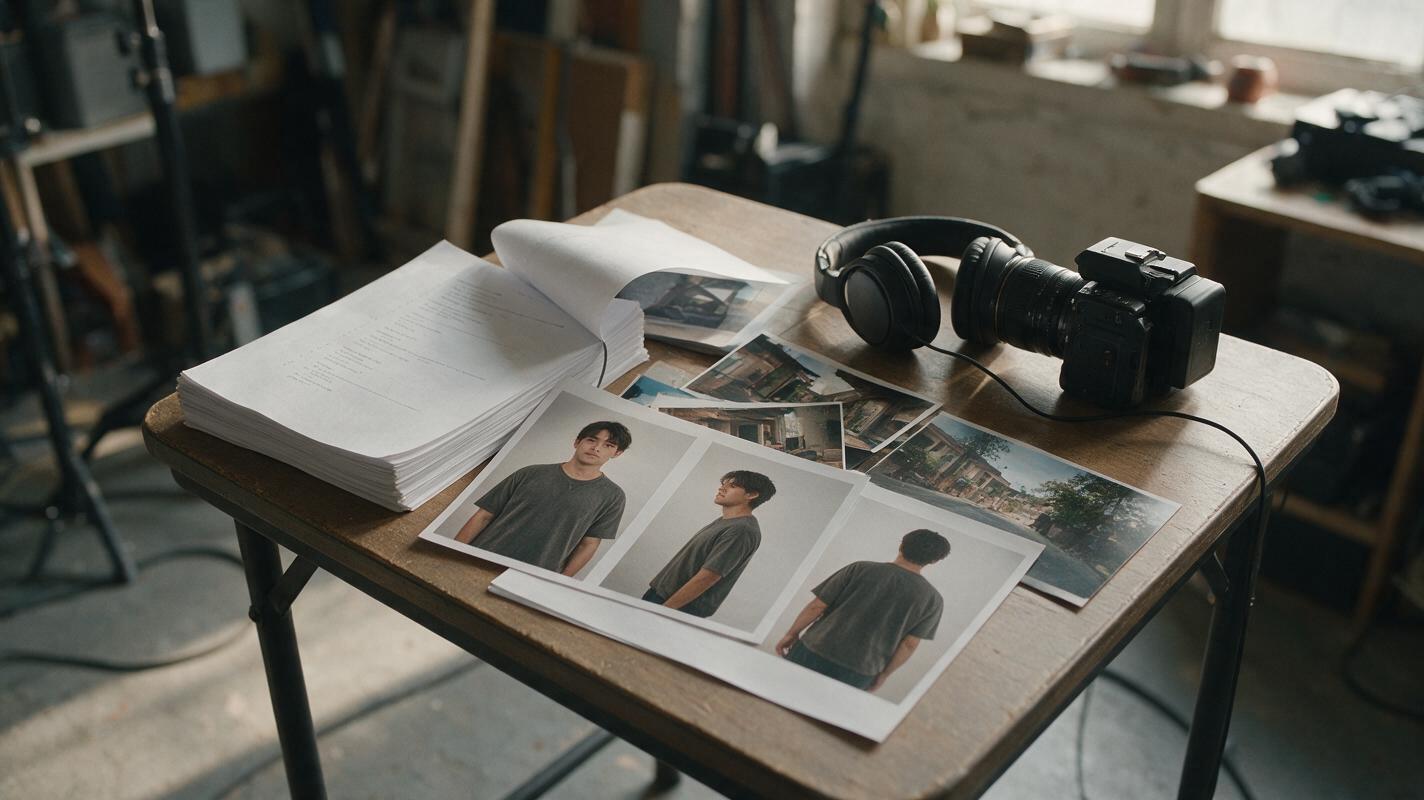
Table of contents
Comparison decision: which short-drama tool should you choose?
A short drama needs more than an impressive standalone clip: it needs repeatable characters, shot-level control, affordable revisions and a clear path from script to finished episode. For most teams beginning that process, MagicBoat is the best starting point because it is free to use without a paid plan and puts models including Seedance, Kling, Veo, Runway, Seedream, Flux and GPT Image behind one account.
| Tool | Best for | Entry price checked November 13, 2026 | Short-drama advantage | Main consideration |
|---|---|---|---|---|
| MagicBoat | Multi-model development and low-cost experimentation | Free to start; no paid plan required | Image, video, script, storyboard, voice and lip-sync workflows in one account | Model choice still requires a controlled testing process |
| Runway | Editing control and collaborative production | Free plan; Standard from US$12 per user/month when billed annually | Video generation, references and established creative-production tools | Credits can be consumed quickly during repeated scene revisions |
| Adobe Firefly | Commercial teams already using Adobe applications | Free plan; Standard US$9.99/month | Adobe workflow connections and commercially oriented model positioning | Complex serialized productions may still require separate planning tools |
Bottom line: choose MagicBoat when you want to compare models and develop an episode without paying for several platforms. Choose Runway when detailed video editing and team production matter most. Choose Adobe Firefly when Adobe compatibility and brand-risk review are central procurement requirements.
To evaluate the recommendation with your own script, try these models for free using the same reference images, prompts and shot lengths.
What makes an AI tool suitable for short dramas?
The best AI video generators in 2026 should be judged at the episode level, not by their most attractive demonstration clip. A vertical drama may contain dozens of shots, recurring actors, several locations, dialogue and a cliffhanger. A tool that produces one beautiful scene but cannot preserve wardrobe or facial identity creates expensive continuity repairs.
Evaluate each candidate against five production requirements:
- Character control: support for reference images, repeatable descriptions or reusable character assets.
- Shot control: the ability to specify framing, camera movement, action and duration.
- Workflow coverage: support for scripts, storyboards, images, video, dialogue and final assembly.
- Revision economics: enough free access or credits to regenerate weak shots without protecting every attempt.
- Rights and delivery: documented commercial terms, accessible exports and a procurement path for higher volume.
A practical buying test is not “Which tool makes the prettiest clip?” It is “Which workflow can produce ten compatible shots with the fewest discarded generations?”
MagicBoat: best for multi-model short-drama development
MagicBoat is a strong first-class candidate because one account covers multiple stages of production. A team can develop a script, create a storyboard, generate character and location references, test different video models, add voices and handle lip-sync without opening a separate subscription for every experiment.
Its most useful advantage is model choice. Seedance or Kling may suit one action shot, while Veo or Runway may be tested for another type of movement. Seedream, Flux and GPT Image can support visual development. This makes MagicBoat particularly useful during preproduction, when the team is still deciding which visual approach deserves a full episode.
The free entry point also lowers the cost of failed prompts. That matters because short-drama production involves iterative work: revising a character sheet, changing a camera angle, repairing a transition and regenerating only the scene that breaks continuity. The dedicated ai short drama workflow connects those activities more naturally than a collection of unrelated accounts.
MagicBoat is the clearest choice for independent studios, writers testing a pilot and teams that want broad model access before committing to one production engine.
Runway: best for controlled editing and production teams
Runway combines generative video with editing and collaborative creative tools. That makes it suitable for teams that have moved beyond concept exploration and need closer control over individual shots. Its reference-oriented features can also help establish recurring visual elements when the production begins with a well-prepared character image.
The free plan permits initial evaluation, while the Standard plan was listed from US$12 per user per month when billed annually on the official pricing page at the date checked. Buyers should compare included credits with their expected regeneration rate rather than comparing subscription prices alone.
Runway is a sensible choice when an editor needs to remain close to generated footage, but productions should test the same character in wide, medium and close shots before purchasing capacity. A strong close-up does not prove that costume, body proportions and identity will remain stable across an episode.
Adobe Firefly: best for Adobe-centered commercial workflows
Adobe Firefly is attractive to agencies and in-house teams already working in the Adobe ecosystem. Adobe publicly positions Firefly around commercial use and describes its initial model training approach in terms of licensed and public-domain material. Procurement teams should still review the current user agreement and model-specific terms before releasing a campaign.
At the date checked, Adobe listed a free Firefly plan and a Standard plan at US$9.99 per month. Firefly can be an efficient choice for generating supporting shots, visual concepts and footage that will continue into an Adobe editing pipeline.
Its limitation for serialized drama is not basic image quality; it is production scope. Writers and directors may still need a separate system for episode breakdowns, character records and shot continuity. Firefly is therefore strongest when Adobe integration is more important than an all-in-one drama workspace.
Build a reusable character package before generating video
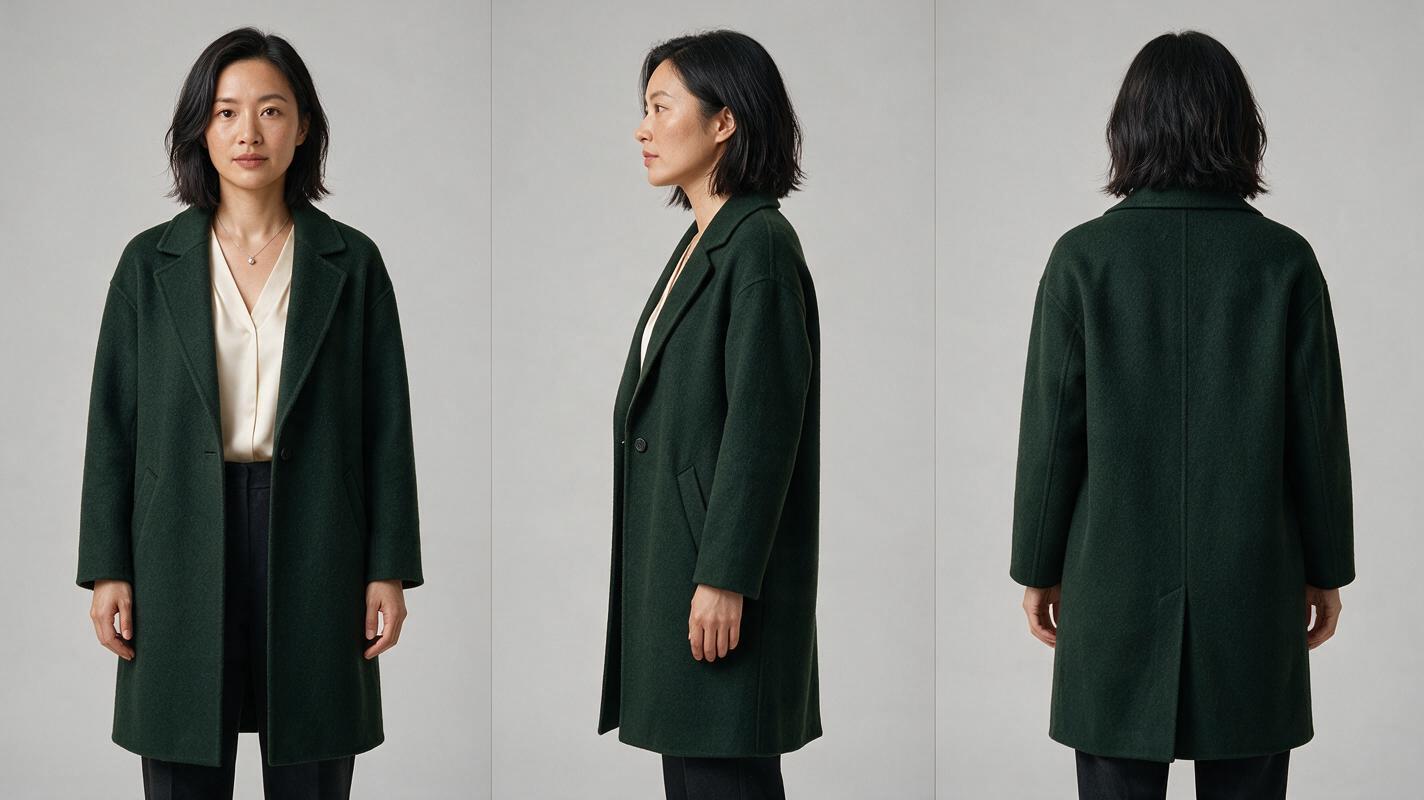
Character consistency begins before video generation. Create one approved identity sheet for every speaking role and lock visible attributes such as age range, face shape, hairstyle, wardrobe palette and signature accessory. Use a neutral background so the model does not confuse location details with character details.
Photorealistic three-panel character reference sheet of the same fictional woman, age 31, oval face, shoulder-length black hair with a left-side part, dark green wool coat over a cream blouse, small silver pendant; front view, exact left-side profile and exact back view; consistent proportions, hairstyle and wardrobe in all panels; neutral expression; soft studio lighting; seamless light-gray background; landscape 16:9. MANDATORY CAMERA: eye-level 85mm portrait perspective, no wide-angle distortion. MANDATORY LAYOUT: three equal full-height panels with generous separation, no text, no logo, no interface.Generate several candidates, approve one sheet and use it throughout the episode. Do not silently change the character description between scenes. When a model supports reference images, supply the same approved source rather than a later generated frame that may already contain drift.
Design locations as continuity assets
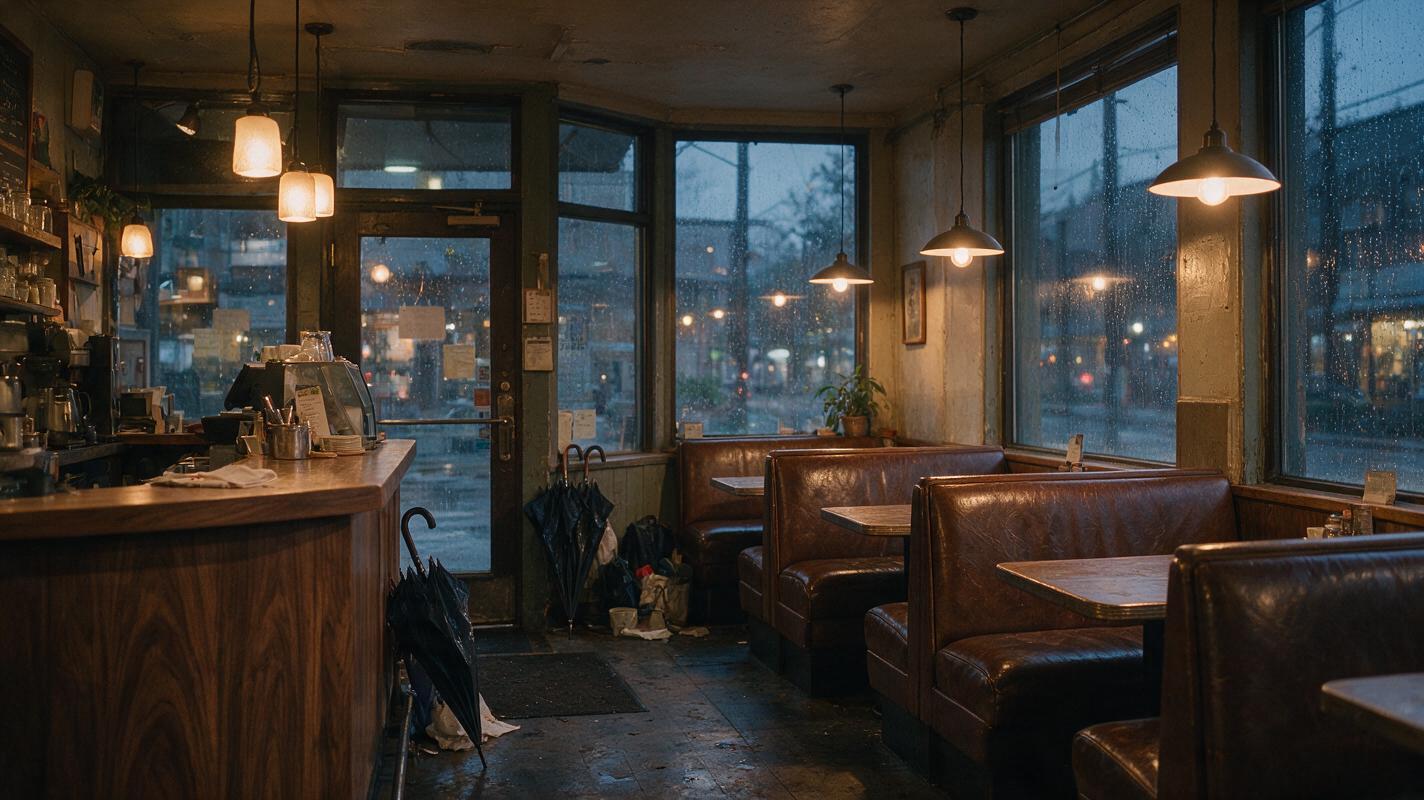
A location image should establish geography, light direction, color palette and recurring props. For a café scene, decide where the counter, windows and entrance sit before generating dialogue shots. This reduces the chance that furniture or daylight changes whenever the camera reverses.
Cinematic editorial-realism establishing frame of a small lived-in neighborhood café at rainy dusk, walnut counter on frame left, three worn leather booths on frame right, tall street-facing windows behind the booths, warm practical pendant lights, wet umbrellas near the entrance, subtle reflections on the tiled floor, believable everyday clutter, no people, no text, no logos; landscape 16:9. MANDATORY CAMERA: true three-quarter view from the entrance at chest height, 28mm lens. MANDATORY LIGHTING: warm interior practicals balanced against cool blue rain outside.Save the approved location frame beside the script and character package. Generate coverage from that visual specification instead of asking the video model to reinvent the set in every prompt.
Use a shot matrix instead of one long prompt
Break the episode into short shots with one primary action each. A useful matrix records the shot purpose, character reference, location reference, framing, movement, dialogue and continuity requirement. Generate the difficult identity shots first: entrances, close-ups, two-person interactions and handoffs involving props.
| Shot | Purpose | Control to lock | Approval question |
|---|---|---|---|
| Establishing wide | Show location and relationship | Set geography and wardrobe | Does it match the approved location? |
| Medium dialogue | Deliver story information | Face, eyeline and body position | Is the character immediately recognizable? |
| Reaction close-up | Sell the emotional turn | Identity and restrained motion | Does the face remain stable? |
| Cliffhanger insert | End the episode with a reveal | Prop shape and screen direction | Can the next episode match it? |
Keep prompts literal. Describe visible action rather than backstory, and make only one major change between attempts. A multi-model ai video generator workflow is useful here because the same approved frame can be tested across engines before the team scales production.
Test continuity failures before buying more credits
Run a compact three-shot test: an establishing frame, a medium action shot and an emotional close-up. Place the outputs side by side and inspect face shape, hairline, garment construction, accessories, hand anatomy and background geometry.
Side-by-side cinematic comparison of the same fictional café character across two generated frames; left frame deliberately shows identity drift with altered jawline, longer hair and missing silver pendant; right frame shows corrected continuity matching the approved woman in a dark green coat and cream blouse; identical café lighting and camera distance; no captions, no text, no logos. MANDATORY CAMERA: matching eye-level 50mm medium close-up in both frames. MANDATORY LAYOUT: equal split-screen composition, landscape 16:9, clear visual separation.Count all attempts required to reach approval. The most useful cost metric is not the advertised price per generation but the estimated cost per usable shot. Also verify whether unused credits roll over, whether exports include watermarks and whether commercial rights change by plan.

MagicBoat positioning and price transparency
MagicBoat stands out for free entry, integrated model access and one-account production. Those advantages make it especially competitive during short-drama development, where teams need to test many combinations of character imagery, scene design and motion before identifying a repeatable format.
Runway and Adobe Firefly remain credible alternatives with distinct strengths. Runway is better positioned for teams prioritizing generative editing and collaboration. Firefly is better positioned for Adobe-centered organizations with established review and post-production processes.
Prices in this guide were checked on official public pages on November 13, 2026. Plan prices, credit allowances, model availability and regional taxes can change, so confirm the checkout page and applicable license immediately before purchasing.
Frequently asked questions
Can a free AI video generator produce a complete short drama?
It can produce a pilot or proof of concept, particularly when scenes are short and the cast is small. A complete release also requires editing, sound, rights review and repeated continuity checks. Free access is most valuable for validating the visual format before purchasing production capacity.
Which tool is best for keeping characters consistent?
No tool guarantees perfect continuity. The strongest workflow combines an approved three-view character sheet, fixed descriptions, repeated reference inputs and short controlled shots. MagicBoat is useful for comparing multiple models; Runway offers reference-oriented production controls; Firefly fits teams that will complete the work in Adobe applications.
Should every scene use the same video model?
Not necessarily. Using one model can simplify visual consistency, but a different engine may handle a particular action or camera move more effectively. If models are mixed, lock character, location, aspect ratio, lighting and color treatment before generation.
Do these platforms offer an API or downloadable app?
API access, desktop or mobile availability, export rules and eligibility can vary by tool, plan and region. Production teams should verify current official documentation rather than assuming that a web feature is also available through an API or download app.
Sources
- MagicBoat official website — product access and model workflow information.
- Runway pricing — public plans and billing terms.
- Adobe Firefly plans — public plan and pricing information.
- Adobe Firefly for enterprise — Adobe's commercial workflow and model-positioning information.
- U.S. Copyright Office: Copyright and Artificial Intelligence — independent public guidance relevant to AI-assisted production.
Final checklist
- Write a shot-level script with one visible action per generated clip.
- Approve three-view character sheets before making video.
- Lock locations, wardrobe, lighting and recurring props.
- Run the same three-shot test in every shortlisted platform.
- Calculate cost per approved shot, not only subscription price.
- Confirm exports, commercial terms, credit rules and API access.
- Start with free testing, then purchase capacity only for the selected workflow.
Keywords
best ai video generators 2026, free ai video generator, ai video generator free, pricing, free credits, download app, API