Best AI Tools for Creating Short Dramas: A Practical Workflow
The best AI short-drama setup combines planning, reference-image generation, controlled video generation, voice production, and conventional editing rather than relying on one model. This guide compares practical tools and shows how to move from a short script to a continuity-safe pilot episode.
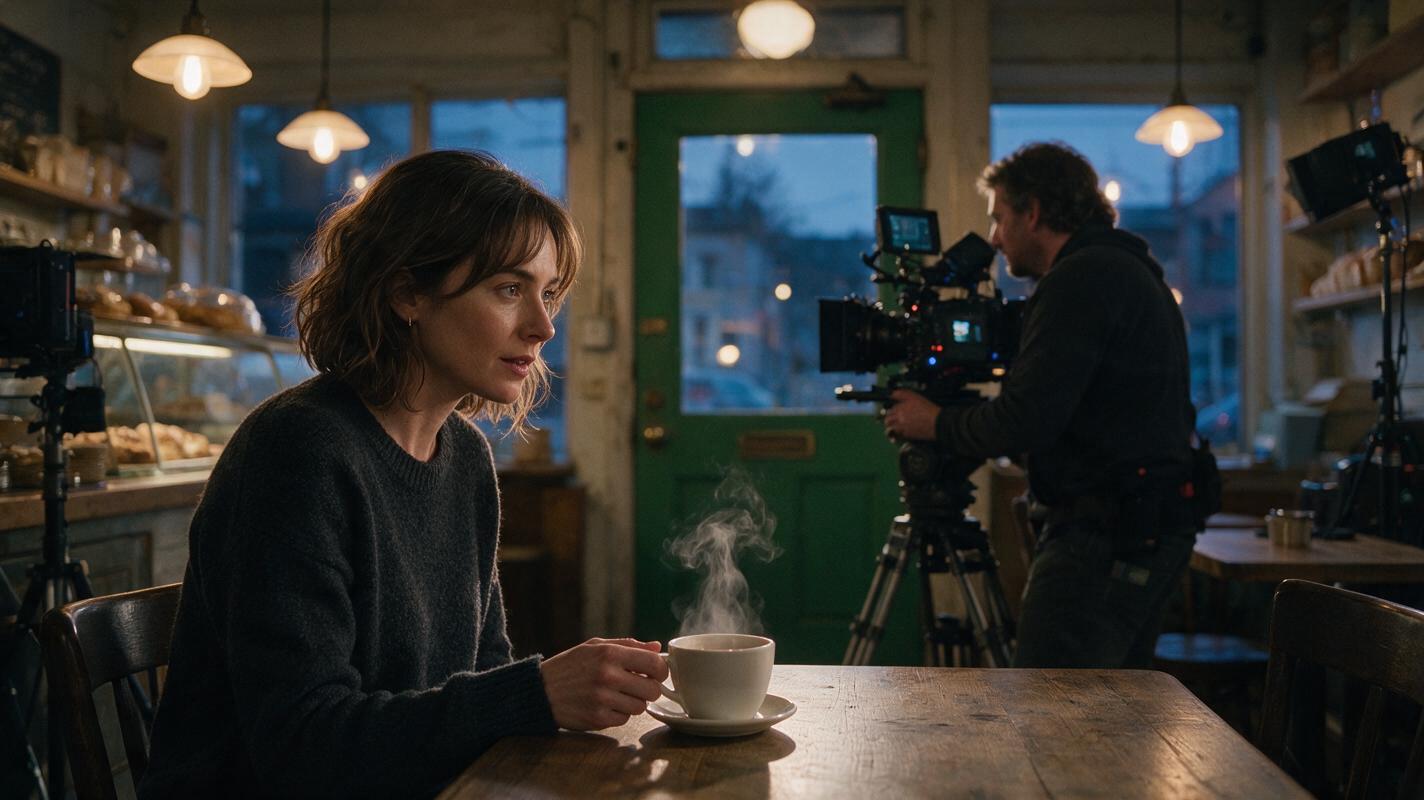
Table of contents
The Short Answer
The best AI tools for creating short dramas are the ones that fit a controlled production chain: plan the episode, lock recurring characters, generate approved scene frames, animate short shots, create dialogue and sound, and finish the edit in a dedicated timeline.
For an integrated starting point, an ai short drama workspace can keep scripting, visual development, and generation closer together. Runway, Kling AI, and Luma Dream Machine are useful video-generation options; Adobe Firefly supports image and video work within a broader creative ecosystem; ElevenLabs handles voice production; and DaVinci Resolve provides detailed editorial control.
Best practical setup: choose one planning workspace, one primary image model, one primary video model, one voice tool, and one editor. Adding more models before the pilot is stable usually makes continuity harder to diagnose.
Which AI Short-Drama Tools Are Best for Each Job?
| Tool | Best role | Useful capability | Watch for |
|---|---|---|---|
| MagicBoat | Integrated short-drama production | Free entry point, multiple models, and script-to-production capabilities in one workspace | Test a complete scene before committing to a series-wide visual method |
| Runway | Directed video generation and post-production | Reference-based generation, video tools, and editing features | Complex interactions may still require separate shots or compositing |
| Kling AI | Image-led cinematic shots | Text-to-video and image-to-video generation with camera and motion prompting | Inspect faces, hands, props, and background identities at every cut boundary |
| Luma Dream Machine | Fast visual exploration | Video generation and transformation tools for testing motion ideas | Exploratory outputs should not become continuity references automatically |
| Adobe Firefly | Agency and design workflows | Image and video generation connected to Adobe applications | Review the current plan, usage terms, and output eligibility for each client project |
| ElevenLabs | Dialogue, narration, and sound | Speech generation, voice design, and sound-effect tools | Use only voices for which you have the necessary rights and consent |
| DaVinci Resolve | Final edit and finishing | Editing, color, audio, subtitles, and delivery in one application | Generation errors are easier to see once shots are placed back to back |
No single row is automatically the winner. The right choice depends on whether your bottleneck is story planning, recurring-character continuity, physical motion, dialogue, or final delivery.
Step 1 — Build a Production Packet Before Generating Video
Begin with a pilot scene, not an entire season. A useful production packet contains the episode objective, cast descriptions, location rules, prop states, wardrobe states, and a shot list. Each shot should communicate one visible story event.
For example, consider a mystery episode in which Maya enters a closed bakery, finds a recently used coffee cup, and hears someone unlock the rear door. The shot packet might contain:
- Shot A: Maya enters and notices that the room is unexpectedly warm.
- Shot B: An insert reveals steam rising from the coffee cup.
- Shot C: Maya looks toward the rear door after hearing the lock.
- Shot D: The handle begins to rotate; cut before the visitor appears.
Convert subjective writing into visible evidence. “Maya senses danger” is not directly playable, but a stopped step, tightened grip, redirected eyeline, and rotating handle are.
Convert the scene below into a short-drama shot packet.
For every shot, return:
- one visible story event
- character and prop continuity states
- framing and camera position
- beginning pose and ending pose
- permitted movement
- dialogue or sound cue
- intended edit point

Keep each generated shot focused on one action.
Do not invent new characters, wardrobe, props, or locations.

SCENE:
[Paste the scene here]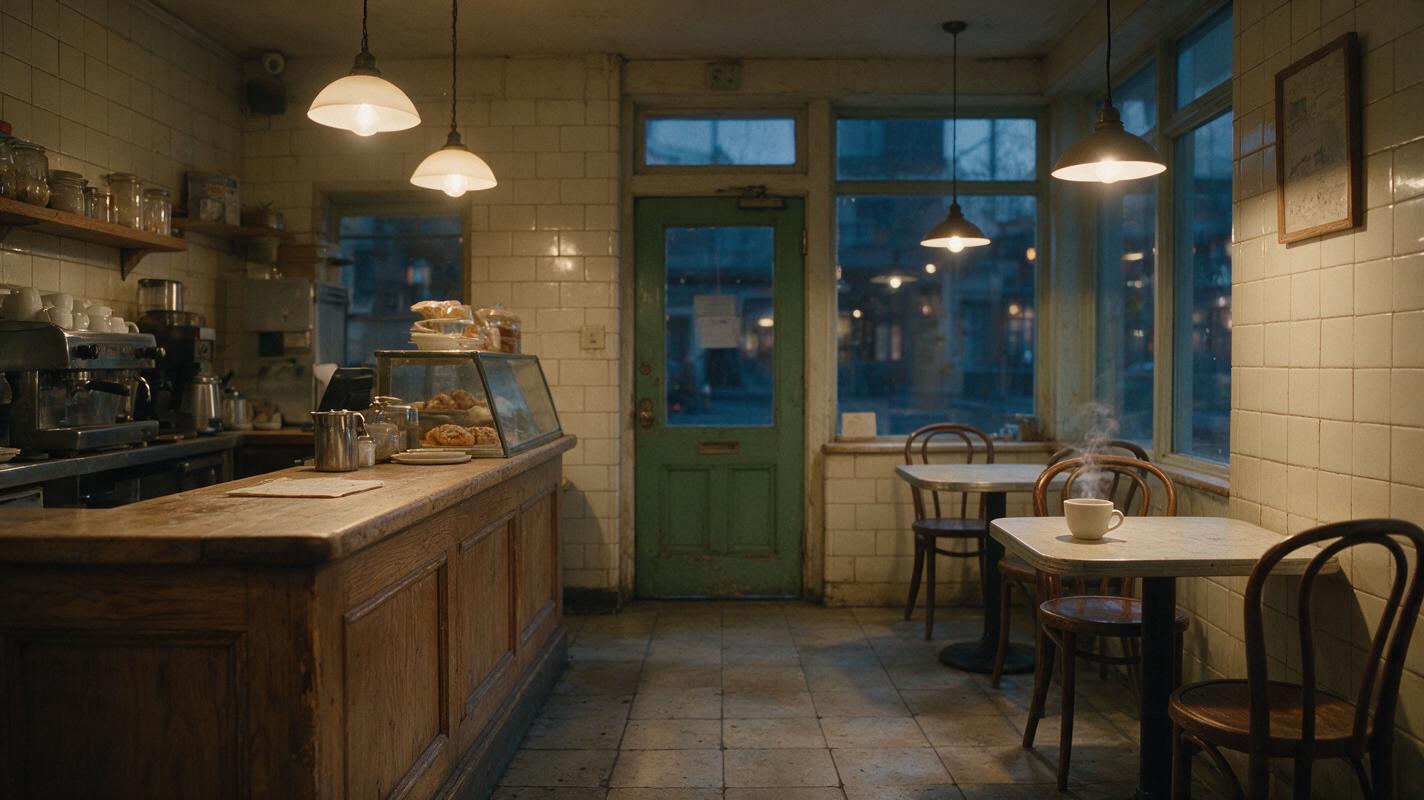
Step 2 — Lock the Recurring Character With Reference Images
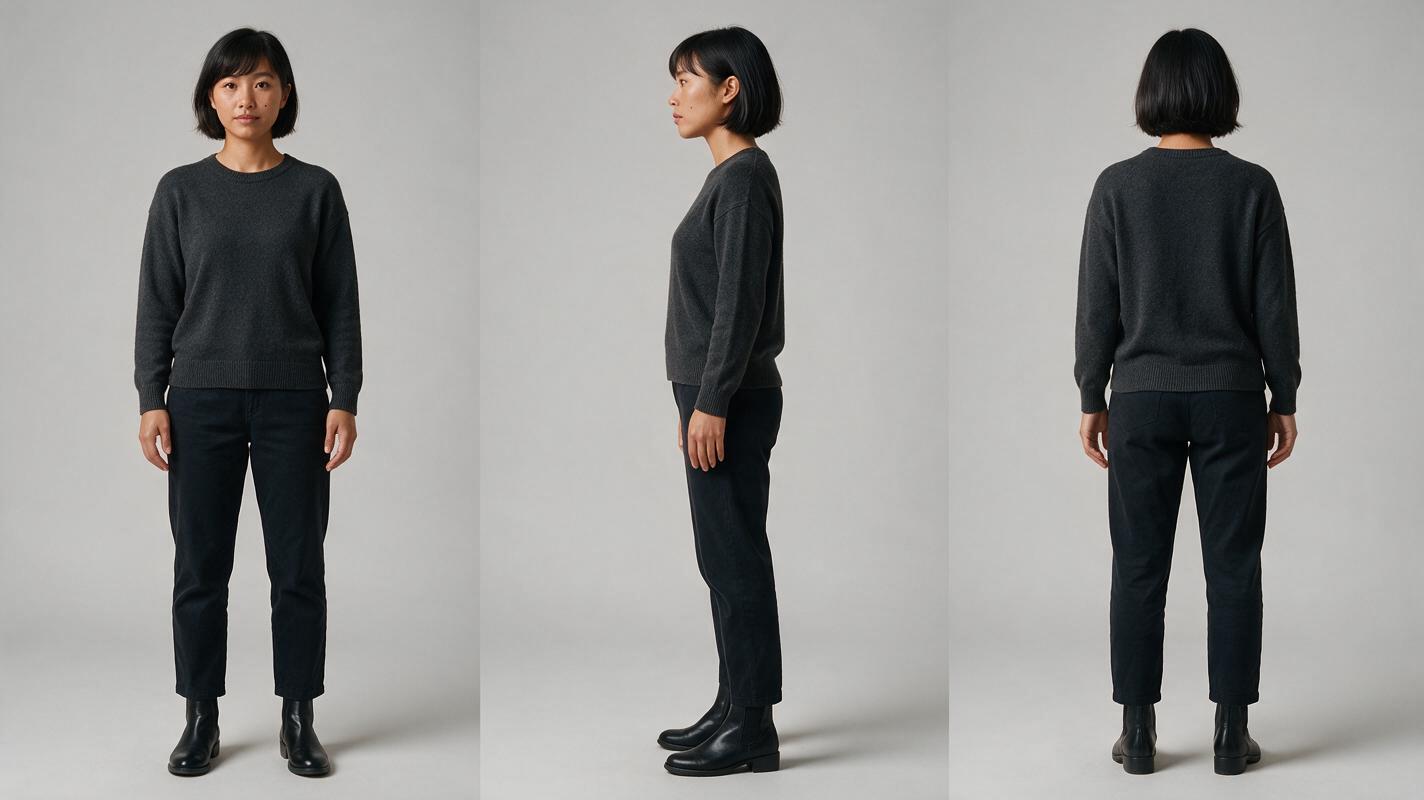
Create a neutral reference sheet before placing the lead actor in a dramatic location. Record identity features that should survive every scene: approximate age, face shape, hair silhouette, skin details, body proportions, and the base costume. Keep temporary emotions, lighting, weather, and camera effects out of this master reference.
Use the same approved reference in every image-generation request. If the tool supports multiple references, separate character, wardrobe, and location sources rather than asking one overloaded image to define everything.
Recreate prompt: Photorealistic three-panel character reference sheet of Maya Chen, a fictional 31-year-old East Asian woman with an oval face, warm medium skin, straight chin-length black bob tucked behind the right ear, dark brown eyes, a small mole below the left cheekbone, average build, wearing a plain charcoal crew-neck sweater, straight dark trousers and black ankle boots; the exact same person and clothing in all three panels; full-body front view, exact side profile, and full-body back view; relaxed neutral posture, arms naturally separated from torso, neutral expression; neutral light-gray seamless studio background, soft even studio illumination, accurate anatomy and fabric construction, no props, no text, no logo. MANDATORY CAMERA: eye-level orthographic-style full-body reference photography, 70mm lens appearance, no wide-angle distortion. MANDATORY LAYOUT: landscape 16:9 canvas split into three equal vertical panels ordered front, side, back, with consistent scale and headroom.
Step 3 — Approve Location and Scene Frames Before Motion
Generate a clean location frame and a small set of story frames before asking for video. These stills establish composition, production design, light direction, prop placement, and screen geography at a lower cost than repeatedly regenerating complete moving shots.
For the bakery scene, approve an empty location plate first. Then create Maya’s entrance frame, the coffee-cup insert, and the rear-door reaction frame. Use an image to video path only after the relevant frame passes continuity review.
Keep a location description compact and reusable:
LOCATION LOCK — CLOSED BAKERY
Narrow neighborhood bakery after closing.
Cream tile walls, worn oak service counter on frame left.
Three unoccupied café tables on frame right.
Rear green-painted wooden door centered in the back wall.
Warm pendant lights are on; storefront exterior is blue dusk.
One white ceramic coffee cup sits on the nearest table.
No customers, no staff, no signage, no additional doors.
Recreate prompt: Cinematic editorial-realism establishing frame inside a small neighborhood bakery just after closing, cream tile walls, worn oak service counter on frame left, three empty café tables on frame right, green-painted wooden rear door centered on the back wall, one white ceramic coffee cup on the nearest table with a faint thread of steam, warm pendant lighting contrasted with blue dusk through the storefront, lived-in but tidy surfaces, believable practical materials, no people, no readable text, no logos. MANDATORY CAMERA: eye-level true three-quarter interior view from near the front entrance, 35mm lens appearance, deep enough focus to keep the cup and rear door legible. MANDATORY LAYOUT: cinematic landscape 16:9, counter anchoring the left third, cup in the lower-right foreground, rear door at the central vanishing point.
Step 4 — Generate Short Shots With Bounded Motion
Video prompts should describe change over time, not repeat every detail already established by the input frame. Define the subject’s action, camera behavior, environmental motion, and final state. Restrict anything that should remain still.
Maya takes one cautious step into the bakery and stops.
Her eyes move from the empty counter to the steaming cup.
She does not speak and does not touch any object.
Camera performs a very slow 10-centimeter push forward.
Only subtle breathing, one natural blink, and faint steam move.
Preserve her face, bob haircut, charcoal sweater, body proportions,
table positions, cup shape, rear door, and warm-to-blue lighting contrast.
End with Maya motionless, looking at the cup.
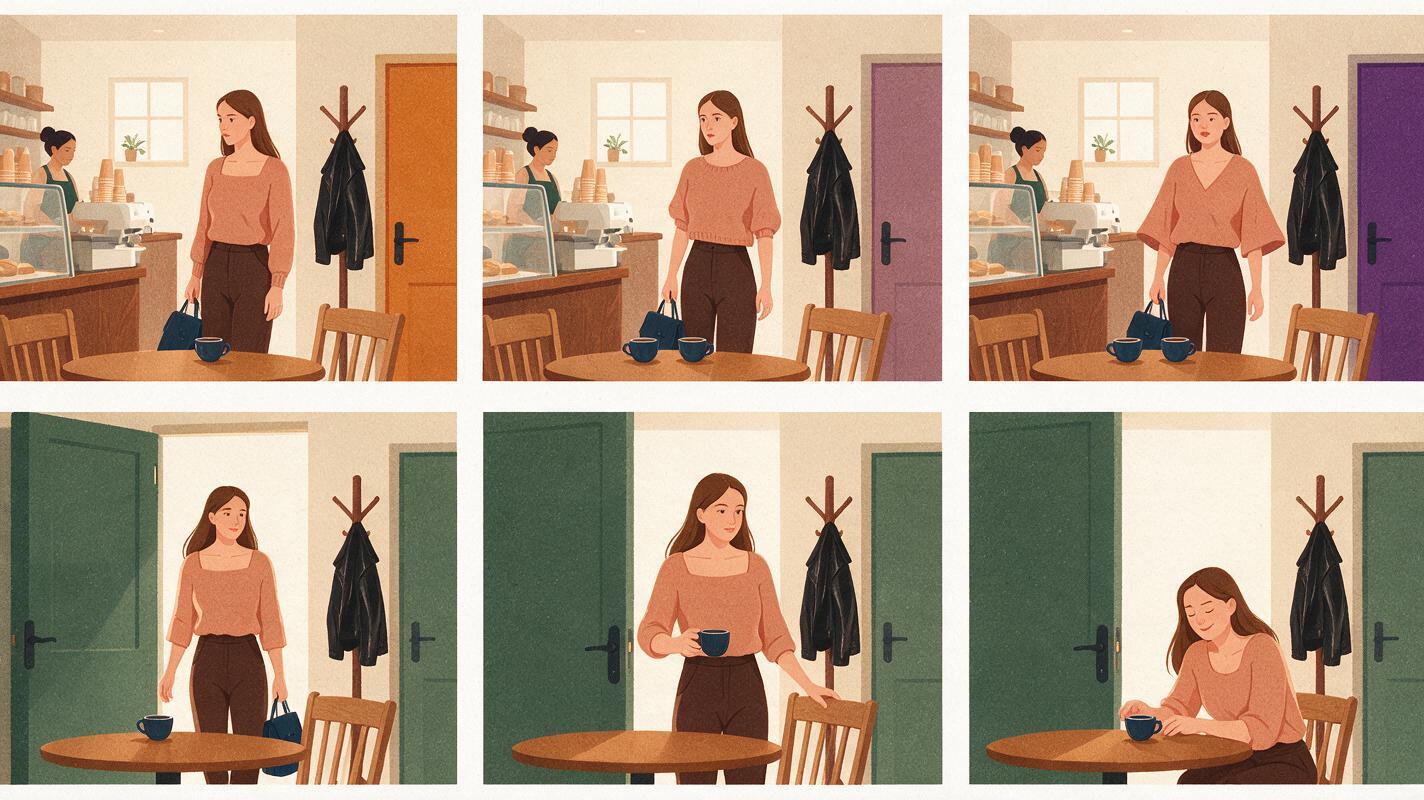
Generate interaction as separate coverage when possible. A medium shot can carry Maya’s reaction, while an insert carries the cup and another close shot carries the turning handle. This reduces the number of identities, limbs, and objects the model must resolve simultaneously.
Review the first frame, middle frame, and final frame of every output. Reject a shot when an identity or story-critical object mutates, even if the overall motion looks impressive.
Recreate prompt: Neutral instructional comparison showing two cinematic frame sequences from the same fictional bakery scene, with three landscape frames in the upper sequence and three in the lower sequence; upper sequence demonstrates failure through changing facial identity, duplicated coffee cups, drifting door color, and inconsistent sweater shape; lower sequence shows the same woman, one stable cup, unchanged green door, consistent wardrobe, and a clean progression from entrance to reaction; photorealistic film-frame rendering, no interface, no labels, no logos, no text. MANDATORY CAMERA: each embedded frame uses an eye-level 50mm cinematic perspective with matching camera height. MANDATORY LAYOUT: landscape 16:9 comparison plate, two evenly spaced horizontal rows, identical frame sizes, upper row visibly inconsistent and lower row continuity-safe.
Step 5 — Produce Dialogue After Picture Timing Is Stable
Temporary dialogue is useful during planning, but final speech should follow the edited performance. Otherwise, shot lengths become trapped by audio that was recorded before the visual rhythm existed.
Prepare a voice brief for each recurring role:
- Vocal age and general register
- Pace and energy
- Accent or dialect, when narratively necessary
- Emotional baseline
- Pronunciation notes for names and fictional terms
- Consent and usage documentation
Generate room tone, Foley, and dramatic effects as separate assets. A lock click, cloth movement, refrigerator hum, and distant traffic can make a restrained shot feel intentional without forcing more visual motion.
Step 6 — Edit for Causality, Not Generation Order
Place shots in story order and ask whether every cut preserves cause and effect. In the bakery scene, the viewer should see or hear the trigger before Maya’s reaction. The cup insert must remain long enough to communicate that it was recently used. The door-handle shot should begin from the same screen direction established in the reaction shot.
A compact review pass should check:
- Identity: Does Maya remain recognizably the same person?
- State: Are wardrobe, props, weather, and damage correct for this story moment?
- Geography: Do eyelines and entrances match the established room?
- Causality: Is each reaction motivated by a visible or audible trigger?
- Boundaries: Can adjacent final and opening frames cut together cleanly?
- Audio: Do dialogue, ambience, and effects support rather than duplicate the image?
Once one scene survives this review, reuse its approved references and prompt blocks for the next scene. At that high-intent point, you can try these models for free and compare a short pilot shot before selecting a production path.
How to Choose Without Overbuying
Run the same pilot packet through each shortlisted setup. Do not compare unrelated showcase clips. Use the same character reference, location, shot duration, motion request, and acceptance criteria.
| If your main problem is… | Prioritize… | Pilot test |
|---|---|---|
| Too many disconnected production tools | An integrated multi-model workflow | Move one complete scene from script through video and voice |
| Character drift | Strong reference-image control | Generate the same lead in wide, medium, profile, and low-light shots |
| Unconvincing motion | Image-led video and controllable camera movement | Test walking, stopping, turning, and a restrained reaction |
| Dialogue-heavy episodes | Voice control and clean audio export | Test two emotional readings and pronunciation consistency |
| Client or commercial delivery | Clear usage terms and team governance | Review current licenses, consent records, export needs, and approval roles |
Check current pricing and terms directly because plans, credit systems, available models, and commercial conditions can change. The best tool is the one that passes your own continuity and delivery test with the least manual rebuilding.
FAQ
Can one AI short film generator make a complete episode?
Some platforms can cover several stages, but a dependable episode still benefits from separate approvals for script, references, scene frames, motion, audio, and editing. Treat automatic end-to-end output as a draft until every story beat and continuity state has been reviewed.
Should I use text-to-video or image-to-video?
Text-to-video is useful for exploration and noncritical inserts. Image-to-video is generally easier to direct when a recurring character, exact location, wardrobe state, or important prop must remain recognizable.
How many video tools should a first production use?
Start with one primary video model and keep one alternative for shots the primary model cannot solve. A small, documented pipeline is easier to troubleshoot than an episode assembled from many unrelated visual systems.
What should I test before making an AI series video?
Test one dialogue shot, one full-body movement, one two-character composition, one prop interaction, and one lighting change. Compare identity, anatomy, geography, motion, editability, and usage terms before scaling.
Can AI voices be used for recurring characters?
Yes, subject to the tool’s current terms and the necessary rights or consent. Preserve a voice brief, pronunciation guide, emotional baseline, and approved sample for every recurring role.
Sources
- Runway official website
- Kling AI official website
- Luma Dream Machine official website
- Adobe Firefly official product page
- ElevenLabs official website
- DaVinci Resolve official product page
Final Checklist
- Choose tools by production role rather than showcase quality alone.
- Test a complete pilot scene before producing multiple episodes.
- Lock character, wardrobe, location, and prop references before video generation.
- Use one visible event and one bounded movement plan per shot.
- Generate dialogue after the picture edit has stable timing.
- Review current licensing, consent, pricing, and commercial-use terms directly.
- Scale only after the pilot passes identity, causality, geography, and edit-boundary checks.
Keywords
ai short drama, ai short film generator, ai drama generator, ai series video, short drama from script, batch short drama production