How to Turn Catalog Photos Into Lifestyle Product Images With Nano Banana Pro
Ecommerce marketers can turn flat white-background catalog product photos into high-converting lifestyle images using Nano Banana Pro’s reference-based image generation. This guide covers optimal source photo selection, reference strength settings, reusable prompt templates for popular product categories, and troubleshooting for common issues like warped labels and mismatched lighting. The workflow eliminates the need for expensive lifestyle photoshoots and delivers ad-ready assets in minutes.
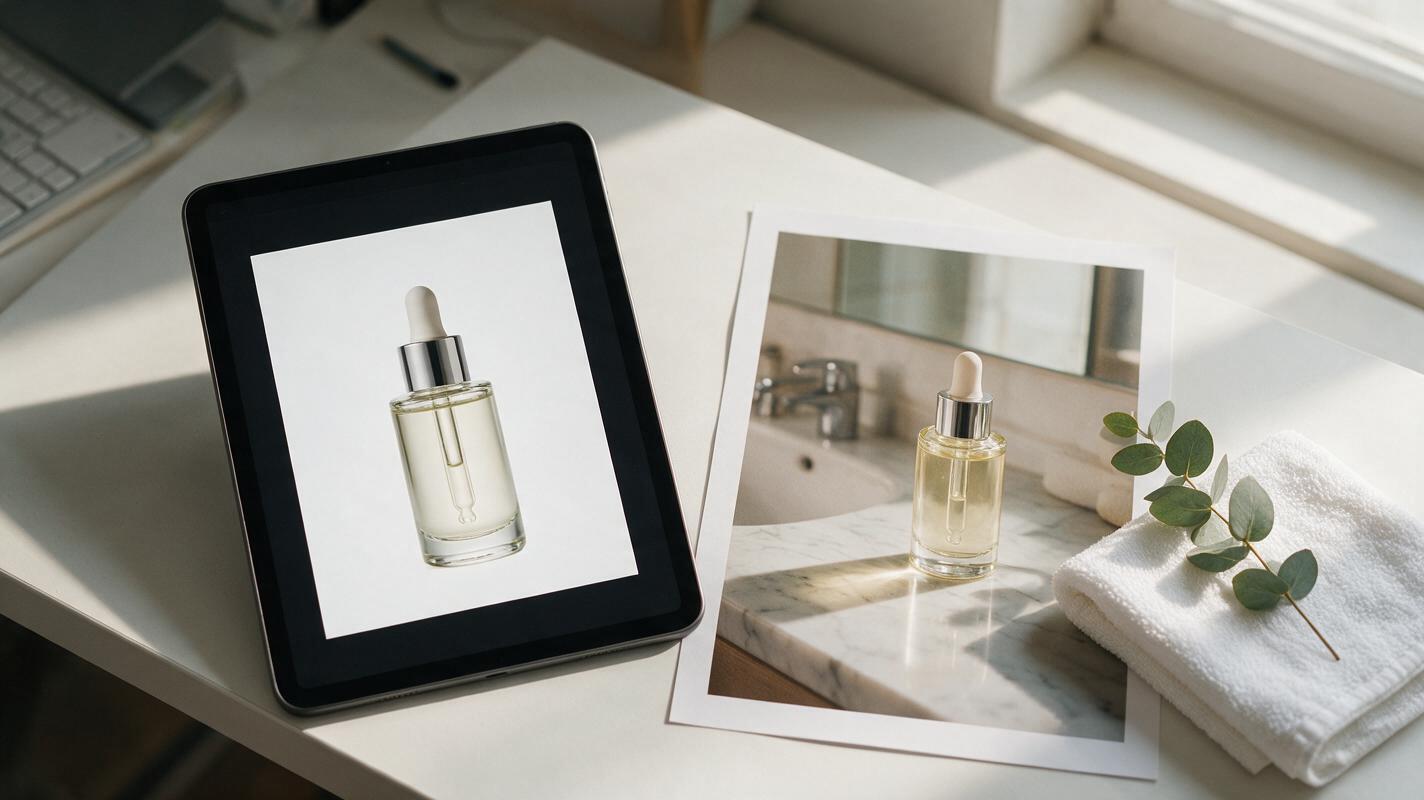
Table of contents
The case for catalog-to-lifestyle product images
White-background catalog photos are the backbone of ecommerce product pages, but they rarely stop scrollers on social media or convince shoppers they need your product. Lifestyle images — which show your product in a real, relatable use context — drive higher ad click-through rates and lower return rates by helping shoppers visualize how the product fits into their daily lives.
For most DTC brands, organizing a full lifestyle photoshoot for every new product or seasonal campaign is expensive and slow, especially if you have a large catalog. A reliable ai image generator can turn that single catalog asset into dozens of tailored lifestyle scenes in minutes, with no photoshoot budget or production timeline.
This guide uses Nano Banana Pro’s reference-based image generation to preserve every detail of your product — from label text to packaging shape — while placing it in realistic, high-converting lifestyle settings.
Choose the right catalog photo for best results
The quality of your source catalog photo directly impacts how accurate your final lifestyle image will be. The model uses the reference photo to map product shape, details, and proportions, so a weak reference will lead to warped labels, distorted packaging, or unrecognizable products.
Follow these guidelines when picking your source image:
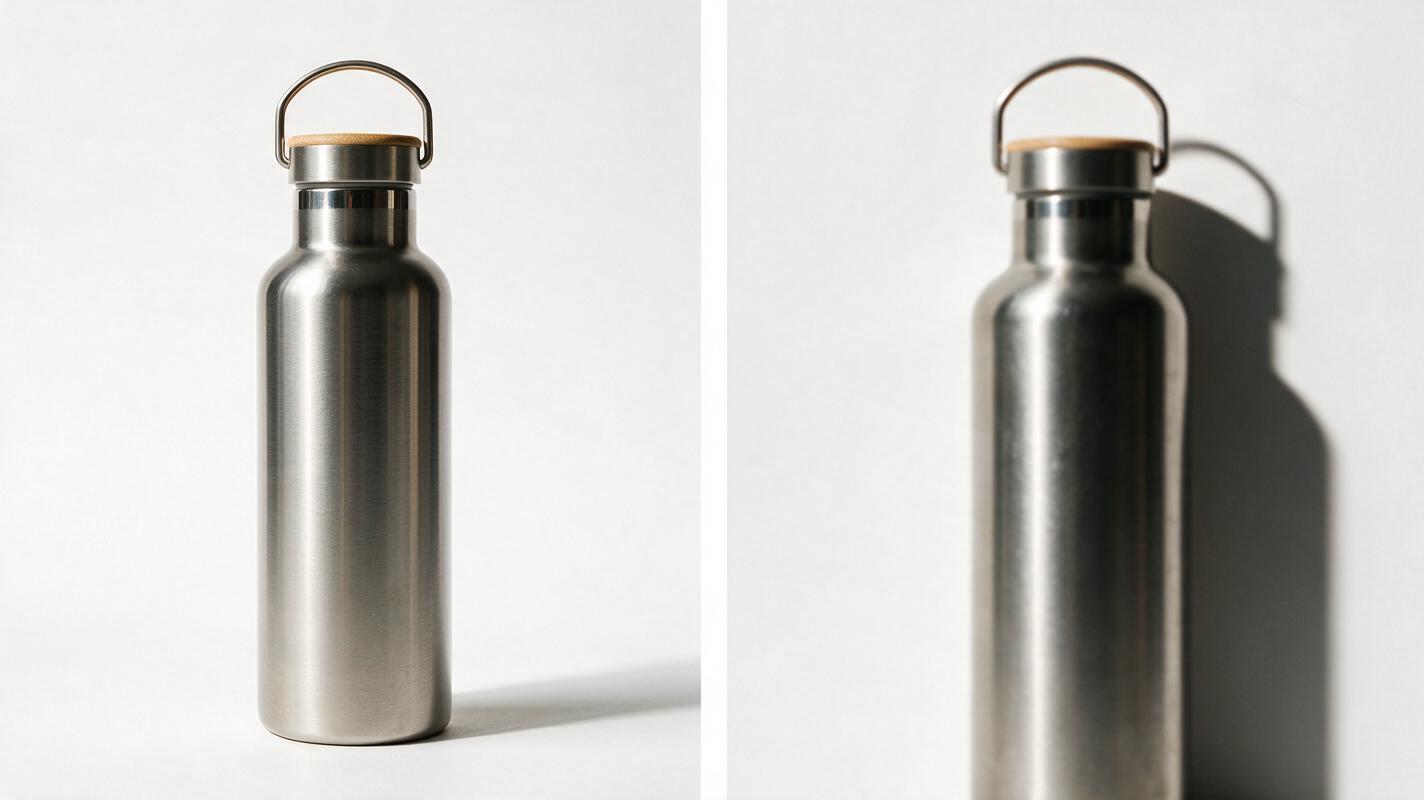
- Do use a high-res (minimum 1024px on the shortest side) product shot with even, soft studio lighting
- Do pick a photo where the product is fully in frame, with all labels, logos, and unique design details unobscured
- Don’t use blurry, low-resolution images or photos with harsh, directional shadows that hide product details
- Don’t use shots with existing props or background elements that can confuse the reference model and lead to extra artifacts
For best results, use a front-facing or 3/4-angle shot — these translate most naturally to lifestyle scenes and give the model a clear map of the product’s structure.
Set up reference-based generation in Nano Banana Pro
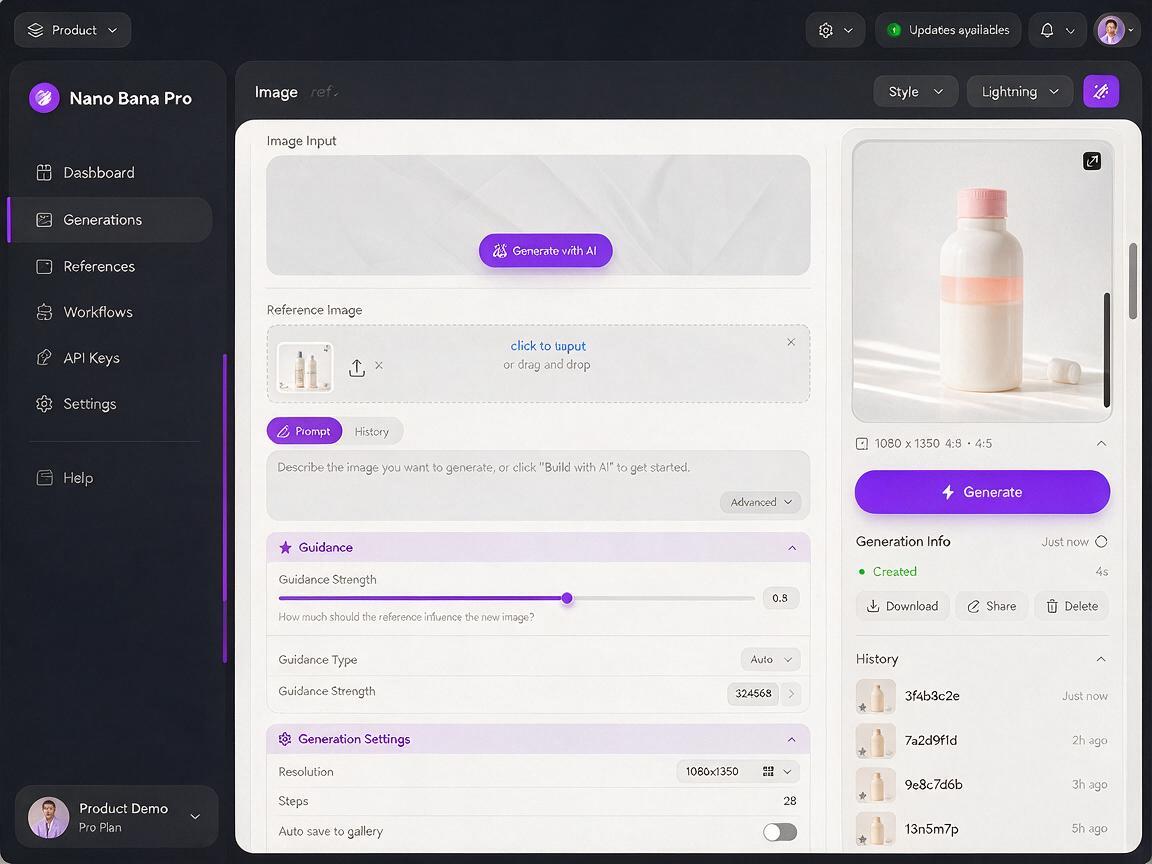
Nano Banana Pro’s reference image mode lets you upload your catalog photo as a structural guide, with controls to balance product accuracy and scene flexibility. The key setting to master is the reference strength slider, which determines how closely the final image matches your source product.
For most ecommerce product work, a reference strength of 0.7–0.85 is ideal. This range keeps product details sharp while allowing the model to integrate the product naturally into the new scene, with matching lighting and shadows.
Adjust the slider based on your product type:
- 0.85–0.9: For products with intricate labels, text, or unique packaging shapes (e.g., skincare bottles, food boxes, electronics with logo details)
- 0.7–0.85: For simple, solid-color products with minimal text (e.g., water bottles, ceramic mugs, basic apparel)
- 0.6–0.7: For when you want a slight angle adjustment (e.g., turning a front-facing product to a 3/4 view in the lifestyle scene)
Set your output resolution to match your intended use case: 1024x1024 for square social ads, 1080x1350 for Instagram feed posts, or 1080x1920 for vertical Reels/TikTok thumbnails.
Prompt formulas for high-converting lifestyle scenes
Even with a strong reference image, your prompt determines how realistic and on-brand the final lifestyle scene will be. Effective product lifestyle prompts include four core parts: a quick product reminder to reinforce the reference, a specific scene context, lighting and camera details, and quality descriptors.
Use these reusable templates as a starting point, swapping out scene details to match your brand’s audience and aesthetic.
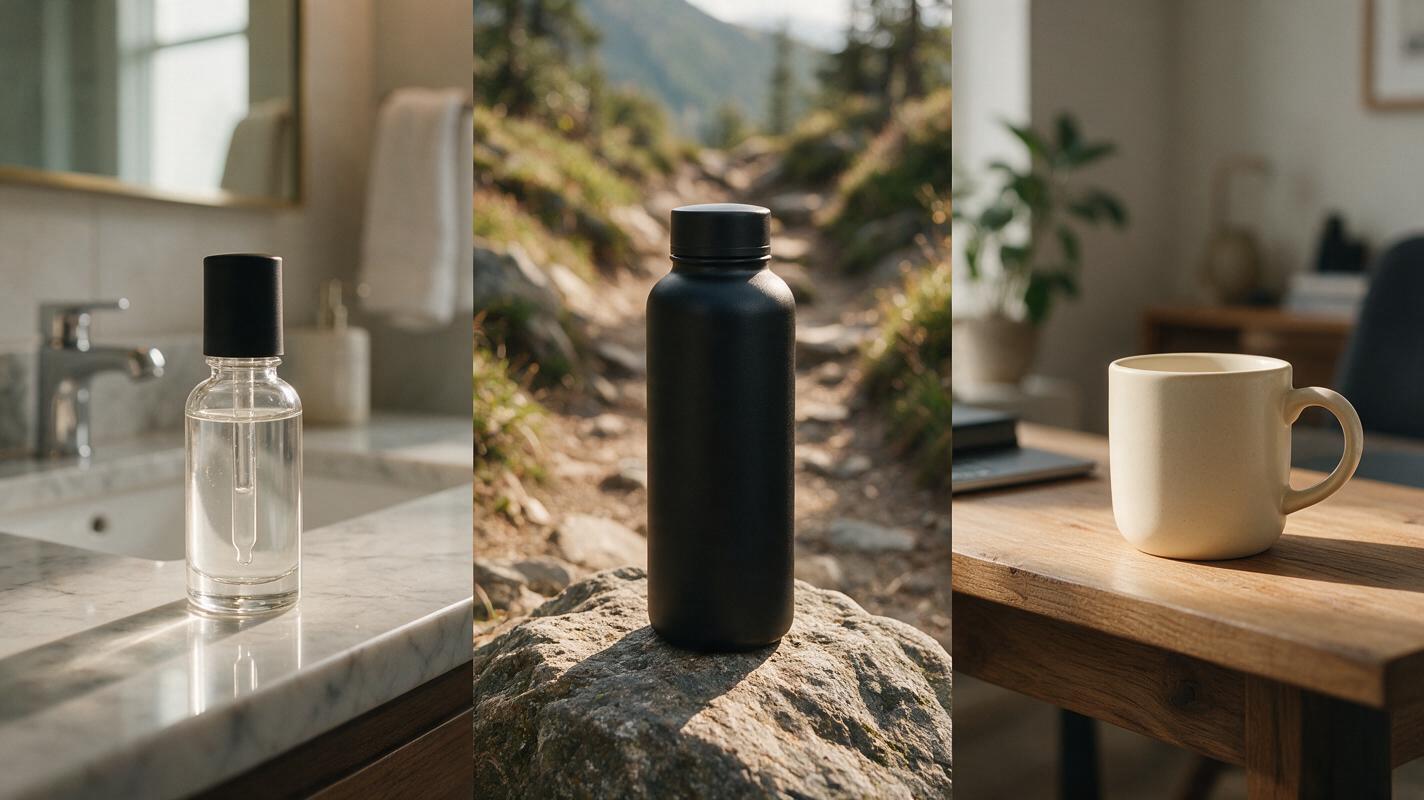
Skincare / beauty product template
Reference: clear glass serum bottle with white label and gold dropper, standing upright
Lifestyle scene: marble bathroom counter, folded white cotton towel to the left, small potted eucalyptus plant in the background, soft natural light from a frosted window
Lighting: soft diffused morning light, gentle shadows, warm neutral tones
Camera: 3/4 angle, eye level, 50mm lens, shallow depth of field, product is the main focal point
Quality: photorealistic, high detail, sharp focus on product label, ad-ready, no text overlays
Outdoor / active product template
Reference: matte black stainless steel water bottle with screw-on lid and brand logo on the front
Lifestyle scene: sitting on a smooth flat rock next to a dirt hiking trail, green pine trees in the distance, sun dappling through tree leaves
Lighting: bright natural daylight, warm sun flare, soft natural shadows
Camera: slightly low angle, 35mm lens, deep focus, product is the main focal point
Quality: photorealistic, rugged outdoor aesthetic, sharp product details, vibrant natural colors
Home goods product template
Reference: cream ceramic coffee mug with handwritten-style brand logo on the side
Lifestyle scene: sitting on a wooden home office desk next to an open notebook and a small potted succulent, warm desk lamp in the background
Lighting: warm soft indoor light, cozy evening vibe, gentle shadows
Camera: eye level, 50mm lens, shallow depth of field, product is the main focal point
Quality: photorealistic, warm cozy aesthetic, sharp logo detail, ad-ready
Always add a short negative prompt to exclude common issues:
Negative prompt: warped product, blurry label, distorted logo, extra text, messy scene, harsh shadows, cartoonish, low resolution, floating productTest this prompt yourself with your own catalog photo to see how quickly you can generate usable lifestyle assets.
Fix common issues with product accuracy
Even with the right settings and prompts, you may run into small issues with product accuracy. Use these troubleshooting fixes to get consistent, ad-ready results.
Warped labels or distorted packaging
This happens when the reference strength is too low, or the source photo is not clear enough. Fix it by increasing the reference strength by 0.05–0.1, adding "sharp undistorted label, perfect packaging shape" to your positive prompt, and double-checking that your source photo is high-resolution with clearly visible text and edges.
Mismatched lighting between product and scene
If the product looks like it’s pasted onto the scene instead of part of it, the lighting direction or tone doesn’t match. Fix it by adding "product lighting matches the scene, consistent light direction, natural shadows under product" to your prompt, and slightly lowering the reference strength (by 0.05) to let the model adjust the product’s lighting to fit the scene. For best results, pick a scene lighting style that’s similar to your source photo’s lighting (e.g., soft studio light pairs well with soft natural window light).
Product looks out of scale or floats
If the product is too big/small for the scene or appears to float above the surface, the prompt doesn’t have enough context for scale. Fix it by adding specific, relatable props next to the product (e.g., a towel next to a skincare bottle, a pen next to a mug) and adding "product sitting naturally on [surface], correct scale relative to props" to your prompt.
Extra details added to the product
If the model adds stickers, extra text, or design changes to your product, the reference strength is too low or the prompt is too vague. Fix it by increasing the reference strength by 0.05, adding "no extra decorations, no changes to product design" to your negative prompt, and explicitly mentioning key product details in the reference line of your prompt.
Final checklist for ad-ready lifestyle images
- Product labels, logos, and proportions match the original catalog photo exactly
- Lighting and shadows on the product are consistent with the scene’s light direction and tone
- The product is the clear focal point, with props complementing (not competing with) it
- Resolution matches your intended use (1080px+ for social ads, 2048px+ for product pages)
- No unwanted artifacts, warping, or distorted details are visible on the product or scene
- Scene aligns with your brand’s aesthetic and target audience’s lifestyle preferences
Keywords
lifestyle product images, catalog photos, nano banana pro, product image generation, ecommerce product photos, reference-based image generation, product ad creatives