How to Keep a Character Consistent in Motion Transfer AI Video
Motion transfer can preserve a performance while changing the performer’s face, clothing, or proportions. This tutorial shows how to anchor a fictional character to a three-view reference sheet, prepare a driving clip, and review the frames where identity drift is most likely.
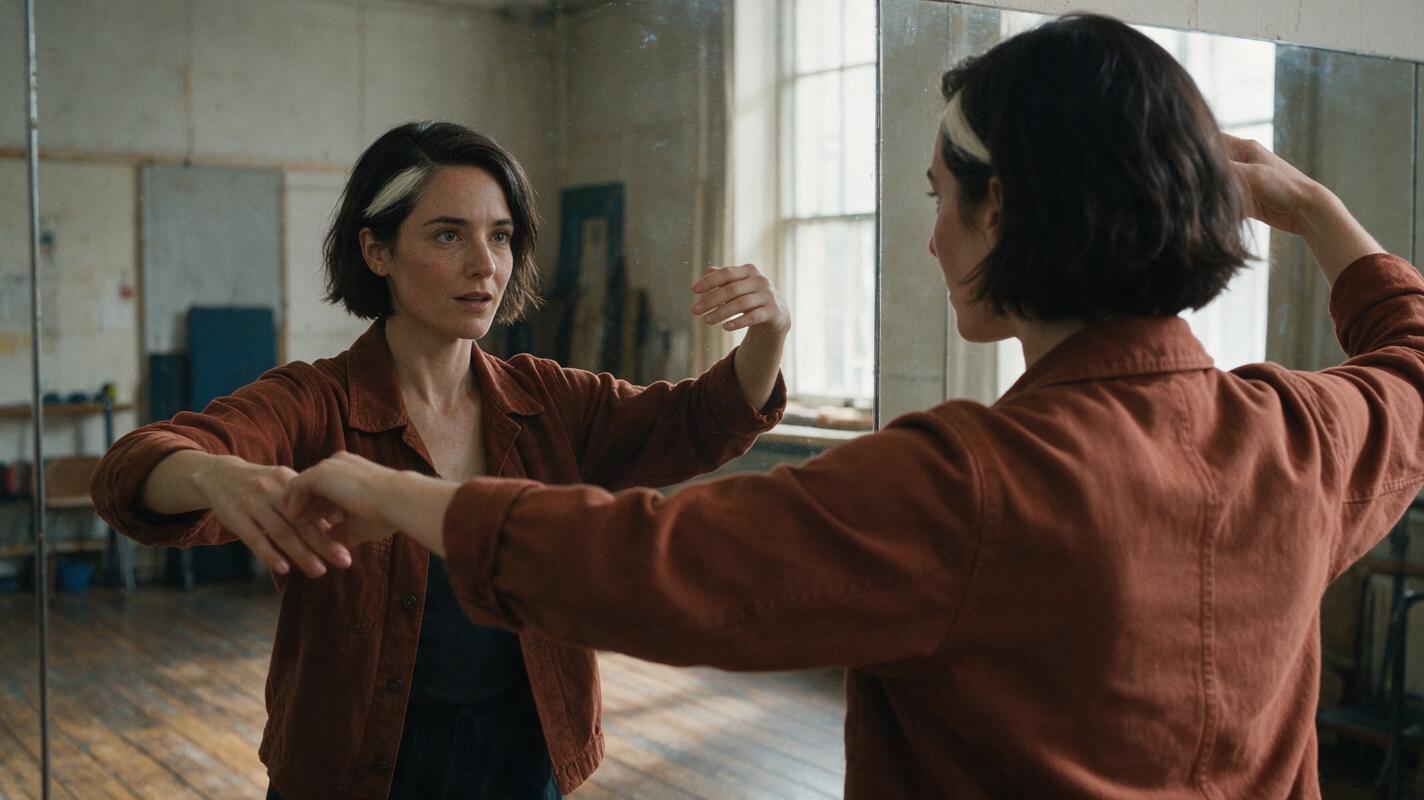
Table of contents
Keep the performance, not the performer’s identity
Motion transfer works best when you give the system two separate jobs: take movement from a driving clip, and take appearance from an approved character reference. If either instruction is vague, a turn, raised arm, or fast gesture may change the character’s face or silhouette.
This tutorial follows one fictional character, Mara, through a short dance move: she steps forward, turns to her left, and raises her right hand. The goal is to preserve her identity throughout the move—not to copy the driving performer’s appearance. Use footage and likenesses you have permission to use.
Cover visual — copyable generation prompt:
Photorealistic editorial photograph of a fictional woman with a short dark bob and a small white streak above her left temple, wearing a plain rust-colored jacket, performing a controlled turn in a lived-in rehearsal studio with worn wooden floors and soft window daylight; her face remains clearly visible in a wall mirror, with no other people present. MANDATORY CAMERA: eye-level medium-wide three-quarter view, 16:9 landscape, natural skin texture, believable motion, no text, logos, screens, or interface elements.Step 1 — Lock the character before choosing a driving clip
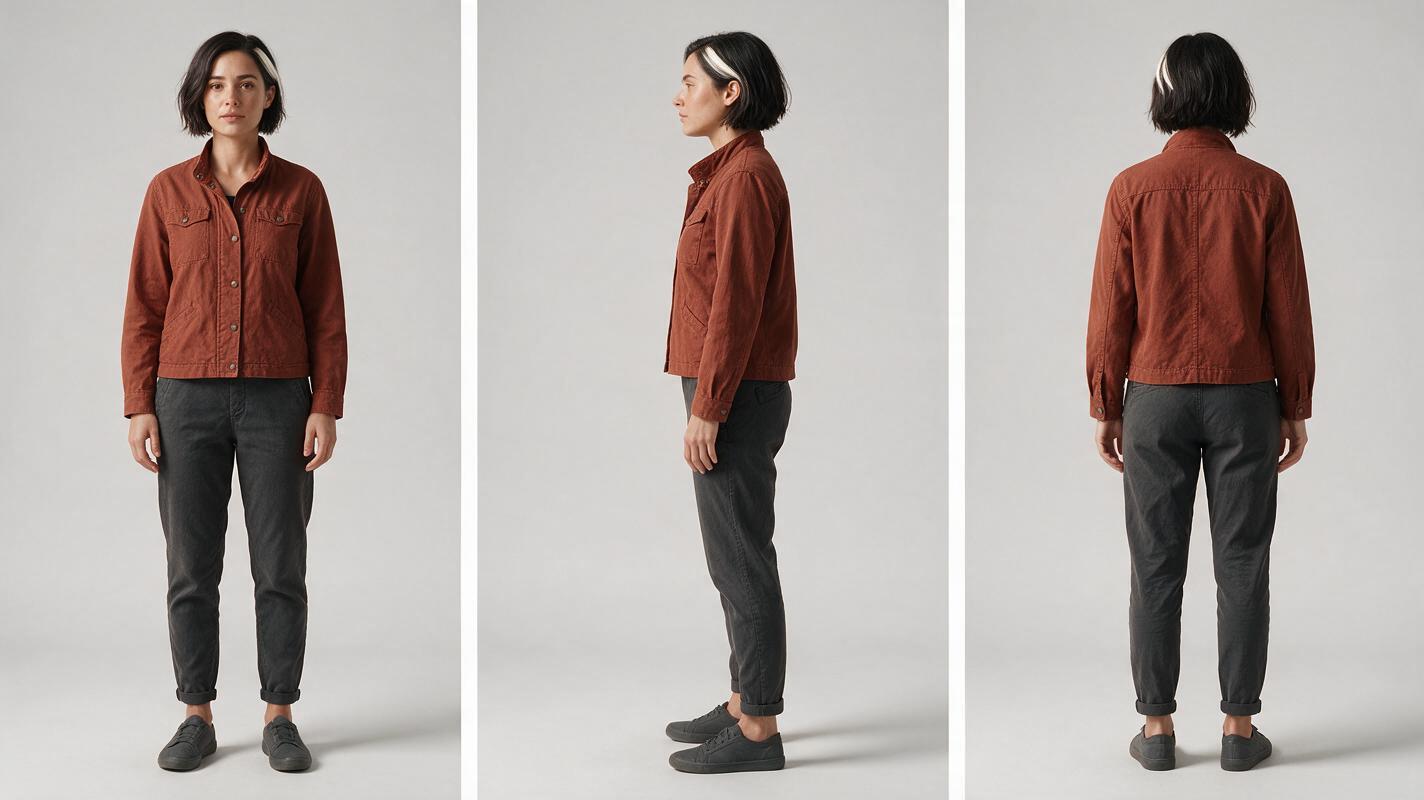
Make a three-view sheet before generating moving footage. Use one outfit and several features that remain recognizable from different angles. For Mara, the anchors are a short dark bob, a narrow white streak above the left temple, a softly rounded nose, and a rust-colored jacket with plain cuffs. Keep the sheet neutral: dramatic lighting can hide the very features you need to check later.
Character sheet template:
Character: Mara, fictional adult
Face: softly rounded nose; defined brows; natural skin texture
Hair: short dark bob; narrow white streak above left temple
Wardrobe: plain rust-colored jacket, dark trousers, unmarked shoes
Fixed across shots: face shape, hairline, streak side, jacket color
Allowed to change: expression, body pose, camera angle, lighting
Do not introduce: jewelry, patterns, logos, a second person
Visual prompt — three-view identity sheet:
Photorealistic three-panel character reference sheet of the SAME fictional adult woman, Mara, in identical plain rust-colored jacket, dark trousers, and unmarked shoes. She has a short dark bob, a narrow white streak above her left temple, defined brows, and a softly rounded nose. MANDATORY LAYOUT: exactly three full-body views in separate equal panels, front on the left, true left-side profile in the center, back on the right; preserve the same height, body proportions, hairstyle, streak location, and clothing in every panel. MANDATORY CAMERA: eye-level orthographic-style full-body framing, even soft light, neutral light-gray seamless background, landscape 16:9; no text, labels, logos, UI, extra people, or props.Approve the sheet only if the side and back views agree with the front. If the hair streak changes sides, correct the sheet now rather than trying to repair it in motion.
Step 2 — Pick movement that the reference can support
Choose a driving clip with one visible performer, a continuous movement, and enough light to read the body pose. A turn with both hands visible is easier to inspect than a heavily occluded move. Crop unrelated people out of the motion source where your chosen tool permits; otherwise, choose a cleaner clip.
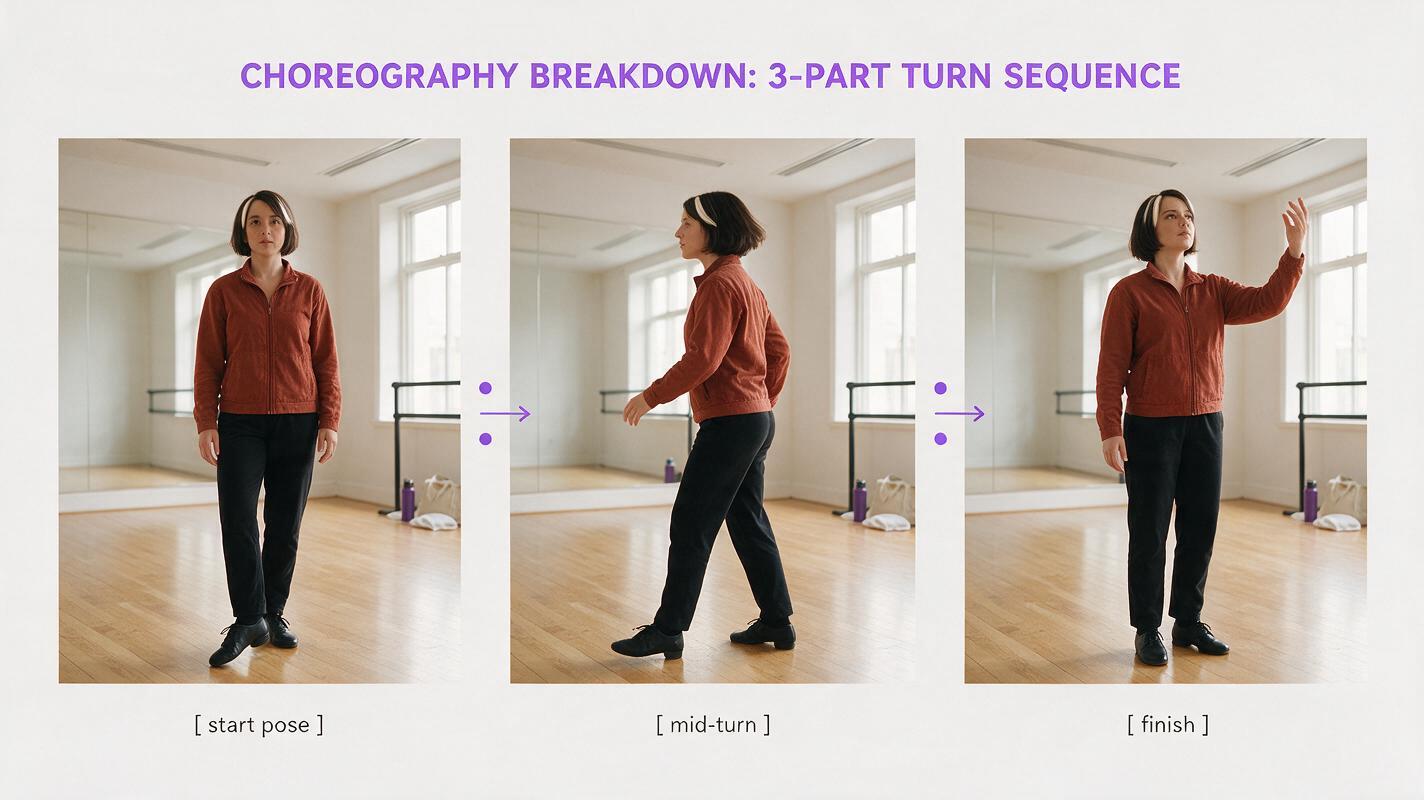
Before generating, mark three moments in the clip: the face-on starting pose, the profile at the middle of the turn, and the face-on or three-quarter ending pose. Those moments become your review points. A single front portrait is not enough for this example: the side view on Mara’s sheet tells you what should appear halfway through the turn.
Check the tool before committing: confirm that its current workflow accepts your intended character reference and driving-motion input together. If it does not, generate identity-matched scene stills first and use a supported animation workflow; do not assume that a text prompt alone will preserve the face.
Step 3 — Pair the motion with an identity-matched starting frame
Build a clean starting frame from the approved sheet. Match the driving clip’s initial body orientation and framing, but keep Mara’s face, hair, and outfit. You can prepare that frame with ai image generator and then check whether your chosen image to video workflow supports the motion input you need. Available controls differ by model, so follow the selected model’s actual input requirements.
Starting-frame prompt:
Use the approved three-view sheet as the identity reference for Mara. Create a single photorealistic starting frame in a lived-in rehearsal studio. Mara faces camera in a relaxed standing pose with her right foot slightly forward; her hands are visible and separate. Preserve her softly rounded nose, short dark bob, narrow white streak above her left temple, plain rust-colored jacket, dark trousers, and body proportions. MANDATORY CAMERA: eye-level medium-wide frontal shot, head to shoes visible, landscape 16:9, soft window daylight. One person only; no text, logos, jewelry, or extra limbs.Visual prompt — reference-to-motion contact sheet:
Neutral photographic contact sheet showing the SAME fictional woman, Mara, in three adjacent cinematic frames from one continuous rehearsal-studio move: left frame facing camera with right foot forward, center frame in a true left-facing profile mid-turn, right frame finishing in a three-quarter view with her right hand raised. Her short dark bob, narrow white streak above her left temple, softly rounded nose, plain rust-colored jacket, dark trousers, and proportions remain identical. MANDATORY LAYOUT: three equal 16:9 frames arranged horizontally within one landscape image, clean gutters, no captions or arrows. MANDATORY CAMERA: fixed eye-level medium-wide view, consistent lens and soft window daylight; photorealistic editorial realism, believable lived-in studio, no text, logos, UI, or additional people.Treat the contact sheet as a target sequence, not evidence that a model will produce a perfect turn. Its value is that everyone reviewing the clip can compare the same three poses and identity anchors.
Step 4 — Generate a short segment and inspect the turn
Start with only the movement needed to test the turn. Keep the identity instructions distinct from the movement instructions so a correction to one does not silently change the other.
Motion prompt:
IDENTITY: The subject is Mara from the approved character sheet and starting frame. Preserve her facial structure, left-temple white hair streak, short dark bob, rust-colored jacket, dark trousers, and proportions throughout.
MOTION: Follow the authorized driving clip's timing: step forward, turn left, then raise the right hand. Transfer pose and timing only; do not adopt the driving performer's face, hair, clothes, or body shape.
SCENE: Same rehearsal studio and soft window daylight throughout.
CAMERA: Fixed eye-level medium-wide view; keep the subject fully in frame.
AVOID: extra people, duplicate faces, mirrored hair streak, changing jacket color, disappearing hands, and unrequested camera cuts.
Review the opening frame, the strongest profile, the hand raise, and the final frame. Pause between those points if a feature changes. If you plan a multi-shot edit, also compare the last frame of this clip with the first frame of the next one; a good individual clip can still make a visibly mismatched cut.
Step 5 — Fix the specific drift instead of rewriting everything
A failed turn does not always require a new character design. Identify the first frame where the error appears, then change the smallest input that addresses it.
| What you see | Likely weak point | Focused fix |
|---|---|---|
| Mara’s face resembles the driving performer after the turn. | Appearance and motion instructions are competing. | Reassert that the driving clip supplies pose and timing only; provide a clearer side-profile identity reference if supported. |
| The white streak switches sides. | Profile or mirrored-view ambiguity. | Use the approved left-profile view and specify left temple from Mara’s perspective; inspect any mirrored inputs. |
| The jacket changes during a raised-arm pose. | Incomplete wardrobe reference under movement. | Add a clear jacket-and-sleeve reference; reduce the movement range for a diagnostic render. |
| A hand or second figure appears. | Occlusion or ambiguity in the driving clip. | Choose a cleaner single-performer clip or shorten the segment around the problematic gesture. |
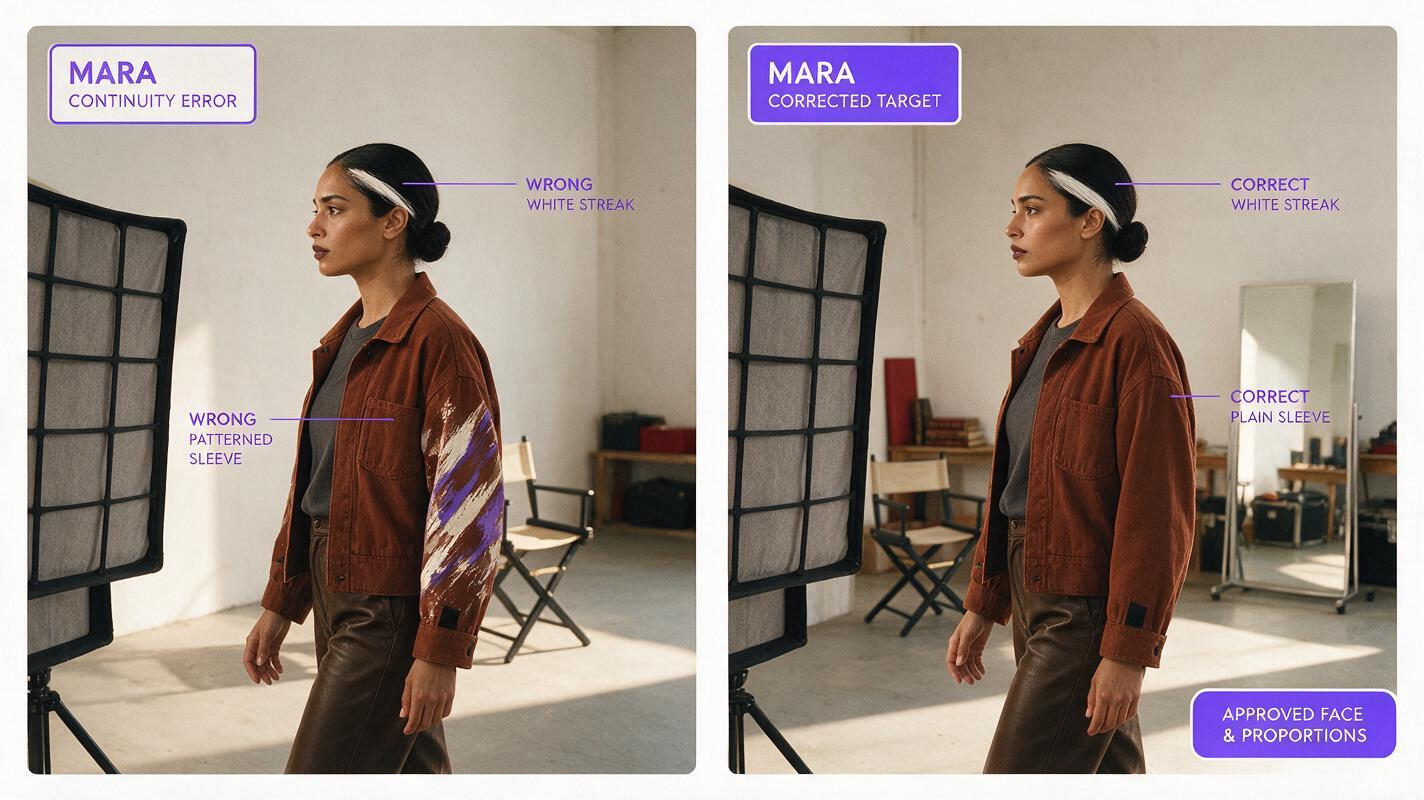
Visual prompt — drift and corrected target:
Photorealistic side-by-side illustrative comparison of the SAME fictional woman, Mara, at the midpoint of a left turn in a lived-in rehearsal studio. Left panel depicts a continuity error: her narrow white hair streak has incorrectly moved to the right temple and her rust jacket has changed to a patterned sleeve. Right panel depicts the corrected target: the white streak remains above her left temple, with plain rust sleeves and the approved face and proportions. MANDATORY LAYOUT: two equal panels separated by a clean gutter, identical pose, studio, and soft daylight; landscape 16:9 overall. MANDATORY CAMERA: fixed eye-level medium-wide true left-profile view; cinematic editorial realism, no captions, arrows, text, logos, interfaces, or extra people.This comparison illustrates what to inspect; it is not a claimed output from a particular tool. If the same defect returns, test another available model or reduce the move before producing the full scene. For a quick comparison using the approved sheet and prompt, try these models for free.
FAQ
Can a character sheet alone keep the same face across video?
It provides an identity target, but it cannot guarantee every generated frame. Check profile views, occlusions, and the final reveal against the approved sheet.
Should I use the driving performer’s face as a reference?
Not when the goal is to transfer movement to a different fictional character. Keep the motion source and character identity reference separate, and obtain appropriate permission for the source footage.
What if my tool does not accept both a character image and a driving clip?
Do not force the workflow with text alone. Use a tool that supports those inputs, or create identity-matched keyframes and animate them using controls the tool actually provides.
Final checklist
- Approve a front, side, and back sheet before generating motion.
- Use an authorized, clearly visible, single-performer driving clip.
- Match the starting frame to the clip’s opening pose without borrowing the performer’s appearance.
- Inspect the profile, raised hand, ending frame, and any cut to the next shot.
- Fix the first visible identity error with a targeted reference or shorter segment.
Keywords
motion transfer ai video, character consistency, consistent character video, character reference, AI character design, multi-shot, keep the same face across video