Keep the Same AI Video Character Through a Rain Scene
Rain can flatten hair, obscure facial details and darken clothing, making one character appear to change identity between shots. This tutorial uses a dry character sheet, a wet-appearance reference and a shot-by-shot review to keep the same person recognizable from shelter to downpour.
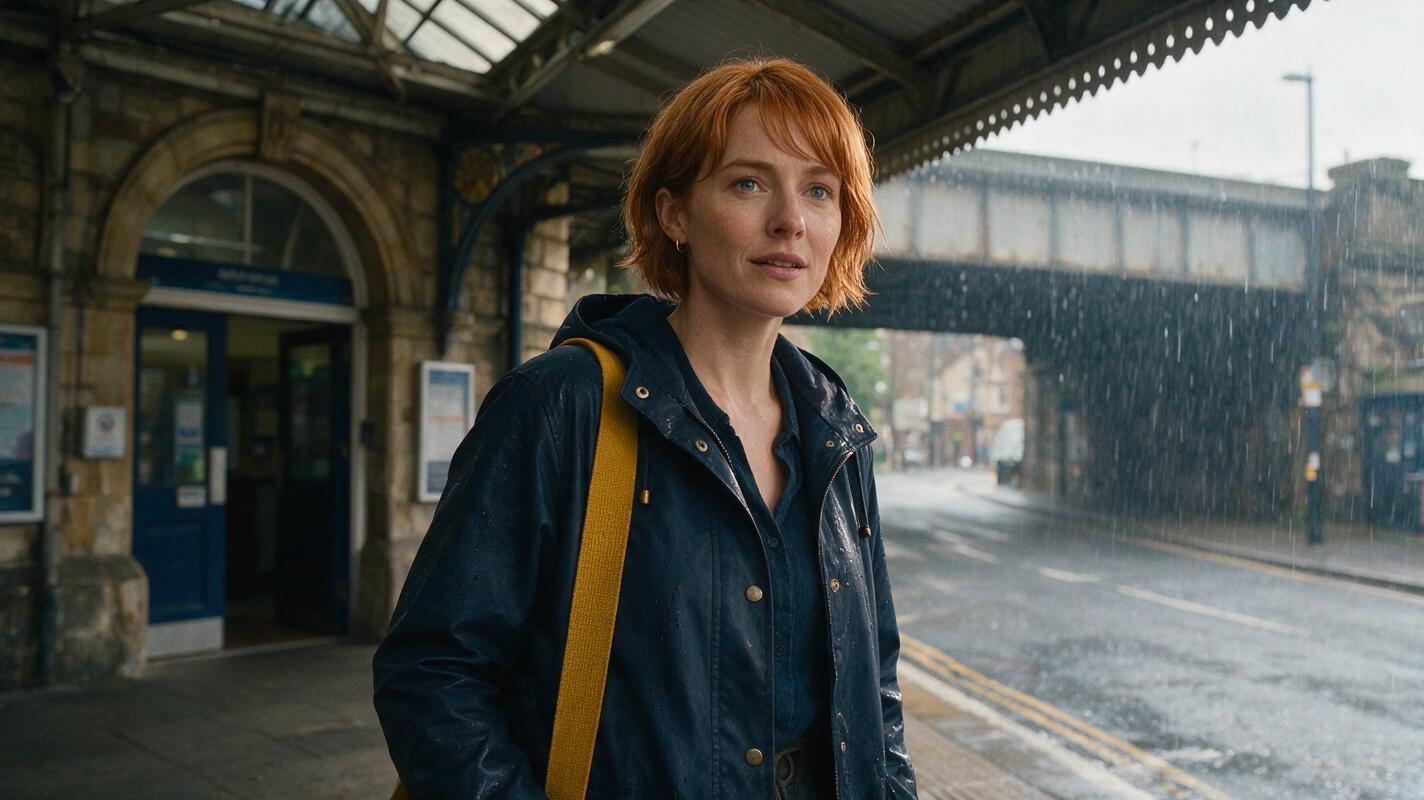
Table of contents
When rain changes the look, keep the identity
A character should look wetter after walking into a storm—not like a different person. The practical fix is to separate identity traits, which stay fixed, from weather effects, which change from shot to shot.
This tutorial follows one fictional character, Mara, from a dry station entrance into heavy rain. Make her dry reference first, approve a damp transition frame, then use that frame to guide the soaked shot. Review the cuts as closely as the individual images: that is where an unexpected new face often becomes obvious.
Use an ai image generator to prepare still references if your workflow needs them. The prompts below describe the intended images; select and save frames that actually preserve Mara’s features before moving on.
Step 1 — Define what rain cannot change
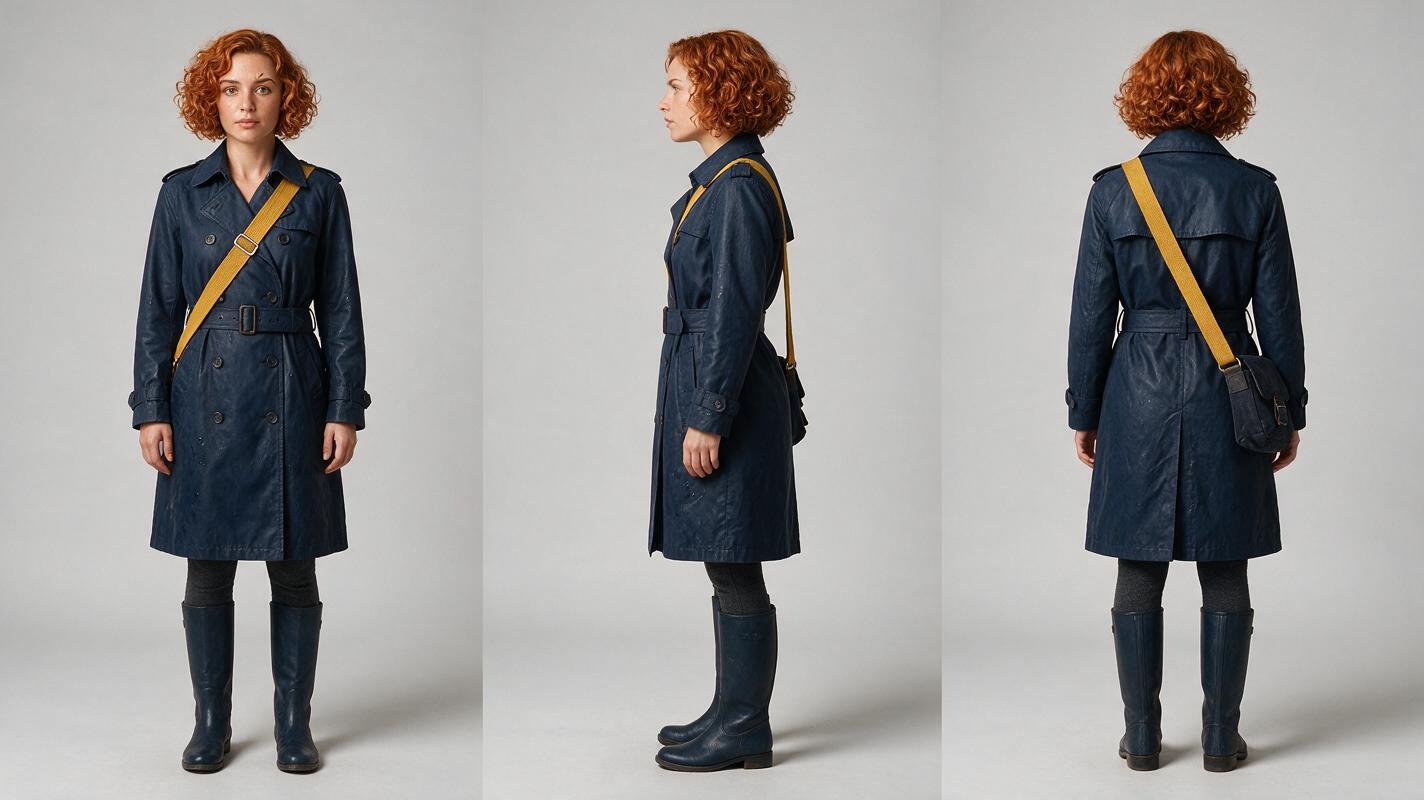
Write a compact character sheet before describing the storm. Choose features visible under several conditions, rather than relying on a hairstyle or coat color alone. For Mara, the small notch in her left eyebrow is a useful close-shot check, while her coat silhouette and mustard shoulder strap help in wider frames.
| Character-sheet field | Approved description | Continuity rule |
|---|---|---|
| Face | Oval face, straight nose, hazel eyes, small notch in left eyebrow | Keep proportions and eyebrow notch unchanged |
| Hair | Short copper-brown curly bob | Curls may flatten when wet; length and color stay the same |
| Wardrobe | Navy waxed raincoat, mustard shoulder strap | Fabric may darken with water; cut and strap remain |
| Starting state | Dry hair and coat beneath the station canopy | Do not introduce rain effects before she steps outside |
Make one sheet with front, true side and back views. Inspect it before approval: a three-panel image is not a reliable reference if each panel quietly depicts a different person.
Photorealistic character sheet
Visual prompt — copy and recreate: Photorealistic landscape 16:9 character reference sheet on a neutral light-gray seamless studio background, showing the same fictional woman Mara in exactly three equal full-body panels—front view, true left-side profile, and back view—with matching scale and neutral stance; she has an oval face, straight nose, hazel eyes, a small notch in her left eyebrow, a short copper-brown curly bob, a navy waxed raincoat and a mustard shoulder strap, all dry, under soft even studio lighting; MANDATORY CAMERA AND LAYOUT: eye-level camera, consistent focal length and distance across panels, no three-quarter substitution for the side view, no text, logos, UI or extra people.
Step 2 — Build a damp bridge between dry and soaked
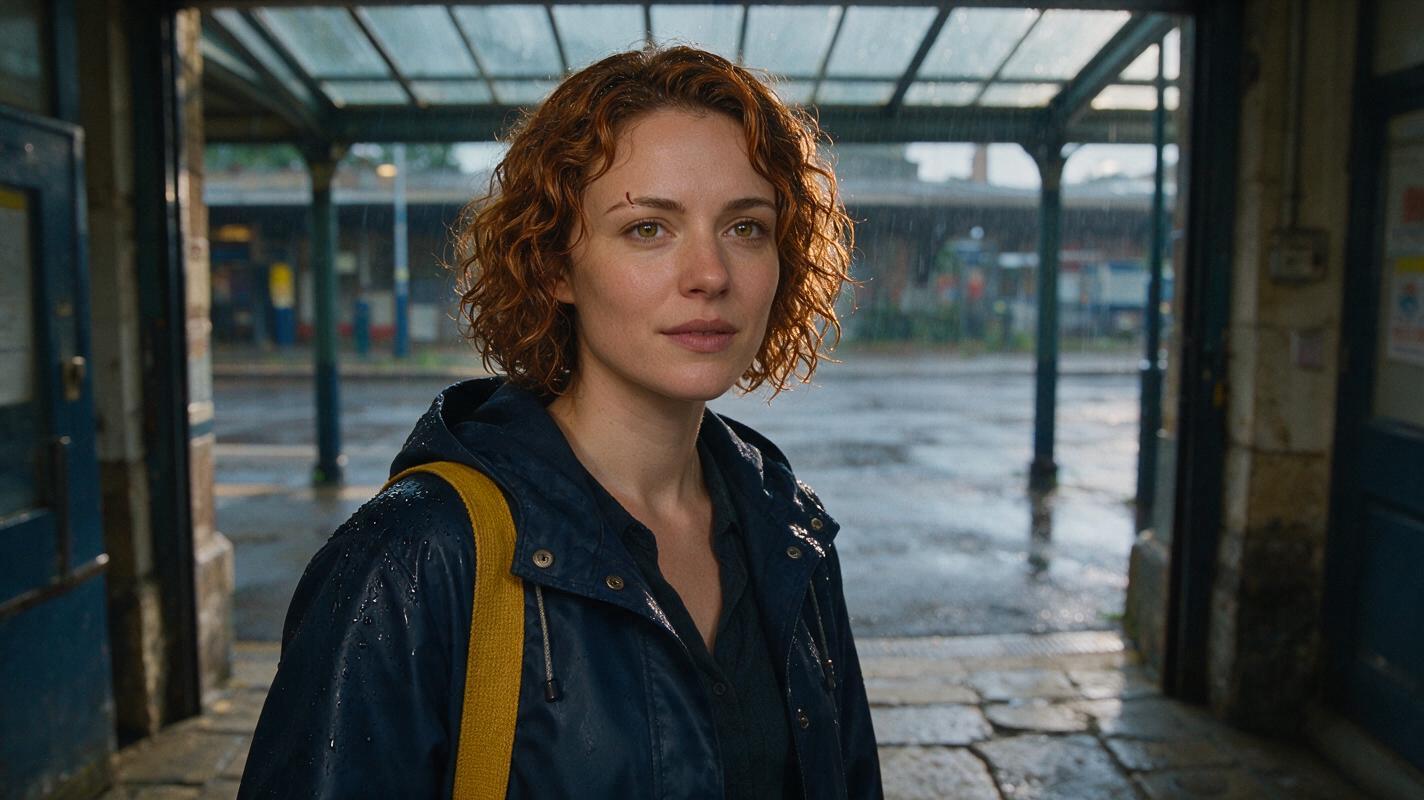
A dry sheet is an identity anchor, not an instruction to keep Mara dry throughout the film. Create a damp bridge frame at the station exit: her hair has begun to settle, raindrops mark the coat shoulders, and her face remains clear enough to compare with the sheet. Approve it only if the eyebrow, nose and face shape still match.
Then generate the fully soaked exterior frame using both the identity sheet and approved damp frame where reference inputs are available. If the tool accepts only one image, use the approved damp frame and repeat the invariant traits in the prompt. Treat either method as a reviewable workflow, not a guarantee of identical output.
The station-exit reference frame
Visual prompt — copy and recreate: Photorealistic cinematic editorial frame of Mara at the threshold of a lived-in city train station during an early-evening rainstorm, with scuffed stone flooring, a practical glass canopy and wet pavement beyond; she is the same oval-faced woman with hazel eyes, a straight nose and a small notch in her left eyebrow, her short copper-brown curls only slightly damp, with fresh raindrops on the shoulders of her navy waxed raincoat and the same mustard shoulder strap; MANDATORY CAMERA AND LAYOUT: landscape 16:9, eye-level medium shot from a true three-quarter front view, face unobstructed and in focus, natural overcast light, one character only, no text, logos or UI.
Keep the bridge frame in your storyboard reference beside the dry and soaked frames. Label the weather state in your own production notes, not inside the generated image: dry under canopy, damp at threshold, soaked on street.
Step 3 — Generate shots in weather order
Plan three short shots whose wetness increases in a believable direction. This sequence matters: approving the threshold image before the storm image gives you a visual check on how Mara’s appearance changes. For each shot, carry forward the approved character reference and specify only the new weather state, action and camera position.
- Under canopy: Dry curls and coat; Mara looks toward the street.
- At threshold: Slightly damp curls and coat shoulders; her face remains visible.
- On street: Flattened wet curls and darker wet fabric; the eyebrow notch and facial proportions remain hers.
Once a still frame is approved, an image to video workflow can use it as a starting image where that input is supported. Keep movement instructions modest and inspect the resulting clip rather than assuming its first frame controls every later frame.
SHOT: Mara steps from the station canopy into heavy rain.
IDENTITY: Same oval face, hazel eyes, straight nose and small notch in left eyebrow as the approved character reference.
WEATHER CHANGE: Short copper-brown curls flatten gradually as they become soaked; navy waxed raincoat darkens with water; mustard shoulder strap stays in place.
CAMERA: Eye-level medium shot, following from a true three-quarter front angle. Keep her face visible during the transition.
AVOID: New facial features, longer hair, duplicated Mara, sudden coat replacement.
Step 4 — Compare the cuts, not just the best frames
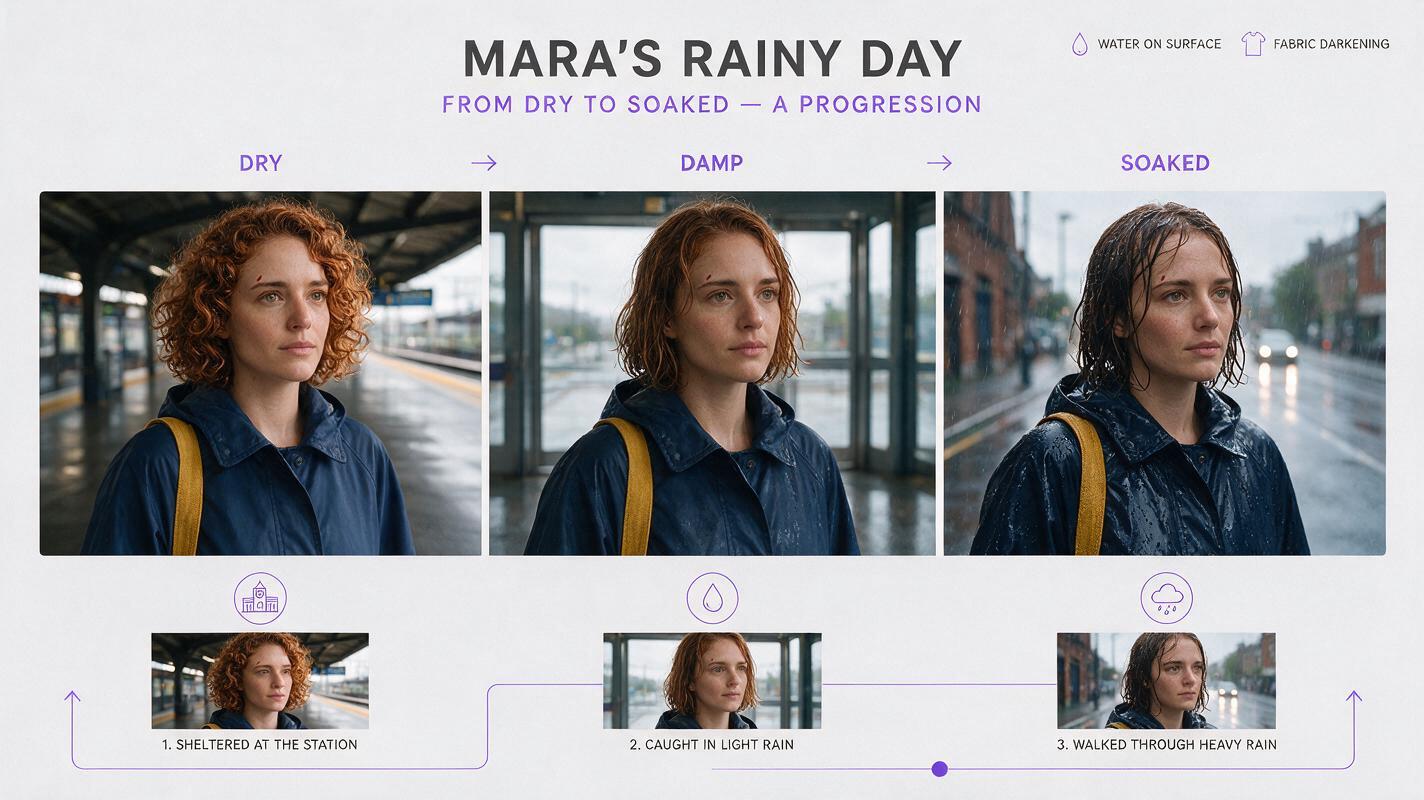
Place the last clear frame of each shot next to the first clear frame of the next. Check face shape, eyebrow notch, hair length, coat cut and strap position. Compare weather state separately: a wetter coat is expected; a different nose is not. If motion briefly obscures her face, also inspect the first unobstructed frame after it clears.
Dry-to-wet continuity comparison
Visual prompt — copy and recreate: Neutral illustrative landscape 16:9 three-frame comparison made of cinematic photorealistic editorial stills of the same fictional woman Mara: left frame dry beneath a train-station canopy, center frame slightly damp at its exit, right frame soaked on a rainy street; her oval face, hazel eyes, straight nose, small left-eyebrow notch, short copper-brown hair, navy waxed raincoat and mustard shoulder strap remain consistent while curls flatten and fabric darkens progressively; MANDATORY CAMERA AND LAYOUT: three equal borderless panels at eye-level medium-shot scale, matching true three-quarter front camera angle and face size, believable station surroundings, no arrows, labels, text, logos or UI.
Use the comparison as a target for review, not as evidence that a particular generation succeeded. If your actual frames fail, correct the first frame where the mismatch appears and regenerate forward from that approved point.
Step 5 — Fix the mismatch you can see
| Failure at the cut | Likely prompt problem | Specific fix |
|---|---|---|
| Wet hair becomes longer or changes color | “Soaked hair” replaced the hairstyle description | Repeat “same short copper-brown bob; curls flatten but length and color do not change” |
| Face changes beneath wet bangs | The face is hidden in the bridge reference | Approve a damp frame with a clear three-quarter view before generating the next shot |
| Coat appears to be a different garment | Wetness was described as a wardrobe change | Specify the same navy waxed coat, now darkened by rain, with the strap in place |
| Two versions of Mara appear | Reference-sheet panels were interpreted as multiple subjects | Use a single-character crop for the scene and state “one character only” |
| She is soaked before leaving shelter | Weather state was not assigned per shot | Restore the dry canopy frame and regenerate the transition in sequence |
Editing rule: Let water alter the surface. Do not let it rewrite the person underneath.
Once the three stills match, test this prompt yourself with your own character sheet and review each shot boundary before using the sequence.
FAQ
Should I use the dry sheet or the damp frame for the final rain shot?
Keep the dry sheet as your identity check. Use the approved damp frame as the nearer appearance reference when your chosen workflow permits it, and compare the result against both.
Can wet hair look different without breaking character consistency?
Yes. It can flatten, clump or sit closer to the face. Its established length and color should remain recognizable, and stable facial features should still match.
What if the eyebrow notch disappears in a wide shot?
Do not force a tiny detail to be visible at an unrealistic distance. Check silhouette, hair length, coat and strap in the wide shot, then verify facial details in the next clear medium or close shot.
Final checklist
- Approve one dry front/side/back sheet depicting the same person in every panel.
- Record fixed identity traits separately from changeable rain effects.
- Approve a clear damp bridge frame before the soaked shot.
- Generate and review shots in dry-to-wet order.
- Compare frames across every cut and correct the first mismatch.
Keywords
character consistency, character reference, consistent character across scenes, storyboard reference, multi-shot, keep the same face across video