ChatGPT Ads Are Becoming Conversational: How to Build Video Creative for Sponsored Agents
OpenAI’s September 16 update changes what can happen after someone clicks an ad. For video creators, that means the job of the creative is changing too.
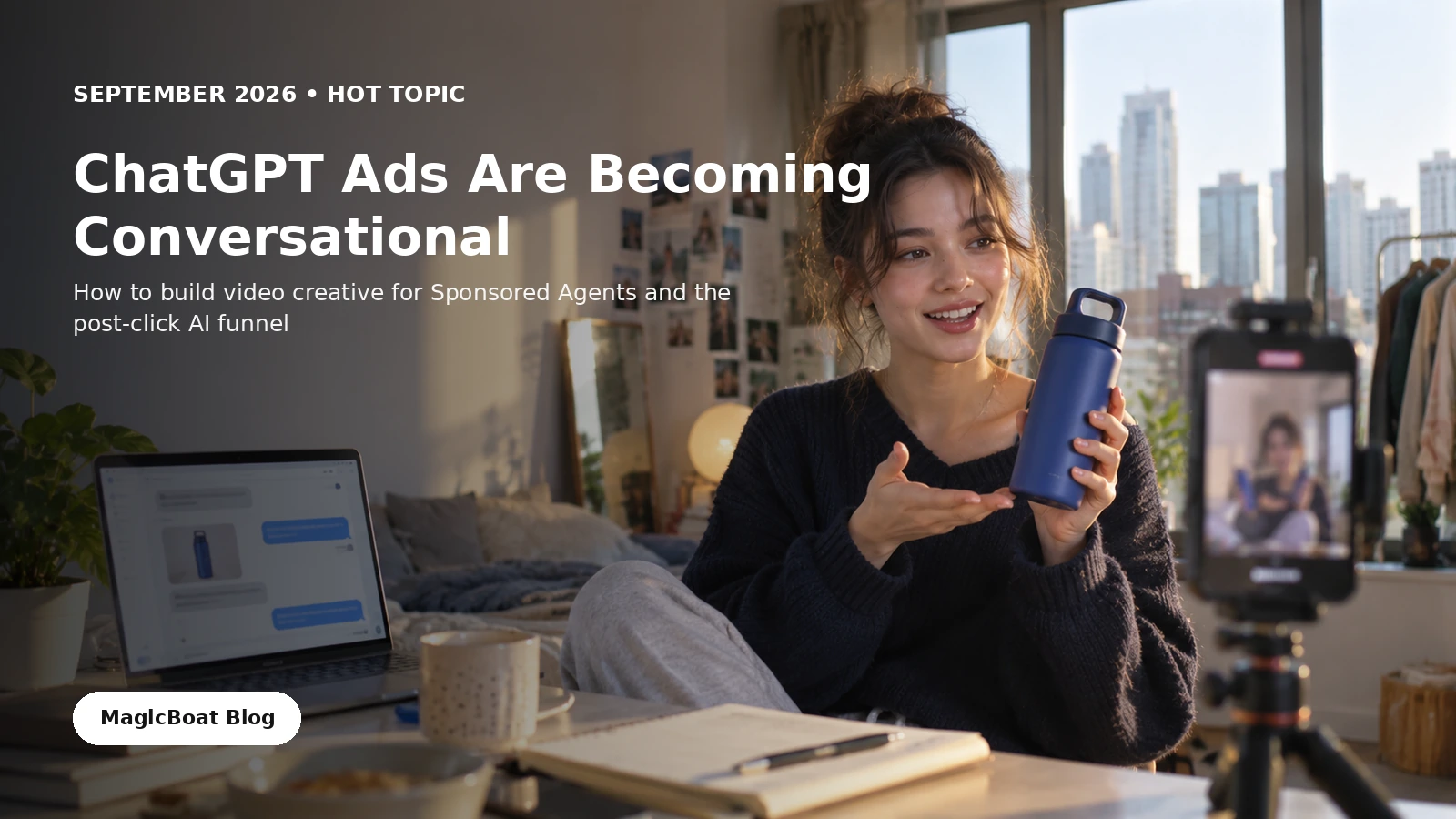
Table of contents
Visual note: The ad, product, and interface examples in this guide are illustrative concepts created for this article. They are not screenshots of OpenAI Ads, YouTube Ads, or a live MagicBoat campaign.
Quick answer
On September 16, 2026, OpenAI introduced new AI-powered advertising experiences for ChatGPT Ads. The update includes Sponsored Agents, which let a user open a separate conversation with a business-sponsored agent after clicking an ad, plus prompt-based ad creation in ChatGPT Work, new AI creative tools in Ads Manager, and integrations with HubSpot and Shopify.
That changes a basic assumption about ad creative.
A traditional short video often tries to do everything before the click:
hook → explain → prove → answer objections → CTA
A conversational ad can divide that job:
video → interest → question → conversation → business action
The video does not become less important. It becomes more focused.
Its job is to create the right next question.
The click is no longer necessarily the end of the creative
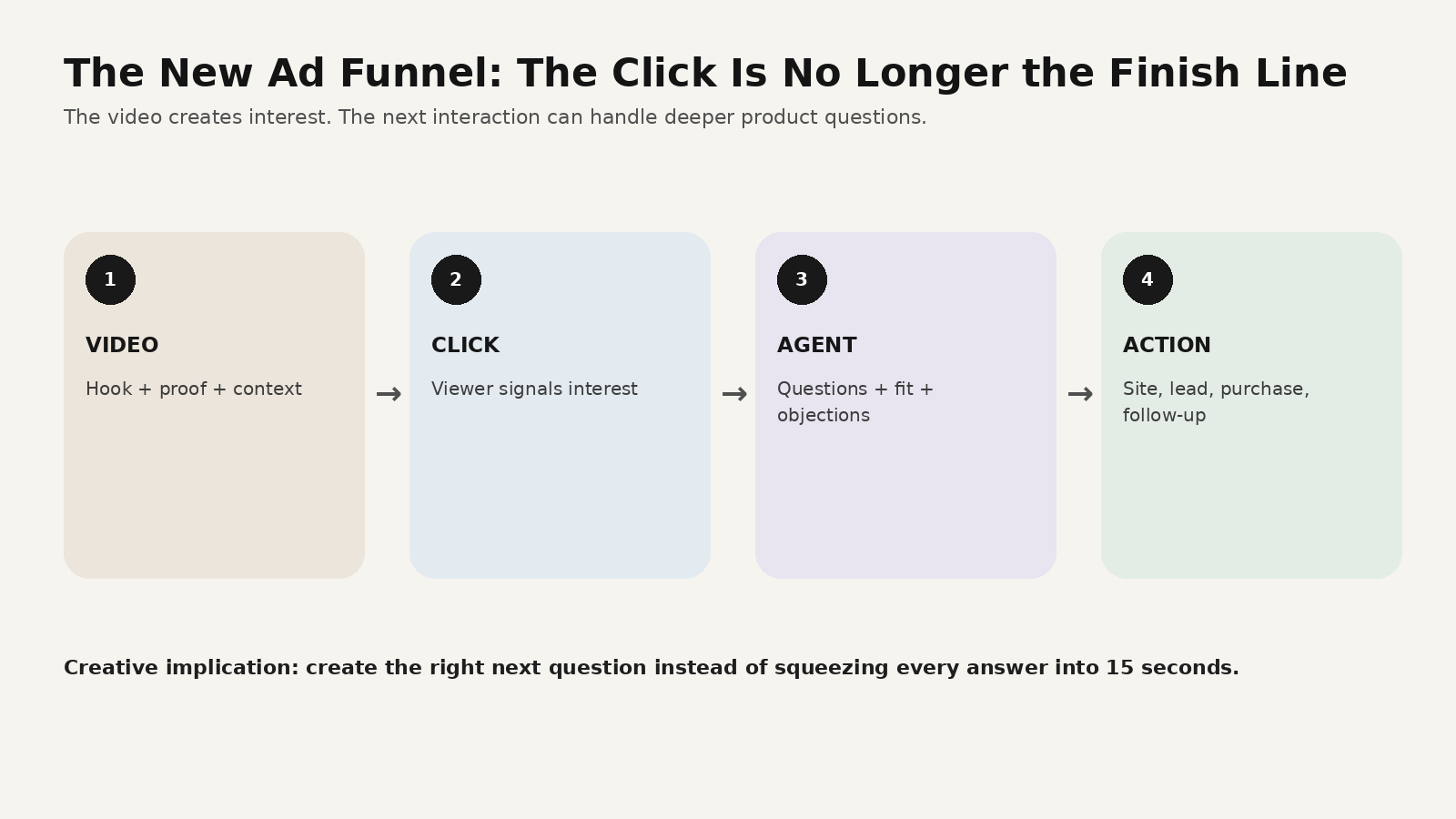
OpenAI describes Sponsored Agents as a post-click experience: after someone sees an ad and chooses to engage, they can start a clearly business-sponsored conversation and ask questions about the advertiser’s product or service.
That means a creative team can think about two connected assets:
- the ad that earns attention
- the information system that handles deeper intent
For a video creator, this is a useful constraint.
You do not need a 15-second ad to explain every size, shipping rule, material, warranty condition, and product comparison.
You need the video to make the product understandable enough to care about.
Then the next interaction can handle specificity.
1. Make the video “question-ready”
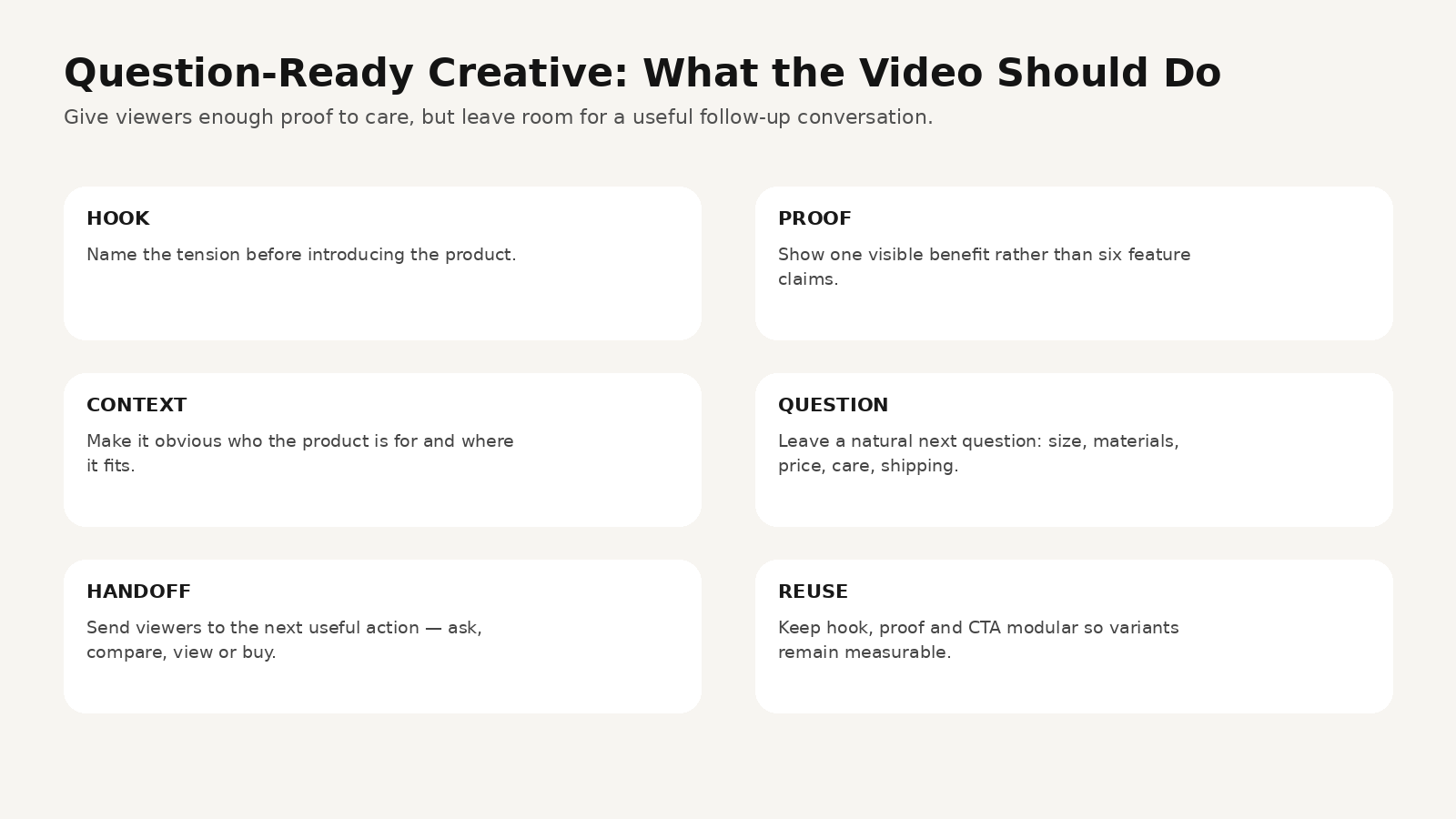
A question-ready video normally does five things.
It names the tension
Not:
“Meet our revolutionary new bottle.”
Better:
“Why is your water already warm by 4 p.m.?”
The second line creates a problem the viewer can recognize.
It shows one visible proof
Do not explain six features.
Show one.
For a fictional insulated bottle, that might be:
- opening the bag with no leak
- visible ice after a commute
- fitting inside a small tote
- one-handed opening
- product still cold after a long day
It tells the viewer who this is for
“Everyone” is not a useful creative audience.
A short line such as:
“I use this on train days because I hate carrying two drinks.”
does more positioning work than a paragraph of product copy.
It creates a natural question
A good video leaves the viewer thinking:
- What sizes does it come in?
- Does it fit a cup holder?
- Can I put coffee in it?
- How do you clean the lid?
- Is it dishwasher safe?
- What materials touch the drink?
- Does it ship to my country?
Those are useful commercial questions.
It gives the next interaction somewhere to go
The handoff might be:
- ask the sponsored agent
- compare options
- see product details
- check availability
- open the store
The CTA should match the next experience.
2. Stop treating the CTA as the only conversion moment
In a normal feed ad, the CTA often carries too much weight:
SHOP NOW
BUY TODAY
LEARN MORE
Conversational advertising creates another possibility:
“Ask which size fits your routine.”
“Not sure which one? Compare them.”
“Ask about materials, care, or shipping.”
This does not mean every brand should replace a direct-response CTA with a question.
It means the CTA can reflect the actual uncertainty that prevents someone from taking the next step.
For complicated products, that is useful.
3. Build a 15-second ad around five beats
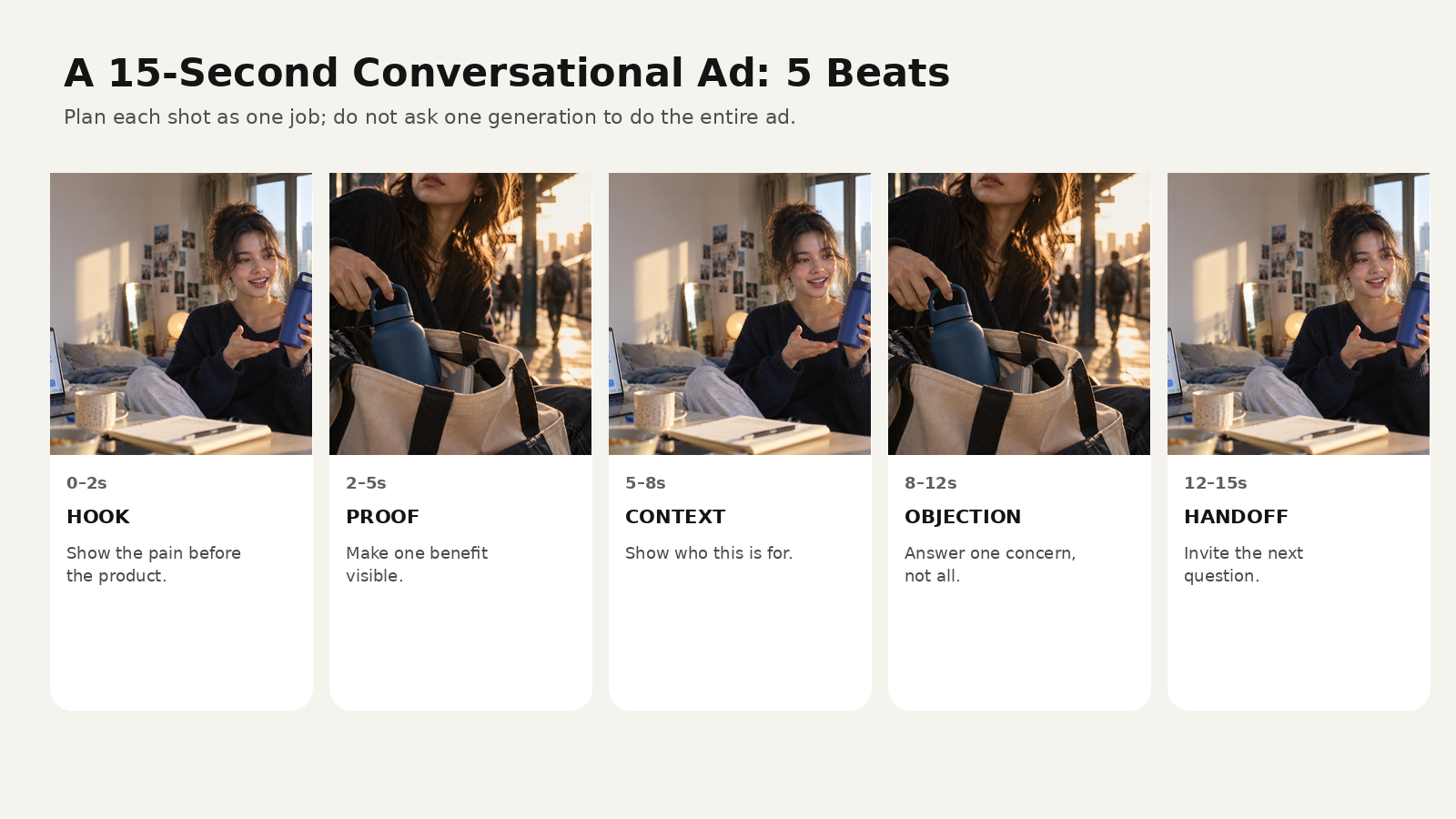
Here is a simple structure.
0–2 seconds — Hook
Open on the problem.
Vertical creator video.

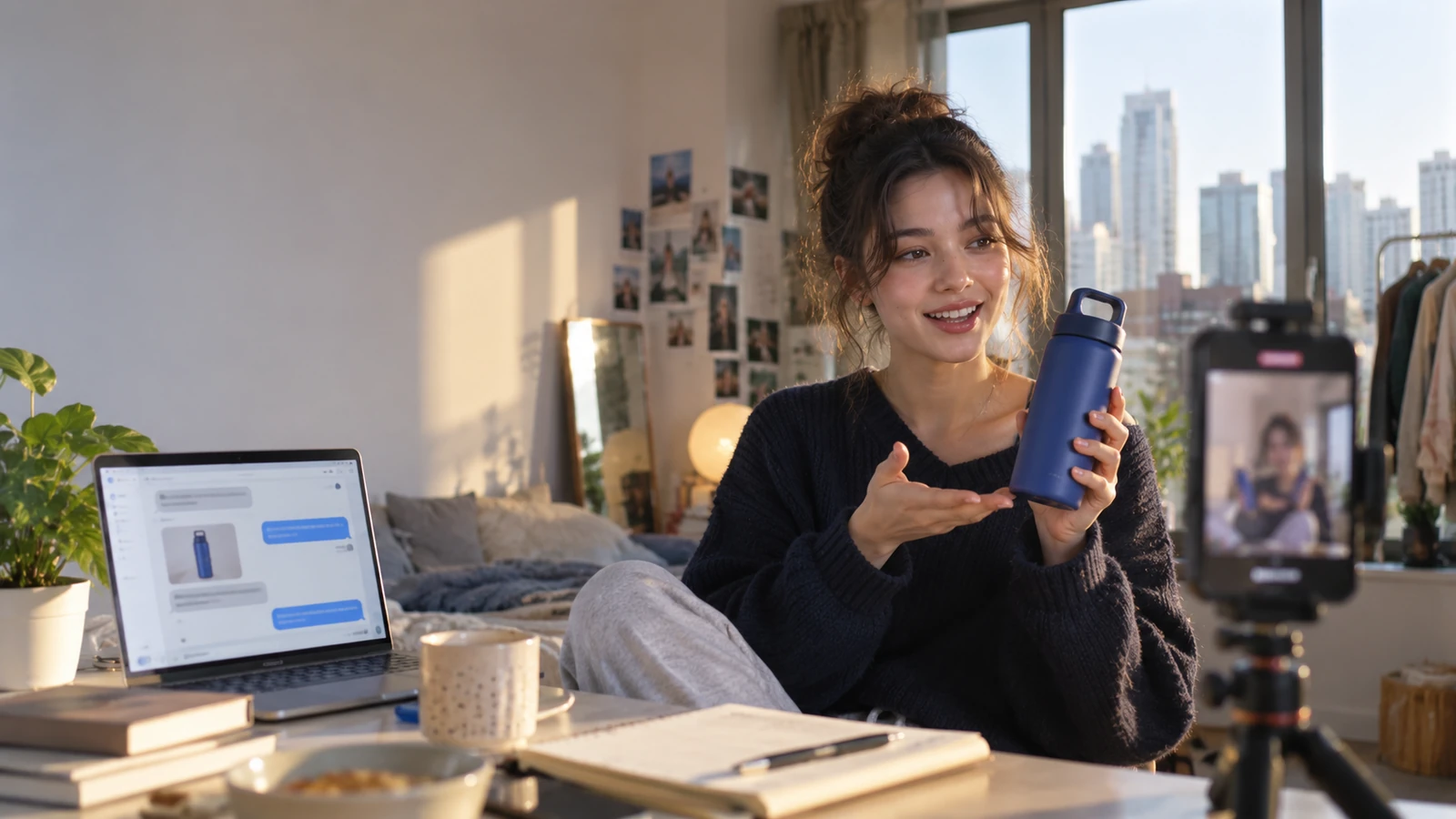
A woman opens her commuter bag at her desk, pulls out a blue insulated bottle,
touches the outside and says:

“Okay, this is the first one that actually stays cold through my train day.”

Front phone camera, natural apartment light, immediate action in first half-second.
No cinematic intro.
2–5 seconds — Proof
Show the claim.
Close handheld insert.

She twists the cap, ice is still visible inside.
A small amount of condensation appears only near the opening.
Natural hand movement, one brief focus adjustment.
No slow-motion product spin.
5–8 seconds — Context
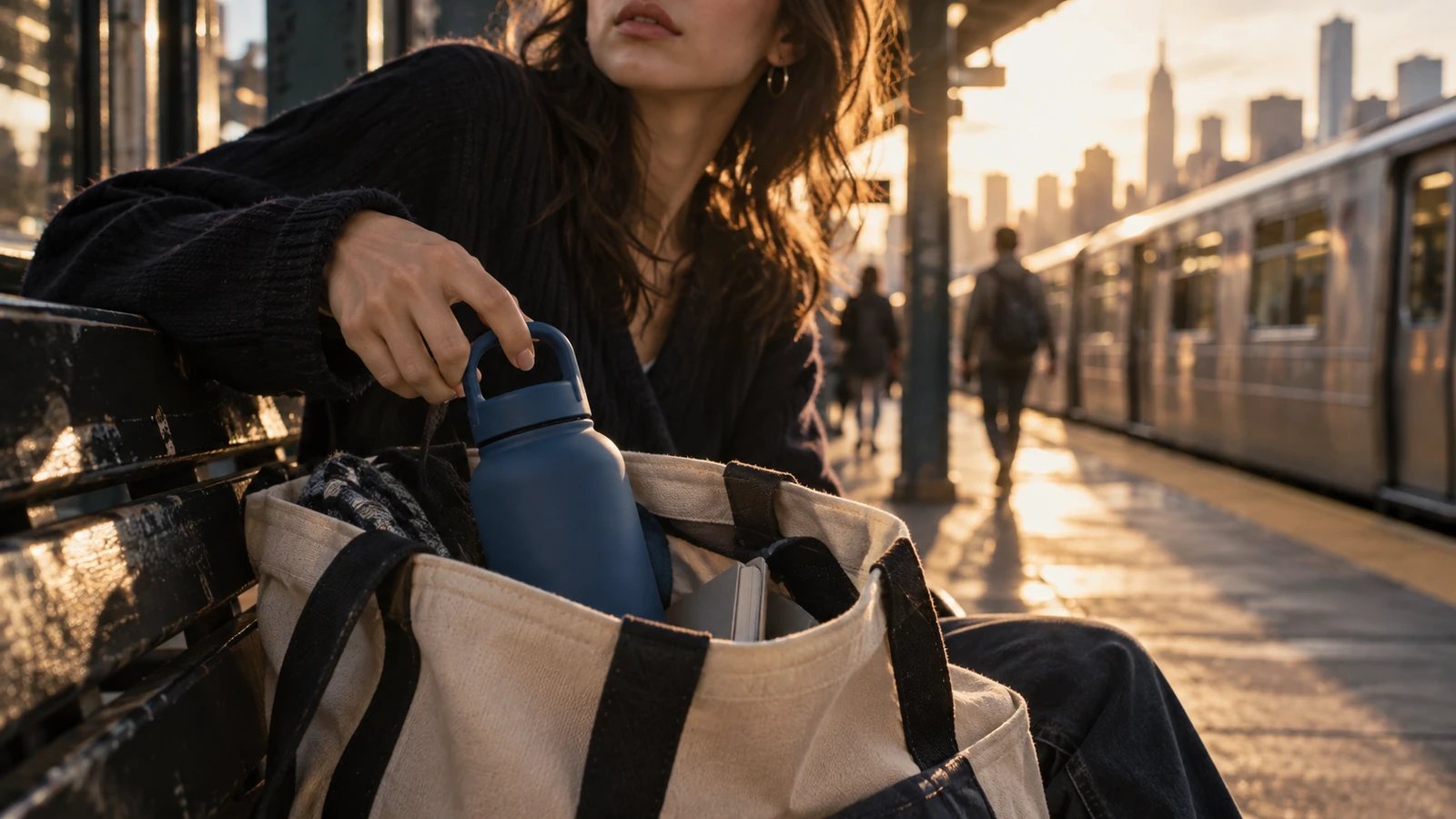
Put the product in the life you are selling.
Warm golden-hour train platform.
The same woman pulls the same matte blue bottle from a cream tote.
Train arrives in soft background blur.

The bottle is not presented to camera.
It is simply part of the routine.
8–12 seconds — One objection
Choose only one.
Example:
“And yes, the lid has survived being sideways in my bag.”
Now you have answered a real concern without turning the ad into a feature list.
12–15 seconds — Handoff
Example:
“If you’re picky about size or lids, check the details before you choose.”
For a conversational ad, the next interface can carry the comparison.
4. Design the ad around the questions you expect
Before writing the video, write the questions.
For example:
Product: insulated bottle
Likely questions
- What sizes?
- How long does it stay cold?
- Can it hold hot drinks?
- Does it leak?
- Is the lid dishwasher safe?
- What materials touch the drink?
- Does it fit a car cup holder?
- Where does it ship?
Now choose which question the video should answer.
Do not answer all eight.
If “Does it leak?” is the strongest barrier, make the video proof about the bag.
If “Will it fit my commute?” is the strongest barrier, show the tote and train.
The post-click conversation can handle the rest.
This gives the creative a much clearer job.
5. Build modular creative, not one giant “perfect” ad
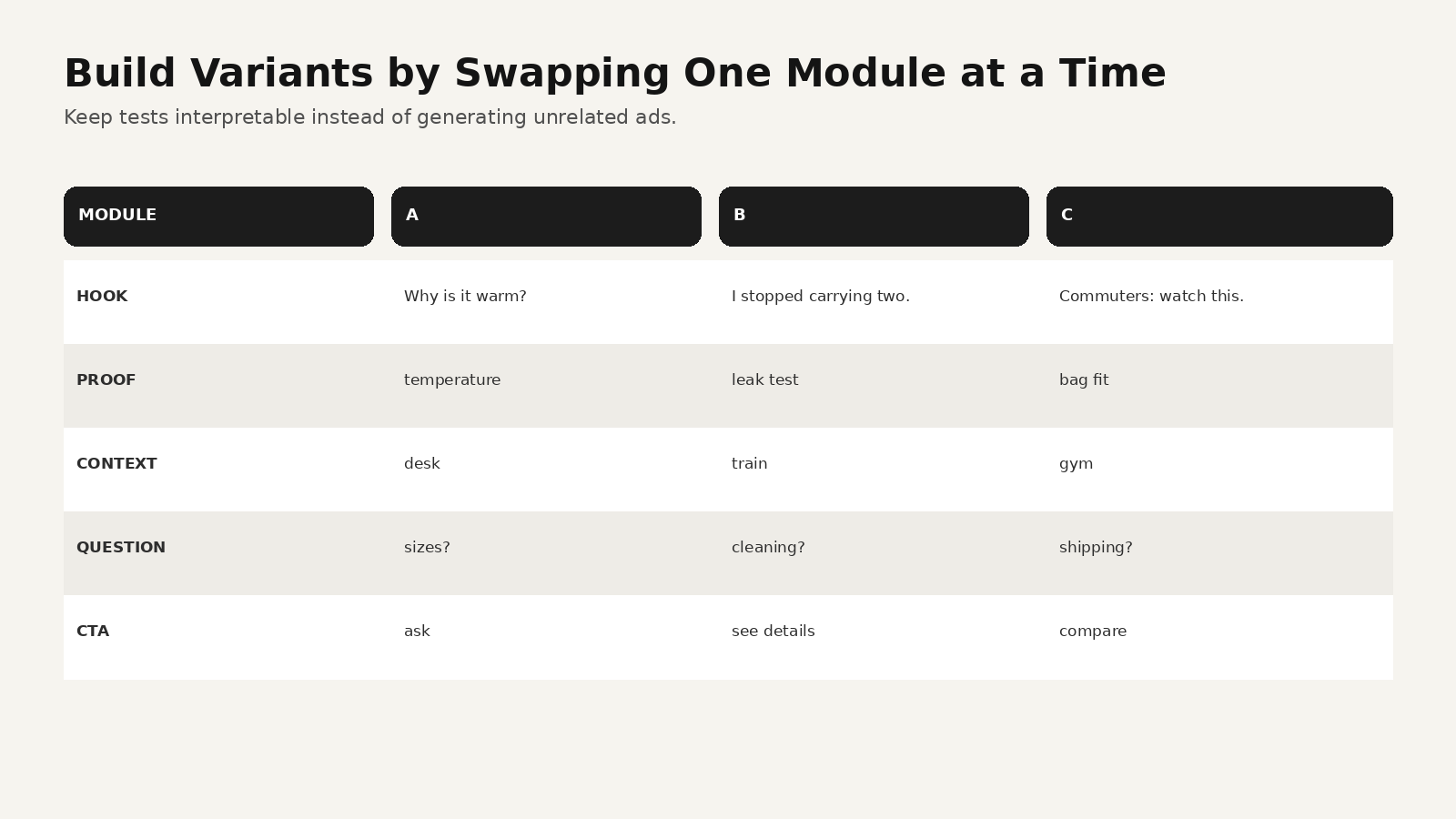
OpenAI’s announcement also highlights AI creative tools for advertisers.
The best way to use AI creative is not to create fifty unrelated videos.
Build a system of reusable modules:
HOOK
- problem
- surprise
- identity
- comparison
PROOF
- demonstration
- before/after
- use case
- testimonial-style observation
CONTEXT
- home
- commute
- work
- gym
HANDOFF
- ask
- compare
- learn
- buy
Then test one variable at a time.
Example test
Keep:
- creator
- bottle
- product demonstration
- final CTA
- music
- 15-second duration
Change only the hook.
A
“Why is your water warm by 4 p.m.?”
B
“I stopped carrying two bottles to work.”
C
“Commuters: this is the feature I actually care about.”
Now the test can tell you something.
If every variation changes the spokesperson, location, pacing, hook, product angle, and CTA, you do not know why one won.
6. One product truth, different platform jobs
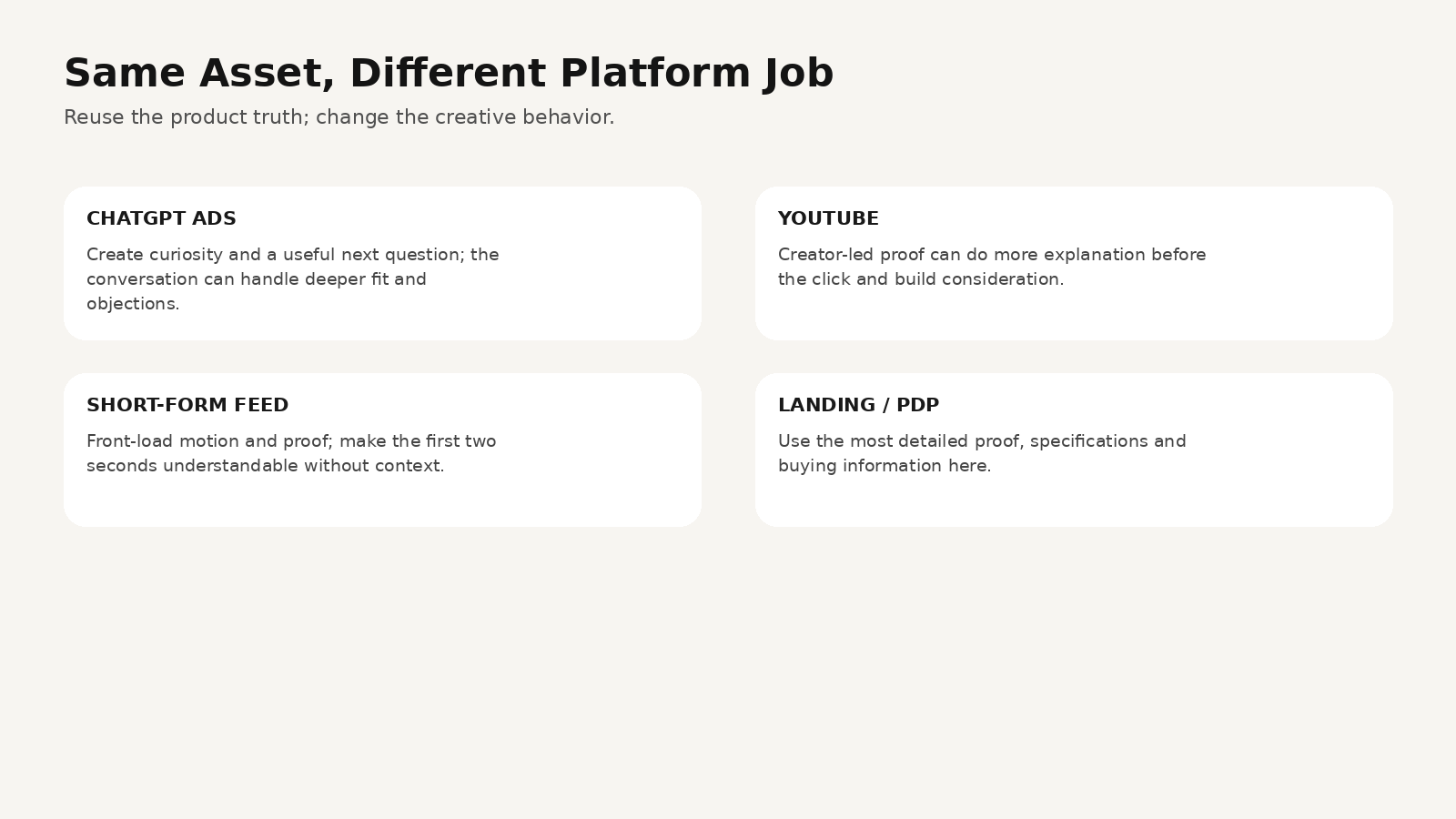
The same campaign can travel across platforms, but the final edit should not be identical everywhere.
ChatGPT Ads
OpenAI’s new Sponsored Agent experience creates a natural role for question-driven creative.
The video can establish:
- problem
- proof
- fit
Then let the next interaction handle:
- details
- comparisons
- objections
- availability
YouTube
On September 17, YouTube Canada announced Creator Partnerships Boost, which lets brands promote creator videos as ads in AI-powered campaigns.
That reflects another direction in advertising: creators and creator-style proof are becoming even more integrated into paid distribution.
On YouTube, a creator demonstration can often carry more explanation before the click.
Short-form feeds
TikTok- or Reels-style creative normally needs to earn attention even faster.
Front-load:
- motion
- problem
- recognizable context
- visual proof
The strategic product truth stays the same.
The cut changes.
7. The most useful creative brief now has two columns
A conversational-ad brief should contain:
What the VIDEO must communicate
Audience:
urban commuters who carry one bottle all day

Problem:
cold drinks become warm before the afternoon

Visible proof:
ice remains after a long commute

Product context:
small tote + train platform + desk

Tone:
real creator recommendation, not luxury commercial

CTA:
invite product-fit questions
What the FOLLOW-UP experience must be ready to answer
sizes
capacity
materials
temperature performance
lid types
cleaning
shipping
returns
price
availability
That keeps the video from becoming an FAQ page with background music.
8. Use AI to generate creative systems, not fake customer evidence
AI video can help create:
- fictional lifestyle demonstrations
- product explainers
- concept ads
- campaign mockups
- visual variations
- alternate locations
- localized versions
- storyboards and pitch videos
But do not present a generated actor as a real customer giving a real testimonial if that did not happen.
If you are making synthetic creator-style advertising, disclosure, claims, and platform rules still matter.
“Looks like UGC” should describe the production language.
It should not create fake proof.
How to build the creative system in MagicBoat
MagicBoat’s current product site describes a full workflow from script and storyboard to visuals, voiceover, editing, and final video, plus character consistency, reusable project assets, parallel versions, voice, lip sync, music, shot sequencing, and a library spanning hundreds of models.
For conversational advertising, a practical MagicBoat workflow is:
Step 1 — Write the question map
List:
- audience problem
- one proof
- top objections
- likely product questions
Step 2 — Generate three hooks
Do not generate three full ads.
Generate three openings.
Step 3 — Build one approved visual world
Lock:
- creator
- product
- location style
- palette
- framing
Step 4 — Storyboard one master ad
Use the five-beat sequence:
hook → proof → context → objection → handoff
Step 5 — Generate modular variants
Swap:
- hook
- background
- proof angle
- CTA
Keep everything else stable.
Step 6 — Edit the master once
Add:
- voice
- captions
- music
- pacing
- final product frame
Step 7 — Export platform-specific cuts
The same production system can support:
- ChatGPT Ads
- YouTube
- TikTok
- Reels
- ecommerce landing pages
MagicBoat is especially useful here because the work is not “generate one clip.”
The work is manage a campaign’s visual assets, shots, and versions without rebuilding the project every time.
Try the workflow at https://www.magicboat.net/.
A prompt for a creator-style product proof shot
FORMAT
9:16 vertical creator video, 5 seconds.

SUBJECT
Young woman in a dark oversized sweater at a lived-in apartment desk.

PRODUCT
Matte deep-blue insulated bottle with a loop handle.
Keep the bottle shape, proportions and color consistent through the full clip.

ACTION
She pulls the bottle from a tote, twists the lid and tilts it slightly toward herself.
She does not present it like a commercial model.
She glances down at the bottle while continuing to speak.

CAMERA
Front phone camera placed on a small tripod at desk height.
Small natural reframing from subject movement.
No gimbal orbit and no slow cinematic push.

LIGHT
Late-afternoon window light, warm room practicals.

PERFORMANCE
Conversational. Slight pause before opening the lid.
Natural smile after looking inside.

AVOID
perfect centered pack shot, fake testimonial energy, luxury studio light,
floating product, unreadable hand anatomy, excessive depth-of-field blur.
Common mistakes
Mistake 1: Trying to answer everything in the video
Fix: answer one important objection and create a clear next question.
Mistake 2: Making 20 completely different AI ads
Fix: create modular variants so you can learn which variable matters.
Mistake 3: Treating creator-style video as fake social proof
Fix: borrow the camera language, not fabricated customer evidence.
Mistake 4: Sending a curious viewer to a generic destination
Fix: make the post-click experience match the uncertainty created by the ad.
Mistake 5: Copy-pasting one edit across every platform
Fix: reuse the product truth and production assets; recut for platform behavior.
FAQ
What are Sponsored Agents in ChatGPT Ads?
OpenAI announced Sponsored Agents on September 16, 2026 as a test that lets people start a separate conversation with a business-sponsored agent after engaging with an ad.
Can businesses create ChatGPT Ads with AI?
OpenAI says businesses can create ads from prompts in ChatGPT Work and that Ads Manager is getting new AI creative tools.
Why does this matter for video advertisers?
Because a video no longer has to carry every product detail before the click. The creative can focus on attention, proof, and fit while the next interaction handles deeper questions.
Does every ChatGPT ad use a Sponsored Agent?
No. OpenAI described Sponsored Agents as a feature being tested, so availability and advertiser access can vary.
Should every video ad end with “ask the agent”?
No. The CTA should match the product, audience, and campaign. Direct purchase, product comparison, or site visit may still be more appropriate.
Can MagicBoat create video ad variants?
MagicBoat’s current site describes parallel version generation, ad creative workflows, reusable project assets, character consistency, voice, editing, and multi-model generation. Exact model availability and paid capabilities can change, so verify the current product interface for production use.
Sources
- OpenAI — Reimagining advertising with AI, September 16, 2026: https://openai.com/index/reimagining-advertising-with-ai/
- Google / YouTube Canada — Creator Shows, Cultural Moments, Frictionless Shopping and More, September 17, 2026: https://blog.google/intl/en-ca/company-news/outreach-initiatives/creator-shows-cultural-moments-frictionless-shopping-and-more-everything-announced-at-youtube-features/
- MagicBoat — Official product page: https://www.magicboat.net/
Keywords
ChatGPT Ads, Sponsored Agents, ChatGPT advertising, AI ad creative, AI video ads, conversational advertising, video ad creative, creator ads, AI marketing video, ad creative workflow, MagicBoat AI